

Microsoft’s Security Update Guide has assigned the identifier CVE-2026-21511 to a Microsoft Outlook spoofing vulnerability, but public technical details remain sparse — a pattern we’ve seen before with Outlook presentation-layer flaws that are confirmed by vendor entries long before fuller technical notes or proof-of-concept code appear. Treat this CVE as real and operationally relevant today, while also treating many of the exploitation specifics as unverified until Microsoft publishes KB mappings, vendor notes, or trusted third‑party analyses. osoft assigns CVE identifiers and initially exposes each issue in the Security Update Guide; that initial entry often confirms existence and classification (for example: “Outlook — Spoofing”), but deliberately omits low-level exploit mechanics until patches and KB numbers are finalized. This disclosure pattern reduces short‑term weaponization risk but raises a high operational urgency for administrators and defenders: you must track the MSRC entry, extract KB→SKU mappings when posted, and apply every applicable update for your install model. (nvd.nist.gov)
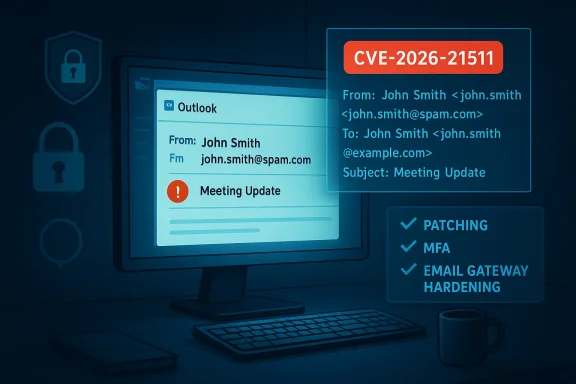
Spoofing vulnerabilities in Outlook are not theoretical. They exploit how the client parses, normalizes, or displays sender metadata (From/Sender fields, display names, multipart MIME headers, or embedded metadata that Outlook renders in the message list or preview pane). The result is deception: a message appears to come from a trusted identity, increasing the chance the recipient will act — click links, open attachments, or carry out sensitive requests. Historically, these presentation‑layer defects rarely demand sophisticated exploit chains; their power lies in subverting human and automated trusknow about CVE-2026-21511 (and what we don’t)
Source: MSRC Security Update Guide - Microsoft Security Response Center
Spoofing vulnerabilities in Outlook are not theoretical. They exploit how the client parses, normalizes, or displays sender metadata (From/Sender fields, display names, multipart MIME headers, or embedded metadata that Outlook renders in the message list or preview pane). The result is deception: a message appears to come from a trusted identity, increasing the chance the recipient will act — click links, open attachments, or carry out sensitive requests. Historically, these presentation‑layer defects rarely demand sophisticated exploit chains; their power lies in subverting human and automated trusknow about CVE-2026-21511 (and what we don’t)
 Confirmed facts
- The CVE identifier CVE‑2026‑21511 exists and appears in Microsoft’s tracking (MSRC Update Guide). That listing is the canonical signal that defenders should treat the issue as a real vulnerability.
- Microsoft classOutlook spoofing vulnerability, i.e., a presentation‑layer/UI misrepresentation rather than a direct remote code execution or memory corruption bug (based on the CVE label).
Unknown / unverified facts
- The exact vulnerable component(s) — the assembly, library, or specific Outlook rendering code — are not publicly documented in the MSRC entry at this time.
- Preconditions for exploitation (remote unauthenticated? does the attacker need to deliver a crafted email to the victim’s inbox? are specific Outlook features required?) are unspecified publicly.
- There is no vendor‑published KB mapping, patch SHA, or formal technical advisory (as of this writing) that describes the root cause, patch scope, or mitigations in an engineering‑level detail.
Because these core details are missing, any technical assertions about exploitability, required attacker prerequisites, or exploit code must be treated as provisional until corroborated by Microsoft KB notes or trusteh.
The confidence metric — why it matters for defenders
Vulnerability disclosure and triage use a simple confidence ladder:- Identifier only (low public detail): CVE exists; vendor record is brief. The public may not have a PoC or a technical write‑up. Defensive posture must assume the vulnerability is real but not assume exploitability specificorroboration (medium confidence): Researchers publish PoCs, technical write‑ups, or telemetry that aligns with vendor text. Now defenders can craft detection rules and urgent mitigations.
- Vendor confirg (high confidence): The vendor publishes KB numbers, per‑SKU instructions, and security update packages. At this stage patching and verification are straightforward.
Why Outlook spoofing vulnerabilities are operationag vulnerabilities do not always produce high CVSS numbers, but they punch above their numeric weight because they directly enable social engineering. Consider the following operational consequences:
- Human-factor leverage: A convincing “From” or display name shown in the Outlook preview pane can trick helpdesk personnel, executives, or administrators into taking dangerous actions (resetting credentials, approving requests, or clicking links). Attackers exploit trust, not bugs in the OS kernel.
- Chainability: A spoofed message can be the first step in a multi-stage attack (cateral movement → privileged compromise). Presentation‑layer deception is often the easiest path to elevated impact.
- Automation risk: Modern automation, connectors, or management scripts sometimes rely on human approvafed approval dialog or administrative prompt can cause automated processes to execute with elevated privileges.
- Scale: Outlook remains a dominant enterprise mail client; a single effective spoof can impact many users across an organizaal realities make prompt triage and patch management essential — even before a full technical analysis is public.
Likely technical classes and realistic attacker models
Because vendor details are sparse, defenders should reason from prior Outlook and aws and prepare for realistic attack models.Plausible technical classes
- Header parsing / normalization errors: Mishandling of the From, Sender, or multipart MIME headers can allow crafted headers to be displayed with forged display names or domains.
- UI provenance confusion: Code that populates the message list, reading pane, or original sender fields may accept attacker‑controlled strings without sufficient origi rendering bugs: Outlook sometimes renders embedded message metadata (icons, logos, or linked resources). If that rendering accepts attacker content, a message can look convincingalistic attacker prerequisites
- Low bar for social engineering: Attackers typically need only to deliver a crafted email to a recipient’s inbox — a trivial task for internet-exposed mail flows or compromevated privileges likely required: Presentation-layer exploits often require no privileges on the victim machine; the deception occurs when the victim views the message.
- Possible need for crafted mail headers or malformed MIME parts: Attack may depend on precise construction of headers or multipart sections to trigger the mis‑rendering.
Immediate actions for IT teams and administrators
Until Microsoft publishes KB mappings and security packages, follow a prioritized, verifiable runbook to reduce risk:- Inventory and exposure triage
- Enumerate endop Outlook (identify install model: Click‑to‑Run, MSI, LTSC, architecture). Microsoft’s guidance historically maps CVEs to multiple packages — you may need to apply several updates per endpoint type.
- Verify MSRC entries and KB mappings when available
- Monitor the Microsoft Security Update Guide for CVE‑2026‑21511 and extract KB→SKU mappings immediately when published. Apply each update that matches your installed product model.
- Stage - Pilot updates in a representative test pool that mirrors production (including add‑ins and hybrid mail flows) before broad deployment.
- Strengthen email defences now
- Enforce or enable anti‑spoofing standards at the mail gateway andMARC. While these do not eliminate presentation‑layer bugs in clients, they raise the cost for mass spoofing and help mail gateways filter suspicious senders.
- Tighten anti‑phishing rules and use heuristics that flag unusual display-name/domain mismatches.
- Harden human and automation controls
- Require multifactor authentication (MFA) for all admin and privileged accounts.
- Suspend or add manual validation for high‑risk tasks that rely on email approvals or UI messages (for example, administrative connector approvals).
- Apply com immediate patching is impossible
- Isolate high‑value admin workstations, restrict internet exposure for Exchange admin endpoints, and use WAFs or reverse proxies for public mail services. Temporarily disable server‑side automatic rendering features that ingest user‑supplied co
Detection, logging, and hunting
Spoofing bugs aim to deceive people; as a result, detection requires combining telemetry with human‑centric signals.- Increase logging and ret and Exchange components. Monitor for unusual patterns of sender-display name mismatches, unexpected internal-sender impressions originating from externalage header shapes.
- Hunt for phishing campaigns that reference recent admin prompts or operational events — attackers often use topical lures to increase success rates.
- Watch for automation or connector activity that occurs immediately after email approvals or messages that could be spoofed; correlate Azure/Audit logs with UI‑level events to detect discrepancies.
- Deploy detection rules that fldisplay name suggests an internal source but the actual SMTP envelope or DKIM signature does not. This is a low‑noise heuristic that catches many spoofiPoC exploit code is not yet public for CVE‑2026‑21511, avoid creating brittle indicators based on single unverified forum posts or unvetted repositories. Flag them as provisional until corroborated.
ent and deployment nuance
- Click‑to‑Run vs MSI vs LTSC: Each install channel can have its own KB; applying the wrong KB to the wrong install model is ineffective. Apply the KB that matches the endpoint’s installation type.
- Architectures and channels: Separate updates for x86/x64/ARM64 and for servicing channels (Monthly/Current ChanC) are common. Verify which packages apply to your estate.
- Prerequisites: Some updates require servicing stack updates (SSUs) or platform prerequisites. Respect Microsoft’s prerequisite ordering where stated.
- Inventory endpoints and map install models.
- Wait for MSRC KB mapping for CVE‑2026‑215rerequisites.
- Stage updates on pilot hosts, test mailflow, add‑ins, and hybrid integrations.
- Roll out with normal change control, prioritizing exposed admins and shared mailboxes.
- Verify patch success via endpoint management telemetry and Exchange health checks.
Threat modeling: who should be most worried?
- Executive dmins, and helpdesk personnel: these roles are highest‑value social targets for BEC and credential harvesting because attackers seek the quickest path to privilege.
- Organizations with automated approval flows that rely on email prompts: automation increases the blast radius of a successful spoof.
- Enterprises with heterogeneous Office deployments: complex estates (mixture of Click‑to‑Run, MSI, LTSC, multiple architecterational risk because patching must be applied across multiple install models.
Strengths and risks in Microsoft’s handling so far
Notable strengths
- Microsoft’s use of the MSRC Update Guide to publish the CVE identifier is the appropriatn; it centralizes the record for KB mapping when patches are ready. That allows enterprises to map their inventory to vendor-supplied paose packages are published.
- Historically, Microsoft’s multi‑KB approach ensures that each packaging channel receives a correctly built fix, reducing the chance of broken installs or incomplete remediations when applied correrisks and friction points
- The initial MSRC entries are often terse; until full KB mapping or vendor notes appear, administrators must make conservative assumptions (treat vulnerability as real and prepare to apply multiple updates). That creates operational friction and risk of patching delays.
- Partial patching is a real hazard: applying only one of several required updatesg Click‑to‑Run machines but not MSI installs where the same vulnerable code is present) can leave exploitable surfaces. Microsoft explicitly advises applying all applicable updates.
- Overreliance on numeceptive: presentation‑layer spoofing CVEs may carry modest CVSS values yet yield high real‑world impact because they enable human‑focused fraud. Prioritize mitigation by operational impact, not CVSS alone.
How to communicate this to non‑technical stakeholders
- Keep messaging clear and action‑oriented:ered CVE‑2026‑21511 (Outlook spoofing). We are treating it as a high priority for administrative accounts and automated approval flows; we will patch all affected Outlook install models as soon as vendor KBs are released.”
- Emphasize immediate mitigations: verify MFA, restrict admin inncrease skepticism about unusual email requests — especially those asking for credential changes or approvals.
- Avoid technical panic: explain that the vendor has published the CVE, that patches are expected or pending, and that the security team is tion and patch deployment cadence.
Final assessment and recommended timeline
- Near term (0–72 hours): Inventory Outlook installations, apply strict MFA for admin accounts, tighten mail gateway anti‑spoofing rules, and elevate monitoring on mail flow and admin approvals. Begin staged test plans for expected KBs.
- Short term (3–14 days): When Microsoft publishes KB mappings for CVE‑2026‑21511, extract applicable packages, pilot updates, and begin prioritized rollouts (start with admin workstations and internet‑facing mail endpoints).
- Medium term (2–6 weeks): Validate update installations across the estate, tune detection/hunting rules based on any published technical notes or third‑party analyses, and update incident response playbooks to account for social‑engineering vectors enabled by the CVE.
Closing — cautious urgency
CVE‑2026‑21511 represents a classic and dangerous class of Outlook vulnerabilities: presentation‑layer spoofing that weaponizes trust. The vendor has confirmed the identifier, alone should trigger immediate, pragmatic actions: inventory, MFA, hardened mailflow controls, and readiness to apply multiple vendor updates across diverse install models. At the same time, avoid speculative technical claims ues KB mappings or respected researchers release corroborated analyses. Treat the CVE with operational urgency and technical caution — act fast on verifiable mitigations, and update detection and patching strategies as authoritative technical details become available.Source: MSRC Security Update Guide - Microsoft Security Response Center
