

Google’s Chromium project patched a high‑risk graphics vulnerability — tracked as CVE‑2025‑14174 — that allowed an out‑of‑bounds memory access in the ANGLE graphics translation layer and was added to CISA’s Known Exploited Vulnerabilities (KEV) catalog, creating an urgent, operational remediation requirement for affected organizations.
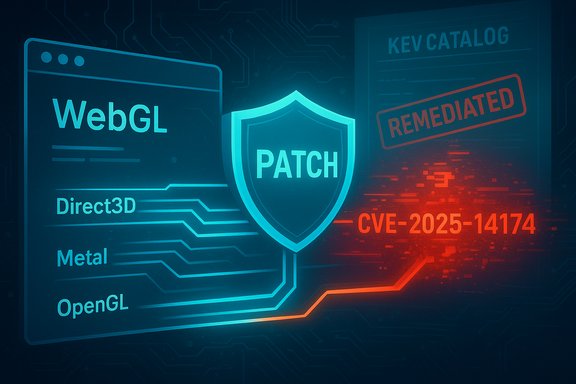
ANGLE (Almost Native Graphics Layer Engine) is the Chromium ecosystem’s compatibility layer that translates WebGL/OpenGL ES calls into platform native graphics APIs (Direct3D on Windows, Metal on macOS, and OpenGL on Linux). Because ANGLE mediates GPU calls coming from web content and WebGL contexts, memory‑safety bugs inside ANGLE are attractive to attackers: they can be triggered remotely by crafted web pages and potentially escalate to memory corruption, process crashes, or code execution in the renderer process. CVE‑2025‑14174 is described publicly as an out‑of‑bounds memory access in ANGLE in Google Chrome on macOS prior to 143.0.7499.110, exploitable by a crafted HTML page. The National Vulnerability Database and multiple vendor trackers mark the Chromium security severity as High and note evidence of active exploitation that led to a KEV listing. Administrators should therefore treat this as an immediate patching priority.
Source: MSRC Security Update Guide - Microsoft Security Response Center
 Background / Overview
ANGLE (Almost Native Graphics Layer Engine) is the Chromium ecosystem’s compatibility layer that translates WebGL/OpenGL ES calls into platform native graphics APIs (Direct3D on Windows, Metal on macOS, and OpenGL on Linux). Because ANGLE mediates GPU calls coming from web content and WebGL contexts, memory‑safety bugs inside ANGLE are attractive to attackers: they can be triggered remotely by crafted web pages and potentially escalate to memory corruption, process crashes, or code execution in the renderer process. CVE‑2025‑14174 is described publicly as an out‑of‑bounds memory access in ANGLE in Google Chrome on macOS prior to 143.0.7499.110, exploitable by a crafted HTML page. The National Vulnerability Database and multiple vendor trackers mark the Chromium security severity as High and note evidence of active exploitation that led to a KEV listing. Administrators should therefore treat this as an immediate patching priority. What the bug actually is
Technical summary
- Vulnerability class: Out‑of‑bounds memory access (memory‑safety violation) inside ANGLE.
- Component: ANGLE / LibANGLE (the translation layer used by Chromium for WebGL/OpenGL ES).
- Attack vector: Network / Remote — a victim loading a crafted HTML page or web content that exercises the affected ANGLE code path can trigger the issue.
- Privileges required: None — user interaction limited to visiting or rendering web content.
- Upstream remediation boundary: Chrome/Chromium 143.0.7499.110 (or later) is cited as the build that contains the fix.
What is not public (and why that matters)
Google and vendors commonly restrict technical detail for high‑impact bugs while patches roll out; public exploit code and deep technical details are often withheld to avoid facilitating mass weaponization. At the time of public patching and KEV inclusion, independent trackers report evidence of active exploitation but do not publish a full proof‑of‑concept. Treat any unverified claims about a specific exploit chain as tentative until vendors or trusted researchers publish corroborating analysis.Affected products, versions and downstream risk
Upstream (Chrome/Chromium)
Google’s Chrome stable channel rolled fixes into the Chrome 143 family, with the remediation boundary listed as 143.0.7499.110 (macOS/desktop stable builds noted in vendor release notes). Canonical vulnerability trackers (NVD, Debian tracker, Tenable) and Chrome’s release logs reference the fix landing in the 143.x release family. Administrators should verify installed Chrome/Chromium builds and update to at least the fixed build.Downstream consumers (what to watch for)
Chromium is not only Chrome. Many widely used products embed or ingest Chromium code:- Microsoft Edge (desktop/mobile)
- Electron‑based applications (Slack, Discord, many internal apps)
- Brave, Vivaldi, Opera and other Chromium forks
- Applications and appliances that bundle WebView / CEF / WebView2
- Server‑side headless Chromium instances used in CI or rendering pipelines
Why CISA’s KEV listing matters operationally
CISA’s Known Exploited Vulnerabilities catalog is a policy instrument created under Binding Operational Directive (BOD) 22‑01; entries in KEV are supported by observed exploitation telemetry and carry remediation deadlines for federal agencies. A KEV entry is a practical, high‑urgency signal: federal agencies must remediate or mitigate by the due date, and private sector defenders commonly treat KEV entries as top‑tier patching priorities. CVE‑2025‑14174’s addition to KEV shortens the acceptable window for remediation and elevates it to an operational emergency for many organizations.Immediate mitigation checklist (for admins and IT teams)
The next 72 hours after a KEV addition are about discovery, triage, and prioritized patching. The practical playbook below is a defensible, reproducible sequence you can run now.1. Inventory and triage (first action)
- Enumerate all Chromium instances across your estate: Chrome, Edge, Brave, Electron apps, kiosk images, headless servers, embedded WebView runtimes.
- Query endpoints for browser versions (chrome://version and edge://version) and map them against the vendor remediation boundaries.
- Prioritize internet‑facing systems and high‑privilege user endpoints for immediate patching.
2. Patch and verify (critical path)
- Update Google Chrome on all endpoints to 143.0.7499.110 or later and restart the browser to activate the update.
- For Microsoft Edge, apply the Edge update that ingests the Chromium fix as posted in Microsoft’s release notes; confirm with edge://version and Microsoft’s release documentation.
- Track downstream vendors (Electron app vendors, appliance suppliers) for patched releases; do not assume upstream parity until each vendor publishes an ingest boundary.
3. Temporary compensations if immediate patching is impossible
- Disable hardware acceleration in browser settings — this can reduce exposure to graphics‑renderer bugs by forcing fallback rendering paths (temporary and incomplete mitigation).
- Limit high‑risk browsing for privileged accounts (use separate hardened browser profiles for admin tasks).
- Apply network controls: egress filtering, web proxy content inspection, and blocking of known malicious domains.
- Enforce rapid restart policies after update pushes — many fleets miss this and leave unpatched processes running.
4. Detection and hunting checklist
- Search EDR/telemetry for unexplained renderer process crashes or frequent GPU/renderer restarts across macOS endpoints.
- Monitor for anomalous child process creation by browser binaries, unexpected network connections originating from browser processes after a crash, or indicators in web proxy logs that show visits to suspicious payload pages.
- Add behavioral detections for crash‑patterns tied to Chromium issue IDs or artifact filenames where available.
Enterprise rollout guidance — balancing urgency and stability
Pushing emergency updates at scale creates tradeoffs: rapid remediation reduces attack window but increases the risk of regressions that disrupt critical services. Adopt a controlled, prioritized rollout:- Stage 1 (0–24 hours): Patch high‑risk endpoints (internet‑facing servers, privileged admin workstations, developer build systems).
- Stage 2 (24–72 hours): Roll patches to standard user devices and kiosks. Enforce forced restarts after installation.
- Stage 3 (72+ hours): Patch edge cases (embedded devices, appliance firmware) after vendor‑shipped updates are validated.
Detection, forensics and indicators
Because the exploit vector is web content, typical indicators are subtle and include:- Sudden, correlated renderer crashes across multiple machines.
- Browser processes that terminate with memory‑corruption or access‑violation exceptions.
- Unexpected outbound connections from browser processes shortly after rendering suspicious pages.
- Web proxy logs showing visits to obscure pages or rapid redirects that coincide with crash telemetry.
Risk analysis — strengths, limitations and residual exposure
Strengths of the vendor response
- Google acted quickly and released a stable‑channel remediation in the 143.x family; this shows responsiveness and reduces the window of exposure for updated users.
- Microsoft and downstream vendors update Edge and publish ingest information so enterprise admins can verify remediation status for Edge specifically.
Practical limitations and risks
- Downstream ingestion lag remains the single biggest operational risk: many Electron apps and embedded Chromium instances do not auto‑update and may remain vulnerable long after Chrome patches. Inventory gaps often hide these runtimes.
- Incomplete mitigations: disabling hardware acceleration reduces but does not eliminate attack surface; it’s a stopgap, not a substitute for the patch.
- Exploit secrecy: restricted technical details combined with reported active exploitation make urgency sensible — but limited public disclosure complicates defenders’ ability to craft precise detections. Treat exploit claims as valid operational signals but continue to seek vendor corroboration.
Unverifiable or evolving claims (cautionary note)
Some public posts have speculated about ANGLE’s Metal renderer or buffer sizing errors; while privileged trackers and release notes identify ANGLE/LibANGLE as the affected component, exact exploitation mechanics and whether it targets Metal versus other backend code paths may remain unverified until full technical writeups appear. Organizations should therefore rely on vendor build numbers for remediation status, not on speculative exploit details.Practical checklist for Windows‑focused administrators
Although the initial public scope references macOS, Windows administrators should treat this as broadly relevant:- Verify and update any Windows endpoints running Chromium‑based browsers to the latest stable channel build. Chrome’s stable 143.x updates were published for Windows; check chrome://version and force update/restart.
- For Microsoft Edge: apply the security update that ingests the Chromium remediation and confirm with edge://version. Microsoft lists Edge releases that include fixes for CVE‑2025‑14174.
- Inventory Electron‑based apps that are widely deployed on Windows. For each application, ask the vendor whether their embedded Chromium revision includes the 143.0.7499.110 patch; if not, restrict those applications on high‑value hosts until a patch is available.
- Apply group‑policy or endpoint configuration to enforce browser restarts after updates and consider temporarily restricting use of unpatched third‑party browsers for sensitive user groups.
Longer‑term recommendations and hardening
- Maintain a complete SBOM and runtime inventory that includes embedded Chromium/CEF/Electron revisions; this is the only reliable way to identify hidden exposures.
- Enforce automatic updates where possible and maintain a rapid test→deploy pipeline for emergency updates.
- Harden high‑value browsing environments with application isolation, minimal extension allowances, and separate admin browser profiles.
- Invest in telemetry that correlates browser crashes, GPU/renderer faults, and web proxy logs — early signals of exploitation for memory‑safety bugs are often crash storms, not signature hits.
Conclusion
CVE‑2025‑14174 is a textbook example of why browser graphics stacks (ANGLE, WebGPU, V8 and related components) remain high‑value targets: they process untrusted content, interact with native drivers, and — when they fail — can yield powerful primitives for attackers. The vulnerability’s inclusion in CISA’s KEV catalog and the upstream Chrome remediation in the 143.x release family make this an operational emergency: discover all Chromium instances in your environment, patch to the fixed builds (or apply vendor‑supplied Edge updates), and deploy compensating controls where immediate patching is infeasible. Treat hardware acceleration toggles and network controls as temporary mitigations only; the single correct fix is to run a browser build that contains the upstream patch and to confirm downstream ingestion for every Chromium consumer in your stack. The current situation demonstrates two enduring operational truths: rapid patching reduces risk, and complete visibility across the Chromium supply chain is the only reliable way to prove remediation. Organizations that update aggressively, validate downstream ingestion, and monitor for renderer anomalies will shrink their exposure window and blunt the operational impact of this and future Chromium‑stack vulnerabilities.Source: MSRC Security Update Guide - Microsoft Security Response Center
