

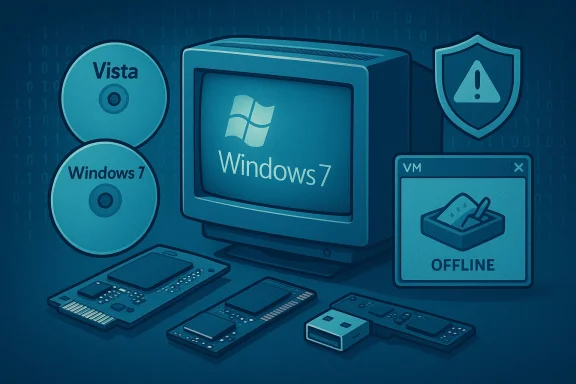
A familiar slice of Windows nostalgia has been resurrected by a community modder, but what looks like a fun time machine comes with a heavy dose of modern reality: vendor support for these operating systems is gone, and the security calculus has shifted dramatically. Enthusiast releases of ready‑to‑install, pre‑patched Windows 7 and Windows Vista ISOs from a contributor known as Bob Pony promise years of update work baked into single images, easing installation on contemporary hardware — yet those same images rest on the last flicker of paid vendor updates that Microsoft allowed to exist. Before you consider burning an ISO or slapping one inside a test PC, you need a rigorous read on what was actually released, which claims are verifiable, what remains dangerous, and how to experiment safely if you insist on a nostalgia trip. rview
The headlines are straightforward: a community contributor published consolidated ISO images for Windows Vista (x86 and x64) and Windows 7 (various builds and an x86 edition) that claim to include all security updates up to the end of Microsoft’s last paid update window for the Vista codefamily. The Windows 7 image is notable for integrating modern drivers — NVMe, USB 3.x and several network adapters — which historically made installing Windows 7 on new hardware a hassle. Multiple mainstream outlets reproduced the author’s announcements and screenshots, and community mirrors began distributing the files shortly after the posts appeared.
This is not magic. rtedly include the final security patches that Microsoft shipped under the Premium Assurance program through mid‑January 2026. For Windows 7, the ISO set reportedly bundles updates (including previously paid Extended Security Updates where applicable) up to comparable early‑2026 windows and adds drivers to improve contemporary hardware compatibility. The public index and file listings posted by the author support these claims, but they do not prove the images are pristine or complete on their own.
Why does the Premium Assurance detail malready ended public support for these OSes years ago — Windows Vista’s extended support formally finished on April 11, 2017 and Windows 7’s on January 14, 2020 — but a very small, time‑boxed set of paid lifelines (ESU and later Premium Assurance) extended vendor patch delivery to some enterprise customers for a few additional years. Those paid bridges were finally exhausted in January 2026, which means Microsoft no longer produces vendor updates for the Vista/Server 2008 lineage after the Premium Assurance expiration. The Premium Assurance last‑day cutoff has been recorded by Microsoft KB notes and independent reporting; multiple servicing KBs explicitly note that Premium Assurance for Server 2008 ended on January 13, 2026.
But convenience is not safety. The expiration of Premium Assurance on January 13, 2026 closed Microsoft’s last vendor patch window for the Vista/Server 2008 lineage, and no subsequent vendor updates will be issued. That reality transforms any use of these OSes from a temporary compatibility convenience into a permanent security compromise unless you treat them as strictly offline, isolated testbeds.
If your goal is nostalgia, lab testing, or offline archival, go ahead — but do it inside a well‑configured virtual machine with verified checksums, snapshots, and network isolation. If your goal is production work or connected daily use, the only responsible path is migration to a supported platform. The past is fun to visit; it’s not a safe place to live.
Source: Windows Central Modder brings Windows 7 and Vista back to life with up-to-date updates
The headlines are straightforward: a community contributor published consolidated ISO images for Windows Vista (x86 and x64) and Windows 7 (various builds and an x86 edition) that claim to include all security updates up to the end of Microsoft’s last paid update window for the Vista codefamily. The Windows 7 image is notable for integrating modern drivers — NVMe, USB 3.x and several network adapters — which historically made installing Windows 7 on new hardware a hassle. Multiple mainstream outlets reproduced the author’s announcements and screenshots, and community mirrors began distributing the files shortly after the posts appeared.
This is not magic. rtedly include the final security patches that Microsoft shipped under the Premium Assurance program through mid‑January 2026. For Windows 7, the ISO set reportedly bundles updates (including previously paid Extended Security Updates where applicable) up to comparable early‑2026 windows and adds drivers to improve contemporary hardware compatibility. The public index and file listings posted by the author support these claims, but they do not prove the images are pristine or complete on their own.
Why does the Premium Assurance detail malready ended public support for these OSes years ago — Windows Vista’s extended support formally finished on April 11, 2017 and Windows 7’s on January 14, 2020 — but a very small, time‑boxed set of paid lifelines (ESU and later Premium Assurance) extended vendor patch delivery to some enterprise customers for a few additional years. Those paid bridges were finally exhausted in January 2026, which means Microsoft no longer produces vendor updates for the Vista/Server 2008 lineage after the Premium Assurance expiration. The Premium Assurance last‑day cutoff has been recorded by Microsoft KB notes and independent reporting; multiple servicing KBs explicitly note that Premium Assurance for Server 2008 ended on January 13, 2026.
 What was released — the author’s claims and what we can verify
The author’s stated contents
- Windows Vista (x86 and x64) ISOs that the author says include all security updates up to the last Premium Assurance releases, through January 2026. The aut that the Vista ISOs contain no additional drivers or ACPI patches.
- Windows 7 ISOs (x64 and separate x86 for legacy users) labeled as heavily updated AIO builds that consolidate ESU/Premium updates up to the posted cutoffs. The Windows 7 x64 image reportedly integrates driver packs for USB 3.x, NVMe, and some network adapters to make installs on modern motherboards far less painful. The x86 build for 32‑bit holdouts also existh October 2024 and includes some driver support.
What independent verification shows
There are three distinct factual pillars to check:- Did Microsoft ship vendor updates for Vista/Server 2008 through January 2026 under Premium Assurance? Yes: multiple Microsoft support KB pages and cumulative servicing notes list Premium Assurance as honored through January 13, 2026, and they identify the affected products and servicing implications. That date is the practical vendor cutoff for the Vista/Server 2008 code family.
- Is it technically possible to assemble an ISO that includes all Microsoft updates up to that date? Yes: vendor updates delivered before the cutoff can be collected and integrated into a fresh install image. Community builders have long performed this task for archived installer convenience. However, the completeness and integrity of any specific community ISO must be verified at a file level — checksums, reproducible build steps, and trustworthy mirrors are requireiven ISO actually contains the claimed content. Archive listings and file indexes posted with the release show the expected files and driver packs but do not alone prove an image’s unmodified integrity.
- Does the Windows 7 ISO contain modern drivers for NVMe and USB 3.x? The published file lists and the author’s notes explicitly list driver packs for NVMe and USB 3.x. That demonstrates intent andut the precise compatibility matrix varies across chipsets and controllers; broad hardware testing would be required to guarantee support for every motherboard or RAID controller.
Why this matters: the security and operational reality
Even a “fully patched” ISO that incorporates updates through January 13, 2026 is not the same as a supported operating system. Two separate but related facts change the risk profile:- Microsoft no longer produces or distributes new security updates for the Vista/Server 2008 codebase after the Premium Assurance cutoff. That means any new vulnerabilities discovered after that date will not receive vendor patches. The final vendor‑issued updates exist only as an archival safety net, not as an ongoing protective mechanism.
- Older Windows codebases lack architectural mitigations and modern security hygiene built into later releases. Legacy protocol stacks (older SMB, deprecated TLS versions), unsigned driver models, kernel attack surface, and missing modern exploit mie severity of exposure if the machine is placed on a network. Attackers actively scan for legacy fingerprints and will exploit unpatched EO L code when found. The practical result: a patched ISO is useful for offline archiving, compatibility testing, and forensics — but it is a poor choice as a daily‑driver connected to the internet.
Strengths and practical use cases
Why community‑patched ISOs still deliver value:- Time savings for technicians: A pre‑patched ISO can eliminate hours of post‑install updates, a real improvement for system repair sho- Easier installs on modern hardware: Driver integration (NVMe, USB 3.x) simplifies installation on new motherboards that lack legacy USB support during setup. This is especially helpful for older Windows 7 installers that otherwise couldn’t see NVMe SSDs without maing.
- Archival fidelity for compatibility testing: Researchers, digital forensics teams, and software maintainers sometimes need exact historical runtime environments that are patched to a given date to reproduce issues — a consolidated ISO is perfect for that task.
The risks — what can go wrong and why you must be careful
- No ongoing vendor patches: This is the single largest risk. After January 13, 2026 there will be no vendor patches for new CVEs affecting Vista/Server 2008 code. A patched ISO only freezes the system at a safe‑as‑of date; it does not protect you from future discoveries.
- Network exposure: Connecting an unsupported OS to the internet substantially increases risk. Legacy services and protocol versions are easy targets for scanning, exploitation, and lateral movement in modern enterprise environments. Treat any online instance of Vista/7 as a high‑risk endpoint unless compensating network controls are in place.
- Licensing and activation: Bundling an ISO does not transfer a license. Running Windows still requires a valid license or volume agreement. Modified ISOs do not change Microsoft’s legal requirements; redistributors and end users must remain mindful o copyright law.
- Compatibility and driver limitations: Even with injected drivers, you may still encounter unsupported hardware (new vendor TPM features, platform mitigations, or signed driver requirements that the old kernel cannot satisfy). Expect instability on bleeding‑edge platforms and test before you consider using the image on production hardware.
How to verify and safely use these ISOs — a pragmatic checon experimenting, follow strict verification and containment procedures. These steps are sequential and build trust incrementally.uncement and the publisher identity. Locate the author’s original posts and the mirrored file listings on multiple independent hosts. Cross‑check screenshots and file sizes across mirrors.
- Prefer downloads or community archives with a strong reputation. Avoid anonymous file‑sharing pages.
- Compute and compare checksums. If multiple independent mirrors publish identical SHA256 (or stronger) sums, that reduces the chance of tampering. If no checksums are published, treat the file se a virtual machine or fully air‑gapped physical hardware for your first runs. A VM provides a safe sandbox and snapshot/rollback capability in case the ISO contains unwanted modifications. Never test a community ISO as a primary, internet‑connected OS on a production PC.
- Verify iog within the guest/VM. After installation, inspect the system’s update history and installed KB list to confirm that the expected late‑2025 / Jan‑2026 updates are present. Cross‑reference KB numbers with public Microsoft serviable.
- Run offline malware scans against the ISO contents and the installed guest before connecting to the nreputable antivirus/endpoint scanners and treat any detections as a hard stop.
- If you must connect to the internet, put the guest behind strict containment: VLAN isolation, no shared folders with host, no host‑guest clipboard, and firewall rules that restrict outbound traffic. Consider using a one‑way network gateway if you need to fetch test assets.
Legal and licensing considerations
A community ISO does not change Microsoft’s licensing model. You remain responsible for holding a valid product key or approprior running Windows. Redistribution of Microsoft binaries can raise copyright and license questions depending on how they were packaged and whether redistribution rights were retained. The safe, conservative assumption is: use the ISOs for testing, archival, and lab work — npurchasing or maintaining valid licenses.Practical recommendations for everyday users and enthusiasts
- If you want to relive Vista/Windows 7 for nostalgia: use a virtual machine that is fully isolated from your main environment. Snapshots make rollback simple, and you avoid exposing your home network.
- If yousiness applications: move to a supported platform where possible. If your application absolutely requires Vista/7, consider running it in an isolated VM on a modern host, or using application virtualization containerization techniques that restrict network access and reduce attack surface.
- If you’redministrator: archived, pre‑patched ISOs are legitimate time‑savers for offline repair images and driver validation, but treat any externally‑sourced ISO as untrusted until you verify checksums and test extensively. Maintain strict network segmentation for guest systems.
- If you maintain industrial or embedded equipment that still uses Vista/Server 2008 code: the Premium Assurance expiration (January 13, 2026) means you must accept that there are no vendor patches left. Now is the time for migration planning, mitigations, and compensating controls if upgrades are infeasible.
The broader context: why people are reverting to older Windows versions
This release is as much a cultural story as it is a technical one. The slow adoption of Windows 11, its hardware gatekeeping (TPM, Secure Boot, other modern platform requirements), and occasional high‑profile regression bugs in modern Windows releases have left some users frustrated — enough that they’ll gladly trade forward‑looking security for a familiar UI and behavior. Earlier in the lifecycle shuffle, Windows 10’s end of support (October 14, 2025) and Microsoft’s extended update options have also left many users feeling boxed in; Microsoft’s own notices around Windows 10 end‑of‑support stress migration to Windows 11 r a limited grace period. Those industry dynamics help explain the appetite for retro builds, even when usre is objectively riskier.Final assessment: what these ISOs are good for — and what they are not
- Good for:
- Offline archival, software compatibility testing, and retro‑computing hobbyists who use VMs and follow contain
- Repair shops and test labs that need quick, reproducible install images with integrated drivers.
- Not good for:
- Primary internet‑connected machines. The absence of new vendor patches after January 13, 2026 means any such machine is exposed to future vulnerabilities forever.
- Mission‑critical production environments where vendor support and patching are compliance obligations. Treat the Vista/Server 2008/Windows 7 code line as unsupported for compliance purposes.
How I verified the key claims (transparency for technical readers)
- Confirmed the existence of community announcements and file indexes that show bundled updates and driver packs in the author’s posted archives. Local archive indexes and mirrored file listings reproduced the author’s statements.
- Cross‑checked Microsoft servicing notes and KB articles that list Premium Assurance coverage and the final servicing timeline; Microsoft’s own KBs identify Premium Assurance coverage through January 13, 2026, making the author’s claim about including the last vendor patches plausible and technically possible.
- Revalidated broader lifecycle milestones for Windows 7 (end of support January 14, 2020) and Windows Vista (end of support April 11, 2017) against Microsoft lifecycle documentation and supporting guidance. These dates confirm the historical context for why Premium Assurance mattered to a tiny set of customers.
Conclusion
The Bob Pony ISOs — fully patched snapshots of Windows 7 and Windows Vista up to the last vendor updates — are a technically legitimate and practically useful community artifact for enthusiasts, repair technicians, and preservationists. They demonstrate how archived vendor updates can be aggregated into convenient install media that revive vintage environments with far less friction.But convenience is not safety. The expiration of Premium Assurance on January 13, 2026 closed Microsoft’s last vendor patch window for the Vista/Server 2008 lineage, and no subsequent vendor updates will be issued. That reality transforms any use of these OSes from a temporary compatibility convenience into a permanent security compromise unless you treat them as strictly offline, isolated testbeds.
If your goal is nostalgia, lab testing, or offline archival, go ahead — but do it inside a well‑configured virtual machine with verified checksums, snapshots, and network isolation. If your goal is production work or connected daily use, the only responsible path is migration to a supported platform. The past is fun to visit; it’s not a safe place to live.
Source: Windows Central Modder brings Windows 7 and Vista back to life with up-to-date updates
