

Wanting to play Pokémon Sun and Moon on a PC isn’t unusual — the games remain among the most praised titles of the 3DS era — but getting them running on Windows 7/8/10 or macOS requires careful choices, legal discipline, and realistic expectations about performance and online functionality.
Pokémon Sun and Pokémon Moon launched on the Nintendo 3DS as the franchise’s seventh-generation entries and brought major changes: the Alola region, Island Trials instead of gyms, Z‑Moves, and regional forms that reshaped team building. Those technical and design advances were built around 3DS hardware and Nintendo’s online infrastructure, not PC platforms. As a result, any attempt to run these titles on a Windows or macOS machine involves emulation — a technically feasible path, but one that sits inside a narrow legal and practical frame.
This feature explains exactly how PC emulation works for Pokémon Sun and Moon, verifies minimum hardware and software specifics, outlines a step‑by‑step legal dumping workflow, highlights the best alternatives if emulation isn’t appropriate, and analyzes the security, legal, and functional risks you must accept before proceeding. The article cross‑checks emulator specifications and legal guidance from official and community sources to provide a clear, practical, and verifiable guide for Windows and Mac users alike.
The biggest practical strengths of the emulation path are flexibility and preservation: PC players can scale resolution, use save states, and create redundant backups. The largest risks are legal exposure (if you obtain ROMs illegally), the danger of bricking a console during homebrew installation, and the limitations of online functionality compared to official Nintendo servers. Nintendo’s firm policy against piracy and circumvention tools, plus a recent record of legal enforcement, mean that users must act cautiously and stay within lawful boundaries. If you already own the game and want to proceed, use the official Citra documentation and recognized homebrew dumping guides, verify system requirements, and maintain full backups. If you prefer to avoid all of that, play on original hardware or seek legally distributed PC alternatives.
Key links and references used in this reporting were verified against the Citra FAQ and official emulator pages, Nintendo’s intellectual property guidance, and community dumping guides for the 3DS; those sources formed the basis of the technical recommendations and legal cautions throughout this feature.
Source: Priori Data Download Pokemon Sun and Moon for PC – Windows 7/8/10 & MAC | Priori Data
 Background / Overview
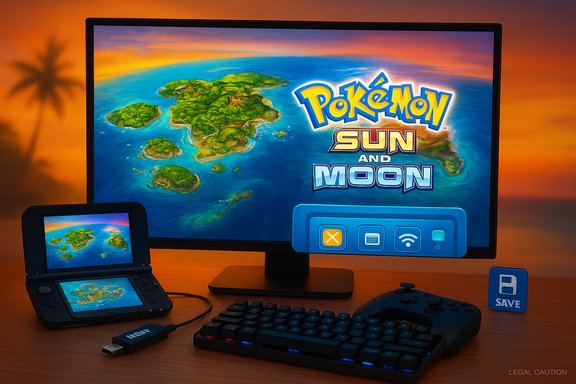
Pokémon Sun and Pokémon Moon launched on the Nintendo 3DS as the franchise’s seventh-generation entries and brought major changes: the Alola region, Island Trials instead of gyms, Z‑Moves, and regional forms that reshaped team building. Those technical and design advances were built around 3DS hardware and Nintendo’s online infrastructure, not PC platforms. As a result, any attempt to run these titles on a Windows or macOS machine involves emulation — a technically feasible path, but one that sits inside a narrow legal and practical frame.This feature explains exactly how PC emulation works for Pokémon Sun and Moon, verifies minimum hardware and software specifics, outlines a step‑by‑step legal dumping workflow, highlights the best alternatives if emulation isn’t appropriate, and analyzes the security, legal, and functional risks you must accept before proceeding. The article cross‑checks emulator specifications and legal guidance from official and community sources to provide a clear, practical, and verifiable guide for Windows and Mac users alike.
Why people run Sun/Moon on PC
- Play on a larger screen with keyboard/gamepad controls and higher resolutions.
- Use save backups and advanced state management (save states) for convenient retrying.
- Leverage faster hardware for smoother frame pacing and optional upscaling effects.
- Preserve an owned copy in an accessible digital form for archival or convenience.
Overview of the technical path: emulator + legally dumped game
There are two distinct elements to get Pokémon Sun/Moon running on PC:- The emulator: software that recreates the Nintendo 3DS environment on Windows or macOS. The de facto standard for 3DS emulation is Citra (and its actively maintained forks). Citra supports Windows and Linux natively, with macOS support affected historically by graphics API changes — confirm the current macOS compatibility for your chosen build.
- The game files: a bit‑perfect copy of the game cartridge or a legitimately purchased digital title dumped by the owner. The legally correct method is to create your own backup from your cartridge/digital license using homebrew dumping tools on a 3DS you control. Community guides used by modders and preservationists document this exact process (GodMode9 for cartridge dumping, Checkpoint/JKSM for save extraction). Follow trusted, up‑to‑date guides when dumping your own media.
Choosing the emulator: why Citra (and what to check)
What Citra provides
Citra is the most widely used 3DS emulator that will run Pokémon Sun and Moon on PC. It has mature rendering, shader, and controller options and supports 64‑bit Windows builds with advanced features like texture scaling and local‑wireless emulation between multiple Citra instances. Recent Citra builds target modern graphics APIs and require a GPU with reasonably recent driver support.Minimum / recommended GPU and driver requirements
- Minimum: a 64‑bit OS and a GPU that supports at least OpenGL 3.3 (or Vulkan 1.1 on builds that support Vulkan). In practice, OpenGL 3.3 is the broadly used baseline; many modern builds require OpenGL 4.x or Vulkan for best compatibility. Mac support has historically lagged because macOS limits OpenGL and relies on MoltenVK/Vulkan shims — check the Citra FAQ for exact macOS constraints on the build you plan to use.
- Recommended for smooth play: a multi‑core CPU with high single‑thread performance, 8+ GB RAM (4 GB is the bare minimum), and a discrete GPU for any upscaling or shader work. High resolutions (1080p and above), shader effects, and texture packs will require more VRAM. Community and emulator guides recommend running Citra on systems that meet the above profile for consistent 60 FPS results.
Compatibility and forks
Because of legal and development flux in the emulator space, multiple Citra forks exist with slightly different features and compatibility. Use the official or well‑known forks listed by community resources, and avoid downloading from untrusted websites. Verify checksums when available and prefer builds distributed from project release pages.Legal reality: what’s lawful and what’s not
This is the decisive section: know the rules before you act.- Downloading Pokémon Sun or Moon ROMs from the internet is illegal and violates copyright law in most jurisdictions. Nintendo explicitly states that uploading or downloading pirate copies of its games is illegal. Emulators are not inherently illegal, but using them with unauthorized ROMs is.
- The lawful path is to dump your own cartridge or export a legal digital purchase from hardware you control. Community‑maintained dumping workflows exist precisely for that purpose; they require a modifiable 3DS and homebrew tools. These tools allow you to create a copy of the cartridge image and decrypt saves for personal use. This approach is considered lawful by many legal frameworks because you are using a copy you own, but law varies by country — if in doubt, consult local law.
- Using circumvention devices or services to bypass publisher protections and copy games you do not own is illegal and can have civil and criminal consequences. Nintendo has pursued legal action and severe enforcement measures against piracy facilitators and modded hardware in recent years. Expect strict posture from publishers like Nintendo.
Step‑by‑step: safe, legal workflow to play Sun/Moon on PC
Below is a practical sequence for users who already own Pokémon Sun or Moon and a compatible 3DS. Each major step includes the tools and key cautions.- Prepare your hardware and backups
- Keep the original cartridge and console safe and unmodified until you’ve backed everything up.
- Backup your 3DS SD card to a PC before proceeding to any homebrew steps.
- Install the required homebrew on your 3DS (if you accept the risk)
- Follow an up‑to‑date, trusted CFW/homebrew guide (the community’s step‑by‑step resources document Boot9Strap/GodMode9/Checkpoint flows). These guides change over time and must be followed precisely to avoid bricking or data loss.
- Dump the cartridge/game image
- Use GodMode9 or analogous homebrew to create an image (e.g., .CCI/.3DS) of your cartridge. This operation simply copies data you own; it does not involve third‑party sites. Keep a redundant backup of the image.
- Extract and backup saves
- Use Checkpoint, JKSM, or a recommended save tool to export the cartridge save file. Keep the decrypted save backup in a safe folder on your PC and on external storage.
- Acquire and configure Citra on your PC
- Download the official Citra build (or a reputable fork) for your OS. Verify that your GPU and drivers meet the emulator’s OpenGL / Vulkan minimums. Configure controller mappings and set graphics to a conservative starting profile (native 3DS resolution, no shader packs).
- Load the dumped image and the save
- In Citra, use “Load File” (or the appropriate menu) to open your dumped image. Place the decrypted save into Citra’s user folder (Citra provides UI guidance for save location) and test booting the game.
- Tune performance and make redundant backups
- After the first successful run, make a second backup of your cartridge image and save files. Use Citra’s save export options and employ cloud backups where appropriate.
- Follow the homebrew guide exactly. The step to install custom firmware is the highest‑risk operation; incorrect steps can brick a console.
- Keep original cartridges and consoles offline while modifying firmware unless specifically required and understood.
Configuring Citra: settings that matter
Graphics and performance
- Renderer: Choose OpenGL or Vulkan depending on your GPU and driver. Vulkan often provides better results on systems with shaky OpenGL drivers; many Citra builds support Vulkan as an option.
- Resolution scaling: Increase internal resolution for sharper visuals, but accept higher VRAM and CPU load. Start with 2× native and scale up only after verifying stability.
- Shader caches and texture filtering: Shader compilation stutters are normal on first run; allow the emulator to build caches. Use texture filtering cautiously — some filters can introduce visual glitches in certain scenes.
- Controller mapping: Map keys or a gamepad (XInput controllers are easiest) and keep a keyboard fallback.
System and virtualization notes for Windows
- Citra is a native desktop emulator for Windows; it does not require virtualization platforms like Hyper‑V. For other emulator types (Android emulators), virtualization matters — those guides emphasize enabling VT‑x/AMD‑V and allocating cores/RAM. Community instructions for emulator resource allocation and troubleshooting provide practical tuning advice and are useful if you run other virtualized stacks.
Multiplayer and online features
- Citra emulates the local wireless features (local trading, local multiplayer) between Citra instances over the internet via its multiplayer rooms. It does not connect to Nintendo’s official servers, so online services provided by Nintendo (GTS, official online battle servers) are unavailable through stock Citra. Public room browsing and community server services may be intermittent or shut down; expect this functionality to be experimental and to require manual configuration for peer‑to‑peer rooms.
Alternatives if emulation is not a fit
If any of the above sounds like too much legal, technical, or security risk, consider these alternatives:- Play on original 3DS hardware — the safest legal and functional option.
- Use a fan project that’s explicitly distributed as a standalone PC game with permission (rare, and depends on licensing).
- Try Pokémon fan games built for PC (many community projects exist; check legitimacy and safety before downloading).
- Explore legal reissues or Nintendo‑approved ports if and when they appear.
Risks — technical, legal, and security
This section distills the real downsides and hazard points.- Legal enforcement: Nintendo aggressively protects its IP. Legal action has been taken against sellers of circumvention hardware and major piracy facilitators, and decisions against those parties show that enforcement is active and costly. Using dump‑and‑emulate workflows reduces legal exposure but does not remove risk in every jurisdiction.
- Bricking and warranty loss: Installing custom firmware on a 3DS can void warranties and — if done incorrectly — can permanently brick the unit. Follow authoritative homebrew instructions exactly and maintain full backups.
- Malware and untrusted builds: Downloading ROMs or unofficial emulator builds from random sites can infect a PC. Only use trusted project releases and validate checksums where possible. Avoid “one‑click” ROM bundles and torrent sites.
- Online limitations: There’s no connection to Nintendo’s official servers via Citra; online Pokémon services that require Nintendo backend authentication will not work. Emulated local wireless can work between Citra instances but requires configuration and is not a perfect substitute for original online features.
- Performance and compatibility caveats: Emulation accuracy varies by title. While Sun and Moon are playable on modern desktops, certain visual or audio glitches may persist, and performance will depend on single‑thread CPU power more than raw core count.
Quick checklist: what you need right now
- Owned copy of Pokémon Sun or Pokémon Moon (physical cartridge or legitimate digital license).
- Nintendo 3DS console (used to dump the cartridge legally) with appropriate homebrew tools as per current guides. Back up everything before modifying firmware.
- PC running 64‑bit Windows (7/8/10/11) or Linux/macOS with a GPU supporting OpenGL 3.3 or Vulkan 1.1 and recent drivers. Aim for 8+ GB RAM and a CPU with strong single‑core performance.
- Official Citra build (or reputable fork) and the legal dumped image + save files.
- A backup strategy: at least two copies of the dumped image and save backups (one offline), and an image of the 3DS SD card.
Final analysis and editorial verdict
Running Pokémon Sun and Moon on PC is technically realistic and rewarding for players who want better visuals, easier save management, or archival convenience. However, it is not a casual click‑and‑play operation: successful, safe execution demands technical care, respect for copyright law, and a willingness to follow homebrew and emulator community instructions precisely.The biggest practical strengths of the emulation path are flexibility and preservation: PC players can scale resolution, use save states, and create redundant backups. The largest risks are legal exposure (if you obtain ROMs illegally), the danger of bricking a console during homebrew installation, and the limitations of online functionality compared to official Nintendo servers. Nintendo’s firm policy against piracy and circumvention tools, plus a recent record of legal enforcement, mean that users must act cautiously and stay within lawful boundaries. If you already own the game and want to proceed, use the official Citra documentation and recognized homebrew dumping guides, verify system requirements, and maintain full backups. If you prefer to avoid all of that, play on original hardware or seek legally distributed PC alternatives.
Conclusion
Turning Pokémon Sun and Moon into a PC playable experience is possible, valuable, and technically well‑supported by emulators like Citra — but it must be done the right way. The lawful route requires you to own the game and to dump it yourself using trustworthy, community‑vetted tools. From there, Citra provides a mature emulation environment with configurable graphics, controller support, and local‑wireless emulation between instances — albeit without access to Nintendo’s official online services. The net result is a powerful, flexible way to revisit Alola on a big screen, provided you accept the careful setup work and legal responsibilities that go with it.Key links and references used in this reporting were verified against the Citra FAQ and official emulator pages, Nintendo’s intellectual property guidance, and community dumping guides for the 3DS; those sources formed the basis of the technical recommendations and legal cautions throughout this feature.
Source: Priori Data Download Pokemon Sun and Moon for PC – Windows 7/8/10 & MAC | Priori Data
