

Microsoft is preparing a set of PowerPoint updates aimed at presentation design and a less clumsy file-opening workflow, according to a report from Neowin citing the company’s latest product update.
The changes are rolling out in stages across Windows and macOS, with broad availability currently expected in August 2026. They are incremental rather than transformative, but they touch some of the places where PowerPoint users spend the most time: choosing a layout, applying a visual theme, and opening cloud-backed files.
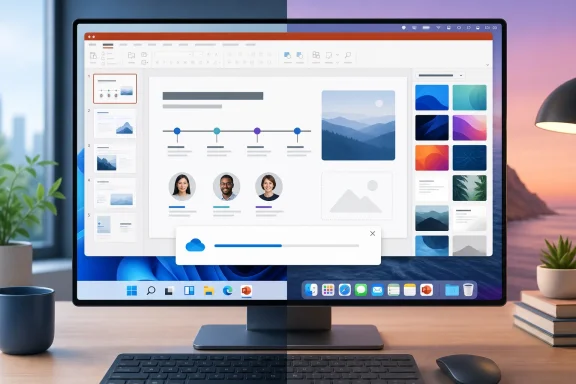
Microsoft has added 13 Smart Layouts in recent weeks and months. The new options include designs for timelines, lists, and “Meet the Team” slides, giving users more starting points without building common presentation structures manually.
The company has also adjusted layout categories and says it is addressing editing friction in the feature. That includes support for inserting multiple images and clearer placeholder text when nodes have not yet been edited. The Smart Layout additions are already rolling out, with complete availability planned for August.
PowerPoint’s Design tab is receiving 13 new themes as well, while some older themes are being retired from the main selection. Existing presentations that already use those themes will not change. Users who still need a retired theme can add it back through PowerPoint’s Backstage view.
The refreshed themes and Design ribbon are presently available to Microsoft 365 Beta users on Windows and Mac. Microsoft expects those changes to reach all supported users next month.
Microsoft is replacing that sequence with a single progress dialog intended to show the same steps without making the user work through multiple windows. The redesigned experience has reportedly reached most Windows and Mac users already, with full rollout also scheduled for August.
For IT administrators, there appears to be little to configure or deploy beyond keeping Microsoft 365 Apps updated through the organization’s selected servicing channel. The changes are client-side refinements, not new collaboration or compliance controls, and Microsoft has not indicated that they alter existing files, templates, or theme compatibility.
Users on the Current Channel should begin seeing the broader changes in August 2026, while Beta Channel users may encounter the new themes and ribbon changes sooner.
The changes are rolling out in stages across Windows and macOS, with broad availability currently expected in August 2026. They are incremental rather than transformative, but they touch some of the places where PowerPoint users spend the most time: choosing a layout, applying a visual theme, and opening cloud-backed files.
 More Smart Layouts and themes
Microsoft has added 13 Smart Layouts in recent weeks and months. The new options include designs for timelines, lists, and “Meet the Team” slides, giving users more starting points without building common presentation structures manually.The company has also adjusted layout categories and says it is addressing editing friction in the feature. That includes support for inserting multiple images and clearer placeholder text when nodes have not yet been edited. The Smart Layout additions are already rolling out, with complete availability planned for August.
PowerPoint’s Design tab is receiving 13 new themes as well, while some older themes are being retired from the main selection. Existing presentations that already use those themes will not change. Users who still need a retired theme can add it back through PowerPoint’s Backstage view.
The refreshed themes and Design ribbon are presently available to Microsoft 365 Beta users on Windows and Mac. Microsoft expects those changes to reach all supported users next month.
A simpler file-open process
The more useful change for regular business users may be a redesigned file-opening experience. PowerPoint has traditionally exposed several separate dialogs while authenticating an account and loading a presentation, particularly when files are stored in OneDrive or SharePoint.Microsoft is replacing that sequence with a single progress dialog intended to show the same steps without making the user work through multiple windows. The redesigned experience has reportedly reached most Windows and Mac users already, with full rollout also scheduled for August.
For IT administrators, there appears to be little to configure or deploy beyond keeping Microsoft 365 Apps updated through the organization’s selected servicing channel. The changes are client-side refinements, not new collaboration or compliance controls, and Microsoft has not indicated that they alter existing files, templates, or theme compatibility.
Users on the Current Channel should begin seeing the broader changes in August 2026, while Beta Channel users may encounter the new themes and ribbon changes sooner.
References
- Primary source: Neowin
Published: 2026-07-13T19:46:01+00:00
Here are some new features coming soon to PowerPoint - Neowin
PowerPoint is getting a visual refresh and workflow upgrades that could make creating presentations quicker than before. www.neowin.net
- Official source: support.microsoft.com
How certain features behave in web-based PowerPoint | Microsoft Support
Feature comparisons between PowerPoint for the web/PowerPoint Web app and desktop PowerPoint.support.microsoft.com
