

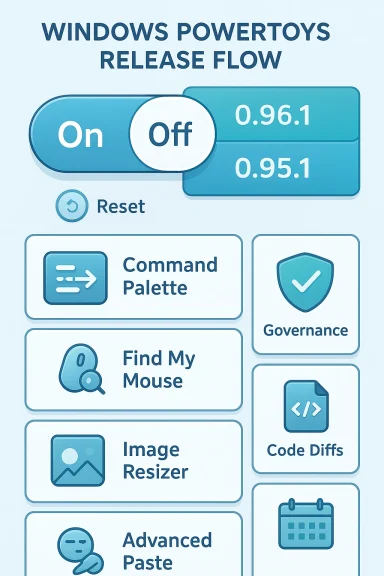
Microsoft's PowerToys team has quietly moved from damage control to damage limitation: after a widely noticed rollout introduced disruptive behavior in several utilities, the project has issued follow-up patches that restore predictable behavior for end users and harden a few of the suite's more fragile integration points. The headline fix — a hotfix that prevents the new Light Switch scheduler from enabling itself after an update — is accompanied by smaller but important reliability patches across Command Palette, Find My Mouse, the installer toolchain, and, in a later patch cycle, fixes for Image Resizer, Awake, and Advanced Paste’s AI plumbing. These changes are documented in the PowerToys release artifacts and have been corroborated across independent outlets and community reports.
Background
PowerToys began as a community-driven set of productivity utilities and has matured into a Microsoft-backed toolkit for power users and administrators. Over the last year the project accelerated feature additions — most notably the addition of AI-aware tools like Advanced Paste and the scheduler-driven Light Switch — while also modernizing the installer and shipping broad performance improvements to the Command Palette. The rapid cadence delivered welcome capabilities but also expanded the suite’s attack surface for integration regressions, especially where PowerToys writes system-level settings (for example, theme registry keys) or hooks into File Explorer.A focused hotfix release, version 0.95.1, was published to address the highest-impact regressions from the larger 0.95 cycle; a subsequent servicing release in the 0.96 cycle, 0.96.1, targeted additional regressions — most notably restoring Image Resizer on Windows 10 and stabilizing Advanced Paste’s model plumbing. Both hotfix releases are available as tagged builds and installer assets, and their changelogs include explicit SHA‑256 hashes so administrators can verify downloads.
What went wrong: Light Switch and the UX regression
The mechanics of the problem
Light Switch was introduced to give users a simple scheduler for toggling Windows between light and dark themes at fixed hours or based on sunrise/sunset. The implementation writes the same Windows personalization keys that the OS honors (AppsUseLightTheme and SystemUsesLightTheme), which is the correct, low-level approach — but it also makes Light Switch a particularly sensitive feature because it can alter system-wide personalization without user intent.The regression that provoked the community backlash was straightforward in effect: after updating to the 0.95 release, some users found that Light Switch had been enabled on their machines without explicit opt-in, causing repeated, unexpected theme flips. That kind of surprise behavior is especially jarring because it changes an immediately visible, persistent customization with no apparent prompt or consent.
How 0.95.1 fixes Light Switch
PowerToys 0.95.1 is explicit and conservative: the scheduler will no longer be automatically enabled by an update; the UI clarifies settings; and a new Off mode lets users preserve the hotkey while disabling automatic scheduling. The release notes list the principal fixes: Light Switch no longer enabling itself by default, renaming “Manual” to Fixed Hours to reduce confusion, adding Off as a state, and correcting sunset/sunrise scheduling calculations so manual schedules aren’t overridden unexpectedly. The GitHub release notes and independent coverage both confirm those lines in the changelog.Persistent reports and caution
Not everyone’s problem was solved instantly. The project’s issue tracker contains reports from users who say Light Switch remained enabled after applying the hotfix, indicating that some update paths or installation variants retained the old state and required a manual toggle to reset. This is the sort of partial remediation you expect from a hotfix roll-out: the code change is correct, but user machines with a prior, persisted state may require explicit user action (toggle off, then on) to fully reset the behavior. Administrators and support teams should plan for that when triaging tickets.Beyond Light Switch: the other fixes and engineering choices
Command Palette and AOT/trimming compatibility
The Command Palette received performance investments in 0.95 (faster fuzzy matching, ahead-of-time (AOT) compilation where feasible), but those optimizations exposed crash scenarios under trimmed/AOT builds — typically in scenarios that used certain filters (for example, Windows Terminal profiles). The hotfix purged fragile runtime bindings and ensured cached data refreshes correctly, which reduces runtime crashes in those targeted edge cases. For users who rely on Command Palette as a fast keyboard-driven launcher, the result should be noticeably more stable.Find My Mouse and accessibility polish
Find My Mouse had small but disruptive bugs: the spotlight could steal input focus or make the cursor appear busy (the “hourglass” effect). The patch smooths the spotlight behavior so it doesn't interfere with normal input — an important quality-of-life fix for accessibility scenarios and presentations. These are the sort of fixes that don't win headlines but make the suite usable in everyday workflows.Installer modernization: WiX v3 → v5
Under the hood, the team migrated the packaging pipeline from WiX v3 to WiX v5, a modernization intended to shorten build times and reduce packaging flakiness in CI. That change is significant for contributors and release reliability: faster, more reliable build pipelines reduce the chance of packaging-related regressions and make it simpler to validate installer artifacts across multiple architectures. Administrators should nevertheless verify installer hashes before broad deployment.The 0.96 cycle and the small-but-important 0.96.1 servicing release
Advanced Paste: a new frontier and its fragility
PowerToys’ Advanced Paste evolved rapidly: it moved from a simple formatting helper into a clipboard-level transformation engine that can route content through cloud and local AI models (Azure OpenAI, OpenAI, Google Gemini, Mistral, Foundry Local, Ollama, etc.). That expansion is powerful because it enables local NPU-backed transformations and hybrid cloud workflows, but it comes with governance and stability responsibilities: model parameter defaults, deprecated settings, and provider changes can all cause breakage that only shows up post-launch.What 0.96.1 addresses
The follow-up servicing release 0.96.1 was explicitly billed as a stability patch for regressions introduced by the larger 0.96 milestone. Its principal fixes included:- Restoring Image Resizer functionality for Windows 10 users who experienced a missing context-menu dialog after 0.96.0.
- Fixes to Awake (a timed-mode bug that prevented systems from sleeping after a timed session ended).
- Advanced Paste plumbing: removing deprecated OpenAI Prompt Execution Settings, updating Foundry Local parameter defaults to allow longer outputs, and fixing a transient “model unavailable” state immediately after local model downloads.
What this episode tells us about PowerToys engineering and release strategy
Strengths
- Transparent, fast feedback loop. The team published targeted release notes, pushed hotfix tags, and used GitHub issues and PRs to track community reports — a textbook open-source triage pattern that helps build trust when it’s used consistently.
- Conservative remediation. The hotfixes favor conservative behavioral defaults (features won’t opt-in users on update), which is the right choice for utilities that edit global personalization or system behavior.
- Value-packed utilities. PowerToys continues to deliver high-value, low-footprint utilities for power users and administrators (FancyZones, PowerRename, Image Resizer, Advanced Paste), and the project uses those utilities as real-world testbeds for more ambitious functionality like local AI integration.
Risks and recurring themes
- Features that mutate system state require extra guardrails. Any utility that writes global OS settings — themes, context-menu registrations, power settings — deserves explicit opt-in semantics and stronger migration checks on update. The Light Switch incident is a textbook example of why: updates changing user expectations are one of the highest-risk regressions for a shipped tool.
- Rapid feature expansion increases regression surface. Adding multi-provider AI support to Advanced Paste materially increases configuration complexity and external dependency management. Each new backend is a potential incompatibility vector. Administrators must treat AI-enabled features like any software integrating third-party services: test, restrict, and monitor.
- Update paths and persisted state can complicate hotfixes. Even when a code fix is correct, machines with persisted state or unusual package sources (Microsoft Store vs GitHub vs enterprise packaging) may not immediately reflect the intended behavior. The project’s guidance to toggle Light Switch off and back on as a remediation is a pragmatic acknowledgment of that reality, but it’s also a user-experience compromise.
Practical guidance for users and administrators
If you manage workstations, or if you’re an advanced user, follow this short checklist before and after upgrading PowerToys:- Verify installer integrity: confirm SHA‑256 checksums for installer artifacts before wide deployment. The GitHub release pages include hashes for per-user and machine-wide installers for x64 and ARM architectures.
- Pilot before wide rollout: test PowerToys on a representative image, including any GPO and DLP policies that apply to your environment. Advanced Paste’s cloud model integrations may be disallowed or undesirable in regulated environments.
- For theme or personalization anomalies: check the Light Switch module in Settings and toggle it off, then on again to reset its state if you saw theme flips after updating. That step is recommended by the release notes and has proven effective in many cases.
- If Image Resizer is missing on Windows 10 after an update: confirm you’re on the patched 0.96.1 build and verify context-menu registration; reinstall the version matching your architecture if necessary. The 0.96.1 release explicitly restores Image Resizer on Windows 10.
- Consider a GPO or configuration baseline: include which PowerToys modules are allowed and the expected default states for those modules; treat Advanced Paste and any AI-related features as governed functionality that may require policy controls or outright disablement in sensitive environments.
Security, privacy, and governance considerations
Advanced Paste’s multi-provider model routing is the most consequential change from a governance standpoint. Routing clipboard contents to cloud models (Azure OpenAI, OpenAI, Google Gemini) or to local hosts (Foundry Local, Ollama) changes the privacy and compliance posture of the clipboard. Administrators should:- Audit where clipboard content is sent and whether tokens, personally identifiable information, or sensitive documents could be transformed or transmitted.
- Use group policies or configuration baselines to disable online models where required and to enforce local-only model routing in sensitive contexts.
- Monitor telemetry and network egress patterns after enabling Advanced Paste to detect unexpected connections or spikes in usage.
How the community responded and what to watch next
Community reaction to the Light Switch regression was swift and vocal — a sign that PowerToys’ users are engaged and that the project is an active part of many workflows. The team’s rapid hotfix and transparent notes helped calm the situation, but open issues show the story wasn’t finished until the staged updates reached all affected installation paths. This episode underlines the importance of staged rollouts and explicit opt-in semantics for features that mutate system settings.What to watch next:
- Continued servicing for edge-case regressions (trimming/AOT-specific crashes in Command Palette, shell handler quirks in File Explorer).
- Further tightening of Advanced Paste’s governance controls and clearer admin-facing documentation for AI provider configuration.
- Any follow-up patches that remove the need for manual toggles after hotfixes (for example, automated state migration scripts for previous installs).
Final assessment
PowerToys’ recent patches are the right engineering response: focused, conservative, and transparent. The team fixed a high-visibility regression (Light Switch) by restoring more conservative defaults and clarifying UI labels, while subsequent servicing patched practical regressions in the 0.96 cycle (Image Resizer, Awake, Advanced Paste plumbing). These changes restore predictability for most users and make the suite safer to deploy in production or corporate environments.At the same time, the incident exposes the natural tension between rapid feature expansion and operational stability. Features that affect system-wide state or introduce external dependencies (AI backends) should be given additional rollout guardrails, explicit opt-in flows, and clear enterprise controls. Administrators and power users should test updates, verify installer checksums, and treat AI-backed capabilities as governed features rather than purely convenience utilities.
PowerToys remains one of the most effective productivity toolkits for Windows power users. The project’s response to these regressions — fast fixes, explicit release notes, and conservative default settings — demonstrates that an active open-source development model can still be responsible and responsive. For cautious adopters, the current advice stands: update once you’ve validated the build in a pilot, verify checksums, and apply policy controls for AI features if you operate in a regulated environment.
In short: install the fixes if you were affected, verify the installers, and update deployment policies to reflect PowerToys’ larger role as both a productivity suite and a lightweight testbed for advanced (and occasionally delicate) integrations.
Source: Neowin https://www.neowin.net/amp/microsoft-fixes-several-powertoys-issues-following-the-big-update/
