

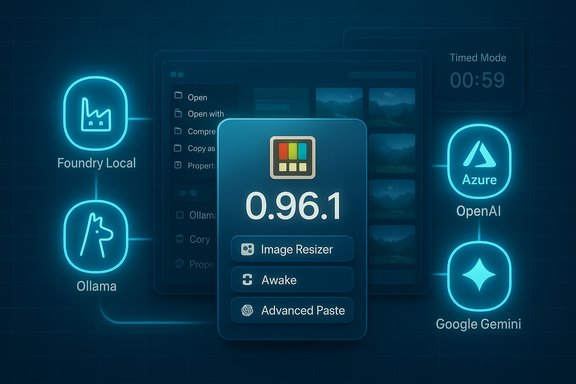
Microsoft shipped what it calls a small bug-fix update to PowerToys — identified in some reports as 0.96.1 — that aims to restore a previously broken module on Windows 10 and address a handful of regressions in Awake and Advanced Paste, while leaving the larger 0.96 feature set intact. The headline: users who saw Image Resizer do nothing on Windows 10 should see it behave again, Awake’s Timed Mode should stop preventing sleep after the timer ends, and Advanced Paste receives a few reliability and model-compatibility fixes for local and Azure-hosted models. These changes follow a much larger 0.96 release that expanded Advanced Paste to support multiple cloud and local model backends and polished the Command Palette, PowerRename, and other utilities.
PowerToys is Microsoft’s modular toolkit for power users, bundling small utilities that restore or extend convenience functions in Windows — from FancyZones window layouts to Image Resizer, Peek, and Advanced Paste. The 0.96 milestone was a substantive release that pushed PowerToys further into hybrid local/cloud AI for clipboard operations, while delivering improvements across many long‑standing utilities. The official GitHub release notes for the 0.96 cycle highlight the new multi-provider Advanced Paste support (Azure OpenAI, OpenAI, Google Gemini, Mistral, plus local hosts such as Foundry Local and Ollama) and a raft of stability and UX fixes across modules. Why this matters: PowerToys is small, trusted, and broadly deployed; when Microsoft uses the suite as a testbed for hybrid AI features, that surface becomes relevant to everyday workflows and enterprise governance. Advanced Paste turning into a configurable model router changes the clipboard from a dumb buffer into a programmable content layer — fast local transformations, optional NPU acceleration wherever available, or cloud‑driven polish. That capability is powerful but adds governance, privacy, and cost considerations for individuals and organizations alike.
Security & privacy note: Advanced Paste’s model routing makes governance important. Cloud providers often log prompts and completions; local models avoid that but require storage and compute. For sensitive data, prefer local inference or an enterprise gateway with controlled egress. PowerToys documentation and the community both emphasize that AI features are opt‑in and configurable, but responsible administrators should plan policies for allowed backends and key storage.
PowerToys continues to be Microsoft’s nimble playground for high‑utility, low‑friction features for Windows power users. The 0.96 cycle marked a significant step toward hybrid local/cloud AI on the desktop, and the small servicing updates being reported (0.96.1) — whether delivered via a Store push or staged GitHub artifact — reflect the maintenance work necessary to keep shell integrations and local model hooks reliable. Users should update through official channels, verify the fixes on their machines, and follow careful governance when enabling AI‑backed transformations that might send clipboard content beyond the device.
Source: Neowin PowerToys 0.96.1 brings back a missing module to Windows 10
 Background / Overview
PowerToys is Microsoft’s modular toolkit for power users, bundling small utilities that restore or extend convenience functions in Windows — from FancyZones window layouts to Image Resizer, Peek, and Advanced Paste. The 0.96 milestone was a substantive release that pushed PowerToys further into hybrid local/cloud AI for clipboard operations, while delivering improvements across many long‑standing utilities. The official GitHub release notes for the 0.96 cycle highlight the new multi-provider Advanced Paste support (Azure OpenAI, OpenAI, Google Gemini, Mistral, plus local hosts such as Foundry Local and Ollama) and a raft of stability and UX fixes across modules. Why this matters: PowerToys is small, trusted, and broadly deployed; when Microsoft uses the suite as a testbed for hybrid AI features, that surface becomes relevant to everyday workflows and enterprise governance. Advanced Paste turning into a configurable model router changes the clipboard from a dumb buffer into a programmable content layer — fast local transformations, optional NPU acceleration wherever available, or cloud‑driven polish. That capability is powerful but adds governance, privacy, and cost considerations for individuals and organizations alike. What shipped in 0.96 (quick recap)
Before we drill into the hotfix claims, here’s the short recap of the bigger 0.96 changes you should know about:- Advanced Paste: Provider‑agnostic model support (Azure OpenAI, OpenAI, Google Gemini, Mistral), plus local model endpoints (Foundry Local, Ollama). New UI shows clipboard preview and model selection. This is the most consequential change for everyday users and IT.
- Command Palette: Extensive search/fuzzy improvements, richer clipboard metadata, file search filters and UX refinements to make it a true keyboard-driven productivity surface.
- PowerRename: Added EXIF/XMP metadata tokens (e.g., %Camera, %Lens) to simplify photographer workflows.
- Awake: Countdown timer accuracy and context-menu positioning fixes were included in the 0.96 cycle; Awake remains the lightweight “keep me awake” tool for unattended runs.
What the small / patch update (reported as 0.96.1) is claimed to fix
Multiple news summaries and community reports identify this as a small servicing release that focuses on three practical regressions encountered after the 0.96 roll-out:- Image Resizer: reportedly restored on Windows 10 where invoking the context-menu action previously did nothing instead of opening the resizing dialog. This problem forced some users to rely on alternative tools for batch resizing. The patch is said to bring Image Resizer back to normal behavior on Windows 10. (Claim reported in on‑line coverage.
- Awake: fixed a Timed Mode bug where, after the countdown expired, the system would remain awake (monitor not turning off and sleep not engaging) instead of allowing the machine to sleep as expected. The update reportedly ensures the timer returns the system to normal power behavior.
- Advanced Paste: several smaller, targeted fixes and parameter updates for model backends:
- Removed deprecated OpenAI Prompt Execution Settings properties to enable newer Azure OpenAI model variants (reportedly enabling use of newer model families such as GPT-5.1 in Azure OpenAI configurations).
- Adjusted Foundry Local model parameters to allow longer output token lengths.
- Fixed an issue where a model could appear unavailable immediately after being downloaded from Foundry Local.
- Note: a number of independent outlets and community posts confirm the broader 0.96 changes (Advanced Paste, Command Palette, PowerRename, Awake) and reference the same categories of bug fixes; that provides cross‑corroboration for the general direction and likely small fixes, but the existence of a formally published 0.96.1 GitHub release tag is not verifiable at the time of writing. Treat the patch‑version number as a reporting detail that may reflect a Microsoft Store push or staged upload that hasn’t been mirrored on GitHub’s main releases tab yet.
Verification status and caution
- Confirmed by official channel: the big 0.96 feature set (Advanced Paste multi‑provider support, Command Palette improvements, PowerRename EXIF tokens and multiple Awake fixes) is documented on the official GitHub release page for the 0.96 cycle.
- Reported by press/community: the specific 0.96.1 patch items (Image Resizer restoration on Windows 10, Awake Timed Mode behavior fix, and Advanced Paste local/Azure tweaks) are described by technology outlets and community summaries. These reports are consistent across several secondary write‑ups.
- Not yet fully verifiable: there is no distinct v0.96.1 release entry visible in the main GitHub releases index at the time this article was prepared. That does not mean a patch wasn’t delivered via the Microsoft Store, a staged roll-out, or an untagged hotfix — only that the canonical GitHub "Releases" view does not show a v0.96.1 tag to cite as the primary artifact. Until the repository shows a distinct v0.96.1 release, the patch-level claims should be treated as reported but not all verified by an official GitHub release artifact.
Deep dive: Advanced Paste — what changed and what the patch touches
Advanced Paste is the most consequential single feature in 0.96. The tool evolved from a simple “paste plain text / paste as Markdown” helper into a clipboard-level transformation engine with optional AI steps. The 0.96 release expanded the control plane in two important ways:- Multiple provider support: rather than being tied to a single OpenAI API endpoint, Advanced Paste can be configured per‑operation to use Azure OpenAI, OpenAI, Google Gemini, Mistral, or local endpoints. That flexibility gives users a choice between on‑device/local inference and cloud APIs.
- Local model hosts: PowerToys added explicit hooks for local model runners (Foundry Local and Ollama). When configured to point at a local host, Advanced Paste sends the text or OCR output to that local endpoint, receives the transformed output, and pastes it — avoiding cloud egress. This is the primary privacy and latency advantage.
- Deprecation removal of obsolete OpenAI prompt execution properties — a small but necessary cleanup to support new Azure OpenAI model parameters (reports claim this enables things like GPT-5.1 model use in Azure configurations). If true, that change is an internal settings/API mapping fix to keep PowerToys compatible with evolving Azure OpenAI semantics. (Reported; not yet visible as a distinct GitHub release artifact.
- Foundry Local parameter tuning — extending allowed output tokens for local models to permit longer completions from certain families. This directly affects how long-form transforms (summaries, rewrites) behave when run locally. (Reported; plausible given Foundry local integration in 0.96.
- Fix for a model showing as unavailable immediately after download — a manifest/availability race condition fix that simply makes the UI reflect the actual model state reliably.
Security & privacy note: Advanced Paste’s model routing makes governance important. Cloud providers often log prompts and completions; local models avoid that but require storage and compute. For sensitive data, prefer local inference or an enterprise gateway with controlled egress. PowerToys documentation and the community both emphasize that AI features are opt‑in and configurable, but responsible administrators should plan policies for allowed backends and key storage.
Deep dive: Image Resizer on Windows 10
The problem described in patch reports is straightforward: on some Windows 10 installations, selecting one or more images and choosing Resize with ImageResizer would do nothing — no dialog, no resizing flow. That symptom has historical precedents (context-menu registration differences between Windows 10 and Windows 11 shells, file associations, and shell‑extension hook differences) and has been the source of several past PowerToys fixes. PowerToys’ Image Resizer is a shell extension that relies on explorer integration, and these integrations have historically required careful handling across OS versions. Microsoft documents Image Resizer’s behavior in Learn (Image Resizer is a shell extension invoked from File Explorer’s context menu); past changes to context menu behavior on Windows 11 turned up similar issues that required targeted fixes. The asserted 0.96.1 fix “restores Image Resizer on Windows 10” is plausible and consistent with the type of regression that can emerge across shell versions. However, because the formal v0.96.1 tag is not (yet) visible in the main GitHub releases listing, the claim should be treated as a reported correction that many outlets reproduced rather than as a single canonical, officially tagged GitHub artifact. Users who rely on Image Resizer and see the failure should:- Check PowerToys version inside Settings → About and confirm whether the running version matches the version reported by your update channel (Microsoft Store / GitHub installer / winget).
- If a fix isn’t present, reinstall PowerToys from the desired channel (try the Microsoft Store if you previously used the GitHub installer or vice versa), and reboot — many shell-extension registration changes require a restart.
- If issues persist, review the PowerToys logs and open an issue on the PowerToys GitHub repo so maintainers can triage OS-specific context-menu behavior.
Deep dive: Awake Timed Mode bug
Awake’s job is simple: keep the PC awake either indefinitely or for a timed interval. The reported bug was a subtle logic inversion: after a Timed Mode countdown ended, the system would remain “awake” rather than allowing the display to turn off or the system to enter sleep. The 0.96 release notes already list improvements to Awake’s countdown accuracy; the follow-up patch is reported to close the remaining edge-case where the timer fails to restore normal power policy behavior. That fix is the sort of small state-handling correction that typically lands in micro-releases or Store updates. The GitHub 0.96 notes do document previous Awake timing improvements; the patch claim aligns with that ongoing work.Practical advice — how to check, update, and verify
- Check your installed version:
- Open PowerToys → Settings → About. Note the version string (for example, 0.96.0 or 0.96.1). If the version shown matches the small-patch number reported by press, you already have the fix; if not, proceed to step 2.
- Update safely:
- Preferred channels: Microsoft Store (auto-updates managed by Store) or GitHub Releases (manual installer). Winget is also supported for scripted deployments. If you manage multiple machines, stage the update to a pilot group first.
- If you rely on image-resizer or PowerRename in a production workflow, install on a small set of test devices and verify behavior before wide rollout.
- Verify the fix:
- For Image Resizer: right-click a group of images in File Explorer and confirm “Resize with ImageResizer” opens the dialog and previews. If it still does nothing, reboot and re-run the test; if still broken, capture PowerToys logs and report the issue.
- For Awake: start a Timed Mode session and wait for the countdown to end; confirm the monitor turns off or the system sleeps according to your OS power settings.
- If you need to roll back:
- Obtain the older installer from GitHub Releases (pick the previous machine-wide or per‑user installer) and reinstall. Keep in mind that PowerToys settings are preserved across versions but some module settings might change between releases.
Enterprise considerations and governance
- AI policy: Advanced Paste’s multi‑provider model requires governance. For regulated content, prefer local models or an enterprise AI gateway that enforces egress and logging policies. Document allowed endpoints and manage API keys with a secrets vault.
- Deployment: use winget/MSI and a staged update ring; don’t allow uncontrolled auto‑updates on production images until the patch behavior is validated. The 0.96 cycle included installer changes (WiX v5 migration); administrators should validate installer behavior on representative images.
- Telemetry and logging: PowerToys logs basic diagnostic telemetry by default. Review and align that telemetry with your organization’s privacy posture; consider disabling AI features if they conflict with data handling policies.
Strengths, risks, and verdict
- Strengths:
- PowerToys continues to deliver high‑leverage utilities with minimal overhead; the 0.96 cycle’s Advanced Paste multi‑provider model is a genuine productivity and privacy win for users who prefer local or alternate cloud backends.
- Microsoft maintenance cadence — frequent small updates — lets regressions get quick attention, reducing the blast radius of large changes.
- Risks:
- Rapid feature expansion into hybrid AI increases configuration complexity and potential for accidental data egress. Organizations must set clear rules for which endpoints are permitted.
- Shell integration quirks (context menus, explorer hooks) still occasionally surface across different Windows versions and can break workflows unless addressed promptly by patches or restarts. The Image Resizer issue is an example.
- Verdict:
- The follow‑up servicing described in press reports is a pragmatic follow-through to 0.96’s ambitious changes. The 0.96 feature set is verified on the official PowerToys GitHub release page and by independent coverage; the micro‑release claims (0.96.1) align with the kinds of fixes needed after a big release. However, the absence (at time of writing) of a distinct, publicly visible 0.96.1 release tag on GitHub means those micro-release claims should be treated as reported and plausible but not all independently verified against a single canonical release object. Users should update via their preferred channel and verify behavior locally.
Final practical checklist
- If you use Image Resizer heavily on Windows 10:
- Confirm your PowerToys version in Settings → About.
- If still broken, try reinstalling from the Microsoft Store (or the GitHub installer) and reboot before re-testing.
- If you plan to use Advanced Paste with AI:
- Document allowed providers, store API keys safely, and test with non-sensitive data.
- Prefer local models (Foundry Local / Ollama) for sensitive content or to avoid per‑request cloud billing.
- For enterprise rollouts:
- Stage on a pilot group, validate installer behavior (WiX v5 changes), and pin updates if necessary until the patch is verified across your environment.
PowerToys continues to be Microsoft’s nimble playground for high‑utility, low‑friction features for Windows power users. The 0.96 cycle marked a significant step toward hybrid local/cloud AI on the desktop, and the small servicing updates being reported (0.96.1) — whether delivered via a Store push or staged GitHub artifact — reflect the maintenance work necessary to keep shell integrations and local model hooks reliable. Users should update through official channels, verify the fixes on their machines, and follow careful governance when enabling AI‑backed transformations that might send clipboard content beyond the device.
Source: Neowin PowerToys 0.96.1 brings back a missing module to Windows 10
