

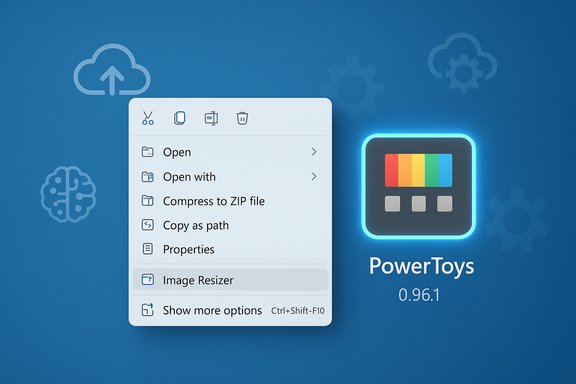
Microsoft has quietly issued a small but meaningful patch — PowerToys version 0.96.1 — that restores the beloved Image Resizer to Windows 10 users and irons out several critical stability and AI-integration wrinkles introduced in the preceding 0.96 milestone.
PowerToys has evolved from a nostalgic set of utilities into a modern, Microsoft-backed toolkit for power users, bundling context-menu helpers, window managers, accessibility tools, and, increasingly, AI‑backed clipboard and text utilities. The v0.96 release added major features — notably the revamped Advanced Paste with support for multiple cloud and local AI providers — but a few regressions and integration issues surfaced quickly in the field. The follow-up patch, 0.96.1, is explicitly labeled a stability and regression-fix release intended to address those problems without changing the large feature set introduced in v0.96. This piece verifies the headline claims, explains what changed, assesses practical impacts for Windows 10 and Windows 11 users, and calls out the security, privacy, and deployment considerations that administrators and enthusiasts should know before updating. Multiple independent sources confirm the same set of fixes and the reappearance of Image Resizer on Windows 10, and the official GitHub release artifacts and installer checksums for 0.96.1 are available for validation.
For Windows 10 users who missed the resizer or experienced instability after v0.96.0, the 0.96.1 patch is a straightforward and advisable update — but apply the usual precautions: verify installer checksums, test in a small group first, and configure AI backends deliberately rather than enabling them by default.
Source: How-To Geek Windows 10 is getting this classic PowerToy back
 Background / Overview
PowerToys has evolved from a nostalgic set of utilities into a modern, Microsoft-backed toolkit for power users, bundling context-menu helpers, window managers, accessibility tools, and, increasingly, AI‑backed clipboard and text utilities. The v0.96 release added major features — notably the revamped Advanced Paste with support for multiple cloud and local AI providers — but a few regressions and integration issues surfaced quickly in the field. The follow-up patch, 0.96.1, is explicitly labeled a stability and regression-fix release intended to address those problems without changing the large feature set introduced in v0.96. This piece verifies the headline claims, explains what changed, assesses practical impacts for Windows 10 and Windows 11 users, and calls out the security, privacy, and deployment considerations that administrators and enthusiasts should know before updating. Multiple independent sources confirm the same set of fixes and the reappearance of Image Resizer on Windows 10, and the official GitHub release artifacts and installer checksums for 0.96.1 are available for validation. What changed in PowerToys 0.96.1 — Quick summary
- Image Resizer: Restored for Windows 10 users whose context-menu integration had been broken after 0.96.0. This was the single most user-facing regression fixed by 0.96.1.
- Advanced Paste / AI plumbing: Removed deprecated OpenAI Prompt Execution Settings properties, updated Foundry Local parameters to allow longer output tokens, and fixed a transient model-availability race condition when installing local models. These are preparatory changes that improve compatibility with evolving model provider parameters and local model hosts.
- Awake: Fixed a bug where the timed mode could remain active beyond its requested expiry, preventing systems from sleeping as expected. This corrects a reliability problem for users relying on timed background tasks.
- Installer artifacts & checksums: The 0.96.1 installer builds and SHA-256 checksums are published alongside the release so administrators and savvier users can verify downloads. Third‑party archives also mirror those installer files and include meta checksums.
Why the Image Resizer return matters
Quick context
Image Resizer is one of the oldest and most practical PowerToys utilities: it adds a right-click, batch-resize option to File Explorer. For content creators, bloggers, marketers, and everyday users who need to resize photos quickly for email, web uploads, or social media, Image Resizer is a time‑saving convenience that avoids launching full image editors. The absence of that context-menu action on Windows 10 after v0.96.0 was a visible regression that annoyed many.What was broken and what 0.96.1 does
The regression manifested as either a missing File Explorer context-menu entry or a non-responsive resize action for some Windows 10 configurations. PowerToys 0.96.1 explicitly restores the Image Resizer shell integration on Windows 10 so the right-click workflow functions again without additional workarounds. The restore appears to target a platform-specific shell-integration compatibility issue rather than changing the resizer’s functionality.Practical impact for users
- If you rely on the right-click > Resize pictures flow, updating to 0.96.1 should return that utility to normal operation on Windows 10.
- The tool continues to support batch processing, presets, aspect-ratio options (Fill/Fit/Stretch), and EXIF-aware behavior such as optional metadata stripping.
- For managed environments, remember that Image Resizer is a File Explorer shell extension; some corporate images or group policies might block explorer extensions, so administrators should test before widespread deployment.
Advanced Paste: AI additions, housekeeping, and why to be cautious
What changed technically
v0.96 introduced a major expansion of Advanced Paste: multi-provider support (Azure OpenAI, OpenAI, Google Gemini, Mistral, Foundry Local, Ollama) and UI improvements. The 0.96.1 patch focuses on cleanup and compatibility:- Removed deprecated OpenAI Prompt Execution Settings properties, which is an internal settings cleanup that helps PowerToys map to the newer parameter sets used by cloud providers, particularly Azure’s evolving model API semantics. This is explicitly framed as groundwork for supporting newer models over time.
- Foundry Local model parameter updates increase allowed output tokens so longer completions (summaries, rewrites) don’t get truncated when run locally.
- Fixed model availability race conditions so a model won’t show as “unavailable” immediately after being installed locally.
What it does — and what it does not do
- The codebase changes prepare the app to support modern Azure OpenAI models and reference names like “GPT-5.1” in its compatibility notes, but this is preparatory — it does not magically provide access to any new cloud model without valid provider credentials and the provider’s availability. Think of it as future-proofing rather than an activation of a new model today. Treat any mention of GPT-5.1 as a capability that PowerToys will be able to call when the provider and the user’s configuration permit it.
Risks and governance
- Privacy: Cloud model providers typically log prompts and responses in some form. Advanced Paste’s new routing options give administrators choices — but they also increase the surface area for accidental data leakage. Use local models (Foundry Local, Ollama) when handling sensitive content if you want to avoid cloud egress, and treat cloud API keys as sensitive secrets.
- Supply chain and model trust: Local models require you to download and manage model binaries. Verify model sources and understand licensing and data usage implications before using them for sensitive work.
- Enterprise policy: For organizations, the recommended approach is to define allowed backends and centralize key management through an enterprise gateway or policy controls rather than letting every endpoint choose arbitrarily.
Awake: the timed-mode reliability fix
The Awake utility keeps a system awake without permanently changing power settings. It’s useful for long-running background tasks, CI jobs, or long file transfers. The bug fixed in 0.96.1 addressed cases where timed mode wasn’t expiring correctly, leaving machines awake longer than intended and potentially causing battery drain or thermal issues. The patch improves countdown accuracy and context-menu positioning and reduces noisy logging to improve overall reliability. Practical notes:- If you saw systems failing to fall asleep after timed Awake sessions, this patch should address those cases.
- Users who depend on precise timed operations should test the new release in a controlled environment before rolling out broadly.
Installation, verification, and deployment guidance
- Where to get the release:
- The official distribution channel remains the PowerToys GitHub releases page and the Microsoft Store build for Office-managed deployments. Download artifacts and installer hashes are published with the release.
- Verify installers:
- For security, validate the downloaded installer’s SHA‑256 hash against the published values before running it, especially if you deploy at scale. Mirrors and archival sites (for example, Fossies) often publish the same installers with matching checksums — use them only for verification, not as your primary repository.
- Rollout plan for IT:
- 1. Test on a single machine (48–72 hours) to confirm no regressions in Explorer or shell extensions.
- 2. If satisfactory, pilot to a small group with varying hardware and Windows builds.
- 3. Use Group Policy / Intune to deploy, and ensure you have a rollback plan in case of unexpected issues.
Security, privacy, and operational caveats
- AI features are opt‑in in PowerToys, but the UI exposes neat integrations that can be tempting to enable broadly. Always treat AI endpoints and API keys as sensitive assets.
- Local vs Cloud: Local model inference keeps data on-device and reduces cloud egress, but it requires storage and compute. Cloud-based endpoints offload compute but may log prompts/completions. Choose per data classification policies.
- Shell extensions (Image Resizer, PowerRename) interact deeply with File Explorer. They are broadly stable but can conflict with other context-menu handlers or poorly maintained third‑party shell extensions. If you observe Explorer lag or hangs, try disabling specific add-ons and reinstalling PowerToys.
- Enterprise managed devices may have restrictions that block PowerToys features or shell integration. Confirm with IT policies and test before large-scale deployment.
Strengths, limitations, and critical analysis
Strengths
- The 0.96.1 patch demonstrates a mature maintenance approach: rapid bug fixes and narrowly targeted stability updates that restore core user workflows like Image Resizer while keeping the broader feature set intact. Both the GitHub release notes and independent reporting reaffirm the targeted nature of the patch.
- Advanced Paste’s broader provider support is a noteworthy capability that enables both on-device AI and multi-cloud flexibility, which is valuable for power users who want local privacy or choice of cloud model.
Limitations and risks
- The AI-related changes are largely enabling work — they prepare PowerToys to interoperate with new provider parameter sets and local model hosts. They do not automatically deliver new model capabilities to every user; providers and user configuration still control access. Overstating the immediate availability of models (e.g., GPT-5.1) is a common misunderstanding; the patch removes obstacles but does not obviate provider licensing or access requirements. Flag this as preparatory rather than immediate functionality.
- Shell extensions will always carry some risk of context-menu performance regressions or compatibility issues across Windows builds and third-party extensions. The best practice remains staged testing before global rollout.
Recommended actions for users and administrators
- If you use Image Resizer on Windows 10 and lost the right‑click workflow in the recent 0.96.0 update, update to PowerToys 0.96.1 and verify the context-menu action is restored. Confirm after installation that Explorer entries appear and that resizing works for several image types.
- If you plan to use Advanced Paste with cloud providers, establish a policy for allowed backends and protect API keys. For sensitive content, prefer local model hosts or controlled enterprise gateways. Test Foundry Local / Ollama scenarios with representative workloads to ensure token limits and output lengths meet your needs.
- For enterprise deployments, validate installer checksums and follow a staged rollout process (test → pilot → phased deploy). Use the published SHA‑256 hashes to confirm installers before automated distribution.
Final assessment
PowerToys 0.96.1 is a stability-focused patch that corrects a high-visibility regression (Image Resizer on Windows 10), improves the reliability of AI integration plumbing in Advanced Paste, and fixes a practical Awake timed-mode bug. The update is small in scope but high in practical value: it restores a convenient right‑click workflow and reduces surprising behavior in AI and power-management features. Multiple independent reports and the official release artifacts corroborate the fixes and the availability of installer checksums for secure deployments. The broader shift to AI-enabled system utilities is real and promising, but it carries responsibilities — particularly around privacy, model governance, and deployment hygiene. PowerToys gives users the tools to choose between cloud and local inference, which is the right approach; however, administrators should treat these new capabilities with the same scrutiny applied to any enterprise service that handles data.For Windows 10 users who missed the resizer or experienced instability after v0.96.0, the 0.96.1 patch is a straightforward and advisable update — but apply the usual precautions: verify installer checksums, test in a small group first, and configure AI backends deliberately rather than enabling them by default.
Quick reference (action checklist)
- Confirm current PowerToys version; if you’re on 0.96.0 and experienced regressions, prepare to update to 0.96.1.
- Download from the official GitHub releases page or Microsoft Store and verify the SHA‑256 checksum before installing.
- Test Image Resizer and context-menu entries on a single Windows 10 machine.
- If using Advanced Paste with AI: define allowed backends, protect API keys, and prefer local models for sensitive data.
- For enterprises, use staged deployment and add PowerToys modules to your pre-deployment test checklist for Explorer and shell integration impacts.
Source: How-To Geek Windows 10 is getting this classic PowerToy back
