

Microsoft quietly shipped PowerToys version 0.97.1 on January 28, 2026, a focused patch release that addresses a string of crashes and stability regressions reported after the larger 0.97.0 feature update. The new build is small in scope but important in practice: it patches Advanced Paste settings crashes, smooths out several Command Palette failures, stabilizes Peek, fixes a PowerRename regex edge case, and refines the new CursorWrap mouse utility — plus a handful of quality-of-life and enterprise-focused changes. If you experienced crashes or unpredictable behavior after installing 0.97.0, updating to 0.97.1 should be your next step.
That ambitious update also produced a handful of regressions: several utilities could crash under specific conditions, UI personalization options failed to appear for some installations, icons loaded from internet shortcuts did not render, and a few input-handling bugs allowed the Peek preview to trigger when it shouldn’t. Because PowerToys runs with broad integration into the Windows shell and user workflows, even modest instability can be disruptive. The 0.97.1 release is a targeted stability pass meant to repair those breakages while leaving the major new features intact.
Why this is important
User impact and recommendations
Why power users care
Installer file names and published SHA‑256 hashes (as published for 0.97.1)
That said, the suite’s rapid feature expansion continues to demand disciplined staging and verification, especially in corporate environments where clipboard and shell integrations intersect with compliance regimes. Update promptly if you were affected by 0.97.0 problems, but follow staged deployment best practices and verify installer integrity before mass installation. The balance Microsoft appears to be striking — rapid innovation with quick stability patches — benefits enthusiasts and admins alike, provided the update is treated with the usual operational caution.
Source: TechloMedia Microsoft Releases PowerToys 0.97.1 Update With Key Bug Fixes and Stability Improvements
 Background
Why this patch matters
PowerToys has evolved from a hobbyist toolkit into a production-grade collection of Windows utilities used by power users and organizations alike. The 0.97.0 release introduced several headline features — notably an overhaul of the Command Palette and a new CursorWrap mouse utility — plus significant enhancements across modules such as Advanced Paste, PowerRename, and Peek.That ambitious update also produced a handful of regressions: several utilities could crash under specific conditions, UI personalization options failed to appear for some installations, icons loaded from internet shortcuts did not render, and a few input-handling bugs allowed the Peek preview to trigger when it shouldn’t. Because PowerToys runs with broad integration into the Windows shell and user workflows, even modest instability can be disruptive. The 0.97.1 release is a targeted stability pass meant to repair those breakages while leaving the major new features intact.
What changed in 0.97.1 — at a glance
- Fixed Advanced Paste settings UI crash.
- Resolved multiple Command Palette issues, including personalization not appearing and icons failing to load from internet shortcuts.
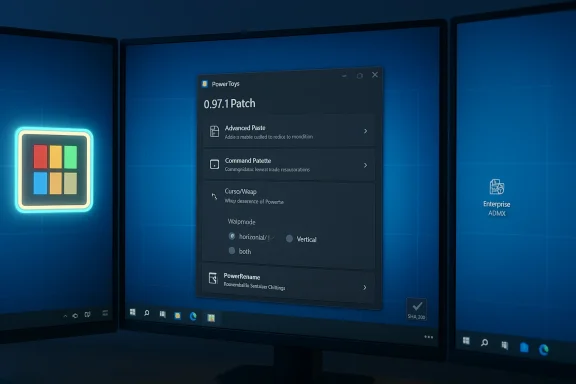
- Improved CursorWrap multi-monitor behavior and added per-axis wrap-mode settings.
- Prevented Peek from triggering when pressing Space during file rename/search/address bar typing.
- Fixed PowerRename regular expression handling so
$(end-of-filename) works correctly. - Updated the PowerToys Run (Runner) tray icon behavior to follow the Windows system theme and ensured its right-click menu updates dynamically when Quick Access changes.
- Added CursorWrap policy definition to ADMX templates for enterprise management.
Deep dive: module-by-module analysis
Advanced Paste — settings crash patched
Advanced Paste is one of the higher-risk modules because it integrates with clipboard contents and, in recent releases, external AI providers. In 0.97.0 some users encountered a crash when opening the Advanced Paste Settings page; 0.97.1 fixes that by correcting the settings repository null-check logic used by the settings UI.Why this is important
- Settings UI crashes are a blocking user experience problem: once the settings page faults, the user cannot configure provider keys, model selection, or privacy controls.
- Advanced Paste’s increasing support for multiple AI providers raises operational and privacy implications; a stable settings UI is essential for administrators to control which providers are allowed or configured.
- After updating, open Advanced Paste settings and confirm provider options and API keys are displayed correctly.
- If you use Advanced Paste in regulated environments, audit provider settings and logs after the upgrade.
Command Palette — personalization, icons and deadlock hardening
Command Palette received a steady stream of improvements in the previous feature release, including personalization, drag-and-drop support, and better extensibility. 0.97.1 addresses several fallout issues:- The personalization section could fail to show up in some installs; this was fixed.
- Icons loaded from internet shortcuts (i.e., .url files that reference external icons) sometimes failed to render; this has been corrected.
- A potential deadlock from lazy-loading application details was fixed.
- Command Palette is a high-frequency interface: users invoke it constantly to launch commands, files, and extensions. Any UI inconsistency or deadlock directly degrades productivity.
- Personalization options are not merely cosmetic; they help users tailor Command Palette for accessibility and visual clarity.
- Open Command Palette personalization and set a background or color tint to confirm the UI loads.
- Test commands that rely on internet-shortcut icons and verify icons display properly.
- Run a few heavy searches to ensure there are no stalls or freezes.
CursorWrap — better multi-monitor handling, new wrap-mode options, and enterprise policy
CursorWrap — the new mouse utility that lets the cursor “wrap” around screen edges — was one of the standout additions in 0.97.0. 0.97.1 focuses on making CursorWrap more robust:- Improved multi-monitor support and detection of topology changes when switching between laptop and desktop setups (for example, when closing or opening a laptop lid).
- Added a new Wrap mode setting: choose horizontal-only, vertical-only, or both directions.
- Added an administrative (ADMX) policy definition for CursorWrap so enterprises can enable/disable it via Group Policy.
- Multi-monitor systems are a common source of cursor anomalies. Better topology detection reduces surprising cursor jumps and improves usability.
- Per-axis wrapping is a welcome refinement for users who want the effect only horizontally or vertically.
- ADMX support signals that PowerToys is being prepared for controlled deployment in managed environments rather than only individual install scenarios.
- If you plan to deploy PowerToys across a fleet, retrieve the updated ADMX templates and test CursorWrap policy application in a staging OU.
- Verify the behavior on mixed-resolution monitor setups and while docking/undocking a laptop to ensure topology changes are handled gracefully.
Peek — avoid accidental triggers while typing
Peek’s file-preview integration is convenient, but a reported bug in 0.97.0 caused the Space key to trigger a preview while users were renaming a file, typing in the address bar, or searching. 0.97.1 prevents this accidental invocation.User impact and recommendations
- This fix reduces accidental focus switches that interrupt workflows, especially during batch file renaming or rapid address-bar edits.
- Test Peek preview behavior in common scenarios (file rename, address bar typing, search) after updating to confirm the fix works on your system.
PowerRename — regex end-of-filename fix
PowerRename’s regular expression handling had an edge-case bug where using the$ pattern (the regex anchor for end-of-string/end-of-filename) failed to allow appending text to filenames in bulk operations. The patch restores correct $ handling so bulk rename scripts and patterns behave as expected.Why power users care
- PowerRename is a go-to tool for batch renaming; regex anchors like
$are foundational for precise pattern-based renames. - The fix restores scripting confidence and avoids manual post-processing.
- Re-run a few previously failing rename operations that used
$to confirm expected behavior. - Consider exporting or saving your rename patterns if you rely on them in repetitive workflows.
Runner / PowerToys Run tray behavior improvements
PowerToys Run (also referred to in the release notes as Runner) had minor presentation and UI-update issues:- The monochrome tray icon now follows the Windows system theme instead of the app theme.
- The right-click menu now dynamically updates when Quick Access is enabled or disabled.
- These are cosmetic and UX fixes, but they matter in environments where system theme and tray-consistency are important for users’ experience and accessibility.
Installation and verification: best practices
0.97.1 is distributed as both per-user and machine-wide installers for x64 and ARM64. The release assets include SHA‑256 hashes for each installer. If you’re managing systems or prefer to avoid supply-chain risks, verify downloaded installers against the published hashes.Installer file names and published SHA‑256 hashes (as published for 0.97.1)
- PowerToysUserSetup-0.97.1-x64.exe — DB4AE01B6A8A9FC056A8A5FA579AA276D5E713455532AF33D11895FA381FAA0D
- PowerToysUserSetup-0.97.1-arm64.exe — B16A1AEE649C82DA4062B7BD2ADBE68A9928CD5FF567BFA9098C0D70EE3653A5
- PowerToysSetup-0.97.1-x64.exe — 9D1E3337B79FD6C30463EB6EE5D58D1DE63018BC99516B982EF4423A75FC9686
- PowerToysSetup-0.97.1-arm64.exe — C5445FE4D5B157EE9605B58036E75C9B63064B2EA0132D0C4719EC7C63F65D66
- Download the installer to a test machine (do not run it yet).
- Open PowerShell and run:
- Get-FileHash -Path ".\PowerToysUserSetup-0.97.1-x64.exe" -Algorithm SHA256
- Compare the computed hash with the published hash above.
- Only run the installer if the hashes match.
- Stage the update on a group of test machines that represent typical hardware and software mixes (especially multi-monitor setups and different GPU drivers).
- Validate the specific fixes you care about: Advanced Paste settings UI, CursorWrap behavior while docking/undocking, PowerRename regexes, and Peek behavior in file manager workflows.
- Once verified, push the installer via your standard software distribution tool (SCCM, Intune, Chocolatey, or other) and enforce policy via the updated ADMX if required.
- PowerToys installations are additive and can be removed via standard Windows Programs & Features or the per-user uninstall. If you encounter regressions, rollback to 0.97.0 or the prior known-good version from your internal artifact repository and report the issue for triage.
Security, privacy, and compliance considerations
Advanced Paste and AI provider integrations- Advanced Paste’s expansion to multiple AI providers (including cloud and local on-device providers) makes it more flexible but also increases the need for governance.
- Before enabling AI providers in a corporate environment, confirm contractual and regulatory compatibility (data residency, PII handling, and model usage policies).
- The 0.97.1 release fixes a settings crash — that’s good — but it doesn’t change the underlying data flows. Administrators should examine Advanced Paste configuration and audit logs as part of deployment.
- Always verify installer checksums before running code that integrates into the Windows shell.
- Prefer signed installers from the official releases page; if you pull artifacts into an enterprise repository, verify signatures and hashes during ingestion.
- PowerToys’ utilities often interact with user inputs and system-level features (shell extensions, file preview handlers). Keep the suite to the minimum set of modules required by end users to reduce attack surface.
- Consider deploying PowerToys in per-user mode to reduce system-wide install impact unless Machine-wide installation is necessary for your workflows.
Critical assessment: strengths and potential risks
Strengths- Rapid response: The team delivered a patch that addresses multiple stability issues within days of reports, showing a responsive maintenance cadence.
- Targeted fixes: The 0.97.1 release is surgical — it keeps the new features delivered in 0.97.0 while removing immediate pain points.
- Enterprise readiness: Adding CursorWrap ADMX support is an important step toward enterprise lifecycle support and centralized control.
- Usability gains: Per-axis CursorWrap modes and Peek input fixes make the new functionality more practical for daily use.
- Regression risk: Any patch that touches settings repositories, lazy-loading code paths, or shell integrations carries a non-zero risk of new regressions. Enterprises should still stage updates.
- Feature creep vs. stability: PowerToys continues to add features rapidly. If the pace of new features outstrips testing coverage across diverse Windows configurations, regressions will remain a recurring risk.
- Privacy surface for AI integrations: Advanced Paste’s support for multiple AI backends increases governance needs. The settings crash fix does not alter data flows — organizations must manage that separately.
- Distribution model: PowerToys is primarily distributed via the project release assets and the Microsoft Store; organizations should ensure they’re sourcing installers from official release artifacts and verifying integrity.
What to watch next
- Community feedback channels — watch for reports in forums and issue trackers about new regressions after 0.97.1, particularly around CursorWrap and multi-monitor edge cases.
- ADMX uptake — whether enterprise admins begin to adopt and depend on CursorWrap policy controls. This will indicate demand for more enterprise-focused settings.
- Advanced Paste governance features — look for additions such as provider allow/deny lists, telemetry toggles, and expanded logging options that make AI usage auditable.
- Future stability cycles — whether the PowerToys team shifts focus to test coverage and longer stabilization windows as the feature set grows.
Practical recommendations for users and admins
For individual users- If you experienced crashes in 0.97.0, update to 0.97.1 and verify the specific behavior is resolved.
- Verify installer SHA‑256 checksums after download.
- Keep the set of enabled modules minimal; disable modules you don’t use.
- Test CursorWrap with your common monitor configurations, including docking/undocking, lid-close behavior, and mixed-resolution arrangements.
- Use PowerRename to re-run any previously failing batch rename workflows to confirm regex handling.
- Download the updated ADMX templates and add them to your Group Policy Central Store.
- Stage the update to a pilot group that represents your fleet diversity.
- Verify Advanced Paste and other modules for data governance compliance before a wide push.
- If you automate installs, update your internal repository with the new installer and the verified SHA‑256 hashes.
Final verdict
PowerToys 0.97.1 is a pragmatic, well-targeted patch that addresses the most disruptive regressions introduced by the earlier 0.97.0 feature release. For most users who experienced crashes or odd behaviors, the update should produce an immediate and tangible improvement in day-to-day reliability. The addition of CursorWrap ADMX policy support is a noteworthy signal that PowerToys is maturing toward enterprise manageability.That said, the suite’s rapid feature expansion continues to demand disciplined staging and verification, especially in corporate environments where clipboard and shell integrations intersect with compliance regimes. Update promptly if you were affected by 0.97.0 problems, but follow staged deployment best practices and verify installer integrity before mass installation. The balance Microsoft appears to be striking — rapid innovation with quick stability patches — benefits enthusiasts and admins alike, provided the update is treated with the usual operational caution.
Source: TechloMedia Microsoft Releases PowerToys 0.97.1 Update With Key Bug Fixes and Stability Improvements
