

Microsoft PowerToys may soon add an optional low memory mode for Windows 11 utilities, based on a new GitHub pull request that lets supported modules shut down idle background processes and relaunch only when users invoke their shortcuts or interfaces. The proposal is not a magic “make Windows faster” switch. It is more interesting than that: it is a small architectural admission that modern Windows productivity software has quietly normalized keeping too much ready, too often, for too little benefit. If Microsoft gets this right, PowerToys could become a better citizen on the very PCs where enthusiasts most need it.
PowerToys has always lived in the space between “nice hack” and “why isn’t this just in Windows?” It is a bundle of utilities for people who want Windows to behave more like a workshop than a sealed appliance: FancyZones for window layouts, PowerToys Run and Command Palette for launching things quickly, Color Picker for grabbing values from the screen, Text Extractor for OCR, Peek for previews, and a growing list of tools that patch the thousand paper cuts of daily PC use.
That convenience has a price. Many PowerToys modules are designed to feel instant, which means helper processes stay resident in the background even when the user is not actively using the tool. For a developer workstation with 64GB of RAM, that is a rounding error. For a budget Windows 11 laptop, a school device, or an older desktop upgraded past its comfort zone, it can be one more quiet tax.
The proposed low memory mode attacks that tax without pretending every user has the same priorities. Supported utilities would be allowed to close their app process while idle and restart on demand when triggered. The existing behavior remains the default, which matters: Microsoft is not breaking the “instant” feel for users who bought into PowerToys precisely because it is fast.
This is the right kind of performance work because it does not begin with a benchmark slide. It begins with a user reality. Windows machines often feel slow not because one thing is catastrophically inefficient, but because dozens of small things have decided they deserve to be permanently awake.
That trade-off used to be easy to defend. Memory was there to be used, and an idle process is not necessarily an active performance drain. Windows itself is quite good at paging, trimming working sets, and balancing active applications against cached memory. The problem is not that background processes exist; the problem is that every app developer has independently discovered the same justification.
On a modern Windows 11 install, the system tray is no longer the whole story. Launchers, sync clients, updaters, overlays, widgets, device utilities, AI assistants, game services, RGB controllers, cloud storage hooks, and productivity helpers all want to be “ready.” Each one is defensible in isolation. Together they create the ambient drag that users describe, imprecisely but understandably, as Windows being bloated.
PowerToys is unusually visible because its audience is unusually technical. Its users open Task Manager, read release notes, and notice when a convenience suite has several processes hanging around. That makes PowerToys an ideal test bed for a more honest model: if you want instant access, keep the process warm; if you want lower idle usage, accept a tiny cold-start delay.
The key word is optional. A low memory mode forced on everyone would simply move annoyance from one group to another. The proposal instead recognizes that speed has different meanings depending on the machine. On a high-end workstation, speed may mean zero-latency activation. On a low-memory laptop, speed may mean not competing with the browser, Teams, Visual Studio Code, or a game launcher for idle resources.
That distinction matters because Windows performance discourse is full of fake absolutes. Users want a single culprit: the Start menu, Widgets, Defender, Edge, telemetry, animations, Copilot, or the latest cumulative update. Sometimes one component really is at fault. More often, perceived slowness is the accumulated result of many small design choices, each optimized for convenience, engagement, or discoverability rather than quiet efficiency.
The low memory proposal is valuable precisely because it treats performance as a budget. It says that a productivity tool should not assume permanent residency is free. If a module is not in use, and if the user has chosen a memory-saving mode, it can get out of the way.
That may sound modest, but modesty is rare in Windows feature development. Microsoft is much better at adding capabilities than at giving users confidence that those capabilities will remain well-behaved over time. A per-module low memory setting, backed by shared plumbing rather than one-off hacks, is the kind of unglamorous maintenance work that keeps a utility suite from turning into another resident platform.
That growth creates a governance problem. A small tool can be forgiven for keeping itself around. A suite with dozens of modules needs a resource philosophy. Otherwise, each new utility arrives with its own background expectations, and the total footprint grows in a way that no single feature owner feels responsible for.
The pull request described by Neowin appears to address that by introducing a shared settings map for low-memory-capable modules, rather than bolting a new schema field onto each utility. That is not just an implementation detail. It suggests the PowerToys team and contributors are thinking about policy as infrastructure: build one way for modules to opt into idle-close behavior, then let supported tools use it consistently.
There is a reason this belongs in PowerToys before it belongs in Windows proper. PowerToys is open source, faster-moving, and used by people who can tolerate controlled rough edges. It is a proving ground for interaction patterns that may later influence the operating system. FancyZones, launcher concepts, OCR workflows, and command palettes all sit in the gravitational field between “add-on” and “platform expectation.”
Low memory mode could join that list. Not because it is flashy, but because it reframes background residency as a user preference rather than a developer entitlement.
For many users, the browser is the operating system’s heaviest daily workload. Add a few dozen tabs, an Electron-based chat client, a cloud sync tool, an IDE, and a video meeting, and suddenly 8GB of RAM feels like a cramped apartment. Even 16GB can feel less generous than it did a few years ago, particularly on systems with integrated graphics sharing memory.
In that environment, idle helper processes are not villains. They are squatters with good intentions. They occupy space so a future action can feel immediate, while the present workload is left to negotiate around them.
PowerToys is particularly vulnerable to this criticism because its modules are often intermittent by nature. You may use Color Picker three times in a design session and then not touch it for days. You may invoke Text Extractor only when a screenshot contains unselectable text. You may use Peek when sorting files, then forget it exists. Keeping all of that warm is a luxury some users will happily trade away.
The phrase “likely imperceptible delay” should be treated carefully. Cold-start delays are always workload-dependent. A fast NVMe system with plenty of CPU headroom may relaunch a module so quickly that the user never notices. A low-end machine under load may make the delay visible. But if the user opted into low memory mode, that delay is not a bug; it is the bargain.
Microsoft’s challenge is to make the bargain legible. A vague toggle labeled “low memory mode” may not be enough. Users should understand which modules support it, what behavior changes, and whether they should expect a delay the next time they trigger a shortcut. Power users do not need hand-holding, but they do appreciate accurate labels.
That variety makes performance optimization politically difficult. Any change that saves memory may hurt responsiveness. Any change that improves responsiveness may increase idle footprint. Any default that helps low-end devices may annoy high-end users. Any default that flatters benchmarks may be wrong for real workflows.
PowerToys sidesteps some of that by letting users self-select. The people who install it are already customizing Windows. They understand toggles. They are more likely to accept that “faster” can mean different things depending on whether you care about launch latency, memory pressure, battery life, or multitasking stability.
That makes the proposed low memory mode a useful case study. It avoids the fantasy that Microsoft can optimize Windows with one universal setting. Instead, it embraces a more adult model: give users a clear policy choice, preserve the current default, and make the system adapt only where modules support the behavior safely.
This is also a reminder that performance work does not always look like rewriting a scheduler or shaving milliseconds from a shell animation. Sometimes it is cleaning up process lifetime. Sometimes it is asking whether an app really needs to be awake. Sometimes it is admitting that the fastest code is the code not running.
A low memory mode does not solve those governance questions, but it does make PowerToys easier to defend. The more modules the suite adds, the more administrators will ask what it costs to leave enabled across a fleet. Memory footprint is not the only metric, but it is one procurement and support teams understand.
For managed environments, the interesting question is whether this kind of setting eventually becomes policy-controllable. If PowerToys is going to be deployed seriously, administrators will want predictable defaults, documented behavior, and a way to keep resource-saving settings consistent. A user-facing toggle is a start; a fleet-wide configuration story would make it more than a nicety.
There is also a support angle. When a utility exits after use and relaunches on demand, failure modes change. A warm process can crash once and stay broken until restarted. A cold-start model can recover naturally, but it can also surface launch-time failures more often. Logging and diagnostics will matter, especially if only some modules support low memory mode at first.
Still, the direction is sound. Enterprise IT has spent years fighting the silent expansion of resident software. If Microsoft wants PowerToys to be seen as a serious productivity layer rather than a hobbyist bundle, it needs exactly this kind of resource discipline.
PowerToys should resist that. Low memory mode should not be a dumping ground for modules with poor process hygiene. It should be a consistent user preference implemented by utilities whose workflows genuinely allow idle closure.
Some tools may never be good candidates. Anything that must continuously monitor input, maintain state, or react instantly to system events may need to stay resident. Others are obvious fits because they are invoked, used, and dismissed. The distinction should be technical, not political.
The user interface will be the difference between confidence and confusion. If the settings app merely exposes a list of toggles with no explanation, users will either ignore them or enable everything and complain when something feels slower. If Microsoft presents low memory mode as a per-utility choice with plain language, it can teach users the trade-off without sounding like a warning dialog from 2004.
The best version of this feature would also provide sane defaults over time. Perhaps newly supported utilities remain off by default, preserving current behavior. But PowerToys could recommend low memory mode for modules that are rarely used or have negligible relaunch cost. That would be more ambitious, and more dangerous, but it points toward a future where Windows tools adapt to actual use rather than static assumptions.
PowerToys’ proposed low memory mode lands in that climate. It is small, but it says the right thing: not every helper needs to be permanent. Not every convenience deserves a standing reservation. Not every user values instant activation over lower idle usage.
That philosophy is more important than the megabytes saved in the first implementation. If Microsoft applies it across more tools, PowerToys could become a model for restrained utility design rather than another example of background creep. The company has spent years teaching users that Windows can be extended. Now it has to show that extension can be polite.
The open-source nature of PowerToys helps here. Contributors can propose changes, users can inspect the reasoning, and performance debates can happen in public. That does not guarantee good outcomes, but it gives the project a feedback loop that Windows itself often lacks.
The strongest argument for low memory mode is not that it will make every Windows 11 PC noticeably faster tomorrow. It is that Microsoft’s own power-user suite is beginning to treat idle memory as something worth giving back.
Source: Neowin Microsoft PowerToys could soon indirectly make your Windows 11 PC faster with a new feature
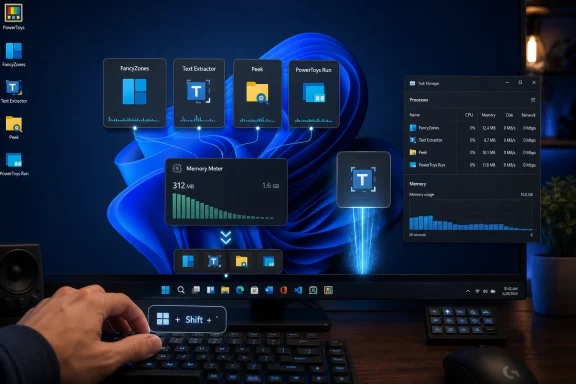 Microsoft Is Finally Targeting the Cost of Convenience
PowerToys has always lived in the space between “nice hack” and “why isn’t this just in Windows?” It is a bundle of utilities for people who want Windows to behave more like a workshop than a sealed appliance: FancyZones for window layouts, PowerToys Run and Command Palette for launching things quickly, Color Picker for grabbing values from the screen, Text Extractor for OCR, Peek for previews, and a growing list of tools that patch the thousand paper cuts of daily PC use.That convenience has a price. Many PowerToys modules are designed to feel instant, which means helper processes stay resident in the background even when the user is not actively using the tool. For a developer workstation with 64GB of RAM, that is a rounding error. For a budget Windows 11 laptop, a school device, or an older desktop upgraded past its comfort zone, it can be one more quiet tax.
The proposed low memory mode attacks that tax without pretending every user has the same priorities. Supported utilities would be allowed to close their app process while idle and restart on demand when triggered. The existing behavior remains the default, which matters: Microsoft is not breaking the “instant” feel for users who bought into PowerToys precisely because it is fast.
This is the right kind of performance work because it does not begin with a benchmark slide. It begins with a user reality. Windows machines often feel slow not because one thing is catastrophically inefficient, but because dozens of small things have decided they deserve to be permanently awake.
The Warm Process Became the Default Design Pattern
The phrase warm process sounds harmless, almost cozy. In practice, it means software has chosen readiness over restraint. A module that might be used once an hour, once a day, or once a week still keeps enough of itself loaded to answer instantly.That trade-off used to be easy to defend. Memory was there to be used, and an idle process is not necessarily an active performance drain. Windows itself is quite good at paging, trimming working sets, and balancing active applications against cached memory. The problem is not that background processes exist; the problem is that every app developer has independently discovered the same justification.
On a modern Windows 11 install, the system tray is no longer the whole story. Launchers, sync clients, updaters, overlays, widgets, device utilities, AI assistants, game services, RGB controllers, cloud storage hooks, and productivity helpers all want to be “ready.” Each one is defensible in isolation. Together they create the ambient drag that users describe, imprecisely but understandably, as Windows being bloated.
PowerToys is unusually visible because its audience is unusually technical. Its users open Task Manager, read release notes, and notice when a convenience suite has several processes hanging around. That makes PowerToys an ideal test bed for a more honest model: if you want instant access, keep the process warm; if you want lower idle usage, accept a tiny cold-start delay.
The key word is optional. A low memory mode forced on everyone would simply move annoyance from one group to another. The proposal instead recognizes that speed has different meanings depending on the machine. On a high-end workstation, speed may mean zero-latency activation. On a low-memory laptop, speed may mean not competing with the browser, Teams, Visual Studio Code, or a game launcher for idle resources.
This Is Not a Windows 11 Performance Patch, and That Is the Point
The tempting headline is that PowerToys could make Windows 11 faster. That is true only in the indirect, conditional sense. Closing idle PowerToys helper processes can free memory, reduce background footprint, and leave more room for active workloads, but it will not transform a sluggish PC by itself.That distinction matters because Windows performance discourse is full of fake absolutes. Users want a single culprit: the Start menu, Widgets, Defender, Edge, telemetry, animations, Copilot, or the latest cumulative update. Sometimes one component really is at fault. More often, perceived slowness is the accumulated result of many small design choices, each optimized for convenience, engagement, or discoverability rather than quiet efficiency.
The low memory proposal is valuable precisely because it treats performance as a budget. It says that a productivity tool should not assume permanent residency is free. If a module is not in use, and if the user has chosen a memory-saving mode, it can get out of the way.
That may sound modest, but modesty is rare in Windows feature development. Microsoft is much better at adding capabilities than at giving users confidence that those capabilities will remain well-behaved over time. A per-module low memory setting, backed by shared plumbing rather than one-off hacks, is the kind of unglamorous maintenance work that keeps a utility suite from turning into another resident platform.
PowerToys Has Outgrown Its Toy Box
PowerToys is no longer a nostalgia project with a few clever utilities. The current suite is broad enough that it resembles a parallel layer of Windows user experience. It can manage windows, launch commands, rewrite clipboard content, resize images, preview files, remap keys, keep a PC awake, extract text, edit environment variables, inspect file locks, and more.That growth creates a governance problem. A small tool can be forgiven for keeping itself around. A suite with dozens of modules needs a resource philosophy. Otherwise, each new utility arrives with its own background expectations, and the total footprint grows in a way that no single feature owner feels responsible for.
The pull request described by Neowin appears to address that by introducing a shared settings map for low-memory-capable modules, rather than bolting a new schema field onto each utility. That is not just an implementation detail. It suggests the PowerToys team and contributors are thinking about policy as infrastructure: build one way for modules to opt into idle-close behavior, then let supported tools use it consistently.
There is a reason this belongs in PowerToys before it belongs in Windows proper. PowerToys is open source, faster-moving, and used by people who can tolerate controlled rough edges. It is a proving ground for interaction patterns that may later influence the operating system. FancyZones, launcher concepts, OCR workflows, and command palettes all sit in the gravitational field between “add-on” and “platform expectation.”
Low memory mode could join that list. Not because it is flashy, but because it reframes background residency as a user preference rather than a developer entitlement.
The Real Competition Is the Browser Tab
The best argument for low memory mode is not found in PowerToys itself. It is found in what PowerToys competes with.For many users, the browser is the operating system’s heaviest daily workload. Add a few dozen tabs, an Electron-based chat client, a cloud sync tool, an IDE, and a video meeting, and suddenly 8GB of RAM feels like a cramped apartment. Even 16GB can feel less generous than it did a few years ago, particularly on systems with integrated graphics sharing memory.
In that environment, idle helper processes are not villains. They are squatters with good intentions. They occupy space so a future action can feel immediate, while the present workload is left to negotiate around them.
PowerToys is particularly vulnerable to this criticism because its modules are often intermittent by nature. You may use Color Picker three times in a design session and then not touch it for days. You may invoke Text Extractor only when a screenshot contains unselectable text. You may use Peek when sorting files, then forget it exists. Keeping all of that warm is a luxury some users will happily trade away.
The phrase “likely imperceptible delay” should be treated carefully. Cold-start delays are always workload-dependent. A fast NVMe system with plenty of CPU headroom may relaunch a module so quickly that the user never notices. A low-end machine under load may make the delay visible. But if the user opted into low memory mode, that delay is not a bug; it is the bargain.
Microsoft’s challenge is to make the bargain legible. A vague toggle labeled “low memory mode” may not be enough. Users should understand which modules support it, what behavior changes, and whether they should expect a delay the next time they trigger a shortcut. Power users do not need hand-holding, but they do appreciate accurate labels.
The Feature Also Shows Why Windows Optimization Feels So Hard
Windows 11 has spent much of its life under a cloud of performance skepticism. Some of that criticism is deserved, some of it is nostalgia, and some of it is the unavoidable result of running a modern OS on wildly different hardware. Microsoft has to serve gaming rigs, corporate fleets, ARM laptops, old desktops, mini PCs, education devices, and virtual machines with the same basic platform.That variety makes performance optimization politically difficult. Any change that saves memory may hurt responsiveness. Any change that improves responsiveness may increase idle footprint. Any default that helps low-end devices may annoy high-end users. Any default that flatters benchmarks may be wrong for real workflows.
PowerToys sidesteps some of that by letting users self-select. The people who install it are already customizing Windows. They understand toggles. They are more likely to accept that “faster” can mean different things depending on whether you care about launch latency, memory pressure, battery life, or multitasking stability.
That makes the proposed low memory mode a useful case study. It avoids the fantasy that Microsoft can optimize Windows with one universal setting. Instead, it embraces a more adult model: give users a clear policy choice, preserve the current default, and make the system adapt only where modules support the behavior safely.
This is also a reminder that performance work does not always look like rewriting a scheduler or shaving milliseconds from a shell animation. Sometimes it is cleaning up process lifetime. Sometimes it is asking whether an app really needs to be awake. Sometimes it is admitting that the fastest code is the code not running.
Enterprise IT Will Like the Direction, If Not the Details
PowerToys has an odd relationship with enterprise IT. It is a Microsoft project, but it is also a power-user toolkit with features that can make conservative administrators uneasy. Some organizations embrace it because it solves real workflow problems. Others restrict it because anything that remaps keys, manages windows, adds shell hooks, or introduces extra background components deserves scrutiny.A low memory mode does not solve those governance questions, but it does make PowerToys easier to defend. The more modules the suite adds, the more administrators will ask what it costs to leave enabled across a fleet. Memory footprint is not the only metric, but it is one procurement and support teams understand.
For managed environments, the interesting question is whether this kind of setting eventually becomes policy-controllable. If PowerToys is going to be deployed seriously, administrators will want predictable defaults, documented behavior, and a way to keep resource-saving settings consistent. A user-facing toggle is a start; a fleet-wide configuration story would make it more than a nicety.
There is also a support angle. When a utility exits after use and relaunches on demand, failure modes change. A warm process can crash once and stay broken until restarted. A cold-start model can recover naturally, but it can also surface launch-time failures more often. Logging and diagnostics will matter, especially if only some modules support low memory mode at first.
Still, the direction is sound. Enterprise IT has spent years fighting the silent expansion of resident software. If Microsoft wants PowerToys to be seen as a serious productivity layer rather than a hobbyist bundle, it needs exactly this kind of resource discipline.
The Risk Is a Toggle That Becomes a Junk Drawer
The danger in any optional performance feature is that it becomes a place to hide unresolved design tension. If a module uses too much memory, add it to low memory mode. If startup is slow, tell users to disable the setting. If behavior differs across utilities, blame support status. That would turn a good architectural idea into another checkbox maze.PowerToys should resist that. Low memory mode should not be a dumping ground for modules with poor process hygiene. It should be a consistent user preference implemented by utilities whose workflows genuinely allow idle closure.
Some tools may never be good candidates. Anything that must continuously monitor input, maintain state, or react instantly to system events may need to stay resident. Others are obvious fits because they are invoked, used, and dismissed. The distinction should be technical, not political.
The user interface will be the difference between confidence and confusion. If the settings app merely exposes a list of toggles with no explanation, users will either ignore them or enable everything and complain when something feels slower. If Microsoft presents low memory mode as a per-utility choice with plain language, it can teach users the trade-off without sounding like a warning dialog from 2004.
The best version of this feature would also provide sane defaults over time. Perhaps newly supported utilities remain off by default, preserving current behavior. But PowerToys could recommend low memory mode for modules that are rarely used or have negligible relaunch cost. That would be more ambitious, and more dangerous, but it points toward a future where Windows tools adapt to actual use rather than static assumptions.
The Faster PC Is the One With Fewer Assumptions
Performance has become a credibility issue for Microsoft. Windows 11 is visually calmer and more coherent than Windows 10 in some ways, but it also arrived in an era when users are more sensitive to background activity than ever. Battery life matters. Memory matters. Heat matters. The number of processes in Task Manager has become a crude but emotionally powerful measure of trust.PowerToys’ proposed low memory mode lands in that climate. It is small, but it says the right thing: not every helper needs to be permanent. Not every convenience deserves a standing reservation. Not every user values instant activation over lower idle usage.
That philosophy is more important than the megabytes saved in the first implementation. If Microsoft applies it across more tools, PowerToys could become a model for restrained utility design rather than another example of background creep. The company has spent years teaching users that Windows can be extended. Now it has to show that extension can be polite.
The open-source nature of PowerToys helps here. Contributors can propose changes, users can inspect the reasoning, and performance debates can happen in public. That does not guarantee good outcomes, but it gives the project a feedback loop that Windows itself often lacks.
The strongest argument for low memory mode is not that it will make every Windows 11 PC noticeably faster tomorrow. It is that Microsoft’s own power-user suite is beginning to treat idle memory as something worth giving back.
The Small Toggle That Says PowerToys Has Grown Up
The concrete story is simple, but the implications are broader than one pull request. If the feature lands, users should treat it as a targeted resource-saving option, not a universal performance cure.- The proposed low memory mode would let supported PowerToys utilities close their background app processes when idle and relaunch when invoked.
- The current warm-process behavior is expected to remain the default, so users who prioritize instant response should not be forced into a slower activation path.
- The biggest benefits will likely appear on lower-memory or heavily multitasked systems where idle resident processes compete with active applications.
- The trade-off is that some utilities may take slightly longer to appear after being triggered, especially on slower PCs or systems already under load.
- The feature’s long-term value depends on consistent module support, clear settings language, and Microsoft avoiding the temptation to use the toggle as a substitute for broader optimization.
Source: Neowin Microsoft PowerToys could soon indirectly make your Windows 11 PC faster with a new feature
