

The truth about consumer privacy is simple and uncomfortable: most people say they want privacy, but when push comes to shove they choose convenience, and that choice explains why privacy-first tools remain niche despite being widely available.
Privacy debates have moved from tech blogs into mainstream conversation, but rhetoric often outruns behavior. The common observation—privacy-friendly alternatives exist for almost every mainstream service, yet most users stick with convenience-first options—captures a structural reality of modern computing. That reality is not just moral failing or ignorance; it is a product of network effects, integration, habit, and the trade-offs that every user implicitly makes when choosing tools and services.
This analysis synthesizes the argument that convenience beats privacy in real-world use, verifies major empirical claims where possible, and offers a practical, risk-aware strategy for Windows users and ordinary consumers who want stronger privacy without sacrificing the functions they rely on. The piece draws on the practical privacy coverage that has circulated widely over the last year on privacy settings for Windows and messaging/search/email alternatives, and it verifies key user-count claims with industry data.
Verification note: the specific "3 billion" and "1 billion" figures are documented in industry reporting (Statista and company announcements) during 2025; these are time‑sensitive metrics and should be read as snapshots rather than immutable truths.
For most people, the sensible approach is pragmatic incrementalism: apply low-friction privacy protections today, keep a privacy-first channel for sensitive communication, and demand better, lower-friction privacy from vendors and policymakers. True mass adoption of privacy-first tools will arrive only when those tools match incumbents on convenience and reduce the social cost of switching—until that day, most people will continue to choose the path of least resistance, and that choice will shape the data landscape we all share.
Source: MakeUseOf You think you want privacy. You don’t.
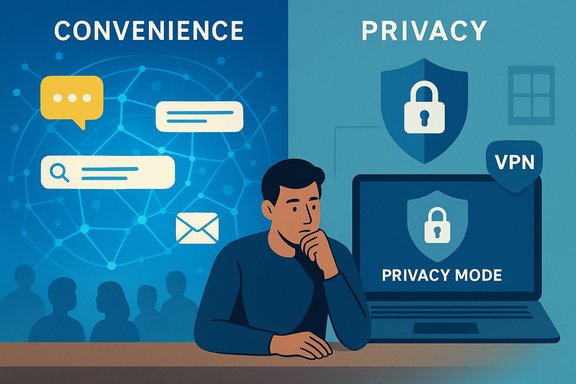 Background / Overview
Privacy debates have moved from tech blogs into mainstream conversation, but rhetoric often outruns behavior. The common observation—privacy-friendly alternatives exist for almost every mainstream service, yet most users stick with convenience-first options—captures a structural reality of modern computing. That reality is not just moral failing or ignorance; it is a product of network effects, integration, habit, and the trade-offs that every user implicitly makes when choosing tools and services.This analysis synthesizes the argument that convenience beats privacy in real-world use, verifies major empirical claims where possible, and offers a practical, risk-aware strategy for Windows users and ordinary consumers who want stronger privacy without sacrificing the functions they rely on. The piece draws on the practical privacy coverage that has circulated widely over the last year on privacy settings for Windows and messaging/search/email alternatives, and it verifies key user-count claims with industry data.
Why convenience wins: the psychology and economics of default choices
Everyday technology choices follow powerful behavioral patterns:- Defaults are sticky. People accept pre-installed apps, bundled services, and factory settings because they “just work” and lower cognitive overhead.
- Network effects dominate communication tools. A messaging app’s utility is the number of people you can reach without friction.
- Time scarcity and cognitive load push users toward the path of least resistance. Repeatedly choosing privacy-focused tools often requires deliberate actions that interfere with productivity.
- Perceived cost includes not only money but time, compatibility risk, and social coordination—factors that most consumers weight more heavily than abstract future privacy harms.
Case study: messaging apps — network effects kill privacy plans
Messaging apps are the clearest, most visceral example of the convenience-versus-privacy trade-off.- WhatsApp reached the rarefied scale of billions of users, making it the de facto communication layer for entire countries and diaspora networks. Industry tallies and company statements show WhatsApp exceeded three billion monthly active users in 2025, establishing its dominance as a global messaging platform.
- Telegram has grown rapidly as well, crossing the one‑billion monthly active user threshold earlier in 2025 and carving out a powerful niche for channels, large-group messaging, and cross-device cloud sync.
- Signal, despite being the gold standard for privacy and end‑to‑end encryption, remains orders of magnitude smaller—estimates in 2025 place Signal in the tens of millions of monthly active users range (commonly reported as roughly 70–100 million MAUs depending on the source). That’s a respectable figure but not remotely comparable to the multi‑billion reach of WhatsApp.
Verification note: the specific "3 billion" and "1 billion" figures are documented in industry reporting (Statista and company announcements) during 2025; these are time‑sensitive metrics and should be read as snapshots rather than immutable truths.
The anatomy of convenience: feature parity, integrations, and inertia
The social cost of switching is compounded by the ecosystem advantages of incumbent apps:- Integrated features: payment layers, business tools, large file sharing, and enterprise integrations make incumbents more attractive beyond simple messaging.
- Cross-device continuity: many mainstream apps provide frictionless sync across phones, tablets, desktops, and web. That reliability is a form of convenience users prize.
- Legacy data and history: long message histories, shared media, and archived groups are an emotional and practical asset that’s not easily ported to a new platform.
Search, email, and browsers: privacy alternatives exist—but they come with trade-offs
Outside messaging, the same pattern repeats.- Search: DuckDuckGo and Brave Search are genuine, privacy-respecting alternatives to Google Search. They avoid building long-term user profiles and reduce cross-service tracking. Yet Google’s integration into Android, Chrome, and countless websites makes it a default convenience for billions. Choosing a different search engine typically requires multiple deliberate actions (changing defaults on each device or browser). The result: most users stick with the integrated, seamless path.
- Email: Providers like ProtonMail and Tutanota offer strong end‑to‑end encryption and privacy-focused policies, but they can lack some of Gmail’s ecosystem perks: deep integration with calendar services, third‑party app recovery options, and the convenience of a single, familiar interface across devices. For users who rely on convenience and recovery options, Gmail’s utility outweighs abstract privacy benefits.
- Browsers: Privacy-focused browsers (Brave, Firefox with privacy hardening) and privacy-first extensions deliver measurable protection, but mainstream browsers are often preinstalled and bring compatibility/performance expectations. Users trade a few tracking signals for smoother web experiences.
Hardware and operating systems: privacy through sacrifice
Privacy-friendly hardware and OS approaches exist, but they require concrete trade-offs:- Open or privacy-hardened mobile operating systems such as GrapheneOS or community projects like LineageOS can remove telemetry, limit vendor services, and permit greater control over permissions. They typically require a compatible device, technical expertise to install, and reduced access to certain closed‑source apps or services.
- Choosing Linux or a privacy-hardened desktop stack increases control but raises compatibility and support costs: proprietary apps may not run natively, driver support may lag, and system updates can require manual intervention.
- The average user values “it just works” over the abstract, longer-term benefit of reduced telemetry. Windows and mainstream Android/iOS devices deliver immediate predictability, broad app compatibility, and vendor support that most people prefer.
A realistic spectrum of privacy choices
Privacy is not binary. Presenting it as “all in” vs “all out” misleads readers. Instead, think of privacy options along a pragmatic spectrum:- Minimal changes (low friction, high convenience)
- Disable advertising ID and tailored experiences.
- Restrict camera, microphone, and location permissions for apps that don’t need them.
- Use a privacy mode in the browser and install a reputable ad/tracking blocker.
- Enable BitLocker or device encryption to protect data at rest on laptops.
- Intermediate hardening (moderate friction)
- Use a privacy-first browser and set a non-Google default search engine across devices.
- Move sensitive email to ProtonMail/Tutanota for conversations that must remain confidential, while retaining Gmail for general convenience.
- Use a reputable VPN on untrusted networks; enable kill switch and DNS leak protection.
- Power-user posture (higher friction, higher control)
- Move to a privacy-first OS on a compatible device (GrapheneOS/LineageOS) or run Linux with targeted sandboxing.
- Use Signal or Session for sensitive communications and maintain at least one mainstream channel for everyday social coordination.
- Maintain separate browsing profiles for sensitive activities and daily browsing to reduce linkability.
Practical advice for people who say they want privacy—but don’t want to become privacy hermits
For readers who care about privacy but won’t accept extreme trade-offs, here are action-oriented, low-friction steps:- Audit app permissions and remove global “allow” permissions for camera, mic, and location. This often prevents the worst abuses with minimal loss of function.
- Reduce telemetry and advertising signals: turn off Advertising ID, set diagnostics to required/basic, and disable tailored experiences in Windows or comparable settings in macOS and Android.
- Use multi-factor authentication and a password manager to protect accounts—even when details leak, account compromise becomes harder.
- For messaging, keep a privacy-first option (Signal) for sensitive contacts and use incumbents for broad social coordination. The hybrid strategy reduces the social cost of switching while giving you an escape hatch for confidential conversations.
- Use a reputable VPN on public Wi‑Fi and enable browser privacy extensions that stop cross-site tracking without breaking major sites.
- Schedule a quarterly privacy hygiene check: delete old data stored in cloud dashboards, re-evaluate permissions, and confirm recovery keys for encryption are backed up securely.
Strengths of the “privacy is expensive” thesis
- It explains adoption gaps empirically: large incumbents win because they reduce friction, not because users are stupid.
- It provides a roadmap for incremental improvement. Most users can obtain meaningful privacy gains with minimal disruption.
- It reframes the debate away from moralizing toward practical design: to increase adoption, privacy tools must match convenience or sharply lower switching costs.
Risks, caveats, and unverifiable claims to watch for
- Data points change quickly. Monthly active user numbers and platform rankings are snapshots that shift as companies grow or experience churn; reported user counts are often rounded and may reflect different reporting periods. The WhatsApp “3 billion” milestone and Telegram’s “1 billion” milestone were reported in 2025; those figures are valid as timestamped claims but should be rechecked for any future analysis.
- Some comparative popularity claims (e.g., “Signal didn’t even make the list of most popular messaging apps in 2025”) depend on the list being referenced. Signal is significantly smaller than WhatsApp and Telegram, and it rarely appears among the top few global giants by MAU, but it does appear in broader listings of messaging apps with tens of millions of users—so absolute statements should be tempered.
- Marketing language from service providers can overstate privacy protections (terms like “military‑grade encryption” are marketing shorthand). Always verify with technical documentation and independent audits where available.
- Aggressive hardening (deep registry edits, third‑party debloaters, or registry hacks on Windows) can break functionality, void support, and be brittle against system updates. Community guides recommend conservative first steps and full system backups before deeper changes.
What platforms, vendors, and policymakers should do next
- Designers should reduce the friction of privacy-first choices. Build compatibility layers and migration tools that preserve chat history, contact discovery, and group continuity for privacy-first apps.
- Vendors should offer default‑on privacy modes that still preserve critical functionality—defaults shape behavior.
- Regulators can help by mandating clearer, machine‑readable privacy labels and by encouraging portability standards that lower the social cost of switching services.
- For Windows and mainstream OS vendors: provide a supported “privacy profile” mode that reduces telemetry while retaining troubleshooting options via opt‑in diagnostics for support scenarios. Practical, reversible toggles will be more widely adopted than obscure registry hacks.
Conclusion
Saying “I want privacy” is a reasonable instinct—but the ways people actually interact with technology reveal different priorities. Convenience, network effects, and habit consistently outcompete abstract concerns about data collection in day‑to‑day decision making. That doesn’t mean privacy is hopeless; it means efforts to increase adoption of privacy-respecting tools must address the root cause: friction.For most people, the sensible approach is pragmatic incrementalism: apply low-friction privacy protections today, keep a privacy-first channel for sensitive communication, and demand better, lower-friction privacy from vendors and policymakers. True mass adoption of privacy-first tools will arrive only when those tools match incumbents on convenience and reduce the social cost of switching—until that day, most people will continue to choose the path of least resistance, and that choice will shape the data landscape we all share.
Source: MakeUseOf You think you want privacy. You don’t.


