

A critical local privilege–escalation flaw has been disclosed in Mitsubishi Electric’s UPS shutdown utility, FREQSHIP-mini for Windows (CVE-2025-10314), affecting versions 8.0.0 through 8.0.2 and allowing a low‑privileged local user to gain SYSTEM privileges by replacing service executables or DLLs in the product’s installation directory. Vendor updates that close the issue were published (fixed in FREQSHIP‑mini version 8.1.0 or later), and multiple vulnerability trackers and national vulnerability notices republished the advisory on February 3, 2026. This is a high‑impact, locally exploitable weakness based on incorrect default file permissions (CWE‑276) that deserves immediate attention from any organization running Mitsubishi small‑capacity UPS management software on Windows hosts—particularly in industrial, energy, healthcare, government, and other critical sectors where these utilities are commonly deployed.
FREQSHIP‑mini is Mitsubishi Electric’s shutdown/management client for small‑capacity uninterruptible power supplies (UPS). It runs on Windows hosts that manage graceful shutdowns of servers and endpoints when UPS events (battery low, shutdown request, etc.) occur. The product is widely used in industrial control system (ICS) environments and facility IT where UPS‑controlled shutdowns are required to protect equipment and preserve data integrity during power events.
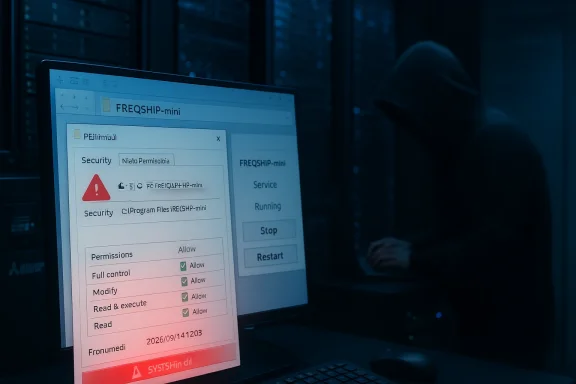
In early February 2026, security advisories and vulnerability databases reported an installation‑time permissions error in FREQSHIP‑mini for Windows that leaves the product’s installation directory writable by non‑privileged users. Because the product also installs a Windows service and associated executables and DLLs there, an attacker with local write access can replace one of those files with a specially crafted binary and trigger a service restart (or wait for one), causing arbitrary code execution as SYSTEM.
If you manage UPS shutdown or other vendor management utilities in critical environments, do not deprioritize this one because it is "local." Attackers who can obtain a local account (via phishing, exposed RDP, lateral movement, insider access, or compromised admin tools) will find a bug like this invaluable. Patch promptly, harden hosts, and use layered detection controls to reduce both the chance of exploitation and the time to discovery should an attacker attempt to leverage this flaw.
Source: CISA Mitsubishi Electric FREQSHIP-mini for Windows | CISA
 Background
FREQSHIP‑mini is Mitsubishi Electric’s shutdown/management client for small‑capacity uninterruptible power supplies (UPS). It runs on Windows hosts that manage graceful shutdowns of servers and endpoints when UPS events (battery low, shutdown request, etc.) occur. The product is widely used in industrial control system (ICS) environments and facility IT where UPS‑controlled shutdowns are required to protect equipment and preserve data integrity during power events.In early February 2026, security advisories and vulnerability databases reported an installation‑time permissions error in FREQSHIP‑mini for Windows that leaves the product’s installation directory writable by non‑privileged users. Because the product also installs a Windows service and associated executables and DLLs there, an attacker with local write access can replace one of those files with a specially crafted binary and trigger a service restart (or wait for one), causing arbitrary code execution as SYSTEM.
- Affected versions: FREQSHIP‑mini for Windows 8.0.0 through 8.0.2 (inclusive).
- Fixed version: FREQSHIP‑mini for Windows 8.1.0 and later.
- Vulnerability type: Incorrect default permissions / insecure file ACLs (CWE‑276).
- CVE identifier: CVE‑2025‑10314.
- Severity: High — scores reported by vendor/national advisories place this as a high‑severity flaw (CVSS ≈ 8.x); treat it as a critical patch priority for affected hosts.
How the vulnerability works — a technical view
Root cause: default file access control
At install time, FREQSHIP‑mini creates its program folder and populates it with service executables and DLLs. The vulnerability stems from the installer or install script setting permissive NTFS Access Control Lists (ACLs) on that folder or its files such that non‑administrator users can create, modify, or replace files in the installation directory. That effectively grants a local, non‑privileged user the ability to plant a malicious executable where a system service will later load it.Exploitation chain (attack surface and steps)
- Local access: Attacker obtains a local account on a Windows host running FREQSHIP‑mini (this could be a low‑privilege account created via social engineering, or an account obtained through credential theft or vulnerable remote access).
- Replace a file: Attacker writes a malicious binary to the FREQSHIP‑mini installation directory, replacing a service executable or a DLL the service loads.
- Trigger service load: Attacker triggers a restart of the FREQSHIP service (via Service Control Manager, or by forcing a system reboot) or waits for an automatic restart. When Windows loads the replaced binary, the code runs in the context of the service—typically SYSTEM—resulting in full system privileges.
- Post‑exploitation: With SYSTEM, attacker can disable protections, add persistence, steal credentials, move laterally, or deploy ransomware.
Why this is serious in ICS/OT environments
The product’s target deployment environments include small UPS controllers attached to servers and operational equipment in manufacturing floors, critical facilities, and other control system contexts. These are often considered “infrastructure” hosts and may hold privileged network access to OT gear or backup/restore systems. A SYSTEM‑level compromise on a host that can interact with OT networks or management consoles is a direct path to operational disruption.What vendors and national CERTs recommend
Mitsubishi Electric released a fixed build (8.1.0) that corrects file ACLs and prevents non‑administrators from replacing installed binaries. The vendor also distributed mitigation guidance for organizations that cannot immediately update, focusing on network and physical hardening:- Restrict access to hosts with FREQSHIP‑mini: restrict remote logins to trusted administrators, only allow connections over secure management networks, and avoid exposing these hosts directly to the Internet.
- Use network controls: firewall or VPN access to separate the host from untrusted networks; limit inbound management protocols to admin subnets only.
- Physical protection: restrict physical access to machines and network ports to prevent local compromise via removable media or console access.
- Anti‑malware: ensure up‑to‑date antivirus/EDR is running and configured to detect suspicious file replacements and service manipulations.
- Operational guidance: Contact local Mitsubishi Electric support for questions and follow vendor advisory instructions for upgrading to 8.1.0.
Immediate actions — a prioritized remediation checklist
If you manage systems running FREQSHIP‑mini, treat this as a high priority patch cycle. Use the following prioritized checklist to reduce exposure until all affected hosts are updated to 8.1.0 or greater.- Inventory and triage (first 1–4 hours)
- Inventory every Windows host that runs FREQSHIP‑mini (workstations, servers, management hosts, and any machine in OT networks).
- Identify installed versions (check FREQSHIP‑mini About dialog, product version in Control Panel, or the installation directory’s executable properties).
- Flag hosts with versions 8.0.0–8.0.2 as vulnerable and schedule immediate attention.
- Apply vendor update (recommended)
- Obtain and validate FREQSHIP‑mini version 8.1.0 (or later) from Mitsubishi Electric distribution channels and apply the update in a controlled maintenance window.
- Test the update in a staging environment before production; verify UPS behavior and shutdown sequences.
- If you cannot patch immediately, apply mitigations (short term)
- Restrict interactive logons: disable remote interactive logins (RDP, Remote Desktop Services) for non‑admin accounts on vulnerable hosts.
- Network segmentation: isolate vulnerable hosts to management VLANs with no general user access. Allow only admin IP ranges to reach the host.
- Block remote admin by default: allow remote login only over VPN and only for admins.
- Harden file permissions manually: remove write permissions for non‑administrators on the product folder. Example command patterns (test in lab first):
- Remove inheritance and deny write for Users (example only—adjust for your environment):
- icacls "C:\Program Files\FREQSHIP‑mini" /inheritance:r
- icacls "C:\Program Files\FREQSHIP‑mini" /grant:r "SYSTEM
 OI)(CI)F" "AdministratorsOI)(CI)F"
 - icacls "C:\Program Files\FREQSHIP‑mini" /remove "Users"
- Note: modifying ACLs can affect updates and operation—test changes and keep a rollback plan.
- Use AppLocker or Windows Defender Application Control (WDAC) to restrict which binaries can execute from the installation folder.
- Monitor service behavior: alert on unexpected changes to service binary paths, unexpected service restarts, or new unsigned executables in the product folder.
- Detection and monitoring
- Establish file integrity monitoring for the FREQSHIP‑mini install directory: detect new or modified files and alert security/ops teams.
- Configure SIEM rules to look for:
- Event ID 4697 (service installation) and Event ID 7045 in older systems.
- Unexpected service restarts, or failures followed by restarts.
- New or modified DLLs and EXEs in the install path.
- Review local Windows event logs and EDR telemetry for anomalous activity on vulnerable hosts.
- Post‑patch validation
- After updating to 8.1.0+, validate ACLs and confirm only SYSTEM and Administrators retain modify rights.
- Perform integrity checks on service binaries and validate their digital signatures if available.
- Re‑run functional tests with UPS units to ensure shutdown sequences still operate as expected.
Detection and response playbook
If you suspect exploitation or a local compromise on a host with vulnerable FREQSHIP‑mini, follow an incident response playbook tailored to ICS/OT contexts:- Isolate the host: disconnect from production networks while preserving volatile evidence where feasible.
- Preserve logs and artifacts:
- Collect Windows event logs (System, Application, Security).
- Harvest file timestamps and hashes for the FREQSHIP‑mini installation directory.
- Retrieve EDR telemetry and any network captures touching the suspect host.
- Look for indicators of compromise:
- Unsigned or modified executables/DLLs under the product folder.
- Service binary path changes or suspicious scheduled tasks.
- Unusual account activity or lateral movement attempts.
- If malicious files are found, do not simply delete them. Preserve copies for forensic analysis and work with your incident response provider to identify initial access and scope.
- Rebuild and harden: if system integrity cannot be assured, rebuild the host from known good images, apply the fixed FREQSHIP‑mini, and harden ACLs and network access controls.
Practical hardening advice for Windows system owners
This category of vulnerability is preventable with good application deployment hygiene. Operational teams should adopt these preventive patterns:- Install management utilities under protected folders and set ACLs so that only Administrators and SYSTEM can write to program folders.
- Enforce least privilege for everyday user accounts; do not allow local users to have write access to program directories.
- Use group policy to set consistent ACL templates on endpoint program folders.
- Use code integrity controls (AppLocker/WDAC) to prevent execution of unknown binaries from program directories.
- Harden service accounts: services should run under the least privileged account that meets requirements; avoid unnecessary use of SYSTEM where possible.
- Maintain an up‑to‑date CMDB and application inventory so vulnerabilities are discovered quickly and patches prioritized.
Why "local" vulnerabilities still matter
There is a common misconception that a flaw which requires local access is low risk; the reality in modern enterprise and ICS environments is different. Attack paths frequently combine vectors:- Phishing or credential theft provides a low‑privileged local account on a Windows host.
- Remote Desktop Protocol (RDP) or management tools provide a path to execute code locally.
- Supply‑chain or insider threats can create local user accounts or upload payloads.
- Ransomware operators increasingly use a chain of local exploits to escalate privileges and spread.
Critical analysis — strengths, gaps, and residual risk
Notable strengths in the response
- Vendor fix is available and addresses the root cause by correcting file ACLs; a direct remediation path exists (update to 8.1.0+).
- The vulnerability was publicly disclosed and catalogued by vulnerability databases and national vulnerability bodies, which raises awareness quickly.
- Advisories emphasize sensible mitigations: limit remote logins, use firewalls/VPNs, restrict physical access, and keep AV/EDR updated.
Problematic gaps and residual risks
- The vulnerability is local, but many enterprise and OT hosts permit local access implicitly through remote admin tools or weak ACLs; organizations that rely on trust between IT and OT are at particular risk.
- Vendor advisories and public summaries often focus on the narrow fix without emphasizing broader deployment hygiene (e.g., explicit guidance on Group Policy ACLs, AppLocker/WDAC configurations).
- Patching in ICS environments is nontrivial: maintenance windows, testing constraints, and compatibility with UPS firmware/software can delay remediation, leaving prolonged exposure.
- As with many permission‑based bugs, detection after compromise is difficult without robust file integrity monitoring and EDR coverage; organizations without these controls may not discover exploitation until significant damage occurs.
Practical implication
Treat this issue as a canary for a broader problem: installers that create overly permissive file permissions are a recurring source of privilege escalation across vendor software. Operational teams should audit installers and deployment packages used across their environment and harden installation policies so future products cannot create similar footholds.Actionable checklist for IT/OT leaders (executive summary)
- Immediately inventory and locate all Windows hosts running FREQSHIP‑mini; prioritize systems in OT, data center, and administrative roles.
- Schedule a tested update to FREQSHIP‑mini version 8.1.0 or later as the preferred remediation.
- If you cannot update immediately:
- Restrict logon access and isolate hosts to management networks.
- Harden NTFS ACLs on the FREQSHIP‑mini installation directory to restrict writes to Administrators and SYSTEM only.
- Deploy file integrity monitoring and SIEM rules to detect changes to the product folder.
- Forensic readiness: prepare to capture relevant logs and forensic artifacts if signs of compromise appear.
- Longer term: require vendors to publish secure installation manifests and use hardened installer tooling that enforces secure ACLs by default.
Appendix — quick technical guidance (safe examples)
- How to find installed version:
- Check the product’s About dialog or program properties; also check the executable file properties in the installation folder for version metadata.
- Example (test in lab) to restrict folder ACLs:
- Open an elevated command prompt (Administrator).
- Remove inheritance and reset permissions on the install folder:
- icacls "C:\Program Files\FREQSHIP‑mini" /inheritance:r
- icacls "C:\Program Files\FREQSHIP‑mini" /grant:r "SYSTEMOI)(CI)F" "AdministratorsOI)(CI)F"
- icacls "C:\Program Files\FREQSHIP‑mini" /remove "Users"
- Verify results with icacls "C:\Program Files\FREQSHIP‑mini"
- Note: These steps are generic examples. Test on a non‑production host before rolling out. Changing ACLs can break product updates or services if not planned carefully.
- Suggested SIEM detection rules:
- Alert on creation/modification of EXE/DLL files in the FREQSHIP‑mini folder.
- Alert on unexpected service restarts for the FREQSHIP service.
- Alert on unsigned executable execution from program folders.
Final assessment
CVE‑2025‑10314 is a textbook example of how installation‑time mistakes (incorrect default permissions) produce high‑impact local privilege escalation opportunities. The good news: a vendor patch is available that addresses the problem; the less good news: the vulnerability underscores systemic gaps in deployment practices and the reality that local exploits are meaningful—especially in environments where device management hosts are accessible over corporate networks or remote management channels.If you manage UPS shutdown or other vendor management utilities in critical environments, do not deprioritize this one because it is "local." Attackers who can obtain a local account (via phishing, exposed RDP, lateral movement, insider access, or compromised admin tools) will find a bug like this invaluable. Patch promptly, harden hosts, and use layered detection controls to reduce both the chance of exploitation and the time to discovery should an attacker attempt to leverage this flaw.
Source: CISA Mitsubishi Electric FREQSHIP-mini for Windows | CISA
