

pSiphon remains one of the most practical, low-friction tools for getting past censorship and network blocks on a desktop — but it’s important to understand exactly what it does, how it protects (and doesn’t protect) your privacy, and the installation choices Windows and Mac users face today. This feature walks through verified download and install steps for Windows and macOS, summarizes pSiphon’s origins and architecture, evaluates its strengths and trade-offs, and offers practical security advice for WindowsForum readers who want to run pSiphon safely on a PC or Mac.
pSiphon began as a research project at the Citizen Lab at the University of Toronto and was later spun out into Psiphon Inc.; the project’s long pedigree explains why the client is focused squarely on circumvention rather than full-spectrum consumer VPN features. Today Psiphon is presented publicly as an open-source circumvention platform that combines multiple tunneling technologies — SSH (with obfuscation), HTTP proxy, and a VPN mode — in order to increase the odds a user can connect from a censored or filtered network. That hybrid design is its defining characteristic: when one method is blocked, the client can try another automatically. The official site emphasizes the network’s scale and its research-driven approach to evasion. In practice, pSiphon is used primarily to reach blocked services and news sites where more conventional VPNs may be actively blocked, and it powers a set of lightweight mobile and desktop clients that prioritize reachability and ease-of-use over advanced privacy hygiene or high-bandwidth use cases.
pSiphon delivers on its promise to “get you connected” where many ordinary VPNs cannot, and it remains essential tooling for certain use cases. At the same time, its design choices are explicit about trade‑offs: reachability and simplicity over the advanced privacy guarantees and high performance of a modern paid VPN. Install from the official channels, verify signatures, choose the tunnel mode that best matches your network environment, and treat pSiphon as a specialized circumvention utility — not as a universal privacy panacea.
Source: PrioriData Download pSiphon for PC (Windows & Mac) | Priori Data
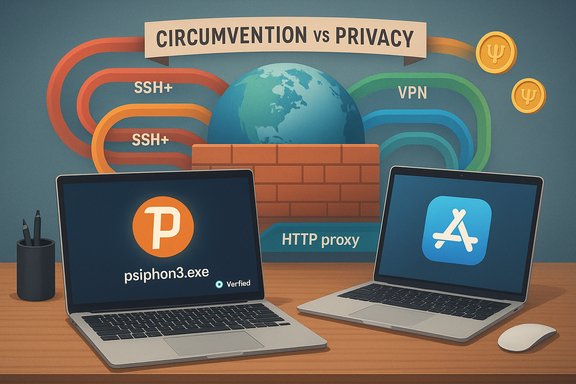 Background / Overview
pSiphon began as a research project at the Citizen Lab at the University of Toronto and was later spun out into Psiphon Inc.; the project’s long pedigree explains why the client is focused squarely on circumvention rather than full-spectrum consumer VPN features. Today Psiphon is presented publicly as an open-source circumvention platform that combines multiple tunneling technologies — SSH (with obfuscation), HTTP proxy, and a VPN mode — in order to increase the odds a user can connect from a censored or filtered network. That hybrid design is its defining characteristic: when one method is blocked, the client can try another automatically. The official site emphasizes the network’s scale and its research-driven approach to evasion. In practice, pSiphon is used primarily to reach blocked services and news sites where more conventional VPNs may be actively blocked, and it powers a set of lightweight mobile and desktop clients that prioritize reachability and ease-of-use over advanced privacy hygiene or high-bandwidth use cases. What pSiphon actually is (and isn’t)
The core proposition
- pSiphon is a censorship‑circumvention tool that blends VPN, SSH (with obfuscation), and HTTP proxy mechanisms so that users behind restrictive networks have multiple options for connecting. The client automates the choice of transport to maximize success in hostile environments.
- The product is free to use in its core form and is distributed as an open-source project and via official app stores for mobile platforms; Psiphon Inc. also offers mechanisms to purchase temporary speed boosts or subscribe via app-store payments. The website advertises the service’s large install base and open-source code.
What pSiphon is not
- pSiphon is not a traditional, privacy-first commercial VPN built to protect against sophisticated tracking or surveillance. Its design trade-offs favor evasion and availability; the privacy policy openly describes metadata collection required to operate and monitor the network. That makes pSiphon a practical tool for getting unblocked — but not the right choice when anonymity or long-term privacy assurances are required.
- pSiphon lacks many features typical of modern consumer VPNs: there’s no system-wide kill switch that blocks traffic if a tunnel drops, and some reviewers and tests report DNS leaks and limited protocol choices that affect long-term privacy. Independent reviews confirm these limitations and note the service’s modest performance for streaming and torrenting.
Key features (what pSiphon actually offers)
- Multiple transport modes: SSH (obfuscated), SSH+ (SSH with extra obfuscation), HTTP proxy, and a VPN mode (L2TP/IPsec) for full‑device tunneling. The client lets the user select a mode or lets the client choose automatically.
- Simple, single‑file Windows client: the Windows distribution is delivered as a single signed executable (commonly referenced as psiphon3.exe in the project’s documentation and support pages). The client can auto‑update, and the updater renames older versions (for example to psiphon3.exe.orig) during the update process. The project documents how to verify authenticity via the digital signature.
- Domain-based split tunneling (in proxy modes): in SSH/HTTP proxy modes pSiphon supports a split mode that tunnels “international” traffic while leaving domestic (or whitelisted) domains unproxied; this is helpful in mixed‑network environments where you need only selected traffic to route through the Psiphon network. That split option is exposed in the Windows client in SSH/SSH+ modes. Note the caveat: full per‑app split tunneling like many commercial VPNs provide is not a core Windows VPN‑mode capability for pSiphon; split behaviour depends on the chosen tunnel mode.
- PsiCash and Speed Boosts: pSiphon uses an optional credit/reward system (PsiCash) to purchase temporary speed boosts or to support the service; the free tier is ad‑supported and reviewers note speed caps on free connections.
- Transparency and open-source codebase: the project publishes code and technical commentary; the privacy policy describes the categories of data collected and retention practices (notably connection metadata retained for service health and aggregated statistics).
What independent testing shows (speed, security, privacy)
Independent VPN reviewers and testing sites consistently converge on a few practical conclusions:- Speed: the free service is intentionally constrained and many hands‑on speed tests report low throughput on the free tier (often capped or near 2 Mbps on mobile free tiers), with improved results only after paying for temporary speed boosts. This makes pSiphon unsuitable for sustained HD streaming, heavy downloads, or gaming compared with mainstream paid VPNs.
- Privacy and logging: pSiphon collects connection metadata — what protocol was used, connection times, bytes transferred, geographic and ISP information derived from the user’s IP (the IP itself is discarded quickly) — and retains per-session metadata for operational reasons (the policy states up to a 90‑day retention window before aggregation). This is documented in Psiphon’s privacy policy and repeatedly highlighted by reviewers as a fundamental privacy trade‑off.
- Feature gaps versus consumer VPNs: pSiphon lacks a kill switch and advanced leak protection available in modern consumer VPNs; it also uses L2TP/IPsec for its VPN mode rather than WireGuard or well‑tuned WireGuard variants, which affects performance and resilience in certain networks. Reviewers recommend purpose-built privacy VPNs if the user’s goal is anonymity, streaming, or torrenting.
- Real-world strength: where pSiphon shines is in reachability — getting through DPI, firewall rules and censorship regimes where many popular VPN protocols are actively blocked. Its obfuscated SSH mode and rotating server discovery make it a pragmatic first‑line tool for journalists, activists, and residents of heavily restricted networks.
Before you download: security and provenance checklist
- Download only from the official site or vendor platforms: use psiphon.ca, the published GitHub repository, or trusted app stores. Avoid third‑party mirrors. The official download page and FAQ describe direct download and email delivery options for censored regions.
- Verify digital signature (Windows): the Windows client is a single signed EXE; confirm the publisher signature before running if your security posture requires it. Psiphon’s FAQ documents how the update process renames old binaries (psiphon3.exe.orig) and that the updater verifies authenticity.
- Scan downloaded installers: use a reputable AV scanner when testing an installer for the first time. If an installer originates from an alternate channel (email or mirror), treat it with caution.
- Understand the privacy model: read the privacy policy. The service logs connection-level metadata, uses advertising partners in the client, and may retain data for network analytics — this is by design for an evasion/availability service and is not equivalent to a “no‑logs” privacy VPN.
- Avoid repackaged installers: community guidance and best practice for all desktop tools (especially circumvention tools) is to prefer official binary distributions and to avoid repackaged EXEs offered by aggregator websites. Use checksums or signature verification where available.
How to download & install pSiphon on Windows (verified steps)
- Visit the official Psiphon download page (psiphon.ca/en/download.html) and choose “Psiphon for Windows.” The official site provides direct downloads and guidance for censored environments, including an email‑delivery fallback if the website is blocked.
- Save the single executable (the client is distributed as a single .exe — commonly referenced in docs as psiphon3.exe). Do not run EXEs from unknown mirrors.
- Right‑click → Properties → Digital Signatures to verify the publisher if your security policy requires signature checks. The Psiphon FAQ details the signature and update behavior.
- Run the EXE. Windows may warn because the publisher isn’t on Microsoft’s store; follow the standard “More info → Run anyway” steps only if you have verified provenance.
- The client will attempt an automatic connection; you can select a tunnel mode (VPN, SSH, SSH+) and a server location where available. In VPN (L2TP/IPsec) mode, whole‑device traffic is proxied. In SSH/SSH+ modes the client sets a local HTTP/SOCKS proxy and supports a domain‑based “Don’t proxy…” split option.
- To update, pSiphon auto downloads new builds and will rename the previous executable to psiphon3.exe.orig — the FAQ documents this behavior. Delete .orig files only after you have confirmed the update works.
How to download & install pSiphon on macOS (verified steps)
- Apple silicon Macs: the official site points Mac users with Apple silicon to the App Store listing; Psiphon publishes an App Store app for Macs with Apple silicon. Using the App Store version is the recommended channel for M1/M2/M family Macs.
- Intel macs and DMG availability: the public site highlights the App Store path; a discrete signed DMG/PKG for Intel Macs is not prominently published on the canonical download page. If you require an Intel macOS build and it’s not available via the App Store, treat alternative installers cautiously and verify code signing and publisher identity before opening a DMG. In short: prefer the App Store for Apple silicon Macs and confirm the official support path for Intel Macs before sideloading.
- Open the App Store on macOS (Apple silicon) and search for Psiphon, or follow the App Store link referenced from the official site.
- Install the Psiphon app and grant the requested VPN configuration permissions when macOS prompts (these permissions are necessary for the app’s VPN features).
- Launch and choose the desired tunnel mode; note platform differences in features and preferences may apply compared with the Windows client.
Practical configuration notes and troubleshooting
- DNS and port restrictions: when pSiphon runs in VPN mode it restricts outbound ports and may use a curated DNS setup to protect against DNS circumvention techniques. If you encounter broken mail clients or other apps while in VPN mode, this is likely due to pSiphon’s documented port restrictions. Check the FAQ for the exact port list and adjust your use case accordingly.
- When VPN mode fails: L2TP/IPsec can be blocked or unstable behind certain NATs or home router configurations. If VPN mode fails or is slow, switch to SSH/SSH+ modes (which are the default, obfuscation-capable transports designed to be resilient against DPI).
- Split tunneling nuance: pSiphon offers domain‑based split options in proxy (SSH/SSH+) modes; this is not identical to per‑app split‑tunneling in some commercial VPN clients. If you need precise per‑app routing on Windows, evaluate whether your workflow demands a different VPN product.
Strengths — why people install pSiphon
- Reliability in heavily censored networks: the protocol obfuscation, server discovery mechanisms, and multiple transport modes make pSiphon effective where standard VPNs are blocked. That operational goal — reachability first — is the project’s strongest claim and the reason many journalists and activists rely on it.
- Low-friction desktop usage: the Windows client is a single executable, no registration is required to get going, and the macOS App Store path simplifies installation on Apple silicon Macs. This removes friction for non-technical users in restrictive environments.
- Open-source transparency and public operations: Psiphon publishes code and has historically worked with research communities, which increases trust for some operational users compared with opaque free apps.
Risks and limitations — what to watch out for
- Logged metadata and privacy trade-offs: pSiphon’s privacy policy is explicit about collecting connection metadata for operational reasons and retaining it for analysis and service health; this is fundamentally different from a no‑logs commercial VPN claim and should be a deciding factor if privacy or anonymity is your primary goal.
- Ads and monetization model: the free client is ad‑supported and the project uses third‑party ad technologies in the client; the presence of ad SDKs and partner cookies is documented in the privacy policy and may introduce telemetry/third‑party data flows.
- Speed caps on free tier: real‑world tests repeatedly show the free service is throttled for capacity reasons and that paid “speed boosts” or PsiCash purchases can temporarily improve throughput — but these are not a substitute for a dedicated, high‑capacity VPN network if you need streaming or high throughput.
- Not a drop‑in replacement for privacy VPNs: for anonymity, long‑range privacy, or threat model protection (high‑risk adversaries) use Tor or audited paid VPNs with RAM‑only server infrastructure and independent audits. pSiphon’s build is aimed at circumvention rather than full anonymity.
- Do not assume “free” equals safe: community guidance on free VPNs warns about data-harvesting or ad-based monetization in many free tools; reading pSiphon’s policy is essential and, more broadly, users should prefer well-audited paid options for persistent privacy. (General industry advice on free VPN tradeoffs aligns with recent community analyses.
Alternatives and when to use them
- Use pSiphon when: your primary need is to reach blocked services from a censored network, you need a simple client that minimizes setup, and you accept the metadata/monetization trade‑offs.
- Use Tor Browser when: you require stronger anonymity guarantees and are prepared for slower, circuit‑based routing.
- Use a privacy‑focused paid VPN (NordVPN, Proton VPN, or comparable providers) when: you need speed, a verified no‑logs posture, kill switches, WireGuard performance, or features like multi‑hop and audited server architectures for regular privacy-sensitive use. Independent reviews show these paid options offer better privacy protections and faster throughput than pSiphon for general use.
Final verdict — practical recommendation for WindowsForum readers
pSiphon is a purpose-built, research-driven circumvention tool that remains one of the best first-line options for reaching blocked sites and services from restrictive networks. Its hybrid transport model and operational focus on evasion make it uniquely valuable in censorship scenarios, and the single-executable Windows client and App Store macOS path keep the barrier to entry low. That said, pSiphon is not the right tool for users whose priority is long-term privacy, anonymity, or bandwidth‑heavy activities such as HD streaming and large P2P transfers. The privacy policy’s metadata collection, ad monetization, and free‑tier speed caps are real trade‑offs that matter for day‑to‑day private browsing and for threat models that include sophisticated network or legal pressures. For those scenarios, prefer an audited paid VPN or Tor depending on the goal.Quick reference — Safe install checklist (compact)
- Download only from psiphon.ca or the official App Store for macOS.
- Verify Windows EXE digital signature before running.
- Prefer SSH/SSH+ mode if VPN mode (L2TP/IPsec) is blocked or slow.
- Expect domain‑based split options in proxy modes; do not expect per‑app split in VPN mode.
- Read the privacy policy and be aware of ad partners and PsiCash economics.
pSiphon delivers on its promise to “get you connected” where many ordinary VPNs cannot, and it remains essential tooling for certain use cases. At the same time, its design choices are explicit about trade‑offs: reachability and simplicity over the advanced privacy guarantees and high performance of a modern paid VPN. Install from the official channels, verify signatures, choose the tunnel mode that best matches your network environment, and treat pSiphon as a specialized circumvention utility — not as a universal privacy panacea.
Source: PrioriData Download pSiphon for PC (Windows & Mac) | Priori Data
