Microsoft has quietly tightened one of the most consequential guardrails for enterprise AI: Microsoft Purview’s Data Loss Prevention (DLP) policies that block Microsoft 365 Copilot processing of sensitivity‑labeled files will now apply to Word, Excel, and PowerPoint files regardless of where those files are stored — including local device storage and non‑Microsoft cloud locations — with a staged rollout Microsoft plans to complete between late March and late April 2026.
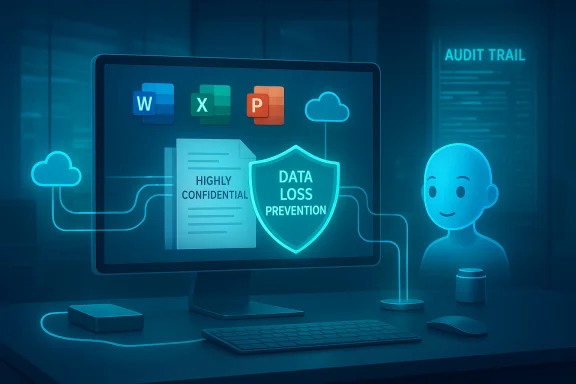
For organizations that have invested in sensitivity labels and DLP rules inside Microsoft Purview, the promise of consistent enforcement has always been clear: label a document “Highly Confidential,” and downstream systems should treat it accordingly. Historically, however, there was an important technical caveat: DLP enforcement for Copilot’s processing was consistently applied to content stored in Microsoft 365 services (SharePoint, OneDrive, Exchange), but files that lived purely on a user’s local drive or on other storage locations could slip outside the policy enforcement path that Copilot used. That protection gap has now been closed by a change implemented in Office clients and the components that read sensitivity labels.
The timing of the announcement follows a high‑visibility incident in which Microsoft acknowledged a logic error (tracked internally as service advisory CW1226324) that allowed Microsoft 365 Copilot Chat’s “Work” experience to access and summarize emails in users’ Sent Items and Drafts that were labeled confhat violated expected DLP protections. Microsoft deployed a fix after detecting the issue in late January 2026 and has been communicating remediation progress to tenants. Multiple independent outlets covered the incident, underlining why consistent label enforcement across storage locations is no longer optional for enterprise adoption.
This change is implemented at the Office client and augmentation‑loop layers — the internal flows that supply contextual signals to connected experiences such as Copilot — rather than by changing the Copilot service directly. From an operational perspective this means the behavior is on by default for tenants that already have DLP rules configured to block Copilot processing for labeled content; admins should not need to rewrite policies or create special exceptions to benefit.
Two practical implications for timing:
However, compliance teams should scrutinize four items:
That said, the change should be seen as necessary but not sufficient. True risk reduction requires integrated identity hygiene, contract‑level assurances from vendors, robust audit trails, and regular validation testing. The Copilot bug that preceded this move is a reminder that the AI layer adds complexity, and that operational resilience must keep pace.
That victory is important: it restores an expected security boundary. Yet it is not a panacea. Organizations must still treat Copilot as an additional system in their security architecture — one that requires tight identity controls, disciplined endpoint management, continuous auditing, and careful contractual safeguards. The recent Copilot Chat advisory served as a sharp reminder that AI adds plumbing and pathways that change how data flows; fixing one such path is progress, but the broader task of verifying and proving consistent behavior across all flows remains with enterprises and their vendors alike.
Only with that combined vigilance — patching and policy, testing and auditability, education and contractual clarity — will enterprises be able to safely take advantage of Copilot’s productivity gains without delegating control over their most sensitive information.
Source: Techzine Global Copilot gets less access to sensitive Office documents
 Background
For organizations that have invested in sensitivity labels and DLP rules inside Microsoft Purview, the promise of consistent enforcement has always been clear: label a document “Highly Confidential,” and downstream systems should treat it accordingly. Historically, however, there was an important technical caveat: DLP enforcement for Copilot’s processing was consistently applied to content stored in Microsoft 365 services (SharePoint, OneDrive, Exchange), but files that lived purely on a user’s local drive or on other storage locations could slip outside the policy enforcement path that Copilot used. That protection gap has now been closed by a change implemented in Office clients and the components that read sensitivity labels.The timing of the announcement follows a high‑visibility incident in which Microsoft acknowledged a logic error (tracked internally as service advisory CW1226324) that allowed Microsoft 365 Copilot Chat’s “Work” experience to access and summarize emails in users’ Sent Items and Drafts that were labeled confhat violated expected DLP protections. Microsoft deployed a fix after detecting the issue in late January 2026 and has been communicating remediation progress to tenants. Multiple independent outlets covered the incident, underlining why consistent label enforcement across storage locations is no longer optional for enterprise adoption.
What Microsoft changed — the technical story
How DLP enforcement reached local files
The core technical move is simple in concept but significant in effect: Office applications (Word, Excel, PowerPoint) and the underlying label‑reading components will now make the sensitivity label for an open document available locally to the pieces of the Office ecosystem that decide whether Copilot can process the document’s content. Where Copilot previously relied on cloud checks and service‑side rules to decide whether a file was safe to ingest, the updated Office architecture surfaces label metadata from within the client itself, enabling enforcement even when the file hasn’t ever touched SharePoint or OneDrive.This change is implemented at the Office client and augmentation‑loop layers — the internal flows that supply contextual signals to connected experiences such as Copilot — rather than by changing the Copilot service directly. From an operational perspective this means the behavior is on by default for tenants that already have DLP rules configured to block Copilot processing for labeled content; admins should not need to rewrite policies or create special exceptions to benefit.
What file types and scenarios are covered
According to the product roadmap and Microsoft’s guidance, the change explicitly covers Office file types used in productivity workflows: .docx, .xlsx and .pptx when opened in the corresponding desktop or mobile apps. The blocked processing applies to the Copilot skills and experiences that would otherwise access file content, i.e., summarization, content extraction, and generation tasks that consume file text. Microsoft’s documentation already treated sensitivity labels as portable protections that travel with files; the new update simply ensures those protections are respected by Copilot across storage boundaries.Timeline and rollout
Microsoft’s rollout schedule places the change in general availability across worldwide tenants beginning in late March 2026 with completion expected by late April 2026. This schedule is tied to Microsoft 365 update channels and depends on Office client updates and augmentation‑loop distribution, so organizations should expect a phased deployment rather than an instantaneous switch. Administrators should watch their tenant Message Center and update channels for the specific Message Center IDs and deployment timelines applicable to their environment.Two practical implications for timing:
- The setting is on by default for tenants with relevant DLP rules — meaning organizations that already block Copilot from processing labeled content gain coverage for local files without policy changes.
- Because enforcement is implemented in Office clients, organizations that lag in Office patching or that run unmanaged/older clients may see uneven behavior until the client update reaches all endpoints.
Why this matters: the Copilot bug and the compliance wake‑up call
The urgency behind this policy extension is tangible: the CW1226324 advisory exposed a scenario where Copilot Chat summarized confidential emails despite labels and DLP rules — a clear breach of the intended security model even if access remained limited to users who already could view the messages. Microsoft framed the incident as a code error and rolled out a server‑side fix, but the episode illustrated two persistent truths for enterprise AI:- Embedded AI creates new retrieval pathways and accidental surfaces where policy assumptions cease to hold.
- Enterprises expect labeling and governance to be consistent no matter where data is stored; inconsistency undermines trust and compliance.
What this actually protects — and what it doesn’t
Immediate protections (wins)
- Consistent DLP enforcement: Documents labeled and governed by Purview will be excluded from Copilot processing even if stored on the device, network shares, or third‑party cloud mounts accessible through Office. This removes a long‑standing protection gap. ([office//office365itpros.com/2026/02/24/dlp-policy-for-copilot-storage/)
- No policy migration required: Existing DLP rules that already block Copilot from processing labeled content apply automatically once clients are updated. Admin overhead to adopt the change is minimal.
- Quicker local decisioning: By surfacing labels locally, Office apps avoid round trips to cloud services to check whether Copilot can process the file, reducing the race conditions that can lead to mis‑applied permissions.
Limits and caveats (risks- Scope limited to Office file types and Office apps: The rollout covers Word, Excel, and PowerPoint files when opened in Office apps. Other content types (PDFs, non‑Office documents), and some connected experiences that don’t reference file content may not be blocked in the same way. Admins must verify coverage for other file formats and user flows in their environment.
- Network shares and legacy file systems: While the label metadata travels with files, certain legacy file systems and custom network attachments may not preserve label metadata reliably. IT should verify that labels remain intact when files are moved between systems.
- Encrypted or containerized files: Files encrypted at rest or stored inside containers that prevent Office from reading internal metadata may not be evaluated properly until decrypted or opened by Office. This creates operational constraints for endpoints that rely on encryption without an Office‑aware labeling integration.
- BYOC / consumer Copilot tie‑ins: There remain governance wrinkles when personal Copilot instances or personal Microsoft accounts are used with work documents, or when users sign into Office with multiple accounts. These mixed‑account scenarios have been a source of concern and require explicit admin controls.
- Auditability and telemetry: Blocking Copilot from processing is only part of compliance; organizations also need reliable auditing to show when and how content was excluded from AI processing. Microsoft’s logging for Copilot‑related DLP events should be evaluated to ensure it meets regulatory evidence needs.
Practical recommendations for IT and security teams
If your organization uses Microsoft 365 Copilot or plans to roll it out, these steps will help you get ahead of the change and reduce operational friction.- Inventory sensitivity‑labeled content and DLP policies. Confirm which labels already have rules to block Copilot processing and ensure labels are applied consistently across repositories.
- Patch and validate Office clients. Because enforcement is implemented in Office clients and augmentation components, prioritize patching endpoints on your supported update ring to ensure consistent behavior when the rollout reaches your tenant.
- Test representative workflows in a pilot ring. Simulate local, network share, and third‑party cloud file scenarios to validate that Copilot is blocked from processing labeled content and that user experience impact is acceptable.
- Validate label portability for shared and archived files. Test file movement scenarios (downloads, USBs, network shares) to ensure labels persist and remain readable by Office.
- Audit and alerting: ensure your monitoring collects DLP events tied to Copilot interactions — confirm where logs are recorded (Microsoft Purview audit logs, Offict retention meets compliance needs.
- Revisit bring‑your‑own Copilot (BYOC) policies. Clarify whether personal Copilot subscriptions and personal accounts are allowed to interact with corporate documents; enforce sign‑in and access controls accordingly.
- Run a label coverage report and map to critical business document stores.
- Ensure pilot endpointent update applied as soon as it’s available.
- Create a testing plan that includes encrypted files, PDFs, and mixed‑account sessions.
- Update internal IT guidance and user training materials about Copilot interactions with labeled files.
Governance and legal angle — what compliance teams should watch
From a regulatory perspective, the change reduces a concrete compliance exposure: if AI processing had been allowed for locally stored labeled files, organizations subject to strict data‑handling regimes (healthcare, finance, government) faced a mismatch between policy and enforcement. Extending DLP to local files is therefore a net positive for regulated industries.However, compliance teams should scrutinize four items:
- Evidence of enforcement: Confirm that audit trails explicitly show Copilot access attempts and whether the access was blocked because of DLP. Evidence is essential for regulatory reporting and breach reviews.
- Cross‑jurisdictional data movement: Labels that apply regionally (e.g., EU data residency designations) must be validated for portability across storage movements, especially if files are saved to endpoints that sync with consumer cloud accounts.
- Contractual protections: Contracts with Microsoft and any third‑party Copilot connectors should be reviewed for clauses about AI processing, retention, and incident notification to ensure remedies and timelines align with your organization’s risk posture.
- Incident response integration: If Copilot or other connected experiences ever behave in unexpected ways (as in the CW1226324 case), ensure your incident response playbooks include steps to isolate AI services, preserve logs, aakeholders.
Remaining blind spots and attack surface
Extending DLP to local storage reduces a specific class of accidental exposure, but it does not eliminate risk. Operational and security teams must be mindful of:- Privilege and identity misconfigurations: Copilot operates “as the user” — if an account has overly broad access, Copilot’s decisions will still be bounded by that account. Excessive privileges still magnify risk.
- Client‑side vulnerabilities and logic errors: The CW1226324 advisory was rooted in a code error; client or service logic bugs remain a plausible vector for future lapses. Defensive engineering, testing, and vendor transparency around root‑cause analysis are needed.
- Third‑party connectors and BYOC scenarios: Any connector that imports or surfaces content to Copilot from external systems must preserve labels and respect DLP, or organizations will face inconsistent enfn factors**: Users can overwrite labels or move files to unmanaged locations. Labeling automation and user education remain essential complements to technical controls.
How this changes the risk calculus for adopting Copilot
For many enterprises, the announcement lowers one of the major hurdles to widespread Copilot adoption: the fear that local files and legacy storage would bypass DLP and therefore open compliance gaps. With enforcement unified across storage locations, CIOs and CISOs can more confidently pilot Copilot features inside productivity workflows — provided they pair the feature with disciplined endpoint management and governance.That said, the change should be seen as necessary but not sufficient. True risk reduction requires integrated identity hygiene, contract‑level assurances from vendors, robust audit trails, and regular validation testing. The Copilot bug that preceded this move is a reminder that the AI layer adds complexity, and that operational resilience must keep pace.
Short‑term checklist for business leaders
- Confirm your organization’s relevant DLP policies and sensitivity labels are configured to block Copilot processing where necessary. No migration is required for the policy to take effect, but validation is essential.
- Prioritize Office client patching for users in regulated business units.
- Establish a Copilot‑specific audit and incident‑response playbook that includes preservation of Copilot logs and label enforcement evidence.
- Communicate to users the boundaries of Copilot: what it can and cannot process when working with labeled content.
- If you use consumer or personal Copilot instances anywhere near corporate content, create explicit policy and technical controls to manage account separation.
Conclusion
Microsoft’s extension of Purview DLP enforcement to local and arbitrary storage locations for Office files is a pragmatic, technically measured response to a real and recently exposed risk in the enterprise Copilot story. By surfacing sensitivity labels inside Office clients and augmentation components, the company narrows a key attack vector and aligns enforcement with organizational expectations of consistency.That victory is important: it restores an expected security boundary. Yet it is not a panacea. Organizations must still treat Copilot as an additional system in their security architecture — one that requires tight identity controls, disciplined endpoint management, continuous auditing, and careful contractual safeguards. The recent Copilot Chat advisory served as a sharp reminder that AI adds plumbing and pathways that change how data flows; fixing one such path is progress, but the broader task of verifying and proving consistent behavior across all flows remains with enterprises and their vendors alike.
Only with that combined vigilance — patching and policy, testing and auditability, education and contractual clarity — will enterprises be able to safely take advantage of Copilot’s productivity gains without delegating control over their most sensitive information.
Source: Techzine Global Copilot gets less access to sensitive Office documents