

Qualcomm’s long‑promised GPU management app for Snapdragon X‑class Windows on Arm PCs has arrived, and it comes at a critical moment: the company’s new Snapdragon Control Panel (branded in early betas as Adreno Control Panel) gives owners of Snapdragon X‑series laptops per‑game tuning, in‑app driver updates, and an easy way to apply quality‑vs‑performance profiles — just as Microsoft’s Prism emulator and Epic’s anti‑cheat work converge to make more mainstream PC games actually playable on Windows 11 on Arm.
Source: Thurrott.com Snapdragon Control Panel Improves the Gaming Experience on Windows 11 on Arm
 Background
Why gaming on Windows 11 on Arm mattered (and why it didn’t)
Windows on Arm (the platform category that covers Copilot+ PCs and Snapdragon X‑series devices) has long promised better battery life, always‑on connectivity, and strong AI features — but the platform’s gaming story lagged because of two hard technical barriers.- Many PC games (and some game engines) expect x86/x64 SIMD extensions such as AVX/AVX2, which Arm silicon does not implement natively.
- Kernel‑level anti‑cheat drivers historically targeted x86 kernels and either refused to load or blocked emulation paths, preventing popular multiplayer titles from launching.
What Qualcomm released: Snapdragon (Adreno) Control Panel explained
What the app is and who it targets
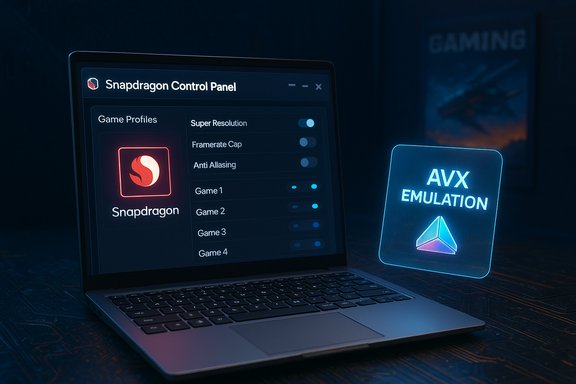
The Snapdragon Control Panel — released in beta form for Snapdragon X‑class PCs — is Qualcomm’s equivalent of NVIDIA Control Panel or AMD Adrenalin, built for Windows 11 on Arm devices that use Qualcomm’s Adreno GPU IP. The app is intended for both developers and gamers who want finer control over how titles run on the Adreno GPU integrated into Snapdragon X chips.Key features (what you can do today)
- Automatic game discovery, including Steam library scanning, plus the ability to manually add titles.
- Per‑application profile manager with toggles for:
- Super Resolution (an upscaling option comparable to Auto SR or DLSS‑style upscalers)
- Framerate cap and frame limiter controls
- Anti‑Aliasing and anisotropic filtering
- Texture filtering and level‑of‑detail adjustments
These options let users bias profiles toward performance or fidelity on a per‑game basis. - Integrated driver update notifications and an in‑app method to fetch the latest Adreno drivers for Snapdragon X devices, simplifying an area that previously required manual downloads from Qualcomm’s site or waiting for OEM pushes.
How it installs and is distributed
The Control Panel has been made available through Qualcomm’s developer portal as an MSIX package in early beta; users typically need a Qualcomm developer account to access some downloads and early driver bundles. Expect broader distribution (Microsoft Store pre‑install or OEM bundles) once the app moves past beta.Why the Control Panel matters for real‑world gaming
Practical benefits for Snapdragon X owners
Per‑game profiles are more than convenience — they let players and testers chase frame‑time consistency and recover playable framerates on titles that sit at the edge of an iGPU’s capabilities. For thin Copilot+ laptops where thermals and sustained power are constrained, being able to reduce texture budgets, cap framerates, and enable upscaling can be the difference between an unusable experience and a playable one. The built‑in driver update flow also shortens the feedback loop for Qualcomm to distribute incremental fixes that address performance anomalies or GPU‑side bugs.Complementing Microsoft and Epic improvements
Qualcomm’s panel is not a standalone fix; it’s part of a multi‑pronged ecosystem improvement:- Microsoft’s Prism emulator expansion exposes emulated AVX and AVX2 features to x64 titles under emulation, removing a class of compatibility blockers; this broadens the set of games that can start and run on Snapdragon X machines.
- Epic’s update to Epic Online Services (EOS) — and the Easy Anti‑Cheat port — means Fortnite and other EAC‑protected titles can now be packaged to work properly on Windows on Snapdragon, enabling multiplayer functionality that was previously blocked by anti‑cheat incompatibility. Qualcomm’s Control Panel then helps tune that running game for the best attainable balance of visuals and performance on the Adreno iGPU.
Prism, AVX emulation, and why it matters technically
What Prism changed
Prism is Microsoft’s just‑in‑time translation/emulation layer for x86/x64 binaries on Arm Windows. In recent builds and cumulative updates, Prism’s virtual CPU started advertising support for additional x86‑64 instruction set extensions (notably AVX, AVX2, BMI, FMA and others). That’s critical because many modern games and middleware libraries include runtime checks for these features and will refuse to start if they detect the absence of required SIMD instructions. Microsoft’s update lets those titles see a richer virtual CPU and proceed under emulation.Limitations and performance realities
Emulating AVX/AVX2 is an architectural workaround, not a magic bullet. Execution happens via JIT translation and cached translated code blocks, which introduces overhead. Emulated AVX will allow many games to launch where before they would not, but sustained performance remains dependent on:- The efficiency of Prism’s JIT for a game’s hot paths.
- The Snapdragon SoC’s CPU and GPU performance envelopes and thermal headroom.
- GPU driver maturity for DirectX/Vulkan paths on Adreno for Windows.
How to enable Prism’s newer emulated CPU features (community workflow)
If an x64 executable was previously blocked because it required AVX, users can try the per‑executable compatibility toggle that exposes newer emulated CPU features:- Right‑click the game’s .exe and choose Properties.
- Open the Compatibility tab and select the Windows on Arm compatibility options.
- Find and enable “Show newer emulated CPU features” (or equivalent wording).
This per‑EXE toggle surfaced during staged rollouts and may be already exposed in retail builds where Prism features were enabled. Use caution: toggling emulation settings can change compatibility and performance behavior.
Fortnite, Easy Anti‑Cheat, and the anti‑cheat landscape
Epic’s move: EAC and Fortnite on Snapdragon X
Epic published a developer note explaining that Epic Online Services (EOS) and Easy Anti‑Cheat received Windows‑on‑Snapdragon support, with Fortnite used as the initial "battle‑test" title. In early November 2025, Epic updated the post to state that Fortnite is now available for Windows on Snapdragon devices, marking a visible sign that anti‑cheat blockers have been addressed for at least this major title.Which anti‑cheat vendors have Arm support (and what that means)
Multiple vendors have been reported to have introduced Arm builds or are collaborating to do so, including:- Easy Anti‑Cheat / Epic Online Services
- BattlEye, Denuvo (Irdeto), Tencent ACE, Roblox Hyperion, InProtect/GameGuard, and Uncheater — either through direct ports or platform‑level integration work.
Real‑world behavior: Fortnite performance and community reports
Early hands‑on and community testing shows Fortnite now launches on Snapdragon X devices and, depending on a device’s SoC (X Plus, X Elite, or future X2 variants), driver version, Windows build, and thermal state, can produce playable framerates. Some community posts report locked 60 FPS and even reports of 90–120+ FPS on higher‑end X Elite hardware under tuned settings, though those results vary widely across hardware and testing conditions. These reports are encouraging but anecdotal; actual experience will depend on the precise hardware, power profile, and current drivers.Hands‑on realities: strengths and current limitations
Strengths and notable wins
- Compatibility has fundamentally improved. Titles that previously refused to start because of AVX checks or anti‑cheat blockers are now launching in many cases. Microsoft’s Prism plus vendor anti‑cheat efforts unlocked a new class of playable titles.
- User control is here. The Snapdragon Control Panel brings a native, discoverable place to tune games and to keep drivers current without chasing OEM driver pages. That matters for enthusiasts and reviewers who iterate on settings frequently.
- Battery‑efficient gaming is more realistic. For users who prioritize portability and all‑day battery life, being able to run mainstream titles at good battery‑to‑performance tradeoffs is now feasible on some Arm hardware.
Persistent limitations and risks
- Emulation overhead remains. Emulated AVX translates instructions at runtime and will rarely match the native performance of equivalent x86 silicon. Expect lower absolute framerates and more variable frame pacing than on a matched x86 laptop or discrete GPU system.
- Driver maturity is uneven. Adreno drivers for Windows are newer and less battle‑hardened than NVIDIA/AMD drivers on x86. Some stability and performance regressions are still being patched; having the Control Panel speeds driver distribution, but it also highlights the dependence on Qualcomm and OEMs to ship frequent updates.
- Anti‑cheat fragmentation persists. Easy Anti‑Cheat’s ARM port is a major step, but other vendors must follow at scale. Titles that use Riot Vanguard, custom kernel drivers, or other non‑portable anti‑cheat systems may remain unplayable until publishers adopt EOS or the anti‑cheat vendors ship Arm clients.
- OS update caution. Some Windows cumulative updates that carry Prism changes have also produced unrelated regressions in the field (for example, recent cumulative rollups required careful deployment in some environments). Users and admins should avoid blind auto‑upgrades on production systems and test updates for any device‑specific regressions.
Practical guidance: how to get the best experience today
Quick checklist for playing Fortnite and other titles on Snapdragon X PCs
- Ensure Windows 11 is fully updated to the builds that include Prism’s expanded emulation features (the rollout was staged; some features landed via cumulative updates). If you’re in doubt, check the Windows Update history or the per‑executable compatibility toggles.
- Install the latest Adreno GPU driver available from Qualcomm or your OEM; use the Snapdragon Control Panel to check for updates when available.
- Use the Control Panel to create a per‑game profile: start in Performance rendering mode, cap framerate to your display’s refresh (or enable v‑sync to stabilize), and reduce texture budgets if you see stuttering.
- If the game refuses to start with anti‑cheat errors, confirm that the installed EOS/EAC client is the ARM‑aware build and that Windows has installed any relevant platform updates. Epic’s EOS page and logs can help verify the EAC client version.
When to be cautious
- Avoid installing experimental OS or driver builds on machines where recoverability is critical; some cumulative packages have produced recovery edge cases. Back up and ensure you have external recovery media before applying broad updates.
- Treat reported top‑end framerates (e.g., 120 FPS claims) as anecdotal early results; they can be achieved in carefully tuned test scenarios on high‑end X Elite hardware, but they are not representative of sustained or universal experience today.
The broader picture and what comes next
Snapdragon X2, Windows platform evolution, and what to expect
Qualcomm’s roadmap (Snapdragon X2 and further X‑series iterations) and Microsoft’s ongoing Windows for next‑gen silicon work will continue to improve the baseline. Newer Snapdragon X2 SKUs promise higher CPU clocks, more GPU slices, and better NPU capabilities that will raise headroom for games and driver optimizations. At the same time, Microsoft’s future Windows updates (including platform releases targeting next‑gen silicon) will further stabilize and expand Prism capabilities. Together, these hardware and software evolutions make gaming on Arm a progressively better experience — but the timeline for parity with mainstream x86 gaming rigs is still multi‑year and game‑dependent.Who benefits most right now
- Notebook buyers who want the best battery life with occasional gaming will find the Snapdragon platform compelling.
- Developers and QA teams that need to test titles across Arm and x86 will appreciate the combination of Prism improvements and the Control Panel’s profiling tools.
- Enthusiasts following early platform parity will enjoy the novelty and the engineering progress, but competitive gamers chasing e‑sports performance should still prefer mature x86 hardware for now.
Final analysis: measured optimism with clear caveats
Qualcomm’s Snapdragon Control Panel is an important, practical addition to the Windows on Arm stack — it delivers the familiar, essential controls gamers expect, and it does so at a time when Microsoft’s Prism improvements and Epic’s anti‑cheat work are unlocking titles that were previously impossible to run. That ecosystem alignment is the headline: hardware, OS/emulation, and anti‑cheat vendors have moved simultaneously enough that mainstream titles like Fortnite are no longer blocked on Snapdragon X devices. But the gains are incremental and conditional. Emulated AVX support solves a compatibility problem but does not erase the performance cost of emulation. Driver maturity, thermal constraints, and the still‑fragmented anti‑cheat landscape create meaningful variability in user experience. Reports of high framerates are encouraging proof points, not guarantees. The best path forward for users is pragmatic: keep Windows and drivers updated, use the Control Panel to tune profiles, and treat this as the start of a maturing ecosystem rather than a sudden parity moment.- The strength: a working, integrated toolchain now exists to tune games and deliver driver patches to Arm laptops without awkward manual workflows.
- The risk: real‑world performance and stability will vary significantly by title, hardware revision, and driver version; early adopters should be prepared to troubleshoot and to accept limitations where native x86 binaries still outperform emulated equivalents.
Source: Thurrott.com Snapdragon Control Panel Improves the Gaming Experience on Windows 11 on Arm
