

Sometimes the quickest way to get a Windows environment on a Linux PC is not dual-booting, not a full manual QEMU buildout, and not wrestling with a dozen storage and firmware settings. It is a lightweight helper called Quickemu, which automates the creation and launch of optimized virtual machines from the terminal. For users who only need Windows long enough to run one app, check a file, or complete a task that refuses to cooperate under Linux, that can be a practical shortcut — but it comes with real caveats around hardware, licensing, and performance.
Virtualization has been one of the quiet superpowers of Linux for years. Under the hood, QEMU remains the foundational engine in many desktop and server workflows, and it is widely used because it can emulate and virtualize a broad range of systems across architectures. QEMU itself is powerful, but it is also famously low-level: useful, flexible, and often more complex than a casual user wants to deal with.
That gap is where Quickemu fits in. The project describes itself as a wrapper that “does the right thing” when creating virtual machines, with
The How-To Geek article that popularized this workflow in early 2025 distilled the process into two commands: one to download Windows and one to run it. The appeal is obvious. Instead of manually creating a VM, attaching an ISO, adding drivers, and tuning firmware options, the user lets Quickemu generate a working configuration and get out of the way.
For Windows guests specifically, Quickemu’s wiki says
Still, the simplicity can hide complexity elsewhere. A VM is only as good as the host machine, its storage speed, the available CPU features, the amount of RAM, and whether the user’s workload tolerates virtualization overhead. Quick does not always mean lightweight, and it certainly does not mean universal. On Apple Silicon, for example, x86 Windows virtualization remains constrained, and that limitation is one reason this technique is best understood as a convenience layer, not a magic fix.
That pitch is compelling because it mirrors how people actually use virtualization on the desktop. Most users do not want to design a lab-grade environment; they want a disposable, working, just enough VM. The article’s “two commands” framing is really about abstraction: Quickemu packages the repetitive, error-prone work behind a couple of memorable shell commands.
The same simplicity also explains the article’s SEO and audience appeal. It speaks directly to Linux users who occasionally need Windows, but who do not want to surrender their daily driver or rebuild their workflow around a full second installation. That’s a very different emotional appeal from enterprise hypervisor tooling, where reproducibility and orchestration often matter more than speed. Fast setup is the headline, but low friction is the real product.
That flexibility is a strength, but it is also a reminder that Quickemu is not a single-click consumer app. It expects users to be comfortable with repositories, command-line package managers, and the occasional dependency hunt. For an audience already using Linux seriously enough to need Windows occasionally, that is probably acceptable. For newcomers, it is a barrier.
In other words, Quickemu is not just a Windows-on-Linux trick. It is a general VM automation layer for people who want a shell-first virtualization experience. That matters because it changes how the software should be evaluated: as a productivity tool for power users, not merely a download utility.
For Windows guests, the project’s documentation says the generated configuration includes VirtIO drivers, and that Windows 11 setups use TPM emulation through
The automations also imply a particular user philosophy. Quickemu is designed for repeatability and speed, not deep manual tweaking on day one. Users can later edit the config, adjust resolution, add forwarding, or change device models, but the first encounter is meant to be frictionless. That is the difference between a launcher and a lab.
That makes Quickemu especially appealing for occasional Windows users. If you only need Windows to run a tax app, access a legacy utility, or test a website in Edge, you probably do not care about hand-tuning storage controllers. You care about the desktop appearing without friction, and Quickemu gets close to that ideal.
This distinction matters because many readers will assume all Windows versions behave similarly under Quickemu. They do not. The Windows 10 and Windows 11 path is the headline feature, but the broader ecosystem support is more nuanced than the simplified article implies.
For personal use, that tradeoff is harmless and helpful. For shared machines or sensitive environments, it raises obvious questions about account hygiene, privilege management, and whether the VM should be treated as temporary. Convenient defaults are good; permanent habits built on them may not be.
QEMU’s own documentation reflects the breadth of hardware and machine models it supports, including optimized device models such as VirtIO. That’s a clue that performance tuning matters, even when the user never touches the low-level knobs directly. Quickemu’s job is to choose well, but it cannot defeat poor host hardware.
The key practical lesson is that “working” and “comfortable” are not the same thing. A VM can boot successfully and still feel cramped if the host is short on memory or if the user expects native-like graphics. That is why the article’s fallback advice — dual boot or a spare machine — is actually more realistic than it may first appear.
For readers, this means Quickemu simplifies setup but does not eliminate the need to understand where the media comes from and how it is used. The project automates download and configuration, but it does not replace the user’s responsibility to stay within licensing terms. That caveat is boring in the best possible way: it is the part that keeps convenient tools from becoming risky ones.
That is one reason the article’s advice should be read as tactical, not eternal. Quickemu can get a Windows VM running quickly, but users should still validate the guest version they need rather than assume the same workflow will remain optimal forever.
In market terms, Quickemu is not trying to beat mainstream hypervisors at their own game. It is trying to make the right kind of VM easy for a specific audience. That audience values scriptability, portability, and control over visual polish. The project’s positioning is therefore less about mass adoption and more about friction reduction.
Another thing to watch is whether more users adopt shell-based VM automation as a normal part of desktop computing. If that happens, Quickemu will look less like a niche helper and more like a model for how virtualization should be presented to power users. That is a meaningful design trend: automation first, details second.
In the end, the real story is not that Windows can run on Linux in two commands. It is that a well-designed wrapper can make serious virtualization feel approachable without pretending the underlying complexity does not exist. That is a useful lesson for Linux tooling generally, and one reason Quickemu deserves attention beyond a single headline about speed.
Source: How-To Geek Get Windows on Linux in 10 minutes with these 2 commands
 Background
Virtualization has been one of the quiet superpowers of Linux for years. Under the hood, QEMU remains the foundational engine in many desktop and server workflows, and it is widely used because it can emulate and virtualize a broad range of systems across architectures. QEMU itself is powerful, but it is also famously low-level: useful, flexible, and often more complex than a casual user wants to deal with.That gap is where Quickemu fits in. The project describes itself as a wrapper that “does the right thing” when creating virtual machines, with
quickget handling the OS download and configuration and quickemu launching the VM with an optimized setup. The project also emphasizes support for Windows 10 and 11, Windows Server, Linux, BSDs, macOS, and many niche operating systems, which makes it more of a VM automation layer than a Windows-only hack.The How-To Geek article that popularized this workflow in early 2025 distilled the process into two commands: one to download Windows and one to run it. The appeal is obvious. Instead of manually creating a VM, attaching an ISO, adding drivers, and tuning firmware options, the user lets Quickemu generate a working configuration and get out of the way.
For Windows guests specifically, Quickemu’s wiki says
quickget can download Windows 10 and Windows 11 automatically and create an optimized configuration that includes VirtIO drivers. It also notes that Windows 11 configurations use TPM emulation and that the default Windows 10 and Windows 11 workflows are meant to complete like a normal install. That matters because the guest setup is not just “boot a disk image” — it is a more fully staged VM experience.Still, the simplicity can hide complexity elsewhere. A VM is only as good as the host machine, its storage speed, the available CPU features, the amount of RAM, and whether the user’s workload tolerates virtualization overhead. Quick does not always mean lightweight, and it certainly does not mean universal. On Apple Silicon, for example, x86 Windows virtualization remains constrained, and that limitation is one reason this technique is best understood as a convenience layer, not a magic fix.
How the Two-Command Pitch Works
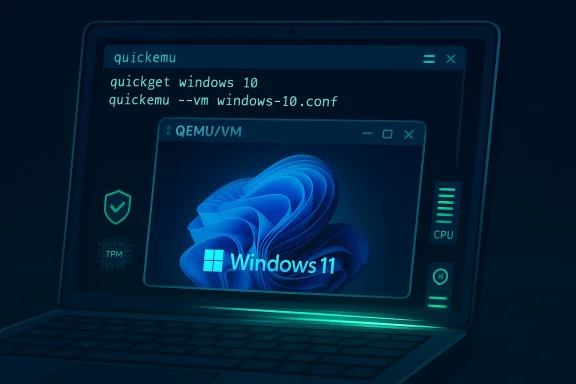
The central attraction of the article is the sheer brevity of the workflow. The first command,quickget windows 10, downloads the Windows image and creates a configuration file. The second, quickemu --vm windows-10.conf, starts the virtual machine using that configuration. In the ideal case, the user goes from nothing to a booting Windows installer in minutes.That pitch is compelling because it mirrors how people actually use virtualization on the desktop. Most users do not want to design a lab-grade environment; they want a disposable, working, just enough VM. The article’s “two commands” framing is really about abstraction: Quickemu packages the repetitive, error-prone work behind a couple of memorable shell commands.
The same simplicity also explains the article’s SEO and audience appeal. It speaks directly to Linux users who occasionally need Windows, but who do not want to surrender their daily driver or rebuild their workflow around a full second installation. That’s a very different emotional appeal from enterprise hypervisor tooling, where reproducibility and orchestration often matter more than speed. Fast setup is the headline, but low friction is the real product.
Why This Resonates
Quickemu removes several tasks that trip up first-time VM users. You do not need to hunt for the right ISO manually, wire up virtual storage, or remember which settings matter for Windows hardware emulation. The project’s auto-generated configs are a major part of why it feels approachable.- It collapses download, configuration, and boot into a tiny workflow.
- It lowers the barrier for one-off Windows tasks on Linux.
- It makes the setup repeatable through a saved
.conffile. - It is friendlier to terminal users than GUI-first VM managers.
- It is especially appealing to power users who already live in the shell.
Installing Quickemu
The installation guidance in the article reflects how Linux software distribution still works in 2025: package availability varies by distro, and convenience depends on where you live in the ecosystem. The article points Ubuntu and Debian users toward package-based installation, Arch users toward the AUR, and everyone else toward source builds or the project’s own instructions.That flexibility is a strength, but it is also a reminder that Quickemu is not a single-click consumer app. It expects users to be comfortable with repositories, command-line package managers, and the occasional dependency hunt. For an audience already using Linux seriously enough to need Windows occasionally, that is probably acceptable. For newcomers, it is a barrier.
On Linux Distros
The How-To Geek article notes that Debian derivatives can install from a DEB package, Ubuntu users can add a PPA, and Arch users can use the AUR. Quickemu’s GitHub documentation aligns with that broad cross-distro approach, and the project explicitly supports Linux and macOS hosts.- Debian-based systems often get the cleanest package path.
- Ubuntu users can benefit from the project PPA.
- Arch users have an AUR route through community packaging.
- Other distros may require source installation or manual dependency handling.
- The install path is a sign of maturity, not necessarily ease.
On macOS
Quickemu also supports macOS as a host, though the article’s focus is Linux. The project’s documentation and GitHub readme note macOS host support and provide Homebrew-based dependency installation instructions. That broadens the user base, but it also means some of the same performance caveats apply, especially around architecture and guest compatibility.In other words, Quickemu is not just a Windows-on-Linux trick. It is a general VM automation layer for people who want a shell-first virtualization experience. That matters because it changes how the software should be evaluated: as a productivity tool for power users, not merely a download utility.
What Quickemu Actually Automates
The most important conceptual point in the How-To Geek piece is that Quickemu is not “doing virtualization” by itself. It is automating the setup of QEMU-backed virtual machines, choosing sane defaults and handling OS-specific plumbing so the user does not have to. That distinction matters because it explains both the convenience and the limits.For Windows guests, the project’s documentation says the generated configuration includes VirtIO drivers, and that Windows 11 setups use TPM emulation through
swtpm. It also states that Windows Server behaves differently, relying on emulated IDE disks and Intel E1000 network devices rather than the fully automated path used by desktop Windows. That shows Quickemu is opinionated, but not blindly generic.The automations also imply a particular user philosophy. Quickemu is designed for repeatability and speed, not deep manual tweaking on day one. Users can later edit the config, adjust resolution, add forwarding, or change device models, but the first encounter is meant to be frictionless. That is the difference between a launcher and a lab.
Behind the Curtain
QEMU itself is extremely capable, but much of its power comes from command-line complexity and machine-type options. Quickemu smooths that complexity over, trading the ability to hand-author every detail for a more guided experience. The tradeoff is intentional, and for many users it is the right one.- Quickemu chooses guest-appropriate defaults.
quickgetfetches and prepares the OS image.quickemulaunches the VM with the generated config.- VirtIO drivers help improve guest performance.
- TPM emulation helps Windows 11 requirements fit into a VM flow.
Windows Installation Experience
The Windows installation flow is where Quickemu’s value becomes visible. Afterquickget fetches the image and quickemu --vm windows-10.conf launches it, the user still has to walk through the normal Windows installer screens. The difference is that the tedious machinery around the install has already been handled.That makes Quickemu especially appealing for occasional Windows users. If you only need Windows to run a tax app, access a legacy utility, or test a website in Edge, you probably do not care about hand-tuning storage controllers. You care about the desktop appearing without friction, and Quickemu gets close to that ideal.
Desktop Windows vs Server Windows
The Quickemu wiki draws an important distinction between desktop Windows and Windows Server. Desktop editions can be downloaded and configured automatically, while Windows Server installs are not fully automated and use different emulation choices. That means the “two-command” story is strongest for consumer and prosumer use cases, not server administration.This distinction matters because many readers will assume all Windows versions behave similarly under Quickemu. They do not. The Windows 10 and Windows 11 path is the headline feature, but the broader ecosystem support is more nuanced than the simplified article implies.
Credentials and Convenience
The project documentation says a local administrator account is created automatically in the Windows guest, with predefined credentials. That is convenient for quick testing, but it also signals the tool’s orientation toward immediate usability over hardened deployment practices.For personal use, that tradeoff is harmless and helpful. For shared machines or sensitive environments, it raises obvious questions about account hygiene, privilege management, and whether the VM should be treated as temporary. Convenient defaults are good; permanent habits built on them may not be.
Performance and Host Requirements
The article implies a quick win, but the actual user experience depends heavily on host capability. A Windows VM can be surprisingly smooth on a modern Linux laptop with enough RAM, fast SSD storage, and hardware-assisted virtualization. On older systems, the same workflow can feel sluggish or unstable, especially if the host is already under load.QEMU’s own documentation reflects the breadth of hardware and machine models it supports, including optimized device models such as VirtIO. That’s a clue that performance tuning matters, even when the user never touches the low-level knobs directly. Quickemu’s job is to choose well, but it cannot defeat poor host hardware.
The key practical lesson is that “working” and “comfortable” are not the same thing. A VM can boot successfully and still feel cramped if the host is short on memory or if the user expects native-like graphics. That is why the article’s fallback advice — dual boot or a spare machine — is actually more realistic than it may first appear.
When It Feels Fast
The experience is best when the host is overprovisioned for the task. SSD-backed storage, modern CPUs with virtualization support, and enough RAM to keep both host and guest happy are the real ingredients behind the magic. Without those, the two-command story still works, but the experience becomes more patience than elegance.- Fast storage reduces install and boot delays.
- More RAM reduces swapping and guest contention.
- CPU virtualization support lowers overhead.
- A clean host improves responsiveness.
- Lightweight usage patterns keep the VM feeling snappy.
Licensing, ISO Sources, and User Expectations
The article’s mention of downloading a Windows image is convenient, but it also points to a subtle reality: getting Windows into a VM is not just a technical problem. It is also a licensing and sourcing problem. Microsoft’s official Windows 10 download page still exists, and Microsoft continues to offer installation pathways for Windows 10, though the broader lifecycle context is obviously more complicated than it once was.For readers, this means Quickemu simplifies setup but does not eliminate the need to understand where the media comes from and how it is used. The project automates download and configuration, but it does not replace the user’s responsibility to stay within licensing terms. That caveat is boring in the best possible way: it is the part that keeps convenient tools from becoming risky ones.
Why This Matters Now
Windows 10 still matters in the real world, especially for compatibility and legacy software. But the lifecycle pressure around old versions makes VM convenience a moving target, not a permanent guarantee. Users should expect the surrounding ecosystem — downloads, installer behavior, and support posture — to continue evolving.That is one reason the article’s advice should be read as tactical, not eternal. Quickemu can get a Windows VM running quickly, but users should still validate the guest version they need rather than assume the same workflow will remain optimal forever.
Where Quickemu Fits in the Wider Market
Quickemu occupies an interesting niche between raw virtualization engines and polished desktop VM managers. It is more approachable than building everything by hand in QEMU, but more terminal-centric than GUI tools like VirtualBox or consumer-friendly VM frontends. That makes it especially attractive to Linux enthusiasts, developers, and tinkerers.In market terms, Quickemu is not trying to beat mainstream hypervisors at their own game. It is trying to make the right kind of VM easy for a specific audience. That audience values scriptability, portability, and control over visual polish. The project’s positioning is therefore less about mass adoption and more about friction reduction.
Competitive Implications
For QEMU itself, Quickemu is a sign that higher-level tooling still matters. Raw virtualization engines remain indispensable, but they are not always the most efficient path for end users. Tools like Quickemu show that the ecosystem still rewards wrappers that package good defaults and sensible automation.- It lowers the barrier to QEMU adoption.
- It gives Linux users a faster on-ramp to Windows guests.
- It competes indirectly with GUI VM managers on convenience.
- It emphasizes shell automation over mouse-driven configuration.
- It helps normalize lightweight, task-specific virtualization.
Consumer vs Enterprise Impact
For consumers and enthusiasts, the impact is immediate: fewer setup steps, faster access to Windows, and a VM workflow that feels almost disposable. For enterprises, the value is narrower and more operational. Quickemu can support testing and ad hoc validation, but it is not automatically a managed desktop strategy or a governance framework. Different audiences, different rewards.Strengths and Opportunities
Quickemu’s strongest advantage is not raw performance. It is the combination of speed, automation, and a workflow that matches how people actually think about temporary Windows access on Linux. That makes it a smart choice for the right user, and an instructive example of how tooling can reduce complexity without eliminating control.- Fast setup from download to boot with minimal manual intervention.
- Repeatable configs via the generated
.conffile. - Broad OS support beyond Windows, including Linux, BSD, and macOS guests.
- VirtIO integration that improves guest practicality for Windows.
- TPM emulation support that makes Windows 11 more approachable.
- Terminal-first workflow that fits power users and automation-minded admins.
- Portable VM philosophy that can align well with USB or per-project environments.
Risks and Concerns
The biggest risk in the “two commands” framing is oversimplification. Quickemu is easier than manual QEMU, but it is still virtualization, which means hardware dependence, guest licensing, and host resource constraints remain part of the story. Users who expect a frictionless native experience may be disappointed if their machine is not up to the task.- Host performance limits can make the VM feel sluggish or unstable.
- Architecture mismatches remain a problem on some systems, especially Apple Silicon with x86 guests.
- Licensing misunderstandings can arise if users assume downloaded Windows media comes with usage rights.
- Security hygiene matters because auto-created credentials are convenient but not ideal for every environment.
- Distribution variability means installation is not equally smooth everywhere.
- Expectation gaps can appear when users confuse automation with full abstraction.
- Long-term support assumptions may fail if underlying Windows or QEMU behaviors change.
What to Watch Next
The most interesting question is not whether Quickemu can launch Windows quickly today. It is whether the project can continue smoothing the rough edges as guest OS requirements, host platforms, and hardware expectations keep evolving. Windows 11’s dependency shifts, changes in Linux packaging ecosystems, and the continued maturation of QEMU all affect how useful this workflow stays over time.Another thing to watch is whether more users adopt shell-based VM automation as a normal part of desktop computing. If that happens, Quickemu will look less like a niche helper and more like a model for how virtualization should be presented to power users. That is a meaningful design trend: automation first, details second.
Signals Worth Monitoring
- Support changes in Quickemu’s Windows templates and guest defaults.
- Updates to QEMU and firmware tooling that improve VM launch reliability.
- Linux distribution packaging improvements that simplify installation.
- Better support for graphics acceleration and file sharing inside guests.
- Ongoing compatibility changes in Windows 10 and Windows 11 setups.
- Community documentation around edge cases, especially on non-x86 hosts.
In the end, the real story is not that Windows can run on Linux in two commands. It is that a well-designed wrapper can make serious virtualization feel approachable without pretending the underlying complexity does not exist. That is a useful lesson for Linux tooling generally, and one reason Quickemu deserves attention beyond a single headline about speed.
Source: How-To Geek Get Windows on Linux in 10 minutes with these 2 commands
