

On May 6, 2026, Microsoft said it is tracking a macOS-focused ClickFix campaign that uses fake troubleshooting and utility-installation instructions on blogs, note pages, and standalone websites to trick users into pasting malicious Terminal commands. The payloads are not novelty malware; they are infostealers such as MacSync, SHub Stealer, and AMOS, tuned to drain the modern Mac of passwords, browser sessions, Keychain material, iCloud data, documents, media, and cryptocurrency wallet secrets. The important shift is not simply that criminals are targeting macOS users again. It is that they are turning the user’s own trust in “helpful” command-line fixes into the delivery mechanism.
ClickFix has always been a psychological attack first and a technical attack second. Its basic promise is disarmingly simple: something is broken, inconvenient, or blocked, and the user can fix it by copying a command from a web page and pasting it into a shell. That playbook has worked on Windows because PowerShell and the Run dialog have become familiar enough to look legitimate, but opaque enough that most users cannot read what they are executing.
Microsoft’s latest research shows the same idea maturing on macOS. The lure is not a suspicious “free crack” or a counterfeit installer with a cartoonishly bad icon. It is a fake optimization guide, a disk-space cleanup tip, a “helper” utility, or a troubleshooting post on a platform that looks like the rest of the web’s long tail of technical advice.
That matters because the Mac’s security reputation has often rested on a combination of platform controls and user assumptions. Gatekeeper, notarization, XProtect, and code-signing checks create real friction for conventional malware packaged as apps. But ClickFix attacks sidestep a large part of that expectation by telling the user to run the command themselves.
This is not an exploit in the cinematic sense. It is worse in some ways: a workflow exploit. The attacker does not need to defeat every macOS protective layer if the victim can be persuaded to invoke Terminal, paste a command, and provide a password under the pretense of installing a useful system component.
This is where macOS’s Unix heritage becomes both strength and liability. Tools such as
Microsoft describes three variants: a loader campaign, a script campaign, and a helper campaign. They differ in staging paths, persistence mechanisms, infrastructure, and the exact malware family delivered, but their strategic logic is the same. The web page supplies social proof, the Terminal command supplies execution, and native macOS tooling supplies enough cover to avoid looking like a traditional installer.
The result is a campaign that is less dependent on the old app-bundle theater of Mac malware. There may be no obvious downloaded application in the user’s Downloads folder. There may be no moment where Finder presents a suspicious bundle. The first stage can be a pipeline that fetches remote content and hands it straight to a shell or AppleScript interpreter.
That is why the ClickFix model is so dangerous. It collapses the distance between advice and execution. The user thinks they are following a repair recipe; the attacker is building an infection chain.
The subject matter was also mundane by design. Disk space optimization is a perfect lure because it is both common and vaguely technical. Many Mac users know enough to be frustrated by “System Data” bloat, caches, old files, and mysterious storage categories, but not enough to confidently audit a command that claims to clean them up.
That gray zone is where ClickFix thrives. The command line carries an aura of authority. If a page tells a user that Terminal is required because the fix is “advanced,” many will accept the premise, especially if the surrounding content looks like ordinary troubleshooting copy.
Microsoft says some of the malicious pages were taken down quickly after discovery or reporting. That is useful but not decisive. The campaign’s structure assumes churn. A Medium post can vanish, a Craft note can be removed, and a domain can be burned, while the operators shift the same command pattern to another low-cost host.
The malware does not need a famous brand to be credible. It needs the surrounding internet to be noisy enough that one more how-to page does not look out of place.
The loader first fingerprints the system. It checks keyboard locale, hostname, operating system version, and external IP address, then reports telemetry back to attacker infrastructure. A Russian or CIS keyboard layout acts as a kill switch, causing the script to report a blocked event and stop.
That regional avoidance is a familiar marker in commodity malware ecosystems. It is not proof of attribution by itself, but it is a telling operational choice. The attackers are not just spraying code blindly; they are shaping where the infection proceeds.
If the host passes the check, the loader fetches and executes a remote AppleScript payload directly in memory using
The stealer also prompts the user for their macOS password while pretending to install a helper utility. It validates the password locally with
Once collection is complete, the data is compressed and exfiltrated. The staging artifacts are then deleted to reduce forensic residue. That combination — prompt, validate, collect, archive, exfiltrate, erase — is the grammar of a mature stealer operation, not a clumsy script-kiddie prank.
Microsoft observed targeting of wallets including Electrum, Coinomi, Exodus, Atomic, Wasabi, Ledger Live, Monero, Bitcoin, Litecoin, DashCore, Electron Cash, Guarda, Dogecoin, Trezor Suite, and Sparrow. In the loader campaign, the malware was seen replacing Ledger Wallet, Trezor Suite, and Exodus with attacker-controlled packages. In the helper campaign, Microsoft observed similar replacement activity against Ledger Wallet and Trezor Suite.
This is a nastier move than a one-time grab. A stolen browser cookie may expire. A copied file may reflect the victim’s state at the time of compromise. A trojanized wallet app, by contrast, creates an ongoing trap in the user’s normal workflow.
The victim may believe the infection is over, rotate a few passwords, and continue using the poisoned application. For cryptocurrency users, that can turn remediation into a race against a user interface they still trust. A wallet app is not just a file on disk; it is a ceremony of confidence, a place where users type secrets, confirm transactions, and assume the boundary between device and assets still exists.
That is why this campaign should worry more than Mac hobbyists. The line between personal device compromise and financial loss is short when wallets, browser sessions, and Keychain material are all in scope.
Once loaded, that component behaves like a backdoor-style bot. It registers the infected Mac with attacker infrastructure, identifies the host using hardware-derived information, and periodically beacons metadata such as hostname, OS version, and external IP address. The server can return Base64-encoded instructions that are decoded and executed locally.
That changes the nature of the incident. A user did not just leak a password or run a one-off stealer. The machine may now be enrolled in a remote-control channel where the attacker can push arbitrary shell code later.
For defenders, this is the practical difference between “malware removed” and “access revoked.” If a Mac has run one of these chains, the question is not only what was stolen at execution time. It is whether persistence remains, whether wallet applications were replaced, whether LaunchAgents or LaunchDaemons were planted, and whether credentials stolen from the machine have already been replayed elsewhere.
The names chosen for persistence are also revealing.
The persistence mechanism drops a second-stage Base64-encoded script into a LaunchAgent with a randomized-looking name. The AppleScript is heavily obfuscated, but its role is straightforward: discover command-and-control infrastructure, test candidate servers, and execute attacker-provided AppleScript from the server response.
The interesting part is the fallback logic. Microsoft says the script can probe hardcoded infrastructure and, if those endpoints fail, retrieve a Telegram bot page to extract a hidden server identifier. This is the kind of resilience defenders should expect more often in commodity stealer operations.
Telegram fallback is not magic. It can be detected, blocked, or disrupted. But it reflects an attacker economy that understands domain churn, abuse reports, and the fragility of static infrastructure. When one endpoint dies, the loader tries to learn where the next one lives.
That is the operational lesson for sysadmins. Blocking a published list of indicators is useful and necessary, but it is not enough. The behavioral pattern —
This variant includes anti-analysis checks. The AppleScript stager looks for virtualization indicators such as QEMU, VMware, KVM, generic virtual-machine strings, unknown chip identifiers, and other artifacts common to sandbox environments. If it detects those signs, execution stops early.
That choice again signals professionalism. Malware authors know researchers rely on virtual machines and sandboxes. Refusing to run in those environments buys time, reduces automated visibility, and complicates triage.
The helper campaign then follows the familiar stealer path: prompt for the user’s password, validate it, copy Keychain databases, collect Chromium browser authentication material, target cryptocurrency wallet extensions and desktop wallets, archive the haul, exfiltrate it, and remove staging artifacts. Microsoft associates this branch with AMOS, one of the better-known macOS stealer families.
For persistence, the helper campaign deploys a hidden backdoor component and a lightweight wrapper. The wrapper’s job is to keep the backdoor running. A LaunchDaemon is then configured so that, on boot, launchd runs the wrapper with elevated privileges, allowing the backdoor process to persist across restarts.
This is not just an infostealer with a smash-and-grab temperament. It is a beachhead.
That is a meaningful intervention because it targets the ceremony, not just the payload. The dangerous moment in ClickFix is not when the malware begins exfiltration; by then the campaign has already won. The decisive moment is the paste.
Security products have spent decades scanning files, reputation-checking apps, and monitoring processes. ClickFix forces platforms to ask a more awkward question: should an operating system warn users when a web page persuades them to turn Terminal into an execution bridge?
The answer is plainly yes, but it comes with trade-offs. Developers, administrators, and power users paste commands constantly. A system that blocks or nags too aggressively risks training those users to bypass warnings. A system that stays silent leaves less technical users exposed to increasingly polished fake advice.
Apple’s move suggests the industry is accepting that command-line paste is now a consumer attack surface. That is a cultural shift. Terminal is no longer just a tool for people who know what they are doing; it is also a destination that scammers herd ordinary users toward.
That does not make it unimportant. In mixed fleets, Microsoft Defender for Endpoint is often one of the few tools that gives security teams a unified view across Windows, macOS, Linux, identity, email, and cloud app telemetry. If Macs are still treated as executive exceptions or developer snowflakes, stealer campaigns will exploit that gap.
The useful part of Microsoft’s guidance is the behavioral emphasis. Alerting on one domain or one hash is brittle. Alerting on suspicious shell sessions, native utility chains, unauthorized access to sensitive stores, archive creation followed by HTTP POST exfiltration, and suspicious LaunchAgent or LaunchDaemon activity is more durable.
For WindowsForum readers, the cross-platform angle is especially important. The Windows world learned the hard way that PowerShell is both an administrative superpower and an attacker favorite. macOS is now living through the same lesson with
The mistake would be to treat this as an Apple-only story. The deeper pattern is that attackers follow administrative convenience. Wherever operating systems provide powerful automation primitives, criminals will wrap them in social engineering and call the result tech support.
The ClickFix campaign aims at that reality. It does not need kernel exploits or a novel bypass of every Apple control. It needs one trusted-looking page, one copy-paste instruction, and one moment where a user believes a password prompt is part of a legitimate helper install.
Enterprise controls should assume that some users will make that mistake. The answer is not to sneer at them. The modern web is full of plausible technical advice, and search results can surface disposable attacker content next to legitimate community fixes.
The right defensive posture is layered. Browser isolation, DNS filtering, EDR telemetry, shell auditing, least privilege, managed software sources, and user education all play a role. So does incident response discipline: if a Mac runs one of these commands, defenders should investigate credential theft, persistence, wallet tampering, cloud session exposure, and lateral movement risk.
The password prompt is particularly important. If malware has validated the user’s local password, defenders should assume the attacker may have enough material to unlock Keychain-derived secrets or pivot into other accounts where password reuse exists. That makes identity response part of endpoint response.
For Mac users, the lesson is not that Terminal is bad or that every script is suspicious. The lesson is that context matters, and a command found on a random troubleshooting page deserves the same skepticism as an unsigned app from a file-sharing site. If anything, it deserves more, because the command may leave fewer obvious traces before it starts doing damage.
For defenders, the lesson is equally blunt. macOS security can no longer be reduced to app notarization, Gatekeeper prompts, or the comforting idea that users will not run strange binaries. Attackers have moved into the space between the browser and the shell, and they are using native tools, temporary infrastructure, and credible-looking content to do it.
The future of this technique is easy to imagine: more localization, more search-optimized fake fixes, more AI-written troubleshooting pages, more dynamic infrastructure, and more platform-specific instructions that look just technical enough to be trusted. The countermeasure will not be one perfect blocklist or one smarter warning dialog, but a new norm: commands are software, pasted commands are installations, and every “quick fix” from the open web deserves to be treated like code from an unknown developer.
Source: Microsoft ClickFix campaign uses fake macOS utilities lures to deliver infostealers | Microsoft Security Blog
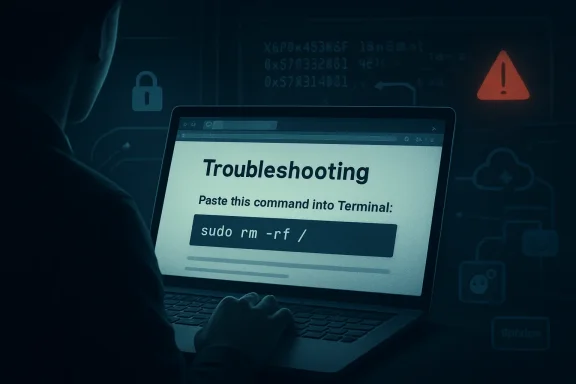 The Mac Is No Longer the Quiet Corner of the ClickFix Economy
ClickFix has always been a psychological attack first and a technical attack second. Its basic promise is disarmingly simple: something is broken, inconvenient, or blocked, and the user can fix it by copying a command from a web page and pasting it into a shell. That playbook has worked on Windows because PowerShell and the Run dialog have become familiar enough to look legitimate, but opaque enough that most users cannot read what they are executing.Microsoft’s latest research shows the same idea maturing on macOS. The lure is not a suspicious “free crack” or a counterfeit installer with a cartoonishly bad icon. It is a fake optimization guide, a disk-space cleanup tip, a “helper” utility, or a troubleshooting post on a platform that looks like the rest of the web’s long tail of technical advice.
That matters because the Mac’s security reputation has often rested on a combination of platform controls and user assumptions. Gatekeeper, notarization, XProtect, and code-signing checks create real friction for conventional malware packaged as apps. But ClickFix attacks sidestep a large part of that expectation by telling the user to run the command themselves.
This is not an exploit in the cinematic sense. It is worse in some ways: a workflow exploit. The attacker does not need to defeat every macOS protective layer if the victim can be persuaded to invoke Terminal, paste a command, and provide a password under the pretense of installing a useful system component.
Attackers Found the Gap Between Gatekeeper and the Shell
The most consequential sentence in Microsoft’s report is the observation that scripts downloaded and launched directly through Terminal do not go through the same evaluation path as application bundles opened through Finder. That is the seam the campaign is exploiting. The old model tried to get the user to mount a disk image and install an app; the newer model streams code into native interpreters and utilities.This is where macOS’s Unix heritage becomes both strength and liability. Tools such as
curl, base64, gzip, osascript, zsh, and dscl are legitimate parts of the system, and administrators use them constantly. In the hands of a user following fake instructions, however, they become a malware delivery stack hiding in plain sight.Microsoft describes three variants: a loader campaign, a script campaign, and a helper campaign. They differ in staging paths, persistence mechanisms, infrastructure, and the exact malware family delivered, but their strategic logic is the same. The web page supplies social proof, the Terminal command supplies execution, and native macOS tooling supplies enough cover to avoid looking like a traditional installer.
The result is a campaign that is less dependent on the old app-bundle theater of Mac malware. There may be no obvious downloaded application in the user’s Downloads folder. There may be no moment where Finder presents a suspicious bundle. The first stage can be a pipeline that fetches remote content and hands it straight to a shell or AppleScript interpreter.
That is why the ClickFix model is so dangerous. It collapses the distance between advice and execution. The user thinks they are following a repair recipe; the attacker is building an infection chain.
The Fake Utility Is Just the Doorway
The lures Microsoft observed were scattered across the kinds of places users already visit when they are stuck: standalone websites, Squarespace-hosted pages, Craft notes, and Medium-style blog posts. Some pages presented instructions in multiple languages, suggesting the operators were not merely tossing up disposable English-language bait but testing reach and localization.The subject matter was also mundane by design. Disk space optimization is a perfect lure because it is both common and vaguely technical. Many Mac users know enough to be frustrated by “System Data” bloat, caches, old files, and mysterious storage categories, but not enough to confidently audit a command that claims to clean them up.
That gray zone is where ClickFix thrives. The command line carries an aura of authority. If a page tells a user that Terminal is required because the fix is “advanced,” many will accept the premise, especially if the surrounding content looks like ordinary troubleshooting copy.
Microsoft says some of the malicious pages were taken down quickly after discovery or reporting. That is useful but not decisive. The campaign’s structure assumes churn. A Medium post can vanish, a Craft note can be removed, and a domain can be burned, while the operators shift the same command pattern to another low-cost host.
The malware does not need a famous brand to be credible. It needs the surrounding internet to be noisy enough that one more how-to page does not look out of place.
The Loader Campaign Turns Advice Into a Remote-Control Channel
The loader campaign, observed by Microsoft beginning in February 2026, starts when the user runs a ClickFix command that usescurl to request a shell script from attacker infrastructure. That shell script leads to a second-stage zsh loader, which decodes and decompresses an embedded payload using Base64 and Gzip before executing it.The loader first fingerprints the system. It checks keyboard locale, hostname, operating system version, and external IP address, then reports telemetry back to attacker infrastructure. A Russian or CIS keyboard layout acts as a kill switch, causing the script to report a blocked event and stop.
That regional avoidance is a familiar marker in commodity malware ecosystems. It is not proof of attribution by itself, but it is a telling operational choice. The attackers are not just spraying code blindly; they are shaping where the infection proceeds.
If the host passes the check, the loader fetches and executes a remote AppleScript payload directly in memory using
osascript. That payload is where the campaign becomes more than a drive-by theft attempt. Microsoft describes an AppleScript stealer that collects browser credentials, notes, media files, Telegram data, cryptocurrency wallet artifacts, Keychain entries, iCloud account data, and certain documents under a temporary staging directory.The stealer also prompts the user for their macOS password while pretending to install a helper utility. It validates the password locally with
dscl, which means the malware is not merely asking for a string and hoping it is correct. It is checking that the stolen credential works before proceeding.Once collection is complete, the data is compressed and exfiltrated. The staging artifacts are then deleted to reduce forensic residue. That combination — prompt, validate, collect, archive, exfiltrate, erase — is the grammar of a mature stealer operation, not a clumsy script-kiddie prank.
Wallet Replacement Is the Part Users May Not Notice Until It Is Too Late
The most alarming behavior in the loader and helper campaigns is not simply that wallet data is stolen. It is that legitimate cryptocurrency wallet apps can be replaced with trojanized versions.Microsoft observed targeting of wallets including Electrum, Coinomi, Exodus, Atomic, Wasabi, Ledger Live, Monero, Bitcoin, Litecoin, DashCore, Electron Cash, Guarda, Dogecoin, Trezor Suite, and Sparrow. In the loader campaign, the malware was seen replacing Ledger Wallet, Trezor Suite, and Exodus with attacker-controlled packages. In the helper campaign, Microsoft observed similar replacement activity against Ledger Wallet and Trezor Suite.
This is a nastier move than a one-time grab. A stolen browser cookie may expire. A copied file may reflect the victim’s state at the time of compromise. A trojanized wallet app, by contrast, creates an ongoing trap in the user’s normal workflow.
The victim may believe the infection is over, rotate a few passwords, and continue using the poisoned application. For cryptocurrency users, that can turn remediation into a race against a user interface they still trust. A wallet app is not just a file on disk; it is a ceremony of confidence, a place where users type secrets, confirm transactions, and assume the boundary between device and assets still exists.
That is why this campaign should worry more than Mac hobbyists. The line between personal device compromise and financial loss is short when wallets, browser sessions, and Keychain material are all in scope.
Persistence Makes the “One Bad Command” Story Too Comforting
It would be convenient to describe this as a single bad paste into Terminal. That framing is too soft. In Microsoft’s loader campaign, the malware establishes persistence by creating a fake GoogleUpdate component under the user’s Library path and staging a LaunchAgent named to mimic legitimate Google Keystone behavior.Once loaded, that component behaves like a backdoor-style bot. It registers the infected Mac with attacker infrastructure, identifies the host using hardware-derived information, and periodically beacons metadata such as hostname, OS version, and external IP address. The server can return Base64-encoded instructions that are decoded and executed locally.
That changes the nature of the incident. A user did not just leak a password or run a one-off stealer. The machine may now be enrolled in a remote-control channel where the attacker can push arbitrary shell code later.
For defenders, this is the practical difference between “malware removed” and “access revoked.” If a Mac has run one of these chains, the question is not only what was stolen at execution time. It is whether persistence remains, whether wallet applications were replaced, whether LaunchAgents or LaunchDaemons were planted, and whether credentials stolen from the machine have already been replayed elsewhere.
The names chosen for persistence are also revealing.
GoogleUpdate, com.google.keystone.agent.plist, and com.finder.helper.plist are not random strings. They borrow the visual language of ordinary background maintenance. On a Mac that has accumulated years of legitimate agents, helpers, updaters, and daemons, those names are designed to be overlooked.The Script Campaign Shows the Infrastructure Is Learning to Survive Takedowns
The April 2026 script campaign is a reminder that takedowns are a speed bump, not a strategy. In this variant, a Base64-encoded command resolves into a one-line shell pipeline that retrieves a remote script and immediately executes it. No obvious initial payload needs to sit on disk.The persistence mechanism drops a second-stage Base64-encoded script into a LaunchAgent with a randomized-looking name. The AppleScript is heavily obfuscated, but its role is straightforward: discover command-and-control infrastructure, test candidate servers, and execute attacker-provided AppleScript from the server response.
The interesting part is the fallback logic. Microsoft says the script can probe hardcoded infrastructure and, if those endpoints fail, retrieve a Telegram bot page to extract a hidden server identifier. This is the kind of resilience defenders should expect more often in commodity stealer operations.
Telegram fallback is not magic. It can be detected, blocked, or disrupted. But it reflects an attacker economy that understands domain churn, abuse reports, and the fragility of static infrastructure. When one endpoint dies, the loader tries to learn where the next one lives.
That is the operational lesson for sysadmins. Blocking a published list of indicators is useful and necessary, but it is not enough. The behavioral pattern —
curl fetching remote script content, output piped into osascript, LaunchAgent creation, suspicious POST activity, archive staging, and access to sensitive stores — matters more than any one domain.The Helper Campaign Brings AMOS Into the Same Social-Engineering Funnel
The helper install campaign, observed starting at the end of January 2026, uses a slightly different route. Instead of keeping the initial stage entirely fileless, it retrieves a malicious Mach-O executable namedhelper or, in a February variant, update, placing it under a temporary folder before stripping extended attributes, granting execution permissions, and launching it.This variant includes anti-analysis checks. The AppleScript stager looks for virtualization indicators such as QEMU, VMware, KVM, generic virtual-machine strings, unknown chip identifiers, and other artifacts common to sandbox environments. If it detects those signs, execution stops early.
That choice again signals professionalism. Malware authors know researchers rely on virtual machines and sandboxes. Refusing to run in those environments buys time, reduces automated visibility, and complicates triage.
The helper campaign then follows the familiar stealer path: prompt for the user’s password, validate it, copy Keychain databases, collect Chromium browser authentication material, target cryptocurrency wallet extensions and desktop wallets, archive the haul, exfiltrate it, and remove staging artifacts. Microsoft associates this branch with AMOS, one of the better-known macOS stealer families.
For persistence, the helper campaign deploys a hidden backdoor component and a lightweight wrapper. The wrapper’s job is to keep the backdoor running. A LaunchDaemon is then configured so that, on boot, launchd runs the wrapper with elevated privileges, allowing the backdoor process to persist across restarts.
This is not just an infostealer with a smash-and-grab temperament. It is a beachhead.
Apple’s Paste Block Is a Welcome Admission of the Real Attack Surface
Microsoft notes that Apple’s XProtect signatures have been updated for this threat and that macOS 26.4 and later introduces a mitigation aimed directly at ClickFix-style abuse. When a user attempts to paste a potentially malicious command into Terminal, the system can block the paste and warn that scammers often encourage users to paste commands into Terminal to harm the Mac or compromise privacy.That is a meaningful intervention because it targets the ceremony, not just the payload. The dangerous moment in ClickFix is not when the malware begins exfiltration; by then the campaign has already won. The decisive moment is the paste.
Security products have spent decades scanning files, reputation-checking apps, and monitoring processes. ClickFix forces platforms to ask a more awkward question: should an operating system warn users when a web page persuades them to turn Terminal into an execution bridge?
The answer is plainly yes, but it comes with trade-offs. Developers, administrators, and power users paste commands constantly. A system that blocks or nags too aggressively risks training those users to bypass warnings. A system that stays silent leaves less technical users exposed to increasingly polished fake advice.
Apple’s move suggests the industry is accepting that command-line paste is now a consumer attack surface. That is a cultural shift. Terminal is no longer just a tool for people who know what they are doing; it is also a destination that scammers herd ordinary users toward.
Microsoft’s Mac Warning Is Also a Microsoft Defender Sales Pitch, But Not Only That
There is an unavoidable commercial layer here. Microsoft’s report includes Defender detections, hunting queries, recommendations for cloud-delivered protection, EDR in block mode, automated investigation and remediation, tamper protection, and threat analytics. This is research, but it is also a product surface.That does not make it unimportant. In mixed fleets, Microsoft Defender for Endpoint is often one of the few tools that gives security teams a unified view across Windows, macOS, Linux, identity, email, and cloud app telemetry. If Macs are still treated as executive exceptions or developer snowflakes, stealer campaigns will exploit that gap.
The useful part of Microsoft’s guidance is the behavioral emphasis. Alerting on one domain or one hash is brittle. Alerting on suspicious shell sessions, native utility chains, unauthorized access to sensitive stores, archive creation followed by HTTP POST exfiltration, and suspicious LaunchAgent or LaunchDaemon activity is more durable.
For WindowsForum readers, the cross-platform angle is especially important. The Windows world learned the hard way that PowerShell is both an administrative superpower and an attacker favorite. macOS is now living through the same lesson with
osascript, shell pipelines, LaunchAgents, and native credential stores.The mistake would be to treat this as an Apple-only story. The deeper pattern is that attackers follow administrative convenience. Wherever operating systems provide powerful automation primitives, criminals will wrap them in social engineering and call the result tech support.
The Enterprise Mac Has Outgrown the Old Security Excuses
There was a time when many organizations could plausibly say their Mac population was too small to attract serious commodity malware. That argument aged badly. Macs are common among engineers, designers, executives, security staff, and cryptocurrency users — exactly the kinds of people whose devices may hold privileged credentials, cloud tokens, source code access, personal financial assets, or sensitive communications.The ClickFix campaign aims at that reality. It does not need kernel exploits or a novel bypass of every Apple control. It needs one trusted-looking page, one copy-paste instruction, and one moment where a user believes a password prompt is part of a legitimate helper install.
Enterprise controls should assume that some users will make that mistake. The answer is not to sneer at them. The modern web is full of plausible technical advice, and search results can surface disposable attacker content next to legitimate community fixes.
The right defensive posture is layered. Browser isolation, DNS filtering, EDR telemetry, shell auditing, least privilege, managed software sources, and user education all play a role. So does incident response discipline: if a Mac runs one of these commands, defenders should investigate credential theft, persistence, wallet tampering, cloud session exposure, and lateral movement risk.
The password prompt is particularly important. If malware has validated the user’s local password, defenders should assume the attacker may have enough material to unlock Keychain-derived secrets or pivot into other accounts where password reuse exists. That makes identity response part of endpoint response.
The Concrete Lessons Hidden Inside the Fake Mac Cleaner
The campaign’s details are messy, but the lessons are not. ClickFix is effective because it converts legitimate user initiative into attacker-controlled execution, and macOS gives that execution plenty of native tools to work with.- Users should treat any web page that tells them to paste encoded or unreadable commands into Terminal as hostile until proven otherwise.
- Security teams should monitor suspicious combinations of
curl,base64,gzip,osascript, shell interpreters,dscl, archive creation, and outbound POST requests. - Affected Macs should be checked for suspicious LaunchAgents, LaunchDaemons, fake updater paths, hidden helper binaries, and replaced cryptocurrency wallet applications.
- Incident response should assume credential exposure, not merely malware execution, because these stealers target Keychain data, browser sessions, iCloud material, documents, and wallet secrets.
- Indicator blocking should be treated as a short-term containment measure, while behavioral detection should carry the long-term defense.
- Apple’s Terminal paste warning in newer macOS releases is a useful mitigation, but it cannot substitute for managed endpoint visibility and user training.
The Web’s Helpfulness Has Become Part of the Attack Chain
The grim irony of this campaign is that it borrows the internet’s most useful habit: strangers explaining how to fix things. That habit built decades of technical culture, from forum posts to blog guides to copy-and-paste admin snippets. ClickFix poisons the well by making the advice itself the loader.For Mac users, the lesson is not that Terminal is bad or that every script is suspicious. The lesson is that context matters, and a command found on a random troubleshooting page deserves the same skepticism as an unsigned app from a file-sharing site. If anything, it deserves more, because the command may leave fewer obvious traces before it starts doing damage.
For defenders, the lesson is equally blunt. macOS security can no longer be reduced to app notarization, Gatekeeper prompts, or the comforting idea that users will not run strange binaries. Attackers have moved into the space between the browser and the shell, and they are using native tools, temporary infrastructure, and credible-looking content to do it.
The future of this technique is easy to imagine: more localization, more search-optimized fake fixes, more AI-written troubleshooting pages, more dynamic infrastructure, and more platform-specific instructions that look just technical enough to be trusted. The countermeasure will not be one perfect blocklist or one smarter warning dialog, but a new norm: commands are software, pasted commands are installations, and every “quick fix” from the open web deserves to be treated like code from an unknown developer.
Source: Microsoft ClickFix campaign uses fake macOS utilities lures to deliver infostealers | Microsoft Security Blog
