

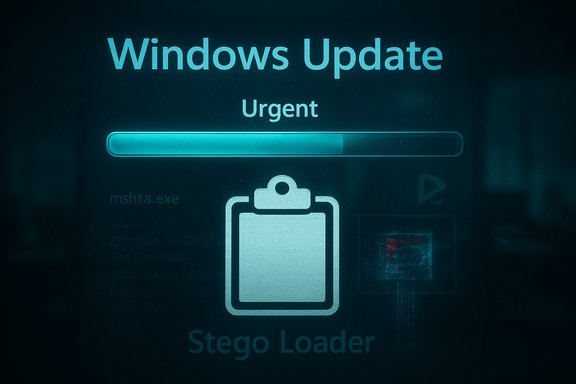
A convincing fake Windows Update screen is the latest disguise in the evolving ClickFix campaign, and the attack chain’s new tricks — automatic clipboard poisoning, PNG steganography and a .NET “Stego Loader” — show a clear shift from simple social engineering to multi-stage, fileless delivery techniques that are far harder to detect and remediate.
ClickFix is a social-engineering family of attacks that tricks victims into copying and pasting commands into OS dialogs or terminals, thereby executing attacker-supplied code with their own privileges. The technique has circulated since at least 2023–2024 in many variations (fake CAPTCHAs, “human verification,” and one-line PowerShell lures distributed via short‑form video and malicious search results). Recent variants escalate the deception by presenting a full-screen, animated Windows Update interface that many users instinctively trust. What changed in the newest wave detected since October is not only the visual quality of the lure but the delivery mechanics: JavaScript on the malicious page now automatically copies pre-crafted commands to the clipboard, then instructs the user to perform a benign keystroke sequence (for example, Win+R then paste + Enter) that executes the clipboard contents in the Windows Run box or command prompt. That single interaction converts a trusting user into an unwitting dropper.
Source: Techzine Global ClickFix campaign disguises itself as Windows Update screen
 Background / Overview
ClickFix is a social-engineering family of attacks that tricks victims into copying and pasting commands into OS dialogs or terminals, thereby executing attacker-supplied code with their own privileges. The technique has circulated since at least 2023–2024 in many variations (fake CAPTCHAs, “human verification,” and one-line PowerShell lures distributed via short‑form video and malicious search results). Recent variants escalate the deception by presenting a full-screen, animated Windows Update interface that many users instinctively trust. What changed in the newest wave detected since October is not only the visual quality of the lure but the delivery mechanics: JavaScript on the malicious page now automatically copies pre-crafted commands to the clipboard, then instructs the user to perform a benign keystroke sequence (for example, Win+R then paste + Enter) that executes the clipboard contents in the Windows Run box or command prompt. That single interaction converts a trusting user into an unwitting dropper. Anatomy of the attack
1) The lure: full-screen fake Windows Update
Attack pages force the browser into full-screen mode and display animations, progress bars, and language that mimics Windows Update. The goal is to create urgency and legitimacy; users see “Working on updates” and are told to press a specific key combination when the animation finishes. Because the page controls the visual context, it can hide the fact that a dangerous command line has already been copied to the clipboard.2) Clipboard poisoning via JavaScript
Historically, ClickFix variants instructed users to copy text manually. The current evolution uses JavaScript to place malicious commands onto the clipboard automatically. The page then instructs the user to press a combination (e.g., Win+R) that pastes and runs the command. This removes the awkward step that might alert more cautious users and reduces user error, increasing success rates.3) Execution pivot: mshta → PowerShell → .NET loader
The first command commonly executed is an mshta invocation. mshta.exe is a signed Windows binary that can run HTML Application (HTA) content and JavaScript; attackers use it to bootstrap malicious scripts without downloading an obvious EXE to disk. From there, the chain spawns PowerShell and ultimately a .NET assembly the security community calls the Stego Loader, which contains encrypted resources and code to reconstruct a payload hidden inside an image.4) PNG steganography and in-memory reconstruction
Instead of delivering a standalone EXE or DLL file, attackers embed fragments of the final payload inside PNG images. The Stego Loader extracts an AES-encrypted blob from its manifest resources; that blob is actually a PNG whose pixel channels have been manipulated to carry shellcode. Custom C# code decodes the image, reconstructs the shellcode in memory, decrypts it, and jumps to it — allowing the final infostealer or loader to run without ever writing an obvious malicious binary to disk. This in‑memory reconstruction is designed to evade signature-based scanners and make forensic triage harder.5) Evasion: ctrampoline and function noise
Researchers observed a dynamic evasion technique where the loader calls thousands of empty or no-op functions (a technique sometimes labeled “ctrampoline” or a trampoline/anti-analysis routine). Calling thousands of trivial functions before the real entry point complicates static and dynamic analysis, hides meaningful behavior in noisy traces, and challenges heuristic detectors that rely on short execution windows. This technique increases analyst time and flattens telemetry signals in detection pipelines.Technical analysis: components and why they work
mshta.exe as a trusted interpreter
- mshta.exe is a signed Microsoft binary used to run HTA content. Because it is native and trusted, its execution is less suspicious to some baseline protections and enterprise policies than launching a newly downloaded EXE.
- The ClickFix chain uses mshta to run JavaScript that pulls further stages, creating a seamless, signed-binary driven bootstrap into PowerShell and .NET.
PowerShell and .NET: flexible, powerful in-memory platforms
- PowerShell gives attackers an opaque, scriptable environment to fetch and load code into memory, while .NET offers easy manipulation of resources, reflection, and dynamic code generation.
- The combination allows a small script to unpack encrypted resources and run complex loaders without dropping typical dropper artifacts to disk. This is precisely what the “Stego Loader” pattern exploits.
Steganography in PNGs: persistence in plain sight
- Encoding payload fragments inside the RGB channels or IDAT chunk of PNGs is not new, but it is effective: images are common on web pages and rarely flagged, and the pixel-level embedding can be tuned to avoid visual distortion.
- Because the payload is reconstructed only in memory and only when the loader runs, network or disk scanners that look for known malicious PE headers or appended data will often miss this method.
The payloads: what attackers deliver
Analysis of multiple deliveries shows the final payloads are primarily infostealers — families that harvest browser cookies, saved passwords, form autofill data, and cryptocurrency wallets — and in some observed cases, command-and-control implants. The two families specifically noted by researchers in the latest wave are Rhadamanthys and LummaC2 / Lumma stealer; other ClickFix campaigns have also delivered NetSupport, XWorm, AsyncRAT and other RATs historically. The operational impact of an infostealer is fast credential and session theft; once an attacker harvests session cookies or browser-saved tokens, they can bypass 2FA in many scenarios and escalate fraud quickly. Operation Endgame — an international law enforcement effort in November — disrupted infrastructure tied to Rhadamanthys and other ecosystems, striking over 1,000 servers and seizing multiple domains. That disruption temporarily degraded some ClickFix delivery channels, but the attack pages themselves — the fake update screens — remain accessible in many cases and are easy to rehost. Law enforcement wins are important but not permanent: rebuild is the usual adversary response.Why this variant is more dangerous
- Visual authenticity: The fake Windows Update animation leverages built-in user trust in the OS update process, lowering natural skepticism.
- Less manual action required: Automatic clipboard copying reduces the risk the user will notice and question what they are pasting.
- Fileless-first execution: By reconstructing payloads in memory from PNGs, this chain avoids many traditional disk-based signatures and AV heuristics.
- Trusted binaries abused: Using mshta.exe, signed .NET CLR, and PowerShell leverages legitimate system components to run malicious code.
- Anti-analysis noise: Thousands of dummy function calls and packed shellcode delay and confuse analysts and automated analysis systems.
Detection, response, and containment
For defenders: immediate signals to hunt for
- Look for suspicious parent-child process chains, particularly:
- explorer.exe → mshta.exe → cmd.exe / powershell.exe
- explorer.exe or browser process launching mshta.exe unexpectedly.
- Monitor for large or repeated access to PNG resources with unusual request headers or content (images that are being fetched and then parsed by .NET code).
- Check the RunMRU registry keys and command-line histories to see whether users executed pasted commands or used Win+R recently.
Investigative steps
- Isolate affected hosts from the network.
- Preserve volatile memory for analysis (RAM image) — the loader reconstructs payloads in memory, so memory captures are high-value evidence.
- Check EDR telemetry for PowerShell -EncodedCommand usage and for Donut-packed shellcode executions (Donut is a loader/packager noted in analysis).
- Rotate credentials and tokens for any accounts used on potentially compromised devices; treat cookies and local browser stores as suspect.
Containment and remediation
- If a compromise is confirmed, perform credential resets from a trusted device and assume session cookies and stored keys might be lost.
- Reimage heavily-infected endpoints. Because the chain is in-memory and may leave few disk artifacts, a full reinstall is the safest option when persistence cannot be conclusively ruled out.
- For enterprise environments, enforce conditional access policies, force sign-outs, and require reauthentication for all high-risk accounts.
Practical mitigations for users and admins
- Never paste commands from websites or videos into the Run box, Command Prompt, PowerShell, or any terminal prompt. That single habit prevents most ClickFix success.
- Disable the Run box via Group Policy where feasible on managed endpoints to eliminate Win+R as an execution vector.
- Harden PowerShell:
- Enable ConstrainedLanguageMode and enforce signed script policies on endpoints.
- Turn on PowerShell Script Block Logging and forward logs to central SIEM/EDR for analytics.
- Block or monitor mshta.exe usage centrally and alert on unusual spawning by explorer.exe or browsers.
- Treat image resources with caution in threat hunts — steganographic delivery means images can be payload carriers; unusual image-serving patterns or Base64 blobs warrant scrutiny.
- User education: short, specific training stressing “don’t paste commands” beats generic awareness messages. Simulated exercises showing exactly how easy ClickFix is are helpful.
Strengths of current detections — and remaining gaps
Security vendors and law enforcement are responding more quickly than in past years; Operation Endgame demonstrated coordinated capability to disrupt major infrastructure supporting infostealers like Rhadamanthys. Those takedowns reduce attacker bandwidth and temporarily interfere with affiliate operations. However, several gaps remain:- The web pages hosting the lures are trivial to recreate and host on other domains or CDN endpoints.
- In‑memory loaders and steganographic payloads reduce the efficacy of traditional AV and static detection.
- Short‑form social media and search-engine malvertising provide noisy but effective distribution channels; rapid viral spreads outpace takedown procedures.
Attribution and what we don’t know (and should flag)
Some reporting links specific payload families (Rhadamanthys, LummaC2, Rhadamanthys affiliates) to the observed Windows Update lure, and law enforcement has disrupted infrastructure associated with Rhadamanthys during Operation Endgame. However, public reporting does not fully map every campaign to a single actor or clarify if different ClickFix domains were operated by the same criminal group or a set of loosely affiliated affiliates. Attribution beyond payload family attribution is therefore cautious and, in places, unverified in the public record. Analysts should treat attribution statements that lack clear telemetry or arrest records as provisional.Policy, legal and risk implications
- For organizations: the attack reinforces the need to treat human-in-the-loop vulnerabilities as first-class risks. Policies limiting user-level administrative rights, restricting pasteable execution contexts, and enforcing device posture checks before granting access are crucial.
- For platforms: social media, search engines, and ad networks remain primary distribution vectors for ClickFix lures. Improved takedown coordination, rapid removal of malvertising, and stronger provenance checks for trending content would reduce the funnel attackers rely on.
- For vendors: the abuse of signed OS components (mshta.exe, PowerShell) underscores the importance of application control, robust telemetry at the OS level, and clearer UX cues in the OS that distinguish genuine system update windows from browser-supplied imitations.
Clear guidance checklist (for publication and rapid reference)
- Do not copy/paste commands from websites, videos, or chats.
- Disable the Windows Run box for users who don't need it; use GPO for enterprise environments.
- Enforce PowerShell ConstrainedLanguageMode and enable script block logging.
- Monitor EDR for explorer.exe → mshta.exe or browser → mshta.exe process chains.
- Capture RAM if you suspect infection; the loader reconstructs payloads in memory.
- Rotate credentials and sign out of sessions after confirmed incidents.
- Reimage compromised endpoints when persistence or data exfiltration cannot be ruled out.
Conclusion
The ClickFix family’s pivot to a polished Windows Update mimic, automated clipboard poisoning and image-based payload embedding is a textbook example of attackers combining social engineering excellence with technical stealth. Law enforcement actions such as Operation Endgame demonstrated that disruption works — but defenses must adapt beyond takedowns. Stopping ClickFix requires a threefold approach: technical controls that remove execution vectors, detection that focuses on process relationships and in‑memory behaviors, and concise user policies that eliminate the single, fatal habit of pasting commands from untrusted sources. The next wave is unlikely to rely on a single weakness; it will chain trusted system components, native scripting, and covert payloads — and defenders must close the gaps that allow those chains to execute.Source: Techzine Global ClickFix campaign disguises itself as Windows Update screen


