

The “Windows Update” screen you trust has been weaponized: attackers are using a high-fidelity fake update pop-up to trick Windows users into pasting and executing a malicious command that boots a fileless, in‑memory infostealer — a fresh and dangerous iteration of the ClickFix social‑engineering family.
ClickFix is not a single piece of malware but a social‑engineering playbook that has matured rapidly since it first appeared. Early variants relied on fake CAPTCHA pages and “human verification” lures that asked victims to copy — and paste — short commands into a terminal or the Run box. Attackers have iterated on that concept for maximum effectiveness: the most recent campaigns replace the CAPTCHA with a convincing full‑screen, animated Windows Update UI and add automated clipboard poisoning, steganographic payloads hidden in images, and in‑memory loaders that leave minimal disk traces. Security vendors and national CERTs saw clusters of this activity in the wild in October and November, and research from practitioners at Huntress provides the clearest public technical breakdown to date. Multiple independent reporting outlets corroborate the core mechanics: an attacker‑controlled webpage forces full‑screen browser rendering, displays a “Working on updates” animation, and instructs the user to open the Run dialog (Win+R) and paste a command that the page has already copied to the clipboard via JavaScript. When executed, that command abuses signed Windows binaries to bootstrap a multi‑stage, fileless infection that reconstructs payloads embedded in PNG images and executes them directly in memory.
This analysis synthesizes public vendor research and community reporting to present a defensible, practical picture of the threat, to flag the campaign’s most dangerous technical choices, and to set out clear mitigation and incident response steps that IT teams and Windows users can implement immediately.
Source: Lifehacker This Windows Update Pop-Up Is a Scam
 Background / Overview
ClickFix is not a single piece of malware but a social‑engineering playbook that has matured rapidly since it first appeared. Early variants relied on fake CAPTCHA pages and “human verification” lures that asked victims to copy — and paste — short commands into a terminal or the Run box. Attackers have iterated on that concept for maximum effectiveness: the most recent campaigns replace the CAPTCHA with a convincing full‑screen, animated Windows Update UI and add automated clipboard poisoning, steganographic payloads hidden in images, and in‑memory loaders that leave minimal disk traces. Security vendors and national CERTs saw clusters of this activity in the wild in October and November, and research from practitioners at Huntress provides the clearest public technical breakdown to date. Multiple independent reporting outlets corroborate the core mechanics: an attacker‑controlled webpage forces full‑screen browser rendering, displays a “Working on updates” animation, and instructs the user to open the Run dialog (Win+R) and paste a command that the page has already copied to the clipboard via JavaScript. When executed, that command abuses signed Windows binaries to bootstrap a multi‑stage, fileless infection that reconstructs payloads embedded in PNG images and executes them directly in memory. How this scam actually works — step by step
1. The visual lure: full‑screen fake Windows Update UI
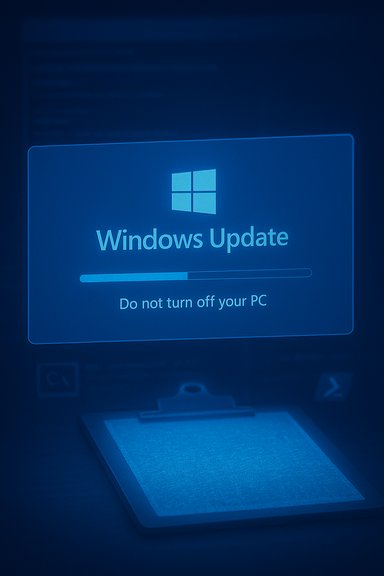
Attack pages render a near‑native Windows Update animation inside a browser window, often with progress bars, “Do not turn off your PC” messaging, and a timer. The page forces full‑screen mode and plays the animation until the “update” finishes, at which point it instructs the user to open the Run box and paste the clipboard contents to “complete the update.” The imagery and timing exploit habitual user trust in operating system update flows.2. Clipboard poisoning removes friction and suspicion
Rather than relying on the victim to manually copy a command (which creates hesitation), the page’s JavaScript often writes the malicious command directly to the clipboard. The page then tells the user to press Win+R and paste; a single keystroke sequence runs the command. Automatic clipboard injection lowers the chance that a user inspects the text being pasted, which significantly increases the attack’s success rate.3. Living‑off‑the‑land bootstrap (mshta → PowerShell)
The pasted command typically invokes mshta.exe — a signed Microsoft binary used to run HTA content — with a remote URL. Abusing mshta is a common living‑off‑the‑land technique because it uses a trusted system binary to retrieve and execute code without dropping obvious executables to disk. The mshta stage pulls a small script that launches an obfuscated PowerShell one‑liner. This stage is designed to be fileless and stealthy.4. Reflective .NET loader and the Stego Loader
PowerShell fetches or decodes a Base64/obfuscated .NET assembly and reflectively loads it into the CLR (the .NET runtime). That assembly — often called a “Stego Loader” in researcher writeups — contains resources that include a blob which, when interpreted correctly, is a PNG image carrying encrypted shellcode inside its pixel channels. The reflective loading keeps the payload in memory and avoids creating a new file on disk, evading many traditional antivirus signatures.5. PNG steganography: pixels carry shellcode
Rather than appending data or shipping a conventional dropper, the attackers encode encrypted payload fragments into the pixel data of PNG images. The Stego Loader extracts those pixel channels, AES‑decrypts the assembled blob, repacks it via a Donut‑style approach into position‑independent shellcode, and executes it directly in memory. This technique reduces forensic artifacts on disk and complicates detection because network or file scanning typically assumes images are benign.6. Final payload: infostealers (Rhadamanthys, LummaC2 and variants)
The observed final payloads in multiple incidents include credential‑stealing families such as Rhadamanthys and Lumma (LummaC2). These stealers focus on exfiltrating saved browser credentials, session cookies, form data, and cryptocurrency wallet files — assets that enable account takeover or monetization without immediate password resets. Reports indicate these families were present in many analyzed runs of the ClickFix Windows Update lure.Why defenders miss it: technical and human factors
- High visual fidelity: The fake Update UI induces familiarity and trust, bypassing the first line of human skepticism.
- Clipboard automation: JavaScript‑driven clipboard writes and simple Win+R workflows remove the awkward step that might alert a cautious user.
- Fileless, in‑memory execution: Reflective .NET loading and in‑memory execution produce few disk artifacts, making standard signature and file‑hash detection ineffective.
- Steganographic payloads: Embedding code directly inside PNG pixel channels renders common network/file filters blind to the true payload.
- Trusted binaries abused: Using signed Windows binaries like mshta.exe and the .NET runtime complicates anomaly detection because those processes are allowed by default.
Detection: signs to hunt for and forensic signals
Operational defenders and incident responders should prioritize the following signals; each item is backed by observed artifacts from multiple vendor analyses.- Suspicious process chains: explorer.exe or a browser process spawning mshta.exe, which then calls PowerShell or wscript/cscript. Alert on unusual mshta.exe launches.
- PowerShell encoded commands: look for PowerShell invocations using -EncodedCommand or long Base64 payloads fetched from remote URLs.
- Unusual image retrieval patterns: repeated or large PNG fetches shortly before suspicious process activity can indicate stego payload retrieval. Log and inspect image requests for abnormal sizes, headers, or frequency.
- Run dialog history: check the RunMRU and Windows Event logs for recent Win+R/paste events and command lines executed by users. This often reveals the exact pasted command.
- Memory artifacts: because the chain reconstructs and executes shellcode in memory, a RAM capture is one of the highest‑value forensic artifacts. Preserve memory for analysis before rebooting or reimaging.
- Network indicators: domains used by mshta calls and URLs with hex‑encoded second octets were present in telemetry for many incidents. Block and sinkhole suspicious domains and IPs where possible.
Practical mitigation for end users (concise and actionable)
- Never paste commands from a website, video, or chat into Win+R, Command Prompt, PowerShell, or any terminal. That single habit prevents most ClickFix infections.
- Update Windows and browsers only through official interfaces: Settings → Update & Security, or your browser’s About page. Genuine updates do not ask you to paste commands.
- If an unexpected full‑screen update prompt appears in a browser, press Alt+F4 to close the tab and navigate away; do not follow the displayed instructions.
- Use reputable endpoint protection and enable real‑time web protection and exploit mitigation features. Keep definitions and EDR rules current.
- Disable the Run dialog on managed endpoints where Win+R is not required (Group Policy). This removes a common execution pivot.
Practical mitigation for IT teams and enterprises
- Enforce PowerShell restrictions: enable Constrained Language Mode where feasible, require signed scripts, and enable Script Block Logging to centralize parsing of suspicious commands.
- Block or monitor mshta.exe usage centrally: create EDR alerts for mshta.exe spawned by non‑trusted parents (explorer.exe or browser processes). Consider application control policies to restrict mshta to known good use cases.
- Harden credential hygiene: rotate credentials and reset sessions after suspected compromise; assume session cookies and local browser stores may be stolen. Enforce conditional access and revoke refresh tokens where possible.
- Network and web filtering: flag and block websites with full‑screen forced content, and inspect frequent or abnormal PNG requests. Use proxy or gateway controls to add another inspection layer for web content.
- Incident playbooks: preserve memory captures immediately, use dedicated imaging procedures for live triage, and plan for reimaging when persistence cannot be fully ruled out. The lack of disk artifacts makes memory the most valuable source for proving infection.
Why this matters: strategic implications for defenders and users
ClickFix campaigns demonstrate a persistent strategic shift: attackers increasingly trade complexity in exploit development for psychologically optimized user interactions. Social engineering that co‑opts trusted UX metaphors — like Windows Update — scales effectively because it targets human automation (habitual clicks and keystrokes) rather than software bugs. Fileless loaders and steganography further extend the attackers’ advantage by reducing the efficacy of signature‑based detection. Multiple vendor reports and CERT advisories confirm the method’s growing use and cross‑region reach. This trend has three concrete consequences:- End users must adopt new habits (never paste unverified commands), because traditional advice about “don’t click suspicious links” is no longer sufficient on its own.
- Security tooling must evolve to detect behavioral anomalies and process‑chain anomalies (e.g., browser → mshta → PowerShell), not just file signatures.
- Law‑enforcement takedowns help but are not decisive; the lure pages require trivial hosting resources to reappear, so defensive improvements must be persistent and behavioral.
Critical analysis: strengths of the reporting and potential gaps
Notable strengths
- The public analyses (Huntress, BleepingComputer, Malwarebytes) provide a consistent technical narrative: clipboard poisoning → mshta → PowerShell → .NET Stego Loader → PNG steganography → infostealer. That alignment across independent researchers strengthens confidence in the attack chain’s core mechanics.
- Vendor advisories add practical, tested detection and mitigation steps (RunMRU checks, process‑chain alerting, memory capture), giving defenders concrete triage guidance rather than generic warnings.
- The convergence of multiple data points — telemetry, CERT advisories, and public telemetry samples — means the risk model (high success probability for social engineering + stealthy fileless payloads) is credible and actionable.
Potential risks and limitations of public analysis
- Attribution and actor specifics remain provisional: public reporting identifies Rhadamanthys and Lumma families as payloads in analyzed samples, but the same delivery chain can be repurposed by different operators. Attributing the lure pages or long‑term infrastructure to a specific actor requires caution. ◆ Flag: treat attribution claims as provisional unless supported by multi‑jurisdiction law enforcement reports.
- Domain and IP IOCs are ephemeral: vendors and law enforcement saw some infrastructure taken down in mid‑November operations, but lure pages are trivially rehosted. Defensive lists quickly age; defenders should prioritize behavior‑based detection over static blocklists.
- Public writeups detail observed payloads (Rhadamanthys, Lumma), but campaigns may use alternate stealers, loaders, or monetization strategies going forward. Analysts and defenders should not assume the threat will remain limited to the families documented so far.
Rapid response checklist for suspected ClickFix compromise
- Isolate the host from the network and preserve volatile memory (RAM image) immediately.
- Check RunMRU and browser histories for the exact pasted command; collect EDR telemetry for process chains explorer.exe → mshta.exe → PowerShell.
- Rotate credentials used on the machine from a known‑good device; force reauthentication and revoke refresh tokens for accounts at risk.
- Hunt for lateral movement and exfiltration indicators: unusual outbound connections, suspicious POSTs containing compressed/encrypted blobs, or repeated PNG fetches from odd hosts.
- Reimage if persistence cannot be ruled out; because the chain frequently runs in memory and leaves sparse disk artifacts, a clean image is often the safest remediation.
Final verdict and recommended posture
This ClickFix Windows Update pop‑up scam is a clear escalation in social‑engineering sophistication: it combines psychological manipulation with advanced technical tradecraft (clipboard poisoning, living‑off‑the‑land bootstraps, reflective .NET loading, and steganography). The technique is verified by independent vendor analyses and CERT advisories and has been observed delivering high‑value infostealers in multiple incidents. The defensive prescription is straightforward but non‑trivial to implement at scale:- Teach users a single immutable rule: never paste commands from websites or videos into any shell or the Run box. That behavioral change alone negates the attack’s primary pivot.
- Harden endpoints with scripted restrictions, process‑chain detection, and controlled use of mshta and PowerShell. ﹘ Use Constrained Language Mode, Script Block Logging, and EDR policies to detect the characteristic mshta → PowerShell → .NET chain.
- Prioritize memory capture and behavioral telemetry: when the attack succeeds, memory is the primary source of truth. Preserve RAM and analyze process memory to recover evidence of in‑memory loaders.
This analysis synthesizes public vendor research and community reporting to present a defensible, practical picture of the threat, to flag the campaign’s most dangerous technical choices, and to set out clear mitigation and incident response steps that IT teams and Windows users can implement immediately.
Source: Lifehacker This Windows Update Pop-Up Is a Scam
