

The Sapphire Radeon R9 270X 4GB remains a capable midrange card for Windows 10-era desktops, but finding the best drivers for it today requires a careful balance of compatibility, security, and practical expectations — start with Windows Update for stability, then move to AMD’s legacy Adrenalin packages only if you need legacy features, and always follow a clean-install workflow with backups and driver-cleaning tools.
The Radeon R9 270X is a Pitcairn-based (GCN 1.0 family) discrete GPU that was sold widely by partners such as Sapphire in Dual‑X, Vapor‑X, TOXIC and other variants. Typical retail SKUs for the Sapphire Dual‑X R9 270X OC ship with 4 GB GDDR5, dual‑slot coolers, and require around a 450 W PSU with two 6‑pin PCIe power connectors in many configurations. Tech spec scans show factory clocks in the 1,000–1,100 MHz range (boost variants vary by board partner), with memory clocks commonly at 5.6 Gbps effective (1400 MHz actual) on 4 GB SKUs. From a driver-support perspective, the R9 200 family (including the 270X) was transitioned into a legacy support model by AMD: the card is not on AMD’s active optimization roadmap and driver releases for it are provided under the legacy umbrella rather than the mainline Adrenalin cadence. That means the last vendor-maintained driver families that explicitly target R9 200 series cards are older Adrenalin (legacy) packages; AMD’s official legacy support documentation lists the R9 200 series in that legacy coverage. Why this matters: Windows driver stacks and Windows OS changes can break legacy installers or require manual install methods. Microsoft-signed drivers deliver * route for older cards on Windows 10 because they are signed and validated against the OS. Community experience and AMD’s own support threads repeatedly recommend trying Windows Update and OEM driver pages before attempting archived Catalyst or legacy Adrenalin installebest drivers” means for an R9 270X on Windows 10
The Sapphire R9 270X is still a useful card for many Windows 10 desktop tasks, and sensible driver selection and a careful installation workflow will keep it running well. Prioritize Microsoft-signed and OEM drivers for stability, use AMD’s legacy Adrenalin package only when necessary, and always back up and clean the driver state before installing. If you need help with a specific error message, the card’s hardware ID, or a copy of the exact Sapphire SKU/part number on the card, provide those details and the recommended troubleshooting sequence can be tailored to your system.
Source: Born2Invest https://born2invest.com/?b=style-232003712/
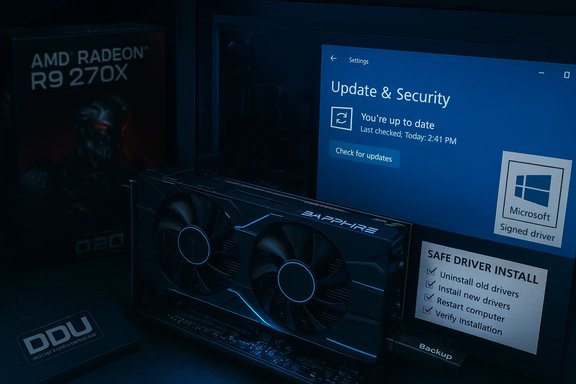 Background / Overview
The Radeon R9 270X is a Pitcairn-based (GCN 1.0 family) discrete GPU that was sold widely by partners such as Sapphire in Dual‑X, Vapor‑X, TOXIC and other variants. Typical retail SKUs for the Sapphire Dual‑X R9 270X OC ship with 4 GB GDDR5, dual‑slot coolers, and require around a 450 W PSU with two 6‑pin PCIe power connectors in many configurations. Tech spec scans show factory clocks in the 1,000–1,100 MHz range (boost variants vary by board partner), with memory clocks commonly at 5.6 Gbps effective (1400 MHz actual) on 4 GB SKUs. From a driver-support perspective, the R9 200 family (including the 270X) was transitioned into a legacy support model by AMD: the card is not on AMD’s active optimization roadmap and driver releases for it are provided under the legacy umbrella rather than the mainline Adrenalin cadence. That means the last vendor-maintained driver families that explicitly target R9 200 series cards are older Adrenalin (legacy) packages; AMD’s official legacy support documentation lists the R9 200 series in that legacy coverage. Why this matters: Windows driver stacks and Windows OS changes can break legacy installers or require manual install methods. Microsoft-signed drivers deliver * route for older cards on Windows 10 because they are signed and validated against the OS. Community experience and AMD’s own support threads repeatedly recommend trying Windows Update and OEM driver pages before attempting archived Catalyst or legacy Adrenalin installebest drivers” means for an R9 270X on Windows 10- Best for stability (recommended first): Microsoft-signed driver supplied through Windows Update. This offers the highest chance of a stable desktop, multi‑monitor support, and secure kernel signing.
- Best for feature parity with AMD tools (advanced): AMD’s legacy Adrenalin package that explicitly lists R9 200 series support (example: Adrenalin 22.6.1 legacy builds for 64‑bit Windows 10). These restore many Radeon settings and the Radeon Overlay where compatible but are legacy and may not be fully validated on later Windows 10 kernel updates.
- Best for full legacy Catalyst features (expert): Manually-installed archived Catalyst packages (Catalyst 15.x / Crimson era) — only for advanced users who confirm their card’s hardware ID is present in the package INF. This method can restore older UVD/Catalyst utilities but carries signing and compatibility risks.
Where to get drivers and why provenance matters
- AMD OfPrevious Drivers” pages — primary source for legacy Adrenalin / optional packages. Use AMD’s previous-drivers page for the R9 270X to pick the last recommended legacy Adrenalin release if needed.
- Microsoft Windows Update — often provides a signed Microsoft catalog driver suitable for basic desktop and video recommended first step because it reduces the risk of unsigned binaries or repackaged installers.
- OEM / system‑vendor downloads (Dell, HP, Lenovo, etc. — the best option for prebuilt systems and laptops because OEMs bundle platform-specific components (switchable graphics, power profiles).
- d forums — useful for historical context, but exercise extreme caution: repackaged installers sometimes contain modified INFs, unsigned kernel files, or unwanted extras. Always verify digital signatures and checksums where possible.
Recommended driver choices (concise)
- Try Windows Update (Optional driver updates) first; accept the Microsoft-signed driver if present. It is the lowest-risk route for Windows 10.
- If you need Radeon Software features (Overlay, WattMan-style controls) and Windows Update doesn’t provide them, download AMD Software: Adrenalin Edition (legacy) — look for the legacy build that explicitly lists Radeon R9 200 series / R9 270X support (example names historically: Adrenalin 22.6.1 legacy builds). AMD’s “previous drivers” page for the R9 270X helps locate these installers.
- If Adrenalin’s GUI installer fails (error 182, “device not supported”), use the *staller** link inside the driver’s release notes — many community solutions report that the optional package (which contains both legacy and non‑legacy components) often succeeds where a single legacy GUI fails. This trick is documented in AMD’s community forums and community threads.
Step-by-step: Safe installation workflow (recommended)
Follow this sequence to install or update drivers on a Windows 10 PC with a Sapphire R9 270X. Each maximizes rollback options.- Inventory and backup
- Record the GPU’s hardware ID: open Device Manager → Display adapters → right‑click your adapter → Properties → Details → Hardware Ids. Save the PCI\VEN_1002&DEV_xxxx string.
- Create a System Restore point and — for best safety — a full image backup of the system drive.te (lowest risk)
- Settings → Update & Security → Windows Update → Check for updates → View optional updates → Driver updates. If Microsoft offers a display driver, install it and reboot. Validate resolution, multi‑monitor behavior and video playback. Stop here if it works.
- Check OEM support
- For prebuilt systems check the vendor’s support page. If a Windows 10‑branded driver is published by your system vendor for that model, prefer it. OEM packages often handle firmware, hotkeys, and power management better than generic packages.
- Clean the existing driver state (essential when switching)
- Download Display Driver Uninstaller (DDU) and run it from Safe Mode to remove all traces of prior AMD/NVIDIA driver installs. Many partial‑install failures are traced to leftover files and registry entries. DDU dramatically increases the chance of a clean install.
- Use AMD’s recommended legacy Adrenalin installer
- From AMD’s R9 270X “previous drivers” page, download the legacy Adrenalin installer that lists your GPU. Prefer the 64‑bit Windows 10 legacy build if you’re on Win10 x64. For best results, right‑click → Properties → Diginfirm AMD’s signature after download.
- If the GUI installer fails, use manual/optional package
- Open the release notes on AMD’s driver download page and use the installation packages links ins (often the “optional” combined package). Community reports show this optional installer sometimes installs correctly when the main legacy package fails.
- Manual INF install (advanced)
- Extract the driver package (many AMD installers self‑extract into C:\AMD). Inspect Display.Driver*.inf with a text editor and search for your hardware ID. If the INF contains your VID/PID, in Device Manager choose Update driver → Browse my computer → Let me pick from a list → Have Disk → point to the INF and install only the Display Driver component. Do not edit INFs unless you ca
- Validate and keep a rollback plan
- After installation, confirm Device Manager shows an AMD driver (not Microsoft Basic Display Adapter), test video playback and gaming scenarios you care about, then keep the working installer on removable media in case of rollback. If Windows Update reverts your mapdates temporarily during validation.
Troubleshooting common errors and their fixes
- “Error 182 / This hardware is not supported”
- Cause: wrong package (Adrenalin legacy vs modern), or installer’s INF does not include your hardware ID.
- Fix: check the release notes and use the optional combined/legacy package; inspect the/DEV string; try manual “Have Disk” install only when the INF lists your device.
- “Catalyst / Radeon UI appears but Device Manager shows Microsoft Basic Display Adapter”
- Cause: partial install leftovers or driver conflicts.
- Fix: run DDU in Safe Mode, reboot, then reattempt the install. Always ensure DDU logs indicate successful removal before reinstalling.
- “Windows Update keeps replacing my manual driver”
- Cause: Windows Update sees a Microsoft-signed driver as the canonical driver for that device.
- Fix: pause Windows Update while validating a manual legacy install, then re-enable afterwards. Don’t permanently disable updates on production machines.
- “Installer asks repeatedly to disable driver signature enforcement”
- Cause: legacy or archived installers may be unsigned or lack modern signing metadata.
- Fix: treat signature bypass as a temporary test only on non‑critical machines. Re‑enable signature enforcement and only use this method on isolated test machines if possible.
Performance and feature expectations
The R9 270X is a midrange card from the R9 200 family and will not match modern GPUs for AAA gaming or modern codec acceleration. Expect:- Solid desktop, office productivity and older game performance at 1080p with medium settings.
- Limited or no support for modern hardware-accelerated codecs (HEVC/AV1) comparable to newer GPUs.
- Legacy UVD (video decode) support depending on driver implementation; newer features in Adrenable for older GCN1 cards.
Security and lifecycle considerations (critical)
Windows 10 reached Microsoft’s official end of support on October 14, 2025. That changes the driver ecosystem: vendors may stop explicitly listing Windows 10 in release notes, and AMD has moved many older families to legacy status. Recent coverage confirms that AMD’s driver documentation sometimes omits Windows 10 from headers while the binaries remain compatible; AMD has clarified support nuances in public statements. Nevertheless, running an unsupported OS with legacy drivers increases long‑term risk for security and compatibility. Plan for migration to a supported OS or an updated platform where security and driver updates are critical. Important security caveats:- Avoid third‑party repackagers and torrent mirrors; community archives have flagged repackaged installers that modify INFs or include unsigned kernel components. Use AMD’s site, Microsoft Update, or your OEM page.
- Installing unsigned or edited drivers undermines kernel signing protections and can open serious attack vectors. Only test unsigned installs on isolated, non‑sensitive machines.
Dealing with marketplace listings and “outlet” cards
The seller lilet Sapphire Radeon R9 270X 4GB Dual‑X Boost and OC Version PCI Express Graphics Card 11217‑04‑20G) appears to be a retail SKU description. When buying used or outlet cards:- Verify the exact board number / part number printed on the PCB or product sticker (Sapphire lists board numbers on many SKUs).
- Confirm power connectors (many 2pin connectors) and output ports (2× DVI, HDMI 1.4, DisplayPort in many variants).
- Test the card with the Microsoft-signed driver first on Windows 10, and then, if needed, apply legacy Adrenalin packages using the workflow above.
Practical examples: what to download today
- If you want a single, practical pick for Windows 10 x64: start with the Microsoft-signed driver via Windows Update and test. If you need AMD Software features, download the Adrenalin legacy build (exampllly: radeon-software‑adrenalin‑2020‑22.6.1‑win10‑win11‑64bit‑legacy) from AMD’s previous‑drivers page for the R9 270X and use the optional combined package link in its rain installer errors. Community threads and AMD’s forums document this as a working path for many R9 200 series users.
- If the installer refuses to run (error 182), inspect the package’s release notes and INF for your exact PCI VID/PID before editing anything. Manual INF esort and require DDU and a rollback plan.
Risks and unverifiable claims (flagged)
- Born2Invest link included by the user could not be validated as an authoritative driver source. Any claims on that page should be treated as unverified until the specific content is reviewed. Do not use marketplace or news aggregators as driver sources without checking AMD/OEM pages.
- Driver‑bundles sold on secondary marketplaces or “driver shops” occasionally present files that are either out of date, modified, or unsigned. Community moderation logs repeatedly show repackaged installers can include unwanted components — verify digital signatures and checksums before installing.
Final recommendations — plain and prioritized
- Windows Update first. It’s the lowest‑risk option and likely to provide a working Microsoft‑signed disday use. Validate desktop, multi‑display, and video playback. If it suffices, stop here.
- OEM driver second. If your PC manufacturer published a Windows 10 driver for that model, prefer it for prebuilt systems to preserve platform-specific features.
- AMD legacy Adrenalin if you need extra features. Use AMD’s “previous drivers” page for the R9 270X and pick the legacy Adrenalin package that lists the R9 200 series. If the main installer fails, try the optional combined package linked in the release notes. Always verify digital signatures and keep backups.
- Manual INF installs for experts only. Clean with DDU, confirm INF device lists the exact PCI VEN/DEV string, and install via Device Manager → Have Disk only if you know how to re‑enable signature enforcement and safely rollback.
- Plan an upgrade if you need modern features and security. For modern codecs, day‑one optimizations, and long‑term security on a supported OS, a hardware refresh or migration to Windows 11 (where supported) is the practical path.
The Sapphire R9 270X is still a useful card for many Windows 10 desktop tasks, and sensible driver selection and a careful installation workflow will keep it running well. Prioritize Microsoft-signed and OEM drivers for stability, use AMD’s legacy Adrenalin package only when necessary, and always back up and clean the driver state before installing. If you need help with a specific error message, the card’s hardware ID, or a copy of the exact Sapphire SKU/part number on the card, provide those details and the recommended troubleshooting sequence can be tailored to your system.
Source: Born2Invest https://born2invest.com/?b=style-232003712/
