

ReactOS has integrated
The practical verdict is straightforward: this is a kernel-direction milestone, not a compatibility breakthrough. It shows that ReactOS development is beginning to include selected NT6-era kernel behavior alongside its established NT 5.2-oriented work. Meaningful progress will require stronger evidence: named follow-on NT6 calls, a documented Vista-or-newer application advancing beyond a previously recorded failure, or a reproducible compatibility test that improves across builds.
The distinction matters because ReactOS milestones are often judged by visible outcomes alone. A new system call does not make ReactOS ready to replace Windows or establish support for a particular application. It means that one more interface exists where compatible software may expect to find it. For a project attempting to reproduce Windows behavior without Microsoft’s source code, that is a narrow implementation with potentially broader architectural significance.
ReactOS pursues a goal that sounds simple until its layers are unpacked: provide native support for Windows executable files and drivers in a free, open-source operating system. It is not merely imitating the Windows desktop or providing familiar menus. It is attempting to reproduce the interfaces and observable behavior that Windows software expects, from application libraries down through kernel services and hardware interaction.
Much of that work has focused on the Windows NT 5.2 generation associated with Windows XP and Windows Server 2003. A bounded target gives developers a more manageable compatibility baseline, but software written for later Windows generations can depend on interfaces that do not exist in that baseline.
The addition of
NTDLL occupies an important position between applications and lower-level NT operating-system services. A user-mode entry point can expose an expected function, but operations that require kernel support also need compatible behavior behind that entry point. The combination of NTDLL work and a corresponding kernel addition is therefore more informative than a library export added in isolation.
The update does not establish a complete NT6 execution environment, and ReactOS has not claimed that it unlocks a named Vista-era application. Its importance is narrower: selected NT6 behavior is now being implemented at the kernel boundary, giving future work a concrete starting point.
That narrow purpose helps explain why the update has no noticeable effect for ordinary users. It also makes the function a reasonable early implementation target. Its role can be described clearly, its inputs and outputs can be examined, and its behavior can be tested without claiming that a much larger compatibility layer is already in place.
This is the useful way to read the announcement. ReactOS developers now have an NT6-era call that can be inspected through the relevant user-mode and kernel path. Future tests can determine whether software reaches it, whether it returns the expected information, and what the software requests next.
Those observations would provide better evidence than broad labels such as “Vista support.” If a test application previously stopped because the call was absent, testers can record whether a future build advances beyond that exact point. If it then fails on another missing interface, that result identifies the next dependency rather than proving general compatibility.
The current update supplies the first data point in that process. It should not be stretched into a prediction about how quickly broader support will follow.
At the same time, “NT6 compatibility” is too broad to treat as one switch. Windows Vista, Windows 7, and Windows 8 belong to the NT6 version family, but applications from those periods do not all depend on the same operating-system features. A small utility might require only a limited set of functions, while another program may depend on components far beyond the processor-related work announced here.
A more accurate snapshot is to separate what has been confirmed from what remains unproven:
This framing avoids implying that ReactOS has moved cleanly from an NT 5.2 column into an NT6 column. The project remains rooted in its existing work while adding selected newer interfaces.
That mixed condition is likely to make application-level results uneven. Some programs may fail at the first missing function. Others may load further before encountering another unsupported dependency. The useful question is not simply whether an executable opens, but whether it advances beyond a documented failure in a way that can be reproduced.
System calls sit near the boundary where user-mode requests become kernel work. In simplified terms, software asks for an operating-system service through an expected interface, and the kernel supplies the underlying behavior. ReactOS must make enough of that path compatible for an application to proceed correctly.
The function’s name and public purpose do not, by themselves, prove that every relevant behavior has been matched. Compatibility testing must consider successful calls as well as invalid inputs and returned status information. The immediate reporting, however, does not provide detailed test results for those cases. It confirms the addition, not comprehensive validation.
That distinction is central to understanding ReactOS. The project is not a Windows-themed environment placed on top of an unrelated compatibility model. Its stated objective of supporting Windows applications and drivers requires work on the interfaces those binaries expect to encounter.
Documentation can explain what an interface is intended to do, but implementation still requires independent engineering and testing. Research Snipers emphasized the difficulty of reproducing Windows behavior without access to Microsoft’s source code. For this update, the verifiable result is a specific kernel call and related processor work in NTDLL—not a completed architectural migration.
The strongest reporting would explain which component implements each function, whether kernel support is required, and what tests accompany the change. A list of names alone would still be limited, but it would give observers a measurable development trail.
If it proceeds beyond the previous failure, that is meaningful evidence even if it encounters another problem later. It would connect kernel work to observable software behavior without suggesting that the application is fully supported.
No such application result has been demonstrated for
This kind of evidence is less dramatic than a screenshot of an application, but it is more precise. It can show whether an implementation exists, whether it behaves consistently, and whether later changes introduce regressions.
Together, these three signals would turn “NT6 work has begun” into a development record that outsiders can verify.
For the newly announced work, the relevant point is not that every layer has been completed. It is that ReactOS is working on both the user-visible route and the lower-level service needed for processor-related behavior. That provides a clearer technical direction than adding a function name with no implementation behind it.
Future reporting should establish exactly which NTDLL functions are present, how they relate to
This is also where careful test design becomes important. A function may be exported successfully while the next step in an application’s execution still fails. Testers need to distinguish among several outcomes:
A kernel interface such as
Neither form of evidence should stand alone. A successful launch does not explain which interfaces are dependable, while a merged system call does not demonstrate that a real application benefits from it. The strongest compatibility case combines both:
It would also help WindowsForum readers distinguish project direction from user readiness. The current update belongs firmly in the first category: it is evidence about where kernel development is going.
For enthusiasts and developers, the update creates a more specific testing opportunity. A lab can now watch for software that requests the new interface and determine whether execution advances after reaching it. That work is most useful when testers begin with a recorded failure rather than installing random programs and reporting only that they “work” or “do not work.”
IT professionals should treat ReactOS as an experimental compatibility platform. A controlled lab may be useful for examining legacy applications, studying Windows interface dependencies, or reproducing a project bug. Those uses do not require the platform to be ready for production, but they do require isolation and careful records.
A practical test plan can remain compact:
Isolation matters because experimental operating-system testing can involve crashes, corrupted virtual disks, incomplete drivers, and unpredictable application behavior. A disposable VM snapshot limits the consequences and lets the tester restore the same starting state for every run.
The most informative next update would name additional NT6 interfaces and publish or point to tests showing their behavior. An application result would be stronger if it documented the exact earlier failure and demonstrated that a newer build moved beyond it. A focused compatibility test would be stronger still if other contributors could reproduce it under defined conditions.
WindowsForum readers should therefore watch for specifics:
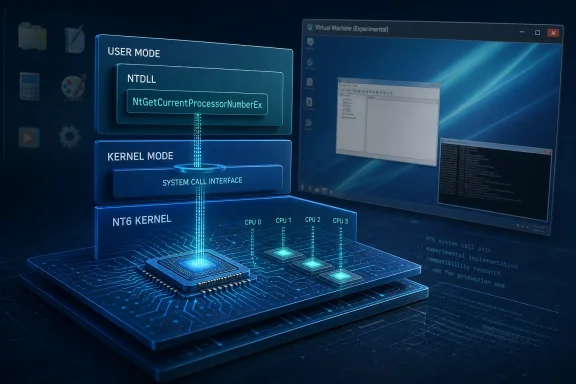
NtGetCurrentProcessorNumberEx, described in the project’s announcement on X as its first NT6 system call, into the open-source operating system’s kernel. The function identifies the logical processor on which the current thread is running, but the update has no noticeable benefit for users today.The practical verdict is straightforward: this is a kernel-direction milestone, not a compatibility breakthrough. It shows that ReactOS development is beginning to include selected NT6-era kernel behavior alongside its established NT 5.2-oriented work. Meaningful progress will require stronger evidence: named follow-on NT6 calls, a documented Vista-or-newer application advancing beyond a previously recorded failure, or a reproducible compatibility test that improves across builds.
The distinction matters because ReactOS milestones are often judged by visible outcomes alone. A new system call does not make ReactOS ready to replace Windows or establish support for a particular application. It means that one more interface exists where compatible software may expect to find it. For a project attempting to reproduce Windows behavior without Microsoft’s source code, that is a narrow implementation with potentially broader architectural significance.
 ReactOS Has Put Its First NT6 System Call in the Kernel
ReactOS pursues a goal that sounds simple until its layers are unpacked: provide native support for Windows executable files and drivers in a free, open-source operating system. It is not merely imitating the Windows desktop or providing familiar menus. It is attempting to reproduce the interfaces and observable behavior that Windows software expects, from application libraries down through kernel services and hardware interaction.Much of that work has focused on the Windows NT 5.2 generation associated with Windows XP and Windows Server 2003. A bounded target gives developers a more manageable compatibility baseline, but software written for later Windows generations can depend on interfaces that do not exist in that baseline.
The addition of
NtGetCurrentProcessorNumberEx changes the project’s kernel surface in a small, specific way. Research Snipers, reporting on the ReactOS announcement, identified it as the first NT6 system call integrated into the ReactOS kernel. The announcement also referred to additional NT6 processor functionality in NTDLL.NTDLL occupies an important position between applications and lower-level NT operating-system services. A user-mode entry point can expose an expected function, but operations that require kernel support also need compatible behavior behind that entry point. The combination of NTDLL work and a corresponding kernel addition is therefore more informative than a library export added in isolation.
The update does not establish a complete NT6 execution environment, and ReactOS has not claimed that it unlocks a named Vista-era application. Its importance is narrower: selected NT6 behavior is now being implemented at the kernel boundary, giving future work a concrete starting point.
The Least Exciting Function Is a Sensible Place to Start
NtGetCurrentProcessorNumberEx is not the kind of feature that sells an operating system. It does not change the desktop, add an application, improve graphics, or visibly expand hardware support. Its purpose is to report the logical processor associated with the current execution context.That narrow purpose helps explain why the update has no noticeable effect for ordinary users. It also makes the function a reasonable early implementation target. Its role can be described clearly, its inputs and outputs can be examined, and its behavior can be tested without claiming that a much larger compatibility layer is already in place.
This is the useful way to read the announcement. ReactOS developers now have an NT6-era call that can be inspected through the relevant user-mode and kernel path. Future tests can determine whether software reaches it, whether it returns the expected information, and what the software requests next.
Those observations would provide better evidence than broad labels such as “Vista support.” If a test application previously stopped because the call was absent, testers can record whether a future build advances beyond that exact point. If it then fails on another missing interface, that result identifies the next dependency rather than proving general compatibility.
The current update supplies the first data point in that process. It should not be stretched into a prediction about how quickly broader support will follow.
NT 5.2 Is the Established Target; NT6 Work Is Emerging
The difference between NT 5.2 and NT6 is not merely cosmetic. Software written for later Windows versions may check for newer functions or rely on behavior absent from the older target. ReactOS can therefore improve compatibility with its established generation while still encountering a hard boundary when an application expects a later interface.At the same time, “NT6 compatibility” is too broad to treat as one switch. Windows Vista, Windows 7, and Windows 8 belong to the NT6 version family, but applications from those periods do not all depend on the same operating-system features. A small utility might require only a limited set of functions, while another program may depend on components far beyond the processor-related work announced here.
A more accurate snapshot is to separate what has been confirmed from what remains unproven:
| Confirmed now | Not demonstrated |
|---|---|
NtGetCurrentProcessorNumberEx has been integrated into the ReactOS kernel. | General compatibility with Windows Vista or later software. |
| ReactOS described it as the project’s first NT6 system call. | Support for any specific application because of this call. |
| Additional NT6 processor functionality is present in NTDLL, according to the announcement. | A complete NT6 subsystem spanning the interfaces applications may require. |
| The current implementation has no noticeable user-facing effect. | Production readiness or suitability as a replacement for a supported Windows installation. |
| The update provides a concrete interface for future testing. | A schedule for additional NT6 calls or broader application support. |
That mixed condition is likely to make application-level results uneven. Some programs may fail at the first missing function. Others may load further before encountering another unsupported dependency. The useful question is not simply whether an executable opens, but whether it advances beyond a documented failure in a way that can be reproduced.
System Calls Expose the Difference Between Looking Like Windows and Behaving Like It
A desktop can reproduce familiar icons, menus, and window decorations without reproducing the operating-system contracts expected by Windows programs. Binary compatibility is less forgiving. If a required function is missing—or behaves differently from what a program expects—the visual similarity of the desktop does not help.System calls sit near the boundary where user-mode requests become kernel work. In simplified terms, software asks for an operating-system service through an expected interface, and the kernel supplies the underlying behavior. ReactOS must make enough of that path compatible for an application to proceed correctly.
NtGetCurrentProcessorNumberEx illustrates the challenge in a contained form. ReactOS must expose the expected route to the call, return processor information in the expected structure, and provide behavior that can be compared with the Windows interface. The implementation can then be exercised under controlled conditions to identify discrepancies.The function’s name and public purpose do not, by themselves, prove that every relevant behavior has been matched. Compatibility testing must consider successful calls as well as invalid inputs and returned status information. The immediate reporting, however, does not provide detailed test results for those cases. It confirms the addition, not comprehensive validation.
That distinction is central to understanding ReactOS. The project is not a Windows-themed environment placed on top of an unrelated compatibility model. Its stated objective of supporting Windows applications and drivers requires work on the interfaces those binaries expect to encounter.
Documentation can explain what an interface is intended to do, but implementation still requires independent engineering and testing. Research Snipers emphasized the difficulty of reproducing Windows behavior without access to Microsoft’s source code. For this update, the verifiable result is a specific kernel call and related processor work in NTDLL—not a completed architectural migration.
What Would Count as Meaningful Progress Next?
The next milestone should be judged by evidence, not by the number of headlines attached to the phrase “NT6.” Three forms of evidence would make the project’s direction easier to evaluate.1. Named follow-on NT6 calls
A future announcement should identify the additional system calls or related interfaces being implemented. Naming them would allow developers to examine how the work fits together and whether ReactOS is building a coherent processor-related set of functions rather than adding isolated exports.The strongest reporting would explain which component implements each function, whether kernel support is required, and what tests accompany the change. A list of names alone would still be limited, but it would give observers a measurable development trail.
2. A documented application advancing past a prior failure
A useful compatibility result would begin with a known baseline: a particular Vista-or-newer application fails on a specified ReactOS build, at a recorded stage, with a captured error or trace. After an implementation change, the same application would be tested again under the same conditions.If it proceeds beyond the previous failure, that is meaningful evidence even if it encounters another problem later. It would connect kernel work to observable software behavior without suggesting that the application is fully supported.
No such application result has been demonstrated for
NtGetCurrentProcessorNumberEx in the information accompanying this update. Testers should not assume that the call enables any particular program.3. A reproducible compatibility test
A focused test program could call the relevant interface, record its output and status, and compare behavior across ReactOS builds. Ideally, the test procedure would identify the environment, architecture, build, expected result, actual result, and steps needed to reproduce it.This kind of evidence is less dramatic than a screenshot of an application, but it is more precise. It can show whether an implementation exists, whether it behaves consistently, and whether later changes introduce regressions.
Together, these three signals would turn “NT6 work has begun” into a development record that outsiders can verify.
NTDLL Work Connects the User-Mode and Kernel Sides
The announcement’s reference to NT6 processor functions in NTDLL adds context to the kernel change. Applications normally reach operating-system services through layers, and NTDLL is one of the key user-mode components in that path on NT-family systems.For the newly announced work, the relevant point is not that every layer has been completed. It is that ReactOS is working on both the user-visible route and the lower-level service needed for processor-related behavior. That provides a clearer technical direction than adding a function name with no implementation behind it.
Future reporting should establish exactly which NTDLL functions are present, how they relate to
NtGetCurrentProcessorNumberEx, and whether automated tests cover the connection. The current announcement, as summarized in the available reporting, does not supply enough detail to declare the whole processor-related path complete.This is also where careful test design becomes important. A function may be exported successfully while the next step in an application’s execution still fails. Testers need to distinguish among several outcomes:
- The application cannot locate the expected function.
- The function is found but returns an error.
- The function succeeds, after which the application encounters a different missing dependency.
- The application proceeds and remains stable through a repeatable task.
Visible Application Demos and Kernel Work Measure Different Things
ReactOS demonstrations involving recognizable Windows software provide visible proof that multiple components can cooperate well enough to run a workload. They are easy to understand because observers can see an application launch and respond.A kernel interface such as
NtGetCurrentProcessorNumberEx represents a different kind of result. It may not produce a screenshot worth sharing, but it can remove one precisely identified obstacle from an application’s execution path.Neither form of evidence should stand alone. A successful launch does not explain which interfaces are dependable, while a merged system call does not demonstrate that a real application benefits from it. The strongest compatibility case combines both:
- A technical test confirms the interface’s behavior.
- An application test shows that software reaches and uses it.
- Repeated runs show that the result is reproducible.
- Any remaining failure is documented rather than hidden behind a launch screenshot.
It would also help WindowsForum readers distinguish project direction from user readiness. The current update belongs firmly in the first category: it is evidence about where kernel development is going.
What to do now
- Ordinary users should not migrate to ReactOS because of this update. It does not provide a demonstrated compatibility or reliability improvement for everyday use.
- Enthusiasts should test only in an isolated virtual machine or dedicated lab image. Do not use a production PC, primary installation, or irreplaceable data.
- Select one Vista-or-newer application that currently fails. Do not assume
NtGetCurrentProcessorNumberExwill unlock it.- Record the baseline before testing future builds. Note the ReactOS build, VM configuration, application version, launch behavior, error messages, and the last repeatable action before failure.
- Repeat the same procedure after relevant updates. A changed result is useful only when the original conditions are documented closely enough for comparison.
- Report reproducible findings to ReactOS. Include exact steps, logs or error details when available, and whether the result occurs consistently.
This Is a Lab Milestone, Not a Migration Trigger
For ordinary Windows users, the announcement changes nothing actionable. ReactOS has not identified a supported catalog of newly working Vista-era applications, and the new call has no stated user-facing effect.For enthusiasts and developers, the update creates a more specific testing opportunity. A lab can now watch for software that requests the new interface and determine whether execution advances after reaching it. That work is most useful when testers begin with a recorded failure rather than installing random programs and reporting only that they “work” or “do not work.”
IT professionals should treat ReactOS as an experimental compatibility platform. A controlled lab may be useful for examining legacy applications, studying Windows interface dependencies, or reproducing a project bug. Those uses do not require the platform to be ready for production, but they do require isolation and careful records.
A practical test plan can remain compact:
- Create a disposable virtual machine and preserve a clean snapshot.
- Record the ReactOS build and virtual hardware configuration.
- Install one selected application and capture its current failure.
- Save error messages, logs, screenshots, and exact reproduction steps.
- Retest only after a relevant ReactOS change.
- Compare the new result with the baseline.
- Submit a report when the difference is consistent and reproducible.
Isolation matters because experimental operating-system testing can involve crashes, corrupted virtual disks, incomplete drivers, and unpredictable application behavior. A disposable VM snapshot limits the consequences and lets the tester restore the same starting state for every run.
The Next Announcement Needs Measurable Evidence
The addition ofNtGetCurrentProcessorNumberEx gives ReactOS a clear marker: its first announced NT6 system call is now in the kernel, with related processor functionality also reported in NTDLL. That is enough to establish a direction, but not enough to measure the distance traveled.The most informative next update would name additional NT6 interfaces and publish or point to tests showing their behavior. An application result would be stronger if it documented the exact earlier failure and demonstrated that a newer build moved beyond it. A focused compatibility test would be stronger still if other contributors could reproduce it under defined conditions.
WindowsForum readers should therefore watch for specifics:
- Which NT6 call is implemented next?
- Is it connected to the required user-mode path?
- Is there a test that exercises it directly?
- Does a named application advance beyond a documented failure?
- Can another tester reproduce the result on the same build?
References
- Primary source: Research Snipers
Published: 2026-07-10T06:36:08.024834
Windows alternative: The ReactOS system integrates NT6 functionality – Research Snipers
The open source operating system ReactOS has reached a new milestone. With the implementation of...researchsnipers.com - Related coverage: neowin.net
ReactOS marks big milestone with its first NT6 era system call... that does nothing, yet - Neowin
ReactOS has just marked a big milestone. It now has its very first NT6 system call. It doesn't do anything yet, but it's a symbolic start to Vista compatibility. www.neowin.net
- Related coverage: windowsforum.com
ReactOS Adds First NT6 Syscall NtGetCurrentProcessorNumberEx (Vista-Compatible Step) | Windows Forum
On July 1, 2026, ReactOS merged a kernel and NTDLL change implementing NtGetCurrentProcessorNumberEx, giving the open-source Windows-compatible operating...windowsforum.com - Related coverage: doxygen.reactos.org
- Related coverage: ad-hoc-news.de
ReactOS: Erstes NT6-System nach 30 Jahren Windows-XP-Phase
ReactOS integriert ersten NT6-Systemaufruf und asynchrone TCP-Unterstützung. Das Open-Source-Projekt erweitert seine Kompatibilität über Windows XP hinaus.www.ad-hoc-news.de - Related coverage: pcnews.ru
ReactOS получил первый syscall из Windows NT6 - PCNEWS.RU
Все компьютерные новости на PCNews.ru. Вся новая информация, о компьютерах и информационных технологиях. Синдикация новостей, статей, пресс-релизов со всех сайтов компьютерной (ИТ или IT) тематики.pcnews.ru
- Related coverage: reactos.org
Newsletter 84 | ReactOS Project
ReactOS is a free, opensource reimplementation of windowsreactos.org
- Related coverage: download.reactos.org
- Related coverage: svn.reactos.org
- Official source: learn.microsoft.com
GetCurrentProcessorNumberEx function (processthreadsapi.h) - Win32 apps | Microsoft Learn
Retrieves the processor group and number of the logical processor in which the calling thread is running.learn.microsoft.com
