

Epic Games’ RealityScan 2.1 continues the steady, professional-grade expansion of what was once RealityCapture, pushing the desktop photogrammetry tool further into hybrid LiDAR + photogrammetry pipelines, automated server-side processing, and production-ready export options — while also delivering a handful of smaller but meaningful quality-of-life improvements for indie artists and small studios. The update is notable for two parallel trajectories: deeper support for LiDAR-augmented scanning and SLAM workflows aimed at larger studios and surveying teams, and incremental editor and export refinements that make everyday object- and prop-level photogrammetry less fiddly for smaller projects.
RealityScan 2.1 is a point-release refinement focused on operational workflows and automation. The headline additions are:
RealityScan 2.1 consolidates RealityScan’s transition from a desktop photogrammetry workbench into a scalable, hybrid-capable building block for modern capture pipelines. For studios that prioritize throughput and hybrid sensor fusion, the new SLAM/LiDAR support and REST/gRPC automation are the key takeaways. For artists and smaller teams, the iterative improvements to UV workflows, camera rendering and exports reduce friction and make pro-grade capture workflows more accessible than before — provided hardware and licensing considerations are respected. Conclusion: RealityScan 2.1 is evolutionary rather than revolutionary, but it focuses squarely on the practical pain points that separate a one-off scan from a repeatable, production-ready capture pipeline. Studios planning to scale photogrammetry workflows should evaluate the Remote Command API and CLI worker model now; indies should test the new unwrap and render features to accelerate asset turnaround — and everyone should verify GPU/driver compatibility and the current EULA/privacy terms before deploying at scale.
Source: CG Channel Epic Games releases RealityScan 2.1 | CG Channel
 Overview
RealityScan 2.1 is a point-release refinement focused on operational workflows and automation. The headline additions are:- SLAM and LiDAR-classified point-cloud imports, enabling hybrid workflows that merge handheld or vehicle-based SLAM paths and point clouds with traditional photogrammetry imagery.
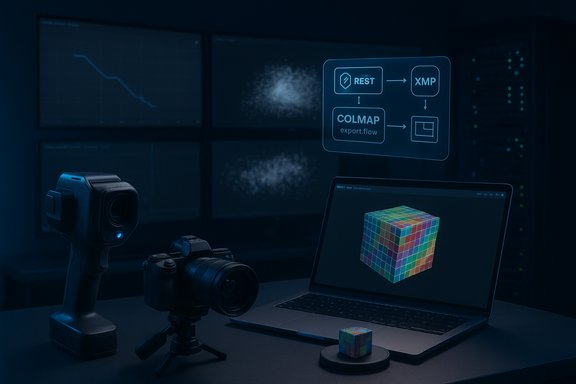
- Server-friendly automation and remote control, including new CLI commands, a Remote Command plugin exposing REST and gRPC APIs, and a Linux-targeted command-line build that runs in a bundled Wine environment. These enable queuing, offloading and farm-style distributed processing.
- Improved export and render options, such as OpenCV registration exports, XMP outputs for undistorted and original images, COLMAP import/export improvements, and camera-position renders (with matching distortion or undistorted) plus normal-map rendering in camera or world space.
- Editor refinements, notably a colored checker for UV-unwrapping distortion visualization, improved default unwrap heuristics, and several bug and stability fixes targeting large projects and texturing.
Background: RealityScan’s lineage and positioning
From RealityCapture to RealityScan
RealityScan began its life as RealityCapture, a high-performance photogrammetry engine originally developed by Capturing Reality and first released in 2016. Epic Games acquired Capturing Reality in 2021 and progressively integrated and rebranded the desktop product as RealityScan, aligning it with the free RealityScan mobile app while keeping the desktop product’s full, pro-level feature set intact. The rebrand and Epic’s pricing changes also moved the product to a subscription / free‑for‑indie model: the desktop software is free for studios and individuals with under $1M USD gross annual revenue, while commercial seats above that threshold are offered on an annual subscription.Where RealityScan sits in pipelines
RealityScan targets a broad set of use cases:- Games and VFX: asset capture for props, characters and environment blocks.
- Aerial survey and urban planning: hybrid photogrammetry + LiDAR workflows for terrains, orthophotos and city-scale modeling.
- Visualization and architecture: high‑fidelity textured meshes and orthophotos for CAD/visualization ingestion.
RealityScan 2.1 — What’s new and why it matters
1) SLAM imports and LiDAR classification — hybrid scanning workflows
RealityScan 2.1 expands the software’s ability to accept SLAM (Simultaneous Localization and Mapping) data: trajectories, images and point clouds from handheld and vehicle-mounted SLAM scanners can now be imported and merged with traditional image-based photogrammetry or other laser scans. The import can generate virtual cameras from SLAM pose priors, enabling fusion of trajectory data and imagery into a single reconstruction. This matters because mobile SLAM systems (handheld devices, backpack rigs and robot-mounted scanners) are widely used for scanning interiors, dense urban understoreys, or environments where drone flight is impractical. RealityScan 2.1 also supports importing ASPRS classification classes from LAS/LAZ point-clouds and exposes class visibility controls and class-aware meshing. That makes it feasible to automatically remove or exclude unwanted classes such as cars, vegetation, or temporary objects during meshing — a big productivity win for city-scale and survey teams that previously had to either filter point clouds externally or manually clean meshes. Why it matters in practice:- Hybrid SLAM + photogrammetry reduces drift and provides denser geometric priors for scenes lacking photographic coverage.
- Class-aware meshing lets teams reduce noise and focus compute/time on the geometry they care about (buildings, roads), improving both output quality and processing efficiency.
2) Automation, server farms, and the Remote Command plugin
One of RealityScan 2.1’s biggest production-focused advances is automation. The release adds new CLI commands (such as importColmap and importBundler), improved CLI export options, and — crucially — a Remote Command plugin that exposes RealityScan over REST and gRPC APIs. Combined with the new command-line build for Linux servers (running in a bundled Wine environment), studios can now:- Queue and distribute reconstruction jobs to different machines.
- Build headless, automated pipelines that integrate with render/processing farms and CI-style job dispatchers.
- Use REST/gRPC to orchestrate tasks from central asset management or pipeline tools.
3) Export and render improvements — better interoperability and verification
RealityScan 2.1 tightens the export story in several ways:- OpenCV registration export and improved COLMAP import/export paths (including better handling of distorted vs undistorted images), making it easier to interoperate with existing photogrammetry toolchains and custom pipelines.
- XMP exports for both undistorted and original distorted images, which helps downstream tools retain camera metadata and lens profiles.
- New options to render model views from the original camera positions — either matching the source images’ distortion or in undistorted space — plus the ability to render surface normals in camera or world space. This is a useful verification feature (rendering outputs for quality checks, dataset creation for neural rendering/radiance-field training, or generating supervision images for ML pipelines).
4) UV unwrapping and texture workflow refinements
The UV unwrapping toolset receives practical UX upgrades: a colorful checkerboard view to visualize UV distortion, higher defaults for large-triangle removal, and texture defragmentation charts enabled by default. These are small but important: better UV previews and sane defaults mean fewer wasted texture bakes and less manual cleanup for single-asset scans used directly in engines.Technical specifications and verified system requirements
RealityScan remains a CUDA-accelerated application: production use relies on an NVIDIA GPU with CUDA compute capability support. Verified documentation and distributor pages indicate:- Windows compatibility: versions from Windows 8+ and Windows Server 2008+ for desktop builds.
- GPU: NVIDIA GPU with CUDA 3.0 (or higher) capability, with Toolfarm and Epic-era documentation recommending CUDA Toolkit 10.2 and a modern driver baseline (driver 441.22 referenced in distributor system specs). For practical performance, Epic and resellers recommend multi-core CPUs, 16+ GB RAM and GPUs with larger VRAM for big models.
- Linux: RealityScan 2.1 ships a command-line build for Linux servers that runs in a bundled Wine environment; Epic’s docs position this as a headless/CLI tool for automation rather than a Linux desktop app.
- RealityScan (desktop) is free for individuals, students and entities with under $1M USD in gross annual revenue. Larger organizations need to purchase $1,250 per seat per year subscriptions (pricing region/ tax subject). This pricing and license model was introduced with the switch away from the older PPI and perpetual license options.
Practical adoption guidance: workflows and pipeline integration
For small teams and indie artists
RealityScan 2.1’s editor refinements — undistorted camera renders, UV checker, AI-assisted masking (from earlier 2.0 releases) — make it more efficient for prop and asset capture. Recommended small-team workflow:- Capture a well-lit, evenly sampled photographic dataset (use the mobile RealityScan app or DSLR tether).
- Use the built-in AI masking to remove background clutter (where applicable) to reduce alignment failure modes.
- Run alignment and use the new Render camera snapshots to visually confirm camera-to-model alignment and identify holes.
- Use the UV checker to fix high-distortion islands and re-bake textures.
For studios and large-volume capture teams
RealityScan 2.1’s automation and SLAM/LiDAR features are aimed squarely at larger operations:- Use the REST / gRPC Remote Command plugin to queue jobs from asset management tools or a 3D capture-portal UI. This enables staging, validation, and reprocessing without a human at each workstation.
- For city-scale or multi-platform capture (drone + mobile SLAM + tripod photogrammetry), import LAS/LAZ with ASPRS classes, prune unwanted classes before meshing, and generate virtual cameras from LiDAR priors to give photogrammetry a better initial estimate.
- Deploy Linux CLI nodes where possible for headless, volume processing — but validate the OS/distro and Wine stack in a staging environment before production. The bundled-Wine approach simplifies dependencies but adds another layer to debug if problems occur.
- Validate GPU driver and CUDA toolkit versions on all worker nodes (Toolfarm/Epic recommend a modern CUDA driver baseline).
- Build robust retry and job-logging around the REST/gRPC calls (job failure modes in photogrammetry often come from out-of-memory or corrupt inputs).
- Keep a short feedback loop between capture teams and post-processing: the new Flight Log / Trajectory importer is flexible but needs consistent metadata (camera intrinsics, frame timestamps) to generate good virtual cameras.
Strengths — what RealityScan 2.1 gets very right
- Practical hybrid support: SLAM and ASPRS-class imports move RealityScan into usable territory for modern mixed-capture projects where no single sensor covers every need. This is a major advantage for surveying, heritage capture and game environment work.
- Pipeline automation: the Remote Command plugin + Linux CLI unlocks scalable, server-driven processing, letting studios treat RealityScan as an orchestrated service rather than a single-seat app. That dramatically improves throughput for high-volume capture efforts.
- Export fidelity and interoperability: OpenCV and XMP exports, better COLMAP handling, and camera-position render outputs make RealityScan easier to glue into bespoke toolchains — a practical win for studios using academic or open-source tools alongside commercial products.
- Better small-scale ergonomics: UV checker, improved defaults, and camera-space normals rendering simplify day-to-day asset creation for indie artists and smaller teams.
Risks, limitations, and caveats
- GPU dependency and memory limits: RealityScan’s texturing and meshing are GPU/CUDA-accelerated. Projects with very large textures and dense geometry can hit GPU memory limits, causing crashes or out‑of‑memory texturing failures. These are known failure modes and appear repeatedly in release notes. Plan for high‑VRAM GPUs for production work.
- Linux compatibility ambiguity: while Epic provides a Linux CLI build with a bundled Wine environment, distro-specific claims (for example Ubuntu 24.04 or Fedora 39) are not clearly documented in the primary release notes at the time of the 2.1 announcement; studios should verify by testing. Relying on an undocumented distro compatibility can introduce latency and unexpected runtime issues.
- Automation complexity and error handling: exposing RealityScan via REST/gRPC unlocks powerful automation but also introduces new failure vectors: network issues, authentication, job state management and error recovery must be addressed in integrations. Implement robust logging, idempotent job submission and fallback strategies.
- Data governance and training‑data clauses: multiple reports indicate that the RealityScan mobile app’s EULA grants Epic rights to use scan data for product and service training by default, with an opt‑out available in app settings. This is important for studios and creators who capture third‑party or sensitive environments — always check the current EULA and in-app privacy settings before uploading production assets to cloud-based processing. Legal teams should review licensing and data-use terms prior to large-scale usage.
Recommendations for WindowsForum readers and pipeline engineers
- If you are an indie artist or a small studio under the $1M threshold, download and test RealityScan on a workstation with a supported NVIDIA GPU. The free tier offers access to pro-level tools that were previously behind expensive licensing. Confirm your GPU meets the CUDA capability requirements before committing to large projects.
- For studios planning to scale: pilot the Remote Command workflow in a staging environment. Build job queues and retry logic, and instrument observability (job logs, resource telemetry). Run headless Linux CLI workers on test hardware early — validate Wine and driver behavior under realistic loads before rolling out.
- For mixed-sensor capture ops (drone + handheld + terrestrial lidar): leverage the new SLAM and LAS/LAZ class features to prune irrelevant geometry early. This will save meshing time and reduce manual cleanup in downstream DCC tools.
- Review licensing and privacy terms carefully if you process third-party content or data that may be privacy-sensitive. Confirm whether you’ll use local-only workflows or cloud processing, and set opt‑out preferences where applicable. When in doubt, keep original imagery and final assets under internal control and avoid uploading sensitive raw captures to cloud services unless you have explicit rights and clarity on usage clauses.
Final analysis — who benefits most from RealityScan 2.1?
RealityScan 2.1 is a pragmatic, production-minded update. It benefits three distinct groups:- Large studios and geospatial teams that need hybrid SLAM/LiDAR workflows and want to stitch RealityScan into automated server farms. These groups gain the most from the Remote Command plugin, OpenCV exports and class-aware meshing.
- Pipeline engineers and integrators who need robust CLI automation and reliable export formats. The improved COLMAP/OpenCV paths and CLI additions make it easier to maintain reproducible, version-controlled processing flows.
- Indies, artists, and small studios on the free tier who want pro-level photogrammetry without the old cost barrier. UV/refinement ergonomics and AI masking reduce hands-on cleanup time and lower the barrier to delivering game-ready assets.
RealityScan 2.1 consolidates RealityScan’s transition from a desktop photogrammetry workbench into a scalable, hybrid-capable building block for modern capture pipelines. For studios that prioritize throughput and hybrid sensor fusion, the new SLAM/LiDAR support and REST/gRPC automation are the key takeaways. For artists and smaller teams, the iterative improvements to UV workflows, camera rendering and exports reduce friction and make pro-grade capture workflows more accessible than before — provided hardware and licensing considerations are respected. Conclusion: RealityScan 2.1 is evolutionary rather than revolutionary, but it focuses squarely on the practical pain points that separate a one-off scan from a repeatable, production-ready capture pipeline. Studios planning to scale photogrammetry workflows should evaluate the Remote Command API and CLI worker model now; indies should test the new unwrap and render features to accelerate asset turnaround — and everyone should verify GPU/driver compatibility and the current EULA/privacy terms before deploying at scale.
Source: CG Channel Epic Games releases RealityScan 2.1 | CG Channel
