

PC Gamer’s June 2026 experiment with Red Star OS 3.5, a fan-modified version of North Korea’s Fedora-based Red Star OS 3.0, ended with a barely usable virtual machine, failed modernization scripts, broken gaming attempts, and a reminder that not every Linux curiosity is a Windows alternative. The joke lands because the premise is absurd; the lesson matters because the failure is revealing. Red Star is not merely an old Linux distribution with a strange skin. It is a desktop built for a different network, a different threat model, and a different idea of what a computer is for.
Red Star OS has always occupied a strange corner of operating-system lore. To Western hobbyists, it is a curiosity: a North Korean Linux distribution that looks suspiciously like old macOS, ships with renamed applications, and carries the thrill of digital contraband. To North Korea, at least in official conception, it is something more serious: a national computing platform meant to reduce dependence on foreign software and enforce state priorities at the machine level.
That distinction matters because Red Star is not “bad Linux” in the ordinary distro-hopping sense. It is not a failed attempt to be Ubuntu, Fedora, or openSUSE. It is a reminder that an operating system is policy with a file manager attached.
The version at the center of PC Gamer’s experiment, Red Star OS 3.0, is ancient by desktop standards. It descends from the Fedora era of the early 2010s and uses a 2.6-series Linux kernel in its stock form. In 2026, that is not retrocomputing; it is archaeology with a login screen.
The fan-modified Red Star OS 3.5 tries to bridge that gap by stripping out surveillance components, enabling root access more easily, translating much of the interface into English, and promising a newer 64-bit kernel and modernized libraries. In theory, that turns a sealed national desktop into something closer to a hobbyist Linux project. In practice, as PC Gamer discovered, theory is the easy part.
The mod’s first-stage work appears to solve the most immediate problem: trust. Red Star OS 3.0 is famous for surveillance-oriented behavior, particularly its reported watermarking of media files so that documents, images, audio, and video can be traced across machines. For an operating system designed inside a state that tightly controls media circulation, that feature is not a bug. It is the point.
Removing or neutralizing those mechanisms is what makes Red Star OS 3.5 more than a language pack. It is an attempt to transform a controlled computing environment into a sandboxable object of study. The mod makes the OS less radioactive for hobbyists who want to explore it without volunteering their files for a geopolitical science project.
But that first step does not solve the deeper problem. Red Star is not merely old; it is institutionally old. Its browser, package manager, system assumptions, network configuration, and desktop environment all belong to a world that modern Linux has spent more than a decade leaving behind.
That is where the second-stage modification becomes critical. The promise of a newer 64-bit kernel and updated libraries is the difference between a museum exhibit and a system that might plausibly run contemporary software. Unfortunately, PC Gamer’s account suggests that this is exactly where the upgrade path becomes brittle, slow, and failure-prone.
That is the sort of failure Linux veterans recognize immediately. Old graphical stacks, old drivers, old assumptions about display adapters, and old init-era behavior can make virtualization feel less like emulation and more like negotiation. Modern Linux guests usually paper over this with mature drivers, wide hypervisor support, and years of bug reports. Red Star OS 3.0 does not have that luxury.
This is also why “Linux is Linux” is such a misleading phrase. The kernel matters, but the userland matters just as much. The display server, toolchain, package repositories, browser engine, init system, certificate store, filesystem layout, and graphics stack all determine whether a system feels usable or cursed.
PC Gamer’s author did the right kind of wrong thing: tried the obvious workaround, dropped into a TTY, attempted to bypass the graphical login problem, and used
For WindowsForum readers, the important point is not that VirtualBox “won” and QEMU “lost.” It is that compatibility is not an abstract property. Operating systems are ecosystems of expectations, and Red Star’s expectations were narrow from the start.
The web has become a brutal compatibility test. TLS versions, certificate chains, JavaScript engines, media codecs, browser security models, font rendering, GPU acceleration, and content-security policies all evolve constantly. A browser frozen in the early 2010s is not just missing convenience features. It is missing the assumptions required to participate.
This is where the Red Star experiment stops being merely comic and starts looking like a case study in software entropy. An operating system can still boot. It can still draw windows. It can still open a file manager, launch a chess game, and present the comforting illusion of a desktop. But if it cannot authenticate with modern services, install current software, or render contemporary sites, it is no longer a general-purpose computer in the way most users understand the term.
Windows users have seen a version of this story before. Old Windows XP and Windows 7 machines can still feel “fast” on familiar hardware. They can still run legacy applications beautifully. But attach them to the modern internet and the mismatch becomes obvious fast: unsupported browsers, expired roots, missing protocol support, unpatched vulnerabilities, and software vendors that have simply stopped caring.
Red Star’s isolation intensifies that effect. It was built with North Korea’s Kwangmyong intranet in mind, not the messy, certificate-rotating, CDN-heavy global internet. The result is a desktop that becomes less useful the moment it is asked to leave home.
Modern Linux gaming works because an enormous amount of infrastructure now exists beneath the surface. Steam, Proton, Wine, DXVK, VKD3D, Mesa, kernel scheduler work, GPU driver improvements, containerized runtimes, Flatpak, and distro packaging all contribute to the illusion that a Windows game can simply run on Linux. That illusion is real enough to reshape buying decisions, but it is not magic.
Red Star OS 3.0 has almost none of that modern scaffolding. Its Fedora-era base predates the current Linux gaming renaissance. Its package repositories are limited. Its browser is obsolete. Its toolchain is old. Its libraries are mismatched with modern expectations. Even compiling an old game becomes an expedition.
That is why the failed attempt to build Tux Racer is more than a punchline. If a lightweight, historically Linux-friendly game cannot be coaxed into shape without wrestling Makefiles and libraries, the dream of running modern Windows titles is not merely distant. It belongs to another universe.
The irony is that Linux itself has never been more credible as a Windows gaming alternative. Valve’s investment in Proton and the Steam Deck ecosystem has made Linux gaming feel less like ideological commitment and more like a practical option. But Red Star shows how misleading it is to talk about “Linux” as a single thing. Kernel lineage does not grant you a modern gaming platform.
A real Windows competitor has to attack that whole system. ChromeOS did it by changing the application model. macOS does it by controlling the hardware-software stack. Modern desktop Linux does it unevenly but increasingly well, especially for developers, privacy-minded users, and gamers willing to live inside Steam’s compatibility bubble.
Red Star does not attack Windows on those terms. It was never trying to win over a Windows power user in Ohio, a help desk in Manchester, or a sysadmin managing BitLocker and Intune policies across 4,000 laptops. Its job was to serve a state-controlled computing model inside a constrained national network.
That makes the “not a Windows killer” gag accurate but incomplete. Of course Red Star is not a Windows killer. It is not even playing the same sport. It is closer to a sovereign appliance operating system: a Linux-derived environment shaped around control, traceability, and ideological independence from Western software supply chains.
The fan mod changes the audience but not the origin story. It may make Red Star more accessible to hobbyists, but it cannot easily turn a state desktop from 2012 into a credible general-purpose OS for 2026. That would require rebuilding so much of the stack that the result would eventually stop being Red Star in any meaningful sense.
But the security lesson is broader. Red Star embodies a model of computing in which the user is not presumed to be the owner of the machine. Root access, file modification, media handling, and system integrity are all politically loaded. The operating system is not merely protecting the user from threats; it is protecting the regime’s information boundaries from the user.
That inversion is worth sitting with because mainstream platforms are not immune to softer versions of the same tension. Windows, macOS, iOS, Android, and ChromeOS all mediate the relationship between user, vendor, administrator, and state. Secure Boot, enterprise device management, application control, telemetry, cloud identity, and endpoint detection can be protective, invasive, or both depending on who holds the keys.
Red Star is extreme because the political context is extreme. Yet it makes visible a question every platform asks quietly: who is the computer ultimately accountable to?
For enterprise IT, that question is not philosophical. Administrators want devices that resist tampering, enforce policy, identify suspicious behavior, and keep users from exfiltrating data. Users want machines that do not treat them as adversaries. Security teams live in the uncomfortable middle, and every operating system encodes a compromise.
Red Star’s compromise is not one most WindowsForum readers would accept. But it clarifies the stakes in a way sanitized vendor language often does not.
An old distribution may be less demanding in raw memory and CPU terms, but it also carries old bugs, old drivers, old crypto, old browsers, old package metadata, and old assumptions about hardware. It may not understand modern Wi-Fi chipsets, GPUs, display scaling, NVMe storage, firmware behavior, or USB devices. It may be light because it is missing the parts that make a system usable now.
Red Star OS 3.0 fits that pattern. Its age does not make it charmingly efficient so much as structurally marooned. You are not getting the clean minimalism of Alpine, the rescue utility of Debian netinst, or the enthusiast polish of a lightweight Arch spin. You are getting an obsolete Fedora-derived desktop with bespoke modifications and a very specific political-industrial backstory.
That distinction matters for hobbyists who romanticize abandoned software. Running old operating systems can be a valuable preservation exercise. It can teach you how systems used to fit together. It can reveal how much modern platforms hide. But it should not be confused with finding a practical alternative to Windows 11.
If you want modern Linux on modest hardware, use a maintained modern Linux distribution with a lightweight desktop. If you want to study Red Star, treat it like malware-adjacent historical software: isolate it, snapshot it, and do not mistake curiosity for trust.
Operating systems are particularly hard to preserve because they depend on an ecosystem. A game ROM can often be emulated with high fidelity. An operating system expects hardware, firmware, networks, update servers, package repositories, certificates, printers, display adapters, and peripherals. The further it drifts from its native environment, the more the preservationist has to reconstruct.
Red Star makes that challenge unusually visible. The OS is not merely old; it is geographically and politically displaced. It was built for users, networks, and institutional constraints that outsiders can only partially reproduce. A fan mod can remove spyware and translate menus, but it cannot recreate the social context that made the system coherent.
Still, the attempt has value. It lets researchers inspect design choices. It lets Linux users compare parallel histories. It lets security-minded readers see how surveillance goals can be implemented at the desktop layer. It turns a closed national artifact into something that can be discussed, tested, and understood.
That does not make it safe. It makes it interesting.
But the baseline expectations for a modern desktop are punishing. Users expect sleep and resume to work. They expect browsers to render everything. They expect security updates. They expect GPU drivers. They expect game compatibility, cloud sync, Unicode sanity, Bluetooth audio, high-DPI scaling, printer support, password managers, VPN clients, disk encryption, and a software ecosystem that does not require a séance.
Windows meets those expectations imperfectly, but it meets enough of them often enough that its dominance becomes less mysterious. Modern desktop Linux, in its best forms, now meets many of them too. Red Star does not, and its failure highlights how much invisible work goes into making a desktop boring.
Boring is underrated. Boring is what lets an accountant open Excel, a student join a video call, a developer install a toolchain, and a gamer launch a library without turning the afternoon into a dependency hunt. Red Star’s weirdness is entertaining precisely because modern users are no longer accustomed to that level of friction.
The uncomfortable truth for alternative operating systems is that users do not want an ideology at boot. They want the machine to work, and then they want the ideology, if any, to stay out of the way.
Red Star OS 3.5 is a fan attempt to modernize a system that was never built for modern openness. Its partial success is impressive. Its failure is predictable. The mod can change defaults, remove hostile components, and try to drag the kernel forward, but it cannot instantly supply 15 years of distro maintenance, browser evolution, driver work, package availability, and user trust.
For Windows users considering Linux, the lesson should not be “Linux is hard.” The lesson should be “choose the right Linux.” Fedora 44, Ubuntu 26.04 LTS, Linux Mint, openSUSE Tumbleweed, Debian, Arch, and gaming-oriented derivatives exist in the living present. They have communities, repositories, documentation, security updates, and hardware targets that resemble the machines people actually own.
Red Star is what happens when Linux is taken out of the shared river of open-source maintenance and diverted into a controlled canal. It may still be recognizably Linux. It may still run KDE-derived components and familiar commands. But it no longer benefits from the same current.
The experiment leaves us with a few practical conclusions:
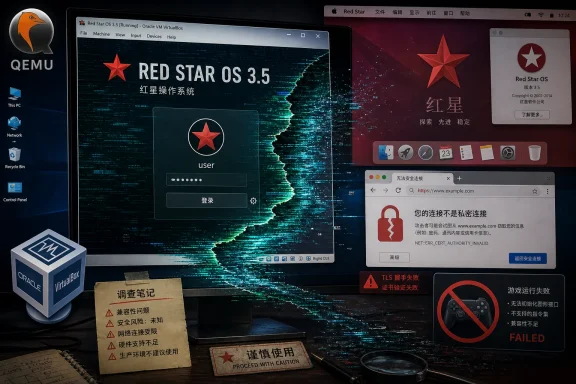 Red Star OS Is a Desktop From a Parallel Computing Universe
Red Star OS has always occupied a strange corner of operating-system lore. To Western hobbyists, it is a curiosity: a North Korean Linux distribution that looks suspiciously like old macOS, ships with renamed applications, and carries the thrill of digital contraband. To North Korea, at least in official conception, it is something more serious: a national computing platform meant to reduce dependence on foreign software and enforce state priorities at the machine level.That distinction matters because Red Star is not “bad Linux” in the ordinary distro-hopping sense. It is not a failed attempt to be Ubuntu, Fedora, or openSUSE. It is a reminder that an operating system is policy with a file manager attached.
The version at the center of PC Gamer’s experiment, Red Star OS 3.0, is ancient by desktop standards. It descends from the Fedora era of the early 2010s and uses a 2.6-series Linux kernel in its stock form. In 2026, that is not retrocomputing; it is archaeology with a login screen.
The fan-modified Red Star OS 3.5 tries to bridge that gap by stripping out surveillance components, enabling root access more easily, translating much of the interface into English, and promising a newer 64-bit kernel and modernized libraries. In theory, that turns a sealed national desktop into something closer to a hobbyist Linux project. In practice, as PC Gamer discovered, theory is the easy part.
The Fan Mod Tries to Save Red Star From Itself
The appeal of Red Star OS 3.5 is obvious. Take a forbidden-looking operating system, remove the parts that make sane people nervous, bolt on a newer kernel, and see whether the thing can behave like a normal Linux desktop. That is the kind of weekend project that exists somewhere between preservation, security research, and touching the stove because the stove has an interesting provenance.The mod’s first-stage work appears to solve the most immediate problem: trust. Red Star OS 3.0 is famous for surveillance-oriented behavior, particularly its reported watermarking of media files so that documents, images, audio, and video can be traced across machines. For an operating system designed inside a state that tightly controls media circulation, that feature is not a bug. It is the point.
Removing or neutralizing those mechanisms is what makes Red Star OS 3.5 more than a language pack. It is an attempt to transform a controlled computing environment into a sandboxable object of study. The mod makes the OS less radioactive for hobbyists who want to explore it without volunteering their files for a geopolitical science project.
But that first step does not solve the deeper problem. Red Star is not merely old; it is institutionally old. Its browser, package manager, system assumptions, network configuration, and desktop environment all belong to a world that modern Linux has spent more than a decade leaving behind.
That is where the second-stage modification becomes critical. The promise of a newer 64-bit kernel and updated libraries is the difference between a museum exhibit and a system that might plausibly run contemporary software. Unfortunately, PC Gamer’s account suggests that this is exactly where the upgrade path becomes brittle, slow, and failure-prone.
Virtualization Turns the Joke Into a Systems Lesson
The funniest part of the experiment is also the most technically instructive: Red Star’s login manager behaved differently depending on the virtualization stack. Under one QEMU-based setup, the install succeeded, the system booted, and the graphical login screen promptly collapsed into a green-blue mess. Under VirtualBox, the login manager worked.That is the sort of failure Linux veterans recognize immediately. Old graphical stacks, old drivers, old assumptions about display adapters, and old init-era behavior can make virtualization feel less like emulation and more like negotiation. Modern Linux guests usually paper over this with mature drivers, wide hypervisor support, and years of bug reports. Red Star OS 3.0 does not have that luxury.
This is also why “Linux is Linux” is such a misleading phrase. The kernel matters, but the userland matters just as much. The display server, toolchain, package repositories, browser engine, init system, certificate store, filesystem layout, and graphics stack all determine whether a system feels usable or cursed.
PC Gamer’s author did the right kind of wrong thing: tried the obvious workaround, dropped into a TTY, attempted to bypass the graphical login problem, and used
startx like generations of Linux users before him. That this did not work is not shocking. Red Star is not a friendly rolling-release desktop with a broken greeter. It is a heavily modified, aging distribution whose guardrails and assumptions were never designed around Western hobbyist recovery workflows.For WindowsForum readers, the important point is not that VirtualBox “won” and QEMU “lost.” It is that compatibility is not an abstract property. Operating systems are ecosystems of expectations, and Red Star’s expectations were narrow from the start.
The Internet Has Moved On, and Red Star Has Not
One of the most revealing details in the PC Gamer piece is that Red Star can barely use the modern web. Its Naenara browser, based on an old Firefox lineage, can reportedly load Google but chokes on much else. That is not a small inconvenience. In 2026, a desktop operating system that cannot reliably browse the web is functionally stranded.The web has become a brutal compatibility test. TLS versions, certificate chains, JavaScript engines, media codecs, browser security models, font rendering, GPU acceleration, and content-security policies all evolve constantly. A browser frozen in the early 2010s is not just missing convenience features. It is missing the assumptions required to participate.
This is where the Red Star experiment stops being merely comic and starts looking like a case study in software entropy. An operating system can still boot. It can still draw windows. It can still open a file manager, launch a chess game, and present the comforting illusion of a desktop. But if it cannot authenticate with modern services, install current software, or render contemporary sites, it is no longer a general-purpose computer in the way most users understand the term.
Windows users have seen a version of this story before. Old Windows XP and Windows 7 machines can still feel “fast” on familiar hardware. They can still run legacy applications beautifully. But attach them to the modern internet and the mismatch becomes obvious fast: unsupported browsers, expired roots, missing protocol support, unpatched vulnerabilities, and software vendors that have simply stopped caring.
Red Star’s isolation intensifies that effect. It was built with North Korea’s Kwangmyong intranet in mind, not the messy, certificate-rotating, CDN-heavy global internet. The result is a desktop that becomes less useful the moment it is asked to leave home.
Gaming Is the Cruelest Benchmark
Trying to play games on Red Star OS is funny because it sounds like a dare. It is also useful because gaming is one of the hardest desktop compatibility tests available. A game touches graphics drivers, audio, input, filesystems, libraries, compilers, package repositories, windowing systems, and sometimes networking. If the stack is weak, gaming finds the crack.Modern Linux gaming works because an enormous amount of infrastructure now exists beneath the surface. Steam, Proton, Wine, DXVK, VKD3D, Mesa, kernel scheduler work, GPU driver improvements, containerized runtimes, Flatpak, and distro packaging all contribute to the illusion that a Windows game can simply run on Linux. That illusion is real enough to reshape buying decisions, but it is not magic.
Red Star OS 3.0 has almost none of that modern scaffolding. Its Fedora-era base predates the current Linux gaming renaissance. Its package repositories are limited. Its browser is obsolete. Its toolchain is old. Its libraries are mismatched with modern expectations. Even compiling an old game becomes an expedition.
That is why the failed attempt to build Tux Racer is more than a punchline. If a lightweight, historically Linux-friendly game cannot be coaxed into shape without wrestling Makefiles and libraries, the dream of running modern Windows titles is not merely distant. It belongs to another universe.
The irony is that Linux itself has never been more credible as a Windows gaming alternative. Valve’s investment in Proton and the Steam Deck ecosystem has made Linux gaming feel less like ideological commitment and more like a practical option. But Red Star shows how misleading it is to talk about “Linux” as a single thing. Kernel lineage does not grant you a modern gaming platform.
A Windows Killer Needs More Than a Kernel
The phrase “Windows killer” has always been lazy shorthand. Windows is not dominant because NT is metaphysically superior to every alternative. Windows is dominant because it is a gravitational field: hardware support, enterprise management, software compatibility, driver ecosystems, OEM defaults, security tooling, developer assumptions, and user habit all orbit it.A real Windows competitor has to attack that whole system. ChromeOS did it by changing the application model. macOS does it by controlling the hardware-software stack. Modern desktop Linux does it unevenly but increasingly well, especially for developers, privacy-minded users, and gamers willing to live inside Steam’s compatibility bubble.
Red Star does not attack Windows on those terms. It was never trying to win over a Windows power user in Ohio, a help desk in Manchester, or a sysadmin managing BitLocker and Intune policies across 4,000 laptops. Its job was to serve a state-controlled computing model inside a constrained national network.
That makes the “not a Windows killer” gag accurate but incomplete. Of course Red Star is not a Windows killer. It is not even playing the same sport. It is closer to a sovereign appliance operating system: a Linux-derived environment shaped around control, traceability, and ideological independence from Western software supply chains.
The fan mod changes the audience but not the origin story. It may make Red Star more accessible to hobbyists, but it cannot easily turn a state desktop from 2012 into a credible general-purpose OS for 2026. That would require rebuilding so much of the stack that the result would eventually stop being Red Star in any meaningful sense.
The Security Story Is Bigger Than Spyware
It is tempting to reduce Red Star to spyware, and for obvious reasons. The reported watermarking behavior is alarming. The system’s reputation for integrity checks and user monitoring makes it feel less like a desktop and more like a hall monitor with kernel privileges.But the security lesson is broader. Red Star embodies a model of computing in which the user is not presumed to be the owner of the machine. Root access, file modification, media handling, and system integrity are all politically loaded. The operating system is not merely protecting the user from threats; it is protecting the regime’s information boundaries from the user.
That inversion is worth sitting with because mainstream platforms are not immune to softer versions of the same tension. Windows, macOS, iOS, Android, and ChromeOS all mediate the relationship between user, vendor, administrator, and state. Secure Boot, enterprise device management, application control, telemetry, cloud identity, and endpoint detection can be protective, invasive, or both depending on who holds the keys.
Red Star is extreme because the political context is extreme. Yet it makes visible a question every platform asks quietly: who is the computer ultimately accountable to?
For enterprise IT, that question is not philosophical. Administrators want devices that resist tampering, enforce policy, identify suspicious behavior, and keep users from exfiltrating data. Users want machines that do not treat them as adversaries. Security teams live in the uncomfortable middle, and every operating system encodes a compromise.
Red Star’s compromise is not one most WindowsForum readers would accept. But it clarifies the stakes in a way sanitized vendor language often does not.
Old Linux Is Not the Same as Lightweight Linux
There is a persistent myth that old operating systems are automatically good for old hardware. Sometimes they are. A carefully chosen lightweight Linux distribution can revive aging machines beautifully. But “old” and “lightweight” are not synonyms.An old distribution may be less demanding in raw memory and CPU terms, but it also carries old bugs, old drivers, old crypto, old browsers, old package metadata, and old assumptions about hardware. It may not understand modern Wi-Fi chipsets, GPUs, display scaling, NVMe storage, firmware behavior, or USB devices. It may be light because it is missing the parts that make a system usable now.
Red Star OS 3.0 fits that pattern. Its age does not make it charmingly efficient so much as structurally marooned. You are not getting the clean minimalism of Alpine, the rescue utility of Debian netinst, or the enthusiast polish of a lightweight Arch spin. You are getting an obsolete Fedora-derived desktop with bespoke modifications and a very specific political-industrial backstory.
That distinction matters for hobbyists who romanticize abandoned software. Running old operating systems can be a valuable preservation exercise. It can teach you how systems used to fit together. It can reveal how much modern platforms hide. But it should not be confused with finding a practical alternative to Windows 11.
If you want modern Linux on modest hardware, use a maintained modern Linux distribution with a lightweight desktop. If you want to study Red Star, treat it like malware-adjacent historical software: isolate it, snapshot it, and do not mistake curiosity for trust.
The Modding Community Is Doing Preservation Work, Whether It Means To or Not
The Red Star OS 3.5 project is easy to laugh at, but it also belongs to a larger preservation tradition. Fans, reverse engineers, collectors, and security researchers keep strange software alive long after official channels disappear or never existed in accessible form. That work can be messy, legally ambiguous, technically fragile, and culturally valuable all at once.Operating systems are particularly hard to preserve because they depend on an ecosystem. A game ROM can often be emulated with high fidelity. An operating system expects hardware, firmware, networks, update servers, package repositories, certificates, printers, display adapters, and peripherals. The further it drifts from its native environment, the more the preservationist has to reconstruct.
Red Star makes that challenge unusually visible. The OS is not merely old; it is geographically and politically displaced. It was built for users, networks, and institutional constraints that outsiders can only partially reproduce. A fan mod can remove spyware and translate menus, but it cannot recreate the social context that made the system coherent.
Still, the attempt has value. It lets researchers inspect design choices. It lets Linux users compare parallel histories. It lets security-minded readers see how surveillance goals can be implemented at the desktop layer. It turns a closed national artifact into something that can be discussed, tested, and understood.
That does not make it safe. It makes it interesting.
Windows Looks Better When the Alternative Is a Time Capsule
For all the justified frustration with Windows, Red Star is a useful corrective to lazy operating-system cynicism. Yes, Windows can be noisy. Yes, Microsoft has spent years testing user patience with ads, account nudges, telemetry debates, Start menu churn, and hardware requirements. Yes, many enthusiasts have good reasons to prefer Linux.But the baseline expectations for a modern desktop are punishing. Users expect sleep and resume to work. They expect browsers to render everything. They expect security updates. They expect GPU drivers. They expect game compatibility, cloud sync, Unicode sanity, Bluetooth audio, high-DPI scaling, printer support, password managers, VPN clients, disk encryption, and a software ecosystem that does not require a séance.
Windows meets those expectations imperfectly, but it meets enough of them often enough that its dominance becomes less mysterious. Modern desktop Linux, in its best forms, now meets many of them too. Red Star does not, and its failure highlights how much invisible work goes into making a desktop boring.
Boring is underrated. Boring is what lets an accountant open Excel, a student join a video call, a developer install a toolchain, and a gamer launch a library without turning the afternoon into a dependency hunt. Red Star’s weirdness is entertaining precisely because modern users are no longer accustomed to that level of friction.
The uncomfortable truth for alternative operating systems is that users do not want an ideology at boot. They want the machine to work, and then they want the ideology, if any, to stay out of the way.
The Real Lesson Is Not About North Korea
The easy version of this story is that North Korea made a strange Linux distro, a PC Gamer writer tried to game on it, and the operating system lost. That is true, but too small. The larger lesson is about how operating systems age, how ecosystems matter, and how platform trust cannot be patched in after the fact.Red Star OS 3.5 is a fan attempt to modernize a system that was never built for modern openness. Its partial success is impressive. Its failure is predictable. The mod can change defaults, remove hostile components, and try to drag the kernel forward, but it cannot instantly supply 15 years of distro maintenance, browser evolution, driver work, package availability, and user trust.
For Windows users considering Linux, the lesson should not be “Linux is hard.” The lesson should be “choose the right Linux.” Fedora 44, Ubuntu 26.04 LTS, Linux Mint, openSUSE Tumbleweed, Debian, Arch, and gaming-oriented derivatives exist in the living present. They have communities, repositories, documentation, security updates, and hardware targets that resemble the machines people actually own.
Red Star is what happens when Linux is taken out of the shared river of open-source maintenance and diverted into a controlled canal. It may still be recognizably Linux. It may still run KDE-derived components and familiar commands. But it no longer benefits from the same current.
The Day Red Star Ate Is the Point
The concrete story here is wonderfully small: one writer, one virtual machine, one fan mod, one day mostly consumed by boot failures, upgrade scripts, browser dead ends, and a doomed attempt to play a game. But the smallness is what makes it useful. Operating systems reveal themselves in the first dozen annoyances.The experiment leaves us with a few practical conclusions:
- Red Star OS 3.5 is best understood as a hobbyist and research project, not as a usable desktop operating system for ordinary Windows or Linux users.
- Red Star OS 3.0’s Fedora-era base and 2.6-series kernel place it far outside the expectations of modern software, hardware, and web compatibility.
- Removing surveillance-oriented components may reduce one category of risk, but it does not create a maintained software ecosystem.
- Virtual machines are the only sensible place for most users to examine Red Star, and even there, hypervisor choice can determine whether the desktop works at all.
- Linux gaming’s modern success depends on years of active infrastructure that Red Star does not inherit simply by being Linux-based.
- The operating system’s most interesting feature is not that it fails as a Windows replacement, but that it shows how differently a desktop can behave when control matters more than user agency.
References
- Primary source: PC Gamer
Published: 2026-06-20T16:22:07.639408
I spent an entire day with a fan-mod of North Korea's homegrown operating system, and I'm sorry to say it's not a Windows killer yet | PC Gamer
Not the year of RedStar on the desktop.www.pcgamer.com - Related coverage: pcworld.com
Meet Red Star OS, the North Korean Linux distro that apes Apple's OS X | PCWorld
North Korea's Red Star OS looks like OS X, but it's all Linux under the hood. www.pcworld.com
- Related coverage: en.linuxadictos.com
Red Star OS: North Korea's Linux-based operating system that you probably won't be interested in
What is Red Star OS, how does it work, what does it control, and why is this North Korean Linux-based operating system so intriguing?en.linuxadictos.com - Related coverage: news.sophos.com
- Related coverage: gizmodo.com
You Can Download North Korea's OS X Knockoff for Desktops (But Don't)
An anonymous Dogecoin lover recently uploaded a torrent that appears to contain the delightful Mac OS X knockoff built by North Korea. While it's not news gizmodo.com
- Related coverage: robert.hawdon.net
Red Star OS 3.0: North Korea's custom Linux distribution - Robert's Blog
Whilst everyone else in the UK is panicking over the results of the EU referendum, I decided, as usual to do something completely different. Here I’m going to review the Operating System designed for use by the citizens of the Democratic People’s Republic of Korea, or North Korea as it’s more...robert.hawdon.net
- Related coverage: slashgear.com
North Korea's Red Star OS Targets Illegal Foreign Media
North Korea has long been developing its own operating system called Red Star OS, a Linux distro with a design blatantly 'inspired by' Mac OS…www.slashgear.com - Related coverage: tomshardware.com
Linux 7.0 launches with enablement for Intel Nova Lake, AMD Zen 6 — major kernel update expected in Ubuntu 26.04 LTS and Fedora 44 first | Tom's Hardware
Linux 7.0 is everything you would expect from a major kernel update.www.tomshardware.com
