

Fourteen years after Microsoft first shipped the Resilient File System (ReFS) with Windows Server, the company has taken the long‑anticipated step of allowing Windows Server to boot from a ReFS‑formatted system volume — but only in preview, with strict caveats and nontrivial operational implications for administrators.
ReFS first appeared as a server‑focused file system in early 2012 to address the scale, reliability, and integrity problems that were increasingly visible in large storage deployments. Designed around allocate‑on‑write metadata, integrity streams, and automatic data scrubbing, ReFS targeted workloads where silent data corruption and long recovery windows were expensive or unacceptable. From day one Microsoft positioned ReFS for data volumes — virtual machine libraries, backup stores, Storage Spaces and Storage Spaces Direct — and explicitly excluded support for hosting the operating system.
Over the next decade and more, ReFS gradually gained features: improved on‑disk formats, added integration with Storage Spaces, block cloning and mirror‑accelerated parity for Storage Spaces Direct, file‑level snapshots, and (in recent builds) modern compression codecs. Still, the system/boot partition remained on NTFS. The reasons were both technical and ecosystem‑related: early ReFS revisions did not implement many NTFS features relied on by system components and third‑party tooling; boot and recovery paths (WinPE, WinRE, imaging, drivers, vendor recovery tools) assumed NTFS; and the risk of destabilizing the OS boot path made Microsoft cautious.
That changed in February 2026 when Microsoft published a new Windows Server vNext Insider Preview baseline (Build 29531), officially enabling ReFS boot in preview builds. The announcement is explicit: a supported preview scenario now permits a clean installation that formats the system/boot volume as ReFS and boots the OS from it. The change is significant in principle — it brings the filesystem’s resiliency and scale features to the operating system partition for the first time — but in practice it is gated behind a number of restrictions and operational warnings that make this a preview‑only capability for now.
This matters: backup and recovery are the last safety net. If a backup vendor cannot guarantee a coherent system state restore for a ReFS‑boot machine, that server type should not be used in production until the vendor publishes certified support.
However, the preview’s insistence on clean installs, the mandatory WinRE partition and the recovery caveats, combined with the reality that many vendors have not yet certified their tools for a ReFS boot scenario, make this a deliberate, cautious step rather than a green light for broad adoption. Administrators who care about reliability and recoverability should treat the feature as experimental: test thoroughly, demand vendor assurances, and wait for the ecosystem — imaging, backup, security and OEM tooling — to catch up before moving production servers to ReFS‑boot configurations.
For now, ReFS boot support is an important evolution in Windows Server’s storage story. It signals the direction of Microsoft’s storage engineering: modern, integrity‑first filesystems at the center of server design. But as with any foundational change, the road from preview to production is paved with compatibility checks, recovery rehearsals, and vendor commitments. Administrators who plan carefully now will be best positioned to benefit once the feature reaches general availability.
Source: Neowin After 14 years, Windows Server finally gets ReFS boot support
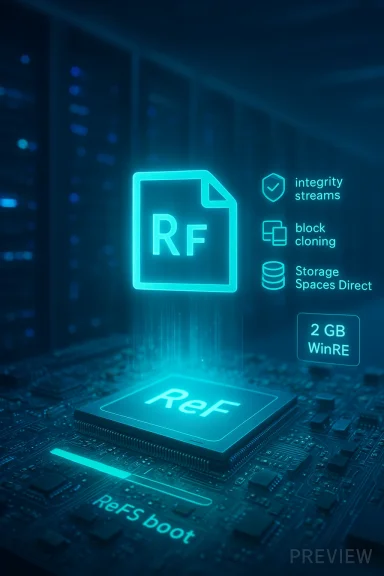 Background: how we got here
ReFS first appeared as a server‑focused file system in early 2012 to address the scale, reliability, and integrity problems that were increasingly visible in large storage deployments. Designed around allocate‑on‑write metadata, integrity streams, and automatic data scrubbing, ReFS targeted workloads where silent data corruption and long recovery windows were expensive or unacceptable. From day one Microsoft positioned ReFS for data volumes — virtual machine libraries, backup stores, Storage Spaces and Storage Spaces Direct — and explicitly excluded support for hosting the operating system.Over the next decade and more, ReFS gradually gained features: improved on‑disk formats, added integration with Storage Spaces, block cloning and mirror‑accelerated parity for Storage Spaces Direct, file‑level snapshots, and (in recent builds) modern compression codecs. Still, the system/boot partition remained on NTFS. The reasons were both technical and ecosystem‑related: early ReFS revisions did not implement many NTFS features relied on by system components and third‑party tooling; boot and recovery paths (WinPE, WinRE, imaging, drivers, vendor recovery tools) assumed NTFS; and the risk of destabilizing the OS boot path made Microsoft cautious.
That changed in February 2026 when Microsoft published a new Windows Server vNext Insider Preview baseline (Build 29531), officially enabling ReFS boot in preview builds. The announcement is explicit: a supported preview scenario now permits a clean installation that formats the system/boot volume as ReFS and boots the OS from it. The change is significant in principle — it brings the filesystem’s resiliency and scale features to the operating system partition for the first time — but in practice it is gated behind a number of restrictions and operational warnings that make this a preview‑only capability for now.
What Microsoft enabled (the practical facts)
The release and the baseline
- Microsoft published Windows Server vNext Preview Build 29531 on February 12, 2026 and designated it as a new preview baseline for Server insiders.
- From that build forward, a clean install of the preview can create a system/boot volume formatted as ReFS and the OS will boot from that volume.
Known limitations and hard constraints
- The preview requires a clean install — upgrades from earlier preview branches are not supported. Administrators should expect to reimage rather than in‑place upgrade when trying this feature.
- Systems that boot from ReFS create a minimum ~2 GB WinRE (Windows Recovery Environment) partition. That partition is required to host recovery tools and to allow servicing of recovery components.
- If the WinRE partition cannot be updated due to space constraints, the system may disable WinRE. Disabling will not delete the partition, but deleting WinRE and extending the boot volume over it is explicitly flagged as unrecoverable without a clean install.
- This is a preview capability. Expect behavior changes, additional limitations, and ecosystem gaps while the feature matures.
Why this matters: the technical upside
Putting the operating system volume on ReFS unlocks several benefits that are meaningful at scale and in performance‑sensitive server environments:- End‑to‑end integrity and self‑healing: ReFS’s integrity streams, checksums and metadata separation reduce the risk of silent data corruption and enable background correction when used with mirrored storage or Storage Spaces Direct.
- Faster VM operations: ReFS supports block cloning and similar features that dramatically speed up copy/clone operations for VHDX files. For Hyper‑V hosts with many VMs, this reduces storage and CPU overhead during snapshotting, provisioning, and checkpoint operations.
- Scalability: ReFS’s maximum volume and file size capacities (designed for petabyte‑scale stores) remove many scale limits that can otherwise force architectural workarounds.
- Modern compression and performance features: Recent ReFS updates include support for modern compression codecs (LZ4, ZSTD) and file‑level snapshot semantics that can improve storage efficiency and reduce snapshot overhead in server workloads.
- Closer parity with NTFS where it counts: Over time Microsoft has reintroduced or improved compatibility features (BitLocker support, ACLs, USN Journal, page file support), making ReFS more suitable for hosting system components than it once was.
The immediate risks and ecosystem gaps
The practical impact of ReFS boot support depends less on the theory and more on toolchain compatibility, vendor support, and recovery semantics. The preview release highlights several red flags that matter during adoption.Recovery and imaging
- The Windows recovery stack (WinRE/WinPE) historically assumes NTFS in many vendor tools and imaging workflows. The requirement for a dedicated WinRE partition and the warning that removing it can leave systems unrecoverable demand extra caution from administrators.
- Many third‑party imaging and bare‑metal recovery tools, as well as some OEM firmware and preinstallation environments, may not have been tested against booting from ReFS. That increases the chance of being unable to restore systems with existing tooling.
Backup software compatibility
- Backup vendors historically treated ReFS as a data‑store filesystem, not a system/boot filesystem. Some backup agents have documented instability or incompatibility with ReFS as a boot target, including risk of system crashes when attempting to back up a ReFS boot volume with older agents.
- Administrators must validate their backup vendor’s official stance and test full system restore procedures in a lab before any production migration.
Antivirus, system management and low‑level filters
- ReFS’s different metadata model and its on‑disk format changes across versions can expose third‑party file system filters (antivirus drivers, real‑time scanners, file‑system‑level agents) to untested code paths. Some vendors explicitly advise against running their agents on ReFS in certain roles; others require updated drivers.
Cloud and virtualization platforms
- Running ReFS‑booted domain controllers, failover cluster nodes, or hypervisor hosts may interact with features like live migration, cluster quorum, and driver stacks in unexpected ways. The preview notes and early lab reports indicate some live migration and clustering scenarios will need verification.
Documentation gaps and the “docs lag” problem
- Microsoft’s broader documentation for ReFS (public Learn pages) historically listed “Bootable: No.” When the product engineers flip a capability into preview there can be a lag before every documentation page and third‑party knowledge base reflects the new reality. That creates confusion for administrators reconciling older docs with the new preview capability.
Operational guidance: how to evaluate and test safely
If you run Windows Server at scale and want to evaluate ReFS as a system filesystem, treat the preview as a strictly controlled experiment. Below is a lab validation checklist and a recommended testing sequence.Lab validation checklist (minimum)
- Build an isolated test environment with physical or virtual hardware that mirrors production firmware and drivers.
- Obtain the official server preview ISO for Build 29531 (or later) and perform clean installations only.
- Confirm that the installer formats the system volume as ReFS and that the WinRE partition (~2 GB) is present and accessible.
- Test BitLocker configuration and OS boot with BitLocker enabled; verify recovery key behavior and TPM interactions.
- Validate system imaging tools: create a full image with your vendor tools, attempt a bare‑metal restore, and record any failures or workarounds.
- Validate backup and restore: schedule full system backups using your vendor(s), then perform full restores and application‑level restores (Active Directory, SQL, Hyper‑V VMs).
- Test Windows Update and servicing: ensure WinRE updates can be applied; verify what happens when WinRE cannot be updated.
- Test all third‑party agents (antivirus, monitoring, file‑system filters) for compatibility and performance.
- For virtualized environments: test live migration, snapshot operations, and storage offloads. Validate cluster behavior under failover.
Step‑by‑step evaluation sequence
- Create a baseline image of the target OS and applications on NTFS and document baseline behavior.
- Perform a clean install to ReFS on identical hardware or VM configuration.
- Configure BitLocker and any encryption, then reboot and verify recovery behavior.
- Run a controlled workload (e.g., VM provisioning, snapshot operations) and record performance and I/O characteristics.
- Execute restore operations from backup and imaging solutions.
- Perform failure simulations: corrupt a noncritical file, remove the WinRE partition in a lab (only if you can tolerate reinstallation), and observe recoverability.
- Benchmark and compare: capture CPU, IOPS, latency, snapshot overhead, and time‑to‑clone metrics between NTFS and ReFS.
Migration and production rollout considerations
At this stage ReFS‑boot should not be considered production‑ready for most organizations. However, planning ahead for eventual production adoption is prudent.- No in‑place conversion: There is no supported in‑place conversion from NTFS to ReFS for a system volume. Migration requires a clean install and a full state migration (image, file copy, or redeployment).
- Vendor validation is required: Require written confirmation from backup, antivirus, monitoring, and imaging vendors that they support ReFS as a boot filesystem before migrating production servers.
- Staged approach: Begin with noncritical, stateless servers or test Hyper‑V hosts where the operational risk is lower. Avoid domain controllers, certificate authorities, and any single‑point critical infrastructure until the ecosystem is validated.
- Disaster recovery readiness: Update runbooks, procedures, and recovery media to explicitly support ReFS‑boot systems. Ensure that your recovery media (WinPE/WinRE builds, bootable images) can mount and restore ReFS system volumes.
- Cluster and migration testing: If using failover clusters or Storage Spaces Direct, test cluster operations across nodes using ReFS‑boot to uncover interoperability issues early.
Compatibility matrix — what’s likely to work and what needs verification
- Likely functional (but test anyway):
- BitLocker encryption on ReFS system volumes.
- Standard ACLs, USN journal and change notifications.
- Page file support on ReFS volumes (recent ReFS versions include page file support).
- Needs careful verification:
- Third‑party backup agents and system imaging tools — known to be problematic in some vendor KBs.
- Antivirus and endpoint protection drivers that install file system filters.
- OEM recovery tools and firmware‑level utilities.
- Systems that rely on NTFS‑only features (ODX, certain transactional behaviors, short names).
- Not supported or unsupported historically:
- Any existing documented ReFS limitation still applies — disk quotas, certain NTFS transactions and legacy features may be missing.
Vendor signals and early industry reactions
Early vendor signals have been mixed. Some point out that ReFS has been used successfully as a repository for VMs and as backup storage for years, but few established vendors have certified their agents against a ReFS‑boot scenario. Several backup vendors and management vendors have historically cautioned that ReFS as a boot filesystem is a configuration they do not officially support — a perspective grounded in the rarity of the configuration and in the complexity of recovery workflows.This matters: backup and recovery are the last safety net. If a backup vendor cannot guarantee a coherent system state restore for a ReFS‑boot machine, that server type should not be used in production until the vendor publishes certified support.
A practical risk/benefit snapshot for common workloads
- Hyper‑V hosts and virtualization farms:
- Benefit: Faster cloning and snapshot handling, efficiency gains with block cloning.
- Risk: Live migration, cluster integration and vendor tooling must be validated.
- File servers and storage nodes:
- Benefit: Integrity streams and self‑healing are beneficial; booting from ReFS is rarely required for dedicated storage nodes.
- Risk: Minimal — but system images and recovery must still be tested.
- Domain Controllers and identity infrastructure:
- Benefit: Marginal. Domain controllers are sensitive to recovery semantics and AD replication. Booting DCs from ReFS should be delayed until Microsoft and identity tooling vendors fully document and validate the configuration.
- Risk: High — AD recovery is complex and any gap in imaging or restore workflows could create operational outages.
- Application servers (databases, middleware):
- Benefit: Depends on workload. Databases typically control their on‑disk formats and may prefer direct block devices; ReFS integrity may be unnecessary or even counterproductive in some database scenarios.
- Risk: Medium. Test for performance and recovery with application vendors.
Longer‑term implications and what to watch for
If Microsoft follows through — moving ReFS from preview to general availability for system volumes — the file system landscape for Windows Server will shift meaningfully over the next several years:- The long‑standing NTFS default for system volumes will have a viable alternative with stronger resilience guarantees and modern storage primitives.
- Backup and management vendors will adapt over time, but that will not be instantaneous; organizations should budget for a slow migration window.
- Documentation and best practices will evolve; administrators should monitor official guidance from Microsoft and their vendors rather than relying on legacy assumptions.
- Microsoft graduate ReFS boot from preview to GA in a supported LTSC or SAC release.
- Vendor support statements and product updates certifying backup/restoration and imaging compatibility.
- Updated Microsoft Learn documentation and guidance specific to ReFS‑boot recovery and servicing scenarios.
- Real‑world case studies demonstrating successful production migrations and their operational models.
Recommended short‑term action plan for administrators
- Treat ReFS‑boot as a preview experiment: do not plan production migrations until vendors and Microsoft publish GA guidance.
- Set up a lab and run the validation checklist above. Test full restores repeatedly until results are reproducible.
- Engage vendors: open tickets with your backup, antivirus and imaging vendors asking for explicit support statements for ReFS‑boot configurations.
- Update recovery runbooks and ensure recovery media is ReFS‑aware.
- If you operate mission‑critical services, schedule an independent disaster recovery exercise that specifically tests ReFS‑boot system recovery.
- Monitor Microsoft’s release notes and documentation for changes; expect the public Learn pages and KBs to be updated over time.
Conclusion
Bootable ReFS is a milestone after more than a decade of ReFS evolving from a niche server data store into a contender for hosting the operating system itself. Technically, Microsoft’s preview implements the core capability and promises practical benefits — integrity, faster VM operations, and modern storage features — that are compelling for large‑scale deployments.However, the preview’s insistence on clean installs, the mandatory WinRE partition and the recovery caveats, combined with the reality that many vendors have not yet certified their tools for a ReFS boot scenario, make this a deliberate, cautious step rather than a green light for broad adoption. Administrators who care about reliability and recoverability should treat the feature as experimental: test thoroughly, demand vendor assurances, and wait for the ecosystem — imaging, backup, security and OEM tooling — to catch up before moving production servers to ReFS‑boot configurations.
For now, ReFS boot support is an important evolution in Windows Server’s storage story. It signals the direction of Microsoft’s storage engineering: modern, integrity‑first filesystems at the center of server design. But as with any foundational change, the road from preview to production is paved with compatibility checks, recovery rehearsals, and vendor commitments. Administrators who plan carefully now will be best positioned to benefit once the feature reaches general availability.
Source: Neowin After 14 years, Windows Server finally gets ReFS boot support
