

A stray Insider build and an accidental release of internal configuration files have pulled back the curtain on what looks like a deliberate push by Microsoft to productize a set of higher‑end Windows SKUs aimed at power users, workstations and advanced enterprise scenarios. The leak — discovered in Build 16212’s pkeyconfig strings and echoed by a separate internal slide — points to three new SKUs: Windows 10 Pro for Advanced PCs, Windows 10 Pro N for Advanced PCs, and an unexpected server SKU labelled Windows Server 2016 ServerRdsh; the first SKU is widely interpreted as the same product Microsoft tested internally as Windows 10 Pro for Workstation PCs.
Microsoft has long maintained a broad family of Windows editions — Home, Pro, Enterprise, Education and specialized variants — to cover everything from low‑cost consumer devices to mission‑critical servers. Leaks and Insider previews over the past few years have repeatedly hinted that Microsoft continues to refine that lineup, testing SKUs that target specific hardware classes and workloads rather than merely carving features by business/consumer lines. The Build 16212 pkeyconfig leak and an associated internal slide are the most concrete breadcrumbs yet pointing to a formalized effort to deliver a “workstation‑grade” Windows 10 edition with explicit support for server‑class hardware and heavy data workloads.
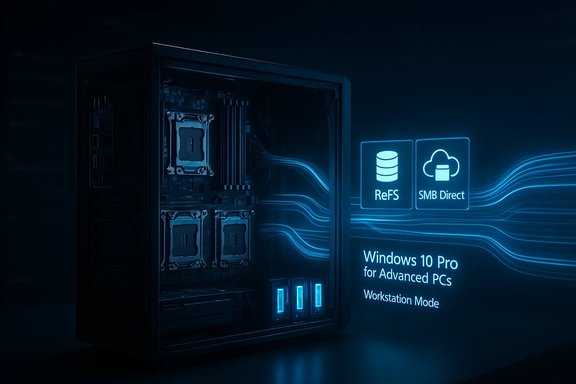
That slide — part of internal documentation leaked alongside or after the build — lists a concise set of capabilities Microsoft appears to be preparing for the SKU: Workstation mode enhanced performance, Resilient File System (ReFS) storage, Faster File Sharing (SMB Direct / SMB‑Direct/SMB over RDMA), and Expanded hardware support such as multiple sockets and larger memory footprints. Together, those items sketch a Windows variant designed to sit between conventional desktop Windows and Windows Server, aimed at creative professionals, scientific computing, media production and enterprise edge devices that need Windows applications but must scale far beyond a typical consumer laptop.
If Microsoft intends to include SMB Direct out of the box (or make it easy to enable) in this SKU, organizations that rely on shared storage could deploy Windows workstations that directly attach to high‑speed storage without the server‑side overhead they previously needed. This lowers the barrier for workstation clusters and networked compute setups.
However, execution will matter more than intent. Microsoft must balance the technical benefits with simplicity for IT operations and clarity in licensing. Missteps could lead to confusion, driver fragmentation, and slower adoption — which is why the timeline and commercial packaging will be as important as the technical specifications.
That said, the evidence in the leaks is not the same as an official product release. Final names, feature lists, licensing and channel availability remain unconfirmed, and early adopters should factor in driver, application and security validation before committing production workloads. Keep an eye on Microsoft’s official communications and vendor announcements for final specifications and deployment guidance; until then, treat the leak as a reliable signal of intent and a reminder that the lines between workstation and server are blurring once again.
Source: BetaNews Leak reveals Microsoft planning three new power versions of Windows 10
 Background / Overview
Microsoft has long maintained a broad family of Windows editions — Home, Pro, Enterprise, Education and specialized variants — to cover everything from low‑cost consumer devices to mission‑critical servers. Leaks and Insider previews over the past few years have repeatedly hinted that Microsoft continues to refine that lineup, testing SKUs that target specific hardware classes and workloads rather than merely carving features by business/consumer lines. The Build 16212 pkeyconfig leak and an associated internal slide are the most concrete breadcrumbs yet pointing to a formalized effort to deliver a “workstation‑grade” Windows 10 edition with explicit support for server‑class hardware and heavy data workloads.That slide — part of internal documentation leaked alongside or after the build — lists a concise set of capabilities Microsoft appears to be preparing for the SKU: Workstation mode enhanced performance, Resilient File System (ReFS) storage, Faster File Sharing (SMB Direct / SMB‑Direct/SMB over RDMA), and Expanded hardware support such as multiple sockets and larger memory footprints. Together, those items sketch a Windows variant designed to sit between conventional desktop Windows and Windows Server, aimed at creative professionals, scientific computing, media production and enterprise edge devices that need Windows applications but must scale far beyond a typical consumer laptop.
What the leak actually revealed
The pkeyconfig strings and SKU names
The build in question, 16212, contained Product Key Configuration (pkeyconfig) strings that referenced three previously unseen SKUs. The presence of a standard and an “N” variant (the latter historically a European variant without bundled media components) is consistent with Microsoft’s usual product naming patterns. The literal strings discovered were:- Windows 10 Pro for Advanced PCs
- Windows 10 Pro N for Advanced PCs
- Windows Server 2016 ServerRdsh
The slide: “Pro for Workstation PCs” and its four pillars
A leaked slide (distributed within the same leak wave) labels the edition alternatively as Windows 10 Pro for Workstation PCs, and describes it in marketing language that clearly targets “server grade hardware” with “mission critical and computer intensive workloads.” The slide enumerates four headline capabilities:- Workstation mode enhanced performance
- Resilient File System (ReFS) storage
- Faster File Sharing (SMB Direct)
- Expanded hardware support (more CPUs, more memory, etc.
Deep dive: what these features mean in practice
Workstation mode — “Ultimate Performance” and micro‑latency removal
Microsoft has previously experimented with aggressive power and scheduling policies for demanding workloads. A later Windows Insider disclosure introduced an Ultimate Performance power plan aimed at removing latency introduced by fine‑grained power management decisions. For workstation scenarios (think heavy rendering, large VM hosts, or scientific simulations), the OS’s scheduler, interrupt handling and power management must minimize micro‑latencies that can add up across cores and IO paths. The leaked slide’s “Workstation mode enhanced performance” likely bundles such tuning in a set of defaults and policies optimized for throughput over battery or power savings. That would make sense for desktop and rackmounted workstations that are always on AC power and need maximum responsiveness from hardware.ReFS (Resilient File System) storage
ReFS has been a server‑class filesystem Microsoft has iterated on since Windows Server 2012. It is designed for resiliency, larger volume sizes, checksumming, and online repair scenarios that NTFS was never optimized for. Making ReFS a first‑class storage option in a workstation SKU would let designers and users:- Host very large files and datasets with improved integrity checks.
- Reduce the administrative overhead of filesystem corruption recovery.
- Improve throughput for specific IO patterns when combined with modern drives and RAID/Storage Spaces configurations.
Faster file sharing — SMB Direct and RDMA
The “Faster File Sharing” claim maps to SMB Direct (SMB over RDMA) and other SMB performance features that reduce CPU utilization and latency for network storage transfers. SMB Direct on RDMA‑capable NICs lets machines move very large datasets across a network with minimal CPU overhead, which is crucial for distributed rendering farms, machine learning datasets, or media production networks.If Microsoft intends to include SMB Direct out of the box (or make it easy to enable) in this SKU, organizations that rely on shared storage could deploy Windows workstations that directly attach to high‑speed storage without the server‑side overhead they previously needed. This lowers the barrier for workstation clusters and networked compute setups.
Expanded hardware support — multi‑socket, memory, and device drivers
One of the more concrete expectations raised by the leak and subsequent internal notes is extended support for multi‑CPU (multi‑socket) systems and larger memory configurations — potentially lifting the usual Windows desktop limits and allowing four (or more) physical processors and larger RAM capacities. This addresses a gap where organizations running heavy compute workloads had to choose between Windows Server and desktop Windows for application compatibility. Enabling expanded hardware support in a workstation SKU preserves desktop‑style app compatibility while delivering server‑class resources.Why Microsoft might pursue “Pro for Advanced PCs”
There are multiple market and engineering rationales for a dedicated high‑end Windows SKU:- Hardware evolution: High‑core CPUs, multi‑socket motherboards, NVMe storage arrays and RDMA networks are increasingly common outside traditional data centers (in VFX houses, research labs, and AI development teams). Supporting those platforms from a consumer‑facing SKU attracts OEMs and power buyers.
- Commercial segmentation: Microsoft can price and license a specialized SKU differently, protecting server license revenue while providing a higher‑value desktop option.
- Compatibility for legacy Windows apps: Many vertical applications are Windows desktop programs that expect a consumer OS ecosystem (drivers, UI, and software licensing). A workstation SKU lowers friction for enterprises that need desktop apps but server‑class resources.
- Competitive positioning: Vendors such as Red Hat and Canonical have built distinct OS offerings for compute nodes and workstations; Microsoft making a first‑class workstation SKU is a natural response to capture that high‑margin segment.
Licensing, SKUs and the “N” variant
The presence of both a standard and an N variant points to Microsoft planning regional and regulatory compliance in tandem with feature packaging. Historically the N editions omit certain media technologies for European regulatory reasons; including an N variant for Advanced PCs indicates Microsoft intends to ship these SKUs broadly rather than as a narrow OEM or enterprise‑only experiment. That also implies Microsoft expects to manage distinct product keys and inventory for imaging and deployment scenarios. However, leaked pkeyconfig entries do not guarantee final pricing, retail availability, or licensing terms; those typically get finalized much later in the product cycle.Practical implications for IT and power users
- Deployment: A workstation SKU that sits between consumer Windows and Windows Server simplifies deployments where desktop applications must access high amounts of memory or local NVMe arrays. Imaging and volume licensing procedures will need to account for new product keys and activation workflows.
- Drivers and stability: Server‑grade hardware often relies on specialized drivers and BIOS/firmware maturity. Microsoft and OEMs will need to validate drivers for this SKU to avoid regressions that plague early adopter workstation platforms.
- Filesystem changes: Moving to ReFS on workstations can improve resiliency but may require application-level testing. Some applications make assumptions about NTFS features (alternate data streams, specific change‑notification semantics) that ReFS historically handled differently. Plan for compatibility validation before migrating production datasets.
Risks, tradeoffs and unanswered questions
Fragmentation vs. simplicity
A new SKU adds complexity to the already expansive Windows edition matrix. IT teams will need to decide whether the performance and resiliency gains justify another image to maintain. There’s a real risk of fragmentation: support documentation, driver bundles and security baselines will have to be extended to cover the workstation SKU, increasing administrative overhead.Feature parity and compatibility questions
ReFS is not a drop‑in replacement for NTFS in every scenario. Some Windows features, third‑party backup tools, and forensic solutions rely on NTFS semantics. Microsoft must clearly document which ReFS features are enabled and which NTFS capabilities remain necessary. Until Microsoft publishes definitive compatibility notes, organizations should treat any ReFS adoption as a migration requiring testing.Licensing, pricing and channel availability
Will Windows 10 Pro for Advanced PCs be sold through retail, OEM (preinstalled), volume licensing, or some combination? The pkeyconfig entry hints at broad availability, but prior leaks have shown internal SKUs don’t always line up with final commercial channels. Organizations should be cautious assuming broad retail availability until Microsoft’s commercial teams announce packaging and pricing.Security considerations
Server‑grade hardware and features like ReFS and RDMA accelerate data movement — but they also expand the attack surface. RDMA networks bypass certain kernel layers for performance; misconfiguration or insufficiently hardened RDMA deployments can expose sensitive data or compromise isolation assumptions. Security teams need vetted guidance from Microsoft on secure configuration baselines for the workstation SKU when it operates in networked, high‑performance environments.What to watch next — verification checklist
- Official announcement: Microsoft’s product lifecycle and edition documentation should be the definitive source. Look for SKU names, licensing terms, and channel details.
- Tech specs: Confirm supported CPU counts, maximum RAM, and whether ReFS and SMB Direct are enabled by default or are opt‑in features.
- OEM support: Check which hardware vendors will offer the SKU preinstalled — workstations succeed only with validated drivers.
- Migration guides: Microsoft should publish guidance for moving workloads from NTFS to ReFS and for enabling SMB Direct securely.
- Licensing and pricing: Clarify whether the SKU will be available via retail, OEM, or volume licensing and the cost delta versus standard Pro and Server editions.
How enterprises and power users should prepare
- Inventory: Identify workloads that would benefit from server‑class storage or multi‑socket support (render farms, simulation nodes, large‑data VMs).
- Pilot plans: Reserve a lab for compatibility testing — especially for software that interacts with low‑level filesystem features or custom drivers.
- Vendor coordination: Engage OEMs to understand planned workstation configurations and driver support timelines.
- Security baseline: Task security teams to evaluate RDMA and SMB Direct implications and draft potential configuration hardening.
- Licensing readiness: Monitor Microsoft Volume Licensing communications so procurement teams can budget for the SKU if it ships as a separately licensed edition.
The bigger picture: Microsoft’s product segmentation strategy
This leak reinforces a broader strategic pattern: Microsoft is increasingly willing to create specialized Windows experiences tuned to hardware classes and usage patterns. That strategy serves multiple objectives — enabling premium hardware partners to differentiate, protecting server license revenue, and giving enterprise customers the choice to match OS capabilities more closely to workload demands. A workstation SKU that fills the gap between Pro and Server makes strategic sense in an era where local compute is returning to the desktop for AI, media, and engineering workflows.However, execution will matter more than intent. Microsoft must balance the technical benefits with simplicity for IT operations and clarity in licensing. Missteps could lead to confusion, driver fragmentation, and slower adoption — which is why the timeline and commercial packaging will be as important as the technical specifications.
Conclusion
The Build 16212 pkeyconfig leak and the accompanying internal slide present a compelling, technically consistent picture: Microsoft has been experimenting with a Windows 10 Pro for Advanced PCs / Pro for Workstation PCs SKU that exposes server‑grade features like ReFS, SMB Direct, expanded CPU support and a workstation‑optimized performance mode. For professionals and organizations running compute‑ and storage‑intensive workloads on desktop hardware, the SKU promises a simpler path to server‑level capabilities without abandoning Windows application compatibility.That said, the evidence in the leaks is not the same as an official product release. Final names, feature lists, licensing and channel availability remain unconfirmed, and early adopters should factor in driver, application and security validation before committing production workloads. Keep an eye on Microsoft’s official communications and vendor announcements for final specifications and deployment guidance; until then, treat the leak as a reliable signal of intent and a reminder that the lines between workstation and server are blurring once again.
Source: BetaNews Leak reveals Microsoft planning three new power versions of Windows 10
