

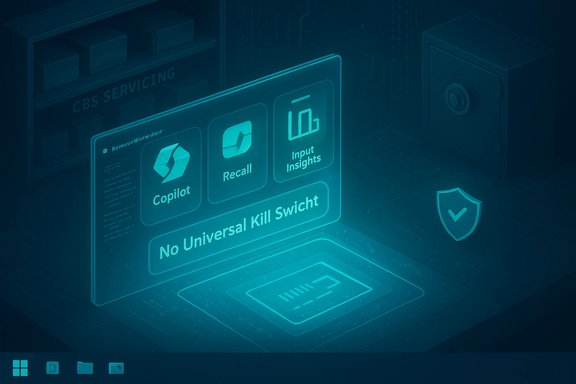
Microsoft’s latest Windows 25H2 builds ship a broad set of on‑device AI features — from Copilot to Recall, Input Insights, and context‑sensitive AI Actions — yet there is no single, official “kill switch” in the Settings UI that fully removes or permanently disables every AI component, forcing privacy‑conscious and power users to rely on community tooling such as the RemoveWindowsAI PowerShell project to regain control.
Microsoft has repositioned Windows as an “AI PC” platform by integrating agentic AI features across system UI and first‑party apps. These features are presented as productivity and accessibility improvements, but many are implemented as first‑party Appx/MSIX packages, scheduled tasks, background services, and hidden servicing artifacts in the Component‑Based Servicing (CBS) store. The combined effect is that visible toggles in Settings sometimes only hide UI elements — they do not reliably remove underlying packages or servicing metadata that Windows Update and provisioning can re‑apply.
One particularly sensitive example is Windows Recall, which captures frequent screenshots and builds a local index for visual history search. Recall stores snapshots and an index locally, and the feature depends on scheduled tasks and persistent snapshot files that can be targeted and deleted by third‑party tools — a design that provides local convenience but also creates a concentrated local store of screen content. Community analysis and Microsoft documentation indicate Recall uses local encryption and Windows Hello and TPM protections for certain snapshot data, but the presence of full, local screenshots in an indexed database is an inherent risk for security‑minded deployments.
The project’s README and independent hands‑on testing document the tool’s scope: it targets Copilot UI elements, Recall, Input Insights, Voice Access, various AI features inside Paint and Notepad, and other first‑party AI surfaces found in stable Windows 25H2 builds and later. The author explicitly scopes the project to stable channel builds and warns about Insider previews and nonstandard OEM states.
Until vendors provide a single, auditable opt‑out that guarantees both UI and underlying package removal, users should treat Recall snapshots as potentially sensitive content and apply network segmentation, local disk encryption, and strict account controls as part of their threat model.
For hobbyists and lab users who accept the maintenance burden and follow strict safety practices (full image backups, VM testing, artifact verification), RemoveWindowsAI provides useful agency. For enterprises and nontechnical users, the prudent route remains: exhaust supported Settings, use MDM/GPO/AppLocker where possible, create custom images for provisioning, and insist that vendors provide durable, documented opt‑outs that do not require servicing‑store surgery. The broader lesson for platform vendors is clear: if integrated AI features are to be widely accepted, supported mechanisms for opting out — that preserve system integrity and user choice — must be provided.
Source: Technobezz Microsoft's Windows AI Features Lack Official Disable Options, Forcing Users To Third-Party Tools
 Background
Microsoft has repositioned Windows as an “AI PC” platform by integrating agentic AI features across system UI and first‑party apps. These features are presented as productivity and accessibility improvements, but many are implemented as first‑party Appx/MSIX packages, scheduled tasks, background services, and hidden servicing artifacts in the Component‑Based Servicing (CBS) store. The combined effect is that visible toggles in Settings sometimes only hide UI elements — they do not reliably remove underlying packages or servicing metadata that Windows Update and provisioning can re‑apply.One particularly sensitive example is Windows Recall, which captures frequent screenshots and builds a local index for visual history search. Recall stores snapshots and an index locally, and the feature depends on scheduled tasks and persistent snapshot files that can be targeted and deleted by third‑party tools — a design that provides local convenience but also creates a concentrated local store of screen content. Community analysis and Microsoft documentation indicate Recall uses local encryption and Windows Hello and TPM protections for certain snapshot data, but the presence of full, local screenshots in an indexed database is an inherent risk for security‑minded deployments.
What RemoveWindowsAI is and why it surfaced
RemoveWindowsAI is an open‑source PowerShell project that consolidates many community “debloat” techniques into a single orchestrated workflow. It quickly became popular because it automates the layered work power users had been doing manually for months: registry and policy edits, Appx and provisioned package uninstalls, scheduled task cleanup, deletion of Recall snapshot indices, and — most controversially — manual edits to the CBS servicing store and installation of a custom blocker update to prevent re‑provisioning.The project’s README and independent hands‑on testing document the tool’s scope: it targets Copilot UI elements, Recall, Input Insights, Voice Access, various AI features inside Paint and Notepad, and other first‑party AI surfaces found in stable Windows 25H2 builds and later. The author explicitly scopes the project to stable channel builds and warns about Insider previews and nonstandard OEM states.
How the tool works — a technical breakdown
RemoveWindowsAI operates across four technical layers:- Registry and policy edits — flips documented feature‑gating keys and Group Policy/CSP equivalents to hide or block activation paths for Copilot, Recall, Input Insights, and other UI surfaces. These changes are relatively low risk and reversible when performed carefully.
- Appx / MSIX removal — calls Remove‑AppxPackage for user packages and Remove‑AppxProvisionedPackage to strip provisioned manifests so new user accounts won’t receive the packages. Removing provisioned packages is more invasive because it changes provisioning metadata.
- Scheduled task and local data cleanup — deletes scheduled tasks and the local snapshot/index files that Recall uses to provide its timeline and visual search. This deletion is destructive: absent an offline backup, recovered Recall history will generally be unrecoverable.
- Component‑Based Servicing (CBS) surgery and blocker package — removes or neutralizes hidden servicing packages and optionally installs a custom MSU‑style blocker update so Windows Update treats targeted AI components as intentionally blocked. This is the mechanism that attempts to convert a one‑time removal into a durable opt‑out, but it also diverges the servicing inventory from Microsoft’s expected state — the primary source of update and upgrade fragility.
Why a vendor toggle would matter — and why it’s missing
A durable, supported opt‑out in the UI (or a one‑command, vendor‑backed policy option) would preserve system integrity and reduce the need for risky servicing surgery. In contrast, the current absence of a comprehensive official disable option leaves users with a stark tradeoff:- Accept first‑party AI features and potential local data collection / indexing, or
- Run third‑party tools that may permanently change servicing metadata and complicate future updates and vendor support.
Strengths: why power users adopt RemoveWindowsAI
There are legitimate, practical reasons RemoveWindowsAI attracted rapid adoption:- User agency and control — it gives privacy‑minded users explicit control over agentic features that are otherwise difficult to opt out of completely.
- Automation of tedious, error‑prone tasks — uninstalling provisioned packages and editing servicing metadata manually is error prone; a consolidated, audited script streamlines repeatable actions for testers and enthusiasts.
- Granularity and safety features — the project exposes options and a documented revert/backup mode so users can run safer subsets of changes before committing to destructive operations.
Risks and limitations — the full downside
RemoveWindowsAI’s most important tradeoffs revolve around durability versus system integrity:- Servicing fragility and upgrade breakage — editing CBS or installing a blocker package intentionally diverges the machine’s servicing inventory from what Windows Update expects, increasing the probability of cumulative‑update failures, rollbacks, or feature‑upgrade errors. This is repeatedly cited by community analysts as the single largest risk.
- Supportability and warranty implications — a device with altered servicing metadata may be harder to troubleshoot using official support channels; OEM or Microsoft support may require reprovisioning or reimaging to return the system to a known good state. Enterprises should treat this as a formal risk to change management and warranty compliance.
- Security and supply‑chain exposure — running elevated scripts that download artifacts expands attack surface. Even open‑source projects can be forked, modified, or abused; any external binaries or downloads must be independently verified (checksums, signed artifacts).
- False sense of privacy — removing visible UI surfaces does not guarantee that all telemetry channels are eliminated. Some telemetry and cloud services can persist independently of the removed Appx packages. Treat local removal as one piece of a broader privacy and telemetry audit.
- Irreversible local data deletion — deleting Recall snapshots and indices is destructive. Users who rely on Recall for continuity or recovery must back up data before deleting it; the script’s revert mode cannot always restore deleted local Snapshot indices.
- Incomplete coverage — some AI surfaces (for example, Gaming Copilot, certain OneDrive AI features, or Insider build components) are delivered separately or rely on cloud side logic and may require manual steps that the script cannot automate safely. The project’s README explicitly documents these limitations.
Enterprise perspective: supported alternatives and best practice
For managed fleets, the consensus guidance from community analysis is unequivocal: avoid ad‑hoc servicing surgery. Instead, prefer supported management mechanisms:- Use MDM (Intune), Group Policy, AppLocker, and WDAC to enforce agent restrictions without modifying servicing metadata. These controls are auditable and reversible.
- Create custom images and deploy a known baseline via official provisioning tools (Autopilot, MDT, WDS) so the organization controls the provisioning state rather than editing CBS post‑install. This is the recommended path for durable enterprise control.
- For pilot programs, stage updates and tools in a representative test ring and validate feature‑upgrade scenarios before broad rollout. Keep rollback images and documented recovery procedures.
Practical, step‑by‑step safety checklist for individual users
If you are a technically capable user deciding whether to run RemoveWindowsAI, adopt the following disciplined sequence:- Create a full disk image (not just file backup) and keep it off‑device.
- Test the script in a VM that mirrors your production OS build and key software. Validate boot, update, and app behavior after removals.
- Inspect the repository and read every script line that will run with Administrator privileges. Confirm network calls and downloaded artifact URLs.
- Run the tool first in backup mode and verify the backup integrity off‑device.
- Avoid the blocker/CBS surgery option unless you accept future update fragility and have a recovery plan. If you must use the blocker, test upgrade paths thoroughly in a sandbox.
- Verify checksums and signatures for any external binaries the script fetches; mirror artifacts locally if possible.
- After changes, validate Windows Update behavior and rehearse a feature upgrade on the test VM to ensure updates do not fail.
Privacy and security implications of Recall and local AI indexing
Recall’s model — periodic screenshots indexed locally for visual search — provides strong convenience but concentrates sensitive visual data on disk. Although Microsoft documents protections such as local encryption, Windows Hello authentication and TPM‑backed snapshot keys for certain Recall data, the mere existence of an indexed local screenshot store changes the risk calculus for sensitive environments (finance, healthcare, regulated industry) and multi‑user machines. Deleting indexes or turning off Recall via official toggles may not be sufficient to remove all stored artifacts; complete removal often requires wiping local snapshot files and scheduled tasks.Until vendors provide a single, auditable opt‑out that guarantees both UI and underlying package removal, users should treat Recall snapshots as potentially sensitive content and apply network segmentation, local disk encryption, and strict account controls as part of their threat model.
Vendor incentives, product design and the broader debate
RemoveWindowsAI’s popularity is a community response to a structural choice: Microsoft ships AI experiences deeply integrated with the OS and first‑party apps. When defaults and provisioning favor exposure to AI surfaces, motivated users will demand durable opt‑outs. The debate centers on two competing goals:- Vendors want signal and telemetry to refine models and features.
- Some users demand agency, minimal local observation, and the ability to remove unwanted features without jeopardizing system integrity.
What’s verifiable and what needs caution
The uploaded analysis and community testing clearly verify that:- RemoveWindowsAI automates registry flips, Appx removals, scheduled‑task cleanup, and attempts CBS edits.
- The tool removes or hides visible Copilot and Recall UI surfaces on many tested stable builds.
- The blocker package / CBS surgery can make removals durable but increases the risk of future update or upgrade failures.
- Attributions to specific named security researchers (for example, as quoted in third‑party press pieces) were not present in the provided files and should be treated as unverified until the primary source is checked. Flagging such attributions as unverified is important for accuracy.
- The exact telemetry pathways that remain after visible removal are not exhaustively enumerated in community tests; a comprehensive, machine‑level telemetry audit (including network calls, diagnostic endpoints, and cloud‑side processing) is necessary to prove complete elimination of data flows. Users should not assume registry edits and Appx uninstalls remove every telemetry vector.
Alternatives and practical mitigations short of servicing surgery
Not every user needs the extreme step of running a servicing‑level script. Safer, lower‑risk alternatives include:- Use built‑in Settings toggles where present (for Copilot, Recall, Input Insights). These are the least invasive first step.
- Harden telemetry and diagnostics using Microsoft’s privacy settings and, in enterprise contexts, MDM/GPO for managed controls.
- Use privacy‑aware browsers or extensions that block local capture or site‑level integrations; some browsers and third‑party privacy tools already constrain Recall when operating within their process context.
- For durable, fleet‑scale opt‑outs, create and deploy customized Windows images that omit targeted packages at provisioning time rather than rewriting the servicing store after install.
Recommendations for Microsoft and OEMs
To resolve the governance tension and reduce risky third‑party workarounds, platform vendors should:- Provide a documented, supported, and durable opt‑out (UI toggle + policy + provisioning control) that removes both UI and servicing artifacts for users who request it.
- Publish clear data‑lifecycle documentation for AI features such as Recall: what is captured, where it is stored, retention windows, encryption boundaries, and exact conditions that cause cloud upload or model‑training signals to leave the device.
- Offer enterprise‑grade policy controls that allow administrators to exclude AI components at provisioning time (image customization, MDM policies) rather than relying on post‑install surgery.
Conclusion
RemoveWindowsAI is a sophisticated, community‑driven response to a genuine user need: durable control over an OS that is increasingly AI‑centric. The project packages proven removal techniques into a usable tool and offers backups and revert options that lower some risks. At the same time, the most powerful mechanisms it employs — CBS surgery and blocker packages — intentionally diverge a machine from Microsoft’s servicing expectations and therefore raise nontrivial risks for updates, support, and stability.For hobbyists and lab users who accept the maintenance burden and follow strict safety practices (full image backups, VM testing, artifact verification), RemoveWindowsAI provides useful agency. For enterprises and nontechnical users, the prudent route remains: exhaust supported Settings, use MDM/GPO/AppLocker where possible, create custom images for provisioning, and insist that vendors provide durable, documented opt‑outs that do not require servicing‑store surgery. The broader lesson for platform vendors is clear: if integrated AI features are to be widely accepted, supported mechanisms for opting out — that preserve system integrity and user choice — must be provided.
Source: Technobezz Microsoft's Windows AI Features Lack Official Disable Options, Forcing Users To Third-Party Tools
