

Rockwell Automation’s disclosure that the Studio 5000 Simulation Interface ships with two high‑severity flaws — a path‑traversal/local code execution bug and a local SSRF that can force outbound SMB connections to harvest NTLM hashes — sharpens a familiar but urgent warning for ICS/OT operators: engineering workstations and simulator services are high‑value attack surfaces and must be treated as privileged infrastructure. Rockwell has published a corrective release and guidance; independent registries have recorded the CVE entries and scoring, and community analysts are already flagging realistic weaponization paths for environments that leave simulation services reachable from business networks or allow untrusted project files to be processed.
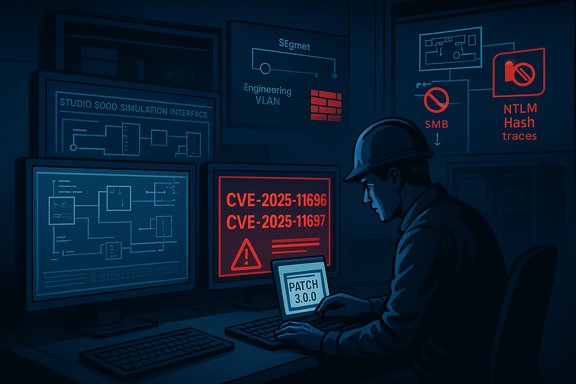
Studio 5000 is Rockwell Automation’s engineering environment for Logix‑based controllers; the Simulation Interface is a component used to emulate PLCs and test projects locally without hardware. Rockwell’s advisory assigns two CVEs to the Simulation Interface: CVE‑2025‑11696 (SSRF enabling outbound SMB requests and NTLM hash capture) and CVE‑2025‑11697 (path traversal leading to local code execution via extraction of files and execution of scripts at reboot). Rockwell reports that affected builds are Version 2.02 and prior, and that the issue is corrected in Studio 5000 Simulation Interface 3.0.0. These are vendor‑published facts and are reflected in national vulnerability databases. Two framing points matter immediately:
These two CVEs are a textbook example of how local vulnerabilities in engineering tools convert into enterprise‑wide threats when environments lack strong segmentation, privileged‑use controls, and vigilant monitoring. The technical specifics — SSRF enabling NTLM capture and ZipSlip‑style path traversal enabling persistence — are well understood and have reliable mitigations: patch, isolate, and detect. Operators who treat engineering hosts as first‑class security assets and who combine prompt patching with practical compensating controls will significantly reduce the risk to production control systems.
Source: CISA Rockwell Automation Studio 5000 Simulation Interface | CISA
 Background / Overview
Studio 5000 is Rockwell Automation’s engineering environment for Logix‑based controllers; the Simulation Interface is a component used to emulate PLCs and test projects locally without hardware. Rockwell’s advisory assigns two CVEs to the Simulation Interface: CVE‑2025‑11696 (SSRF enabling outbound SMB requests and NTLM hash capture) and CVE‑2025‑11697 (path traversal leading to local code execution via extraction of files and execution of scripts at reboot). Rockwell reports that affected builds are Version 2.02 and prior, and that the issue is corrected in Studio 5000 Simulation Interface 3.0.0. These are vendor‑published facts and are reflected in national vulnerability databases. Two framing points matter immediately:- These are local vulnerabilities — an attacker needs an account on the Windows host (or the ability to get code executed locally) — but the flaws are low complexity to exploit once local access exists.
- The attacker model Rockwell and others outline is classic ICS pivoting: compromise a business or contractor device that can reach engineering hosts, then use the simulation interface to write files, escalate privileges, harvest credentials, and persist into the environment. Community analysis shows how these paths can be chained with other weaknesses to reach controllers or HMI systems.
What Rockwell and Registries Say (verified)
Product and fix status
- Affected product: Studio 5000 Simulation Interface — Version 2.02 and prior.
- Corrected in: 3.0.0; Rockwell recommends upgrading to 3.0.0 or later.
CVE identifiers and high‑level impact
- CVE‑2025‑11696 — local SSRF via API that can trigger outbound SMB requests, enabling an attacker with local access to capture NTLM authentication hashes (credential harvesting). Rockwell lists a high CVSS score and maps the weakness to CWE‑918 (SSRF).
- CVE‑2025‑11697 — local path‑traversal / extraction flaw via API that allows arbitrary files to be written outside the intended extraction directory; these can include scripts that run with Administrator privileges during a reboot. Rockwell maps this to CWE‑22 (path traversal).
Scores and discrepancies (what was verified)
Vendor and registry metadata reproduce the CVE entries and provide CVSS metrics. Rockwell’s advisory and NVD reflect CVSS values in the high‑8 range under both v3.1 and v4 scoring. Note that community copies and some coordinating agency summaries show slightly different numeric scores; these differences arise from alternative scoring interpretations or editorial aggregation. Administrators should prioritize vendor advisory data (Rockwell) and national registry entries (NVD/CVE) when synchronizing vulnerability management systems.Technical breakdown — how each vulnerability works
CVE‑2025‑11696 — Local SSRF that forces SMB outbound traffic
- The Simulation Interface’s API accepts and dereferences user‑controlled inputs that can be coerced into network requests. Malformed or manipulated inputs can be used to instruct the product to reach back to an attacker‑controlled SMB endpoint.
- When Windows systems perform SMB authentication to a remote server, they typically send NTLM challenge/response material that can be captured by an attacker running an SMB listener. Harvesting NTLM hashes lets an attacker attempt offline cracking or relay attacks depending on environment hardening.
- Exploitation prerequisites: a local account or local code execution ability on the host where the Simulation Interface runs. Attack complexity: low once local access exists. Impact: credential compromise and lateral movement.
CVE‑2025‑11697 — Path traversal leading to code execution on reboot
- The Simulation Interface accepts archive/project inputs and performs extraction. Due to insufficient sanitization, crafted archive entries containing path traversal sequences (../ or encoded equivalents) can escape the intended extraction root.
- An attacker can place files into privileged folders (for example, Startup, ProgramData, or other locations that are processed by system services or scheduled at boot), creating scripts or payloads that execute with elevated privileges when the system reboots or when certain services process those locations.
- Exploitation prerequisites: a local account that can interact with the API or trick the product into processing a malicious archive. Attack complexity: low to moderate, depending on whether reboot or other post‑processing is required to trigger execution. Impact: local privilege escalation to Administrator and persistent code execution.
Risk evaluation — why this matters to Windows‑centric ICS operations
- Engineering workstations are privileged: Studio 5000 hosts contain logic, credentials, and remote access tools that can program controllers. Compromising them can produce catastrophic operational outcomes. Community analyses of similar Rockwell advisories repeatedly emphasize that engineering hosts are high‑value targets for attackers seeking to cause physical or safety impacts.
- Low‑complexity local exploits are practical: Many ICS environments allow vendor or contractor machines to connect to engineering networks, and those devices can be less rigorously controlled. Because both CVEs require only local access and are straightforward to exploit, the practical risk is high where segmentation is weak.
- NTLM hash capture is a proven pivot tool: Even if the initial access is constrained, NTLM capture has a long operational history as a stepping stone for lateral movement, credential reuse, and persistence in Windows domains.
- Patch windows in OT are long: Industrial change‑control often delays patching. That amplifies the window of risk after disclosure, making compensating controls essential until upgrades can be validated and deployed.
Mitigation and remediation — immediate, prioritized actions
Rockwell’s primary remediation is to upgrade to Studio 5000 Simulation Interface 3.0.0 or later. Where immediate upgrades are not feasible, apply the compensating controls below. Both Rockwell and national guidance stress network hardening and minimizing exposure of control assets.1. Patch and validate (highest priority)
- Inventory all hosts running Studio 5000 Simulation Interface and note version numbers.
- Prioritize patching engineering VMs and machines that are domain‑joined or host project repositories.
- Test the 3.0.0 upgrade in a staging environment, validate simulation workflows, backups, and rollback procedures, then schedule a controlled deployment.
- After patching, verify that vulnerable API endpoints no longer accept traversal payloads or SSRF targets using safe, non‑destructive tests approved by change control.
2. Immediate compensating controls (if you cannot patch immediately)
- Isolate engineering hosts: Put Studio 5000 hosts into a dedicated OT/engineering VLAN with strict egress/ingress ACLs. Deny SMB outbound traffic unless explicitly required and monitored.
- Block outbound SMB to untrusted destinations: Enforce firewall rules that prevent hosts from resolving or initiating SMB (TCP 445) to arbitrary external addresses; allow only explicitly required SMB endpoints for backups or file servers.
- Harden administrative privileges: Remove local admin rights from regular operator accounts on engineering hosts. Use just‑in‑time elevation for maintenance and require multi‑factor authentication for privileged sessions.
- Restrict acceptance of untrusted archives: Enforce policies that engineers only open project files from verified sources; use isolated staging hosts to open vendor project files and scan archives for traversal patterns before import.
- Vendor remote access controls: Replace unfettered vendor VPN access with jump hosts or bastion hosts that are monitored and ephemeral. Use MFA and session logging for all remote vendor sessions.
3. Detection and response
- Hunt for anomalous SMB egress: Monitor for SMB connections to uncommon destinations and set alerts for SMB negotiation attempts to external IPs. Captured attempts to resolve to external SMB hosts are a strong indicator of SSRF‑style abuse.
- Detect unusual file writes and preboot service changes: Monitor Startup, Scheduled Tasks, and ProgramData for unexpected files or recent modifications originating from the Simulation Interface process. Configure file‑integrity monitoring (FIM) and SIEM alerts for these locations.
- Audit process creation: Look for child processes spawned by the Simulation Interface or other engineering tools that attempt to run scripts at reboot. Collect process creation and command‑line logs for forensic review.
- Collect and analyze Event Logs: Windows Application and System logs will show installer/extraction errors, COM exceptions, or service restarts that can be an early sign of abuse. Ensure logs are centralized and retained for investigation.
Detection recipes and IOCs (practical, actionable)
- Network indicators
- Any outbound SMB connection (TCP 445) from engineering hosts to IP addresses outside the corporate file server range in the hours following a suspicious project import.
- DNS resolution or HTTP(S) requests from the Simulation Interface host to endpoints previously unused by engineering hosts.
- Host indicators
- New files placed in Startup folders, Scheduled Tasks, or service configuration changes with timestamps aligned to when a project archive was imported.
- Unexpected extraction failures or application logs showing malformed archive entries and path strings containing “../” or encoded equivalents.
- Event IDs signaling execution or service restarts tied to the Simulation Interface process.
- Behavioral signatures
- Repeated attempts to connect to SMB endpoints that trigger NTLM negotiation but fail authentication — these are often the first sign of hash capture attempts.
- Creation of executables or scripts owned by system accounts in directories normally reserved for user profile data.
Testing and verification guidance for SOC/OT teams
- Use non‑productive test hosts to replay sanitized exploitation payloads and validate that the patched 3.0.0 build refuses traversal entries and does not trigger outbound SMB requests. Do not run live exploit code in production.
- Validate that firewall egress rules block unauthorized SMB egress and that such denials are logged at the network perimeter.
- After patching, run integration and regression tests for simulation workflows, confirming that legitimate project imports and automation testing still function as expected.
- Document rollback steps and maintain images/backups of engineering workstations before any remediation activities to ensure safe recovery if the patch affects critical workflows.
Strategic recommendations for reducing future exposure
- Treat engineering tools as crown jewels: apply stricter change control, dedicated segmentation, and elevated monitoring compared with general‑purpose desktops.
- Implement application allow‑listing for engineering hosts so only approved binary families and signed installers can execute.
- Enforce vendor management rules: no direct engineering network access without formal change control, MFA, and session recording on bastion/jump hosts.
- Introduce archive handling policies: use quarantine/staging hosts to open vendor files, scan with updated AV/EDR engines, and strip or normalize archives before import.
- Regularly export inventories of software components and third‑party libraries embedded in engineering tools — vulnerable libraries (e.g., extraction libraries like DotNetZip in past incidents) often cause cascading vulnerabilities across OT products. Community reviews of prior Rockwell issues highlight how embedded libraries can surface multiple products to similar path‑traversal extraction concerns.
What to communicate to leadership and operations
- The primary exposure is to local compromise of engineering hosts — this is not an internet‑facing remote RCE out of the box — but the business impact can be identical to a remote compromise because attackers frequently gain the local foothold through remote channels (phishing, contractor/laptop compromise, or weak segmentation).
- Patch windows and operational validation are essential; plan staged rollouts with prioritized asset lists (engineering servers and domain‑joined hosts first), but maintain compensating controls until the patch is deployed everywhere.
- Emphasize that the remediation is not simply a software update: it requires architecture, policy, and monitoring changes to prevent lateral use of harvested credentials and to block exploitation of untrusted archives.
Unverifiable claims and cautionary notes
Some public summaries and aggregators report slightly different CVSS numbers and vectors than Rockwell’s advisory. These discrepancies stem from independent scoring interpretations and should be treated as editorial variance rather than contradicted vendor facts. For operational decisions, rely on the vendor’s corrected release notes and the NVD/CVE entries that reflect the vendor’s CNA submission, then corroborate with defensive telemetry. Also note: there have been no confirmed reports of in‑the‑wild exploitation targeting these specific CVEs at the time of publication, but that absence does not reduce urgency — low‑complexity local bugs in privileged engineering components are high‑value for attackers and often weaponized quickly once exploits circulate.Final checklist — immediate 24‑72 hour action plan
- Identify all Studio 5000 Simulation Interface hosts (2.02 and prior).
- If feasible, schedule urgent validation and upgrade to 3.0.0; if not, apply network egress rules to block SMB egress and isolate the hosts.
- Restrict local admin privileges on engineering hosts and implement just‑in‑time elevation controls.
- Quarantine and scan any newly received project archives on isolated staging hosts before importing into engineer workstations.
- Enable and tune detection rules for outbound SMB activity, unusual file writes to Startup and ProgramData, and unexpected process creation events.
- Log and retain forensic data for any suspected activity and prepare to involve OT incident response if indicators match exploitation patterns.
These two CVEs are a textbook example of how local vulnerabilities in engineering tools convert into enterprise‑wide threats when environments lack strong segmentation, privileged‑use controls, and vigilant monitoring. The technical specifics — SSRF enabling NTLM capture and ZipSlip‑style path traversal enabling persistence — are well understood and have reliable mitigations: patch, isolate, and detect. Operators who treat engineering hosts as first‑class security assets and who combine prompt patching with practical compensating controls will significantly reduce the risk to production control systems.
Source: CISA Rockwell Automation Studio 5000 Simulation Interface | CISA
