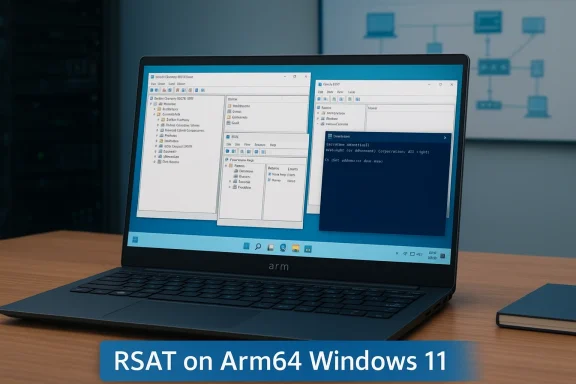
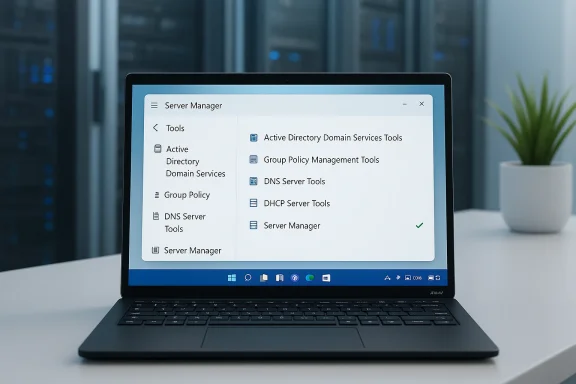
Support for Remote Server Administration Tools on Arm-based Windows 11 clients is no longer a roadmap promise — it’s a reality you can enable today, and it changes what IT teams can expect from Arm-powered endpoints in the field.
For years, Windows on Arm has promised the appeal of longer battery life, built‑in connectivity, and thin‑and‑light designs that suit mobile professionals. The tradeoff was perennial: many server‑management utilities and advanced administrative tools were compiled only for x64, forcing IT teams to carry a second device, use jump hosts, or rely on web consoles like Windows Admin Center when they needed to perform day‑to‑day server administration tasks.
That gap has been a frequent blocker in enterprise rollouts. Administrators want to run the same GUIs and PowerShell tooling they use on x64 laptops — Active Directory Users and Computers (ADUC), Group Policy Management Console (GPMC), DNS and DHCP consoles, and certificate management utilities — directly on their endpoint. With the February 2026 non‑security preview update Microsoft shipped into the mainstream servicing pipeline and with the targeted 26H1 release, several of those RSAT components have now been compiled natively for Arm64 and exposed to Windows 11 on Arm as installable features.
This is not a cosmetic change. It rewrites several operational assumptions about endpoint parity, manageability, and the acceptability of Arm devices in production IT environments.
This is a practical, meaningful change — but it’s not an automatic green light for fleet‑wide Arm migrations. The first release delivers the most widely used RSAT modules, but not necessarily every conceivable tooling scenario. Administrators must pilot, validate automation and security controls, and confirm the exact feature set they depend on before swapping out standard x64 management endpoints.
If you manage Windows infrastructure, plan a measured test: enable the new RSAT modules in a controlled environment, validate your PowerShell automation, and confirm security posture before scaling. Do that, and you’ll be able to reap the mobility and battery advantages of Arm devices while keeping the full administrative toolkit you rely on.
Source: Microsoft - Message Center RSAT capabilities arrive on Arm-based Windows 11 PCs - Windows IT Pro Blog
 Background
For years, Windows on Arm has promised the appeal of longer battery life, built‑in connectivity, and thin‑and‑light designs that suit mobile professionals. The tradeoff was perennial: many server‑management utilities and advanced administrative tools were compiled only for x64, forcing IT teams to carry a second device, use jump hosts, or rely on web consoles like Windows Admin Center when they needed to perform day‑to‑day server administration tasks.That gap has been a frequent blocker in enterprise rollouts. Administrators want to run the same GUIs and PowerShell tooling they use on x64 laptops — Active Directory Users and Computers (ADUC), Group Policy Management Console (GPMC), DNS and DHCP consoles, and certificate management utilities — directly on their endpoint. With the February 2026 non‑security preview update Microsoft shipped into the mainstream servicing pipeline and with the targeted 26H1 release, several of those RSAT components have now been compiled natively for Arm64 and exposed to Windows 11 on Arm as installable features.
This is not a cosmetic change. It rewrites several operational assumptions about endpoint parity, manageability, and the acceptability of Arm devices in production IT environments.
What Microsoft delivered (and what it means)
The initial RSAT lineup on Arm64
Microsoft exposed five commonly used RSAT components for Arm‑based Windows 11 clients in the February 2026 preview update. Administrators will recognize the set immediately:- Active Directory Domain Services & AD LDS Tools — ADUC, delegation and domain object management, and tools for AD Lightweight Directory Services.
- Active Directory Certificate Services (AD CS) Tools — consoles and snap‑ins for managing certificate authorities and PKI.
- Group Policy Management Console (GPMC) — the familiar GPO authoring and troubleshooting interface.
- DNS Server Tools — DNS Manager and command‑line DNS utilities for zone and record management.
- DHCP Server Tools — DHCP console and scope management utilities.
Where the features show up
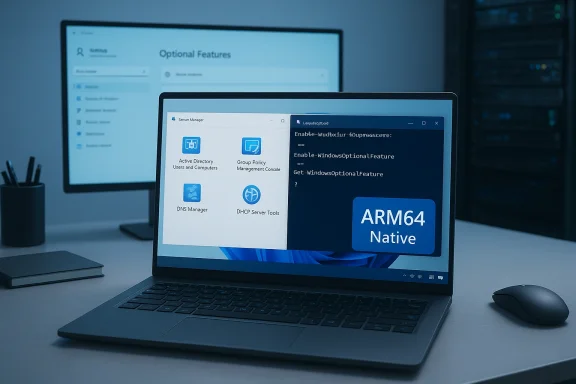
Microsoft exposes the Arm64 RSAT components differently depending on the Windows 11 release:- On broadly released builds — Windows 11 versions 24H2 and 25H2 — RSAT support for Arm64 arrives via the February 2026 non‑security preview update and appears as Optional Features (the same mechanism you’d use to add traditional RSAT modules on x64 clients).
- On the targeted Windows 11, version 26H1 release, Microsoft integrates RSAT components as Features on Demand (FODs), which aligns the Arm experience more closely with how x64 devices already consume RSAT.
Why this matters for enterprise IT
This change collapses friction in multiple practical ways.- Single‑device admin workflows. Administrators who prefer using the device in their bag — including Arm laptops offering better battery life and cellular connectivity — can now run the same GUI and PowerShell flows directly, without a secondary x64 machine or remote jump host.
- Pilots and hardware diversification. Organizations testing new Arm‑based models (Qualcomm‑based platforms and other Arm silicon) can evaluate manageability and administrative ergonomics without workarounds that distort the pilot outcomes.
- Operational parity. Native RSAT binaries remove some of the subtle behavioral differences you get when tools run under emulation. That reduces hard‑to‑diagnose issues and makes supportability assumptions simpler.
- Modern deployment alignment. By packaging RSAT as Optional Features and FODs, Microsoft lets IT teams adopt existing servicing and feature‑management workflows to provision admin tools.
How to enable RSAT on Arm-based Windows 11 PCs
Below are practical, step‑by‑step options for administrators and helpdesk technicians who want to enable RSAT on Arm64 devices today. These instructions reflect what Microsoft published for the February 2026 preview update and the 26H1 provisioning model.Prerequisites and notes
- Your device must be running Windows 11 on an Arm64 processor.
- For Optional Feature delivery, the device must be on Windows 11, version 24H2 or 25H2 and updated with the February 2026 non‑security preview update (the optional KB preview that contains the feature bits).
- The new RSAT bits are fully integrated as FODs in Windows 11, version 26H1.
- Microsoft referenced support for Windows 11 Pro and Enterprise editions — verify your device edition before proceeding on managed endpoints.
GUI: Control Panel (for 24H2/25H2 optional update)
- Press Win + R, type optionalfeatures.exe, and press Enter to open the classic Turn Windows features on or off dialog.
- Locate the desired RSAT entries — they appear under the RSAT display names — and check the boxes for the components you need.
- Apply and restart if prompted.
Settings UI: Optional Features (for 26H1 FODs)
- Open Settings > System > Optional features > Add an optional feature.
- Search for the RSAT label you want (for example, “RSAT: Active Directory Domain Services and LDS Tools”).
- Select and install. The package installs as a Feature on Demand.
Command line: PowerShell and DISM
For scripting and remote provisioning, use the PowerShell and DISM patterns familiar to Windows admins. Use the feature’s FeatureName when scripting.- List optional features:
- dism /online /get-features /format:table | findstr /i "Enabled"
- Get-WindowsOptionalFeature -Online | Where-Object State -eq "Enabled"
- Install a specific RSAT feature with PowerShell:
- Enable-WindowsOptionalFeature -Online -FeatureName ActiveDirectory-DS-LDS-Tools -All -NoRestart
- Enable-WindowsOptionalFeature -Online -FeatureName CertificateServices-Tools -All -NoRestart
- Query an individual feature:
- Get-WindowsOptionalFeature -Online -FeatureName <FeatureName>
Deployment guidance and best practices
Rolling RSAT to a fleet requires the usual planning steps plus a few Arm‑specific checks.- Pilot first. Test the RSAT modules on representative Arm hardware before broad deployment. Even native binaries can surface device‑specific driver or UEFI differences that affect functionality.
- Audit module parity. Confirm the exact RSAT modules you need are available on Arm64. Microsoft’s initial rollout included five widely used modules; some niche or legacy RSAT components may not be present yet.
- Use existing servicing pipelines. Distribute RSAT FODs via your normal Feature on Demand packaging or deploy Optional Feature installs through automated scripts where appropriate.
- Credential hygiene. Don’t treat mobile Arm devices as equivalent to physically secured office laptops — enforce MFA, disk encryption, strong local policies and limit the use of cached domain credentials on unmanaged endpoints.
- Monitoring and telemetry. Watch for event logs and application compatibility issues after deploy; gather feedback from helpdesk and escalate reproducible errors to Microsoft support channels as needed.
Limitations, risks, and caveats
No rollout is risk‑free. Here are practical issues to consider and mitigate.- Staged rollout and availability. Microsoft used a preview/non‑security update channel to deliver the initial Arm64 RSAT capability. That means not every device will see the components immediately; some organizations reported the feature wasn’t visible on certain builds until the corresponding preview package installed. Expect a staged rollout.
- Not full RSAT parity today. Microsoft’s initial announcement highlighted five key RSAT tools. If your workflows rely on additional or less‑common RSAT modules, verify availability before relying on Arm clients exclusively.
- UI vs. headless server scenarios. RSAT GUIs are useful, but some administers prefer PowerShell and remote management APIs. Confirm that any PowerShell modules and underlying cmdlets behave identically on Arm64 binaries as on x64, particularly when automating cross‑architecture tasks.
- Emulation confusion. While these RSAT modules are Arm64‑native, other management utilities you use (or older installs) might still be x64 and rely on emulation. That mixed environment can complicate troubleshooting.
- Third‑party tools and plugins. Some enterprise management tools or extensions that integrate with RSAT may not be Arm‑aware. Validate any 3rd‑party console extensions or MMC snap‑ins you rely on.
- Visibility in management consoles. Some admins reported that RSAT features didn’t appear in Optional Features until the device had the specific preview update installed. If you manage images centrally, ensure the correct package versions are present in your image or deployment pipeline.
- Potential conflicts with previously installed equivalents. Microsoft recommended uninstalling previously installed standalone variants of certain tools (for example, Sysmon) before enabling built‑in or in‑box variants. Treat RSAT similarly: avoid overlapping installs that could cause versioning or DLL conflicts.
Security implications
Giving more devices the ability to run administrative consoles widens the attack surface if not controlled. Consider these defensive measures:- Least privilege. Limit who can install or use RSAT on endpoints through group policies, device configuration policies, or role‑based access in your device management platform.
- Endpoint protection posture. Arm‑based endpoints should meet the same baseline security posture as x64 devices: system hardening, disk encryption (BitLocker), EDR in kernel mode, and host firewall policies.
- Conditional Access. When enabling RSAT on mobile devices (especially if they use cellular connections), require conditional access policies for administrative operations, including MFA and device compliance checks.
- Audit trails. Ensure you retain logs of administrative actions and monitor for abnormal activity. RSAT actions often translate to AD or PKI changes — those must be tracked by SIEM and incident response playbooks.
- User education. Operational convenience should not replace control. Train local admins on secure usage patterns, like avoiding persistent privileged sessions on personally owned or unmanaged Arm laptops.
Testing checklist for IT teams
Before declaring “RSAT on Arm is supported,” run a focused test plan:- Verify the device edition, OS version, and presence of the February 2026 preview package (or 26H1 FODs).
- Install the required RSAT modules via the UI and via scripted methods to confirm consistent behavior.
- Validate GUI functionality: open ADUC, GPMC, DNS Manager and exercise routine tasks (create user, edit GPO, add DNS records).
- Test PowerShell cmdlets and remote management scripts that depend on RSAT modules.
- Confirm interoperability with your identity and PKI infrastructure (enroll certificates, manage CA templates).
- Run stress and logging scenarios to ensure no unexpected resource spikes on smaller Arm devices.
- Document any functionality gaps and communicate them to stakeholders before broad rollout.
Operational examples and automation tips
Automation scales efficiency for admin tool distribution. Use these patterns:- For a one‑off enable via PowerShell:
- Enable-WindowsOptionalFeature -Online -FeatureName ActiveDirectory-DS-LDS-Tools -All -NoRestart
- For image servicing at scale:
- Export the required FOD CABs, add them to your reference image with DISM /Add-Package, and capture a new image for deployment.
- For Intune/SCCM:
- Package the enablement script as a device configuration script, or deploy the FOD as part of your Windows feature management workflow. Use detection logic to avoid re-applying packages to devices that already have the feature.
What to watch next
The RSAT arrival on Arm is a first major step. Expect the following in the near to mid term:- Broader RSAT coverage. Microsoft will likely expand the set of Arm64 RSAT modules over subsequent releases as feedback comes in. Track optional preview release notes and 26H1 guidance closely.
- Enterprise packaging improvements. Expect Microsoft to surface clearer FOD packaging details and CAB downloads for offline servicing that align with current Windows feature management tooling.
- Vendor and tooling compatibility work. Third‑party management suites and plugins will need updates to work seamlessly in Arm environments; plan for integration testing with vendors that ship MMC extensions or RSAT add‑ins.
- Operational guidance and best‑practice updates. As organizations adopt the capability, communal patterns (Win‑Win) around secure provisioning, remote admin workstations, and conditional access policies will converge into recommended playbooks.
Conclusion
The native arrival of RSAT on Arm‑based Windows 11 clients removes a conspicuous barrier that steered many IT organizations away from Arm endpoints. By delivering commonly used AD, PKI, Group Policy, DNS and DHCP tools as Arm64 binaries and packaging them as Optional Features and Features on Demand, Microsoft offers a concrete path to operational parity for administrators who prefer to work directly from the device in their hands.This is a practical, meaningful change — but it’s not an automatic green light for fleet‑wide Arm migrations. The first release delivers the most widely used RSAT modules, but not necessarily every conceivable tooling scenario. Administrators must pilot, validate automation and security controls, and confirm the exact feature set they depend on before swapping out standard x64 management endpoints.
If you manage Windows infrastructure, plan a measured test: enable the new RSAT modules in a controlled environment, validate your PowerShell automation, and confirm security posture before scaling. Do that, and you’ll be able to reap the mobility and battery advantages of Arm devices while keeping the full administrative toolkit you rely on.
Source: Microsoft - Message Center RSAT capabilities arrive on Arm-based Windows 11 PCs - Windows IT Pro Blog