

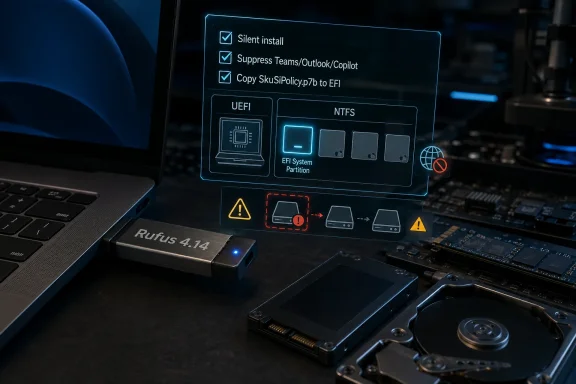
Rufus 4.14, released as a final build on April 30, 2026, adds silent Windows installation, optional suppression of bundled Microsoft apps, Secure Boot policy handling, and several boot-media fixes for Windows 11 installers created on PCs. The update is more than another utility refresh; it is a small but pointed referendum on how complicated a “clean” Windows install has become. Rufus is turning into the enthusiast community’s unofficial answer to a setup experience that increasingly blends operating-system deployment, account policy, cloud onboarding, app promotion, and hardware gatekeeping. The new release gives power users more control, but it also raises the stakes because one of its headline features can erase the first detected disk without asking again.
Rufus began life as the thing many Windows users reached for when Microsoft’s own media tools felt too slow, too limited, or too particular about what counted as a valid USB drive. Over time, it has become something more politically interesting: a negotiator between Windows as Microsoft wants to ship it and Windows as many users want to install it.
Version 4.14 makes that role explicit. The release adds a “Quality of Life” option intended to disable Teams, Outlook, Copilot, and what the changelog bluntly calls other Microsoft “forced nuisances.” That wording matters because Rufus is not merely shaving seconds off a deployment workflow. It is formalizing a user revolt against the increasingly promotional surface area of Windows setup.
The silent installation option is even more consequential. Rufus can now create media that automatically installs Windows on the first detected disk with no prompt on the target machine. For the right user, that is a gift: fewer clicks, fewer repeated setup screens, and a cleaner path for rebuilding lab machines or personal systems. For the wrong user, it is a footgun with a polished handle.
That tension is the story of Rufus 4.14. The update makes Windows installation faster and less annoying, but it also assumes the person holding the USB stick understands exactly what automation does when given permission to act without supervision.
The feature’s appeal is obvious. Windows setup has become a ceremony. Even a straightforward reinstall involves storage selection, region and keyboard choices, network prompts, account pressure, privacy toggles, service invitations, and a post-install period in which the machine decides which inbox apps and cloud experiences it would like to reacquaint you with.
Rufus is attacking that ceremony at the front door. If a user already knows which machine is being wiped and what image is being installed, the repetitive act of babysitting setup becomes waste. Silent installation converts that waste into risk, and Rufus is unusually honest about the trade: the changelog emphasizes that the process happens automatically and without prompt.
That phrase should stop casual users cold. “First detected disk” is not a comforting storage policy on a machine with multiple drives, mixed NVMe and SATA devices, card readers, external storage, or a firmware order that does not match the user’s mental model. In a lab, that behavior is efficient. On a family PC with a second drive full of photos, it is a lawsuit against optimism.
The performance angle is real, particularly on low-end hardware. Startup impact is not just about one app consuming a dramatic amount of memory. It is about the cumulative drag of background updaters, scheduled tasks, notification handlers, preloaded components, sign-in assistants, and service stubs that are unremarkable on a high-end workstation but irritating on a budget laptop.
A fresh Windows 11 install can feel surprisingly busy before the user has installed anything of their own. That is not always because the operating system is inefficient at its core. It is often because the default experience is designed to introduce, retain, and reconnect users to Microsoft’s broader ecosystem. Each individual prompt or app may be defensible in isolation; together they make the machine feel less like a neutral tool and more like a managed storefront.
Rufus’ new option is therefore not only for people who dislike Copilot or resent the new Outlook. It is for users who want a baseline install they can reason about. A PC that starts with fewer consumer-facing extras is easier to benchmark, easier to troubleshoot, easier to image, and easier to hand to someone else without first explaining which icons are part of Windows and which are part of Microsoft’s quarterly priorities.
The Windows 11 era has made installation policy feel unusually alive. Hardware requirements, TPM checks, Secure Boot assumptions, Microsoft account pressure, network requirements, BitLocker defaults, app bundling, and AI-era additions have all turned setup from a neutral installer into an enforcement surface. Some of those choices have sound security or supportability arguments behind them. Others look suspiciously like distribution strategy wearing a security badge.
Rufus has thrived because it does not try to win the philosophical argument. It simply gives the user checkboxes. Bypass this. Create that local account. Avoid this unwanted default. Copy this policy file. Label that partition more clearly. The tool’s popularity reflects a simple truth: the more Microsoft pushes policy into setup, the more users will value installers that expose counter-policy.
That does not mean Microsoft is wrong about every default. A world of unmanaged, under-secured Windows PCs is not good for users, IT departments, or the broader internet. But a secure default becomes resented when it arrives in the same funnel as service promotion and account nudging. Users who cannot tell whether a setup requirement protects them or monetizes them are more likely to distrust both.
This is the sort of change that separates Rufus from prettier USB writers. The project is not merely wrapping Windows setup in a nicer interface. It is tracking the messy underside of modern boot security, where firmware, boot managers, revocation policies, certificate lifetimes, and Windows recovery environments all have to agree about what is trusted.
That matters especially in 2026, because Secure Boot is not a settled background feature. Microsoft and the broader PC ecosystem have been working through certificate transitions and boot trust updates that affect both clients and servers. Administrators are learning, sometimes painfully, that boot security is not a one-time BIOS setting. It is a lifecycle.
Rufus adding a policy-file copy option does not magically make that lifecycle easy. It does, however, acknowledge a reality many deployment tools hide: installation media is part of the trust chain. If the installed operating system expects a particular boot policy state, the media used to deploy or recover it cannot be treated as an afterthought.
The interesting part is not nostalgia. It is that Rufus continues to serve workflows Microsoft has either deprecated, narrowed, or stopped foregrounding. That is one of the reasons the tool has endured: it lives where official product strategy and practical user need do not perfectly overlap.
The
There is a broader lesson here for Windows power users. The operating system’s official deployment story is optimized for supported paths, cloud management, and enterprise-scale repeatability. The community’s deployment story is optimized for getting a stubborn machine working by dinner. Rufus sits closer to the second camp, which is why its changelog often reads like a field notebook from the places official documentation does not dwell.
UEFI:NTFS exists because the modern Windows installer has to bridge old firmware expectations and large installation files. FAT32 remains broadly compatible for UEFI boot, but Windows images can contain files too large for FAT32’s limits. Rufus’ UEFI:NTFS approach uses a small bootable partition to load support for NTFS, then hands off to the larger partition where the Windows files live.
Most users should never need to understand that. But they do need to avoid deleting the wrong thing. A clearer partition label during setup is one of those humble improvements that prevents disaster not by being clever, but by being legible.
This is a recurring theme in Rufus 4.14. Some of its improvements are headline features, but many are friction reducers: tooltips for dialog options, better error reporting when a user tries to use an image stored on the target drive, improved reporting of GRUB and Isolinux MBRs, and better handling of hidden Bitdefender VHDs. None of these will trend on social media. All of them reduce the odds that a deployment fails for a reason that makes sense only after reading a log at midnight.
Local accounts have become symbolically important in Windows 11. For some users, they are about privacy. For others, they are about simplicity, lab repeatability, offline deployment, or not binding a temporary installation to a personal Microsoft account. Rufus has become one of the common tools people use when they want that older, quieter model of PC ownership.
Whitespace in account names is not the stuff of grand platform debates. But deployment tools live or die by these details. A single untrimmed character can turn a clean unattended setup into a failed install, a broken profile, or a confusing first boot.
The fix also shows why third-party Windows deployment utilities cannot merely expose hidden switches and call the job done. They have to sanitize inputs, anticipate weird user behavior, adapt to Microsoft’s changes, and fail safely. The more Rufus automates, the more responsibility it assumes for catching the tiny mistakes Windows setup might otherwise expose interactively.
That combination captures the modern Rufus user better than any marketing copy could. The same person may create a Windows 11 installer in the morning, a Bazzite USB in the afternoon, and a vendor firmware update stick before shutting down. The PC ecosystem is messier than platform owners like to admit, and the tools that survive are the ones that embrace the mess.
Bazzite support is particularly apt because gaming-focused and immutable Linux variants have become part of the Windows enthusiast conversation rather than an entirely separate world. A Windows user frustrated by ads, account requirements, or background services may not fully leave the platform, but they are more likely than before to test alternatives. Rufus benefits from that curiosity even when the target OS is not Windows.
The Dell BIOS ISO improvement is another practical nod to the repair-shop reality. Firmware updates are not glamorous, but they increasingly intersect with Windows security, device reliability, and boot compatibility. A USB creation tool that handles weird vendor images gracefully earns trust in exactly the moments when users have the least patience for theory.
That distinction matters because Windows performance conversations are full of magical thinking. A clean install feels fast partly because it has fewer accumulated drivers, shell extensions, startup items, failed updates, vendor utilities, and user-installed cruft. Rufus can help preserve some of that clean-install feeling by reducing the default payload, but it cannot repeal the physics of an eMMC laptop or a 4GB RAM configuration.
Still, “less stuff at boot” is one of the few performance recommendations that remains broadly sound. On modern Windows, perceived speed often comes down to contention: how many processes wake at sign-in, how much storage churn happens in the first five minutes, how many network services phone home, and how quickly the shell becomes responsive. Disabling unwanted inbox experiences can help with that, especially on machines already close to the edge.
The psychological speedup matters too. A desktop that does not immediately pitch services, load unwanted chat clients, or resurrect apps the user never asked for feels more responsive because it feels more obedient. Enthusiasts often call that “clean,” but the better word may be owned.
But a silent installer that targets the first detected disk is not a philosophical statement. It is an instruction to destroy and replace. The absence of prompts is the feature, which means the user must supply the caution before booting the media.
That makes Rufus 4.14 best suited for people who already have disciplined habits: disconnecting drives that should not be touched, verifying backups, testing media on non-critical hardware, reading release notes, and understanding how their firmware enumerates storage. If that sounds tedious, it is because safe automation is tedious before it becomes fast.
The danger is that Rufus is friendly enough to make advanced deployment feel casual. Its interface has always been part of its appeal: select an ISO, select a device, choose a few options, click Start. As the options grow more powerful, that simplicity becomes double-edged. A tool can be easy to use without making the underlying operation safe.
In a business environment, the main risk is not that Rufus fails. It is that it succeeds outside the approved process. A technician with a fast USB stick can solve an immediate problem while bypassing the controls that make the machine supportable six months later. That includes encryption escrow, device enrollment, driver baselines, update rings, security policy, asset tagging, and auditability.
Still, IT departments should pay attention to why tools like Rufus resonate. If admins and power users are reaching for third-party installers to remove consumer apps, avoid account friction, or make setup predictable, that is feedback about the official experience. Microsoft can argue that enterprises have supported ways to manage these outcomes, and that is true. But many organizations live in the messy middle between consumer defaults and mature endpoint management.
Rufus thrives in that middle. It gives small shops, consultants, repair desks, and homelabbers a degree of control that otherwise requires heavier infrastructure. That does not make it the right tool for every fleet, but it explains why a USB utility can provoke a platform-level conversation.
Some of that tension is unavoidable. Microsoft has to design for billions of users, not only the forum regular who can recite
But Microsoft also has to recognize the cost of bundling too many agendas into setup. The more Windows installation feels like a negotiation over accounts, services, AI features, and preloaded apps, the more credibility Microsoft loses when it says a requirement exists for the user’s benefit. Trust is not consumed by one toggle. It is eroded by accumulation.
Rufus 4.14 is effective because it offers a competing philosophy: tell the tool what you want, create the media, and let the install reflect your choices. That philosophy is not perfect, and it can be dangerous in careless hands. But it is refreshingly direct.
These are not glamorous improvements. They are what mature utilities accumulate after years of bug reports from real machines. Every odd ISO, broken firmware implementation, unusual antivirus feature, and nonstandard EFI layout teaches the tool something.
That accumulated scar tissue is why Rufus remains relevant despite Microsoft offering its own media creation paths. Official tools tend to optimize for the happy path. Rufus optimizes for the unhappy path that forum users actually meet: the BIOS update ISO that will not extract, the Linux derivative that lays out EFI files differently, the Windows image with a file too large for FAT32, the machine where Setup’s partition list is just ambiguous enough to be dangerous.
In that sense, Rufus 4.14 is less a sudden leap than another layer of field adaptation. The new features are bold, but the surrounding fixes are what make the release feel engineered rather than merely provocative.
This is the bargain power users have always made. They accept responsibility in exchange for agency. Rufus has now moved that bargain closer to the center of the Windows install experience.
Source: Neowin Major Rufus update brings a new way to install Windows 11, can make your PC faster
 Rufus Moves From USB Writer to Windows Negotiator
Rufus began life as the thing many Windows users reached for when Microsoft’s own media tools felt too slow, too limited, or too particular about what counted as a valid USB drive. Over time, it has become something more politically interesting: a negotiator between Windows as Microsoft wants to ship it and Windows as many users want to install it.Version 4.14 makes that role explicit. The release adds a “Quality of Life” option intended to disable Teams, Outlook, Copilot, and what the changelog bluntly calls other Microsoft “forced nuisances.” That wording matters because Rufus is not merely shaving seconds off a deployment workflow. It is formalizing a user revolt against the increasingly promotional surface area of Windows setup.
The silent installation option is even more consequential. Rufus can now create media that automatically installs Windows on the first detected disk with no prompt on the target machine. For the right user, that is a gift: fewer clicks, fewer repeated setup screens, and a cleaner path for rebuilding lab machines or personal systems. For the wrong user, it is a footgun with a polished handle.
That tension is the story of Rufus 4.14. The update makes Windows installation faster and less annoying, but it also assumes the person holding the USB stick understands exactly what automation does when given permission to act without supervision.
The Silent Install Is Convenient Because Setup Has Become Noisy
Unattended installation is not new in Windows. Enterprises have used answer files, deployment services, task sequences, provisioning packages, and imaging pipelines for decades. What Rufus 4.14 changes is access: it brings a more aggressive form of hands-off installation into a consumer-friendly tool used by enthusiasts, repair technicians, homelab builders, and the sort of person who reinstalls Windows because they enjoy the smell of a fresh desktop.The feature’s appeal is obvious. Windows setup has become a ceremony. Even a straightforward reinstall involves storage selection, region and keyboard choices, network prompts, account pressure, privacy toggles, service invitations, and a post-install period in which the machine decides which inbox apps and cloud experiences it would like to reacquaint you with.
Rufus is attacking that ceremony at the front door. If a user already knows which machine is being wiped and what image is being installed, the repetitive act of babysitting setup becomes waste. Silent installation converts that waste into risk, and Rufus is unusually honest about the trade: the changelog emphasizes that the process happens automatically and without prompt.
That phrase should stop casual users cold. “First detected disk” is not a comforting storage policy on a machine with multiple drives, mixed NVMe and SATA devices, card readers, external storage, or a firmware order that does not match the user’s mental model. In a lab, that behavior is efficient. On a family PC with a second drive full of photos, it is a lawsuit against optimism.
The Debloat Toggle Is Really a Performance Argument
The new option to suppress Teams, Outlook, Copilot, and similar bundled experiences will be described by some as “debloating,” but the more accurate word is boundary-setting. Microsoft increasingly treats Windows as a launchpad for its services. Rufus 4.14 treats the installer as a place where users can say no before those services ever get a first run.The performance angle is real, particularly on low-end hardware. Startup impact is not just about one app consuming a dramatic amount of memory. It is about the cumulative drag of background updaters, scheduled tasks, notification handlers, preloaded components, sign-in assistants, and service stubs that are unremarkable on a high-end workstation but irritating on a budget laptop.
A fresh Windows 11 install can feel surprisingly busy before the user has installed anything of their own. That is not always because the operating system is inefficient at its core. It is often because the default experience is designed to introduce, retain, and reconnect users to Microsoft’s broader ecosystem. Each individual prompt or app may be defensible in isolation; together they make the machine feel less like a neutral tool and more like a managed storefront.
Rufus’ new option is therefore not only for people who dislike Copilot or resent the new Outlook. It is for users who want a baseline install they can reason about. A PC that starts with fewer consumer-facing extras is easier to benchmark, easier to troubleshoot, easier to image, and easier to hand to someone else without first explaining which icons are part of Windows and which are part of Microsoft’s quarterly priorities.
Microsoft’s Defaults Created the Market for Tools That Undo Them
It would be easy to cast Rufus as a rebellious utility nibbling at the edges of Microsoft’s platform control. That is only half the picture. The other half is that Microsoft has trained its most technical users to expect friction from the default setup path.The Windows 11 era has made installation policy feel unusually alive. Hardware requirements, TPM checks, Secure Boot assumptions, Microsoft account pressure, network requirements, BitLocker defaults, app bundling, and AI-era additions have all turned setup from a neutral installer into an enforcement surface. Some of those choices have sound security or supportability arguments behind them. Others look suspiciously like distribution strategy wearing a security badge.
Rufus has thrived because it does not try to win the philosophical argument. It simply gives the user checkboxes. Bypass this. Create that local account. Avoid this unwanted default. Copy this policy file. Label that partition more clearly. The tool’s popularity reflects a simple truth: the more Microsoft pushes policy into setup, the more users will value installers that expose counter-policy.
That does not mean Microsoft is wrong about every default. A world of unmanaged, under-secured Windows PCs is not good for users, IT departments, or the broader internet. But a secure default becomes resented when it arrives in the same funnel as service promotion and account nudging. Users who cannot tell whether a setup requirement protects them or monetizes them are more likely to distrust both.
Secure Boot Sneaks Into the Changelog for a Reason
One of the quieter Rufus 4.14 additions may matter more to administrators than the app-removal toggle: an option to copySkuSiPolicy.p7b to the EFI System Partition during installation, with the changelog pointing users toward Microsoft’s KB5042562 guidance. That file lives in the world of Secure Boot, virtualization-based security, and rollback mitigation — a world where small deployment details can decide whether a machine boots cleanly or strands its owner in recovery.This is the sort of change that separates Rufus from prettier USB writers. The project is not merely wrapping Windows setup in a nicer interface. It is tracking the messy underside of modern boot security, where firmware, boot managers, revocation policies, certificate lifetimes, and Windows recovery environments all have to agree about what is trusted.
That matters especially in 2026, because Secure Boot is not a settled background feature. Microsoft and the broader PC ecosystem have been working through certificate transitions and boot trust updates that affect both clients and servers. Administrators are learning, sometimes painfully, that boot security is not a one-time BIOS setting. It is a lifecycle.
Rufus adding a policy-file copy option does not magically make that lifecycle easy. It does, however, acknowledge a reality many deployment tools hide: installation media is part of the trust chain. If the installed operating system expects a particular boot policy state, the media used to deploy or recover it cannot be treated as an afterthought.
Windows To Go Refuses to Die Quietly
Rufus 4.14 also fixes potential errors when creating Windows To Go media caused by newer versions ofbcdboot. Officially, Windows To Go belongs to a past era. Practically, portable Windows remains useful in repair benches, test labs, forensic-adjacent workflows, and enthusiast scenarios where booting a known Windows environment from USB can save hours.The interesting part is not nostalgia. It is that Rufus continues to serve workflows Microsoft has either deprecated, narrowed, or stopped foregrounding. That is one of the reasons the tool has endured: it lives where official product strategy and practical user need do not perfectly overlap.
The
bcdboot fix is a reminder that even legacy-adjacent features break when the underlying platform changes. Boot files, BCD stores, and setup assumptions evolve. A tool like Rufus has to keep pace not because Microsoft designed Windows To Go as a first-class modern consumer feature, but because users still have jobs to do.There is a broader lesson here for Windows power users. The operating system’s official deployment story is optimized for supported paths, cloud management, and enterprise-scale repeatability. The community’s deployment story is optimized for getting a stubborn machine working by dinner. Rufus sits closer to the second camp, which is why its changelog often reads like a field notebook from the places official documentation does not dwell.
UEFI:NTFS Is the Plumbing Users Notice Only When It Fails
The update improves the UEFI:NTFS partition label to make install media clearer during Windows Setup disk partitioning. That sounds cosmetic until you remember how much damage can be done in the disk selection screen by a tired user staring at several similarly sized partitions with vague labels.UEFI:NTFS exists because the modern Windows installer has to bridge old firmware expectations and large installation files. FAT32 remains broadly compatible for UEFI boot, but Windows images can contain files too large for FAT32’s limits. Rufus’ UEFI:NTFS approach uses a small bootable partition to load support for NTFS, then hands off to the larger partition where the Windows files live.
Most users should never need to understand that. But they do need to avoid deleting the wrong thing. A clearer partition label during setup is one of those humble improvements that prevents disaster not by being clever, but by being legible.
This is a recurring theme in Rufus 4.14. Some of its improvements are headline features, but many are friction reducers: tooltips for dialog options, better error reporting when a user tries to use an image stored on the target drive, improved reporting of GRUB and Isolinux MBRs, and better handling of hidden Bitdefender VHDs. None of these will trend on social media. All of them reduce the odds that a deployment fails for a reason that makes sense only after reading a log at midnight.
The Local Account Fix Shows How Sharp the Edges Have Become
Rufus 4.14 fixes errors with local accounts that begin or end with whitespace characters. On one level, that is a small validation bug. On another, it is an almost perfect Windows setup story: even the escape route from cloud account pressure has edge cases.Local accounts have become symbolically important in Windows 11. For some users, they are about privacy. For others, they are about simplicity, lab repeatability, offline deployment, or not binding a temporary installation to a personal Microsoft account. Rufus has become one of the common tools people use when they want that older, quieter model of PC ownership.
Whitespace in account names is not the stuff of grand platform debates. But deployment tools live or die by these details. A single untrimmed character can turn a clean unattended setup into a failed install, a broken profile, or a confusing first boot.
The fix also shows why third-party Windows deployment utilities cannot merely expose hidden switches and call the job done. They have to sanitize inputs, anticipate weird user behavior, adapt to Microsoft’s changes, and fail safely. The more Rufus automates, the more responsibility it assumes for catching the tiny mistakes Windows setup might otherwise expose interactively.
Fedora Derivatives and Dell BIOS ISOs Broaden the Story
Although the release is Windows-heavy, Rufus 4.14 is not exclusively a Windows update. It improves support for Bazzite and other Fedora derivatives that do not follow expected EFI conventions, and it adds limited support for extracting El Torito UEFI images, mainly for Dell BIOS update ISOs.That combination captures the modern Rufus user better than any marketing copy could. The same person may create a Windows 11 installer in the morning, a Bazzite USB in the afternoon, and a vendor firmware update stick before shutting down. The PC ecosystem is messier than platform owners like to admit, and the tools that survive are the ones that embrace the mess.
Bazzite support is particularly apt because gaming-focused and immutable Linux variants have become part of the Windows enthusiast conversation rather than an entirely separate world. A Windows user frustrated by ads, account requirements, or background services may not fully leave the platform, but they are more likely than before to test alternatives. Rufus benefits from that curiosity even when the target OS is not Windows.
The Dell BIOS ISO improvement is another practical nod to the repair-shop reality. Firmware updates are not glamorous, but they increasingly intersect with Windows security, device reliability, and boot compatibility. A USB creation tool that handles weird vendor images gracefully earns trust in exactly the moments when users have the least patience for theory.
The Faster PC Claim Needs a Sober Reading
The idea that Rufus 4.14 can “make your PC faster” is true in a limited and useful sense, but it deserves careful framing. Removing or suppressing bundled apps can improve startup behavior, reduce background activity, and make low-end systems feel less encumbered after installation. It will not transform weak silicon, slow storage, or insufficient memory into a premium experience.That distinction matters because Windows performance conversations are full of magical thinking. A clean install feels fast partly because it has fewer accumulated drivers, shell extensions, startup items, failed updates, vendor utilities, and user-installed cruft. Rufus can help preserve some of that clean-install feeling by reducing the default payload, but it cannot repeal the physics of an eMMC laptop or a 4GB RAM configuration.
Still, “less stuff at boot” is one of the few performance recommendations that remains broadly sound. On modern Windows, perceived speed often comes down to contention: how many processes wake at sign-in, how much storage churn happens in the first five minutes, how many network services phone home, and how quickly the shell becomes responsive. Disabling unwanted inbox experiences can help with that, especially on machines already close to the edge.
The psychological speedup matters too. A desktop that does not immediately pitch services, load unwanted chat clients, or resurrect apps the user never asked for feels more responsive because it feels more obedient. Enthusiasts often call that “clean,” but the better word may be owned.
The Footgun Is Not a Bug, It Is the Price of Power
Rufus’ silent install option should come with a cultural warning as much as a technical one. The Windows enthusiast community often celebrates tools that remove guardrails, and usually with good reason. Guardrails can become cages when they prevent legitimate repair, experimentation, or ownership.But a silent installer that targets the first detected disk is not a philosophical statement. It is an instruction to destroy and replace. The absence of prompts is the feature, which means the user must supply the caution before booting the media.
That makes Rufus 4.14 best suited for people who already have disciplined habits: disconnecting drives that should not be touched, verifying backups, testing media on non-critical hardware, reading release notes, and understanding how their firmware enumerates storage. If that sounds tedious, it is because safe automation is tedious before it becomes fast.
The danger is that Rufus is friendly enough to make advanced deployment feel casual. Its interface has always been part of its appeal: select an ISO, select a device, choose a few options, click Start. As the options grow more powerful, that simplicity becomes double-edged. A tool can be easy to use without making the underlying operation safe.
Enterprise IT Will Admire the Idea and Fear the Drift
For enterprise administrators, Rufus 4.14 is both impressive and slightly uncomfortable. The silent install feature resembles the automation IT teams value, while the app-suppression options echo the desire for cleaner corporate baselines. But Rufus is not a replacement for managed deployment infrastructure, compliance reporting, device identity workflows, or policy-driven lifecycle control.In a business environment, the main risk is not that Rufus fails. It is that it succeeds outside the approved process. A technician with a fast USB stick can solve an immediate problem while bypassing the controls that make the machine supportable six months later. That includes encryption escrow, device enrollment, driver baselines, update rings, security policy, asset tagging, and auditability.
Still, IT departments should pay attention to why tools like Rufus resonate. If admins and power users are reaching for third-party installers to remove consumer apps, avoid account friction, or make setup predictable, that is feedback about the official experience. Microsoft can argue that enterprises have supported ways to manage these outcomes, and that is true. But many organizations live in the messy middle between consumer defaults and mature endpoint management.
Rufus thrives in that middle. It gives small shops, consultants, repair desks, and homelabbers a degree of control that otherwise requires heavier infrastructure. That does not make it the right tool for every fleet, but it explains why a USB utility can provoke a platform-level conversation.
Microsoft Should Read Rufus as Product Feedback
The wrong response from Microsoft would be to treat utilities like Rufus as nuisances. They are signals. When a third-party tool gains attention for suppressing bundled apps and automating setup, it is telling Microsoft that a meaningful share of its most engaged users experience Windows installation as something to be corrected.Some of that tension is unavoidable. Microsoft has to design for billions of users, not only the forum regular who can recite
diskpart commands from memory. Defaults matter for security, accessibility, recovery, and support. A consumer who signs in with a Microsoft account gets synchronization, device recovery benefits, Store continuity, and easier access to subscription services.But Microsoft also has to recognize the cost of bundling too many agendas into setup. The more Windows installation feels like a negotiation over accounts, services, AI features, and preloaded apps, the more credibility Microsoft loses when it says a requirement exists for the user’s benefit. Trust is not consumed by one toggle. It is eroded by accumulation.
Rufus 4.14 is effective because it offers a competing philosophy: tell the tool what you want, create the media, and let the install reflect your choices. That philosophy is not perfect, and it can be dangerous in careless hands. But it is refreshingly direct.
The Small Changelog Items Are the Craft
It is tempting to focus entirely on silent installs and app suppression, but Rufus’ credibility comes from the smaller fixes. Better hidden Bitdefender VHD detection prevents the wrong virtual storage artifacts from confusing the device list. Better error messages when an image resides on the target drive help users understand self-defeating workflows before they lose time. Tooltips reduce the folk knowledge required to use the Windows User Experience dialog correctly.These are not glamorous improvements. They are what mature utilities accumulate after years of bug reports from real machines. Every odd ISO, broken firmware implementation, unusual antivirus feature, and nonstandard EFI layout teaches the tool something.
That accumulated scar tissue is why Rufus remains relevant despite Microsoft offering its own media creation paths. Official tools tend to optimize for the happy path. Rufus optimizes for the unhappy path that forum users actually meet: the BIOS update ISO that will not extract, the Linux derivative that lays out EFI files differently, the Windows image with a file too large for FAT32, the machine where Setup’s partition list is just ambiguous enough to be dangerous.
In that sense, Rufus 4.14 is less a sudden leap than another layer of field adaptation. The new features are bold, but the surrounding fixes are what make the release feel engineered rather than merely provocative.
The Rufus 4.14 Upgrade Is Really About Trusting the Operator
The practical advice is simple, but the implications are not. Rufus 4.14 gives users more control over Windows 11 installation than Microsoft’s default path, and that control is valuable precisely because it can bypass annoyances, assumptions, and promotional defaults. The same control can also wipe the wrong disk or produce a machine that diverges from a managed organization’s standard build.This is the bargain power users have always made. They accept responsibility in exchange for agency. Rufus has now moved that bargain closer to the center of the Windows install experience.
- Rufus 4.14 was released as a final build on April 30, 2026, after a beta cycle that introduced the headline Windows setup changes.
- The new silent installation mode can install Windows automatically to the first detected disk without prompting on the target PC.
- The new Quality of Life option can suppress Teams, Outlook, Copilot, and similar Microsoft-bundled experiences during setup.
- The release adds a Secure Boot-related option to copy
SkuSiPolicy.p7bto the EFI System Partition during installation. - The update fixes Windows To Go creation issues tied to newer
bcdbootbehavior and resolves local account problems involving leading or trailing whitespace. - The smaller fixes around UEFI:NTFS labeling, Bitdefender VHD detection, Fedora-derivative support, El Torito UEFI extraction, tooltips, and error reporting are part of what makes Rufus useful beyond the headline features.
Source: Neowin Major Rufus update brings a new way to install Windows 11, can make your PC faster
