

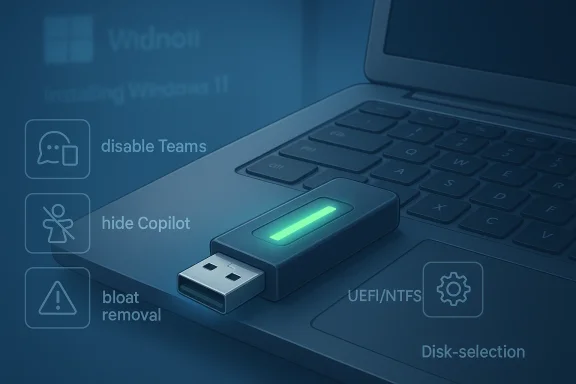
Rufus is getting another meaningful upgrade, and this one goes well beyond the usual polish pass. In Rufus 4.14 Beta, the long-popular USB creation tool is leaning harder into what many Windows users already rely on it for: making Windows 11 installation media that is more flexible, less restrictive, and easier to tailor to a particular machine. The most notable additions are silent installation support and new options to strip out or suppress Microsoft’s increasingly cluttered consumer defaults, which makes the app even more attractive to enthusiasts, technicians, and anyone trying to avoid the first-run friction that now comes with a fresh Windows setup.
Rufus has always occupied a special niche in the Windows ecosystem. It started as a lightweight utility for formatting and booting USB drives, but over time it became a kind of unofficial power tool for Windows deployment, especially after Microsoft hardened Windows 11 hardware requirements and began shipping a setup experience that many users consider more opinionated than before. The project’s own description now explicitly includes features for creating Windows 11 installation drives on PCs that do not meet TPM or Secure Boot requirements, as well as tools for setting up OOBE parameters and downloading Microsoft retail ISOs.
That matters because Rufus is no longer just a USB writer. It is part installer helper, part deployment workaround, and part user-experience filter. For a lot of people, that combination is exactly why it has remained relevant long after Microsoft’s own tools matured. The latest beta continues that pattern by adding more ways to shape the installation journey before Windows ever reaches the desktop.
The timing is also notable. Microsoft continues to push a consumer Windows 11 experience centered on cloud-connected services and promoted apps, while users keep asking for a cleaner, more controllable install path. Rufus is effectively answering that demand by giving users switches to disable or bypass some of those defaults during media creation and installation. It is a reminder that “official” does not always mean “preferred,” especially for power users and IT admins.
At the same time, Rufus remains a beta-driven utility at the edge of the Windows install stack, not a Microsoft-sanctioned deployment framework. That creates real value, but also a need for caution. Features like unattended setup and requirement bypasses can save time, yet they can also obscure what exactly gets installed and how the system is configured afterward. Convenience is great; invisibility is not always benign.
The app’s popularity also reflects a broader truth about Windows administration: people like tools that do one thing well, but they love tools that do several adjacent things well without becoming bloated themselves. Rufus has managed that balancing act unusually well. It is small, portable, and still remarkably focused, which gives it the kind of trust that many larger “all-in-one” utilities never achieve.
A key reason this matters for Windows 11 is that the operating system’s install experience often feels split between consumer convenience and platform control. Rufus sits in the middle, making it easier to get to a usable machine faster, whether that machine is new, older, or simply being rebuilt for a clean slate. That bridge role explains why every meaningful Rufus update tends to get attention beyond the usual utility-app crowd.
It also shifts the utility from “installer creator” toward “installer orchestrator.” That distinction matters because the tool is no longer just preparing boot media; it is influencing what the installation does after boot. In practice, that can reduce errors, remove repetitive prompts, and make repeatable installs much easier to standardize. For technicians, repeatability is often more valuable than cleverness.
There is a consumer angle too. A silent setup path can help users who are reinstalling a machine after a failure, who are setting up a family PC with a known configuration, or who simply want to avoid babysitting the installer. The upside is obvious. The downside is that silent install can conceal decisions that would otherwise be visible, so users need to understand what defaults have been baked in before they trust the process.
That also means Rufus is not just reacting to Microsoft’s direction; it is implicitly commenting on it. When a utility gains traction for removing preinstalled choices, that says something about how users feel about those choices in the first place. The popularity of these toggles is a market signal, not just a feature request.
The phrase “bloat removal” is doing a lot of work here, though. Some users will see it as a legitimate cleanup feature, while others will view it as an opinionated stripping of Microsoft’s ecosystem integrations. Both views are fair. The real issue is consent: what should ship by default, and what should be left to the user’s explicit decision?
That does not mean bypassing requirements is free of consequence. Unsupported installations can complicate troubleshooting, create upgrade uncertainty, and leave users responsible for their own compatibility choices. In other words, Rufus solves the installation problem, but it does not magically change Microsoft’s support stance.
It is also worth separating the technical from the political. Technically, the tool is making an installation possible. Politically, it is refusing to accept that Microsoft should be the final arbiter of whether old but serviceable systems can keep running Windows 11. That tension has become part of Rufus’s identity.
The El-Torito UEFI image extraction support is another example of Rufus expanding carefully into adjacent territory. Even if the use case is narrow, especially for certain Dell BIOS update ISOs, the inclusion indicates that the tool is still being shaped by real-world weirdness rather than abstract product planning. That is often what keeps a utility indispensable.
There is also a notable mention of SkuSiPolicy.p7b being copied to the EFI System Partition, with a reference to Microsoft’s KB5042562. That is the kind of change most users will never notice directly, yet it shows how Rufus continues to adapt to Microsoft’s evolving boot and setup behavior. In deployment tools, invisible compatibility work is often the most valuable work of all.
This is not really a rivalry between equal products. It is a difference in philosophy. Microsoft wants to define the experience; Rufus wants to let you define it for yourself. That is why the app keeps winning mindshare even when Microsoft’s tools improve.
It is also why the mention of Microsoft’s Media Creation Tool in the same breath as Rufus is not incidental. Users are often comparing the two not because they are identical, but because they solve overlapping parts of the same problem. Rufus is winning on flexibility, while Microsoft wins on official status and simplicity.
The question going forward is whether Rufus can keep expanding without losing the clarity that made it popular in the first place. So far, the project’s strength has been restraint: enough automation to be useful, enough transparency to remain trusted, and enough flexibility to satisfy the user base that does not want a one-size-fits-all installer. If that balance holds, Rufus will stay one of the most important small utilities in the Windows ecosystem.
Source: Neowin Rufus gets big update with silent Windows 11 installation, new bloat removal tools and more
 Overview
Rufus has always occupied a special niche in the Windows ecosystem. It started as a lightweight utility for formatting and booting USB drives, but over time it became a kind of unofficial power tool for Windows deployment, especially after Microsoft hardened Windows 11 hardware requirements and began shipping a setup experience that many users consider more opinionated than before. The project’s own description now explicitly includes features for creating Windows 11 installation drives on PCs that do not meet TPM or Secure Boot requirements, as well as tools for setting up OOBE parameters and downloading Microsoft retail ISOs.That matters because Rufus is no longer just a USB writer. It is part installer helper, part deployment workaround, and part user-experience filter. For a lot of people, that combination is exactly why it has remained relevant long after Microsoft’s own tools matured. The latest beta continues that pattern by adding more ways to shape the installation journey before Windows ever reaches the desktop.
The timing is also notable. Microsoft continues to push a consumer Windows 11 experience centered on cloud-connected services and promoted apps, while users keep asking for a cleaner, more controllable install path. Rufus is effectively answering that demand by giving users switches to disable or bypass some of those defaults during media creation and installation. It is a reminder that “official” does not always mean “preferred,” especially for power users and IT admins.
At the same time, Rufus remains a beta-driven utility at the edge of the Windows install stack, not a Microsoft-sanctioned deployment framework. That creates real value, but also a need for caution. Features like unattended setup and requirement bypasses can save time, yet they can also obscure what exactly gets installed and how the system is configured afterward. Convenience is great; invisibility is not always benign.
What Rufus has become
The latest changes underscore how far Rufus has traveled from its original identity as a simple formatting tool. Its GitHub repository now documents support for creating UEFI-bootable NTFS media, handling Windows To Go, verifying checksums, and even improving the Windows installation experience by automatically setting OOBE parameters such as local account and privacy options. That broader feature set makes Rufus relevant to both home users and IT pros.From USB formatter to deployment helper
The practical significance is that Rufus is now serving as a deployment customization layer. If Microsoft’s setup flow is increasingly prescriptive, Rufus is the counterweight that restores user choice. That is especially apparent in the Windows 11 space, where hardware eligibility checks, account requirements, and bundled apps have all become talking points.The app’s popularity also reflects a broader truth about Windows administration: people like tools that do one thing well, but they love tools that do several adjacent things well without becoming bloated themselves. Rufus has managed that balancing act unusually well. It is small, portable, and still remarkably focused, which gives it the kind of trust that many larger “all-in-one” utilities never achieve.
A key reason this matters for Windows 11 is that the operating system’s install experience often feels split between consumer convenience and platform control. Rufus sits in the middle, making it easier to get to a usable machine faster, whether that machine is new, older, or simply being rebuilt for a clean slate. That bridge role explains why every meaningful Rufus update tends to get attention beyond the usual utility-app crowd.
Silent installation changes the game
The headline feature in this beta is silent Windows 11 installation. In plain language, Rufus can now build media that installs Windows in unattended mode, detecting the first disk and proceeding without prompting the user through each major setup step. For anyone who has deployed dozens of systems, or even just wanted one hands-off reinstall at home, that is a substantial quality-of-life improvement.Why unattended setup matters
Unattended installation is not new in the broader Windows world, but what is new here is how accessible it becomes through a familiar consumer-facing tool. Instead of assembling answer files manually or maintaining a more complex deployment toolchain, users can rely on Rufus to encapsulate a more automated experience. That lowers the barrier to entry for advanced Windows installation workflows.It also shifts the utility from “installer creator” toward “installer orchestrator.” That distinction matters because the tool is no longer just preparing boot media; it is influencing what the installation does after boot. In practice, that can reduce errors, remove repetitive prompts, and make repeatable installs much easier to standardize. For technicians, repeatability is often more valuable than cleverness.
There is a consumer angle too. A silent setup path can help users who are reinstalling a machine after a failure, who are setting up a family PC with a known configuration, or who simply want to avoid babysitting the installer. The upside is obvious. The downside is that silent install can conceal decisions that would otherwise be visible, so users need to understand what defaults have been baked in before they trust the process.
The first-disk behavior
The first-disk targeting behavior is especially important because it makes the process more autonomous. That is convenient, but it is also a reminder that unattended and unreviewed are not the same thing. If the wrong drive is connected, the wrong target could be selected, and that possibility is precisely why this kind of workflow belongs in experienced hands.- It removes repetitive setup prompts.
- It speeds up clean installs on known hardware.
- It is useful for repeat deployment scenarios.
- It increases the need for careful drive selection.
- It is best suited to experienced users and IT workflows.
Bloat removal and setup control
The other headline change is a set of new options aimed at disabling the Microsoft extras many users do not want during Windows 11 installation. Rufus now lets users suppress Teams, Outlook, Copilot, and other “nuisances,” building on earlier options that already handled hardware checks, BitLocker behavior, local account creation, and some setup defaults.Why this is popular
This is popular because it addresses a real friction point in modern Windows. Microsoft has made the out-of-box experience more connected and more app-heavy, but many people still want a clean desktop that reflects only the software they intentionally chose. Rufus is meeting that demand by turning setup-time control into a first-class feature.That also means Rufus is not just reacting to Microsoft’s direction; it is implicitly commenting on it. When a utility gains traction for removing preinstalled choices, that says something about how users feel about those choices in the first place. The popularity of these toggles is a market signal, not just a feature request.
The phrase “bloat removal” is doing a lot of work here, though. Some users will see it as a legitimate cleanup feature, while others will view it as an opinionated stripping of Microsoft’s ecosystem integrations. Both views are fair. The real issue is consent: what should ship by default, and what should be left to the user’s explicit decision?
Enterprise versus consumer impact
For consumers, this is mainly about convenience and privacy. For enterprises, it is about reducing variability and eliminating the need to fight consumer-oriented defaults during imaging. A cleaner first boot can shave time off provisioning and reduce tickets from users who do not want Microsoft apps pinned or foregrounded on day one.- Fewer first-run distractions.
- More predictable user environments.
- Less manual cleanup after setup.
- Better fit for imaging and repeat installs.
- More control over Microsoft services exposure.
Hardware bypasses are still part of the story
Rufus remains one of the easiest ways to create Windows 11 installation media for unsupported hardware, and that core capability still underpins much of its appeal. The project’s repository still highlights support for making Windows 11 installation drives for systems that lack TPM or Secure Boot, which is exactly why many users keep it around even when they are not planning to modify much else.Why unsupported installs persist
The continued demand here says less about rebellion and more about hardware reality. Plenty of otherwise capable PCs do not meet Microsoft’s stated requirements, and many users are unwilling to discard functioning hardware solely because of a gatekeeper policy. Rufus makes that friction less painful by keeping the door open.That does not mean bypassing requirements is free of consequence. Unsupported installations can complicate troubleshooting, create upgrade uncertainty, and leave users responsible for their own compatibility choices. In other words, Rufus solves the installation problem, but it does not magically change Microsoft’s support stance.
It is also worth separating the technical from the political. Technically, the tool is making an installation possible. Politically, it is refusing to accept that Microsoft should be the final arbiter of whether old but serviceable systems can keep running Windows 11. That tension has become part of Rufus’s identity.
The support caveat
Users who go this route should assume more self-service, not less. If a machine is outside Microsoft’s preferred envelope, then the burden of stability, driver hygiene, and update vigilance shifts more heavily onto the owner. That is not a criticism of Rufus; it is the practical reality of running an OS beyond its official comfort zone.- Keeps older PCs viable.
- Reduces waste from premature hardware retirement.
- Increases flexibility for home labs and refurbishers.
- May complicate future support claims.
- Requires greater user diligence after install.
Small fixes, big polish
Not every meaningful update is a marquee feature. Rufus 4.14 Beta also includes a cluster of smaller but important improvements: better error reporting when an image sits on the target drive, improved UEFI:NTFS labeling, more support for Bazzite and Fedora derivatives, better detection of hidden Bitdefender VHDs, fixes for Windows To Go creation, and improved handling of local-account names with leading or trailing whitespace.Why these details matter
These are the sorts of changes that users often only appreciate after something goes wrong. Better error reporting reduces guesswork. Clearer partition labeling makes Windows Setup less confusing. Wider Linux support broadens the audience. Together, these updates suggest a project that is still paying attention to edge cases instead of chasing novelty for its own sake.The El-Torito UEFI image extraction support is another example of Rufus expanding carefully into adjacent territory. Even if the use case is narrow, especially for certain Dell BIOS update ISOs, the inclusion indicates that the tool is still being shaped by real-world weirdness rather than abstract product planning. That is often what keeps a utility indispensable.
There is also a notable mention of SkuSiPolicy.p7b being copied to the EFI System Partition, with a reference to Microsoft’s KB5042562. That is the kind of change most users will never notice directly, yet it shows how Rufus continues to adapt to Microsoft’s evolving boot and setup behavior. In deployment tools, invisible compatibility work is often the most valuable work of all.
Maintenance as strategy
Software like Rufus survives because it is both ambitious and meticulous. It does not need to reinvent itself every release; it needs to remain trustworthy. That trust comes from the accumulation of small wins: fewer errors, clearer labels, better detection, and less ambiguity when the user is standing at a critical setup prompt.- Better diagnostics reduce setup mistakes.
- Broader Linux compatibility expands usefulness.
- Cleaner labels improve Windows partitioning.
- More edge-case fixes lower support friction.
- Small changes can matter as much as headline features.
Microsoft’s official path remains simpler, but less flexible
For users who want a basic, vanilla Windows install, Microsoft’s Media Creation Tool remains the official route. Microsoft also continues to provide the standard Windows 11 download path, which is the simplest option for users who do not want to think about bypasses, unattended files, or setup customization. That official simplicity is attractive, but it is also more rigid than Rufus.Official versus enthusiast workflows
The trade-off is straightforward. Microsoft’s own tooling is the safer default for many ordinary users because it keeps the experience narrow and predictable. Rufus, by contrast, is for people who want control, compatibility workarounds, or a faster path through setup’s more annoying steps.This is not really a rivalry between equal products. It is a difference in philosophy. Microsoft wants to define the experience; Rufus wants to let you define it for yourself. That is why the app keeps winning mindshare even when Microsoft’s tools improve.
It is also why the mention of Microsoft’s Media Creation Tool in the same breath as Rufus is not incidental. Users are often comparing the two not because they are identical, but because they solve overlapping parts of the same problem. Rufus is winning on flexibility, while Microsoft wins on official status and simplicity.
Practical guidance for users
If you want a straight, unsupported-free, no-drama install, Microsoft’s path is still the obvious starting point. If you want to make Windows 11 behave more like a clean deployment image than a consumer showcase, Rufus is the more capable option. That distinction has become clearer, not fuzzier, as the app keeps adding knobs and switches.- Microsoft’s tool is the simplest official choice.
- Rufus is better for customization and bypasses.
- Consumer installs usually need less complexity.
- Power users will value Rufus’s extra control.
- The “best” tool depends on the deployment goal.
Strengths and Opportunities
Rufus’s latest beta is strong because it aligns the tool more closely with how real users actually install and repair Windows. It offers convenience without pretending that every installation is identical, and it gives power users a way to streamline the process without building an entire deployment stack from scratch. The opportunity is obvious: Rufus can remain the default recommendation for anyone who wants more than Microsoft’s standard installer flow.- Silent installation makes repeat deployments faster.
- Bloat suppression reduces post-install cleanup.
- Hardware bypasses keep older PCs usable.
- Broader Linux support widens the audience.
- Better error reporting reduces troubleshooting time.
- UEFI and Windows To Go improvements make the app more versatile.
- Small footprint and portability keep it easy to trust.
Risks and Concerns
The biggest concern is that more automation can also mean less visibility. Silent installation and setup-time suppression tools are powerful, but they can make it easier for users to overlook what is being changed on their behalf. There is also the usual warning attached to unsupported Windows 11 installs: getting the OS on the machine is not the same thing as being fully covered by Microsoft’s support expectations.- Unattended installs can target the wrong disk if users are careless.
- Bypassed hardware checks may complicate support and updates.
- App removal toggles may hide important Microsoft defaults from casual users.
- Beta software always carries some instability risk.
- Silent deployment can reduce transparency for less technical users.
- More customization can mean more room for misconfiguration.
- Dependence on third-party tooling adds another layer to the install chain.
Looking Ahead
The bigger story here is not just that Rufus got new features, but that it continues to evolve in exactly the direction Windows enthusiasts have been asking for: less ceremony, more control, and fewer forced extras. If Microsoft keeps making Windows setup more opinionated, tools like Rufus will likely keep becoming more important, not less. That is especially true for refurbishers, home labs, and anyone maintaining mixed fleets of supported and unsupported hardware.The question going forward is whether Rufus can keep expanding without losing the clarity that made it popular in the first place. So far, the project’s strength has been restraint: enough automation to be useful, enough transparency to remain trusted, and enough flexibility to satisfy the user base that does not want a one-size-fits-all installer. If that balance holds, Rufus will stay one of the most important small utilities in the Windows ecosystem.
- Watch for a stable release after the beta cycle.
- Watch whether Microsoft changes its installer defaults again.
- Watch for more setup-time controls around bundled apps.
- Watch how unattended installation behaves on mixed hardware.
- Watch whether Rufus expands further into deployment-adjacent features.
Source: Neowin Rufus gets big update with silent Windows 11 installation, new bloat removal tools and more
