

Rufus 4.15 was released on June 30, 2026, as the latest stable build of Pete Batard’s bootable USB utility, fixing Windows 11 customization regressions, silent-install failures, UEFI:NTFS boot crashes on Snapdragon X ARM64 systems, and adding RISC-V 64 support. The release is not glamorous in the way Rufus updates sometimes are, but it is exactly the sort of maintenance build that determines whether a tool remains trusted by people who use it under pressure. For Windows enthusiasts, repair technicians, and deployment admins, Rufus 4.15 is less about novelty than about confidence: the USB stick should boot, the unattended install should proceed, and the Windows 11 bypass options should stay put.
Rufus has long occupied an odd place in the Windows ecosystem. It is a small, free, open-source utility that many users only think about when something has already gone wrong: a dead laptop, a clean install, a failing SSD, a locked-down Windows 11 requirement, or a Linux ISO that refuses to behave with a vendor’s firmware.
That utilitarian reputation makes bug-fix releases unusually important. Rufus is not a desktop app where a glitch means a cosmetic annoyance. It sits between firmware, operating-system media, partition tables, file-system drivers, Secure Boot assumptions, and whatever storage device happens to be in the drawer.
Version 4.15 lands after a 4.14 cycle that pushed Rufus further into Windows installation automation. Rufus 4.14 added Windows User Experience improvements, including a silent installation option and quality-of-life toggles aimed at Microsoft’s increasingly assertive default setup behavior. Rufus 4.15 is the follow-through: the release that makes those features less exciting and more dependable.
That matters because Rufus has become, for many power users, the unofficial counterweight to Microsoft’s Windows setup defaults. It is where local account preferences, hardware requirement bypasses, privacy choices, and unattended installation workflows are staged before Windows Setup ever appears. When those controls misfire, the failure is not merely a Rufus bug. It becomes a broken install plan.
Rufus users often prepare installation media in batches, test one configuration, step away, reopen the tool, and assume the same choices remain selected. If those assumptions are wrong, the resulting USB stick may not behave as expected on target hardware. For an enthusiast reinstalling a single PC, that is irritating. For a technician preparing multiple systems, it can waste an afternoon.
The phrase Windows 11 bypass also deserves some precision. Rufus is not rewriting Windows into a different operating system; it is automating documented or widely understood setup-time workarounds that allow installation paths Microsoft does not present as the default experience. These include bypasses for requirements such as TPM, Secure Boot, RAM, or online account expectations, depending on the image and options selected.
That puts Rufus in a politically sensitive role. Microsoft wants Windows 11 to move the PC base toward newer security baselines and cloud-connected setup flows. Rufus responds to the reality that users still own unsupported-but-functional machines, lab environments, offline systems, and workflows that do not fit Microsoft’s consumer onboarding funnel.
The 4.15 fix is therefore bigger than a checkbox persistence bug. Rufus is useful because users believe the media it creates reflects the choices they made. If those choices silently reset, the tool loses the one asset more important than features: predictability.
Silent installation is one of those features that sounds convenient in a changelog and consequential in practice. A fully automated Windows install can be a gift in a lab, repair shop, classroom, or small business environment. It can also be a foot-gun if the wrong target disk is selected or if the user misunderstands how aggressively the process will proceed.
Rufus 4.14’s silent install option was notable because it brought a traditionally enterprise-adjacent deployment behavior into a consumer-friendly USB creation tool. That is a useful democratization of Windows deployment, but it also raises the stakes for progress reporting and failure handling. If a silent install stalls, the user may not know whether the system is still working, waiting, failing, or destroying data.
Rufus 4.15’s progress-bar fix is not merely cosmetic. Installers teach users when to wait and when to intervene. A frozen indicator during an unattended deployment undermines the whole premise of automation, because the operator has to decide whether touching the system will rescue it or ruin it.
The larger lesson is that Rufus is no longer only a bootable-media writer. It is increasingly a Windows setup orchestrator. Once a tool crosses that line, bugs in state handling, progress reporting, and unattended logic become deployment bugs, not interface bugs.
That creates a new burden for utilities like Rufus. For years, x86 and x64 PCs defined the assumptions of Windows recovery and installation media. ARM64 changes the ground under those assumptions. Bootloaders, firmware behavior, driver expectations, and installation media paths all become more varied.
Rufus already had to care about architectures beyond classic PC x64, but Snapdragon X makes that support less theoretical. A user with a modern ARM64 Windows laptop may reasonably expect to create recovery media, reinstall Windows, boot from USB, or experiment with deployment workflows in much the same way a user on an Intel or AMD laptop would. When UEFI:NTFS media crashes during boot on Snapdragon X systems, that expectation breaks.
The fix in Rufus 4.15 addresses a boot crash when using UEFI:NTFS on Snapdragon X-based ARM64 platforms. That phrasing is technical, but the practical meaning is simple: a category of modern Windows ARM devices should now have a more reliable path to booting Rufus-created media that depends on Rufus’s NTFS boot mechanism.
This is a useful reminder that Windows on ARM’s success will not be measured only by app compatibility and benchmark slides. It also depends on the boring stuff: recovery workflows, offline installs, imaging tools, bootable utilities, firmware consistency, and the confidence that a sysadmin can service the machine when Windows itself is not cooperating.
The average user does not want to know any of this. They want to select an ISO, choose a USB drive, click Start, and boot. Rufus’s value lies in hiding the ugly interactions among FAT32 limits, NTFS support, UEFI firmware, Secure Boot, and Microsoft’s ever-growing install images.
Rufus 4.15’s addition of RISC-V 64 support to UEFI:NTFS is therefore a forward-looking plumbing change. It does not mean that Windows on RISC-V is suddenly a mainstream desktop deployment target. It means Rufus is preparing its boot infrastructure for an architecture that is becoming increasingly relevant across computing, even if its Windows story remains embryonic.
That is characteristic of Rufus development. The tool survives because it treats edge cases as future mainstream cases. ARM64 was once an edge case. Large Windows install images were once an annoyance. Secure Boot revocations were once something only firmware specialists tracked. Over time, each became part of the ordinary work of creating reliable boot media.
The RISC-V addition should be read in that light. Rufus is not betting that every admin will be imaging RISC-V workstations tomorrow. It is acknowledging that the boot-media world is no longer a simple x86 monoculture, and that the small tools need to learn new architectures before users arrive with urgent problems.
A bootable USB utility routinely processes files downloaded from the internet. Those files may be official Windows ISOs, Linux distributions, recovery images, firmware update media, or less trustworthy builds from corners of the web that admins would prefer users avoided. Any parser involved in that workflow becomes part of the attack surface.
The risk is not abstract. File-format parsers are historically rich targets because users often treat documents, archives, images, and disk images as passive data. A utility that opens and analyzes an ISO is doing real work: reading metadata, extracting files, interpreting structures, and in some cases modifying installation behavior.
That does not mean Rufus 4.15 should be treated as an emergency security panic. It does mean that keeping Rufus current is a practical security habit. The people most likely to use Rufus are also the people most likely to download unusual images, troubleshoot obscure boot media, or test pre-release operating-system builds.
For administrators, this reinforces a basic rule: the imaging workstation is part of the trust chain. If you prepare installation media on a compromised or outdated machine using outdated tooling, you have already weakened the environment before the target PC ever boots.
OneDrive is not malware. For many users, it is a useful sync service and a reasonable part of Microsoft 365. The problem is that Microsoft often treats its services as presumed defaults, while administrators and power users want clean baselines, repeatable configurations, or machines that do not begin life tethered to cloud storage assumptions.
Rufus’s Windows User Experience options exist because Windows setup is no longer just setup. It is account creation, telemetry posture, cloud backup positioning, service promotion, app provisioning, and sometimes hardware eligibility enforcement. Rufus gives users a pre-installation moment to say: no, not this way.
The improved OneDrive removal method is another example of Rufus moving from media creation into opinionated installation shaping. It is not merely writing bits to a USB stick. It is helping define what kind of Windows environment appears after first boot.
That is precisely why Microsoft’s choices matter to Rufus’s roadmap. Every time Windows setup becomes more prescriptive, third-party utilities gain a new reason to exist. Rufus’s popularity is a signal from users who want Windows, but not necessarily Windows as Microsoft packages the first-run experience.
WIM files are central to Windows deployment. They can contain one or more image indexes, and they show up across official media, customized install sources, recovery workflows, and enterprise deployment pipelines. When a tool mishandles multi-WIM scenarios, the failure tends to surface in environments where images have already been customized, consolidated, or repackaged.
The infinite loop fix matters because deployment media is often iterative. Admins test images, rebuild them, add drivers, remove packages, split files, compress archives, and rerun creation tools until the result behaves correctly across multiple machine classes. A loop in the media creation phase is not just a bug. It blocks the workflow.
Rufus’s appeal in these environments is partly that it lets smaller teams accomplish tasks that would otherwise push them toward heavier deployment infrastructure. Not every organization has Microsoft Configuration Manager, Intune Autopilot maturity, or a clean PXE environment. Sometimes the practical answer is still a USB stick, a known-good ISO, and a careful checklist.
By fixing edge-case behavior around multi-WIM images, Rufus 4.15 strengthens that middle ground. It helps the users who are not doing enterprise deployment at giant scale but are still doing real deployment work.
Boot-media creation is often bottlenecked by storage, compression, and random write performance. A faster extraction path cannot make a terrible flash drive good, but it can reduce the dead time between selecting an image and having usable media. For technicians, those minutes add up.
The broader point is that Rufus’s job is half correctness and half patience management. Users tolerate imaging tools when they are slow but visibly reliable. They resent them when they are slow, opaque, and fragile. Every performance improvement nudges Rufus toward the former.
This matters more now because install media has grown larger and more complicated. Windows images, Linux live environments, firmware ISOs, and recovery media are not getting smaller. The utility that handles them has to keep shaving overhead wherever it can.
Some of those scenarios are perfectly legitimate. A lab machine may need repeated installs without cloud account friction. A repair shop may need to service a customer’s older PC. A privacy-conscious user may prefer a local account. A small business may want a clean image without consumer app clutter. A sysadmin may need install media that works across x64, ARM64, and odd firmware conditions.
Microsoft can argue, reasonably, that Windows 11 requirements improve the security baseline of the ecosystem. TPM, Secure Boot, modern CPUs, and account-backed recovery all have defensible security stories. The problem is that ecosystem policy and individual utility do not always align.
Rufus lives in that gap. It does not make Microsoft’s position irrelevant, but it makes user agency practical. That is why each update attracts attention disproportionate to the size of the executable. Rufus is a small utility attached to a large argument about who gets to decide how Windows is installed.
Version 4.15 does not change that argument. It sharpens it by making Rufus’s counter-defaults more reliable on newer hardware and more stable across setup workflows.
But appliance-like experiences often collide with PC expectations. Windows users expect to boot from USB. They expect to reinstall from external media. They expect to recover a broken machine without waiting for a cloud service or vendor-specific image. They expect tools like Rufus to work.
The Rufus 4.15 Snapdragon X fix is therefore more than a compatibility patch. It is part of the normalization of ARM64 Windows as a serviceable PC platform rather than a sealed curiosity. If these machines are going to compete seriously with traditional laptops, they need the rough-and-ready tooling culture that made Windows resilient in the first place.
That culture includes ugly, practical, deeply unglamorous things. Bootable USB sticks. NTFS workarounds. Offline installers. Recovery media. Partition labels that make sense in setup. Logs that help developers understand firmware weirdness. These are not keynote features, but they are the infrastructure of trust.
Microsoft and Qualcomm can sell the future of Windows on ARM. Rufus 4.15 helps make that future repairable.
That is exactly the terrain Rufus occupies. Normal conditions are easy. The value of Rufus appears when firmware is picky, the ISO is huge, the install needs to be unattended, the target machine is unsupported, the architecture is not x64, or the user wants Windows without Microsoft’s preferred first-run assumptions.
The risk for Rufus is that every new feature expands its blast radius. Windows User Experience options are useful, but they mean Rufus has to track Microsoft setup changes. Silent installs are powerful, but they make error reporting more consequential. UEFI:NTFS enables practical boot media, but architecture and firmware differences can break it in surprising ways.
Version 4.15 shows the project absorbing that complexity rather than retreating from it. That is encouraging. The worst version of Rufus would be one that keeps adding install-time power features while treating reliability as secondary. This release suggests the opposite priority.
For IT pros, the practical advice is simple: if Rufus is part of your toolkit, 4.15 is the kind of update you want before the next emergency, not during it.
Cloud recovery assumes networking, identity, and vendor support. Reset partitions assume the disk is healthy and the image is intact. Enterprise deployment assumes infrastructure. A bootable USB drive assumes only that the firmware can boot and that someone prepared the media correctly.
That simplicity is why Rufus matters. It reduces a messy chain of decisions into a small number of choices while still exposing enough control for expert users. It is approachable without being patronizing, powerful without becoming an enterprise suite.
Rufus 4.15 strengthens that role by improving reliability at the points where modern Windows is most complicated: setup customization, unattended installation, ARM64 hardware, large images, and alternative boot architectures. None of those are fringe concerns anymore. They are the everyday edges of the Windows ecosystem.
The release also illustrates a broader truth about PC maintenance. The most important tools are often not the largest ones. They are the tools you trust when the machine in front of you will not boot.
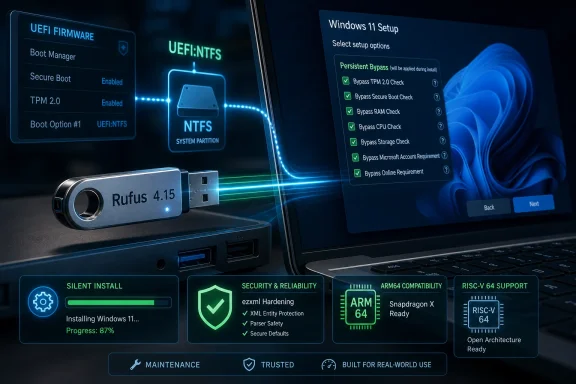 Rufus 4.15 Turns a Beta Cleanup Into a Platform Statement
Rufus has long occupied an odd place in the Windows ecosystem. It is a small, free, open-source utility that many users only think about when something has already gone wrong: a dead laptop, a clean install, a failing SSD, a locked-down Windows 11 requirement, or a Linux ISO that refuses to behave with a vendor’s firmware.That utilitarian reputation makes bug-fix releases unusually important. Rufus is not a desktop app where a glitch means a cosmetic annoyance. It sits between firmware, operating-system media, partition tables, file-system drivers, Secure Boot assumptions, and whatever storage device happens to be in the drawer.
Version 4.15 lands after a 4.14 cycle that pushed Rufus further into Windows installation automation. Rufus 4.14 added Windows User Experience improvements, including a silent installation option and quality-of-life toggles aimed at Microsoft’s increasingly assertive default setup behavior. Rufus 4.15 is the follow-through: the release that makes those features less exciting and more dependable.
That matters because Rufus has become, for many power users, the unofficial counterweight to Microsoft’s Windows setup defaults. It is where local account preferences, hardware requirement bypasses, privacy choices, and unattended installation workflows are staged before Windows Setup ever appears. When those controls misfire, the failure is not merely a Rufus bug. It becomes a broken install plan.
The Windows 11 Bypass Fix Is Really About Trust
The headline-friendly part of Rufus 4.15 is the fix for Windows User Experience settings resetting when the application restarted. In plain terms, custom setup options such as bypassing some Windows 11 hardware restrictions could fail to persist across sessions. That is the kind of bug that seems minor until it appears at the worst possible time.Rufus users often prepare installation media in batches, test one configuration, step away, reopen the tool, and assume the same choices remain selected. If those assumptions are wrong, the resulting USB stick may not behave as expected on target hardware. For an enthusiast reinstalling a single PC, that is irritating. For a technician preparing multiple systems, it can waste an afternoon.
The phrase Windows 11 bypass also deserves some precision. Rufus is not rewriting Windows into a different operating system; it is automating documented or widely understood setup-time workarounds that allow installation paths Microsoft does not present as the default experience. These include bypasses for requirements such as TPM, Secure Boot, RAM, or online account expectations, depending on the image and options selected.
That puts Rufus in a politically sensitive role. Microsoft wants Windows 11 to move the PC base toward newer security baselines and cloud-connected setup flows. Rufus responds to the reality that users still own unsupported-but-functional machines, lab environments, offline systems, and workflows that do not fit Microsoft’s consumer onboarding funnel.
The 4.15 fix is therefore bigger than a checkbox persistence bug. Rufus is useful because users believe the media it creates reflects the choices they made. If those choices silently reset, the tool loses the one asset more important than features: predictability.
Silent Installs Are Powerful Enough to Be Dangerous
Rufus 4.15 also fixes an installation progress issue in silent operating system installs, where the process could hang or appear stuck during unattended deployment. This traces back to the newer silent installation workflow introduced in the previous release cycle, a feature aimed squarely at users who want Windows setup to proceed with minimal interaction.Silent installation is one of those features that sounds convenient in a changelog and consequential in practice. A fully automated Windows install can be a gift in a lab, repair shop, classroom, or small business environment. It can also be a foot-gun if the wrong target disk is selected or if the user misunderstands how aggressively the process will proceed.
Rufus 4.14’s silent install option was notable because it brought a traditionally enterprise-adjacent deployment behavior into a consumer-friendly USB creation tool. That is a useful democratization of Windows deployment, but it also raises the stakes for progress reporting and failure handling. If a silent install stalls, the user may not know whether the system is still working, waiting, failing, or destroying data.
Rufus 4.15’s progress-bar fix is not merely cosmetic. Installers teach users when to wait and when to intervene. A frozen indicator during an unattended deployment undermines the whole premise of automation, because the operator has to decide whether touching the system will rescue it or ruin it.
The larger lesson is that Rufus is no longer only a bootable-media writer. It is increasingly a Windows setup orchestrator. Once a tool crosses that line, bugs in state handling, progress reporting, and unattended logic become deployment bugs, not interface bugs.
Snapdragon X Exposes the New Complexity of Windows PCs
The Snapdragon X ARM64 boot-crash fix may be the most strategically interesting change in Rufus 4.15. Windows on ARM is no longer a curiosity reserved for developer kits and cautious early adopters. Snapdragon X laptops have pushed ARM64 Windows machines into the mainstream conversation, especially around battery life, performance per watt, and AI-branded PC marketing.That creates a new burden for utilities like Rufus. For years, x86 and x64 PCs defined the assumptions of Windows recovery and installation media. ARM64 changes the ground under those assumptions. Bootloaders, firmware behavior, driver expectations, and installation media paths all become more varied.
Rufus already had to care about architectures beyond classic PC x64, but Snapdragon X makes that support less theoretical. A user with a modern ARM64 Windows laptop may reasonably expect to create recovery media, reinstall Windows, boot from USB, or experiment with deployment workflows in much the same way a user on an Intel or AMD laptop would. When UEFI:NTFS media crashes during boot on Snapdragon X systems, that expectation breaks.
The fix in Rufus 4.15 addresses a boot crash when using UEFI:NTFS on Snapdragon X-based ARM64 platforms. That phrasing is technical, but the practical meaning is simple: a category of modern Windows ARM devices should now have a more reliable path to booting Rufus-created media that depends on Rufus’s NTFS boot mechanism.
This is a useful reminder that Windows on ARM’s success will not be measured only by app compatibility and benchmark slides. It also depends on the boring stuff: recovery workflows, offline installs, imaging tools, bootable utilities, firmware consistency, and the confidence that a sysadmin can service the machine when Windows itself is not cooperating.
UEFI:NTFS Is the Plumbing Nobody Notices Until It Breaks
UEFI:NTFS is one of Rufus’s most important pieces of invisible infrastructure. It exists because many Windows installation images contain files too large for FAT32, while UEFI firmware support for booting from NTFS is not universal. Rufus works around that mismatch by creating media that can bridge the gap.The average user does not want to know any of this. They want to select an ISO, choose a USB drive, click Start, and boot. Rufus’s value lies in hiding the ugly interactions among FAT32 limits, NTFS support, UEFI firmware, Secure Boot, and Microsoft’s ever-growing install images.
Rufus 4.15’s addition of RISC-V 64 support to UEFI:NTFS is therefore a forward-looking plumbing change. It does not mean that Windows on RISC-V is suddenly a mainstream desktop deployment target. It means Rufus is preparing its boot infrastructure for an architecture that is becoming increasingly relevant across computing, even if its Windows story remains embryonic.
That is characteristic of Rufus development. The tool survives because it treats edge cases as future mainstream cases. ARM64 was once an edge case. Large Windows install images were once an annoyance. Secure Boot revocations were once something only firmware specialists tracked. Over time, each became part of the ordinary work of creating reliable boot media.
The RISC-V addition should be read in that light. Rufus is not betting that every admin will be imaging RISC-V workstations tomorrow. It is acknowledging that the boot-media world is no longer a simple x86 monoculture, and that the small tools need to learn new architectures before users arrive with urgent problems.
Security Fixes Matter More in Tools That Parse Untrusted Images
Rufus 4.15 also hardens the application by addressing security flaws in the ezxml library, including integer overflow concerns and XML parsing problems. This is the sort of changelog entry many users skip, but security-minded readers should not.A bootable USB utility routinely processes files downloaded from the internet. Those files may be official Windows ISOs, Linux distributions, recovery images, firmware update media, or less trustworthy builds from corners of the web that admins would prefer users avoided. Any parser involved in that workflow becomes part of the attack surface.
The risk is not abstract. File-format parsers are historically rich targets because users often treat documents, archives, images, and disk images as passive data. A utility that opens and analyzes an ISO is doing real work: reading metadata, extracting files, interpreting structures, and in some cases modifying installation behavior.
That does not mean Rufus 4.15 should be treated as an emergency security panic. It does mean that keeping Rufus current is a practical security habit. The people most likely to use Rufus are also the people most likely to download unusual images, troubleshoot obscure boot media, or test pre-release operating-system builds.
For administrators, this reinforces a basic rule: the imaging workstation is part of the trust chain. If you prepare installation media on a compromised or outdated machine using outdated tooling, you have already weakened the environment before the target PC ever boots.
The OneDrive Change Shows Where Windows Setup Has Become a Battleground
Among the quieter improvements in Rufus 4.15 is an enhanced OneDrive uninstallation method within the install image. On paper, that sounds like a niche customization. In practice, it belongs to the same larger conflict that has made Rufus so popular: users are pushing back against Windows setup defaults that feel less like configuration and more like enrollment.OneDrive is not malware. For many users, it is a useful sync service and a reasonable part of Microsoft 365. The problem is that Microsoft often treats its services as presumed defaults, while administrators and power users want clean baselines, repeatable configurations, or machines that do not begin life tethered to cloud storage assumptions.
Rufus’s Windows User Experience options exist because Windows setup is no longer just setup. It is account creation, telemetry posture, cloud backup positioning, service promotion, app provisioning, and sometimes hardware eligibility enforcement. Rufus gives users a pre-installation moment to say: no, not this way.
The improved OneDrive removal method is another example of Rufus moving from media creation into opinionated installation shaping. It is not merely writing bits to a USB stick. It is helping define what kind of Windows environment appears after first boot.
That is precisely why Microsoft’s choices matter to Rufus’s roadmap. Every time Windows setup becomes more prescriptive, third-party utilities gain a new reason to exist. Rufus’s popularity is a signal from users who want Windows, but not necessarily Windows as Microsoft packages the first-run experience.
The Multi-WIM Infinite Loop Fix Is for the People Who Build Real Media
Rufus 4.15 fixes an infinite loop associated with storage images containing multiple Windows Imaging Format files. This is another bug that will sound remote to casual users and very familiar to people who maintain deployment libraries.WIM files are central to Windows deployment. They can contain one or more image indexes, and they show up across official media, customized install sources, recovery workflows, and enterprise deployment pipelines. When a tool mishandles multi-WIM scenarios, the failure tends to surface in environments where images have already been customized, consolidated, or repackaged.
The infinite loop fix matters because deployment media is often iterative. Admins test images, rebuild them, add drivers, remove packages, split files, compress archives, and rerun creation tools until the result behaves correctly across multiple machine classes. A loop in the media creation phase is not just a bug. It blocks the workflow.
Rufus’s appeal in these environments is partly that it lets smaller teams accomplish tasks that would otherwise push them toward heavier deployment infrastructure. Not every organization has Microsoft Configuration Manager, Intune Autopilot maturity, or a clean PXE environment. Sometimes the practical answer is still a USB stick, a known-good ISO, and a careful checklist.
By fixing edge-case behavior around multi-WIM images, Rufus 4.15 strengthens that middle ground. It helps the users who are not doing enterprise deployment at giant scale but are still doing real deployment work.
Faster Untarring Is a Small Win With a Big Audience
Rufus 4.15 also speeds up the untarring of zipped storage files. That improvement is easy to underestimate because it lacks the drama of Windows 11 bypasses or ARM64 boot crashes. Yet speed improvements in extraction paths are felt directly by users, especially when working with large images on mediocre USB drives.Boot-media creation is often bottlenecked by storage, compression, and random write performance. A faster extraction path cannot make a terrible flash drive good, but it can reduce the dead time between selecting an image and having usable media. For technicians, those minutes add up.
The broader point is that Rufus’s job is half correctness and half patience management. Users tolerate imaging tools when they are slow but visibly reliable. They resent them when they are slow, opaque, and fragile. Every performance improvement nudges Rufus toward the former.
This matters more now because install media has grown larger and more complicated. Windows images, Linux live environments, firmware ISOs, and recovery media are not getting smaller. The utility that handles them has to keep shaving overhead wherever it can.
Rufus Remains a Rebuke to One-Size-Fits-All Windows
The persistence of Rufus says something uncomfortable about Windows in 2026. Microsoft has invested heavily in making Windows setup smoother for the ideal user: online, signed in, eligible hardware, cloud-connected, Microsoft-account ready, and aligned with current security baselines. Rufus thrives because millions of real-world scenarios fall outside that ideal.Some of those scenarios are perfectly legitimate. A lab machine may need repeated installs without cloud account friction. A repair shop may need to service a customer’s older PC. A privacy-conscious user may prefer a local account. A small business may want a clean image without consumer app clutter. A sysadmin may need install media that works across x64, ARM64, and odd firmware conditions.
Microsoft can argue, reasonably, that Windows 11 requirements improve the security baseline of the ecosystem. TPM, Secure Boot, modern CPUs, and account-backed recovery all have defensible security stories. The problem is that ecosystem policy and individual utility do not always align.
Rufus lives in that gap. It does not make Microsoft’s position irrelevant, but it makes user agency practical. That is why each update attracts attention disproportionate to the size of the executable. Rufus is a small utility attached to a large argument about who gets to decide how Windows is installed.
Version 4.15 does not change that argument. It sharpens it by making Rufus’s counter-defaults more reliable on newer hardware and more stable across setup workflows.
The Snapdragon Fix Is Also a Warning to the Copilot+ PC Era
Snapdragon X support should be read against the broader backdrop of Copilot+ PCs and Microsoft’s renewed push to define a modern Windows hardware class. ARM64 machines are central to that push, and they are marketed as clean breaks from old Windows compromises: better battery life, better standby, better AI acceleration, and a more appliance-like experience.But appliance-like experiences often collide with PC expectations. Windows users expect to boot from USB. They expect to reinstall from external media. They expect to recover a broken machine without waiting for a cloud service or vendor-specific image. They expect tools like Rufus to work.
The Rufus 4.15 Snapdragon X fix is therefore more than a compatibility patch. It is part of the normalization of ARM64 Windows as a serviceable PC platform rather than a sealed curiosity. If these machines are going to compete seriously with traditional laptops, they need the rough-and-ready tooling culture that made Windows resilient in the first place.
That culture includes ugly, practical, deeply unglamorous things. Bootable USB sticks. NTFS workarounds. Offline installers. Recovery media. Partition labels that make sense in setup. Logs that help developers understand firmware weirdness. These are not keynote features, but they are the infrastructure of trust.
Microsoft and Qualcomm can sell the future of Windows on ARM. Rufus 4.15 helps make that future repairable.
The Real Upgrade Is Confidence Under Weird Conditions
The clearest way to understand Rufus 4.15 is not as a feature release but as a weird-condition release. It fixes behavior after restart. It fixes unattended install progress. It fixes ARM64 boot media on Snapdragon X. It adds RISC-V 64 support. It hardens XML parsing. It handles multi-WIM images better. It improves extraction performance.That is exactly the terrain Rufus occupies. Normal conditions are easy. The value of Rufus appears when firmware is picky, the ISO is huge, the install needs to be unattended, the target machine is unsupported, the architecture is not x64, or the user wants Windows without Microsoft’s preferred first-run assumptions.
The risk for Rufus is that every new feature expands its blast radius. Windows User Experience options are useful, but they mean Rufus has to track Microsoft setup changes. Silent installs are powerful, but they make error reporting more consequential. UEFI:NTFS enables practical boot media, but architecture and firmware differences can break it in surprising ways.
Version 4.15 shows the project absorbing that complexity rather than retreating from it. That is encouraging. The worst version of Rufus would be one that keeps adding install-time power features while treating reliability as secondary. This release suggests the opposite priority.
For IT pros, the practical advice is simple: if Rufus is part of your toolkit, 4.15 is the kind of update you want before the next emergency, not during it.
The USB Stick Is Still the Last Line of Defense
Rufus’s continued relevance may look anachronistic in a world of cloud recovery, device management, Autopilot, Windows Update, and OEM reset partitions. But anyone who has worked support knows the truth: the USB stick remains the last line of defense when the elegant systems fail.Cloud recovery assumes networking, identity, and vendor support. Reset partitions assume the disk is healthy and the image is intact. Enterprise deployment assumes infrastructure. A bootable USB drive assumes only that the firmware can boot and that someone prepared the media correctly.
That simplicity is why Rufus matters. It reduces a messy chain of decisions into a small number of choices while still exposing enough control for expert users. It is approachable without being patronizing, powerful without becoming an enterprise suite.
Rufus 4.15 strengthens that role by improving reliability at the points where modern Windows is most complicated: setup customization, unattended installation, ARM64 hardware, large images, and alternative boot architectures. None of those are fringe concerns anymore. They are the everyday edges of the Windows ecosystem.
The release also illustrates a broader truth about PC maintenance. The most important tools are often not the largest ones. They are the tools you trust when the machine in front of you will not boot.
Rufus 4.15 Is the Small Release Windows Tinkerers Should Not Skip
Rufus 4.15 is a maintenance release, but it lands in precisely the places where maintenance matters. If you use Rufus only once a year, this is still the build you want on hand before you create your next Windows installer.- Rufus 4.15 fixes a Windows User Experience persistence bug that could reset custom installation choices after restarting the application.
- Rufus 4.15 corrects silent-install progress behavior, improving confidence in unattended Windows deployment workflows.
- Rufus 4.15 fixes a UEFI:NTFS boot crash on Snapdragon X-based ARM64 systems, making modern Windows on ARM devices easier to service.
- Rufus 4.15 adds RISC-V 64 support to UEFI:NTFS, extending the project’s boot infrastructure beyond today’s mainstream Windows hardware.
- Rufus 4.15 hardens XML parsing through ezxml-related security fixes and improves handling of complex Windows image scenarios.
- Rufus 4.15 is especially relevant for admins, repair shops, enthusiasts, and anyone who relies on Windows 11 setup customization rather than Microsoft’s default path.
References
- Primary source: Technetbook
Published: 2026-07-01T20:54:16.602027
Loading…
www.technetbooks.com - Related coverage: techspot.com
Rufus Download Free - 4.15 | TechSpot
Download Rufus - One of the best tools to create bootable USB drives. Works on Windows, Linux, DOS, UEFI and Arm.www.techspot.com - Related coverage: alternativeto.net
Rufus 4.15 BETA fixes silent install errors and UEFI:NTFS crash | AlternativeTo
Rufus 4.15 BETA addresses silent install failures, UEFI:NTFS ARM64 boot crash, and security vulnerabilities in the ezxml parser.alternativeto.net - Related coverage: deskmodder.de
Rufus 4.15 [Update]: Jetzt als finale Version - Deskmodder.de
Rufus ist nicht mehr nur ein kleines Tool, um eine ISO auf einen Stick bootfähig zu kopieren. Durch die verschiedenen Einstellungen, die vorgenommen werden, kann schon im Vorfeld einiges erledigt werden. Jetzt kann Rufus in der Version 4.15 ausprobiert werden.…www.deskmodder.de - Related coverage: techkings.org
- Related coverage: windowsforum.com
Rufus 4.15 Beta Fixes 75% Silent Windows Setup Failures & ARM Boot Crashes | Windows Forum
Rufus 4.15 beta, released in June 2026 by developer Pete Batard, is a maintenance update for the Windows bootable-media utility that fixes failures in Rufus...windowsforum.com
- Related coverage: unikoshardware.com
- Related coverage: rufus.ie
Loading…
rufus.ie - Related coverage: howtechismade.com
Rufus 4.15 Beta risolve i problemi dell'installazione automatica di Windows 11: Ora funziona davvero | HowTechIsMade
Rufus 4.15 Beta corregge il blocco al 75% dell'installazione silenziosa di Windows 11 e risolve i problemi con Snapdragon X. Scopri tutte le novità e come scaricarlowww.howtechismade.com - Official source: github.com
Releases · pbatard/rufus · GitHub
The Reliable USB Formatting Utility. Contribute to pbatard/rufus development by creating an account on GitHub. github.com