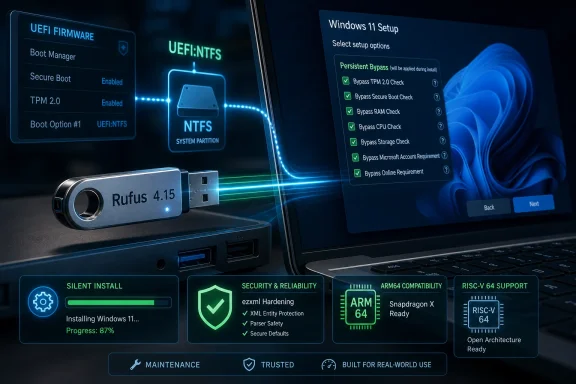
Rufus 4.15 was released on June 30, 2026, as a final update to the bootable USB utility, fixing Windows 11 customization bugs, silent installation failures, UEFI:NTFS crashes on Snapdragon X ARM64 systems, and adding RISC-V 64 support to its UEFI:NTFS boot path. The headline is not merely that a free USB-imaging tool fixed some annoying bugs. It is that Rufus has become an unofficial pressure valve for a Windows installation experience Microsoft keeps tightening. Every Rufus maintenance release now doubles as a referendum on who really controls the PC setup process: Redmond, firmware vendors, or the person holding the flash drive.
Rufus 4.15 is, on paper, a bug-fix release. It repairs a Windows User Experience persistence problem that caused selected setup options — including requirement bypasses — not to remain saved correctly. It also fixes a silent Windows installation path that commonly failed at 75 percent, improves cancellation during write retries, and tightens progress reporting for compressed image extraction.
That is all practical, useful work. Anyone who has built Windows deployment media five minutes before a motherboard swap, lab rebuild, or emergency repair job knows that “the installer got stuck” is not a minor inconvenience. It is the kind of failure that turns a routine task into an afternoon of second-guessing the ISO, USB stick, firmware settings, disk layout, and every checkbox clicked along the way.
But the significance of Rufus 4.15 is larger than its changelog. Rufus is not just competing with Microsoft’s Media Creation Tool on convenience; it is competing on agency. Microsoft’s official tool produces installation media that mostly assumes Microsoft’s preferred path, while Rufus exposes the messy knobs Windows users increasingly need: local account creation, hardware check bypasses, privacy tweaks, OneDrive removal, and unattended setup behavior.
That makes every bug in Rufus’ Windows customization layer more than a software defect. If the Windows User Experience dialog forgets selected choices, the trust problem is immediate. Users do not simply wonder whether Rufus failed; they wonder whether Windows will enforce requirements they deliberately tried to bypass.
That is why the persistence bug matters. A checkbox that does not retain its state is irritating in any program; in an OS installer, it can determine whether a system proceeds smoothly or lands the user back in Microsoft’s setup funnel. The bug reportedly caused the first WUE option to be checked by default and contributed to settings not being preserved as expected.
For many Windows 11 users, the first and most visible use case remains bypassing Microsoft’s hardware floor. Windows 11’s TPM, Secure Boot, CPU, and memory requirements were framed as a security and reliability baseline. Yet the reality of the PC ecosystem is that millions of otherwise functional machines sit outside Microsoft’s approved list, including workstations, home lab gear, older laptops, niche industrial boxes, and enthusiast systems that still perform perfectly well for their intended workload.
Rufus does not turn unsupported hardware into supported hardware. It does something narrower and more politically charged: it helps users install Windows anyway. That distinction matters because it keeps the risk where it belongs. A bypassed install may lack official support, but for many users, the alternative is not buying a new PC; it is staying on an aging OS, migrating to Linux, or running Windows in increasingly awkward ways.
The 75 percent failure fixed in Rufus 4.15 therefore cut directly against the feature’s promise. Silent installation is attractive precisely because it removes human babysitting from repetitive Windows installs. If it commonly stalls at a predictable point, the feature becomes something IT pros must supervise anyway, defeating the purpose.
Rufus 4.15 improves the guards around silent installation and fixes the failure in most cases. The language matters. “Most cases” is honest, and in deployment software honesty is preferable to false confidence. Windows setup behavior changes across releases, ISOs, editions, answer files, firmware states, storage controllers, and hardware platforms. A third-party tool working around all of that is necessarily dancing on a moving floor.
Still, the direction is clear. Rufus is no longer merely a way to get an ISO onto a USB drive. It is becoming a lightweight deployment assistant for users who do not have Microsoft Deployment Toolkit, Intune, Configuration Manager, Autopilot, or the patience to build a full imaging pipeline for a handful of machines.
For a utility like Rufus, ARM64 support is not just a build target. It is a test of whether the Windows boot and installation ecosystem can handle a more diverse hardware future. The PC world spent decades assuming x86 gravity would pull everything into familiar patterns. Snapdragon X machines complicate that assumption, and boot tools sit directly in the blast radius.
UEFI:NTFS exists because Windows installation media often runs into the FAT32 file-size limit when install images exceed 4GB. Rufus solves that by using a small UEFI boot partition to load an NTFS driver, allowing the main installation files to live on an NTFS volume. It is a clever workaround for a very ordinary Windows problem, and it has become one of Rufus’ defining technical advantages.
But clever boot-path workarounds must survive firmware quirks, Secure Boot policy, architecture differences, and platform-specific behavior. A crash on Snapdragon X does not mean the concept is flawed. It means the PC’s new hardware diversity is surfacing old assumptions about how bootable media should behave.
Still, the addition is worth noticing. Rufus has historically been useful because it meets users where the hardware is, not where a vendor roadmap says the hardware ought to be. Adding RISC-V 64 support signals that the project is preparing its boot infrastructure for a world beyond the x86-and-ARM binary.
RISC-V’s appeal is architectural openness, not instant Windows consumer relevance. It is showing up in embedded systems, developer boards, research platforms, accelerators, and specialized computing environments. Support in a tool like Rufus does not make Windows on RISC-V suddenly mainstream, but it lowers the friction for experimentation and future-proofing.
That is the pattern with Rufus at its best. It does not wait for a platform to become boring before supporting it. It often appears at the awkward stage when enthusiasts, firmware developers, OS testers, and tinkerers are still proving whether something can work at all.
A parser bug in this context is not automatically catastrophic, but it deserves respect. Utilities that run with elevated privileges and write raw disks occupy a sensitive position. They are not browsers, but they are also not harmless note-taking apps. They operate close to the boundary between the user’s working OS, removable media, firmware boot paths, and the next operating system installation.
This is where Rufus’ popularity cuts both ways. Its ubiquity makes it valuable, but it also makes defects more consequential. A small open-source utility that millions of users trust to prepare installation media has to think like infrastructure, even if its interface still looks like a compact desktop app.
The parser fixes also complicate the lazy argument that third-party Windows tools are inherently sketchy while official tooling is inherently safe. The more accurate distinction is maintenance quality. A third-party tool that publishes fixes, documents behavior, and responds quickly to regressions can be safer in practice than an official path that hides assumptions behind a simplified wizard.
The shared pressure comes from Microsoft’s changing boot security model. Secure Boot, DBX updates, revoked bootloaders, BlackLotus mitigations, and stricter validation have made the boot chain more secure but also more brittle for anyone operating outside the narrow official path. That includes Linux installers, rescue media, Windows images, diagnostic environments, and multiboot drives.
From Microsoft’s perspective, this tightening is defensible. The boot process is a prime target for malware because compromise below the OS can undermine everything above it. Revoking vulnerable bootloaders and enforcing stronger validation is part of the long clean-up after years of UEFI ecosystem looseness.
From the user’s perspective, the experience can feel punitive. A USB drive that worked last year may fail this year. A firmware update may change boot behavior. An ISO may contain components affected by revocation policy. The message presented on screen is often less informative than the underlying issue deserves.
Rufus and Ventoy are thus not merely “alternatives” to Microsoft’s tool. They are translation layers between Microsoft’s security posture and the lived reality of PC maintenance. They absorb ambiguity that Windows Setup and firmware vendors routinely expose to users.
But simplicity becomes a limitation when the task is not simple. The Media Creation Tool is not designed to help you install Windows 11 on an unsupported but capable workstation. It is not designed to help a local-account diehard avoid Microsoft account enrollment pressure. It is not designed to automate a lab install with a handful of deliberate deviations from Microsoft’s default experience.
Rufus fills that gap because Microsoft has chosen not to. This is the uncomfortable part of the story. Many of the options Rufus exposes are not exotic hacks demanded by a fringe. They are responses to ordinary user resistance against product decisions Microsoft has made more aggressive over time.
The local account fight is the clearest example. Microsoft wants Windows setup tied to online identity, services, synchronization, and recovery flows. Many users want a PC account that remains local unless they choose otherwise. Rufus does not create that tension; it gives users a button-shaped answer to it.
The same applies to OneDrive. For some users, automatic cloud-folder integration is helpful. For others, it is an unwanted redirection of familiar desktop and document behavior into a subscription-adjacent ecosystem. Rufus’ ability to remove or avoid that behavior is popular because the underlying preference is real.
That ambiguity has created a gray market of legitimacy. Users know they may not be supported, but they also know the installer can be persuaded. Microsoft discourages the behavior without always fully preventing it. Rufus systematizes the gray zone.
For enterprise IT, the calculus is different from the enthusiast community. A sysadmin managing regulated desktops is unlikely to bless Rufus-based bypass installs as standard operating procedure. Unsupported hardware creates compliance, patching, audit, lifecycle, and help desk problems. Even if the OS runs well, the organization inherits exceptions that may become liabilities later.
For home users and labs, the story changes. A machine used for browsing, media, retro gaming, testing, or local development may not justify replacement solely because Microsoft drew a support boundary. A home lab filled with older mini-PCs may remain useful for years. In that environment, Rufus is not an act of rebellion so much as an anti-waste tool.
The environmental angle is often overstated, but not imaginary. Extending the life of capable hardware can reduce needless churn, especially when the workload does not demand new silicon. Microsoft’s security rationale is coherent, but so is the user’s objection to discarding a working PC because a setup program says no.
Microsoft has already shown a willingness to adjust setup checks, out-of-box experience behavior, account requirements, and boot validation over time. A bypass that works today may break tomorrow, or a future upgrade path may become more cumbersome. Users who install Windows 11 on unsupported hardware should treat the machine as a managed exception, not as a normal supported endpoint.
There is also a security trade-off. Bypassing TPM or Secure Boot requirements may be reasonable for a non-critical machine, but it removes or weakens assumptions Windows 11 increasingly makes about the platform. Features such as measured boot, credential protection, device encryption, and certain virtualization-based security configurations depend on modern firmware and hardware behaving correctly.
The point is not that every unsupported install is reckless. The point is that tooling convenience should not erase operational judgment. Rufus can help you cross the bridge; it cannot guarantee the bridge will remain maintained by Microsoft.
That is especially true in businesses. If an organization uses Rufus for break-fix work, lab images, or isolated testing, fine. If it quietly normalizes unsupported Windows 11 deployments in production because replacement budgets are inconvenient, it is creating future incident tickets with a countdown clock.
Modern Windows is moving in the opposite direction. Autopilot, Microsoft accounts, Intune, cloud recovery, device encryption, hardware-backed identity, and service-driven setup all have legitimate benefits. They also shift control away from the person sitting in front of the machine and toward policy systems, vendor defaults, and cloud services.
The bootable USB drive is therefore more symbolic than it used to be. It is not just removable media. It is the user’s last simple assertion that the PC remains a general-purpose computer rather than a managed endpoint by default.
That symbolism can be romanticized, and enthusiasts often do. Most users are not yearning for the glory days of driver floppies and BIOS menus. They want setup to work. But when the official setup path becomes more coercive, the old manual path suddenly feels like freedom.
Rufus succeeds because it makes that freedom practical. It wraps messy installation choices in a small interface and lets users produce media that reflects their intent rather than Microsoft’s preferred funnel.
The most interesting part is how many of these stress points originate outside Rufus. Microsoft changes Windows setup behavior; Rufus adapts. Firmware vendors ship imperfect UEFI implementations; Rufus works around them. Installation images grow beyond FAT32 comfort; Rufus leans on UEFI:NTFS. Users reject account and hardware constraints; Rufus packages bypasses into repeatable media.
This is the role third-party infrastructure often plays in mature platforms. It turns vendor rigidity into user flexibility. It also reveals where the vendor’s official tooling has stopped serving important edge cases.
Calling those edge cases “edge” can be misleading. A single unsupported laptop is an edge case to Microsoft. Ten thousand repair-shop installs, home lab rebuilds, school-donation refurbishments, and small-business PCs are a pattern. Rufus exists in that aggregate space, where individual exceptions become a market signal.
 Rufus Fixes the Bypass Tool, but the Real Bug Is Windows Setup
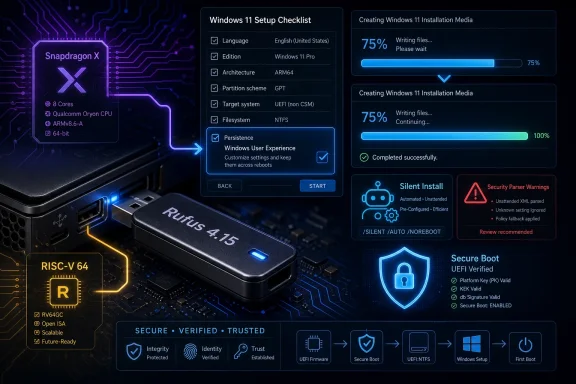
Rufus 4.15 is, on paper, a bug-fix release. It repairs a Windows User Experience persistence problem that caused selected setup options — including requirement bypasses — not to remain saved correctly. It also fixes a silent Windows installation path that commonly failed at 75 percent, improves cancellation during write retries, and tightens progress reporting for compressed image extraction.That is all practical, useful work. Anyone who has built Windows deployment media five minutes before a motherboard swap, lab rebuild, or emergency repair job knows that “the installer got stuck” is not a minor inconvenience. It is the kind of failure that turns a routine task into an afternoon of second-guessing the ISO, USB stick, firmware settings, disk layout, and every checkbox clicked along the way.
But the significance of Rufus 4.15 is larger than its changelog. Rufus is not just competing with Microsoft’s Media Creation Tool on convenience; it is competing on agency. Microsoft’s official tool produces installation media that mostly assumes Microsoft’s preferred path, while Rufus exposes the messy knobs Windows users increasingly need: local account creation, hardware check bypasses, privacy tweaks, OneDrive removal, and unattended setup behavior.
That makes every bug in Rufus’ Windows customization layer more than a software defect. If the Windows User Experience dialog forgets selected choices, the trust problem is immediate. Users do not simply wonder whether Rufus failed; they wonder whether Windows will enforce requirements they deliberately tried to bypass.
The Windows User Experience Dialog Became a Policy Battleground
Rufus’ Windows User Experience dialog is one of the most consequential pieces of unofficial Windows tooling in circulation. It appears after a Windows ISO is selected and gives users a consolidated place to alter setup behavior before the USB drive is written. Depending on the ISO and options available, it can remove hardware requirements, skip Microsoft account pressure, disable data collection prompts, set local user details, remove OneDrive, and steer Windows setup away from the defaults Microsoft would prefer.That is why the persistence bug matters. A checkbox that does not retain its state is irritating in any program; in an OS installer, it can determine whether a system proceeds smoothly or lands the user back in Microsoft’s setup funnel. The bug reportedly caused the first WUE option to be checked by default and contributed to settings not being preserved as expected.
For many Windows 11 users, the first and most visible use case remains bypassing Microsoft’s hardware floor. Windows 11’s TPM, Secure Boot, CPU, and memory requirements were framed as a security and reliability baseline. Yet the reality of the PC ecosystem is that millions of otherwise functional machines sit outside Microsoft’s approved list, including workstations, home lab gear, older laptops, niche industrial boxes, and enthusiast systems that still perform perfectly well for their intended workload.
Rufus does not turn unsupported hardware into supported hardware. It does something narrower and more politically charged: it helps users install Windows anyway. That distinction matters because it keeps the risk where it belongs. A bypassed install may lack official support, but for many users, the alternative is not buying a new PC; it is staying on an aging OS, migrating to Linux, or running Windows in increasingly awkward ways.
Silent Install Was Supposed to Remove Friction, Not Add Suspense
The silent Windows installation option introduced in Rufus 4.14 was ambitious because it moved Rufus deeper into deployment territory. Instead of merely writing installation media and applying a few setup customizations, silent install aims to automate the process more aggressively. That can be powerful, but it also raises the stakes: an automated installer that fails halfway through is worse than a manual installer that asks too many questions.The 75 percent failure fixed in Rufus 4.15 therefore cut directly against the feature’s promise. Silent installation is attractive precisely because it removes human babysitting from repetitive Windows installs. If it commonly stalls at a predictable point, the feature becomes something IT pros must supervise anyway, defeating the purpose.
Rufus 4.15 improves the guards around silent installation and fixes the failure in most cases. The language matters. “Most cases” is honest, and in deployment software honesty is preferable to false confidence. Windows setup behavior changes across releases, ISOs, editions, answer files, firmware states, storage controllers, and hardware platforms. A third-party tool working around all of that is necessarily dancing on a moving floor.
Still, the direction is clear. Rufus is no longer merely a way to get an ISO onto a USB drive. It is becoming a lightweight deployment assistant for users who do not have Microsoft Deployment Toolkit, Intune, Configuration Manager, Autopilot, or the patience to build a full imaging pipeline for a handful of machines.
Snapdragon X Turns Boot Media Into an Architecture Test
One of the more revealing fixes in Rufus 4.15 concerns a crash during boot when using UEFI:NTFS on Snapdragon X-based ARM64 platforms. That sounds niche until you remember where Microsoft and its hardware partners are trying to take the Windows ecosystem. ARM64 Windows is no longer a curiosity buried in developer kits and compromised ultraportables. It is part of Microsoft’s current client strategy, especially around Copilot+ PCs and battery-life-driven laptop designs.For a utility like Rufus, ARM64 support is not just a build target. It is a test of whether the Windows boot and installation ecosystem can handle a more diverse hardware future. The PC world spent decades assuming x86 gravity would pull everything into familiar patterns. Snapdragon X machines complicate that assumption, and boot tools sit directly in the blast radius.
UEFI:NTFS exists because Windows installation media often runs into the FAT32 file-size limit when install images exceed 4GB. Rufus solves that by using a small UEFI boot partition to load an NTFS driver, allowing the main installation files to live on an NTFS volume. It is a clever workaround for a very ordinary Windows problem, and it has become one of Rufus’ defining technical advantages.
But clever boot-path workarounds must survive firmware quirks, Secure Boot policy, architecture differences, and platform-specific behavior. A crash on Snapdragon X does not mean the concept is flawed. It means the PC’s new hardware diversity is surfacing old assumptions about how bootable media should behave.
RISC-V Support Is Small Today and Strategically Loud
Rufus 4.15 also adds RISC-V 64 support to UEFI:NTFS. In immediate Windows desktop terms, that is not going to affect many people this week. There is no mainstream wave of Windows 11 RISC-V laptops sitting in Best Buy, and most Windows admins are not imaging RISC-V client devices at scale.Still, the addition is worth noticing. Rufus has historically been useful because it meets users where the hardware is, not where a vendor roadmap says the hardware ought to be. Adding RISC-V 64 support signals that the project is preparing its boot infrastructure for a world beyond the x86-and-ARM binary.
RISC-V’s appeal is architectural openness, not instant Windows consumer relevance. It is showing up in embedded systems, developer boards, research platforms, accelerators, and specialized computing environments. Support in a tool like Rufus does not make Windows on RISC-V suddenly mainstream, but it lowers the friction for experimentation and future-proofing.
That is the pattern with Rufus at its best. It does not wait for a platform to become boring before supporting it. It often appears at the awkward stage when enthusiasts, firmware developers, OS testers, and tinkerers are still proving whether something can work at all.
Security Fixes Remind Us This Is Not Just a Convenience Utility
The Rufus 4.15 changelog also includes fixes for unrestricted XML entity expansion and an integer overflow in the ezxml parser. Those items will draw less attention than Windows 11 bypasses, but they may be more important in a security review. Bootable media tools parse untrusted or semi-trusted inputs constantly: ISO metadata, configuration files, partition information, bootloader structures, and user-supplied images.A parser bug in this context is not automatically catastrophic, but it deserves respect. Utilities that run with elevated privileges and write raw disks occupy a sensitive position. They are not browsers, but they are also not harmless note-taking apps. They operate close to the boundary between the user’s working OS, removable media, firmware boot paths, and the next operating system installation.
This is where Rufus’ popularity cuts both ways. Its ubiquity makes it valuable, but it also makes defects more consequential. A small open-source utility that millions of users trust to prepare installation media has to think like infrastructure, even if its interface still looks like a compact desktop app.
The parser fixes also complicate the lazy argument that third-party Windows tools are inherently sketchy while official tooling is inherently safe. The more accurate distinction is maintenance quality. A third-party tool that publishes fixes, documents behavior, and responds quickly to regressions can be safer in practice than an official path that hides assumptions behind a simplified wizard.
Ventoy and Rufus Are Solving Different Versions of the Same Microsoft Problem
The timing is notable because Ventoy also recently updated its handling around Secure Boot changes. Ventoy and Rufus are often mentioned in the same breath because both create bootable USB media, but they represent different philosophies. Rufus is a focused writer and customizer; Ventoy is a multiboot platform that lets users drop multiple ISO files onto a drive and choose among them at boot.The shared pressure comes from Microsoft’s changing boot security model. Secure Boot, DBX updates, revoked bootloaders, BlackLotus mitigations, and stricter validation have made the boot chain more secure but also more brittle for anyone operating outside the narrow official path. That includes Linux installers, rescue media, Windows images, diagnostic environments, and multiboot drives.
From Microsoft’s perspective, this tightening is defensible. The boot process is a prime target for malware because compromise below the OS can undermine everything above it. Revoking vulnerable bootloaders and enforcing stronger validation is part of the long clean-up after years of UEFI ecosystem looseness.
From the user’s perspective, the experience can feel punitive. A USB drive that worked last year may fail this year. A firmware update may change boot behavior. An ISO may contain components affected by revocation policy. The message presented on screen is often less informative than the underlying issue deserves.
Rufus and Ventoy are thus not merely “alternatives” to Microsoft’s tool. They are translation layers between Microsoft’s security posture and the lived reality of PC maintenance. They absorb ambiguity that Windows Setup and firmware vendors routinely expose to users.
Microsoft’s Media Creation Tool Is Simple Because It Avoids the Hard Conversations
Microsoft’s Media Creation Tool remains the obvious recommendation for a mainstream user who wants the official Windows installation path. It downloads Windows, writes media, and avoids presenting options that could put the user into unsupported territory. That simplicity has value, especially for consumers who only reinstall Windows once every few years.But simplicity becomes a limitation when the task is not simple. The Media Creation Tool is not designed to help you install Windows 11 on an unsupported but capable workstation. It is not designed to help a local-account diehard avoid Microsoft account enrollment pressure. It is not designed to automate a lab install with a handful of deliberate deviations from Microsoft’s default experience.
Rufus fills that gap because Microsoft has chosen not to. This is the uncomfortable part of the story. Many of the options Rufus exposes are not exotic hacks demanded by a fringe. They are responses to ordinary user resistance against product decisions Microsoft has made more aggressive over time.
The local account fight is the clearest example. Microsoft wants Windows setup tied to online identity, services, synchronization, and recovery flows. Many users want a PC account that remains local unless they choose otherwise. Rufus does not create that tension; it gives users a button-shaped answer to it.
The same applies to OneDrive. For some users, automatic cloud-folder integration is helpful. For others, it is an unwanted redirection of familiar desktop and document behavior into a subscription-adjacent ecosystem. Rufus’ ability to remove or avoid that behavior is popular because the underlying preference is real.
Unsupported Does Not Mean Useless, and Microsoft Knows It
The Windows 11 hardware requirement debate has always been muddied by Microsoft’s dual messaging. On one hand, the company has drawn a firm supported-hardware line and tied it to security, reliability, and modern platform capabilities. On the other hand, Windows remains technically installable on many unsupported systems through workarounds, registry changes, answer files, or tools like Rufus.That ambiguity has created a gray market of legitimacy. Users know they may not be supported, but they also know the installer can be persuaded. Microsoft discourages the behavior without always fully preventing it. Rufus systematizes the gray zone.
For enterprise IT, the calculus is different from the enthusiast community. A sysadmin managing regulated desktops is unlikely to bless Rufus-based bypass installs as standard operating procedure. Unsupported hardware creates compliance, patching, audit, lifecycle, and help desk problems. Even if the OS runs well, the organization inherits exceptions that may become liabilities later.
For home users and labs, the story changes. A machine used for browsing, media, retro gaming, testing, or local development may not justify replacement solely because Microsoft drew a support boundary. A home lab filled with older mini-PCs may remain useful for years. In that environment, Rufus is not an act of rebellion so much as an anti-waste tool.
The environmental angle is often overstated, but not imaginary. Extending the life of capable hardware can reduce needless churn, especially when the workload does not demand new silicon. Microsoft’s security rationale is coherent, but so is the user’s objection to discarding a working PC because a setup program says no.
The Danger Is Not Rufus; It Is False Confidence
There is a real risk in the growing comfort around bypassed Windows 11 installs. Rufus makes the process easy enough that users may forget the meaning of the word unsupported. The install may complete, Windows Update may work, drivers may load, and the desktop may feel normal. That does not guarantee long-term compatibility, supportability, or entitlement to future feature upgrades.Microsoft has already shown a willingness to adjust setup checks, out-of-box experience behavior, account requirements, and boot validation over time. A bypass that works today may break tomorrow, or a future upgrade path may become more cumbersome. Users who install Windows 11 on unsupported hardware should treat the machine as a managed exception, not as a normal supported endpoint.
There is also a security trade-off. Bypassing TPM or Secure Boot requirements may be reasonable for a non-critical machine, but it removes or weakens assumptions Windows 11 increasingly makes about the platform. Features such as measured boot, credential protection, device encryption, and certain virtualization-based security configurations depend on modern firmware and hardware behaving correctly.
The point is not that every unsupported install is reckless. The point is that tooling convenience should not erase operational judgment. Rufus can help you cross the bridge; it cannot guarantee the bridge will remain maintained by Microsoft.
That is especially true in businesses. If an organization uses Rufus for break-fix work, lab images, or isolated testing, fine. If it quietly normalizes unsupported Windows 11 deployments in production because replacement budgets are inconvenient, it is creating future incident tickets with a countdown clock.
The USB Stick Has Become the Last User-Controlled Door
One reason Rufus inspires such loyalty is that it preserves a mode of computing that feels increasingly endangered: download an ISO, write a USB stick, boot the machine, install the OS. That workflow is old, understandable, and local. It does not require cloud enrollment, device attestation, vendor portals, or a management plane.Modern Windows is moving in the opposite direction. Autopilot, Microsoft accounts, Intune, cloud recovery, device encryption, hardware-backed identity, and service-driven setup all have legitimate benefits. They also shift control away from the person sitting in front of the machine and toward policy systems, vendor defaults, and cloud services.
The bootable USB drive is therefore more symbolic than it used to be. It is not just removable media. It is the user’s last simple assertion that the PC remains a general-purpose computer rather than a managed endpoint by default.
That symbolism can be romanticized, and enthusiasts often do. Most users are not yearning for the glory days of driver floppies and BIOS menus. They want setup to work. But when the official setup path becomes more coercive, the old manual path suddenly feels like freedom.
Rufus succeeds because it makes that freedom practical. It wraps messy installation choices in a small interface and lets users produce media that reflects their intent rather than Microsoft’s preferred funnel.
The Changelog Is a Map of Where Windows Is Heading
Read Rufus 4.15’s changes as a list of fixes and you get a maintenance release. Read them as a pattern and you get a map of Windows’ current stress points. Silent install support points to automation demand outside enterprise tooling. WUE fixes point to user resistance against setup defaults. Snapdragon X fixes point to the ARM64 transition. RISC-V support points to future architecture diversity. Secure XML parsing points to the security burden carried by even small utilities.The most interesting part is how many of these stress points originate outside Rufus. Microsoft changes Windows setup behavior; Rufus adapts. Firmware vendors ship imperfect UEFI implementations; Rufus works around them. Installation images grow beyond FAT32 comfort; Rufus leans on UEFI:NTFS. Users reject account and hardware constraints; Rufus packages bypasses into repeatable media.
This is the role third-party infrastructure often plays in mature platforms. It turns vendor rigidity into user flexibility. It also reveals where the vendor’s official tooling has stopped serving important edge cases.
Calling those edge cases “edge” can be misleading. A single unsupported laptop is an edge case to Microsoft. Ten thousand repair-shop installs, home lab rebuilds, school-donation refurbishments, and small-business PCs are a pattern. Rufus exists in that aggregate space, where individual exceptions become a market signal.
The Fixes That Matter Before You Rebuild the Next Windows Stick
Rufus 4.15 is worth installing if you rely on its Windows customization features, especially after using the 4.14 release or the 4.15 beta. The safest reading is not that every Windows install problem is gone, but that the biggest regressions around the new silent setup path and WUE persistence have been addressed.- Rufus 4.15 fixes a Windows User Experience persistence bug that could prevent selected setup customization choices from remaining saved as expected.
- The release fixes a common silent Windows installation failure at 75 percent and adds stronger safeguards around that automation path.
- Snapdragon X-based ARM64 systems receive an important UEFI:NTFS boot crash fix, which matters as Windows on ARM becomes more mainstream.
- UEFI:NTFS now includes RISC-V 64 support, a forward-looking addition more relevant to platform experimentation than immediate Windows desktop deployment.
- The update includes parser security fixes, reminding users that boot-media utilities deserve the same patch discipline as other privileged system tools.
- Users deploying Windows 11 on unsupported hardware should treat Rufus as an enabler, not a guarantee of future Microsoft support.
References
- Primary source: Neowin
Published: Wed, 01 Jul 2026 06:38:00 GMT
Rufus fixes bugged Windows 11 system requirements bypass options and install issues - Neowin
Popular bootable USB media creation app Rufus has resolved a couple of major issues regarding Windows 11 installations. www.neowin.net
- Related coverage: techspot.com
Rufus Download Free - 4.15 | TechSpot
Download Rufus - One of the best tools to create bootable USB drives. Works on Windows, Linux, DOS, UEFI and Arm.www.techspot.com - Related coverage: windowsforum.com
Rufus 4.15 Beta Fixes 75% Silent Windows Setup Failures & ARM Boot Crashes | Windows Forum
Rufus 4.15 beta, released in June 2026 by developer Pete Batard, is a maintenance update for the Windows bootable-media utility that fixes failures in Rufus...windowsforum.com - Related coverage: alternativeto.net
Rufus 4.15 BETA fixes silent install errors and UEFI:NTFS crash | AlternativeTo
Rufus 4.15 BETA addresses silent install failures, UEFI:NTFS ARM64 boot crash, and security vulnerabilities in the ezxml parser.alternativeto.net
- Related coverage: unikoshardware.com
- Related coverage: deskmodder.de
Rufus 4.15 [Update]: Jetzt als finale Version - Deskmodder.de
Rufus ist nicht mehr nur ein kleines Tool, um eine ISO auf einen Stick bootfähig zu kopieren. Durch die verschiedenen Einstellungen, die vorgenommen werden, kann schon im Vorfeld einiges erledigt werden. Jetzt kann Rufus in der Version 4.15 ausprobiert werden.…www.deskmodder.de
- Related coverage: rufus.ie
Rufus - Легке створення завантажувальних USB-дисків
Rufus: Create bootable USB drives the easy wayrufus.ie - Related coverage: howtechismade.com
Rufus 4.15 Beta risolve i problemi dell'installazione automatica di Windows 11: Ora funziona davvero | HowTechIsMade
Rufus 4.15 Beta corregge il blocco al 75% dell'installazione silenziosa di Windows 11 e risolve i problemi con Snapdragon X. Scopri tutte le novità e come scaricarlowww.howtechismade.com - Related coverage: techkings.org
- Related coverage: nsaneforums.com
Latest Rufus update improves new Windows 11 install method - Software News - Nsane Forums
Rufus 4.15 beta is out with important fixes for "silent" Windows 11 installation, patches for ARM-based PCs, and more. Pete Batard, the maker of Rufus, a very popular app for creating bootable Windows (and other OS) media, has released a new beta version of its app. Rufus 4.15 beta is... nsaneforums.com