

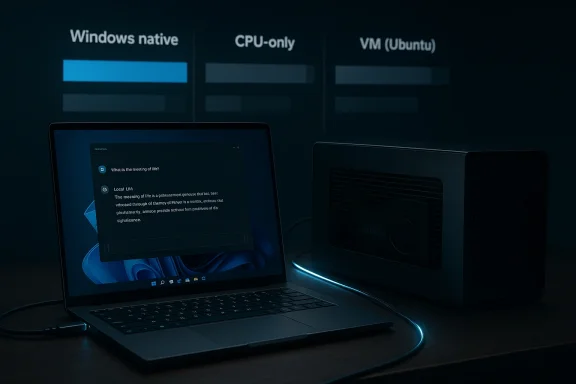
Running AI locally on Windows 11 is no longer just a hobbyist stunt, and Tom Fenton’s latest Virtualization Review test makes that point in unusually practical terms. In his setup, an older NVIDIA Quadro P2200 in a Razer Core X eGPU enclosure turned a Windows laptop into a much more capable local LLM box, while the same workloads ran far more slowly in a constrained virtual machine. The real story is not simply that GPUs are faster than CPUs, but that native Windows execution plus hardware acceleration can dramatically change the feel of local AI. For anyone trying to decide between a VM, CPU-only inference, or an external GPU path, the performance gap is the headline. (virtualizationreview.com)
The article is part of a broader experiment in running large language models on modest hardware, including a Raspberry Pi, a Linux VM, and now Windows 11 with and without an eGPU. Fenton uses Ollama as the runtime, which is a sensible choice because it abstracts away much of the model-management complexity and supports Windows, Linux, and macOS. His test methodology is intentionally simple: run the same prompts on different platforms, then compare responsiveness, token generation rates, and total durations. That makes the results easy to understand, even if the hardware paths are not perfectly equivalent. (virtualizationreview.com)
What stands out immediately is that the article is not about training frontier models or squeezing every last benchmark point from flagship hardware. It is about practical local inference on equipment that many enthusiasts and IT pros could realistically own or repurpose. That includes a CPU-only Windows laptop, a VMware Workstation virtual machine with limited cores and RAM, and a Thunderbolt-connected eGPU setup. In other words, the article is aimed at the kind of readers who want to know what actually works, not what looks good in a lab demo. (virtualizationreview.com)
The comparison is also valuable because it reflects how local AI is often deployed in the real world: not on a pristine workstation, but on a machine with constraints. Fenton explicitly notes that the VM got only three of four CPU cores and 12GB of RAM, while native Windows could use all available resources. That matters because virtual machines often get used as sandboxes first and production environments second, which makes the performance tradeoff a recurring concern for IT teams. (virtualizationreview.com)
The article also suggests that Ollama’s model handling is designed for repeatability. Models are downloaded locally, updates are transparent, and the CLI should integrate cleanly with existing scripts. That combination makes it suitable for both ad hoc tests and more structured workflows. For Windows users in particular, this is a strong reminder that AI tooling is increasingly converging on platform convenience rather than only raw capability. (virtualizationreview.com)
A subtle but important point is that these prompts are not synthetic microbenchmarks. They resemble the kinds of tasks people actually do with LLMs on desktop systems. That makes the article more useful than a pure benchmark chart because it answers the question users really care about: Does it feel fast enough to use? In the CPU-only case, the answer is “yes, but with limits.” In the eGPU case, the answer becomes much more decisive. (virtualizationreview.com)
The article frames the enclosure as a gaming and content-creation accessory, but the AI angle is increasingly compelling. Thunderbolt eGPU setups have always lived in a niche between convenience and performance, and local AI is exactly the kind of workload that benefits from the compute side of that bargain. Even with interface overhead, the presence of a discrete GPU can turn borderline usability into genuinely fast inference. (virtualizationreview.com)
That is an important distinction for readers evaluating external GPU solutions. The point is not that Thunderbolt makes an old workstation card magically modern. The point is that even an imperfect link can be more than enough to make local LLM inference feel much better than a CPU-only path. For AI workloads that are already heavily parallel, the gain is large enough to matter. (virtualizationreview.com)
The card’s workstation pedigree also matters. It was built for reliability, certified drivers, CAD, and visualization rather than consumer gaming hype. That means it may not win headlines, but it can be a very sensible platform for low-cost experimentation. For local AI users, a stable older pro card can sometimes be a better investment than a newer consumer GPU with less predictable driver behavior in niche workloads. (virtualizationreview.com)
This is where the article is especially useful for readers who assume any GPU will be “good enough” for local AI. It won’t be. The difference between a CUDA-capable card and a Tensor Core-equipped RTX card is not cosmetic; it is architectural. Fenton’s test demonstrates that the P2200 can still be useful, but also shows why memory capacity and dedicated AI acceleration are the real ceilings. (virtualizationreview.com)
This is a useful reminder that “CPU-only” does not mean “useless.” For small models and shorter prompts, a modern laptop can provide a perfectly workable local AI experience. The problem is that the margin shrinks fast once response length increases or the task becomes more reasoning-heavy. That is where the eGPU starts to separate itself from the CPU-only baseline. (virtualizationreview.com)
The practical significance is that a laptop can appear “fast enough” on small demos and still be a poor fit for sustained usage. Short tests tell you about perceived responsiveness; longer sessions tell you about operational comfort. Fenton’s article is especially persuasive because it captures both dimensions. (virtualizationreview.com)
That spread is not just a benchmark curiosity. It is a reminder that virtualization imposes a compounding penalty on workloads that are already compute-intensive and memory-sensitive. Once you reduce CPU availability, add abstraction overhead, and place pressure on cache locality and vector execution, inference slows in ways that are immediately visible to users. (virtualizationreview.com)
This does not mean VMs are useless for AI. They remain excellent for prototyping, sandboxing, and validating scripts. But if the goal is to keep a user waiting only a second or two between prompts and responses, the VM begins to look like the wrong layer of abstraction. Native GPU-backed execution is simply more efficient. (virtualizationreview.com)
This is the kind of dataset that makes the article useful to practitioners. It does not just assert that the GPU helps; it shows the magnitude of the difference. Even the most modest model in the test suite benefitted enormously, which supports the conclusion that local AI performance is heavily hardware-bound. (virtualizationreview.com)
Fenton’s comparison makes that especially clear because the same broad prompt class produced very different latencies under different compute paths. The headline is not only that the GPU is faster; it is that the GPU pushes the system into a usability category the CPU and VM struggles to reach consistently. That is a much more meaningful threshold. (virtualizationreview.com)
That makes this article especially relevant for laptop owners, creators, and power users who already own a Thunderbolt-capable system. If the machine is otherwise suitable, an eGPU can extend its useful life for AI experimentation without forcing a full hardware replacement. In that sense, the article is as much about hardware reuse as it is about LLM speed. (virtualizationreview.com)
There is also a fleet-management angle. Many organizations already have laptops with Thunderbolt, docking, and external-monitor support. The article suggests that a carefully selected workstation-class eGPU might be enough to turn some of those machines into respectable local inference nodes for development or demonstrations. That is not a universal strategy, but it is a useful one for niche teams. (virtualizationreview.com)
The article also hints at an important future question: how much performance can older, repurposed hardware still deliver before the economics stop making sense? For many Windows enthusiasts, the answer will be “surprisingly far,” especially if the workload is local chat, code generation, or simple document automation. For enterprises, the question will be whether that convenience outweighs the operational complexity of distributed hardware and the support burden of external devices. (virtualizationreview.com)
Source: Virtualization Review Running AI Natively on Windows 11 Using an eGPU -- Virtualization Review
 Overview
The article is part of a broader experiment in running large language models on modest hardware, including a Raspberry Pi, a Linux VM, and now Windows 11 with and without an eGPU. Fenton uses Ollama as the runtime, which is a sensible choice because it abstracts away much of the model-management complexity and supports Windows, Linux, and macOS. His test methodology is intentionally simple: run the same prompts on different platforms, then compare responsiveness, token generation rates, and total durations. That makes the results easy to understand, even if the hardware paths are not perfectly equivalent. (virtualizationreview.com)What stands out immediately is that the article is not about training frontier models or squeezing every last benchmark point from flagship hardware. It is about practical local inference on equipment that many enthusiasts and IT pros could realistically own or repurpose. That includes a CPU-only Windows laptop, a VMware Workstation virtual machine with limited cores and RAM, and a Thunderbolt-connected eGPU setup. In other words, the article is aimed at the kind of readers who want to know what actually works, not what looks good in a lab demo. (virtualizationreview.com)
The comparison is also valuable because it reflects how local AI is often deployed in the real world: not on a pristine workstation, but on a machine with constraints. Fenton explicitly notes that the VM got only three of four CPU cores and 12GB of RAM, while native Windows could use all available resources. That matters because virtual machines often get used as sandboxes first and production environments second, which makes the performance tradeoff a recurring concern for IT teams. (virtualizationreview.com)
Why Ollama Matters Here
A low-friction local AI stack
One of the article’s most important points is that Ollama removes a lot of the friction that traditionally made local LLM experimentation feel fiddly. Fenton says the Windows installer set up a background service, handled model management, and presented a GUI without requiring him to manually configure Python, CUDA paths, or a web of dependencies. That simplicity matters because user experience is often the barrier that keeps local AI from moving beyond enthusiasts. (virtualizationreview.com)The article also suggests that Ollama’s model handling is designed for repeatability. Models are downloaded locally, updates are transparent, and the CLI should integrate cleanly with existing scripts. That combination makes it suitable for both ad hoc tests and more structured workflows. For Windows users in particular, this is a strong reminder that AI tooling is increasingly converging on platform convenience rather than only raw capability. (virtualizationreview.com)
Why the author chose the same prompts
Fenton reuses the same prompts across the Raspberry Pi, the VM, and the Windows tests. That is a smart editorial choice because it reduces the amount of noise in the comparison. The prompts are also well chosen: a factual question, a simple HTML generation task, and a more demanding table-generation prompt. Those three workloads cover a useful spread of latency-sensitive, code-generation, and output-heavy use cases. (virtualizationreview.com)A subtle but important point is that these prompts are not synthetic microbenchmarks. They resemble the kinds of tasks people actually do with LLMs on desktop systems. That makes the article more useful than a pure benchmark chart because it answers the question users really care about: Does it feel fast enough to use? In the CPU-only case, the answer is “yes, but with limits.” In the eGPU case, the answer becomes much more decisive. (virtualizationreview.com)
Key takeaways from the Ollama setup
- Windows installation is straightforward and does not require a deep AI-toolchain setup. (virtualizationreview.com)
- CPU-only inference is workable for lighter prompts, especially on a modern laptop. (virtualizationreview.com)
- Model management is simplified by local downloads and transparent updates. (virtualizationreview.com)
- The GUI lowers the barrier for users who do not want to live in the terminal. (virtualizationreview.com)
- The same workload can look very different depending on whether the host is native or virtualized. (virtualizationreview.com)
The eGPU Test Bed
Why the Razer Core X still matters
Fenton’s choice of a Razer Core X enclosure is interesting because it is an older product that has already been discontinued, yet it remains representative of a class of hardware many Windows users still rely on. The enclosure supports full-size GPUs, includes a 650W power supply, and can deliver 100W back to the laptop over Thunderbolt. That makes it a practical bridge between mobile and desktop-class compute. (virtualizationreview.com)The article frames the enclosure as a gaming and content-creation accessory, but the AI angle is increasingly compelling. Thunderbolt eGPU setups have always lived in a niche between convenience and performance, and local AI is exactly the kind of workload that benefits from the compute side of that bargain. Even with interface overhead, the presence of a discrete GPU can turn borderline usability into genuinely fast inference. (virtualizationreview.com)
What the Thunderbolt link means
The Thunderbolt 3 connection is rated up to 40 Gbps, which is plenty for many peripheral tasks but still far from internal PCIe bandwidth. That matters because an eGPU is never quite the same as an internally mounted desktop GPU. Still, the article suggests the bottleneck did not erase the benefits of acceleration; instead, it merely shaped the upper bound of what the setup could achieve. (virtualizationreview.com)That is an important distinction for readers evaluating external GPU solutions. The point is not that Thunderbolt makes an old workstation card magically modern. The point is that even an imperfect link can be more than enough to make local LLM inference feel much better than a CPU-only path. For AI workloads that are already heavily parallel, the gain is large enough to matter. (virtualizationreview.com)
eGPU setup at a glance
- External GPU enclosures can transform laptops into more capable AI machines. (virtualizationreview.com)
- Power delivery is part of the value proposition, not just graphics bandwidth. (virtualizationreview.com)
- Thunderbolt is fast enough to provide meaningful AI acceleration, even if it is not ideal. (virtualizationreview.com)
- Aging hardware can still deliver when the workload maps well to parallel GPU compute. (virtualizationreview.com)
- The enclosure’s original purpose does not limit its usefulness for inference workloads. (virtualizationreview.com)
Why the Quadro P2200 Is a Useful Test
An older workstation GPU with real AI value
The Quadro P2200 is not a glamorous GPU, and that is exactly why the test is interesting. Fenton describes it as an older, low-end Pascal card with 1,280 CUDA cores, 5GB of GDDR5X memory, a 160-bit interface, and around 3.8 TFLOPs of single-precision compute. On paper, that is modest by today’s AI standards, but it is still a CUDA-capable GPU, which is the key capability for many inference stacks. (virtualizationreview.com)The card’s workstation pedigree also matters. It was built for reliability, certified drivers, CAD, and visualization rather than consumer gaming hype. That means it may not win headlines, but it can be a very sensible platform for low-cost experimentation. For local AI users, a stable older pro card can sometimes be a better investment than a newer consumer GPU with less predictable driver behavior in niche workloads. (virtualizationreview.com)
What the card cannot do
The limitations are just as important as the strengths. The P2200 lacks Tensor Cores, which are now central to the high-throughput matrix operations that dominate modern deep learning acceleration. It also has only 5GB of memory, which constrains model size and makes it a poor fit for larger LLMs or ambitious multi-model workflows. That means this is an inference and experimentation card, not a serious training platform. (virtualizationreview.com)This is where the article is especially useful for readers who assume any GPU will be “good enough” for local AI. It won’t be. The difference between a CUDA-capable card and a Tensor Core-equipped RTX card is not cosmetic; it is architectural. Fenton’s test demonstrates that the P2200 can still be useful, but also shows why memory capacity and dedicated AI acceleration are the real ceilings. (virtualizationreview.com)
Quadro P2200 strengths and limitations
- CUDA support makes it viable for many inference frameworks. (virtualizationreview.com)
- 5GB VRAM limits model size and context headroom. (virtualizationreview.com)
- No Tensor Cores means less acceleration for AI-specific math. (virtualizationreview.com)
- Workstation drivers favor stability over consumer-grade flash. (virtualizationreview.com)
- Pascal architecture is old, but not obsolete for light local AI. (virtualizationreview.com)
Why modest hardware can still surprise you
There is a broader lesson here: AI hardware value is often nonlinear. A modest older GPU can deliver a giant experiential jump if the alternative is a CPU-only path. The article’s data strongly supports that idea, especially when the prompt complexity increases. In practical terms, good enough GPU acceleration can be more transformative than chasing maximum theoretical throughput. (virtualizationreview.com)Native Windows vs CPU-Only Execution
The baseline matters
Before the eGPU comparison, Fenton tested Ollama on a Windows laptop without GPU acceleration. That baseline is important because it shows the native CPU-only experience was already responsive for simple tasks. The system answered the Oregon capital question in seconds and handled HTML generation quickly, though CPU usage was heavily utilized throughout the tests. (virtualizationreview.com)This is a useful reminder that “CPU-only” does not mean “useless.” For small models and shorter prompts, a modern laptop can provide a perfectly workable local AI experience. The problem is that the margin shrinks fast once response length increases or the task becomes more reasoning-heavy. That is where the eGPU starts to separate itself from the CPU-only baseline. (virtualizationreview.com)
Why CPU usage spiked
Fenton notes heavy CPU utilization even when the experience felt acceptable. That tracks with how local inference behaves: token generation, memory movement, and scheduler overhead all put pressure on the CPU even when a GPU is present. On a CPU-only machine, those loads become the whole story, and the user feels every second of compute time. (virtualizationreview.com)The practical significance is that a laptop can appear “fast enough” on small demos and still be a poor fit for sustained usage. Short tests tell you about perceived responsiveness; longer sessions tell you about operational comfort. Fenton’s article is especially persuasive because it captures both dimensions. (virtualizationreview.com)
Native CPU-only takeaways
- Small prompts can still feel usable on a modern Windows laptop. (virtualizationreview.com)
- CPU saturation is a real constraint as workload size rises. (virtualizationreview.com)
- Latency becomes more visible on longer or more complex outputs. (virtualizationreview.com)
- Native execution avoids VM overhead, which helps the baseline. (virtualizationreview.com)
- GPU acceleration changes the experience more than it changes the feature set. (virtualizationreview.com)
Virtualization as the Performance Tax
Why the VM underperformed
The article’s clearest conclusion is that the Ubuntu VM was the slowest environment by far. It was constrained to three vCPUs and 12GB of RAM, and the measured runtimes reflected the cost of that limited allocation. For the gemma2:2b prompt, the VM took more than 31 seconds versus a fraction of a second on the eGPU-equipped Windows system. (virtualizationreview.com)That spread is not just a benchmark curiosity. It is a reminder that virtualization imposes a compounding penalty on workloads that are already compute-intensive and memory-sensitive. Once you reduce CPU availability, add abstraction overhead, and place pressure on cache locality and vector execution, inference slows in ways that are immediately visible to users. (virtualizationreview.com)
Why this matters for test and production planning
Fenton’s conclusion is blunt: the VM is fine for testing and experimentation, but not ideal for interactive or production-style use. That is a useful operational line in the sand. In enterprise settings, virtual machines are attractive because they are portable and easy to snapshot, but the article shows why they are not automatically a good home for real-time local AI. (virtualizationreview.com)This does not mean VMs are useless for AI. They remain excellent for prototyping, sandboxing, and validating scripts. But if the goal is to keep a user waiting only a second or two between prompts and responses, the VM begins to look like the wrong layer of abstraction. Native GPU-backed execution is simply more efficient. (virtualizationreview.com)
The VM tradeoff in plain terms
- Portability comes at the cost of performance. (virtualizationreview.com)
- Reduced core count hurts inference more than many users expect. (virtualizationreview.com)
- Memory limits become visible quickly with LLM workloads. (virtualizationreview.com)
- Interactive use suffers first, before offline batch use does. (virtualizationreview.com)
- Sandbox value remains high, especially for experimentation. (virtualizationreview.com)
The Numbers Tell the Story
What the table reveals
The article includes a compact results table that says almost everything you need to know. With the eGPU, tinyllama achieved the best throughput, reaching more than 90 tokens per second on the Oregon capital prompt and more than 100 tokens per second in the author’s broader analysis. By comparison, the CPU-only Windows run was dramatically slower, and the Ubuntu VM was slowest of all. (virtualizationreview.com)This is the kind of dataset that makes the article useful to practitioners. It does not just assert that the GPU helps; it shows the magnitude of the difference. Even the most modest model in the test suite benefitted enormously, which supports the conclusion that local AI performance is heavily hardware-bound. (virtualizationreview.com)
Why token rate matters more than it sounds
Token generation rate is one of the most meaningful local AI metrics because it tracks perceived responsiveness. A prompt that returns at 10 tokens per second can feel acceptable, but at 50 or 90 tokens per second, the interaction becomes much more fluid. That difference changes how willing a person is to iterate, refine prompts, and keep the model open as part of a workflow. (virtualizationreview.com)Fenton’s comparison makes that especially clear because the same broad prompt class produced very different latencies under different compute paths. The headline is not only that the GPU is faster; it is that the GPU pushes the system into a usability category the CPU and VM struggles to reach consistently. That is a much more meaningful threshold. (virtualizationreview.com)
Performance hierarchy from the article
- Windows + eGPU was the fastest and most usable option. (virtualizationreview.com)
- Windows CPU-only was acceptable for lighter workloads. (virtualizationreview.com)
- Ubuntu VM was the least responsive and most constrained. (virtualizationreview.com)
Important observations from the results
- Tiny models scale well even on modest GPU hardware. (virtualizationreview.com)
- Longer prompts magnify the gap between GPU and non-GPU runs. (virtualizationreview.com)
- VM overhead is not a rounding error; it materially alters the user experience. (virtualizationreview.com)
- Hardware configuration dominates once the model and prompt are fixed. (virtualizationreview.com)
- The GPU does not just speed things up; it changes how interactive the workflow feels. (virtualizationreview.com)
What This Means for Windows 11 Users
Consumer implications
For consumers, the article reinforces a simple but important lesson: if you want to run local AI on Windows, the easiest gains come from native execution and GPU acceleration. You do not need a top-tier RTX card to feel the benefits, and you do not need to build a workstation from scratch to get a meaningful boost. An older external GPU can still deliver a large upgrade if your use case is modest. (virtualizationreview.com)That makes this article especially relevant for laptop owners, creators, and power users who already own a Thunderbolt-capable system. If the machine is otherwise suitable, an eGPU can extend its useful life for AI experimentation without forcing a full hardware replacement. In that sense, the article is as much about hardware reuse as it is about LLM speed. (virtualizationreview.com)
Enterprise implications
For enterprise teams, the results should be read differently. The portability of a VM remains attractive, but the performance hit means virtualized local inference is better suited to test labs, validation environments, and proof-of-concept work than frontline interactive use. If the AI workload matters to employee productivity, native acceleration is the safer recommendation. (virtualizationreview.com)There is also a fleet-management angle. Many organizations already have laptops with Thunderbolt, docking, and external-monitor support. The article suggests that a carefully selected workstation-class eGPU might be enough to turn some of those machines into respectable local inference nodes for development or demonstrations. That is not a universal strategy, but it is a useful one for niche teams. (virtualizationreview.com)
Practical user profiles that benefit most
- Developers testing prompts, scripts, or small models locally. (virtualizationreview.com)
- Power users who want offline AI without buying a new desktop. (virtualizationreview.com)
- IT staff validating AI tools in a controlled environment. (virtualizationreview.com)
- Creators who need quick local inference, not training workloads. (virtualizationreview.com)
- Laptop owners with Thunderbolt who want to extend existing hardware. (virtualizationreview.com)
Strengths and Opportunities
The strongest part of this article is that it avoids the trap of treating AI hardware as an abstract spec contest. Instead, it shows how local inference behaves across real deployment styles, which makes the findings immediately actionable. The opportunity is clear: even older Windows-compatible GPU hardware can deliver a meaningful productivity lift for local LLM use. (virtualizationreview.com)- Older eGPUs remain relevant for local AI experimentation. (virtualizationreview.com)
- Ollama lowers friction for Windows users who want to try local models. (virtualizationreview.com)
- Thunderbolt eGPU setups can extend laptop usefulness without replacement. (virtualizationreview.com)
- Modest GPUs still provide major gains over CPU-only inference. (virtualizationreview.com)
- Small models become highly responsive with even limited acceleration. (virtualizationreview.com)
- Testing workflows improve when the host machine is native, not virtualized. (virtualizationreview.com)
- The article’s benchmark design is easy to understand and compare. (virtualizationreview.com)
Risks and Concerns
The main concern is that readers may overgeneralize from a single older GPU and assume any eGPU will solve local AI performance. That would be a mistake. The article is persuasive precisely because the P2200 works for this workload class, with these model sizes, under these constraints. It is not proof that every external GPU setup will deliver the same results. (virtualizationreview.com)- 5GB VRAM is tight and limits model selection. (virtualizationreview.com)
- No Tensor Cores means the card is not optimized for modern AI math. (virtualizationreview.com)
- Thunderbolt bandwidth is a constraint, even if it is not fatal. (virtualizationreview.com)
- VM performance penalties can be large enough to derail interactive use. (virtualizationreview.com)
- CPU-only results may tempt overconfidence in what is truly comfortable. (virtualizationreview.com)
- Older eGPU enclosures and cards may be hard to source or support long-term. (virtualizationreview.com)
- Model size creep will quickly expose the limits of low-VRAM hardware. (virtualizationreview.com)
Looking Ahead
The broader trajectory here is obvious: local AI on Windows will keep moving toward hardware-accelerated, native workflows, and away from “it runs in a VM so technically it works” thinking. As models get more capable, user expectations for latency will rise too, which means CPU-only inference will remain useful mainly for light experiments and small models. eGPU solutions sit in the middle, offering a practical bridge for users who want better responsiveness without a full desktop rebuild. (virtualizationreview.com)The article also hints at an important future question: how much performance can older, repurposed hardware still deliver before the economics stop making sense? For many Windows enthusiasts, the answer will be “surprisingly far,” especially if the workload is local chat, code generation, or simple document automation. For enterprises, the question will be whether that convenience outweighs the operational complexity of distributed hardware and the support burden of external devices. (virtualizationreview.com)
- More local AI users will favor native acceleration over virtualized convenience. (virtualizationreview.com)
- Older pro GPUs will keep finding second lives in AI test rigs. (virtualizationreview.com)
- Thunderbolt eGPU setups will remain a niche but valuable bridge. (virtualizationreview.com)
- VMs will stay useful for lab work but not for speed-sensitive production inference. (virtualizationreview.com)
Source: Virtualization Review Running AI Natively on Windows 11 Using an eGPU -- Virtualization Review
Last edited:
