

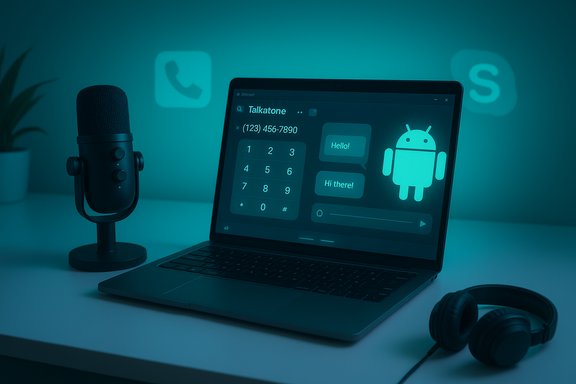
Talkatone doesn’t offer a native desktop client — but you can run Talkatone on Windows or macOS today by using a mainstream Android emulator, or you can pick a native web-first alternative (Google Voice or a desktop-first app) if you want a cleaner, lower-risk desktop experience. This guide verifies what Talkatone actually provides, walks through safe ways to run Talkatone on a PC or Mac, compares the best alternatives, and highlights the operational, privacy, and reliability trade‑offs you should weigh before using Talkatone as a primary phone line.
Talkatone is a longtime VoIP/mobile calling app that issues free U.S. phone numbers and supports calling and texting over Wi‑Fi or mobile data. The official product pages describe a free phone number, unlimited texting in the U.S., voicemail and picture messaging, and paid options for added permanence and premium features. These feature claims are present on Talkatone’s product pages and support documentation. Because Talkatone is distributed as a mobile app (Android and iOS), there is no native Windows or macOS installer from Talkatone. That means running Talkatone on a desktop falls into two practical categories: (A) run the Android app inside a reputable emulator (BlueStacks, NoxPlayer, LDPlayer), or (B) choose a native desktop/web alternative that provides desktop-first calling and texting (e.g., Google Voice, Skype/Teams variants, WhatsApp Desktop, Telegram, Discord). The pros and cons of each approach are outlined below and verified with vendor documentation and community experience.
Verified resources used in this report include Talkatone’s official site and support documentation (product features, inactivity policy, porting rules), emulator vendor documentation for BlueStacks / Nox / LDPlayer (system requirements and best practices), and independent user reviews and community threads that document real‑world reliability and support experiences. These sources collectively back the guidance and cautions above and should be consulted directly when you install or deploy Talkatone on a desktop.
Source: PrioriData Download Talkatone for PC (Windows & Mac) | Priori Data
 Background / Overview
Talkatone is a longtime VoIP/mobile calling app that issues free U.S. phone numbers and supports calling and texting over Wi‑Fi or mobile data. The official product pages describe a free phone number, unlimited texting in the U.S., voicemail and picture messaging, and paid options for added permanence and premium features. These feature claims are present on Talkatone’s product pages and support documentation. Because Talkatone is distributed as a mobile app (Android and iOS), there is no native Windows or macOS installer from Talkatone. That means running Talkatone on a desktop falls into two practical categories: (A) run the Android app inside a reputable emulator (BlueStacks, NoxPlayer, LDPlayer), or (B) choose a native desktop/web alternative that provides desktop-first calling and texting (e.g., Google Voice, Skype/Teams variants, WhatsApp Desktop, Telegram, Discord). The pros and cons of each approach are outlined below and verified with vendor documentation and community experience. What Talkatone actually promises (verified claims)
Core product facts (what is provable)
- Talkatone issues a free U.S. phone number for new accounts and advertises free calling and unlimited texting to U.S. phone numbers (and calling to Canada is supported in many circumstances). These features are described on the Talkatone product pages.
- Talkatone’s support documentation states that if your account is inactive for 30 days they may debit paid credits to keep your number or reclaim the number if you lack credits; a paid “Talkatone Plus” subscription is offered to avoid expiration and add features (non‑expiring phone number, call forwarding, etc.. This explicit inactivity policy is published in Talkatone’s support knowledge base.
- Talkatone does not currently support porting in your existing phone number from another carrier into Talkatone (and Talkatone’s help pages also say Google Voice numbers aren’t accepted for import). That limitation is documented in their porting support article.
Claims that need caution
- Marketing statements like “millions of users” or “works flawlessly on all networks” should be treated as promotional; independent user reports and review pages show mixed reliability and intermittent outages. User review threads and community posts report intermittent delivery delays, dropped calls, and support complaints in some cases. These community signals suggest Talkatone can be good for casual or backup use but is not always dependable as a primary business phone line. Treat these service‑quality claims as conditionally true and verify with a short pilot before routing important traffic to a Talkatone number.
Running Talkatone on a PC or Mac: three practical methods
The only practical way to “Download Talkatone for PC (Windows & Mac)” today is to run the Android app under an emulator. Below are three mainstream emulator options with step‑by‑step guidance, plus verification of system requirements and safety notes.Method 1 — BlueStacks (recommended for broad compatibility)
BlueStacks is the most widely used Android emulator for Windows and macOS and supports Play Store sign‑in and a standard Android runtime. BlueStacks documents minimum and recommended system requirements (Windows 10+ recommended, virtualization enabled for best performance; macOS Big Sur+/Apple Silicon support via BlueStacks Air/Air variants). BlueStacks is actively maintained and is the common choice for running mobile apps on desktop.- Download BlueStacks from the official BlueStacks website and run the installer.
- Launch BlueStacks and sign in with a Google account (needed to access Google Play).
- Open Google Play in BlueStacks, search for “Talkatone”, and install the app.
- Launch Talkatone inside BlueStacks and complete normal app setup (create an account, verify email, choose a free number).
- Grant microphone access to the emulator and, if needed, map audio devices so your desktop microphone and speakers are available to the app.
Method 2 — NoxPlayer (lightweight alternative)
NoxPlayer is another popular emulator with a narrower focus on lightweight deployment. Nox’s system requirements and compatibility notes are published on its support pages; it can be a good option on older hardware but may require adjusting BIOS virtualization options and antivirus settings.- Download NoxPlayer from the official Nox site and install.
- Start NoxPlayer, sign in to Google Play, install Talkatone, and configure microphone permissions.
- Confirm audio routing and test inbound/outbound calls and notifications.
Method 3 — LDPlayer (gaming‑oriented, high performance)
LDPlayer is a Windows‑focused emulator engineered for performance and multi‑instance setups. It is more gaming‑oriented but works for general apps. LDPlayer documents detailed minimum and recommended specs (virtualization, DirectX/OpenGL, and plenty of RAM/disk for smooth operation).- Download LDPlayer from the official site, install it, and enable virtualization in BIOS/UEFI for best results.
- Use Play Store inside LDPlayer to install Talkatone, or sideload the APK from a trusted copy if needed.
- Configure microphone passthrough and test call quality.
Step‑by‑step: a practical, secure emulator checklist
Follow these steps to reduce risk and improve reliability when running Talkatone under an emulator:- Download emulators only from their official websites and verify checksums if provided. BlueStacks, NoxPlayer and LDPlayer all publish system requirements and official installers — use those pages.
- Use a secondary Google account inside the emulator if you are concerned about mixing app test data with your primary account. Emulators expose additional attack surface; separating accounts reduces impact from a compromised app.
- Enable virtualization (Intel VT‑x / AMD‑V) in BIOS/UEFI for performance and stability on Windows hosts. BlueStacks and LDPlayer both recommend enabling virtualization.
- Map audio devices and test using a quick inbound/outbound call. For advanced routing into streaming or DAW software, use a virtual audio cable (VB‑Cable, VoiceMeeter) to capture emulator audio. BlueStacks support pages and emulator‑community guides cover microphone passthrough details.
- Keep emulator and Play Services up to date. If Play Integrity or app security checks block installation, try updating Play Services inside the emulator or choose an emulator Android version that the app supports. Community threads show occasional compatibility issues when apps rely on device attestation.
Security, privacy and reliability: what to watch for
Running Talkatone under an emulator is functional, but it changes your threat model and operational expectations. Below are the most important risks and mitigations.1) Attack surface and supply‑chain risk
Emulators and desktop‑hosted Android environments increase the number of software layers exposed to the internet (host OS → emulator → Android runtime → app). Always download emulator installers from official vendor sites and scan installers with endpoint protection before running them. BlueStacks and other mainstream emulators are generally safe when obtained from their official pages, but unofficial mirrors can be malicious.2) App reliability and operational limits
Talkatone’s free offering is attractive, but independent reviews and community reports show intermittent outages, message delays, and customer support complaints. If you plan to use Talkatone for essential communications, run a short validation period to confirm inbound/outbound reliability in your local network conditions. Consider a paid backup or a different provider if uptime is critical.3) Number permanence & porting limitations
Talkatone can reclaim inactive numbers after 30 days without sufficient credits, and they explicitly do not port in external numbers (Google Voice numbers likewise are not accepted for import per their support page). If you depend on number continuity, buy a Talkatone Plus subscription for a non‑expiring number or use a provider with explicit number‑porting support (Google Voice and paid VoIP providers typically support porting). Always verify porting rules before relying on a free number for business purposes.4) Privacy and data handling
Talkatone’s privacy policy lays out the personal data it collects: email, messages, call metadata, IP addresses, and content you store or send through the service. If you are handling sensitive or regulated data, confirm that Talkatone’s terms and data‑processing practices meet your requirements; consider an enterprise telephony provider for regulated workflows.Best desktop alternatives to Talkatone (and when to choose them)
If you want a truly native desktop experience (no emulator), consider these alternatives:- Google Voice (web + apps) — Google Voice provides a web interface for calls, texts, and voicemail and can function as a desktop phone through the browser. It supports free domestic calling/texting for U.S. users and makes number portability/management straightforward for many use cases. For desktop-first usage, Google Voice’s web UI is the cleanest native alternative.
- Skype / Microsoft Teams — Skype historically offered PSTN numbers and pay‑per‑minute calling; Microsoft is moving users to Teams for personal and business calling, so review Microsoft’s current positioning if you need PSTN number services. Skype-to-Skype calls remain free; PSTN calls usually require a subscription or credit.
- WhatsApp Desktop / WhatsApp Web — WhatsApp’s desktop app supports voice and video calls (desktop native app), but the browser‑only WhatsApp Web has had limited calling support historically; the desktop app is a good option if your contacts already use WhatsApp. Recent reporting shows WhatsApp is rolling calling improvements to the web client, but support varies by rollout.
- Telegram / Discord — Both offer desktop apps and strong desktop-first experiences for messaging and voice. They are excellent for group and team collaboration but do not issue U.S. PSTN phone numbers for inbound calls the way Talkatone or Google Voice can. Choose these if you control the contact set and do not need PSTN reachability.
Practical recommendations and a suggested workflow
If you want Talkatone on your PC for occasional use:- Use BlueStacks (or LDPlayer if you’re on a powerful Windows desktop) and follow the emulator checklist above. Test calls and messages thoroughly before assigning important contacts to that number.
- Evaluate Google Voice first. It provides an official web UI, number management, and better desktop parity without emulation. For many U.S. users, Google Voice is a safer, more stable choice for a second line.
- Buy Talkatone Plus or use a provider that supports number porting and explicit PSTN guarantees. Don’t depend on the free Talkatone number long term without confirming the inactivity policy and porting rules.
- Read Talkatone’s privacy policy and consider using an alternative offering audited privacy controls or a paid telco vendor where contractual data‑processing terms are available. Talkatone’s privacy policy lists the categories of data collected and processing practices.
FAQs (verified answers)
- Is Talkatone completely free?
The basic Talkatone service is free and includes a free U.S. phone number, texting and calling to many U.S./Canadian numbers. Paid credits and a Talkatone Plus subscription add permanence and premium features. Official Talkatone pages describe the free tier and paid options. - Can I port my existing number into Talkatone?
No — Talkatone’s support docs say you cannot port an existing cellphone number into their free service at this time; they also explicitly note Google Voice numbers cannot be ported into Talkatone. Plan accordingly. - Will my Talkatone number expire if unused?
Yes — per Talkatone’s support guidance, accounts inactive for 30 days may be debited 30 credits to maintain the number, and numbers may be reclaimed if not maintained. A Talkatone Plus subscription is offered to avoid expiry. - Is it safe to use emulators like BlueStacks?
Reputable emulators from their official vendors are broadly considered safe if you download from official sources and keep software updated. Nevertheless, emulators add layers to the host stack that increase complexity and maintenance needs; follow the security checklist above. - Can I call international numbers for free with Talkatone?
International calling is usually paid — Talkatone requires credits for international PSTN calls. Free calling is primarily U.S./Canada for the base free features. Check Talkatone’s rate/credits pages inside the app for current pricing.
Critical analysis — strengths, weaknesses, and real‑world advice
Strengths
- Low barrier to entry: Talkatone gives a free U.S. number and unlimited texting for many users, making it easy to get a secondary line without carrier contracts. This is ideal for testing services, privacy‑oriented one‑off contacts, or short‑term project lines.
- Flexible device coverage: Because it’s a VoIP app, you can use Talkatone on phones, tablets, and — via emulation — on desktop machines. This flexibility is attractive for users who prefer keyboard typing or multi‑device workflows.
Weaknesses and risks
- Reliability variability: Community reports and review pages document intermittent message delays, call drops, and account sign‑in or security warnings; this makes Talkatone unsuitable as a single, mission‑critical phone line without a backup. Test thoroughly before relying on it.
- Number permanence & porting constraints: Free numbers can be reclaimed after short inactivity windows; the service also does not support porting in external numbers. If you need a permanent business number, pay for Talkatone Plus or use a port‑friendly provider.
- Emulator maintenance & complexity: Running mobile apps on desktop via emulators requires extra maintenance — virtualization settings, audio routing, and periodic updates — and increases the host attack surface. For non‑technical users, a web/desktop native service will usually be easier and safer.
Bottom line
Talkatone is a solid free option for casual voice/text use and second‑line experimentation, and you can run it on Windows or macOS with a mainstream Android emulator. However, for important or business communications, prefer a native desktop/web telephony service (Google Voice, Teams, paid VoIP providers) that explicitly supports desktop clients, number porting, and contractual service guarantees.Conclusion
“Download Talkatone for PC (Windows & Mac)” is a practical objective — but the route matters. Running Talkatone on a desktop is handled reliably today by mainstream Android emulators (BlueStacks, NoxPlayer, LDPlayer) and will reproduce the mobile experience on a PC or Mac when configured correctly. For a cleaner, lower‑risk desktop experience, evaluate Google Voice or other native desktop apps that provide a web or native desktop client without emulation. Wherever you land, validate number permanence, porting options, and service reliability with a short real‑world test before giving the number to important contacts.Verified resources used in this report include Talkatone’s official site and support documentation (product features, inactivity policy, porting rules), emulator vendor documentation for BlueStacks / Nox / LDPlayer (system requirements and best practices), and independent user reviews and community threads that document real‑world reliability and support experiences. These sources collectively back the guidance and cautions above and should be consulted directly when you install or deploy Talkatone on a desktop.
Source: PrioriData Download Talkatone for PC (Windows & Mac) | Priori Data
