

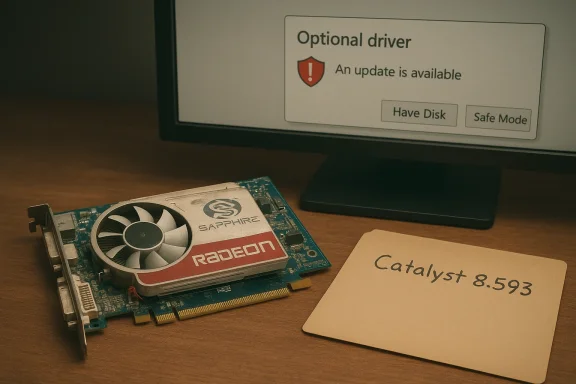
If you dug up a SAPPHIRE / ATI Radeon X1650 on eBay — an AGP or PCIe board sold as “cheap,” “works,” or “512 MB DDR2” — and you’re wondering whether you can run it on Windows 10, the short and practical answer is: yes, you can usually get a working desktop experience, but not with a modern, fully supported AMD driver; your safest path is to use Microsoft’s signed legacy driver from Windows Update, and any attempt to install archived Catalyst packages or repackaged “Windows 10” installers must be treated as an advanced, risk-bearing operation. Radeon X1650 Pro on Windows 10: Safe Driver Options and Manual Install Guide))
Background / Overview
The Radeon X1650 is a mid-2000s, DirectX 9-era GPU family that shipped in multiple partner variants (including SAPPHIRE) and in both PCI‑Express and some legacy AGP forms depending on the vendor build. These cards were designed and tested for Windows XP / Vista / 7-era drivers and were never part of AMD’s modern Adrenalin/Driver architecture. Because of that historical context, the X1650 is now categorized as a legacy GPU: it exists in archivedages from around 2009–2010 and is not part of AMD’s active Windows 10/11 optimization roadmap.Two facts you should lock into memory before you proctains a signed “legacy” display driver for many old GPUs; installing that through Windows Update is the lowest-risk way to get a usable desktop with 2D acceleration and basic video playback.
- Official AMD driver packages that include X1650 device IDs exist in archives (driver build families such as version 8.593.x.x), but those installers were built for older OS kernels and may require manual extraction, INF inspection, and advanced steps to install on Windows 10 — and they may lack modern features and signing.
Why this mattty and expectations
What a legacy driver will (and won’t) give you
- What you’ll get: a stable desktop, correct display resolutions, 2D acceleration, and standard video playback in most cases. Microsoft’s signed legacy driver is typically adequate for office work, older games, and general desktop uget: modern driver-level features such as current game optimizations, the latest video-codec hardware offload (HEVC/AV1), and the convenience of the Adrenalin GUI or modern power-management enhancements. Expect limited 3D performance and no fresh AMD optimizations for recent titles.
Security and lifecycle
Windows 10 reached a major lifecycle inflection that affects how vendors treat legacy drivers. Microsoft’s move into end-of-life and AMD’s concentration on newer platforms have combined to make legacy driver scenarios more brittle than they were a decade ago. Running unsigned or repackaged drivers introduces real kernel-level risk: drivers operate in ring‑0 and malicious or buggy installers can cause severe instability or open attack surfaces. If you need an always-patched system with modern codec and gaming support, a low-cost modern GPU is usually the safer and cheaper long-term investment than driver surgery.Where the drivers actuaes are trustworthy)
There are three practical driver sources you will encounter:- Microsoft / Windows Update (Recommended first): the Microsoft-signed legacy driver available via Windows Update is the lowest-risk option for Windows 10. It is signed, vetted for the OS, and avoids signature enforcement workarounds. Use this by checking Windows Update → Optional updates → Driver updates.
- AMD archived Catalyst packages (Advanced, conditional): archived Catalyst installers from 2009–2010 contain INF entries for X1650 family devices (for example, driver package version 8.593.100.0000 is widely circulated). These packages can sometimes be coaxed to work on Windows 10 by extracting the installer and manually installing the Display.Driver INF file — but this is an advanced technique and can require disabling signature enforcement temporarily, using DDU (Display Driver Uninstaller) to clean remnants, and careful hardware‑Icom]
- Third-party driver hubs / repackagers (Avoid unless you verify): driver aggregator sites and “one‑click” updaters often host legacy packages and may claim Windows 10 compatibility. Many of these repackaged installers lack signatures, bundle third-party software, or modify INFs. Treat them as last resort and verify checksums and community reports.
Identifying your exact card: AGP or PCIe, 512 M you touch drivers, identify exactly what you bought. Mis-matching an AGP board into a PCIe slot (and vice versa) is an obvious hardware issue, but even beyond that, partner SKUs vary in memory size and device ID. Do this first:
- Physically inspect the card and sticker for a model number oroften prints a part number on the board.
- Boot the machine (with Microsoft Basic Display Adapter if needed) and open Device Manager → Display adapters → right‑click → Properties → Details → Hardware Ids. Copy the PCI\VEN_1002&DEV_xxxx string; this is the authoritative identifier used to match INF entries.
Step-by-step: safe, pragmatic driver workflow (recommended order)
Follow this conservative sequence; it minimizes risk while giving you options.1) Inventory and backup ( a System Restore point and, if possible, a full disk image. Driver changes can render the system unbootable.
- Record your hardware ID string from Device Manager.
2) Try Windows Update (recommended first)
- Open Settings → Update & Security → Windows Update → Check for updates.
- Look for Optional updates → Driver updates and accept any display driver offered.
- Reboot and check Device Manager: you should see a Microsoft-signed driver rather than “Microsoft Basic Display Adapter.” Validate resolution, multi-monitor behavior, and video playback.
3) If you need more (advanced): manual INF install from an archived Catalyst package
Only attempt this if you understand and accept the risks.- Download an archived Catalyst package that claims to include X1650 family support (example family: 8.593.x.x). Prefer vendor or reputablchecksums where available. (drivermax.com)
- Run the installer to let it extract (it usually unpacks to C:\AMD). If it won’t execute, use an extractor tool or run the installer to extract then cancel the full install.
- In the extracted folder, open the Display.Driver subfolder and inspect the INF files with a tr your exact PCI\VEN_1002&DEV_xxxx string. If it’s present, you have a chance. If it’s missing, stop. Editing or adding ID entries without re-signing is unsafe for production machines.
- Boot to Safe Mode aUninstaller (DDU) to remove residual AMD/NVIDIA driver files and registry keys. This reduces partial-install failures.
- Reboot normally. In Device Manager → Display adapters → Update driver → Browse my computer → Let Have Disk… and point to the extracted INF. Install only the Display Driver component; avoid additional runtime/installer extras that may be inc If Windows blocks unsigned drivers, you may need to temporarily disable driver signature enforcement to test. Do not leave signature enforcement disabled on a production machine. Re-enable it after tests.
- CCC installs but Device Manager still shows Microsoft Basic Display Adapter: run DDU in Safe Mode and retry the manual INF install. Community reports show this fixes many partial installs.
- Windows Update keeps replacing your manual driver: pause ate during validation, then re-enable updates when finished.
Practical notes about AGP boards, SAPPHIRE variants, and eBay buys
- AGP versus PCIe: Most modern driver archives and installer packages target PCI‑Express devices. AGP cards are rarer and may require vendor-specific drivers or older installer pathsng that doesn’t explicitly state the interface as suspect; verify the seller’s photos and the card’s edge connector. If you receive an AGP board but your motherboard only has PCIe slots, it will not fit.
- SAPPHIRE SKUs vary: SAPPHIRE produced many partner versions of the X1650 line with differences in memory (256 MB, 512 MB DDR2/GDDR3 variations), clock speeds, and PCB part numbers. Verify the label. If the seller lists only “512 MB DDR2” and provides no part numbero of the sticker and the PCB.
- eBay buying checklist:
- Ask the seller for the exact board or part number and a photo of the sticker.
- Confirm the interface (AGP vs PCIe) and outputs (DVI, VGA, HDMI).
- Ask whether the card was tested in a working system and if they can include a short video showing the POST/BIOS with the card installed.
- Factor in return / refund policy: older cards frequently fail after a few hours of use; prefer sellers who accept returns or offer a short warranty.
Driver files and versions you might find (what to watch for)
Driver archives and catalog sites commonly show X1650 entries under the 2009–2010 Catalyst family. One commonly circulated build number is 8.593.100.0000 (various INF permutations for device-specific IDs). Catalog sites and driver databases list these as dated 2009–2010 and sometimes include labels that claim Windows 10 compatesy label added by the archival site, not AMD). Always prefer official AMD archives or the Microsoft Update path when possible.Risks, trade-offs and when to walk away
- Security risged kernel components are a real risk. Installing an unsigned driver weakens Windows driver signature enforcement and can open avenues for malware or system compromise. Use such approaches only on non-sensitive or isolated machines.
- Time vs money: a modest modern GPU (even a low-end current‑generation card) will usually give far better performance, driver stability, and codec support for a comparable price to the time you’ll spend coaxing a decade-old X1650 to run cleanly on Windows 10. Community consensus repeatedly favors a cheap hardware refresh over prolonged legacy driver surgery.
- Unsupported OS lifecycle: Windows 10’s support changes affect driver validatntation. While some Adrenalin releases continue to maintain Windows 10 compatibility in practice, explicit Windows 10 validation is becoming less common; plan to migrate platforms if you require long-term updates and security.
A balanced verdict for WindowsForum readers
- If your goal is basic desktop use (productivity, web, older media), buy a cheap X1650 card only if the seller is honest about interface and part number, then rely on Windows Update to install the Microsoft-signed legacy driver. This will be stable and secure.
- If you need Catalyst features, specific older-game compatiproved 3D support, be prepared for a hands-on advanced install: get the archived Catalyst package, verify the INF lists your hardware ID, use if you can tolerate risk and have a rollback image. This is a tinkerer’s path, not aperience.
- If your priority is *value, modern multimed a low-cost modern GPU or even a recent integrated GPU platform will give better long-term value than the time and security trade-offs involved with legacy drivers. Community experts and archived tech guidance increasingly recommend a simple hardware refresh over delicate driver wo.
Quick reference: safe checklist before you click “Install”
- Back up: create a System Restore point and ideally a full disk image.
- Identify: get the exact PCI\VEN_1002&DEV_xxxx hardware ID from Device Manager.
- Try Windows Update first (Optional dIf using archived Catalyst: extract, inspect INF for your hardware ID, DDU-clean, and use Have Disk install only if the INF matches.
- Never leave driver signature enforcement disabled on a primary/production machine. Re-enable it promptly.
Final words: how to proceed right now
If you already have the SAPhand:- Plug it in, boot to Windows, and check Device Manager. If Windows Update offers a display driver, install it and test the desktop. That’s the pragmatic first move.
- Ask for the part number, physical photos, and confirmation of the interface. Prefer sellers with returns. If the price is tempting but the seller refuses to verify the PCB or interface, move on. A cheap modern card will usually be a better and safer bet than a problematic legacy board.
- Read the full manual‑INF workflow, collect the archived package (verify its checksum if possible), use DDU in Safe Mode, and be ready to restore from image if anything goes wrong. This method works for experienced hobbyists but is not recommended for general users or production machines.
Conclude your purchase and driver plan with caution: verify the interface (AGP vs PCIe), record the device ID, and prefer signed, vendor-backed drivers wherever possible. If you need step-by-step help running the INF inspection or a DDU cleanup, post the hardware ID and the exact Windows 10 build and we’ll walk through the precise commands and expected INF lines next.
Source: Born2Invest https://born2invest.com/?b=style-231698912/
