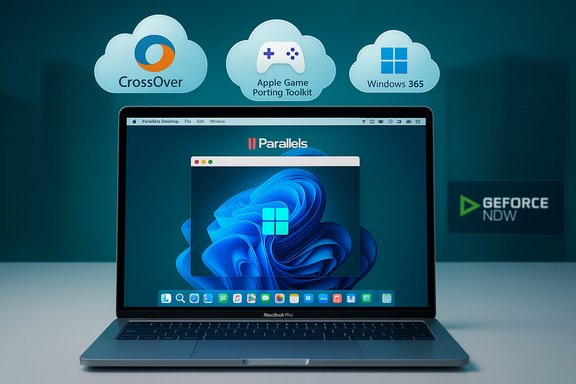
There are far fewer reasons to run a full Windows install on a Mac in 2025 than there were three decades ago, yet for a shrinking — still important — slice of users the question is as practical as it is technical. Mark Lyndersay’s column captures that evolution: from SoftWindows and Connectix Virtual PC to Boot Camp and the newest virtualization and compatibility layers, the Mac‑Windows relationship has shifted from a dual‑boot workaround to a layered set of choices where virtualization, compatibility layers, and cloud streaming compete with buying dedicated Windows hardware.
The practical question — “Should I run Windows on my Mac?” — is now a multi‑factor decision driven by hardware architecture, software compatibility, licensing, and cost.
Virtualization remains attractive because it:
Important verified points about Parallels in 2025:
Strengths:
Caveat: the exact coverage of CrossOver/GPKT and which games or apps benefit from DirectX→Metal translation is evolving and should be validated against vendor compatibility lists and your specific titles. Where possible, test using trial versions or check community compatibility reports before assuming a given game or app will run flawlessly.
Run pilots. Inventory dependencies. Treat ESU as a bridge, not a destination. Validate virtualization and compatibility for the specific apps that drive your workflow. When vendor claims about NPUs or TOPS matter, insist on workload‑specific testing rather than raw product sheets. These steps convert platform selection from a tribal decision into a defensible operational one — the best possible outcome for users and IT teams alike.
Source: Trinidad and Tobago Newsday Windows on a Mac: 2025 - Trinidad and Tobago Newsday
 Background / Overview
The practical question — “Should I run Windows on my Mac?” — is now a multi‑factor decision driven by hardware architecture, software compatibility, licensing, and cost.- Apple’s move from Intel x86 processors to Apple Silicon (M‑series) rewrote the technical rules: Boot Camp, which offered native dual‑boot on Intel Macs, is not available on M‑series Macs, so native x86 Windows installs are no longer an option for modern machines. That fundamental change pushed virtualization and compatibility layers to the center of the conversation.
- Microsoft’s ecosystem changes — notably Windows 11’s hardware expectations and the end of mainstream support for Windows 10 in October 2025 — created a replacement and compatibility pressure point for many users, prompting reconsideration of whether to upgrade existing PCs, enroll in Extended Security Updates (ESU), or switch platforms entirely. The calendar event around Windows 10’s end of support changed buyer behavior in a measurable way.
- Today there are three practical ways to run or access Windows functionality on a Mac:
- Virtualization (VMs that run Windows and expose a full OS).
- Compatibility layers (Wine/CrossOver/GPKT) that translate Windows API calls into POSIX or map DirectX calls to Metal.
- Cloud/streaming services (Windows 365, GeForce Now, remote Windows desktops) that offload execution to a server and stream pixels to the Mac.
Virtualization: The Default Practical Path
Why virtualization matters now
Apple Silicon is ARM‑based; most mainstream Windows desktop builds have historically been x86/x64. With no Boot Camp on M‑series Macs, virtualization — running Windows inside a virtual machine on top of macOS — is the pragmatic local option for many users. Modern virtualization products can virtualize ARM builds of Windows, and newer releases from major vendors have even started offering x86_64 emulation on Apple Silicon in early or experimental forms.Virtualization remains attractive because it:
- Keeps the Windows environment isolated and reversible.
- Allows running a near‑native Windows experience (on Intel Macs) or an ARM build of Windows on Apple Silicon.
- Supports integration features such as shared clipboards, file sharing, and “coherence” modes where Windows apps appear like native macOS apps.
Parallels Desktop: the easiest route — with caveats
Parallels Desktop is widely recognized as the easiest, most polished path for running Windows and Linux VMs on macOS in 2025, especially on Apple Silicon. Parallels automates the download and setup of Microsoft’s Windows 11 ARM images, provides a virtual TPM to satisfy Windows 11 requirements, and offers coherence mode to flatten the Windows desktop into macOS workflows.Important verified points about Parallels in 2025:
- Parallels supports Windows 11 Pro for ARM on Apple Silicon and provides tight macOS integration.
- Parallels moved to a subscription model and tightly couples new virtualization features to recent Parallels releases; older Parallels builds do not reliably run on the newest M‑series macs. That creates a recurring cost and an upgrade dependency to run the latest OS integrations.
- Parallels has also begun shipping early experimental x86_64 emulation for Apple Silicon that allows legacy x86 operating systems to boot inside an emulated VM; however, that mode is still immature, subject to severe performance and peripheral limitations, and is best treated as a work‑in‑progress rather than production‑ready.
- If you need a reliable, supported Windows experience on an M‑series Mac for mainstream Windows apps (Office, Teams, mainstream business apps), Parallels + Windows 11 ARM is the best local option.
- If you rely on legacy x86 apps or expect high GPU throughput, Parallels’ experimental emulation may not be adequate today; it’s useful for testing and light tasks but not for performance‑sensitive production workloads.
Other virtualization choices and tradeoffs
- VMware Fusion and Oracle VirtualBox: both exist as alternatives. VMware’s commitment to consumer virtualization on Apple Silicon has been inconsistent and users report rough edges; VirtualBox is open source and free but requires more manual setup and may lack the device integration and polish of Parallels.
- UTM: a lower‑cost option that leverages QEMU; good for running Linux distributions and experimentation but not necessarily a polished solution for production Windows workloads. Many users report it works well for Linux but struggles for complex Windows installs.
- Performance limits: When emulation is involved (x86 emulation on ARM), expect boot-time and responsiveness penalties. Experimental x86_64 emulation can produce long boot times, slow UI responsiveness, and missing peripheral support (USB passthrough, audio) in early builds. These are documented limits of current emulation efforts.
Compatibility Layers: Wine, CrossOver, and Apple’s Game Porting Kit
How Wine works and where it helps
Wine (Wine Is Not an Emulator) translates Windows API calls to POSIX calls on the fly, offering a compatibility layer that can run many Windows apps on Unix‑like systems without a Windows licence. Wine powers user‑level tools and commercial products that aim to run Windows software without a VM. This is an attractive option when you need just a few Windows applications rather than the entire Windows desktop.Strengths:
- No Windows licence required in many cases.
- Lower overhead than full virtualization; apps run more like native processes if they are well supported by Wine.
- Not all Windows apps run correctly (or at all); complex installers, system services, 3D games, or apps depending on proprietary kernel drivers typically fail.
- Wine is effectiveness‑dependent on the app in question and often requires specific configuration or community patches.
CrossOver and Game Porting Kit (GPKT)
Commercial projects such as CrossOver package Wine with user‑friendly tooling and support. CrossOver has incorporated improvements from initiatives like Apple’s Game Porting Kit (GPKT), including translation layers that map Windows DirectX calls to Apple’s Metal graphics API. That work narrows the compatibility gap for many games and multimedia applications, but it does not guarantee universal support. The improvements are meaningful for certain titles, but compatibility must be tested for each app.Caveat: the exact coverage of CrossOver/GPKT and which games or apps benefit from DirectX→Metal translation is evolving and should be validated against vendor compatibility lists and your specific titles. Where possible, test using trial versions or check community compatibility reports before assuming a given game or app will run flawlessly.
Cloud and Streaming Options: Offloading Windows
When local virtualization or compatibility layers are impractical, cloud or streaming options can provide platform‑agnostic access to Windows workloads.- Windows 365 (Cloud PC): Microsoft’s cloud PC offering creates a persistent Windows instance that can be accessed from any device, including Macs. It offers a managed Windows environment but tends to be priced for enterprise/SMB use, which can make it expensive for individual users.
- GeForce Now and game streaming services: For gaming specifically, streaming services like NVIDIA’s GeForce Now deliver thousands of games from cloud GPUs to any compatible client. This removes local GPU constraints but introduces network latency and requires a subscription. For many modern, PC‑only games, streaming is a practical alternative to local emulation or purchasing discrete Windows gaming hardware.
- Practical tradeoffs:
- Cloud PCs solve compatibility and licensing headaches but shift costs from one‑time hardware purchases to recurring subscription fees.
- Streaming is excellent for GPU‑heavy, latency‑tolerant experiences (some single‑player games) but less suited to competitive, low‑latency esports titles.
Licensing, Legalities, and Hidden Costs
Licensing is an often‑overlooked but decisive factor when planning to run Windows on a Mac.- Windows licensing on non‑OEM hardware — especially Windows 11 ARM — can be nuanced. Microsoft’s consumer and commercial Windows licensing terms and the company’s position on running Windows on non‑OEM platforms require careful review. When running Windows in a VM on a Mac, confirm activation and licensing requirements for the Windows SKU you intend to use.
- Hidden costs to factor into total cost of ownership (TCO):
- Parallels or VMware licensing (often subscription).
- Additional endpoint management (MDM) and EDR seats for macOS if migrating devices.
- Possible purchase of separate Windows hardware for gaming or GPU‑accelerated workflows that do not virtualize well.
- Staff retraining and helpdesk time to handle macOS support if your organization is Windows‑native.
- ESU (Extended Security Updates): Microsoft published ESU options as a limited‑time bridge for Windows 10 devices; ESU is time‑limited and should be used as a planning window rather than a permanent solution. Confirm ESU enrollment rules in your region; some ESU routes require Microsoft account interactions or paid enrollment. Treat ESU as a temporary stopgap.
Real‑World Performance and Compatibility: What You Can Expect
Office and mainstream productivity
For knowledge workers whose primary tools are web browsers and Microsoft 365 apps, macOS provides excellent parity. Microsoft maintains macOS versions of Word, Excel, PowerPoint, Outlook, and Teams; cloud‑centric workflows (OneDrive, Teams co‑authoring) function well across platforms. For this group, Macs are often a lower‑friction choice.Line‑of‑business (LOB) apps and drivers
Specialized vertical applications, custom control software, and many hardware drivers are Windows‑only. Virtualization can sometimes bridge the gap, but hardware passthrough (USB/PCIe), DirectX dependencies, and driver signing/licensing rules often make virtualization a partial, not complete, solution. For users who rely on LOB apps, a hybrid strategy (Macs for knowledge workers; Windows endpoints where necessary) is frequently the least risky approach.Gaming and GPU‑heavy workloads
Macs — especially Apple Silicon models — are excellent for CPU and integrated GPU power per watt, but the Windows gaming ecosystem remains centered around discrete NVIDIA and AMD GPUs and Windows drivers. For gaming or GPU compute, a native Windows machine with a discrete GPU remains the more predictable choice; streaming (GeForce Now) is an alternative for many titles.Emulation caveats
Early x86 emulation on Apple Silicon remains limited:- Long boot times and sluggish responsiveness have been reported in early builds.
- Peripheral support (USB passthrough, audio) is sometimes absent or flaky.
- Resource allocation efficiency is lower for emulated VMs compared to native virtualization. These constraints mean emulation is currently best used for testing and evaluation, not heavy production tasks.
A Practical Roadmap: How to Decide (30‑Day Sprint)
If you’re facing the choice of upgrading or replacing Windows 10 devices, or deciding whether to adopt Macs, use the following practical sprint to reduce risk.- Day 1–3: Inventory and eligibility
- Run Microsoft’s PC Health Check to determine Windows 11 eligibility for each device.
- Catalog every mission‑critical application, plugin, and peripheral; mark items that are Windows‑only.
- Day 4–7: Prioritize and plan
- Identify show‑stopper apps that must remain Windows.
- Decide candidate users for a Mac pilot (knowledge workers, mobile users).
- Day 8–14: Pilot
- Deploy one Mac (MacBook Air/Pro or Mac mini) and test real workflows.
- Test Parallels Desktop (or your chosen VM) for holdout apps, and trial CrossOver/Wine for lighter apps where appropriate.
- Day 15–21: Model costs and risks
- Build a conservative TCO: device cost, Parallels/VM licensing, MDM/EDR, retraining, trade‑in estimates, and the cost of retaining Windows endpoints where necessary.
- Day 22–30: Decide rollout path
- Choose phased migration vs hybrid retention.
- Document rollback options and support plans.
Strengths, Risks, and What to Watch
Strengths of choosing a Mac for mainstream users
- Simplified security posture: Macs ship with hardware roots of trust, FileVault encryption, and curated app ecosystems that lower baseline operational cost for small IT teams.
- Longer hardware support and resale value: Macs often have multi‑year OS support and stronger residual values, lowering the effective TCO in many scenarios.
- Excellent battery life and integrated performance: Apple Silicon leads in performance‑per‑watt for many mixed workloads, improving user experience for mobile professionals.
Key risks and limits
- Windows‑only LOB software remains the decisive blocker. If mission‑critical apps are Windows‑native with tight hardware dependencies, a full Mac migration is likely impractical.
- Virtualization and licensing traps. Running Windows in a VM on Apple Silicon introduces licensing nuances and potential performance tradeoffs; verify Microsoft’s licensing terms for Windows ARM and activation expectations.
- Emulation and vendor specs are not apples‑to‑apples. Metrics such as TOPS or NPU counts are directional; they do not substitute for workload‑specific benchmarks and independent validation. Treat vendor numbers as estimates unless validated with real tests.
What to monitor next
- Maturation of Parallels’ x86 emulation and VMware’s support for Apple Silicon.
- Expansion of CrossOver/GPKT compatibility lists and the practical reach of DirectX→Metal translations.
- Pricing and enterprise packaging of Windows 365 and cloud PC offerings that could change the cost calculus for small businesses.
Conclusion — A Measured, Operational Choice
The practical urgency created by Windows 10’s end of mainstream support and Apple’s continuing refresh of the Mac lineup has made platform choice a real procurement decision for many users in 2025. For mainstream knowledge workers whose workflows are web‑centric and Microsoft 365‑centric, a Mac combined with Parallels or compatibility‑layer tools is a pragmatic and often lower‑friction option. For professionals and organizations tied to Windows‑only line‑of‑business apps, high‑performance gaming, or specialized hardware drivers, staying with Windows — or adopting a hybrid model that retains Windows endpoints — remains the operationally correct path.Run pilots. Inventory dependencies. Treat ESU as a bridge, not a destination. Validate virtualization and compatibility for the specific apps that drive your workflow. When vendor claims about NPUs or TOPS matter, insist on workload‑specific testing rather than raw product sheets. These steps convert platform selection from a tribal decision into a defensible operational one — the best possible outcome for users and IT teams alike.
Source: Trinidad and Tobago Newsday Windows on a Mac: 2025 - Trinidad and Tobago Newsday