

Owners of Sapphire Nitro+ Radeon RX 9070 XT cards running Windows 11 Pro are reporting random AMD Adrenalin driver crashes in May 2026, with symptoms including green or black displays, frozen systems, severe frame-rate collapse, and post-crash driver confusion even after rollback attempts. The reports do not yet amount to a confirmed AMD defect, a confirmed Sapphire board fault, or a confirmed Windows 11 regression. But they are serious enough to expose the weakest part of the modern gaming PC: when the graphics stack fails, the logs often know less than the user staring at a dead monitor.
The pattern is familiar to anyone who has lived through GPU launch windows, Windows display-driver resets, and “it only happens under load” instability hunts. A high-end card replaces a stable older GeForce RTX 3070, performance jumps, and then the machine begins behaving as if the entire desktop has been built on wet cardboard. The problem is not merely that a game crashes; it is that the operating system sometimes survives just enough to lie about what happened.
The most important detail in the latest RX 9070 XT complaints is not the list of affected games. It is the system-level behavior: two monitors shutting down, one screen turning green, Windows crawling at unusable frame rates, and the whole PC sometimes requiring a forced power-off. That is not the normal shape of a single game crash.
A game engine can throw an exception, leak memory, mishandle a shader compile, or trip over an anti-cheat module. Those failures usually leave the desktop intact. When the display pipeline collapses, the mouse becomes a slideshow, and AMD Software later behaves as if a driver update has somehow become necessary again, the problem has moved below the application layer.
Windows has mechanisms for recovering from a hung GPU driver, most notably Timeout Detection and Recovery. In the best case, the screen blinks, the driver resets, and the user gets a notification that the display driver stopped responding. In the worst case, the reset does not complete cleanly, the desktop compositor is left in a degraded state, and the system appears alive only in the technical sense.
That distinction matters because the affected workload mix is broad. The described crashes happen while launching demanding games, but also during live-streaming sessions with OBS, Aitum Multistream, Touch Portal, Streamer.bot, Discord, and browsers in the background. That points toward a full graphics and media stack under pressure: 3D rendering, hardware video encode, overlay hooks, browser acceleration, multi-monitor timing, and driver control software all competing in the same neighborhood.
The games named in the report — including Dune: Awakening, Where Winds Meet, Enshrouded, Conan Exiles, Destiny 2, and Baldur’s Gate 3 — are not a neat diagnostic set. They span engines, APIs, and workloads. If a machine can fail across that spread, the more useful question is not “which game is broken?” but “what common layer is being stressed every time?”
The AMD software stack is more than a display driver. It includes a user-facing control panel, telemetry and tuning services, profile handling, media features, overlay components, and update logic. A hard crash can leave those pieces disagreeing about what is installed, what is loaded, and what the system should do next. When the next boot or recovery cycle produces an update prompt, the user understandably reads it as the software confessing that something is wrong.
The danger is that this prompt can send users into a loop of unproductive fixes. Install the newest package. Roll back. Disable updates. Clean install. Reboot. Repeat. Each cycle feels rational, but unless the underlying failure is identified, the machine is merely being rearranged between crashes.
This is why “driver crash” is a deceptively broad phrase. It can mean a bug in AMD’s kernel-mode driver. It can mean an unstable factory overclock. It can mean Windows installed a mismatched package. It can mean the display chain cannot handle a timing combination. It can mean the PSU cabling or transient behavior is marginal. It can mean the card is defective. The user sees one failure; the PC has half a dozen plausible suspects.
But high-end parts can make diagnosis harder, not easier. Bigger GPUs draw sharper transient power spikes. Factory-overclocked cards chase boost ceilings more aggressively. Dual high-refresh displays create idle and load-state behavior that does not look like a single 60Hz monitor. Streaming tools introduce hardware encoding and overlay interactions at exactly the moment games are pushing the 3D pipeline.
There is also a specification oddity in the reported build: a Ryzen 9 7900X and B650 motherboard normally imply DDR5 memory, while the listed RAM is described as DDR4. That may be a simple reporting error, and it should not be overplayed. Still, it is the kind of inconsistency that reminds us why forum diagnostics are messy: the first version of a hardware list is often not the final truth.
The April 29, 2025 BIOS date also matters, though not because it proves fault. AM5 platforms have seen a long sequence of firmware updates for memory compatibility, power behavior, and platform stability. A BIOS that is “recent enough to boot” is not always recent enough to rule out platform-level interaction with a new graphics card, especially when the previous RTX 3070 was less demanding in some parts of the stack.
In the current reports, the green-screen event appears alongside both monitors shutting down and Windows becoming nearly unusable. That cluster is more useful than the color itself. It suggests the failure is not confined to one panel or one cable, though cables and ports still belong on the checklist.
The dual-monitor setup is also not incidental. Two MSI 32C6X displays at 1920x1080 and 240Hz create a high-refresh desktop even before a game launches. High refresh rates increase link bandwidth requirements, change memory-clock behavior on some GPUs, and can keep parts of the display engine in higher-power states. None of that should crash a modern graphics driver, but it can widen the surface area for bugs.
Testing at native resolution does not eliminate display timing as a suspect. Native resolution only says the panel is not being driven in a scaled or exotic mode. It does not answer whether the combination of ports, refresh rates, variable refresh behavior, HDR settings, multi-monitor layout, or browser/video acceleration is provoking the failure.
It is tempting to frame the story as “Nvidia was stable, AMD is crashing.” Sometimes that conclusion is correct. But a clean diagnostic stance asks whether the old Nvidia stack was fully removed, whether Windows retained stale display devices, whether AMD’s package was installed while Windows Update was also trying to be helpful, and whether the system was tested with a minimal software environment.
Display Driver Uninstaller and AMD Cleanup Utility exist because normal driver uninstallers are not always enough for clean GPU-vendor transitions. That does not mean every user must nuke a system from orbit after changing brands. It does mean that a machine with hard display-driver failures after a vendor switch should be treated as a migration case, not merely an update case.
The RTX 3070 clue also cuts in the other direction. If the same PSU, motherboard, monitors, storage, and operating system were stable with the older card, the new GPU or its software path becomes the obvious new variable. A good troubleshooting process does not pretend otherwise. It simply refuses to stop at the first obvious answer.
That is why users become so frustrated when event logs show little or nothing useful. The operating system may log a display-driver reset, a LiveKernelEvent, a WHEA entry, or an application fault. It may also leave behind only the evidence of a bad shutdown after the user holds the power button. In the latter case, the most obvious event is the cleanup crew arriving after the building has already burned down.
AMD’s Adrenalin 26.5.2 release notes include references to RX 9000-series products and known or fixed driver-timeout scenarios, which matters because it shows the branch is still actively being tuned for this generation. But release notes are selective documents. They tell users what AMD is ready to acknowledge, not every instability that exists in the wild.
Windows 11 users have also seen GPU behavior change after cumulative updates, sometimes for Nvidia and sometimes for AMD. That makes the stability picture more volatile than enthusiasts would like. A driver that seems guilty in May can later be “fixed” by an OS update, and a Windows build that seems harmless can later be implicated by a GPU hotfix.
OBS itself is mature software, but no streaming setup is just OBS anymore. Aitum Multistream, Touch Portal, Streamer.bot, Discord, Chrome, and Opera all bring their own overlays, hooks, capture surfaces, and hardware-acceleration paths. Each additional component is defensible in isolation. Together, they create the sort of “normal” creator desktop that driver QA labs struggle to fully replicate.
This does not absolve AMD. If a GPU is sold into the enthusiast and creator market, it has to survive exactly these messy desktops. The days when a driver could be judged only by a clean benchmark run of a single game are over. A high-end graphics card is expected to render, encode, capture, alt-tab, drive multiple high-refresh displays, and tolerate browser acceleration without collapsing.
Still, for diagnosis, the streaming stack should be stripped down temporarily. If the system becomes stable with one monitor, no overlays, no browser hardware acceleration, and no capture tools, the user has not “solved” the problem, but they have narrowed it. If it still crashes in a clean game-only boot, the case against the driver, card, power delivery, or platform grows stronger.
GPU crashes under load often get misfiled as heat problems because heat is visible in monitoring software. But monitoring software usually shows the parameters that are easy to expose, not every electrically meaningful event. A transient voltage dip does not have to appear as a neat warning before the driver falls over. A marginal cable or connector does not have to announce itself with a temperature spike.
Factory-overclocked enthusiast cards add another wrinkle. Board partners ship higher power limits, more aggressive boost targets, and custom cooling designs. Most cards operate perfectly within those envelopes, but a chip that is merely borderline can fail only when the driver lets it reach a high boost state under a specific workload. Users then discover that reducing maximum GPU frequency by a small amount can stabilize a card that “should” have been stable at default settings.
That is why a practical test is not just maximum fan speed. It is a controlled reduction in complexity: stock BIOS switch if available, default tuning, no undervolt, no memory overclock, then a modest cap below peak boost if crashes persist. If a card only behaves when underclocked, that does not prove the user has found a permanent fix. It may prove the card or its default profile deserves vendor attention.
Users often disable automatic updates after the fact, but that does not necessarily undo what has already been staged in the driver store. Windows can retain packages, device metadata, and fallback drivers. AMD’s installer can then appear to complete normally while the system remains more complicated than the user realizes.
The cleanest test is usually performed offline: disconnect the network, boot into Safe Mode, remove the existing display-driver stack with a trusted cleanup method, reboot, install the chosen AMD package, and only then reconnect. That process is tedious because the Windows graphics stack is sticky by design. It is meant to keep displays working, not to make enthusiast driver archaeology elegant.
But rollback culture has a downside. If enough users scatter across 26.5.2, 26.5.1, 26.3.1, and older branches, the community conversation becomes fragmented. One person’s “fixed” driver may simply avoid a game-specific bug, while another person’s older driver remains unstable because the actual trigger is Windows, boost behavior, or a faulty card.
A GPU hang can be too low-level, too fast, or too incomplete for tidy logging. If the desktop compositor stalls and the driver fails to recover, Windows may not preserve the kind of event trail that would distinguish a driver timeout from power loss or a device removal. After a forced shutdown, the next boot may only record the consequences.
This creates a trust problem. AMD Software may claim there is an update. Windows may claim little happened. The game may leave no crash dump because it was not the component that failed first. The user is left to triangulate using symptoms, timing, and community reports.
For administrators and support staff, that means the right evidence is often outside Event Viewer. Reliability Monitor, minidumps, LiveKernelReports, AMD bug reports, Windows driver version details, monitor topology, power-cable photos, BIOS version, chipset driver version, and reproduction notes matter. The absence of a smoking gun in the system log should not be mistaken for the absence of a real fault.
Sapphire’s Nitro+ line traditionally targets enthusiasts who want strong cooling and higher-end board design. That makes a widespread brand-level quality failure less likely than a narrower interaction among driver, boost profile, display setup, and individual hardware variance. Less likely, however, is not impossible.
The correct escalation path is also different depending on the pattern. If the same system crashes across clean driver installs, clean Windows conditions, one monitor, conservative clocks, and known-good power cabling, an RMA becomes reasonable. If crashes vanish when a specific driver branch, refresh-rate combination, or streaming tool is removed, the problem belongs in the software investigation bucket first.
Users should resist the emotional satisfaction of declaring the card dead too early. They should also resist the equally common sunk-cost impulse to excuse hardware forever because a driver bug is plausible. The best warranty decision is the one made after the variables have been narrowed enough that the vendor cannot wave away the evidence.
This is where AMD historically faces a perception tax. Nvidia has driver problems too, sometimes serious ones, and Windows updates have caused pain across both ecosystems. But Radeon buyers are less forgiving of instability because Radeon’s reputation gives every crash a longer shadow. A single driver timeout becomes part of a decade-long argument in forum replies.
That may be unfair, but it is commercially real. AMD cannot win mindshare simply by pointing out that the competition also ships bugs. It has to make the boring parts boring: clean updates, stable rollbacks, accurate control-panel state, predictable multi-monitor behavior, robust hardware encoding, and fast acknowledgement when a regression escapes.
The reported Adrenalin update prompt after crashes is especially damaging because it makes the software look confused. Enthusiasts can tolerate a known bug with a workaround. They hate software that seems unsure of itself. The control panel is not just a utility; it is the user’s window into whether the platform is under control.
Start with the physical layer. Reseat the card, inspect the PCIe power connections, avoid daisy-chained power leads where the card and PSU design call for separate runs, and check whether the card uses a connector type with strict seating requirements. A 1000W Gold PSU is reassuring, but wattage on the label does not prove the cabling and transient behavior are correct.
Then reduce the display environment. Test one monitor at a conservative refresh rate such as 60Hz or 120Hz, disable variable refresh features temporarily, and try a different DisplayPort or HDMI cable. If the crashes vanish only when the second 240Hz panel is removed, the next conversation is about display timing and driver behavior, not game stability.
After that, strip the software stack. Disable overlays, browser hardware acceleration, capture tools, and third-party tuning utilities. Run a known repeatable workload long enough to matter. If the machine only fails when streaming tools return, the bug may still be AMD’s, but the reproduction case becomes far more useful.
Finally, perform the clean driver test properly. Use a reputable cleanup tool or AMD’s own cleanup path, install the selected driver while offline, verify the actual driver version in Device Manager and AMD Software, and prevent Windows Update from immediately replacing the package. If the failure persists across that clean baseline, users have a stronger case for AMD, Sapphire, or the retailer.
A reproducible case is boring, but powerful. It says the crash happens on driver X, Windows build Y, BIOS Z, with two MSI 32C6X monitors at 240Hz, OBS active or inactive, in a specific workload, after a specific amount of time. It says whether the same crash happens with one monitor. It says whether a clean driver install changed anything. It says whether reducing the GPU boost limit stops the failure.
AMD and Sapphire can act on that kind of evidence. So can Microsoft, if the trail points to Windows display-driver handling or update behavior. Vague reports of “Adrenalin is broken” may be emotionally accurate, but they do not map cleanly onto engineering work.
The uncomfortable truth is that a modern GPU crash is rarely one vendor’s mess in isolation. It is a stack failure. The card, firmware, driver, OS, game, capture software, monitor chain, and power delivery all participate. The company whose logo is on the control panel will get the blame first, but the fix may require more than one actor.
The pattern is familiar to anyone who has lived through GPU launch windows, Windows display-driver resets, and “it only happens under load” instability hunts. A high-end card replaces a stable older GeForce RTX 3070, performance jumps, and then the machine begins behaving as if the entire desktop has been built on wet cardboard. The problem is not merely that a game crashes; it is that the operating system sometimes survives just enough to lie about what happened.
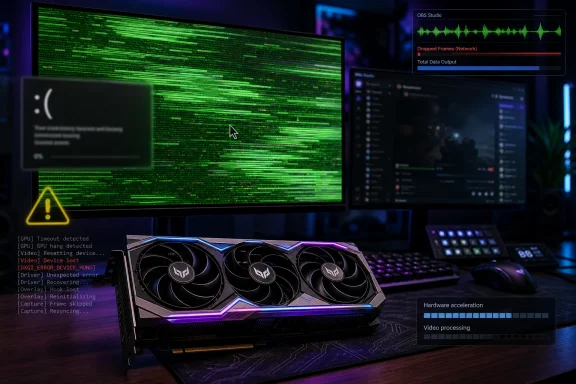 The Crash Is Not a Game Bug When the Desktop Goes With It
The most important detail in the latest RX 9070 XT complaints is not the list of affected games. It is the system-level behavior: two monitors shutting down, one screen turning green, Windows crawling at unusable frame rates, and the whole PC sometimes requiring a forced power-off. That is not the normal shape of a single game crash.A game engine can throw an exception, leak memory, mishandle a shader compile, or trip over an anti-cheat module. Those failures usually leave the desktop intact. When the display pipeline collapses, the mouse becomes a slideshow, and AMD Software later behaves as if a driver update has somehow become necessary again, the problem has moved below the application layer.
Windows has mechanisms for recovering from a hung GPU driver, most notably Timeout Detection and Recovery. In the best case, the screen blinks, the driver resets, and the user gets a notification that the display driver stopped responding. In the worst case, the reset does not complete cleanly, the desktop compositor is left in a degraded state, and the system appears alive only in the technical sense.
That distinction matters because the affected workload mix is broad. The described crashes happen while launching demanding games, but also during live-streaming sessions with OBS, Aitum Multistream, Touch Portal, Streamer.bot, Discord, and browsers in the background. That points toward a full graphics and media stack under pressure: 3D rendering, hardware video encode, overlay hooks, browser acceleration, multi-monitor timing, and driver control software all competing in the same neighborhood.
The games named in the report — including Dune: Awakening, Where Winds Meet, Enshrouded, Conan Exiles, Destiny 2, and Baldur’s Gate 3 — are not a neat diagnostic set. They span engines, APIs, and workloads. If a machine can fail across that spread, the more useful question is not “which game is broken?” but “what common layer is being stressed every time?”
Adrenalin’s Update Prompt Is a Symptom, Not a Diagnosis
One of the stranger details is that AMD’s management utility reportedly asks for a driver update after each crash, even when automatic updates are disabled and the user has already rolled back to AMD Software: Adrenalin Edition 26.5.2. On its own, that is not proof that Windows has overwritten the driver. But it is exactly the sort of clue that makes users suspect driver-store confusion, partial recovery, or state corruption inside the control application.The AMD software stack is more than a display driver. It includes a user-facing control panel, telemetry and tuning services, profile handling, media features, overlay components, and update logic. A hard crash can leave those pieces disagreeing about what is installed, what is loaded, and what the system should do next. When the next boot or recovery cycle produces an update prompt, the user understandably reads it as the software confessing that something is wrong.
The danger is that this prompt can send users into a loop of unproductive fixes. Install the newest package. Roll back. Disable updates. Clean install. Reboot. Repeat. Each cycle feels rational, but unless the underlying failure is identified, the machine is merely being rearranged between crashes.
This is why “driver crash” is a deceptively broad phrase. It can mean a bug in AMD’s kernel-mode driver. It can mean an unstable factory overclock. It can mean Windows installed a mismatched package. It can mean the display chain cannot handle a timing combination. It can mean the PSU cabling or transient behavior is marginal. It can mean the card is defective. The user sees one failure; the PC has half a dozen plausible suspects.
A High-End Build Does Not Exempt Anyone From Boring Failure Modes
The reported system is not a bargain-bin machine. It uses an AMD Ryzen 9 7900X with liquid cooling, an MSI MAG B650 Tomahawk motherboard, a Sapphire Nitro+ RX 9070 XT 16GB, multiple NVMe and hard-drive storage devices, a 1000W Gold modular power supply, and two MSI 32C6X monitors. On paper, that is the kind of platform that should absorb a GPU upgrade without drama.But high-end parts can make diagnosis harder, not easier. Bigger GPUs draw sharper transient power spikes. Factory-overclocked cards chase boost ceilings more aggressively. Dual high-refresh displays create idle and load-state behavior that does not look like a single 60Hz monitor. Streaming tools introduce hardware encoding and overlay interactions at exactly the moment games are pushing the 3D pipeline.
There is also a specification oddity in the reported build: a Ryzen 9 7900X and B650 motherboard normally imply DDR5 memory, while the listed RAM is described as DDR4. That may be a simple reporting error, and it should not be overplayed. Still, it is the kind of inconsistency that reminds us why forum diagnostics are messy: the first version of a hardware list is often not the final truth.
The April 29, 2025 BIOS date also matters, though not because it proves fault. AM5 platforms have seen a long sequence of firmware updates for memory compatibility, power behavior, and platform stability. A BIOS that is “recent enough to boot” is not always recent enough to rule out platform-level interaction with a new graphics card, especially when the previous RTX 3070 was less demanding in some parts of the stack.
The Green Screen Is the Calling Card of a Display Path Collapse
Green-screen failures on Radeon systems have a long folklore history, but folklore is not diagnosis. A green output can happen when the display engine, driver, or monitor link ends up presenting invalid or partially updated frame data. It is a visible artifact of a pipeline that has stopped behaving coherently, not a unique fingerprint pointing to one defective chip.In the current reports, the green-screen event appears alongside both monitors shutting down and Windows becoming nearly unusable. That cluster is more useful than the color itself. It suggests the failure is not confined to one panel or one cable, though cables and ports still belong on the checklist.
The dual-monitor setup is also not incidental. Two MSI 32C6X displays at 1920x1080 and 240Hz create a high-refresh desktop even before a game launches. High refresh rates increase link bandwidth requirements, change memory-clock behavior on some GPUs, and can keep parts of the display engine in higher-power states. None of that should crash a modern graphics driver, but it can widen the surface area for bugs.
Testing at native resolution does not eliminate display timing as a suspect. Native resolution only says the panel is not being driven in a scaled or exotic mode. It does not answer whether the combination of ports, refresh rates, variable refresh behavior, HDR settings, multi-monitor layout, or browser/video acceleration is provoking the failure.
The RTX 3070 Replacement Clue Cuts Both Ways
The fact that the crashes reportedly began after replacing a GeForce RTX 3070 is important, but it does not automatically convict AMD. GPU swaps are among the most disruptive upgrades a Windows desktop can experience. They change drivers, services, shader caches, power behavior, PCIe link behavior, control panels, overlay ecosystems, and sometimes even the physical cable layout inside the case.It is tempting to frame the story as “Nvidia was stable, AMD is crashing.” Sometimes that conclusion is correct. But a clean diagnostic stance asks whether the old Nvidia stack was fully removed, whether Windows retained stale display devices, whether AMD’s package was installed while Windows Update was also trying to be helpful, and whether the system was tested with a minimal software environment.
Display Driver Uninstaller and AMD Cleanup Utility exist because normal driver uninstallers are not always enough for clean GPU-vendor transitions. That does not mean every user must nuke a system from orbit after changing brands. It does mean that a machine with hard display-driver failures after a vendor switch should be treated as a migration case, not merely an update case.
The RTX 3070 clue also cuts in the other direction. If the same PSU, motherboard, monitors, storage, and operating system were stable with the older card, the new GPU or its software path becomes the obvious new variable. A good troubleshooting process does not pretend otherwise. It simply refuses to stop at the first obvious answer.
Windows 11 Is an Active Participant in GPU Stability
Modern Windows graphics stability is not owned by the GPU vendor alone. Windows Update can deliver display drivers. The Windows driver store can retain multiple packages. Hardware-accelerated GPU scheduling, multi-plane overlay behavior, Game Bar, security features, and cumulative updates can all change the environment in which a GPU driver runs. The OS is not a neutral stage; it is part of the play.That is why users become so frustrated when event logs show little or nothing useful. The operating system may log a display-driver reset, a LiveKernelEvent, a WHEA entry, or an application fault. It may also leave behind only the evidence of a bad shutdown after the user holds the power button. In the latter case, the most obvious event is the cleanup crew arriving after the building has already burned down.
AMD’s Adrenalin 26.5.2 release notes include references to RX 9000-series products and known or fixed driver-timeout scenarios, which matters because it shows the branch is still actively being tuned for this generation. But release notes are selective documents. They tell users what AMD is ready to acknowledge, not every instability that exists in the wild.
Windows 11 users have also seen GPU behavior change after cumulative updates, sometimes for Nvidia and sometimes for AMD. That makes the stability picture more volatile than enthusiasts would like. A driver that seems guilty in May can later be “fixed” by an OS update, and a Windows build that seems harmless can later be implicated by a GPU hotfix.
The Streaming Stack Makes a Bad Driver Day Worse
The presence of OBS and other streaming tools should not be treated as background noise. Streaming is one of the easiest ways to turn a gaming PC into a mixed real-time workload. The GPU is rendering frames, encoding video, compositing overlays, perhaps capturing browser windows, and interacting with software that expects predictable timing.OBS itself is mature software, but no streaming setup is just OBS anymore. Aitum Multistream, Touch Portal, Streamer.bot, Discord, Chrome, and Opera all bring their own overlays, hooks, capture surfaces, and hardware-acceleration paths. Each additional component is defensible in isolation. Together, they create the sort of “normal” creator desktop that driver QA labs struggle to fully replicate.
This does not absolve AMD. If a GPU is sold into the enthusiast and creator market, it has to survive exactly these messy desktops. The days when a driver could be judged only by a clean benchmark run of a single game are over. A high-end graphics card is expected to render, encode, capture, alt-tab, drive multiple high-refresh displays, and tolerate browser acceleration without collapsing.
Still, for diagnosis, the streaming stack should be stripped down temporarily. If the system becomes stable with one monitor, no overlays, no browser hardware acceleration, and no capture tools, the user has not “solved” the problem, but they have narrowed it. If it still crashes in a clean game-only boot, the case against the driver, card, power delivery, or platform grows stronger.
Temperatures Being Normal Does Not Clear the Hardware
The report says temperatures remain within normal limits, even after disabling fan stop and forcing fan speed to 100 percent. That is useful information, but it only rules out the simplest thermal story. It does not rule out unstable boost behavior, VRAM faults, power transients, PCIe errors, connector issues, or a board-level defect.GPU crashes under load often get misfiled as heat problems because heat is visible in monitoring software. But monitoring software usually shows the parameters that are easy to expose, not every electrically meaningful event. A transient voltage dip does not have to appear as a neat warning before the driver falls over. A marginal cable or connector does not have to announce itself with a temperature spike.
Factory-overclocked enthusiast cards add another wrinkle. Board partners ship higher power limits, more aggressive boost targets, and custom cooling designs. Most cards operate perfectly within those envelopes, but a chip that is merely borderline can fail only when the driver lets it reach a high boost state under a specific workload. Users then discover that reducing maximum GPU frequency by a small amount can stabilize a card that “should” have been stable at default settings.
That is why a practical test is not just maximum fan speed. It is a controlled reduction in complexity: stock BIOS switch if available, default tuning, no undervolt, no memory overclock, then a modest cap below peak boost if crashes persist. If a card only behaves when underclocked, that does not prove the user has found a permanent fix. It may prove the card or its default profile deserves vendor attention.
The Driver Rollback Trap Is Real
Rolling back to a prior Adrenalin release is a reasonable first move, but it is not a cure-all. If the system has a corrupted driver state, a Windows-supplied package interfering with AMD’s installer, or a hardware issue that merely presents as a driver crash, changing versions can produce false hope. One evening of stability is not a verdict.Users often disable automatic updates after the fact, but that does not necessarily undo what has already been staged in the driver store. Windows can retain packages, device metadata, and fallback drivers. AMD’s installer can then appear to complete normally while the system remains more complicated than the user realizes.
The cleanest test is usually performed offline: disconnect the network, boot into Safe Mode, remove the existing display-driver stack with a trusted cleanup method, reboot, install the chosen AMD package, and only then reconnect. That process is tedious because the Windows graphics stack is sticky by design. It is meant to keep displays working, not to make enthusiast driver archaeology elegant.
But rollback culture has a downside. If enough users scatter across 26.5.2, 26.5.1, 26.3.1, and older branches, the community conversation becomes fragmented. One person’s “fixed” driver may simply avoid a game-specific bug, while another person’s older driver remains unstable because the actual trigger is Windows, boost behavior, or a faulty card.
Event Viewer’s Silence Is Part of the Story
The reported absence of useful system-log information is not unusual, but it is corrosive. Enthusiasts are willing to troubleshoot when the machine gives them a thread to pull. They are far less forgiving when the only logged certainty is that Windows was not shut down cleanly.A GPU hang can be too low-level, too fast, or too incomplete for tidy logging. If the desktop compositor stalls and the driver fails to recover, Windows may not preserve the kind of event trail that would distinguish a driver timeout from power loss or a device removal. After a forced shutdown, the next boot may only record the consequences.
This creates a trust problem. AMD Software may claim there is an update. Windows may claim little happened. The game may leave no crash dump because it was not the component that failed first. The user is left to triangulate using symptoms, timing, and community reports.
For administrators and support staff, that means the right evidence is often outside Event Viewer. Reliability Monitor, minidumps, LiveKernelReports, AMD bug reports, Windows driver version details, monitor topology, power-cable photos, BIOS version, chipset driver version, and reproduction notes matter. The absence of a smoking gun in the system log should not be mistaken for the absence of a real fault.
The Sapphire Angle Needs Careful Handling
Because the named card is the Sapphire Nitro+ RX 9070 XT, it is natural for users to ask whether this is a Sapphire-specific issue. The answer, for now, should be cautious. There are reports involving Sapphire cards, but there are also broader RX 9070 XT instability discussions across brands. A brand name in a user report is evidence, not a verdict.Sapphire’s Nitro+ line traditionally targets enthusiasts who want strong cooling and higher-end board design. That makes a widespread brand-level quality failure less likely than a narrower interaction among driver, boost profile, display setup, and individual hardware variance. Less likely, however, is not impossible.
The correct escalation path is also different depending on the pattern. If the same system crashes across clean driver installs, clean Windows conditions, one monitor, conservative clocks, and known-good power cabling, an RMA becomes reasonable. If crashes vanish when a specific driver branch, refresh-rate combination, or streaming tool is removed, the problem belongs in the software investigation bucket first.
Users should resist the emotional satisfaction of declaring the card dead too early. They should also resist the equally common sunk-cost impulse to excuse hardware forever because a driver bug is plausible. The best warranty decision is the one made after the variables have been narrowed enough that the vendor cannot wave away the evidence.
AMD’s RDNA 4 Moment Depends on Boring Reliability
The RX 9070 XT is part of AMD’s effort to compete not only on raster performance and price, but on the total ownership experience that makes people recommend a GPU to friends. That ownership experience is not defined by launch reviews alone. It is defined months later, when a streamer can run Discord, OBS, two high-refresh monitors, and a new game without fearing a green-screen lockup.This is where AMD historically faces a perception tax. Nvidia has driver problems too, sometimes serious ones, and Windows updates have caused pain across both ecosystems. But Radeon buyers are less forgiving of instability because Radeon’s reputation gives every crash a longer shadow. A single driver timeout becomes part of a decade-long argument in forum replies.
That may be unfair, but it is commercially real. AMD cannot win mindshare simply by pointing out that the competition also ships bugs. It has to make the boring parts boring: clean updates, stable rollbacks, accurate control-panel state, predictable multi-monitor behavior, robust hardware encoding, and fast acknowledgement when a regression escapes.
The reported Adrenalin update prompt after crashes is especially damaging because it makes the software look confused. Enthusiasts can tolerate a known bug with a workaround. They hate software that seems unsure of itself. The control panel is not just a utility; it is the user’s window into whether the platform is under control.
What Affected Users Should Prove Before Blaming One Thing
There is a practical path through this, even if it is not glamorous. The goal is not to perform every ritual ever suggested on a forum. The goal is to separate a reproducible driver/software failure from a bad board, marginal power path, platform instability, or poisoned Windows driver state.Start with the physical layer. Reseat the card, inspect the PCIe power connections, avoid daisy-chained power leads where the card and PSU design call for separate runs, and check whether the card uses a connector type with strict seating requirements. A 1000W Gold PSU is reassuring, but wattage on the label does not prove the cabling and transient behavior are correct.
Then reduce the display environment. Test one monitor at a conservative refresh rate such as 60Hz or 120Hz, disable variable refresh features temporarily, and try a different DisplayPort or HDMI cable. If the crashes vanish only when the second 240Hz panel is removed, the next conversation is about display timing and driver behavior, not game stability.
After that, strip the software stack. Disable overlays, browser hardware acceleration, capture tools, and third-party tuning utilities. Run a known repeatable workload long enough to matter. If the machine only fails when streaming tools return, the bug may still be AMD’s, but the reproduction case becomes far more useful.
Finally, perform the clean driver test properly. Use a reputable cleanup tool or AMD’s own cleanup path, install the selected driver while offline, verify the actual driver version in Device Manager and AMD Software, and prevent Windows Update from immediately replacing the package. If the failure persists across that clean baseline, users have a stronger case for AMD, Sapphire, or the retailer.
The Real Fix Will Not Come From Superstition
The worst outcome would be another round of cargo-cult troubleshooting: disable fan stop, force 100 percent fans, reinstall Windows, change every BIOS setting, underclock randomly, blame Windows Update, blame AMD, blame the game, and never produce a reproducible case. That helps nobody except the next comment thread.A reproducible case is boring, but powerful. It says the crash happens on driver X, Windows build Y, BIOS Z, with two MSI 32C6X monitors at 240Hz, OBS active or inactive, in a specific workload, after a specific amount of time. It says whether the same crash happens with one monitor. It says whether a clean driver install changed anything. It says whether reducing the GPU boost limit stops the failure.
AMD and Sapphire can act on that kind of evidence. So can Microsoft, if the trail points to Windows display-driver handling or update behavior. Vague reports of “Adrenalin is broken” may be emotionally accurate, but they do not map cleanly onto engineering work.
The uncomfortable truth is that a modern GPU crash is rarely one vendor’s mess in isolation. It is a stack failure. The card, firmware, driver, OS, game, capture software, monitor chain, and power delivery all participate. The company whose logo is on the control panel will get the blame first, but the fix may require more than one actor.
The RX 9070 XT Case Now Turns on Reproduction, Not Outrage
The current reports are credible enough to deserve attention, but not yet precise enough to support a single sweeping verdict. For Windows 11 users and system builders, the useful lesson is to treat these crashes as full-stack failures until evidence narrows the field.- The reported symptoms point beyond ordinary game crashes because the display output, desktop responsiveness, and driver state are affected together.
- A clean offline driver reinstall is more meaningful than repeatedly rolling backward and forward through Adrenalin versions.
- Dual 240Hz monitors and streaming tools should be tested separately because they stress parts of the graphics stack that ordinary game benchmarks may not.
- Normal GPU temperatures do not rule out boost instability, power transients, connector problems, VRAM faults, or a defective board.
- The listed DDR4 memory detail conflicts with the expected AM5 platform configuration and should be verified before anyone treats the hardware inventory as settled.
- If the card remains unstable after clean drivers, conservative clocks, one-monitor testing, updated chipset firmware, and verified power cabling, an RMA becomes a rational next step rather than a guess.
References
- Primary source: GameGPU
Published: 2026-05-24T22:10:07.824515
AMD Adrenalin driver crashes cause critical errors Windows 11
Owners of Sapphire Nitro+ RX 9070 XT graphics cards have experienced critical system crashes and driver failures, causing computers to lock up and monitors to turn off while gaming and streaming.en.gamegpu.com
- Related coverage: technetnewengland.com
IT Support & Managed IT Services Western MA & CT | TechNet New England
Local IT support for businesses in Western Massachusetts & Connecticut. Managed IT services, cybersecurity, Microsoft 365, VoIP & cloud solutions. Veteran-owned. Fast response. Call (413) 459-9663.www.technetnewengland.com - Related coverage: tomshardware.com
User reports claim December Windows 11 security update fixes AMD GPU hanging and driver crashing | Tom's Hardware
Nvidia apparently wasn't the only GPU maker affected by previous Windows 11 cumulative updates.www.tomshardware.com - Related coverage: gamegpu.com
Как починить вылеты на AMD Radeon RX 9070 XT: Инструкция
Решение ошибки DXGI_ERROR_DEVICE_HUNG на AMD Radeon RX 9070 XT. Как исправить вылеты с помощью драйвера 25.8.1 и блокировки обновлений Windows.gamegpu.com
- Related coverage: ntcompatible.com
AMD Radeon Software Adrenalin 26.5.2 released
AMD has rolled out the Adrenalin Edition 26.5.2 driver update for Windows 10 and 11, bringing fresh game profiles for Forza Horizon 6 and 007 First Light alongside targeted stability tweaks.www.ntcompatible.com - Related coverage: community.focus-entmt.com
RX 9070 XT – Reproducible Driver Timeout / Crash During Map Loading - RoadCraft
RX 9070 XT – Reproducible Driver Timeout / Crash During Map LoadingI am experiencing consistent crashes in RoadCraft when loading into a map or shortly after entering gameplay.The game successfully launches, reaches the menu, and can remain stable there indefinitely. However, upon loading into a ma community.focus-entmt.com
- Related coverage: boerse-express.com
AMD Adrenalin 26.5.2: Neuer Treiber, alte Probleme mit Lüftersteuerung
AMDs aktueller Grafiktreiber bringt Optimierungen für Spiele-Highlights, wird aber von einem kritischen Fehler in der Lüftersteuerung überschattet.www.boerse-express.com
