

The best CPU and GPU combinations for July 2026 look very different from the pairings that dominated gaming-PC advice only a few years ago. Nvidia’s GeForce RTX 50 series, AMD’s Radeon RX 9000 family, Ryzen 9000 X3D processors, and Intel’s Core Ultra desktop platform have shifted the practical sweet spots, while rising graphics-card prices have made value judgments more dependent on the actual checkout price than the badge printed on the box. For most builders, the strongest combinations now center on a modern six- or eight-core AM5 processor, at least 16GB of graphics memory where affordable, and a GPU selected for the monitor resolution rather than an imaginary “zero bottleneck” score.
A balanced gaming PC does not require the CPU and GPU to reach identical utilization percentages. Games distribute work unevenly, and the limiting component can change from one scene to another depending on resolution, graphics settings, simulation complexity, ray tracing, background software, and the game engine itself.
The useful objective is therefore not to eliminate bottlenecks. That is impossible. The objective is to avoid spending heavily on performance that the target workload cannot use, while preserving acceptable frame-time consistency and a sensible upgrade path.
The Radeon RX 580 is now too old for a general-purpose 2026 gaming guide. Its lack of modern ray-tracing hardware is not the biggest concern; declining support, high power consumption for its performance, and increasingly restrictive game requirements matter more. An RTX 3050 6GB is similarly difficult to recommend unless it appears at an unusually low price, because 6GB of VRAM and reduced memory bandwidth impose compromises in current releases.
The RTX 4060 Ti 8GB, RTX 4070 Super, and RTX 4070 Ti Super can still be excellent cards in existing systems or clearance sales. They should not, however, automatically outrank newer RTX 50-series and Radeon RX 9000-series alternatives without a price comparison.
The ranking assumes a gaming-first Windows 11 PC. Streaming, video production, software development, local AI workloads, and professional rendering can alter the ideal CPU choice, especially at the top end.
The Ryzen 5 5600 supplies six Zen 3 cores and 12 threads, while the RX 6600 offers 8GB of GDDR6 memory and modest power requirements. This is still enough for esports games, older AAA releases, independent titles, and many current games at 1080p with optimized settings.
The combination is particularly suitable for a 60Hz to 144Hz monitor, depending on the game. Competitive titles can run at much higher frame rates, while demanding single-player releases may require medium settings, dynamic resolution, or FidelityFX Super Resolution.
Buyers should also avoid confusing the RX 6600 with much older Radeon products merely because both carry 8GB of VRAM. Memory capacity alone does not determine GPU capability.
The Ryzen 5 7500F is attractive where it is officially available or sold by a reputable importer. The Ryzen 5 7600 is the safer broadly available choice and includes basic integrated graphics, which can be invaluable when diagnosing a failed GPU, driver problem, or display issue.
Extra VRAM does not transform the GPU into a high-end model. It does, however, reduce the risk of texture reductions, asset-streaming pauses, and severe performance drops when a game exceeds the practical memory limit of a smaller card.
This pairing is ideal for high-quality 1080p and entry-level-to-mainstream 1440p gaming. It also avoids the excessive CPU spending frequently seen in budget builds.
This pairing costs more than an aggressively priced Ryzen 7000 and Radeon configuration, so it should be chosen for specific reasons rather than brand familiarity. CUDA software, Blender acceleration, supported creator applications, streaming tools, and games with strong DLSS implementations can all justify the premium.
Texture quality, ray-tracing data, frame-generation buffers, high-resolution output, and background GPU applications all consume memory. For a PC purchased in July 2026, the 16GB RTX 5060 Ti is the safer version unless the 8GB model is discounted far enough to occupy a genuinely lower price class.
Frame generation can improve visual smoothness in supported titles, but it should not be used to disguise poor base performance. A game that renders natively at an unstable or latency-heavy frame rate may look smoother with generated frames while still responding poorly to input.
The RX 9070 sits in an important class. It is considerably more capable than mainstream cards, yet it can avoid the power, heat, and price escalation associated with enthusiast GPUs—provided retailers keep it sufficiently below the RX 9070 XT.
This is a recurring lesson in the 2026 market: model hierarchy matters less than street price. A theoretically superior value proposition disappears when stock shortages or retailer markups distort the gap between adjacent products.
The Ryzen 5 9600X therefore remains a sensible partner for a strong 1440p GPU. Builders who stream through GPU encoding or use the machine primarily for gaming will generally gain more from buying the RX 9070 than from replacing the 9600X with a much more expensive processor.
The RTX 5070 adds capable 1440p gaming, current Nvidia media support, neural rendering features, and broad compatibility with creator software. Its 12GB memory capacity is adequate for its performance class in many workloads, although it is less reassuring than the 16GB available on competing cards.
Intel’s integrated graphics can also assist with troubleshooting and media workflows. That benefit is easy to overlook until a discrete GPU fails or a creator application can use multiple acceleration paths.
The decision should come down to software priorities. Choose this combination when Nvidia’s feature set and Intel’s mixed-workload strengths have tangible value; do not choose it solely because the product names are newer.
This combination is particularly compelling when the RX 9070 XT sells near its intended price class. Retail inflation can weaken the recommendation, so buyers should compare it directly with the RTX 5070 Ti rather than assuming the Radeon is always cheaper.
The 9700X lacks the expanded cache that makes X3D processors exceptional in certain games. At 4K, however, performance is frequently constrained by the GPU, reducing the practical advantage of spending more on the CPU.
A well-designed 750W supply may satisfy a conventional configuration, but an 850W model provides more comfortable headroom for high-power partner cards, numerous drives, pumps, fans, and future upgrades. Physical clearance should be checked before ordering because cooler thickness and length vary significantly.
AMD’s 3D V-Cache places a large cache resource close to the processor cores. The benefit varies by game, but favorable engines can show stronger averages, improved low-percentile results, or both.
The 9800X3D is valuable because its cache can reduce dependence on slower system-memory access in workloads that repeatedly use the same game data. It does not guarantee perfect performance, and it cannot repair engine stutter, shader compilation pauses, network latency, or badly configured Windows software.
It is also a strong base for a future GPU upgrade. The RTX 5070 can be replaced later while the 9800X3D remains capable enough to support a substantially faster card.
This is the combination many enthusiasts actually need, even if flagship marketing pushes them toward more expensive hardware. It can support high-refresh OLED and fast LCD monitors while leaving enough performance for ray tracing, upscaling, and demanding new engines.
The base rendering rate still affects latency, animation quality, artifact visibility, and overall responsiveness. Multi Frame Generation is most convincing when the game already runs well and the technology is used to improve presentation on a high-refresh display—not when it is asked to rescue an unresponsive base frame rate.
The RTX 5070 Ti therefore occupies a useful enthusiast ceiling for 1440p. It also offers a realistic path into 4K gaming for users willing to tune settings rather than selecting every option marked “ultra.”
The RTX 5080’s 16GB of GDDR7 memory is appropriate for high-end gaming, though buyers might reasonably expect more capacity from a card in this price class. Memory bandwidth and architecture matter alongside capacity, but heavily modded games and professional workloads can still expose a hard VRAM ceiling.
That does not make the processor irrelevant. High frame-rate 4K gaming, busy open worlds, strategy games, simulation titles, and background workloads can still expose CPU differences, particularly in minimum frame rates.
The GPU power connector must be inserted fully and routed without aggressive bending near the plug. Builders should follow the card and PSU manufacturers’ instructions rather than mixing modular cables or relying on assumptions based on older PCIe connectors.
The Ryzen 9 offers 16 cores and 32 threads alongside 3D V-Cache technology, making it better suited than an eight-core gaming specialist to rendering, compiling, encoding, virtual machines, and other heavily threaded work. The RTX 5090 adds 32GB of graphics memory and enormous compute capability for 4K gaming, GPU rendering, local AI work, and professional applications.
It can also serve specialist gaming configurations involving extreme refresh rates, heavy ray tracing, high-resolution virtual reality, or multi-display simulation. Even then, software support and display limitations should be checked before purchase.
A 1000W PSU may be sufficient for some stock configurations, but 1200W can be appropriate where the card manufacturer recommends it, the CPU runs unrestricted, or the system contains substantial additional hardware. The objective is not simply excess wattage; it is stable delivery, correct cabling, adequate connectors, and operation within the PSU’s efficient range.
The following process keeps the decision focused:
Use real benchmarks that match the intended resolution, but pay attention to test conditions. CPU reviews often use an extremely fast GPU at 1080p to expose processor differences, while GPU reviews may use a flagship CPU to remove processor constraints. Neither setup necessarily represents the planned PC.
A clean setup should include the latest stable motherboard BIOS, current chipset drivers, a fresh graphics driver, and properly configured memory. Builders should also confirm that Resizable BAR or Smart Access Memory is enabled where supported.
For a new mid-range or high-end machine, 32GB is the practical gaming standard in 2026. Games, browsers, launchers, recording applications, RGB utilities, voice chat, and Windows services can collectively make 16GB restrictive even when the game alone appears to fit.
Monitoring software should be used as a diagnostic tool rather than left running in excessive quantities. Multiple overlays and hardware-control utilities can conflict, consume resources, or introduce the stutter the user is trying to diagnose.
The increased availability of 16GB GPUs in mainstream and upper-mainstream segments is positive. It gives buyers more protection against memory-heavy games and makes mid-range cards more useful for creative applications and local AI experimentation.
Hybrid gaming-and-work systems can still make financial sense for independent creators and developers. The Core Ultra 5 245K with RTX 5070, Ryzen 7 9700X with RX 9070 XT, and Ryzen 9 9950X3D with RTX 5090 each target a different level of mixed workload.
Builders should also watch for expanded game support for neural rendering, ray reconstruction, upscaling, and frame-generation technologies. Feature quality varies by implementation, so a long compatibility list does not guarantee that every game provides the same image quality or latency behavior.
Game memory requirements will continue to influence purchasing decisions. The safest response is not to predict an exact future threshold, but to buy enough capacity for the intended resolution and ownership period without sacrificing so much GPU performance that the extra memory goes unused.
The best all-around pairing for many July 2026 buyers is the Ryzen 5 9600X with Radeon RX 9070 for high-refresh 1440p, while the Ryzen 7 9700X with RX 9070 XT offers an excellent step into premium 1440p and optimized 4K. Competitive players should consider the Ryzen 7 9800X3D with RTX 5070 or RTX 5070 Ti, and premium 4K users are better served by the 9800X3D with RTX 5080 than by overspending on workstation-class hardware. The right combination is ultimately the one that matches the monitor, software, power budget, and real retail prices—and leaves enough money to build a stable, well-cooled Windows PC around it.
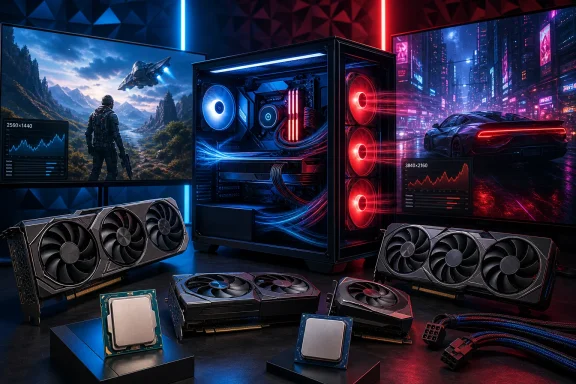 Overview
A balanced gaming PC does not require the CPU and GPU to reach identical utilization percentages. Games distribute work unevenly, and the limiting component can change from one scene to another depending on resolution, graphics settings, simulation complexity, ray tracing, background software, and the game engine itself.The useful objective is therefore not to eliminate bottlenecks. That is impossible. The objective is to avoid spending heavily on performance that the target workload cannot use, while preserving acceptable frame-time consistency and a sensible upgrade path.
Why older recommendations need revisiting
Previous-generation combinations such as the Ryzen 5 5600 with Radeon RX 6600 remain viable when heavily discounted. However, several formerly popular recommendations have become difficult to justify as new purchases.The Radeon RX 580 is now too old for a general-purpose 2026 gaming guide. Its lack of modern ray-tracing hardware is not the biggest concern; declining support, high power consumption for its performance, and increasingly restrictive game requirements matter more. An RTX 3050 6GB is similarly difficult to recommend unless it appears at an unusually low price, because 6GB of VRAM and reduced memory bandwidth impose compromises in current releases.
The RTX 4060 Ti 8GB, RTX 4070 Super, and RTX 4070 Ti Super can still be excellent cards in existing systems or clearance sales. They should not, however, automatically outrank newer RTX 50-series and Radeon RX 9000-series alternatives without a price comparison.
How the ten combinations were selected
The following pairings cover practical builds from inexpensive 1080p systems to uncompromising 4K machines. They emphasize platform cost, memory capacity, power requirements, expected longevity, upscaling support, and whether the CPU leaves enough room for a later graphics upgrade.The ranking assumes a gaming-first Windows 11 PC. Streaming, video production, software development, local AI workloads, and professional rendering can alter the ideal CPU choice, especially at the top end.
1. Ryzen 5 5600 and Radeon RX 6600: Best ultra-budget combination
The Ryzen 5 5600 and Radeon RX 6600 remain the entry point for builders who need a complete gaming PC at the lowest reasonable cost. Both components are old by 2026 standards, but their maturity is an advantage when the entire platform—CPU, B550 motherboard, and DDR4 memory—is available cheaply.The Ryzen 5 5600 supplies six Zen 3 cores and 12 threads, while the RX 6600 offers 8GB of GDDR6 memory and modest power requirements. This is still enough for esports games, older AAA releases, independent titles, and many current games at 1080p with optimized settings.
Where the pairing works best
At 1080p, the RX 6600 will normally establish the performance limit before the Ryzen 5 5600 becomes a serious problem. That is appropriate for an inexpensive system because the builder is not paying for CPU capacity that sits unused.The combination is particularly suitable for a 60Hz to 144Hz monitor, depending on the game. Competitive titles can run at much higher frame rates, while demanding single-player releases may require medium settings, dynamic resolution, or FidelityFX Super Resolution.
Important purchasing conditions
This combination makes sense only if AM4 parts are substantially cheaper than AM5 alternatives. A Ryzen 5 5600 system has no meaningful new-CPU upgrade path beyond chips such as the Ryzen 7 5700X3D, and even those may become harder to find at sensible prices.Buyers should also avoid confusing the RX 6600 with much older Radeon products merely because both carry 8GB of VRAM. Memory capacity alone does not determine GPU capability.
- Target resolution: 1080p.
- Recommended memory: 16GB minimum, with 32GB preferred for a new Windows 11 build.
- Suggested power supply: A quality 500W to 550W unit.
- Best buyer: A student, first-time builder, or upgrader reusing DDR4 components.
- Main compromise: Limited platform longevity and modest ray-tracing performance.
2. Ryzen 5 7500F or Ryzen 5 7600 and Radeon RX 9060 XT 16GB: Best affordable modern build
A Ryzen 5 7500F or Ryzen 5 7600 paired with the 16GB Radeon RX 9060 XT is one of the most balanced mainstream combinations available in mid-2026. It moves the system onto AM5 and DDR5 while directing most of the budget toward the component that matters most for gaming: the graphics card.The Ryzen 5 7500F is attractive where it is officially available or sold by a reputable importer. The Ryzen 5 7600 is the safer broadly available choice and includes basic integrated graphics, which can be invaluable when diagnosing a failed GPU, driver problem, or display issue.
Why the 16GB card is the preferred version
The RX 9060 XT exists in configurations that must not be treated as interchangeable. For a new PC expected to last several years, the 16GB model is the more defensible purchase, particularly for 1440p textures, modded games, and releases with large streaming-memory requirements.Extra VRAM does not transform the GPU into a high-end model. It does, however, reduce the risk of texture reductions, asset-streaming pauses, and severe performance drops when a game exceeds the practical memory limit of a smaller card.
Platform value beyond frame rates
AM5 gives the builder access to DDR5, current motherboard features, and a much stronger upgrade path than AM4 or Intel’s retired LGA1700 platform. A future X3D processor could be installed without replacing the memory and motherboard, subject to BIOS support and board power-delivery capability.This pairing is ideal for high-quality 1080p and entry-level-to-mainstream 1440p gaming. It also avoids the excessive CPU spending frequently seen in budget builds.
- Target resolution: High-refresh 1080p or optimized 1440p.
- Recommended memory: 32GB of DDR5, ideally in a two-module kit.
- Suggested power supply: A quality 600W to 650W model.
- Best buyer: Someone building a modern PC without paying premium platform prices.
- Main compromise: Ray tracing and reconstruction features may not match Nvidia’s strongest implementations in every game.
3. Ryzen 5 9600X and GeForce RTX 5060 Ti 16GB: Best mainstream Nvidia pairing
The Ryzen 5 9600X and 16GB GeForce RTX 5060 Ti form a versatile mainstream combination for gamers who value Nvidia’s software ecosystem. The CPU’s six Zen 5 cores provide strong per-thread performance, and the GPU brings current-generation ray tracing, DLSS features, media engines, and enough memory for more than basic 1080p use.This pairing costs more than an aggressively priced Ryzen 7000 and Radeon configuration, so it should be chosen for specific reasons rather than brand familiarity. CUDA software, Blender acceleration, supported creator applications, streaming tools, and games with strong DLSS implementations can all justify the premium.
The case against the 8GB model
An 8GB graphics card can still deliver good benchmark averages when a game’s settings fit within its memory budget. The concern is how gracefully it behaves when that budget is exceeded.Texture quality, ray-tracing data, frame-generation buffers, high-resolution output, and background GPU applications all consume memory. For a PC purchased in July 2026, the 16GB RTX 5060 Ti is the safer version unless the 8GB model is discounted far enough to occupy a genuinely lower price class.
A balanced 1440p entry point
The Ryzen 5 9600X is fast enough to support high-refresh gaming without requiring the cooling and motherboard expenditure associated with flagship CPUs. At 1440p, the RTX 5060 Ti will usually be the primary limiter in demanding games, which is precisely where a gaming-focused build should place its constraint.Frame generation can improve visual smoothness in supported titles, but it should not be used to disguise poor base performance. A game that renders natively at an unstable or latency-heavy frame rate may look smoother with generated frames while still responding poorly to input.
- Target resolution: 1080p ultra or 1440p with sensible settings.
- Recommended memory: 32GB DDR5.
- Suggested power supply: 650W, preferably with a native modern GPU power connection where required.
- Best buyer: A gamer, streamer, or creator who benefits from Nvidia-specific software.
- Main compromise: Price-to-rasterization value may trail a discounted Radeon alternative.
4. Ryzen 5 9600X and Radeon RX 9070: Best 1440p value combination
Pairing the Ryzen 5 9600X with the Radeon RX 9070 shifts more of the budget toward raw graphics performance. The result is a powerful 1440p system with 16GB of VRAM, modern display connectivity, improved AMD ray tracing, and enough CPU performance for high-refresh monitors.The RX 9070 sits in an important class. It is considerably more capable than mainstream cards, yet it can avoid the power, heat, and price escalation associated with enthusiast GPUs—provided retailers keep it sufficiently below the RX 9070 XT.
Price determines the verdict
The RX 9070 cannot be evaluated in isolation. If it costs only slightly less than an RX 9070 XT, the faster card is usually the better purchase. If the gap is substantial, the non-XT model becomes one of the strongest efficiency-and-value choices for 1440p gaming.This is a recurring lesson in the 2026 market: model hierarchy matters less than street price. A theoretically superior value proposition disappears when stock shortages or retailer markups distort the gap between adjacent products.
Why a six-core CPU remains enough
Games do not scale perfectly across large numbers of CPU cores. Fast cores, adequate cache, memory latency, and engine behavior can matter more than the headline core count.The Ryzen 5 9600X therefore remains a sensible partner for a strong 1440p GPU. Builders who stream through GPU encoding or use the machine primarily for gaming will generally gain more from buying the RX 9070 than from replacing the 9600X with a much more expensive processor.
- Target resolution: High-refresh 1440p.
- Recommended memory: 32GB DDR5-6000-class memory, subject to motherboard compatibility.
- Suggested power supply: A high-quality 700W to 750W unit.
- Best buyer: A player prioritizing rasterized performance and 16GB of VRAM.
- Main compromise: Nvidia may retain advantages in particular ray-traced games and CUDA-dependent applications.
5. Core Ultra 5 245K and GeForce RTX 5070: Best Intel all-rounder
Intel’s Core Ultra 5 245K and the GeForce RTX 5070 make sense for a mixed-use PC that spends significant time outside games. The Core Ultra desktop architecture offers a combination of performance and efficiency cores, modern platform I/O, integrated capabilities, and strong throughput in workloads that can use its core configuration.The RTX 5070 adds capable 1440p gaming, current Nvidia media support, neural rendering features, and broad compatibility with creator software. Its 12GB memory capacity is adequate for its performance class in many workloads, although it is less reassuring than the 16GB available on competing cards.
Gaming versus productivity priorities
A Ryzen X3D processor is normally the stronger pure-gaming choice at the high end. The Core Ultra 5 becomes more interesting when the PC must also compile code, transcode media, run virtual machines, process photographs, or handle heavily threaded desktop tasks.Intel’s integrated graphics can also assist with troubleshooting and media workflows. That benefit is easy to overlook until a discrete GPU fails or a creator application can use multiple acceleration paths.
The 12GB question
The RTX 5070’s memory capacity deserves scrutiny in a machine intended for long-term 1440p use. It is not automatically inadequate, but buyers should understand that advanced ray tracing, large texture packs, and creator workloads can push memory consumption upward.The decision should come down to software priorities. Choose this combination when Nvidia’s feature set and Intel’s mixed-workload strengths have tangible value; do not choose it solely because the product names are newer.
- Target resolution: High-refresh 1440p and selective 4K.
- Recommended memory: 32GB DDR5, or 64GB for serious workstation multitasking.
- Suggested power supply: A quality 750W unit.
- Best buyer: A gamer who also performs substantial productivity or creator work.
- Main compromise: A less mature CPU upgrade path than AM5 and only 12GB of GPU memory.
6. Ryzen 7 9700X and Radeon RX 9070 XT: Best high-end value combination
The Ryzen 7 9700X and Radeon RX 9070 XT represent the practical upper end for builders who care about value. The CPU offers eight Zen 5 cores and 16 threads without the price premium of 3D V-Cache, while the GPU supplies 16GB of VRAM and enough performance for excellent 1440p or credible 4K gaming.This combination is particularly compelling when the RX 9070 XT sells near its intended price class. Retail inflation can weaken the recommendation, so buyers should compare it directly with the RTX 5070 Ti rather than assuming the Radeon is always cheaper.
Why the Ryzen 7 9700X fits
An eight-core processor creates useful headroom for background applications, game launchers, voice chat, recording, browser tabs, and increasingly complex game engines. It also improves the machine’s usefulness for editing and development without jumping to a 12- or 16-core flagship.The 9700X lacks the expanded cache that makes X3D processors exceptional in certain games. At 4K, however, performance is frequently constrained by the GPU, reducing the practical advantage of spending more on the CPU.
Power and cooling considerations
The RX 9070 XT has a total board power in the region where power-supply quality and case ventilation become important. AMD recommends a substantial PSU class, and partner cards may use different limits, connectors, cooler dimensions, and transient behavior.A well-designed 750W supply may satisfy a conventional configuration, but an 850W model provides more comfortable headroom for high-power partner cards, numerous drives, pumps, fans, and future upgrades. Physical clearance should be checked before ordering because cooler thickness and length vary significantly.
- Target resolution: 1440p ultra or 4K with optimized settings and upscaling.
- Recommended memory: 32GB DDR5.
- Suggested power supply: 750W minimum for suitable models, with 850W preferred for added headroom.
- Best buyer: A high-end gamer who wants 16GB of VRAM and strong rasterized performance.
- Main compromise: Heavy ray tracing may favor a similarly priced GeForce card.
7. Ryzen 7 9800X3D and GeForce RTX 5070: Best competitive gaming combination
The Ryzen 7 9800X3D and RTX 5070 deliberately spend more on the processor than a typical 1440p build. That allocation makes sense for competitive players using high-refresh 1080p or 1440p monitors, especially in games where simulation, draw-call submission, cache behavior, and minimum frame rates create CPU limits.AMD’s 3D V-Cache places a large cache resource close to the processor cores. The benefit varies by game, but favorable engines can show stronger averages, improved low-percentile results, or both.
Frame-time consistency matters more than headline averages
A system that averages 240 frames per second can still feel unpleasant if individual frames arrive unevenly. Competitive gamers should therefore examine 1% lows, frame-time plots, and input response rather than relying exclusively on average FPS.The 9800X3D is valuable because its cache can reduce dependence on slower system-memory access in workloads that repeatedly use the same game data. It does not guarantee perfect performance, and it cannot repair engine stutter, shader compilation pauses, network latency, or badly configured Windows software.
Why not buy a larger GPU instead?
For conventional 4K gaming, moving money from the CPU to the GPU is usually smarter. This combination targets a different audience: players who lower settings intentionally, pursue very high refresh rates, and need the CPU to prepare frames as rapidly and consistently as possible.It is also a strong base for a future GPU upgrade. The RTX 5070 can be replaced later while the 9800X3D remains capable enough to support a substantially faster card.
- Target resolution: High-refresh 1080p or 1440p.
- Recommended memory: 32GB of low-latency DDR5.
- Suggested power supply: 750W.
- Best buyer: A competitive gamer prioritizing frame rates and strong low-percentile performance.
- Main compromise: The CPU expenditure produces smaller benefits in GPU-limited 4K games.
8. Ryzen 7 9800X3D and GeForce RTX 5070 Ti: Best premium 1440p combination
For premium 1440p gaming, the Ryzen 7 9800X3D and GeForce RTX 5070 Ti are exceptionally well matched. The CPU minimizes limitations in high-refresh and simulation-heavy scenarios, while the 16GB graphics card has enough memory and rendering capacity to use high settings without immediately becoming a 4K-class financial commitment.This is the combination many enthusiasts actually need, even if flagship marketing pushes them toward more expensive hardware. It can support high-refresh OLED and fast LCD monitors while leaving enough performance for ray tracing, upscaling, and demanding new engines.
The role of DLSS and Multi Frame Generation
Nvidia’s current feature stack can produce very high displayed frame rates in supported games. Those numbers require interpretation because generated frames are not equivalent to traditionally rendered frames.The base rendering rate still affects latency, animation quality, artifact visibility, and overall responsiveness. Multi Frame Generation is most convincing when the game already runs well and the technology is used to improve presentation on a high-refresh display—not when it is asked to rescue an unresponsive base frame rate.
A sensible enthusiast ceiling
Beyond this tier, costs rise dramatically. The monitor, power supply, cooling system, case, and sometimes storage must also be upgraded to make full use of the faster hardware.The RTX 5070 Ti therefore occupies a useful enthusiast ceiling for 1440p. It also offers a realistic path into 4K gaming for users willing to tune settings rather than selecting every option marked “ultra.”
- Target resolution: Premium high-refresh 1440p or optimized 4K.
- Recommended memory: 32GB DDR5, with 64GB appropriate for content creation.
- Suggested power supply: 850W from a reputable platform.
- Best buyer: An enthusiast seeking high performance without flagship pricing.
- Main compromise: Market markups can push it uncomfortably close to RTX 5080 territory.
9. Ryzen 7 9800X3D and GeForce RTX 5080: Best 4K gaming combination
The Ryzen 7 9800X3D and RTX 5080 are the strongest broadly rational combination for a premium 4K gaming PC. The RTX 5080 carries most of the performance burden at this resolution, while the 9800X3D prevents avoidable CPU limitations in demanding simulation games, competitive titles, and lower-resolution fallback modes.The RTX 5080’s 16GB of GDDR7 memory is appropriate for high-end gaming, though buyers might reasonably expect more capacity from a card in this price class. Memory bandwidth and architecture matter alongside capacity, but heavily modded games and professional workloads can still expose a hard VRAM ceiling.
4K changes the component balance
Increasing resolution places substantially more work on the GPU. Geometry, lighting, post-processing, ray tracing, and pixel shading become the dominant challenges, which means the difference between competent modern CPUs often narrows at 4K.That does not make the processor irrelevant. High frame-rate 4K gaming, busy open worlds, strategy games, simulation titles, and background workloads can still expose CPU differences, particularly in minimum frame rates.
The total system must match the hardware
An RTX 5080 build should include more than a fast CPU and GPU. It needs an appropriate display, strong airflow, a correctly sized enclosure, and a power supply with suitable native cabling.The GPU power connector must be inserted fully and routed without aggressive bending near the plug. Builders should follow the card and PSU manufacturers’ instructions rather than mixing modular cables or relying on assumptions based on older PCIe connectors.
- Target resolution: High-refresh 4K.
- Recommended memory: 32GB or 64GB DDR5.
- Suggested power supply: A high-quality 850W to 1000W ATX 3.x unit, depending on the complete configuration.
- Best buyer: A 4K gamer with a premium display and a substantial system budget.
- Main compromise: High street prices and only 16GB of VRAM at a premium tier.
10. Ryzen 9 9950X3D and GeForce RTX 5090: Best no-compromise gaming and creator combination
The Ryzen 9 9950X3D and GeForce RTX 5090 sit at the top of this guide because they combine elite gaming performance with serious workstation capability. This is not the best-value gaming build, and it should never be presented as such.The Ryzen 9 offers 16 cores and 32 threads alongside 3D V-Cache technology, making it better suited than an eight-core gaming specialist to rendering, compiling, encoding, virtual machines, and other heavily threaded work. The RTX 5090 adds 32GB of graphics memory and enormous compute capability for 4K gaming, GPU rendering, local AI work, and professional applications.
Who can justify it
A gamer who only launches games will usually obtain a better experience by buying a less expensive tower and investing the difference in a premium monitor, audio equipment, storage, controls, or an ergonomic setup. The RTX 5090 becomes rational when its productivity output saves measurable time or generates income.It can also serve specialist gaming configurations involving extreme refresh rates, heavy ray tracing, high-resolution virtual reality, or multi-display simulation. Even then, software support and display limitations should be checked before purchase.
Power, thermals, and physical integration
This hardware demands careful engineering. The RTX 5090 class requires a large, well-ventilated chassis and a high-quality power supply, while partner-card dimensions can block expansion slots or conflict with radiators and front-mounted fans.A 1000W PSU may be sufficient for some stock configurations, but 1200W can be appropriate where the card manufacturer recommends it, the CPU runs unrestricted, or the system contains substantial additional hardware. The objective is not simply excess wattage; it is stable delivery, correct cabling, adequate connectors, and operation within the PSU’s efficient range.
- Target resolution: Maximum-quality 4K, specialist high-resolution displays, and creator workloads.
- Recommended memory: 64GB DDR5 minimum for workstation use, with more dictated by the application.
- Suggested power supply: A premium 1000W to 1200W ATX 3.x unit selected against the exact GPU specification.
- Best buyer: A professional creator or uncompromising enthusiast who will use the compute capacity.
- Main compromise: Extreme price, power, size, and sharply diminishing gaming value.
How to choose the right CPU and GPU combination
Component selection should begin with the display and the games, not with a generic bottleneck calculator. A 1080p 360Hz esports system has different needs from a 4K 120Hz cinematic gaming machine, even when both carry the same total budget.The following process keeps the decision focused:
- Choose the target resolution and refresh rate. The monitor establishes how many frames can be displayed and how expensive each frame is for the GPU to render.
- Identify the most demanding games or applications. Competitive shooters, flight simulators, ray-traced adventures, strategy games, and creator tools stress hardware differently.
- Set a complete-system budget. Include Windows licensing where needed, the motherboard, memory, storage, cooler, case, power supply, fans, and monitor.
- Allocate the largest gaming share to the GPU. At 1440p and 4K, increasing GPU capability normally produces a larger visual or performance gain than buying a flagship CPU.
- Select a CPU that meets the frame-rate objective. High-refresh competitive gaming benefits more from X3D processors than conventional GPU-limited 4K play.
- Verify physical and electrical compatibility. Check motherboard BIOS support, RAM qualification, cooler clearance, GPU dimensions, PSU connectors, and case airflow.
- Compare live prices immediately before ordering. The best model on paper can become a poor purchase after a retailer markup.
Stop chasing a universal bottleneck percentage
Online calculators that claim a CPU and GPU have a fixed bottleneck percentage oversimplify the problem. The limitation changes with every game, scene, setting, driver, resolution, and background task.Use real benchmarks that match the intended resolution, but pay attention to test conditions. CPU reviews often use an extremely fast GPU at 1080p to expose processor differences, while GPU reviews may use a flagship CPU to remove processor constraints. Neither setup necessarily represents the planned PC.
Windows 11, drivers, and platform configuration
Modern hardware can underperform if the platform is poorly configured. Windows 11 is the appropriate operating-system baseline for current gaming systems, particularly those using hybrid Intel processors and contemporary security features.A clean setup should include the latest stable motherboard BIOS, current chipset drivers, a fresh graphics driver, and properly configured memory. Builders should also confirm that Resizable BAR or Smart Access Memory is enabled where supported.
Memory configuration matters
A single memory module can reduce bandwidth and impair gaming performance. Two correctly installed modules are generally preferable, with the motherboard manual identifying the optimal slots.For a new mid-range or high-end machine, 32GB is the practical gaming standard in 2026. Games, browsers, launchers, recording applications, RGB utilities, voice chat, and Windows services can collectively make 16GB restrictive even when the game alone appears to fit.
Keep firmware changes deliberate
Automatic overclocking profiles, motherboard-enhanced power limits, and aggressive voltage behavior can increase heat and instability for small real-world gains. Start from stable defaults, enable the memory profile, test the system, and change one setting at a time.Monitoring software should be used as a diagnostic tool rather than left running in excessive quantities. Multiple overlays and hardware-control utilities can conflict, consume resources, or introduce the stutter the user is trying to diagnose.
Consumer and enterprise impact
For consumers, the most important market development is the growing gap between suggested pricing and retail pricing. A “best value” card ceases to be good value when limited supply pushes it into the next product tier.The increased availability of 16GB GPUs in mainstream and upper-mainstream segments is positive. It gives buyers more protection against memory-heavy games and makes mid-range cards more useful for creative applications and local AI experimentation.
Small-business and professional users
Businesses buying gaming-class workstations should evaluate application certification, support policies, memory requirements, and downtime costs. A fast consumer GPU may outperform a professional card in raw throughput while lacking certified drivers, error-correcting memory, specialized support, or validated enterprise behavior.Hybrid gaming-and-work systems can still make financial sense for independent creators and developers. The Core Ultra 5 245K with RTX 5070, Ryzen 7 9700X with RX 9070 XT, and Ryzen 9 9950X3D with RTX 5090 each target a different level of mixed workload.
Strengths and Opportunities
The July 2026 component market gives builders more credible combinations than a simple Nvidia-versus-AMD comparison suggests.- AM5 offers a strong foundation. A builder can start with a Ryzen 5 and retain the possibility of a later high-end or X3D upgrade.
- Six-core processors remain viable. Fast modern six-core CPUs preserve funds for a better GPU in gaming-first systems.
- Sixteen-gigabyte GPUs are widely available. AMD offers 16GB across several important tiers, while selected Nvidia models provide the same capacity.
- Upscaling has matured into a useful performance tool. DLSS and FSR can make higher resolutions practical when used with an adequate base frame rate.
- GPU media engines improve streaming efficiency. Hardware encoding reduces the need to overspend on CPU cores for a gaming stream.
- Previous-generation hardware can still create exceptional deals. Clearance pricing may make an RTX 4070 Super, RTX 4070 Ti Super, or Ryzen 7000 processor preferable to a newer product.
- Competition has improved ray-tracing options. Radeon’s newer architecture gives buyers a more credible alternative in games that use advanced lighting effects.
Risks and Concerns
No 2026 build is future-proof, and buyers should be wary of claims that justify unlimited spending in the name of longevity.- Retail markups can destroy a recommendation. Always compare adjacent GPUs using final delivered prices.
- VRAM remains unevenly distributed. Some expensive cards provide less memory headroom than buyers may expect from their price tier.
- Frame generation can mislead. Generated-frame counters do not represent the same responsiveness as an equally high native rendering rate.
- Large GPUs create compatibility problems. Length, thickness, support brackets, power plugs, and cable-bend clearance must all be checked.
- Power-supply shortcuts can damage reliability. A reputable, correctly specified unit is more important than a cheap PSU advertising a large wattage number.
- End-of-life platforms can become false bargains. AM4 and LGA1700 are worthwhile only when their lower total platform cost offsets their limited upgrade paths.
- “Ultra” settings often waste performance. Maximum presets can impose large costs for differences that are difficult to see during normal play.
- Unverified benchmark claims remain common. Exact frame rates are meaningless without the game version, test scene, settings, driver, memory configuration, and measurement method.
What to Watch Next
GPU pricing is the immediate variable to monitor. The relative positions of the RTX 5070, RTX 5070 Ti, RTX 5080, RX 9070, and RX 9070 XT can change rapidly when one card receives a temporary discount or another suffers a stock shortage.Builders should also watch for expanded game support for neural rendering, ray reconstruction, upscaling, and frame-generation technologies. Feature quality varies by implementation, so a long compatibility list does not guarantee that every game provides the same image quality or latency behavior.
Platform updates and game requirements
Future AM5 processors could strengthen the value of buying an affordable AM5 motherboard today, but support should never be assumed without an official compatibility list and suitable BIOS. Intel platform developments may likewise change the case for Core Ultra systems, particularly if new desktop processors improve gaming performance while retaining productivity strengths.Game memory requirements will continue to influence purchasing decisions. The safest response is not to predict an exact future threshold, but to buy enough capacity for the intended resolution and ownership period without sacrificing so much GPU performance that the extra memory goes unused.
The best all-around pairing for many July 2026 buyers is the Ryzen 5 9600X with Radeon RX 9070 for high-refresh 1440p, while the Ryzen 7 9700X with RX 9070 XT offers an excellent step into premium 1440p and optimized 4K. Competitive players should consider the Ryzen 7 9800X3D with RTX 5070 or RTX 5070 Ti, and premium 4K users are better served by the 9800X3D with RTX 5080 than by overspending on workstation-class hardware. The right combination is ultimately the one that matches the monitor, software, power budget, and real retail prices—and leaves enough money to build a stable, well-cooled Windows PC around it.