

For an AMD Radeon RX 9070 XT gaming PC, the best CPU for most players in July 2026 is the AMD Ryzen 7 9800X3D. It provides excellent high-refresh-rate gaming performance without paying for creator-focused core counts you may not use. This guide covers new AM5 and Intel LGA1851 builds, plus sensible AM4 upgrades for existing Windows 10 or Windows 11 PCs.
The RX 9070 XT is a 304 W graphics card with 16 GB of GDDR6 memory. AMD specifies a 750 W power supply for its reference design, although factory-overclocked partner cards can require more. CPU choice matters most at 1080p and high-refresh 1440p; at 4K, games are more often limited by the GPU.
Choose it if you use a 1440p 165 Hz-or-faster monitor, play competitive games, or want the strongest gaming-focused AM5 build without stepping into workstation pricing.
It is excessive for a gaming-only PC, but it removes the usual trade-off between gaming cache and multi-core productivity.
It is best viewed as a gaming-first AM5 processor rather than a workstation CPU.
With an RX 9070 XT at 1440p or 4K, it delivers the performance most players need without making the CPU the largest part of the budget.
At 4K and in most conventional 1440p gaming workloads, spending more on the CPU often produces a smaller improvement than spending that money on a larger SSD, better monitor, quieter cooling, or a higher-quality power supply.
Check motherboard BIOS support before installation, particularly on older B650 and X670 boards.
Do not choose it automatically over a 9800X3D. Choose it when the actual bundle cost—CPU, motherboard, memory, and cooler—makes sense.
This is an upgrade recommendation, not a preferred new-build platform. AM5 offers DDR5 and a supported upgrade path through 2029, according to AMD’s June 2026 AM5 support update.
Warning: Update the motherboard BIOS while the current supported CPU is still installed. A failed or interrupted BIOS update can leave the system unable to start.
It is not the automatic gaming winner against AMD X3D processors, but it is a capable option for encoding, production tasks, and general desktop responsiveness.
The integrated graphics are useful: you can connect a monitor to the motherboard video output to troubleshoot Windows, update drivers, or test the PC if the RX 9070 XT is removed.
The RX 9070 XT is a 304 W graphics card with 16 GB of GDDR6 memory. AMD specifies a 750 W power supply for its reference design, although factory-overclocked partner cards can require more. CPU choice matters most at 1080p and high-refresh 1440p; at 4K, games are more often limited by the GPU.
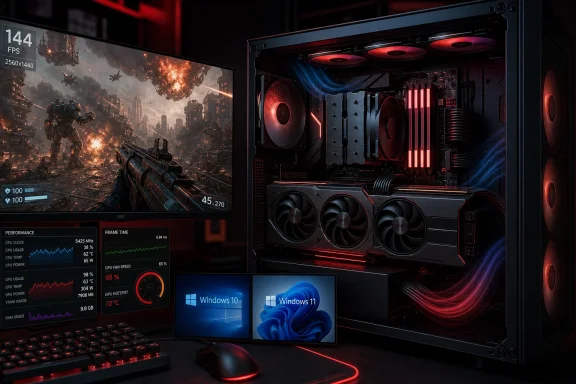 The 10 best CPUs for an RX 9070 XT
1. AMD Ryzen 7 9800X3D — best overall gaming CPU
The Ryzen 7 9800X3D is the straightforward choice for a premium RX 9070 XT gaming build. Its eight Zen 5 cores and 3D V-Cache are especially effective in CPU-heavy games, simulation titles, esports games, and open-world titles that benefit from strong minimum frame rates.Choose it if you use a 1440p 165 Hz-or-faster monitor, play competitive games, or want the strongest gaming-focused AM5 build without stepping into workstation pricing.
- Platform: AM5, DDR5
- Best for: High-refresh gaming and long-term AM5 ownership
- Cooling: Use a quality tower air cooler or 240 mm liquid cooler
- Avoid if: Your work routinely needs 12 to 16 CPU cores
2. AMD Ryzen 9 9950X3D2 Dual Edition — best for gaming and demanding creation
The Ryzen 9 9950X3D2 is the no-compromise option for people who game with an RX 9070 XT but also render, compile, edit video, run virtual machines, or perform heavy multitasking. AMD equips it with 16 cores, 32 threads, and 208 MB of total cache across its dual 3D V-Cache design.It is excessive for a gaming-only PC, but it removes the usual trade-off between gaming cache and multi-core productivity.
- Platform: AM5, DDR5
- Best for: Gaming plus professional creator or development workloads
- Cooling: Plan for a high-end air cooler or 280/360 mm AIO
- Avoid if: The PC is primarily for games; the 9800X3D is the better-value choice
3. AMD Ryzen 7 7700X3D — best newer mid-tier X3D option
The Ryzen 7 7700X3D is a strong choice when available at a meaningful discount below the 9800X3D. It retains the eight-core layout that works well for modern Windows gaming and adds the cache advantage that can improve frame consistency in CPU-limited titles.It is best viewed as a gaming-first AM5 processor rather than a workstation CPU.
- Platform: AM5, DDR5
- Best for: High-FPS 1080p and 1440p gaming
- Cooling: Mid-range tower cooler is normally sufficient
- Avoid if: You need maximum creator performance per dollar
4. AMD Ryzen 7 9700X — best balanced AM5 processor
The Ryzen 7 9700X is a practical eight-core option for users who want strong gaming performance with better all-purpose productivity than a six-core chip. AMD rates it at a 65 W default TDP, making it easier to cool and quieter in compact or airflow-limited cases than many high-end processors.With an RX 9070 XT at 1440p or 4K, it delivers the performance most players need without making the CPU the largest part of the budget.
- Platform: AM5, DDR5
- Best for: Mixed gaming, streaming, office work, and light creative work
- Cooling: Good single-tower air cooler
- Avoid if: You specifically want maximum esports frame rates
5. AMD Ryzen 5 9600X — best value new AM5 build
The Ryzen 5 9600X is the sensible baseline for a new RX 9070 XT system. Its six cores and 12 threads are enough for mainstream gaming, and its 65 W default TDP helps keep total system heat manageable.At 4K and in most conventional 1440p gaming workloads, spending more on the CPU often produces a smaller improvement than spending that money on a larger SSD, better monitor, quieter cooling, or a higher-quality power supply.
- Platform: AM5, DDR5
- Best for: Value-focused 1440p and 4K gaming
- Cooling: Aftermarket tower cooler recommended; no boxed cooler
- Avoid if: You play CPU-heavy competitive titles at very high refresh rates
6. AMD Ryzen 5 7600X3D — best discounted X3D gaming value
If you can find the Ryzen 5 7600X3D from a reputable retailer at a good price, it remains an unusually capable gaming chip. Its six-core design is less flexible for demanding production work, but 3D V-Cache can make it more appealing than ordinary six-core CPUs for a gaming-first machine.Check motherboard BIOS support before installation, particularly on older B650 and X670 boards.
- Platform: AM5, DDR5
- Best for: Gaming-focused builds with a constrained CPU budget
- Cooling: Mid-range tower cooler
- Avoid if: You stream, edit, or compile heavily while gaming
7. AMD Ryzen 7 7800X3D — best previous-generation AM5 deal
The Ryzen 7 7800X3D is no longer AMD’s newest eight-core gaming champion, but it remains a very capable RX 9070 XT pairing when discounted. Its eight cores, 16 threads, and 96 MB of L3 cache still make it a notably better gaming choice than many standard desktop processors in cache-sensitive games.Do not choose it automatically over a 9800X3D. Choose it when the actual bundle cost—CPU, motherboard, memory, and cooler—makes sense.
- Platform: AM5, DDR5
- Best for: Discounted high-end gaming builds
- Cooling: Good air cooler or 240 mm AIO
- Avoid if: Its price is too close to the 9800X3D
8. AMD Ryzen 7 5700X3D — best AM4 upgrade
For an existing AM4 PC, the Ryzen 7 5700X3D is generally the upgrade to target before replacing the motherboard, memory, and CPU together. Its 3D V-Cache helps it keep pace in games despite the older DDR4 platform.This is an upgrade recommendation, not a preferred new-build platform. AM5 offers DDR5 and a supported upgrade path through 2029, according to AMD’s June 2026 AM5 support update.
Warning: Update the motherboard BIOS while the current supported CPU is still installed. A failed or interrupted BIOS update can leave the system unable to start.
- Platform: AM4, DDR4
- Best for: B450, B550, and X570 owners upgrading an existing PC
- Cooling: Quality tower cooler recommended
- Avoid if: Building from scratch
9. Intel Core Ultra 7 270K Plus — best Intel mixed-use option
Intel’s Core Ultra 7 270K Plus is a strong alternative for users who want an Intel LGA1851 system and perform substantial multi-threaded work alongside gaming. Intel positions the Plus models above earlier 265K-class options with additional cores and faster die-to-die interconnect performance.It is not the automatic gaming winner against AMD X3D processors, but it is a capable option for encoding, production tasks, and general desktop responsiveness.
- Platform: LGA1851, DDR5
- Best for: Gaming plus productivity in an Intel build
- Cooling: Use a substantial air cooler or AIO
- Note: It includes Intel Graphics, useful for diagnosis if the Radeon card is removed
10. Intel Core Ultra 5 250K Plus — best Intel value choice
The Core Ultra 5 250K Plus is the Intel choice for a more restrained RX 9070 XT build. It is better suited to 1440p and 4K gaming than to chasing maximum 1080p esports frame rates, where AMD’s X3D chips have a clearer advantage.The integrated graphics are useful: you can connect a monitor to the motherboard video output to troubleshoot Windows, update drivers, or test the PC if the RX 9070 XT is removed.
- Platform: LGA1851, DDR5
- Best for: Value-conscious Intel gaming builds
- Cooling: Mid-range air cooler
- Avoid if: You want the strongest CPU-limited gaming performance
Choose by monitor resolution and workload
Use the monitor and your real workload to narrow the list.- 1080p at 240 Hz or higher: Ryzen 7 9800X3D or Ryzen 7 7700X3D.
- 1440p at 144–180 Hz: Ryzen 7 9800X3D for maximum headroom; Ryzen 5 9600X or Ryzen 7 9700X for value.
- 4K gaming: Ryzen 5 9600X, Ryzen 7 9700X, or Intel Core Ultra 5 250K Plus are usually enough because the RX 9070 XT carries more of the performance load.
- Gaming plus editing, coding, or rendering: Ryzen 9 9950X3D2 or Core Ultra 7 270K Plus.
- Existing AM4 system: Ryzen 7 5700X3D, provided the motherboard BIOS supports it.
Build requirements before installing the RX 9070 XT
Before fitting the graphics card, confirm these items:- A 750 W or higher quality power supply. Move to 850 W if using a high-power CPU, aggressive power limits, many drives, or a factory-overclocked graphics card.
- Two separate 8-pin PCIe power leads for the reference RX 9070 XT. Do not assume a single daisy-chained cable is appropriate; follow the GPU manufacturer’s manual.
- A motherboard with a full-length PCIe x16 slot.
- Adequate case clearance. Partner RX 9070 XT cards can be much larger than AMD’s reference dimensions.
- Current motherboard BIOS, especially for Ryzen 7000/9000 or late-release AM4 CPUs.
- Two matched DIMMs installed in the motherboard’s recommended slots. For AM5, use a DDR5 kit validated for the motherboard and enable AMD EXPO only after confirming the system is stable.
Set up Windows and verify the pairing
After assembling the system and installing Windows 11 or Windows 10:- Install the motherboard chipset drivers from AMD or Intel before judging game performance.
- Install the current AMD Software: Adrenalin Edition driver for the RX 9070 XT.
- In Windows, open Settings > System > Display > Advanced display and select the monitor’s intended refresh rate.
- Open Task Manager > Performance while a game is running. Confirm that the Radeon GPU is active and that the CPU is not permanently pinned near 100 percent.
- Run a demanding game for at least 20 to 30 minutes. Watch for crashes, black screens, fan spikes, or sudden clock drops before enabling overclocking, EXPO, or custom power limits.
- If performance is unexpectedly low, confirm the monitor cable is connected to the RX 9070 XT rather than the motherboard video output.
References
- Primary source: Propel RC
Published: 2026-07-17T17:44:50+00:00
Loading…
www.propelrc.com