

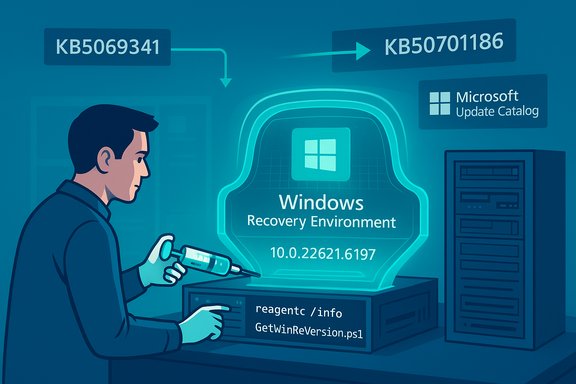
Microsoft has published two Safe OS (WinRE) Dynamic Updates — KB5070186 and KB5069341 — on November 11, 2025 to refresh the Windows Recovery Environment used by Reset this PC, Automatic Repair and cloud-reinstall flows; the packages are available through Windows Update, the Microsoft Update Catalog and WSUS, they replace earlier Safe OS DUs, and they set explicit WinRE image targets that administrators should verify before and after deployment.
Windows uses a compact, pre‑boot runtime named the Windows Recovery Environment (WinRE) — also called the Safe OS — to perform recovery tasks outside of the main OS runtime. WinRE contains a small set of binaries, drivers and orchestration libraries that must match the installed OS and device firmware to successfully run tasks such as Reset this PC, Automatic Repair and cloud reinstall. Because WinRE boots outside the running OS, it needs the right pre‑boot drivers (storage controllers, USB/HID, TPM/BitLocker handlers) and kernel helpers to operate reliably on modern hardware. Safe OS Dynamic Updates exist to deliver small, surgical fixes to that WinRE image without forcing administrators to rebuild full ISOs or recapture golden images.
Why Microsoft ships these small Safe OS updates is practical: when the running OS or a cumulative update introduces behavior WinRE’s older driver set cannot handle (for example USB host controller variants that fail in a trimmed recovery runtime), recovery flows can silently fail — producing BitLocker prompts, broken cloud reinstalls or an unresponsive recovery UI. Safe OS DUs are therefore high‑value despite their small download sizes.
Important, concrete values published alongside these packages:
Source: Neowin Windows 11 KB5070186, KB5069341 updates released for recovery
 Background / Overview
Windows uses a compact, pre‑boot runtime named the Windows Recovery Environment (WinRE) — also called the Safe OS — to perform recovery tasks outside of the main OS runtime. WinRE contains a small set of binaries, drivers and orchestration libraries that must match the installed OS and device firmware to successfully run tasks such as Reset this PC, Automatic Repair and cloud reinstall. Because WinRE boots outside the running OS, it needs the right pre‑boot drivers (storage controllers, USB/HID, TPM/BitLocker handlers) and kernel helpers to operate reliably on modern hardware. Safe OS Dynamic Updates exist to deliver small, surgical fixes to that WinRE image without forcing administrators to rebuild full ISOs or recapture golden images.Why Microsoft ships these small Safe OS updates is practical: when the running OS or a cumulative update introduces behavior WinRE’s older driver set cannot handle (for example USB host controller variants that fail in a trimmed recovery runtime), recovery flows can silently fail — producing BitLocker prompts, broken cloud reinstalls or an unresponsive recovery UI. Safe OS DUs are therefore high‑value despite their small download sizes.
What Microsoft released: the TL;DR
- KB5069341 — Safe OS Dynamic Update for Windows 11, version 23H2. Published November 11, 2025. Expected post‑install WinRE version: 10.0.22621.6197. This package replaces the previously released Safe OS DU (KB5067019). Delivery channels include Windows Update, Microsoft Update Catalog (CAB/MSU) and WSUS.
- KB5070186 — Safe OS Dynamic Update for Windows 11, versions 24H2 and 25H2, and Windows Server 2025. Published November 11, 2025. Expected post‑install WinRE version: 10.0.26100.7149. This package replaces the previous Safe OS DU for those servicing families (KB5067040). It is available through the same delivery channels and is intended for image hygiene and recovery reliability.
Technical specifics: what’s inside and what changes
These Safe OS DUs are intentionally narrow in scope. Typical components updated by such packages include:- Updated WinRE image (winre.wim) and supporting UI/orchestration libraries that control the recovery UX.
- Pre‑boot kernel helpers and secure‑boot/TPM handlers used by the Safe OS.
- Storage and USB controller drivers and small helper drivers used during recovery and setup.
- Small UX fixes (for example replacing an intrusive debug prompt with a user‑friendly message box when a pre‑boot app fails).
Important, concrete values published alongside these packages:
- Expected WinRE version after KB5069341: 10.0.22621.6197.
- Expected WinRE version after KB5070186: 10.0.26100.7149.
Delivery channels and permanence
- Delivery: Available via Windows Update (automatic), Microsoft Update Catalog (standalone CAB/MSU for offline use or image injection) and WSUS (when Products & Classifications are synchronized appropriately). For air‑gapped or imaging workflows the Update Catalog CAB is the authoritative artifact to download and inject into install.wim/winre.wim.
- No restart required for the WinRE image itself when injected offline into winre.wim. When applied to a running device through Windows Update, standard servicing may require the normal restart behavior of the monthly rollup process if other LCUs are present, depending on distribution packaging. The KBs explicitly note that these Safe OS DUs are typically non‑removable once applied to an image; reversing the change usually requires restoring a preserved golden image or recovery media. This permanence makes testing and rollback planning essential.
Verification: how to confirm the update applied correctly
Microsoft provides verification steps and a signed PowerShell helper for administrators. Practical ways to verify:- reagentc /info — returns WinRE image location and whether WinRE is enabled; useful to find the winre.wim path on disk.
- Mount the winre.wim and check file versions in Windows\System32 (e.g., winpeshl.exe, storufs.sys) with DISM. Example: dism /Mount-Image /ImageFile:"C:\Recovery\WindowsRE\winre.wim" /Index:1 /MountDir:C:\mnt then inspect C:\mnt\Windows\System32.
- Use the Microsoft-provided GetWinReVersion.ps1 helper script to report the WinRE binary revision and confirm the expected target (10.0.22621.6197 for KB5069341; 10.0.26100.7149 for KB5070186). The KBs include sample output and the script is signed.
- Inspect WinREAgent servicing events in Event Viewer (Event ID 4501 indicates successful servicing and logs the new WinRE version).
Why this matters: concrete operational impact
Safe OS DUs may be small, but their operational impact is large:- Recoverability and business continuity: An out‑of‑date WinRE can cause Reset this PC, Automatic Repair and cloud reinstall flows to fail or behave unpredictably, especially on hardware with newer storage or USB controllers. Restoring WinRE parity with the installed OS reduces unexpected BitLocker requests and incomplete recovery sessions.
- Rapid response to regressions: Recent real‑world incidents in late 2025 demonstrated that a cumulative could break USB input within WinRE, leaving users unable to type recovery keys or navigate the recovery UI. Safe OS DUs allowed Microsoft to surgically restore WinRE functionality without forcing full ISO rebuilds. The November packages are the maintained DU set aligned to the late‑2025 servicing families.
- Image hygiene for frozen installers: Organizations maintaining golden images or air‑gapped installers can inject these DUs into winre.wim and avoid re‑capturing entire images while still keeping recovery tooling current. That reduces operational cost and deployment friction for large fleets.
Risks, caveats and things to watch
These packages are low‑blast but not risk‑free. Key caveats:- Non‑removability: Once applied to a winre.wim image the DU is typically not removable. A problematic injection can be expensive to revert for golden images — the only reliable rollback is restoring a known‑good stored image. That makes pilot testing a hard requirement.
- Device‑specific regressions: Pre‑boot behavior is heavily influenced by firmware and OEM recovery customizations. Small driver or orchestration changes inside WinRE can interact unpredictably with niche controllers, vendor‑specific implementations and unique firmware versions. Community reports show edge cases where USB input or BitLocker interactions differed across OEM models. Test across representative OEMs and firmware revisions.
- WSUS/management timing: Dynamic updates are published through the Update Catalog and may take time to propagate to WSUS or other management tooling. Administrators relying on WSUS synchronization should confirm the package is present or use the Update Catalog CAB for offline injection.
- Partition and space considerations: Historically some WinRE servicing wrappers required minimal free space in the recovery partition; while the KBs published in November 2025 do not list a partition‑size prerequisite explicitly for every package, administrators should validate free space and confirm behavior in lab devices before mass deploy.
- Lifecycle alignment: Deploying a Safe OS DU does not substitute for migrating devices off unsupported servicing branches. For example, consumer Home/Pro devices on 23H2 had a servicing cutoff on November 11, 2025; administrators should plan migrations to supported branches rather than relying on DUs as a long‑term mitigation.
Recommended rollout plan for administrators
Apply a staged, conservative process to minimize risk and ensure recoverability:- Inventory devices: identify hardware families and which devices are on 23H2, 24H2 or 25H2 (Settings → System → About or management inventory). Prioritize devices with BitLocker enabled, USB‑C only hardware, and remote endpoints.
- Download authoritative packages: retrieve the standalone CAB/MSU from the Microsoft Update Catalog and verify SHA‑256 checksums against the manifest before any offline injection.
- Preserve golden images: extract and back up existing winre.wim and golden images before any modification. Store these artifacts securely for rollback.
- Build a test ring: select 5–10 representative models covering major OEMs, storage types and firmware revisions (include rare/edge cases such as USB‑C only devices).
- Inject and validate in lab:
- Mount winre.wim with DISM and add-package the KB CAB as documented.
- Run GetWinReVersion.ps1 and confirm the expected WinRE target version.
- Execute full recovery flows: Reset this PC, Automatic Repair and cloud reinstall paths.
- Verify BitLocker unlock and TPM behavior, keyboard/mouse input and network drivers in WinRE.
- Monitor: after pilot, expand to phased waves. Monitor WinREAgent events (Event ID 4501), Windows Update logs and helpdesk tickets for escalations. Maintain external recovery media as a fallback and keep golden images available.
- Rollback readiness: because the DU is non‑removable from an image, ensure you have an automated path to restore a known‑good winre.wim or offline installer if a regression appears in the field.
Emergency scenarios and remediation guidance
If a device is already stuck in a misbehaving WinRE (for example USB input not functioning):- Boot from external Windows install media / WinPE that contains broader driver initialization and try recovery from that environment. External install media often initializes more drivers and may accept input when the trimmed WinRE does not.
- If you can boot to the full OS, mount the on‑disk winre.wim and inject the Safe OS DU with DISM per Microsoft guidance, then re‑enable WinRE. Back up the original winre.wim first.
- As a last resort advanced recovery, offline replace winre.wim with a known‑good copy (disable WinRE, replace the file, reagentc /enable). This is advanced and should be performed in coordinated change windows with tested rollback plans.
Final analysis: strengths and residual risk
Strengths- These DU packages are surgically targeted at a high‑value component: recoverability. Updating the Safe OS without rebuilding images is operationally efficient and lowers the cost of keeping installers current.
- Microsoft provides clear verification tools (GetWinReVersion.ps1, DISM instructions, Event Viewer events) so organizations can audit the update across fleets.
- The Update Catalog CAB manifest model supports secure offline workflows and SHA‑256 verification required for enterprise image pipelines.
- The permanence of the update in images raises the bar for testing. Mistakes are expensive to reverse.
- Device‑ and OEM‑specific edge cases remain possible; pre‑boot behavior is highly dependent on firmware and vendor customization. Test across representative models to detect regressions early.
- Management tooling latency (WSUS sync, catalog propagation) can complicate schedules for air‑gapped or heavily controlled environments; plan for manual CAB downloads when necessary.
Practical checklist (copy‑paste friendly)
- Confirm target servicing branch (23H2 vs 24H2/25H2/Server 2025).
- Download CAB from Microsoft Update Catalog and verify SHA‑256.
- Back up current winre.wim and golden images.
- Pilot the DU on representative hardware (5–10 models).
- Verify WinRE version with GetWinReVersion.ps1 and reagentc /info (expect 10.0.22621.6197 for KB5069341, 10.0.26100.7149 for KB5070186).
- Test Reset this PC, Automatic Repair and cloud reinstall flows; confirm BitLocker unlock and USB input in WinRE.
- Stage rollout and monitor WinREAgent Event ID 4501 and helpdesk escalations.
Conclusion
KB5070186 and KB5069341 are targeted, high‑value Safe OS Dynamic Updates released November 11, 2025 that refresh WinRE for their respective Windows 11 servicing families and Windows Server 2025. They fix pre‑boot compatibility and UX issues that can otherwise render recovery flows unreliable. Administrators should treat these packages as image‑hygiene artifacts: download the Update Catalog CABs, verify manifests, preserve golden images, pilot on representative hardware, run the Microsoft verification steps, and stage rollouts carefully. The payoff is better recoverability and fewer helpdesk escalations — but the permanence of the change and the potential for device‑specific regressions demand conservative, well‑documented deployment processes.Source: Neowin Windows 11 KB5070186, KB5069341 updates released for recovery
