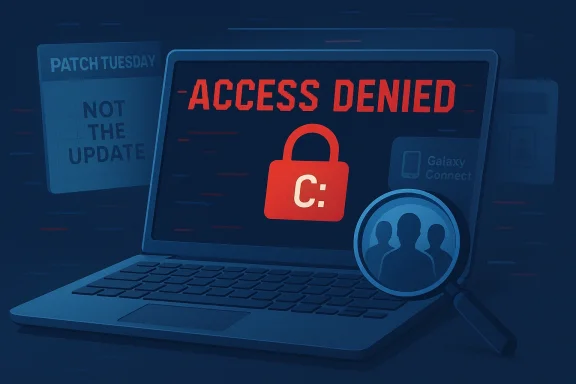
Samsung app found to be the cause of some Windows 11 users losing access to their C: drives, and that is a reminder that the loudest suspect is not always the guilty one. For weeks, the blame naturally fell on recent Windows updates, especially among owners of Samsung Galaxy Book systems who suddenly found their system drive inaccessible and their workflow shattered by generic “access denied” errors. Microsoft now says it investigated the problem with Samsung and concluded the issue was tied to the Samsung Galaxy Connect app, not the latest monthly patches. That clarification may spare Windows Update from blame for now, but it also exposes a deeper problem: the uneasy overlap between OEM utilities, cross-device integration features, and core OS storage behavior.
The modern Windows ecosystem has never been a simple one-vendor story. On paper, Microsoft ships the operating system, but in practice the experience on many laptops is shaped just as much by the PC maker’s own software stack as by Windows itself. Samsung, Dell, HP, Lenovo, and others routinely preload utilities that handle device sync, phone pairing, storage sharing, battery settings, and hardware-specific functions, and those utilities often operate with elevated permissions that ordinary Store apps never get. Microsoft’s own support pages make clear that some apps can be granted access to all files, registry settings, peripheral devices, and even elevation behavior, which means a misbehaving OEM tool can influence the system far more deeply than its friendly UI suggests.
That is why the initial reaction from users was so predictable. When a system drive suddenly becomes inaccessible, the default assumption in 2026 is often that a Windows cumulative update broke something again. Microsoft has spent the last several years trying to contain the reputational damage from update regressions, and the company’s own release-health pages show how frequently it has had to acknowledge compatibility holds, third-party driver issues, and post-update breakages. In that environment, any fresh round of “C: drive inaccessible” complaints can rapidly become a referendum on Windows itself.
But the timeline matters. According to Microsoft’s investigation, the complaints began before the Windows 11 25H2 release and were not caused by the current or previous monthly updates. The company says it worked with Samsung and traced the symptoms to Samsung Galaxy Connect, the app behind the user reports. That distinction is important because it separates coincidence from causation, and in a case like this, coincidence can be brutally persuasive. If a bad symptom appears around Patch Tuesday, most users will blame Patch Tuesday unless evidence proves otherwise.
The affected systems are also a clue. Microsoft says the problem was observed on Samsung Galaxy Book 4 and Samsung desktop models running Windows 11 versions 24H2 and 25H2, including several specific Galaxy Book and desktop SKUs. That kind of narrow hardware footprint strongly suggests an OEM-specific software interaction rather than a generic Windows kernel defect. It also explains why some users outside Samsung’s ecosystem never saw the issue at all, while those on Samsung hardware could be hit by what looked like an OS-wide storage failure.
In other words, this is less a Windows update story than a Windows-and-OEM integration story. And that is a very different kind of problem. A pure Microsoft bug can be patched centrally, but an OEM utility issue depends on the vendor’s software lifecycle, preloads, store distribution, update cadence, and sometimes even invisible bundling decisions from the laptop maker. That makes diagnosis harder for users and remediation slower than anyone wants.
That distinction is important for readers because it reflects how modern software incidents actually happen. A storage lockout can emerge when an OEM tool supplies bad information to Windows, when a security boundary is crossed, or when a privileged utility writes a state flag incorrectly. The OS then enforces that state, and the user experiences a drive failure even though the root cause is upstream. That is why the “Windows is broken” explanation can feel correct while still being technically incomplete. It’s a chain reaction, not a single switch.
Samsung’s ecosystem is especially interesting because it bridges PCs and phones. Microsoft’s support documentation for phone-integration features and file access makes clear that Windows treats some device-sharing and file-system permissions as powerful system capabilities rather than casual app toggles. Once an app enters that territory, it can influence the operating environment in ways that are difficult to sandbox after the fact. That helps explain why an apparently narrow Samsung app issue could produce a dramatic system-drive symptom on Windows.
That coupling also creates a debugging nightmare. If a user sees “access denied” on the C: drive, they are unlikely to suspect a phone-linking app. They will check disk health, run recovery tools, and probably blame Windows updates or storage drivers long before they think to uninstall an OEM companion. By the time the right culprit is found, the story has often already hardened into a public narrative about a broken OS.
That does not mean Microsoft gets a clean pass forever. It simply means this specific event should not be counted as a Windows Update failure unless later evidence says otherwise. In an era where operating systems increasingly depend on OEM utilities, app stores, and background services, the line between “Windows broke it” and “something on Windows broke it” is thinner than many users want to admit. The platform can be innocent and still be blamed.
That would also explain why generic repair attempts were not enough for some users. If the problem is not physical storage corruption but a higher-level access policy or false device state, then standard tools can report “access denied” even when the disk itself is healthy. In that sense, the bug is less about data loss and more about control-plane failure, which is just as disruptive and often more confusing.
It also tells us the remediation model is now partly in Samsung’s hands. If Galaxy Connect or related software is the trigger, Samsung will need to clarify whether there is a patched version, a compatibility update, or a removal recommendation for existing owners. That kind of vendor coordination is common in Windows incident response, but it can still leave end users in limbo if communications are not clear. A store takedown is not the same as a cure.
From Microsoft’s perspective, the episode is awkward but educational. The company wants Windows to be seen as a stable platform, not a scapegoat for every preinstalled utility mistake. Yet Microsoft also benefits from the fact that it can point to a third-party root cause and preserve the credibility of its monthly update channel, which is important after years of criticism. That is not victory, but it is damage control.
The broader industry question is whether this finally nudges OEMs toward leaner software stacks and more transparent permission models. PC makers love to bundle apps that promise convenience, but the cost of one highly visible failure can outweigh a year’s worth of marketing claims. The best outcome here would be a quieter, more disciplined approach to companion software, where integration works because it is constrained, not despite it.
Source: The FPS Review Samsung App Found to Be the Cause of Loss of Access to C: Drives, Windows Update Cleared of Wrongdoing, for Now
 Background
The modern Windows ecosystem has never been a simple one-vendor story. On paper, Microsoft ships the operating system, but in practice the experience on many laptops is shaped just as much by the PC maker’s own software stack as by Windows itself. Samsung, Dell, HP, Lenovo, and others routinely preload utilities that handle device sync, phone pairing, storage sharing, battery settings, and hardware-specific functions, and those utilities often operate with elevated permissions that ordinary Store apps never get. Microsoft’s own support pages make clear that some apps can be granted access to all files, registry settings, peripheral devices, and even elevation behavior, which means a misbehaving OEM tool can influence the system far more deeply than its friendly UI suggests.That is why the initial reaction from users was so predictable. When a system drive suddenly becomes inaccessible, the default assumption in 2026 is often that a Windows cumulative update broke something again. Microsoft has spent the last several years trying to contain the reputational damage from update regressions, and the company’s own release-health pages show how frequently it has had to acknowledge compatibility holds, third-party driver issues, and post-update breakages. In that environment, any fresh round of “C: drive inaccessible” complaints can rapidly become a referendum on Windows itself.
But the timeline matters. According to Microsoft’s investigation, the complaints began before the Windows 11 25H2 release and were not caused by the current or previous monthly updates. The company says it worked with Samsung and traced the symptoms to Samsung Galaxy Connect, the app behind the user reports. That distinction is important because it separates coincidence from causation, and in a case like this, coincidence can be brutally persuasive. If a bad symptom appears around Patch Tuesday, most users will blame Patch Tuesday unless evidence proves otherwise.
The affected systems are also a clue. Microsoft says the problem was observed on Samsung Galaxy Book 4 and Samsung desktop models running Windows 11 versions 24H2 and 25H2, including several specific Galaxy Book and desktop SKUs. That kind of narrow hardware footprint strongly suggests an OEM-specific software interaction rather than a generic Windows kernel defect. It also explains why some users outside Samsung’s ecosystem never saw the issue at all, while those on Samsung hardware could be hit by what looked like an OS-wide storage failure.
In other words, this is less a Windows update story than a Windows-and-OEM integration story. And that is a very different kind of problem. A pure Microsoft bug can be patched centrally, but an OEM utility issue depends on the vendor’s software lifecycle, preloads, store distribution, update cadence, and sometimes even invisible bundling decisions from the laptop maker. That makes diagnosis harder for users and remediation slower than anyone wants.
What Microsoft Says Happened
Microsoft’s public position is straightforward: it and Samsung investigated the reports and concluded that the symptoms were caused by an issue in Samsung Galaxy Connect, not by Windows monthly updates. The company specifically says the problem was observed on Samsung Galaxy Book 4 and Samsung desktop models running Windows 11 24H2 and 25H2, and it names several affected devices. That is a notable level of specificity, and it suggests the vendors had enough signal to isolate the issue with some confidence.Why the wording matters
The phrase “not caused by current or previous Windows monthly updates” is doing a lot of work here. It does not mean Windows is irrelevant to the failure path, only that the trigger did not originate in the patch level users first suspected. In practical terms, Windows may still have been the environment in which the app’s behavior produced the lockout, but the app appears to have been the initiating fault.That distinction is important for readers because it reflects how modern software incidents actually happen. A storage lockout can emerge when an OEM tool supplies bad information to Windows, when a security boundary is crossed, or when a privileged utility writes a state flag incorrectly. The OS then enforces that state, and the user experiences a drive failure even though the root cause is upstream. That is why the “Windows is broken” explanation can feel correct while still being technically incomplete. It’s a chain reaction, not a single switch.
The report pattern
Microsoft says the first reports came from Samsung Galaxy Book users who could no longer access files on the root system drive and received a generic error saying the drive was not accessible and access was denied. That kind of symptom is especially alarming because the C: drive is not just another storage volume; it is the heartbeat of the machine, containing the operating system, user profiles, and core applications. When that volume becomes inaccessible, the problem looks catastrophic even if the underlying defect is comparatively narrow.- The complaints centered on the system drive, not a removable or secondary disk.
- The error message was generic, which makes diagnosis harder.
- The issue appeared on specific Samsung models, not broadly across all Windows hardware.
- Microsoft says the reports predated Windows 11 25H2.
- The investigation pointed away from Windows cumulative updates and toward Galaxy Connect.
Why Samsung Software Can Hit Harder Than It Looks
OEM software is often dismissed as bloatware, but that label understates its practical power. On many premium laptops, the OEM utility stack is not just a marketing wrapper; it handles cross-device links, phone synchronization, hardware-aware optimization, hotkey support, and storage integration. Those features frequently require deep access to Windows services and user context, which means an error in the app can affect parts of the system that users would never associate with an ordinary companion utility.Samsung’s ecosystem is especially interesting because it bridges PCs and phones. Microsoft’s support documentation for phone-integration features and file access makes clear that Windows treats some device-sharing and file-system permissions as powerful system capabilities rather than casual app toggles. Once an app enters that territory, it can influence the operating environment in ways that are difficult to sandbox after the fact. That helps explain why an apparently narrow Samsung app issue could produce a dramatic system-drive symptom on Windows.
Cross-device integration is useful, but brittle
The appeal of these apps is obvious. A user wants seamless handoff between phone and PC, shared file access, synchronized notifications, and an OEM-branded control surface for hardware features. In a best-case scenario, that makes a Galaxy Book feel polished and differentiated from a generic Windows notebook. In a worst-case scenario, the same integration layer becomes a tightly coupled failure point that drags the whole machine into the blast radius. Convenience always comes with coupling.That coupling also creates a debugging nightmare. If a user sees “access denied” on the C: drive, they are unlikely to suspect a phone-linking app. They will check disk health, run recovery tools, and probably blame Windows updates or storage drivers long before they think to uninstall an OEM companion. By the time the right culprit is found, the story has often already hardened into a public narrative about a broken OS.
- OEM tools can sit closer to system privileges than their interface suggests.
- Cross-device features often need broad file and device access.
- Users usually diagnose symptoms from the last visible change, not the true trigger.
- A single faulty app can create the impression of an OS-wide storage bug.
- The deeper the integration, the harder it is to separate feature value from risk.
The Windows Update Reputation Problem
Microsoft’s biggest challenge in incidents like this is not just engineering; it is trust. Windows updates have accumulated enough real-world breakage over the years that the default public assumption is often guilt first, investigation later. That skepticism is not baseless. Microsoft’s own release-health pages document a steady stream of compatibility holds, driver conflicts, and application issues that require coordinated remediation.Why suspicion spread so quickly
The timing of the reports made the case worse. Users said the issue lined up with March Patch Tuesday, and that kind of temporal association is powerful even when it is wrong. People notice what changed most recently, and for most Windows users, the most obvious recent change is an update that installed automatically in the background. Microsoft had to push back against that narrative by showing the reports began earlier and by distinguishing the symptom from the patch schedule.That does not mean Microsoft gets a clean pass forever. It simply means this specific event should not be counted as a Windows Update failure unless later evidence says otherwise. In an era where operating systems increasingly depend on OEM utilities, app stores, and background services, the line between “Windows broke it” and “something on Windows broke it” is thinner than many users want to admit. The platform can be innocent and still be blamed.
What this means for patch trust
For enterprise admins, the lesson is subtler than “don’t trust updates.” The real lesson is that patch windows should include vendor app inventories, especially on branded laptops where OEM utilities are preinstalled or silently updated. If the storage issue appears only on one hardware family, the patch team must evaluate not just the OS build but also the companion software layer that sits beside it. That is the modern reality of Windows fleet management.- Temporal coincidence is not the same as causation.
- Patch Tuesday can become the default villain when symptoms are severe.
- OEM utilities should be part of any serious fleet risk assessment.
- Windows reputation damage can persist even after a false lead is cleared.
- The more integrated the PC stack, the more likely the blame will be shared.
How the Failure Likely Propagated
The public details point to a likely sequence rather than a single bug. A Samsung utility appears to have supplied bad state information or triggered a permission condition that Windows then enforced at the storage boundary. Once that happened, users were blocked from the root drive and in some cases could not run the tools they needed to repair it, which is why the event felt like a deep system lockout rather than a normal app crash.The role of storage and privilege boundaries
Windows is conservative when it thinks a core resource is unavailable or under administrative restriction. Microsoft’s support documentation shows that file-system access and app permissions are governed by explicit privacy and capability rules, and some apps can request rights that ordinary software never receives. If a privileged OEM component mistakenly marks a system resource as inaccessible, the OS may enforce that state with full seriousness.That would also explain why generic repair attempts were not enough for some users. If the problem is not physical storage corruption but a higher-level access policy or false device state, then standard tools can report “access denied” even when the disk itself is healthy. In that sense, the bug is less about data loss and more about control-plane failure, which is just as disruptive and often more confusing.
Why different apps may show different errors
Windows Latest suggested that Samsung’s broader suite of storage-sharing tools could be implicated, not only Galaxy Connect. That theory is plausible because neighboring utilities often share libraries, service frameworks, or device communication layers. If one component feeds bad information into the chain, different front-end apps can surface different errors while the underlying flaw remains the same.- A shared backend service can affect multiple apps at once.
- Different user interfaces can expose different failure messages.
- A chain of permission checks can make the OS look inconsistent.
- Storage symptoms may be policy-like rather than disk-like.
- The visible error is often only the last thing to fail.
Microsoft’s Response and the Store Removal
Microsoft says it has removed the Samsung Connect app from its store. That is a meaningful step because it cuts off one obvious distribution path and signals that the company believes the app is sufficiently problematic to warrant intervention. It also gives users a practical immediate action: if they have the app through OEM bundles, they should consider removing it.Why removing the app matters
Removal from the store does not automatically fix machines that already have the software installed, and it does not erase whatever state the app may have altered before discovery. But it does reduce the chance of fresh installations spreading the issue further. In the consumer world, that matters because people often trust OEM-branded utilities more than obscure third-party software, especially when they arrive preloaded on a new PC.It also tells us the remediation model is now partly in Samsung’s hands. If Galaxy Connect or related software is the trigger, Samsung will need to clarify whether there is a patched version, a compatibility update, or a removal recommendation for existing owners. That kind of vendor coordination is common in Windows incident response, but it can still leave end users in limbo if communications are not clear. A store takedown is not the same as a cure.
Enterprise and consumer implications
For enterprise IT, the store removal is not enough by itself. Administrators need to know whether endpoint imaging pipelines, OEM provisioning packages, or device management profiles are reintroducing the problem on fresh hardware. For consumers, the bigger concern is whether the software was silently bundled and whether ordinary uninstall paths are sufficient to stop the behavior. Those are different support problems, even if they share the same root cause.- Store removal reduces new exposure.
- Existing installs may still need manual cleanup.
- OEM preload channels can bypass ordinary user expectations.
- Consumer support and enterprise remediation are not the same workflow.
- Communication from Samsung will determine how quickly confidence returns.
Competitive and Market Implications
This incident is not just a temporary embarrassment; it has strategic implications for the Windows PC market. Samsung competes on premium hardware design and ecosystem integration, and software missteps like this weaken the case for tightly bundled companion apps. If the software layer is perceived as risky, users may become more wary of OEM “value add” tools and more selective about what they keep installed.Why rivals should pay attention
Other PC vendors should treat this as a warning shot. Dell, HP, Lenovo, ASUS, Acer, and others all ship their own utility stacks, and many of them now overlap with Microsoft’s own device-linking and management features. The more these ecosystems converge, the greater the chance that one vendor’s convenience layer will be perceived as part of the operating system itself.From Microsoft’s perspective, the episode is awkward but educational. The company wants Windows to be seen as a stable platform, not a scapegoat for every preinstalled utility mistake. Yet Microsoft also benefits from the fact that it can point to a third-party root cause and preserve the credibility of its monthly update channel, which is important after years of criticism. That is not victory, but it is damage control.
The bigger ecosystem lesson
The long-term lesson is that OEM differentiation is getting harder to justify if the software layer becomes a liability. Users buy premium laptops for reliability as much as for features, and one dramatic lockout event can sour them on a vendor’s companion app philosophy. If Samsung wants Galaxy Book software to feel like a benefit instead of a risk, it will need to prove that the integration layer is both useful and boring in the best possible way.- OEM software can be a brand differentiator or a brand tax.
- Reliability problems spread faster than feature demos.
- Users increasingly prefer minimal, trustworthy utility stacks.
- Microsoft gains some update credibility when the blame is external.
- Samsung must now balance integration depth against user confidence.
Strengths and Opportunities
This episode is frustrating, but it also highlights where the ecosystem can improve. Better telemetry, clearer OEM disclosure, and tighter cross-vendor testing can reduce the chance of a future incident that looks like an OS failure but is actually an app-layer bug. More importantly, it shows that coordinated investigation between Microsoft and hardware partners can still separate real Windows defects from false alarms.- Faster cross-vendor triage can shrink the time between symptom and cause.
- OEMs can audit companion apps for privilege escalation risks.
- Microsoft can improve messaging so users understand the difference between OS updates and vendor utilities.
- Enterprise admins can refine imaging baselines to remove unnecessary preloaded software.
- Consumers can learn to treat companion apps with the same caution as any other high-privilege software.
- Store takedowns provide a quick way to stop fresh exposure.
- Better documentation can help users identify whether an app has system-level permissions.
Risks and Concerns
The biggest risk is that the public will remember the symptom, not the correction. Even if Samsung Connect was the root cause, many users will still conclude that Windows broke their PC, and that perception can linger far longer than the actual incident. There is also a danger that similar OEM utilities remain installed on millions of machines, quietly waiting for a similar failure pattern.- Public trust may suffer even after the true cause is identified.
- OEM utilities with broad permissions can create system-wide failure modes.
- Users may not know whether the fix is a Windows update, an app update, or an uninstall.
- Branded PCs often include software users never consciously chose to install.
- Similar issues could recur if other Samsung tools share the same backend logic.
- Enterprise teams may struggle to spot the pattern if hardware inventory data is incomplete.
- Generic error messages make root-cause analysis slower and more expensive.
Looking Ahead
The next phase of this story will depend on Samsung’s software response and on whether Microsoft sees any residual patterns after the app removal. If the issue truly sits inside Galaxy Connect or a related Samsung utility, the real test will be whether updated packages eliminate the lockout behavior without introducing new regressions. For Windows users, the practical advice is simple: treat OEM companion software as part of your security and stability surface, not as harmless garnish.The broader industry question is whether this finally nudges OEMs toward leaner software stacks and more transparent permission models. PC makers love to bundle apps that promise convenience, but the cost of one highly visible failure can outweigh a year’s worth of marketing claims. The best outcome here would be a quieter, more disciplined approach to companion software, where integration works because it is constrained, not despite it.
- Watch for a Samsung patch or advisory.
- Monitor whether Microsoft reports any follow-on incidents after the store removal.
- Check whether enterprise imaging teams begin stripping Samsung utilities from new deployments.
- Track whether other OEMs revisit their own high-privilege companion apps.
- Look for clearer guidance on which Samsung software packages should be uninstalled or updated.
Source: The FPS Review Samsung App Found to Be the Cause of Loss of Access to C: Drives, Windows Update Cleared of Wrongdoing, for Now