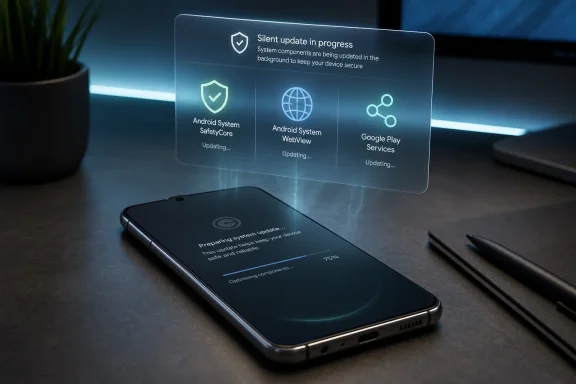
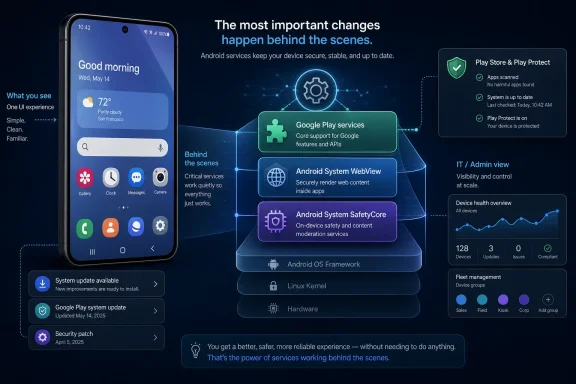
Three Google-controlled components on Samsung Galaxy phones — Android System SafetyCore, Android System WebView, and Google Play Services — had updates available on June 19, 2026, but reports found they did not reliably appear in the Play Store’s normal app-update screen. That is a small procedural failure with an outsized meaning. Android’s modular update model was supposed to make phones safer and more maintainable without waiting for carrier-tested firmware bundles. On Samsung phones, it increasingly asks ordinary users to understand a hidden second operating system living underneath One UI.
For years, the Play Store’s “Manage apps and device” page has carried an implied promise: if it says everything is updated, the user can stop thinking about updates. That promise was never technically absolute, but it was good enough for most people. The latest Samsung-Google wrinkle breaks that social contract in a way that is easy to miss because nothing visibly breaks at first.
The components involved are not niche utilities. Android System WebView renders web content inside apps. Google Play Services underpins location, notifications, account sign-in, app compatibility, wallet functions, nearby sharing, and a long list of APIs that developers treat as part of modern Android. Android System SafetyCore is newer and less visible, but it belongs to the same category of privileged, Google-maintained system plumbing.
This is not the same as missing an update to a weather app or a launcher icon pack. These packages sit in the awkward space between “app” and “OS component,” where Android’s post-Project Mainline architecture has lived for years. They can update through Google’s channels, but their status is not always surfaced where users are trained to look.
That mismatch matters because Samsung is the largest Android vendor by mindshare in many markets. When an Android update behavior is confusing on Galaxy phones, it is not an edge case. It is the mainstream Android experience.
Google’s answer was to move more of Android into updateable modules and background services. WebView was one of the early, obvious candidates because an embedded browser engine is too security-sensitive to be frozen inside a yearly firmware image. Google Play Services became the broader compatibility layer: a way for Google and app developers to rely on newer APIs even when the underlying Android version lagged.
That strategy worked. It made Android more resilient, more consistent, and less dependent on every OEM shipping perfect monthly firmware. It also meant that a modern Android phone is no longer updated through one pipeline. Samsung updates One UI and firmware. Google updates Play Services, WebView, Play Store components, Play system modules, and other background services. App developers update their own apps on top of all of it.
For an enthusiast, this is familiar terrain. For a normal Galaxy owner, it is a maze with three “update” doors and no map.
The latest reports are not an indictment of modular updates as a concept. They are evidence that the user interface has not caught up with the architecture. If Google and Samsung want system components to behave like apps when that is convenient, they cannot let them disappear from the app-update workflow when the user most needs reassurance.
Digital keys are not decorative software. They are part of the steady migration of identity, payments, transit, access control, and home automation into the phone. A failure here does not merely mean an icon crashes. It can mean the phone no longer opens a car, unlocks a supported smart lock, or behaves like the credential the user was told to trust.
Samsung has been expanding Wallet beyond payments, including home-key and identity-adjacent use cases. That makes the Play Services dependency more important, not less. The more Galaxy phones become keys, IDs, boarding passes, payment cards, and authentication devices, the less acceptable it is for the maintenance path to be opaque.
This is where the “invisible update” framing undersells the issue. The updates are invisible only until the dependent feature fails. Then the user is left debugging a Samsung feature, a Google service, a Play Store listing, a One UI settings path, and possibly a restart prompt. That is not a consumer-friendly failure mode. It is enterprise middleware cosplay on a pocket device.
That invisibility is precisely why update clarity matters. Web rendering engines are large, complex, and historically security-sensitive. On desktop Windows, browser engines are treated as critical infrastructure because they parse untrusted web content all day. The same logic applies on Android, except the browser may be embedded inside banking apps, retail apps, workplace tools, and authentication flows.
Google deserves credit for making WebView updateable outside full operating-system releases. That was a necessary evolution. But if the update is available and the most obvious Play Store update screen does not show it, the user experience regresses into scavenger-hunt territory.
The manual route — opening Settings, finding Apps, searching for Android System WebView, scrolling to “App details in store,” and checking the Play Store listing directly — is not difficult for a WindowsForum reader. It is absurd as the primary discovery mechanism for a mass-market phone. A good update system should not require users to know the package name of the browser engine inside their apps.
That vagueness creates a trust gap. Security-minded users already worry about opaque system components, especially when they relate to on-device scanning, safety classification, or content warnings. Google may have sound privacy and security arguments for the design, but trust is not built by hiding the update trail behind nested settings screens.
Samsung also has a role here. Galaxy devices layer Samsung services, Samsung account features, Samsung Wallet, Knox, SmartThings, and One UI customization on top of Google’s Android base. The result is powerful, but it is also difficult to reason about. When a SafetyCore update is available, users should not need to infer whether it is a Google app, a Samsung system component, a Play system module, or something else entirely.
The irony is that Android’s modular update model is partly designed to reduce user anxiety. Critical components can be updated quickly and quietly. But quiet is not the same as hidden. The best security updates are low-friction, not low-visibility.
The price of that partnership is shared accountability. Users do not care which corporate boundary caused the update confusion. If a Galaxy feature fails, they blame the Galaxy. If the Play Store says everything is current, they believe Google. If Samsung Wallet needs Play Services, they expect Samsung and Google to make that dependency legible.
This is familiar to Windows administrators. Microsoft has spent decades learning that update channels become support channels. Windows Update, Microsoft Store updates, Edge updates, Defender intelligence updates, driver updates, firmware updates, and Office Click-to-Run all have different mechanisms, but users still experience the result as “my PC is updated” or “my PC is broken.” Android is now living through a similar complexity curve.
The difference is that phones are less transparent than PCs. Power users can inspect Windows build numbers, driver versions, event logs, and update history with varying degrees of pain. On Android, many of the most important components are surfaced through consumer-facing settings pages that were never designed for forensic clarity.
Samsung could fix part of this in One UI by creating a consolidated system-component update dashboard. Google could fix part of it by making Play Store’s update screen more honest about components that require direct listing checks. Ideally, both would do it, because the current split makes each company look like it is waiting for the other to own the mess.
Google Play Services uses a different route on Samsung phones. Users may need to open Settings, go to Google, then All services, then System services, then Google Play Services. If an update is available, it can be triggered from there, and a reboot may be necessary for the update to fully settle.
That is useful advice, but it should not be mistaken for a healthy product design. A manual install guide is what the community writes when the platform fails to communicate. It is valuable because users need help today, but the existence of the guide is itself the evidence.
There is also a risk in training people to chase system updates manually. Enthusiasts can distinguish Play Services from random APK sites, Play system updates from Play Store app updates, and legitimate app-detail pages from suspicious sideloading prompts. Many users cannot. Any update model that pushes people outside the obvious update flow risks making them more vulnerable to bad advice and malicious “system update” downloads.
The safest instruction remains: use the device settings and the official Play Store listing, not third-party APK mirrors, unless you are deliberately accepting the risks of sideloading. But the fact that this sentence needs to be said shows how brittle the experience has become.
An admin looking at a Galaxy phone’s Android security patch date may not know whether Play Services, WebView, Play system modules, or other Google-maintained components are aligned with expected versions. That matters for regulated environments, internal app compatibility, conditional access, and incident response. If an internal app depends on WebView behavior, a stale or newly updated WebView can become a support event.
The same applies to identity and access workflows. Passkeys, device attestation, wallet credentials, proximity sharing, and notification delivery often rely on Google’s background services. When those services drift, symptoms can appear far away from the cause. A help desk ticket about a broken lock, missing push notification, or failed authentication prompt may ultimately trace back to an invisible component update.
This is not an argument against Galaxy devices in business. Samsung’s enterprise story remains strong, especially where Knox, long support windows, and hardware variety matter. It is an argument for sharper tooling. If Android’s core is now distributed across multiple update channels, management consoles and user-facing settings need to expose that reality plainly.
But hiding complexity becomes dangerous when the hidden layers require user action. The Play Store update screen tells a simple story: these apps are current, those apps are not. The Samsung-Google component model tells a more complicated story: some system packages update like apps, some update through Google settings, some update through Play system updates, some arrive with firmware, and some may not show up in the place users expect.
That gap creates an illusion of safety. A user can do the responsible thing, check for updates, see nothing pending, and still miss components that matter. The user has not failed the system. The system has failed the user.
There is a product lesson here for every platform vendor, including Microsoft. Modularization is only a win if observability follows it. Windows users know the frustration of Store apps, cumulative updates, Defender definitions, Edge updates, and OEM firmware all reporting health through different surfaces. Android’s version of the same problem is now arriving on devices whose owners have even less patience for administrative ambiguity.
A modern OS can be modular under the hood. It cannot be modular in its accountability.
The timing matters. A Samsung firmware update does not guarantee that Google Play Services advanced with it. A Play Store “all apps updated” message does not guarantee that every Google-controlled system component has been checked. A Google Play system update is related, but separate from Play Services itself.
This is the kind of nuance that power users can absorb and normal users should not have to learn. Still, ignoring it is not a strategy. The phone is already more than a phone, and the maintenance model has to be treated accordingly.
 The Update Screen Is No Longer the Whole Truth
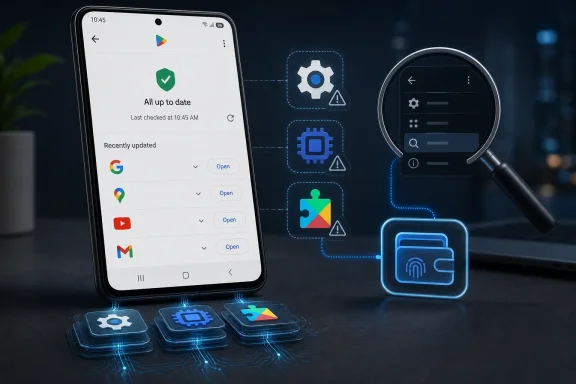
For years, the Play Store’s “Manage apps and device” page has carried an implied promise: if it says everything is updated, the user can stop thinking about updates. That promise was never technically absolute, but it was good enough for most people. The latest Samsung-Google wrinkle breaks that social contract in a way that is easy to miss because nothing visibly breaks at first.The components involved are not niche utilities. Android System WebView renders web content inside apps. Google Play Services underpins location, notifications, account sign-in, app compatibility, wallet functions, nearby sharing, and a long list of APIs that developers treat as part of modern Android. Android System SafetyCore is newer and less visible, but it belongs to the same category of privileged, Google-maintained system plumbing.
This is not the same as missing an update to a weather app or a launcher icon pack. These packages sit in the awkward space between “app” and “OS component,” where Android’s post-Project Mainline architecture has lived for years. They can update through Google’s channels, but their status is not always surfaced where users are trained to look.
That mismatch matters because Samsung is the largest Android vendor by mindshare in many markets. When an Android update behavior is confusing on Galaxy phones, it is not an edge case. It is the mainstream Android experience.
Google Solved the Old Android Problem by Creating a New One
The original sin of Android updates was fragmentation. Google would ship a platform release, silicon vendors would adapt it, OEMs would skin and test it, carriers would certify it, and users would wait. Security fixes could be delayed by months, and many lower-end devices were effectively abandoned long before the hardware stopped working.Google’s answer was to move more of Android into updateable modules and background services. WebView was one of the early, obvious candidates because an embedded browser engine is too security-sensitive to be frozen inside a yearly firmware image. Google Play Services became the broader compatibility layer: a way for Google and app developers to rely on newer APIs even when the underlying Android version lagged.
That strategy worked. It made Android more resilient, more consistent, and less dependent on every OEM shipping perfect monthly firmware. It also meant that a modern Android phone is no longer updated through one pipeline. Samsung updates One UI and firmware. Google updates Play Services, WebView, Play Store components, Play system modules, and other background services. App developers update their own apps on top of all of it.
For an enthusiast, this is familiar terrain. For a normal Galaxy owner, it is a maze with three “update” doors and no map.
The latest reports are not an indictment of modular updates as a concept. They are evidence that the user interface has not caught up with the architecture. If Google and Samsung want system components to behave like apps when that is convenient, they cannot let them disappear from the app-update workflow when the user most needs reassurance.
Samsung Wallet Shows Why Invisible Plumbing Becomes a Real-World Risk
The most concrete warning came earlier this year, when Samsung Wallet’s Digital Key feature reportedly depended on users keeping Google Play Services current. Samsung had been notifying some users that Digital Key might stop working if Play Services remained outdated. That is a remarkable dependency chain: a Samsung-branded wallet feature, managing access to cars or smart locks, can be affected by a Google component that may not appear in the standard update list.Digital keys are not decorative software. They are part of the steady migration of identity, payments, transit, access control, and home automation into the phone. A failure here does not merely mean an icon crashes. It can mean the phone no longer opens a car, unlocks a supported smart lock, or behaves like the credential the user was told to trust.
Samsung has been expanding Wallet beyond payments, including home-key and identity-adjacent use cases. That makes the Play Services dependency more important, not less. The more Galaxy phones become keys, IDs, boarding passes, payment cards, and authentication devices, the less acceptable it is for the maintenance path to be opaque.
This is where the “invisible update” framing undersells the issue. The updates are invisible only until the dependent feature fails. Then the user is left debugging a Samsung feature, a Google service, a Play Store listing, a One UI settings path, and possibly a restart prompt. That is not a consumer-friendly failure mode. It is enterprise middleware cosplay on a pocket device.
WebView Is the Everyday Component Nobody Thinks About
If Play Services is the Android dependency layer, WebView is the component users encounter without knowing its name. When an app opens a login page, help article, checkout screen, support chat, or embedded web flow without launching a full browser, WebView may be doing the rendering. It is one of those pieces of software whose success is measured by how completely it disappears.That invisibility is precisely why update clarity matters. Web rendering engines are large, complex, and historically security-sensitive. On desktop Windows, browser engines are treated as critical infrastructure because they parse untrusted web content all day. The same logic applies on Android, except the browser may be embedded inside banking apps, retail apps, workplace tools, and authentication flows.
Google deserves credit for making WebView updateable outside full operating-system releases. That was a necessary evolution. But if the update is available and the most obvious Play Store update screen does not show it, the user experience regresses into scavenger-hunt territory.
The manual route — opening Settings, finding Apps, searching for Android System WebView, scrolling to “App details in store,” and checking the Play Store listing directly — is not difficult for a WindowsForum reader. It is absurd as the primary discovery mechanism for a mass-market phone. A good update system should not require users to know the package name of the browser engine inside their apps.
SafetyCore Brings the Trust Problem Into Sharper Focus
Android System SafetyCore is less familiar than WebView or Play Services, which makes its update behavior more sensitive. Google describes its system-service updates as improving security, reliability, and feature delivery across Android devices, and SafetyCore has been associated with safety-related Android features. But the average user sees a system-sounding app with a vague name and little changelog detail.That vagueness creates a trust gap. Security-minded users already worry about opaque system components, especially when they relate to on-device scanning, safety classification, or content warnings. Google may have sound privacy and security arguments for the design, but trust is not built by hiding the update trail behind nested settings screens.
Samsung also has a role here. Galaxy devices layer Samsung services, Samsung account features, Samsung Wallet, Knox, SmartThings, and One UI customization on top of Google’s Android base. The result is powerful, but it is also difficult to reason about. When a SafetyCore update is available, users should not need to infer whether it is a Google app, a Samsung system component, a Play system module, or something else entirely.
The irony is that Android’s modular update model is partly designed to reduce user anxiety. Critical components can be updated quickly and quietly. But quiet is not the same as hidden. The best security updates are low-friction, not low-visibility.
The Samsung-Google Partnership Is Becoming a Shared Support Burden
Samsung and Google have spent the last several years moving closer. Google Messages became the default messaging path on many Galaxy devices. Samsung has leaned into Google’s Android ecosystem while maintaining its own services layer. Google benefits from Samsung’s scale; Samsung benefits from Google’s app ecosystem, AI stack, and services infrastructure.The price of that partnership is shared accountability. Users do not care which corporate boundary caused the update confusion. If a Galaxy feature fails, they blame the Galaxy. If the Play Store says everything is current, they believe Google. If Samsung Wallet needs Play Services, they expect Samsung and Google to make that dependency legible.
This is familiar to Windows administrators. Microsoft has spent decades learning that update channels become support channels. Windows Update, Microsoft Store updates, Edge updates, Defender intelligence updates, driver updates, firmware updates, and Office Click-to-Run all have different mechanisms, but users still experience the result as “my PC is updated” or “my PC is broken.” Android is now living through a similar complexity curve.
The difference is that phones are less transparent than PCs. Power users can inspect Windows build numbers, driver versions, event logs, and update history with varying degrees of pain. On Android, many of the most important components are surfaced through consumer-facing settings pages that were never designed for forensic clarity.
Samsung could fix part of this in One UI by creating a consolidated system-component update dashboard. Google could fix part of it by making Play Store’s update screen more honest about components that require direct listing checks. Ideally, both would do it, because the current split makes each company look like it is waiting for the other to own the mess.
Manual Updates Are a Workaround, Not a Strategy
The reported manual paths are straightforward once you know them. For WebView and SafetyCore, users can go through Settings, Apps, search for the component, open its app info page, and jump to its Play Store listing through “App details in store.” If an update button appears, install it. If the listing says “Open,” the component is likely current for that device and channel.Google Play Services uses a different route on Samsung phones. Users may need to open Settings, go to Google, then All services, then System services, then Google Play Services. If an update is available, it can be triggered from there, and a reboot may be necessary for the update to fully settle.
That is useful advice, but it should not be mistaken for a healthy product design. A manual install guide is what the community writes when the platform fails to communicate. It is valuable because users need help today, but the existence of the guide is itself the evidence.
There is also a risk in training people to chase system updates manually. Enthusiasts can distinguish Play Services from random APK sites, Play system updates from Play Store app updates, and legitimate app-detail pages from suspicious sideloading prompts. Many users cannot. Any update model that pushes people outside the obvious update flow risks making them more vulnerable to bad advice and malicious “system update” downloads.
The safest instruction remains: use the device settings and the official Play Store listing, not third-party APK mirrors, unless you are deliberately accepting the risks of sideloading. But the fact that this sentence needs to be said shows how brittle the experience has become.
Enterprises Should Treat This as a Manageability Signal
For enterprise IT, the immediate practical impact depends on fleet policy. A managed Galaxy fleet may already restrict updates, enforce Play Protect, use enterprise mobility management, or standardize firmware baselines. But the larger signal is still important: Android compliance cannot be reduced to the visible OS patch level.An admin looking at a Galaxy phone’s Android security patch date may not know whether Play Services, WebView, Play system modules, or other Google-maintained components are aligned with expected versions. That matters for regulated environments, internal app compatibility, conditional access, and incident response. If an internal app depends on WebView behavior, a stale or newly updated WebView can become a support event.
The same applies to identity and access workflows. Passkeys, device attestation, wallet credentials, proximity sharing, and notification delivery often rely on Google’s background services. When those services drift, symptoms can appear far away from the cause. A help desk ticket about a broken lock, missing push notification, or failed authentication prompt may ultimately trace back to an invisible component update.
This is not an argument against Galaxy devices in business. Samsung’s enterprise story remains strong, especially where Knox, long support windows, and hardware variety matter. It is an argument for sharper tooling. If Android’s core is now distributed across multiple update channels, management consoles and user-facing settings need to expose that reality plainly.
The Real Bug Is the Illusion of Simplicity
The smartphone industry has spent years hiding complexity in the name of convenience. Most of the time, that is good design. Nobody wants to manage dependencies manually on a device they use to pay for coffee, unlock a door, message family, and approve work logins.But hiding complexity becomes dangerous when the hidden layers require user action. The Play Store update screen tells a simple story: these apps are current, those apps are not. The Samsung-Google component model tells a more complicated story: some system packages update like apps, some update through Google settings, some update through Play system updates, some arrive with firmware, and some may not show up in the place users expect.
That gap creates an illusion of safety. A user can do the responsible thing, check for updates, see nothing pending, and still miss components that matter. The user has not failed the system. The system has failed the user.
There is a product lesson here for every platform vendor, including Microsoft. Modularization is only a win if observability follows it. Windows users know the frustration of Store apps, cumulative updates, Defender definitions, Edge updates, and OEM firmware all reporting health through different surfaces. Android’s version of the same problem is now arriving on devices whose owners have even less patience for administrative ambiguity.
A modern OS can be modular under the hood. It cannot be modular in its accountability.
The Galaxy Owner’s New Update Ritual Is Annoying but Sensible
Until Samsung and Google clean this up, the practical advice is modest: Galaxy owners should occasionally check the hidden system components directly, especially after a major One UI update or when Samsung Wallet, authentication, embedded web pages, location, or notifications behave strangely. This should not become a daily ritual. It should become part of the troubleshooting muscle memory for users who depend on their phone as infrastructure.The timing matters. A Samsung firmware update does not guarantee that Google Play Services advanced with it. A Play Store “all apps updated” message does not guarantee that every Google-controlled system component has been checked. A Google Play system update is related, but separate from Play Services itself.
This is the kind of nuance that power users can absorb and normal users should not have to learn. Still, ignoring it is not a strategy. The phone is already more than a phone, and the maintenance model has to be treated accordingly.
The Three Hidden Updates Tell Galaxy Users Where Android Is Heading
The immediate checklist is short, but the strategic lesson is bigger. Samsung phones are now maintained by a layered update model, and the visible Play Store queue is only one layer of it.- Android System WebView, Android System SafetyCore, and Google Play Services may need direct checks even when the Play Store’s normal update page reports nothing pending.
- Google Play Services is separate from Google Play system updates, and updating one does not prove the other is current.
- Samsung Wallet’s Digital Key warning earlier in 2026 showed that a Samsung feature can depend on a Google component being up to date.
- WebView deserves attention because it renders web content inside many everyday apps, including login, payment, and support flows.
- Galaxy owners should use Settings and official Play Store pages for these checks, not random APK downloads or third-party update prompts.
- Samsung and Google need a unified system-component update surface if they expect users to trust phones as keys, wallets, IDs, and security devices.
References
- Primary source: MakeUseOf
Published: Fri, 19 Jun 2026 20:34:19 GMT
3 invisible Google updates on every Samsung phone, including 1 app you use every day
If you surf the web on your phone, this could have major implications. www.makeuseof.com
- Independent coverage: Gadget Hacks
Published: Fri, 19 Jun 2026 20:18:52 GMT
Samsung Phone Google App Updates Not Showing in Play Store—Manual Install Guide << Samsung :: Gadget Hacks
Three Google system components on Samsung Galaxy phones have pending updates that do not appear on the Play Store's "Manage apps &amp; device" screen, the... samsung.gadgethacks.com
- Related coverage: androidauthority.com
Your Galaxy phone could lose a key Samsung Wallet feature if you don't update Play Services
Samsung Wallet users must ensure updating Google Play Services on their Galaxy devices to continue using this key feature.www.androidauthority.com - Related coverage: androidcentral.com
This Samsung Wallet feature might stop working if you don't update Play Services | Android Central
Samsung Wallet users need to update Play Services to keep the Digital Key feature working.www.androidcentral.com - Related coverage: sammobile.com
New Google Play services, Android System WebView updates now available for Samsung phones - SamMobile
Google has released updates for Google Play services and Android System WebView and they are now available for Samsung phones. - SamMobilewww.sammobile.com - Related coverage: mojotrick.com
Outdated Google Play Services may impact Samsung Wallet Digital Key support - MOJO Trick
Samsung has informed Galaxy phone users about an important update requirement for the Samsung Wallet app via a notice...www.mojotrick.com
- Related coverage: technerdiness.com
Google System Updates for June 2026: Everything New on Android - Tech Nerdiness
Google’s June 2026 System Updates bring password and passkey portability, Play Store improvements, and critical Android security fixes. Here’s everything that’s new.www.technerdiness.com - Related coverage: sammyfans.com
Samsung Wallet faces feature cut on legacy Google Play Services versions
Samsung Wallet may lose the Digital Key feature on outdated Google Play services versions. In a new notice issued today, Samsung has requested Galaxy users to update Google Play services on their phones to retain Digital Key. Digital Key is an effective solution that eliminates the needs of...www.sammyfans.com - Related coverage: techbook.de
Diese Samsung-Funktion könnte bald wegfallen
Samsung warnt vor Einschränkungen der Wallet. Ohne Update der Google Play Services könnte die wichtige Digital-Key-Funktion entfallen. www.techbook.de
- Official source: 9to5google.com
What’s new in Android's June 2026 Google System Updates: WhatsApp backups
The monthly “Google System Release Notes” primarily detail what’s new in Play services, Play Store, and Play system update across...9to5google.com - Related coverage: tomsguide.com
Samsung Wallet just matched Apple Wallet and Google Wallet on digital passports | Tom's Guide
You can finally use your Samsung Wallet to bypass airport security with your passport — here's what you need to know.www.tomsguide.com - Official source: support.google.com

Google system services release notes - Help
Google system services updates make your Android devices more secure and reliable, and give you new and useful features. They include updates from Google to the Android operating system, Google Play S
support.google.com
- Related coverage: thetechoutlook.com
Google’s June 2026 security bulletin: 124 vulnerabilities fixed, including a high-severity framework flaw affecting Android 14, 15 & 16 devices - The Tech Outlook
Google has officially released the Android Security Bulletin for June 2026, which patches 124 vulnerabilities, including a most severe critical security vulnerability. Android Security Bulletin: June 2026 The security patch level released on June 1 contains Framework, System and Google Play...www.thetechoutlook.com - Related coverage: techrepublic.com
Google Adds New Android Controls for WhatsApp Backups, Password Transfers
Google’s June 2026 Android system updates add WhatsApp backup controls, Play Protect checks, passkey portability, and Play Store AI search.www.techrepublic.com
- Related coverage: source.android.com
- Related coverage: appdefensealliance.dev