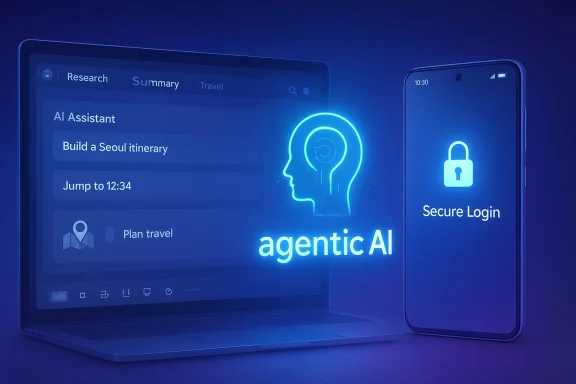
Samsung has moved its browser strategy from a mobile-first convenience play to a much broader platform bet, officially launching Samsung Browser for Windows with agentic AI features and deep device continuity. The timing matters: this is not merely another desktop browser arrival, but Samsung’s clearest signal yet that the company wants its browser to become a bridge between Galaxy phones, Windows PCs, and its growing AI stack. The new release follows a beta program that began on October 30, 2025, and it arrives with cross-device resume, Samsung Pass integration, and AI tools aimed at turning browsing into an assisted workflow rather than a passive activity
Samsung’s browser move is best understood as part of a wider ecosystem strategy that has accelerated through 2025 and into 2026. The company has steadily pushed Galaxy AI, multimodal features, and more proactive experiences across phones, tablets, watches, and now PCs, with One UI 8 and One UI 8.5 serving as the software backbone for that expansion
The Windows launch is particularly notable because browsers sit at the center of modern computing. They are where users research, shop, sign in, compare tabs, and increasingly interact with AI features. By bringing Samsung Internet to PC, Samsung is not simply extending a product; it is trying to own a larger share of the user’s daily digital flow, from mobile browsing on the couch to desktop browsing at work
That ambition also explains why Samsung is leaning hard into agentic AI language. In the company’s framing, the browser is no longer only a window to the web, but a task partner that can search history in natural language, summarize across tabs, and help users recover context faster than manual navigation would allow
The move arrives in a market where browser differentiation is increasingly about workflow intelligence, not just rendering speed. Chrome, Edge, Safari, and Arc-style challengers have all tried to make browsing more contextual, but Samsung’s edge lies in tying the browser directly into Galaxy account infrastructure and Samsung Pass while extending that experience to Windows machines used by the same customer base
The release version keeps that message but sharpens it. Instead of positioning the browser as a standalone desktop product, Samsung presents it as a continuation of the Galaxy experience. That makes sense strategically: the company already has millions of users whose phones, tablets, and wearables are locked into Samsung accounts, so the browser can piggyback on existing trust and sign-in habits
This is a platform extension, not an isolated app launch. Samsung is trying to make browser adoption easier by making it feel native to the larger Galaxy ecosystem rather than like a new tool users must separately justify
That matters especially in mixed-device households and offices where Android phones coexist with Windows desktops. Samsung does not need to win the PC market to benefit; it only needs to be the browser that makes the handoff between devices feel almost invisible.
A subtle but important point is that Samsung is not just synchronizing content. It is synchronizing context. That is a stronger lock-in strategy because the browser becomes a memory layer, not just a file sync tool.
The security angle is crucial because password managers and autofill systems are only as good as their integration quality and authentication controls. Samsung’s Windows release notes indicate that Samsung Pass now requires verification using the Windows sign-in method for enhanced security, which suggests the company is trying to align convenience with stronger local authentication
That is a smart move. It reduces the risk that a synced credential store becomes a soft target, and it also makes the browser feel more at home on Windows rather than like a mobile port with loose assumptions about identity.
That shift is important because browsing history is one of the most underused productivity assets on a PC. If Samsung makes it genuinely easier to query past sessions in plain language, the browser becomes materially more useful than a standard tabbed interface.
The same applies to multi-tab analysis. The promise of summarizing and comparing multiple pages at once is appealing in research, shopping, travel planning, and technical work. It reduces the cognitive tax of switching tabs and manually extracting points of comparison.
That distinction matters. Users may be drawn to the marketing term, but the actual value will depend on reliability, latency, and whether Samsung’s AI consistently finds the right page rather than just a plausible one.
There is also a defensive angle. Browsers are increasingly becoming the front door to AI services. If Samsung leaves the browser layer entirely to third parties, it risks letting competitors define how its users search, compare, and summarize content. Owning the browser means owning more of the interaction model.
That is why the launch should be read as a strategic hedge against dependency on other software ecosystems. Samsung wants Galaxy users to feel that their devices are more useful when they remain inside Samsung’s orbit.
That will not topple the giants, but it may be enough to matter where Samsung already has brand trust. The company does not need to win everyone. It needs to win enough of its own customers to make the browser sticky.
That kind of convenience can be genuinely compelling if it works well. If Samsung’s AI and sync layer remain fast and reliable, the browser could become a habit-forming part of daily life.
But the browser still has to prove itself against polished incumbents. Users who already rely on Chrome profiles, Edge collections, or other synced environments will not switch for novelty alone. Samsung will need consistency, speed, and a compelling AI assistant experience that feels useful rather than gimmicky.
The company’s move to tie Samsung Pass verification to Windows sign-in hints at an effort to align more closely with enterprise expectations, but browser-level trust in corporate environments is earned slowly. Features that delight consumers can create governance headaches for IT.
Samsung’s differentiator is that it arrives with a hardware brand and a mobile ecosystem that is already deeply embedded in consumer life. That means its browser can be sold less like software and more like a natural extension of devices users already own.
Still, Samsung’s challenge is adoption. Users may applaud the idea of a smarter browser while sticking with their current defaults out of habit. Browser defaults are among the hardest behaviors to change because they are tied to search engines, passwords, extensions, and saved sessions.
That is the kind of slow-burn ecosystem play that can become more important over time than a splashy launch suggests.
The real question is whether Samsung can translate its hardware ecosystem strength into durable browser engagement. If the browser becomes the easiest way for Galaxy owners to move between phones and PCs, it could quietly become one of Samsung’s most valuable software assets.
What to watch next:
Source: ET CIO Samsung launches Samsung Browser for Windows with agentic AI features
 Overview
Samsung’s browser move is best understood as part of a wider ecosystem strategy that has accelerated through 2025 and into 2026. The company has steadily pushed Galaxy AI, multimodal features, and more proactive experiences across phones, tablets, watches, and now PCs, with One UI 8 and One UI 8.5 serving as the software backbone for that expansionThe Windows launch is particularly notable because browsers sit at the center of modern computing. They are where users research, shop, sign in, compare tabs, and increasingly interact with AI features. By bringing Samsung Internet to PC, Samsung is not simply extending a product; it is trying to own a larger share of the user’s daily digital flow, from mobile browsing on the couch to desktop browsing at work
That ambition also explains why Samsung is leaning hard into agentic AI language. In the company’s framing, the browser is no longer only a window to the web, but a task partner that can search history in natural language, summarize across tabs, and help users recover context faster than manual navigation would allow
The move arrives in a market where browser differentiation is increasingly about workflow intelligence, not just rendering speed. Chrome, Edge, Safari, and Arc-style challengers have all tried to make browsing more contextual, but Samsung’s edge lies in tying the browser directly into Galaxy account infrastructure and Samsung Pass while extending that experience to Windows machines used by the same customer base
What Samsung Actually Launched
The official launch of Samsung Browser for Windows takes the product beyond beta and into mainstream availability. Samsung says the Windows version is available on Windows 11 and Windows 10 version 1809 and above, with agentic AI features supported in the United States and South Korea, and further market expansion expected laterFrom beta to release
The path to this launch was deliberate. Samsung first introduced Samsung Internet for PC as a beta in October 2025, signaling that the company was testing the waters before committing to a full rollout. That beta framed the product as part of Samsung’s broader ambient AI vision, which is code for making software anticipate needs rather than merely respond to commandsThe release version keeps that message but sharpens it. Instead of positioning the browser as a standalone desktop product, Samsung presents it as a continuation of the Galaxy experience. That makes sense strategically: the company already has millions of users whose phones, tablets, and wearables are locked into Samsung accounts, so the browser can piggyback on existing trust and sign-in habits
This is a platform extension, not an isolated app launch. Samsung is trying to make browser adoption easier by making it feel native to the larger Galaxy ecosystem rather than like a new tool users must separately justify
Cross-Device Continuity as the Core Hook
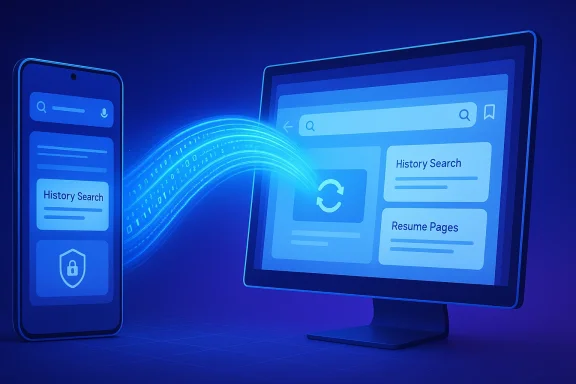
Samsung’s strongest selling point is not AI alone. It is the promise that users can move from a Galaxy phone to a Windows PC without losing their place, their history, or their identity. The browser syncs bookmarks and history and lets users resume webpages where they left off, which is now table stakes for a modern ecosystem browser but still valuable when done cleanlyWhy continuity matters
Continuity is one of those features that users only fully appreciate once it fails. If a browser can reliably resume a research session, a shopping comparison, or a long-form reading thread, it becomes harder to abandon. Samsung is betting that this friction reduction will keep Galaxy owners inside the Samsung orbit even when they sit down at a non-Samsung PCThat matters especially in mixed-device households and offices where Android phones coexist with Windows desktops. Samsung does not need to win the PC market to benefit; it only needs to be the browser that makes the handoff between devices feel almost invisible.
A subtle but important point is that Samsung is not just synchronizing content. It is synchronizing context. That is a stronger lock-in strategy because the browser becomes a memory layer, not just a file sync tool.
- Bookmarks follow the user.
- History follows the user.
- Open pages can be resumed across devices.
- The browser tries to preserve the thread of work, not just the data.
Enterprise and consumer impact
For consumers, the benefit is obvious: less interruption, fewer duplicate searches, and easier pickup after switching devices. For enterprises, the implication is more complicated. Browser continuity can improve productivity, but it also raises questions about managed sign-ins, cross-device data governance, and whether IT departments want a consumer-branded browser handling work sessions across personal and corporate devicesSamsung Pass and Identity as a Trust Layer
Samsung Pass integration is another central pillar of the release. Samsung says the browser supports secure storage of login credentials and personal information for autofill and sign-in across devices, reinforcing the notion that identity, not just bookmarks, is part of the experiencePasswordless behavior without the buzzwords
What Samsung is really selling here is convenience wrapped in trust language. If a user can access saved logins consistently on Windows and Android, the browser becomes more useful, and the Galaxy account becomes more valuable. That creates a reinforcing loop: the more Samsung services you use, the less incentive you have to leave them.The security angle is crucial because password managers and autofill systems are only as good as their integration quality and authentication controls. Samsung’s Windows release notes indicate that Samsung Pass now requires verification using the Windows sign-in method for enhanced security, which suggests the company is trying to align convenience with stronger local authentication
That is a smart move. It reduces the risk that a synced credential store becomes a soft target, and it also makes the browser feel more at home on Windows rather than like a mobile port with loose assumptions about identity.
- Better sign-in continuity.
- Reduced password fatigue.
- Stronger device-bound verification.
- More reasons to remain in the Samsung ecosystem.
Why this is strategically important
Identity services are sticky. Once users store credentials, profiles, and preferences in a system, switching costs climb quickly. Samsung understands that the browser is one of the most effective places to anchor those habits because it sits at the center of everyday authentication and web activity.Agentic AI Is the Differentiator Samsung Wants
The headline feature is agentic AI, which Samsung is using to describe browser behaviors that go beyond passive assistance. The browser can search browsing history using natural language, find relevant pages without manual keyword hunting, and summarize or compare content across multiple tabs to surface key information fasterHistory search becomes search by intent
This is more than a cosmetic update. Traditional browser history tools assume users remember the title, domain, or rough timing of a page. Samsung’s AI approach tries to let users search by intent instead: the smartwatch I looked at last week, the article comparing two laptops, the recipe I opened on Tuesday.That shift is important because browsing history is one of the most underused productivity assets on a PC. If Samsung makes it genuinely easier to query past sessions in plain language, the browser becomes materially more useful than a standard tabbed interface.
The same applies to multi-tab analysis. The promise of summarizing and comparing multiple pages at once is appealing in research, shopping, travel planning, and technical work. It reduces the cognitive tax of switching tabs and manually extracting points of comparison.
What “agentic” really means here
The term agentic AI is being used broadly across the industry, and Samsung’s implementation should be viewed with that in mind. This is not autonomous web navigation in the sci-fi sense. It is closer to an intelligent browser assistant that helps users recover, compare, and summarize information more efficientlyThat distinction matters. Users may be drawn to the marketing term, but the actual value will depend on reliability, latency, and whether Samsung’s AI consistently finds the right page rather than just a plausible one.
- Natural-language history search.
- Multi-tab summarization.
- Faster retrieval of previously viewed pages.
- Reduced manual tab-hunting.
Why Samsung Is Doing This Now
Samsung’s browser strategy makes more sense when viewed alongside its broader AI push throughout 2025 and early 2026. The company has been extending multimodal features through One UI, refining Galaxy AI experiences, and even upgrading Bixby into a conversational device agent that can interpret plain-language requestsA connected AI stack
The browser launch looks like another layer in that stack. Bixby handles device control, Galaxy AI handles broader user tasks, and Samsung Browser for Windows handles the web layer where a huge share of modern work happens. Put together, those layers make Samsung look less like a hardware vendor and more like an integrated experience company.There is also a defensive angle. Browsers are increasingly becoming the front door to AI services. If Samsung leaves the browser layer entirely to third parties, it risks letting competitors define how its users search, compare, and summarize content. Owning the browser means owning more of the interaction model.
That is why the launch should be read as a strategic hedge against dependency on other software ecosystems. Samsung wants Galaxy users to feel that their devices are more useful when they remain inside Samsung’s orbit.
Competitive implications
The competitive message is subtle but real. Chrome has scale, Edge has deep Windows integration, and Safari owns the Apple world. Samsung is trying to carve out a fourth lane: a browser that is deeply aware of mobile-device identity and PC continuity within a Samsung-centric ecosystem.That will not topple the giants, but it may be enough to matter where Samsung already has brand trust. The company does not need to win everyone. It needs to win enough of its own customers to make the browser sticky.
What It Means for Windows Users
For Windows users, the launch is interesting because it adds another browser option optimized for users who already live in Samsung’s hardware universe. It could be especially attractive for Galaxy phone owners who spend hours on Windows PCs and want fewer context switches between devicesConsumer convenience
The consumer value proposition is straightforward. You open a page on your phone, move to your laptop, and continue. You save a password once and sign in across devices. You ask the browser to help find a page in your history without remembering the exact terms, and it tries to interpret what you meant.That kind of convenience can be genuinely compelling if it works well. If Samsung’s AI and sync layer remain fast and reliable, the browser could become a habit-forming part of daily life.
But the browser still has to prove itself against polished incumbents. Users who already rely on Chrome profiles, Edge collections, or other synced environments will not switch for novelty alone. Samsung will need consistency, speed, and a compelling AI assistant experience that feels useful rather than gimmicky.
Business and IT considerations
For businesses, the browser may be useful on Samsung-managed fleets or in BYOD scenarios where employees use Galaxy phones with Windows laptops. Even there, adoption will likely depend on how Samsung handles security controls, policy management, and data boundaries.The company’s move to tie Samsung Pass verification to Windows sign-in hints at an effort to align more closely with enterprise expectations, but browser-level trust in corporate environments is earned slowly. Features that delight consumers can create governance headaches for IT.
- Good for mixed-device workflows.
- Potentially useful in BYOD settings.
- Requires stronger enterprise administration to scale widely.
- Will face scrutiny on data handling and sync behavior.
The Broader Browser Market Reaction
Samsung’s entry into Windows browsing may not shake the market immediately, but it does add pressure to an already crowded field. Browser vendors increasingly compete on embedded AI, cross-device sync, and identity management, not merely on standards compliance or page load performance.A crowded but evolving category
The browser market has become a battleground for workflow integration. Microsoft wants Edge to be the best Windows companion, Google wants Chrome to stay universal, Apple wants Safari to anchor its ecosystem, and smaller challengers are racing to differentiate through design and automation.Samsung’s differentiator is that it arrives with a hardware brand and a mobile ecosystem that is already deeply embedded in consumer life. That means its browser can be sold less like software and more like a natural extension of devices users already own.
Still, Samsung’s challenge is adoption. Users may applaud the idea of a smarter browser while sticking with their current defaults out of habit. Browser defaults are among the hardest behaviors to change because they are tied to search engines, passwords, extensions, and saved sessions.
Why rivals should care
Rivals should care because Samsung is targeting one of the few browser feature sets that can genuinely move users: continuity and memory across devices. If those features work reliably, Samsung can quietly accumulate loyalty without needing to beat Chrome or Edge in raw market share.That is the kind of slow-burn ecosystem play that can become more important over time than a splashy launch suggests.
Strengths and Opportunities
Samsung’s launch has several clear strengths. The strongest is that it solves a real cross-device problem for a user base the company already knows well. It also aligns the browser with the broader Galaxy AI story, which gives Samsung a coherent narrative across phones, tablets, and PCs.- Seamless continuity between mobile and Windows devices.
- Samsung Pass integration for credentials and autofill.
- Agentic AI features that reduce manual browsing work.
- A stronger tie-in to the Galaxy ecosystem.
- A differentiated story for Galaxy phone owners who use Windows PCs.
- Potentially strong appeal in mixed-device homes and BYOD work scenarios.
- A path to future AI expansion as the browser matures.
Risks and Concerns
The risks are just as real. Samsung has to prove that its AI features are useful every day, not just impressive in demos. It also has to reassure users that sync, history, and credential handling remain secure and transparent across devices and operating systems.- AI accuracy could become a pain point if history search or tab summaries miss context.
- Privacy concerns may grow if users feel too much browsing data is being centralized.
- Enterprise adoption may lag without deeper admin controls.
- Limited initial availability could slow momentum outside the U.S. and Korea.
- User inertia will be difficult to overcome against entrenched browsers.
- Feature fragmentation across regions may confuse customers.
- The agentic AI label could overpromise if the practical experience is modest.
Looking Ahead
The next phase will be about expansion, polish, and trust. Samsung says broader market rollout is expected later, and that will be a key test of whether this is a niche ecosystem tool or a more ambitious global browser platformThe real question is whether Samsung can translate its hardware ecosystem strength into durable browser engagement. If the browser becomes the easiest way for Galaxy owners to move between phones and PCs, it could quietly become one of Samsung’s most valuable software assets.
What to watch next:
- Expansion to additional countries beyond the initial supported markets.
- Whether Samsung adds more advanced agentic AI browsing actions.
- Performance and stability of cross-device resume in real-world use.
- Enterprise policy support for managed Windows environments.
- User adoption among Galaxy phone owners who already use Windows daily.
Source: ET CIO Samsung launches Samsung Browser for Windows with agentic AI features