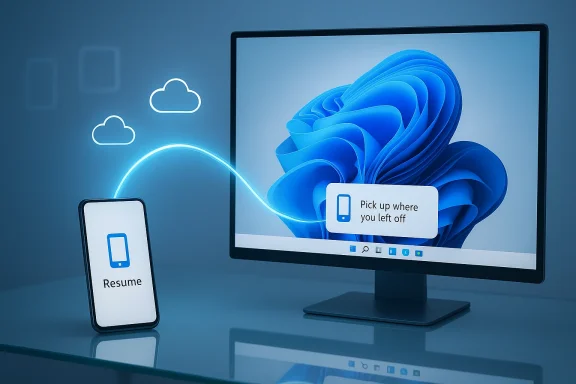
Windows 11’s new Resume feature is a welcome step toward the seamless cross-device workflow Apple users have enjoyed for years with Handoff, but the current implementation is uneven, limited in scope, and still far from the polished, two-way continuity experience many people expect.
Apple’s Handoff and Microsoft’s Resume (part of the broader Phone Link/Continuity toolset) aim to solve the same basic problem: let you start work on one device and pick it up on another without fuss. For macOS and iOS, Handoff has been a baked-in part of the Continuity suite for more than a decade, enabling fluid app-level transitions across Safari, Mail, iWork, FaceTime, and many third‑party apps. For Windows, the road has been bumpier: Phone Link evolved from “Your Phone” into a toolbox that covers notifications, messaging, phone screen streaming, hotspot and webcam functionality, and, now, attempts at app-level resume.
Microsoft’s Restart/Resume effort — variously labeled Cross‑Device Resume, Task Continuity, and exposed through the Phone Link ecosystem — is designed to surface a contextual task on the Windows taskbar annotated with a phone badge. Clicking the badge should open a desktop handler (native app or web fallback) so you can continue the activity you began on your Android device. That single-click promise is exactly the kind of micro-friction removal users want — when it works.
Key practical prerequisites:
What Resume currently does:
Common practical issues observed in the field:
Why Handoff works:
This evolution shows a clear roadmap:
Other security considerations:
However, the broader population faces barriers:
For Microsoft, failing to deliver a predictable, cross-platform continuity story risks:
But the user experience is still inconsistent, the app ecosystem is thin compared to Apple, and the necessity of OEM and developer cooperation leaves large gaps in coverage. Resume looks and feels like a feature in active development: useful for certain scenarios and devices but not yet ready to be called a true competitor to Apple’s Handoff.
Microsoft can close the gap, but it needs to act on three fronts: deepen OEM partnerships, lower the developer integration barrier, and expand the two-way continuity model. Those moves will change Resume from a promising experiment into a reliable productivity feature that Windows users can depend on.
Source: PCMag UK Do Better, Microsoft: Windows 11's Resume Feature Can't Touch Apple's Handoff
 Background: where Resume fits in the cross-device puzzle
Apple’s Handoff and Microsoft’s Resume (part of the broader Phone Link/Continuity toolset) aim to solve the same basic problem: let you start work on one device and pick it up on another without fuss. For macOS and iOS, Handoff has been a baked-in part of the Continuity suite for more than a decade, enabling fluid app-level transitions across Safari, Mail, iWork, FaceTime, and many third‑party apps. For Windows, the road has been bumpier: Phone Link evolved from “Your Phone” into a toolbox that covers notifications, messaging, phone screen streaming, hotspot and webcam functionality, and, now, attempts at app-level resume.Microsoft’s Restart/Resume effort — variously labeled Cross‑Device Resume, Task Continuity, and exposed through the Phone Link ecosystem — is designed to surface a contextual task on the Windows taskbar annotated with a phone badge. Clicking the badge should open a desktop handler (native app or web fallback) so you can continue the activity you began on your Android device. That single-click promise is exactly the kind of micro-friction removal users want — when it works.
How Resume works today: the mechanics and limits
System requirements and setup
To use the current Resume feature you need a Windows 11 PC and a compatible Android device with the Link to Windows (also known as “Link to Windows” / LTW) integration or app installed. Android must be version 10 or later, and device support is uneven: Microsoft currently lists specific OEMs and models as eligible for deeper continuity features. On the PC side, Resume lives under Settings → Apps → Resume, where you can toggle the capability and control which supported apps are allowed to surface.Key practical prerequisites:
- Windows 11 PC with Phone Link / Link to Windows connectivity enabled and the mobile device linked.
- Android 10+ phone with Link to Windows available or pre-installed (Samsung, Honor, Oppo, Vivo, Xiaomi and selected models are prioritized).
- Internet connection and an active Microsoft account on the PC for linking and service integration.
What Resume can do (and what it currently cannot)
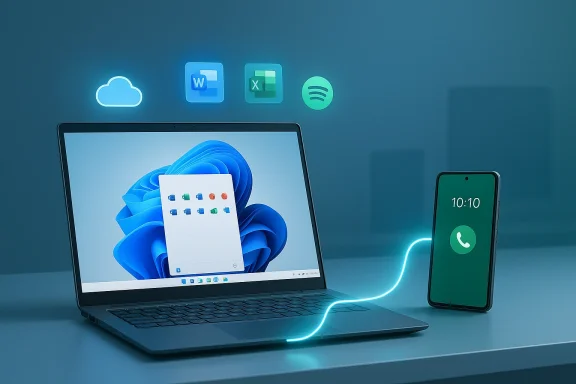
At present, Resume is limited to a small and growing set of scenarios. Early builds relied heavily on OneDrive-backed documents (Word, Excel, PowerPoint opened from OneDrive), where the state is cloud-persisted and handoff is essentially a cloud-open operation on the desktop. More recent expansions show Microsoft adding Spotify playback handoff and browser continuation for certain OEM browsers (for example, Vivo’s browser) — and Microsoft’s documentation now references Microsoft 365 Copilot and specific OEMs supporting resume for cloud-backed files.What Resume currently does:
- Surface a task badge on the Windows taskbar annotated with a phone icon.
- Open the corresponding desktop app (or web fallback) to continue the activity when clicked.
- Allow users to enable/disable Resume globally or per supported app.
- Provide universal app support across Android apps and third-party ecosystems.
- Offer two‑way handoff (desktop → mobile), which is a hallmark of Apple’s Handoff.
- Guarantee consistent behavior across all Android devices because the feature depends on OEM integration and the Link to Windows stack.
Real-world behavior: trial, error, and edge cases
Testing cross-device continuity is deceptively simple until you hit the edge cases. Resume’s current behavior can vary by PC settings, notification state, and device model. Users have reported needing to verify system notifications, toggle Resume permissions, or even lock and unlock the PC to see the continuation prompt. In my own checks, the taskbar badge appears when the mobile app publishes a valid “app context” via the Continuity SDK; when any of those pieces don’t line up, the prompt does not appear.Common practical issues observed in the field:
- Notification settings: If system notifications are disabled on the PC, Resume prompts may be suppressed.
- Timing windows: Some implementations require the activity to be recent and the app context to be live when the PC becomes active.
- App integration gaps: Native desktop handlers must exist and be registered; otherwise, Resume falls back to a browser or fails to surface useful state.
- OEM variance: Because part of Resume’s trigger mechanism relies on manufacturer-level Link to Windows support, functionality differs significantly across Android vendors and models.
Handoff: the entrenched competitor and why it matters
Apple’s Handoff sets the benchmark. It’s device-agnostic within the Apple ecosystem (phones, tablets, watches, Macs), it supports many first‑party apps out of the box, and a substantial set of third‑party apps have added Handoff support over the years. Handoff is more than a single-click open; it’s a system-level continuity protocol that hands contextual state — from a webpage to a document draft to an active FaceTime call — back and forth smoothly and, crucially, in both directions.Why Handoff works:
- Tighter platform control: Apple controls the OS on both sides of the handoff, so Continuity can use low-level services (Bluetooth LE, Wi‑Fi, iCloud sync) to surface states and trigger actions reliably.
- Unified account and storage model: iCloud and tight account integration make synchronizing app state and documents predictable.
- Long developer runway: A decade-plus of developer documentation, patterns, and adoption means many major apps already support Handoff scenarios.
Why Resume is struggling: technical and ecosystem hurdles
Several structural realities make Microsoft’s task harder than producing an identical feature:- Android fragmentation and OEM customizations: Android devices vary widely by manufacturer, OS skin, and pre-installed services. Because Microsoft must rely on Link to Windows being present and cooperating with the OEM skin, Resume’s reach will always lag behind a vertically integrated ecosystem.
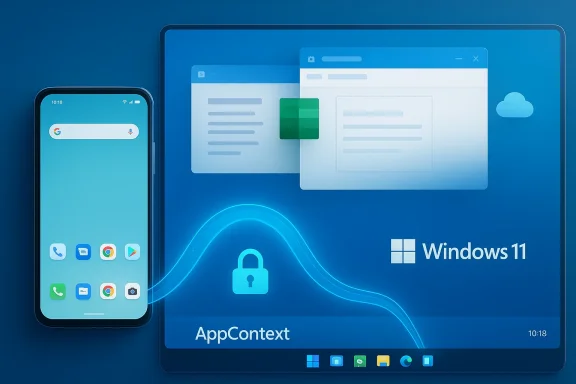
- Lack of OS-level hooks on Android: Microsoft does not control Android at the OS level. That means Resume either requires apps to adopt Microsoft’s Continuity SDK or for OEMs to implement system APIs, a heavy lift for broad adoption.
- Developer adoption friction: Supporting Resume requires integrations or SDK adoption on the mobile side and registration of native desktop handlers on Windows. For many app developers, the incremental benefit may not justify the engineering cost unless user demand becomes obvious.
- One-way constraints: Current implementations favor phone → PC resumption. Desktop → phone handoff is more complex because Android does not present a consistent, system-level mechanism Microsoft can exploit.
- User expectation gap: Users have experienced seamless Handoff for years; a half-baked, fragile alternative alters the perception of Windows continuity rather than delivering parity.
Recent progress and Microsoft’s public roadmap
Microsoft has made meaningful, if incremental, progress. The Continuity SDK and Cross‑Device Resume frameworks formalize how apps can expose an AppContext (a compact metadata payload) that maps a phone activity to a desktop handler. Microsoft has explicitly expanded supported experiences beyond OneDrive documents: Spotify resumed playback, certain OEM browsers (e.g., vivo Browser) can continue browsing on PC, and Microsoft 365 Copilot references appear in the supported list for some OEM devices.This evolution shows a clear roadmap:
- Move from cloud-only resume (OneDrive documents) to true app-context handoff for select Android apps.
- Encourage OEMs to embed Link to Windows (or compatible system hooks) so features appear seamlessly.
- Push developers toward the Continuity SDK so they can register resume activity types (browser context, resume activity, application context).
Security and privacy: lock-screen behavior and data handling
One of the subtle contrasts between Resume and Handoff concerns when and how a handoff occurs. Some tests indicate Resume’s prompt is surfaced when the PC transitions from lock/unlock states in certain configurations. That behavior can be seen as a mild security benefit: the action to surface the resume prompt may require you to unlock the PC, so an unattended machine won’t automatically reveal phone activity. Apple’s Handoff, in contrast, surfaces activity more fluidly — sometimes even on lock screens and app switchers — which is extremely convenient but can surface sensitive context if devices are left around.Other security considerations:
- AppContext design: Microsoft’s SDK guidance explicitly warns developers not to transmit sensitive tokens or secrets in AppContext payloads. The payload is meant to be a compact, non-sensitive pointer to state, with either desktop apps or web fallbacks fetching necessary content only after explicit user action.
- Data residency and cloud fallbacks: When Resume falls back to cloud-opened files (OneDrive or web fallbacks), the security model depends on cloud provider controls and desktop authentication.
- Permissions and user control: Resume can be toggled per-app in Settings, giving users control over which experiences may surface contextually on their PCs.
Developer playbook: what Microsoft needs to make Resume attractive
If Microsoft wants Resume to gain traction, the company must reduce friction for app developers. That means:- Provide robust, well-documented SDKs and code samples for both the mobile and desktop sides that minimize integration overhead.
- Offer straightforward fallbacks that don’t require a full desktop app — a secure, authenticated web fallback is acceptable for many use cases.
- Share telemetry and business signals that show developers the value of adding Resume support (e.g., higher conversion, increased desktop engagement).
- Provide incentives (co-marketing, store placement, or technical assistance) to big cross-platform apps like Chrome, Google Workspace, Adobe Creative Cloud, and major streaming services.
- Deepen OEM partnerships so Link to Windows and Continuity APIs ship pre-installed on more devices and are standardized across models.
Practical recommendations for Microsoft — an action plan
To close the gap with Apple Handoff, Microsoft should pursue an integrated strategy across product, platform, and partnerships:- Expand OEM agreements so Link to Windows is preinstalled on more devices worldwide, not just selective markets.
- Promote the Continuity SDK aggressively to major app vendors with developer grants, technical onboarding, and clear business outcomes.
- Work with Google to explore optional OS-level hooks for cross-device context sharing that OEMs could adopt, reducing fragmentation.
- Prioritize two-way continuity research so desktop → mobile handoffs become possible, even if limited to partner OEMs initially.
- Improve the UX around notifications, timing, and fallback behavior so the feature feels deterministic to users.
- Build telemetry and privacy safeguards that give users transparent settings and clearer controls about what resumes and when.
The user impact: who benefits today and who waits
Resume already provides tangible value to a subset of users: those who rely on OneDrive and Microsoft 365 workflows, music listeners using Spotify, and owners of OEM‑supported phones with Link to Windows preinstalled. For these users, Resume can remove small, repeated frictions — opening a doc, continuing a playlist — and that accumulates into real productivity gains.However, the broader population faces barriers:
- Android users with unsupported phones or carriers won’t see the feature.
- Multi-platform users who rely on third-party clouds (Google Drive, Dropbox) currently see no meaningful integration.
- Users who expect instant, two-way flow similar to Handoff will be disappointed until Microsoft expands both reach and capabilities.
The competitive impact: why Microsoft can’t treat this as minor
Cross-device continuity is now a perceived baseline for platform fluidity. Apple’s Handoff has conditioned users to expect instant context switching as part of their device experience. Google is also pursuing integrated experiences across Android and Chrome OS that reduce context switching friction.For Microsoft, failing to deliver a predictable, cross-platform continuity story risks:
- Ceding the “mobile + desktop” productivity narrative to more integrated vendors.
- Driving users to ecosystems where cross-device transitions are effortless.
- Forfeiting opportunities to increase engagement with Microsoft 365 and the Microsoft Store.
Verdict: Resume is promising but unfinished
Microsoft’s Resume is the right idea implemented in a pragmatic, modular way. The Continuity SDK and AppContext model are sensible engineering choices that sidestep streaming phone screens to the PC, instead mapping context to desktop handlers. That makes the feature efficient and directionally correct.But the user experience is still inconsistent, the app ecosystem is thin compared to Apple, and the necessity of OEM and developer cooperation leaves large gaps in coverage. Resume looks and feels like a feature in active development: useful for certain scenarios and devices but not yet ready to be called a true competitor to Apple’s Handoff.
Microsoft can close the gap, but it needs to act on three fronts: deepen OEM partnerships, lower the developer integration barrier, and expand the two-way continuity model. Those moves will change Resume from a promising experiment into a reliable productivity feature that Windows users can depend on.
Final thoughts: what to watch next
Watch for three signals in the coming months:- Broader OEM pre-installation of Link to Windows across more Android brands and models.
- Major app integrations with the Continuity SDK (notably from Adobe, Google, and key streaming services).
- Two-way handoff experiments that enable desktop → mobile resume in pilot programs with partners.
Source: PCMag UK Do Better, Microsoft: Windows 11's Resume Feature Can't Touch Apple's Handoff