Windows 11 Resume vs Handoff: Bridging cross‑device continuity

  • Thread Author
Windows 11’s new Resume feature is a welcome step toward the seamless cross-device workflow Apple users have enjoyed for years with Handoff, but the current implementation is uneven, limited in scope, and still far from the polished, two-way continuity experience many people expect.

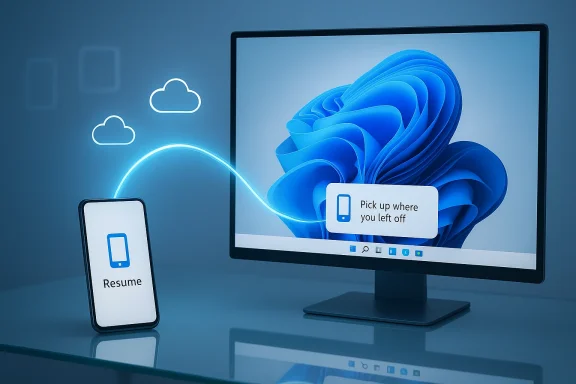
Laptop and smartphone connected by a glowing line, with cloud and app icons floating above.Background: where Resume fits in the cross-device puzzle​

Apple’s Handoff and Microsoft’s Resume (part of the broader Phone Link/Continuity toolset) aim to solve the same basic problem: let you start work on one device and pick it up on another without fuss. For macOS and iOS, Handoff has been a baked-in part of the Continuity suite for more than a decade, enabling fluid app-level transitions across Safari, Mail, iWork, FaceTime, and many third‑party apps. For Windows, the road has been bumpier: Phone Link evolved from “Your Phone” into a toolbox that covers notifications, messaging, phone screen streaming, hotspot and webcam functionality, and, now, attempts at app-level resume.
Microsoft’s Restart/Resume effort — variously labeled Cross‑Device Resume, Task Continuity, and exposed through the Phone Link ecosystem — is designed to surface a contextual task on the Windows taskbar annotated with a phone badge. Clicking the badge should open a desktop handler (native app or web fallback) so you can continue the activity you began on your Android device. That single-click promise is exactly the kind of micro-friction removal users want — when it works.

How Resume works today: the mechanics and limits​

System requirements and setup​

To use the current Resume feature you need a Windows 11 PC and a compatible Android device with the Link to Windows (also known as “Link to Windows” / LTW) integration or app installed. Android must be version 10 or later, and device support is uneven: Microsoft currently lists specific OEMs and models as eligible for deeper continuity features. On the PC side, Resume lives under Settings → Apps → Resume, where you can toggle the capability and control which supported apps are allowed to surface.
Key practical prerequisites:
  • Windows 11 PC with Phone Link / Link to Windows connectivity enabled and the mobile device linked.
  • Android 10+ phone with Link to Windows available or pre-installed (Samsung, Honor, Oppo, Vivo, Xiaomi and selected models are prioritized).
  • Internet connection and an active Microsoft account on the PC for linking and service integration.

What Resume can do (and what it currently cannot)​

At present, Resume is limited to a small and growing set of scenarios. Early builds relied heavily on OneDrive-backed documents (Word, Excel, PowerPoint opened from OneDrive), where the state is cloud-persisted and handoff is essentially a cloud-open operation on the desktop. More recent expansions show Microsoft adding Spotify playback handoff and browser continuation for certain OEM browsers (for example, Vivo’s browser) — and Microsoft’s documentation now references Microsoft 365 Copilot and specific OEMs supporting resume for cloud-backed files.
What Resume currently does:
  • Surface a task badge on the Windows taskbar annotated with a phone icon.
  • Open the corresponding desktop app (or web fallback) to continue the activity when clicked.
  • Allow users to enable/disable Resume globally or per supported app.
What Resume does not reliably do today:
  • Provide universal app support across Android apps and third-party ecosystems.
  • Offer two‑way handoff (desktop → mobile), which is a hallmark of Apple’s Handoff.
  • Guarantee consistent behavior across all Android devices because the feature depends on OEM integration and the Link to Windows stack.

Real-world behavior: trial, error, and edge cases​

Testing cross-device continuity is deceptively simple until you hit the edge cases. Resume’s current behavior can vary by PC settings, notification state, and device model. Users have reported needing to verify system notifications, toggle Resume permissions, or even lock and unlock the PC to see the continuation prompt. In my own checks, the taskbar badge appears when the mobile app publishes a valid “app context” via the Continuity SDK; when any of those pieces don’t line up, the prompt does not appear.
Common practical issues observed in the field:
  • Notification settings: If system notifications are disabled on the PC, Resume prompts may be suppressed.
  • Timing windows: Some implementations require the activity to be recent and the app context to be live when the PC becomes active.
  • App integration gaps: Native desktop handlers must exist and be registered; otherwise, Resume falls back to a browser or fails to surface useful state.
  • OEM variance: Because part of Resume’s trigger mechanism relies on manufacturer-level Link to Windows support, functionality differs significantly across Android vendors and models.
These are not fatal flaws — Microsoft’s model is clearly modular and extensible — but they illustrate that the user experience is not yet consistent enough for mainstream expectations of “it just works.”

Handoff: the entrenched competitor and why it matters​

Apple’s Handoff sets the benchmark. It’s device-agnostic within the Apple ecosystem (phones, tablets, watches, Macs), it supports many first‑party apps out of the box, and a substantial set of third‑party apps have added Handoff support over the years. Handoff is more than a single-click open; it’s a system-level continuity protocol that hands contextual state — from a webpage to a document draft to an active FaceTime call — back and forth smoothly and, crucially, in both directions.
Why Handoff works:
  • Tighter platform control: Apple controls the OS on both sides of the handoff, so Continuity can use low-level services (Bluetooth LE, Wi‑Fi, iCloud sync) to surface states and trigger actions reliably.
  • Unified account and storage model: iCloud and tight account integration make synchronizing app state and documents predictable.
  • Long developer runway: A decade-plus of developer documentation, patterns, and adoption means many major apps already support Handoff scenarios.
For Microsoft, matching Handoff isn’t just about feature parity; it’s about achieving the same reliability and breadth of supported apps that makes Handoff a default expectation rather than a checklist feature.

Why Resume is struggling: technical and ecosystem hurdles​

Several structural realities make Microsoft’s task harder than producing an identical feature:
  • Android fragmentation and OEM customizations: Android devices vary widely by manufacturer, OS skin, and pre-installed services. Because Microsoft must rely on Link to Windows being present and cooperating with the OEM skin, Resume’s reach will always lag behind a vertically integrated ecosystem.
  • Lack of OS-level hooks on Android: Microsoft does not control Android at the OS level. That means Resume either requires apps to adopt Microsoft’s Continuity SDK or for OEMs to implement system APIs, a heavy lift for broad adoption.
  • Developer adoption friction: Supporting Resume requires integrations or SDK adoption on the mobile side and registration of native desktop handlers on Windows. For many app developers, the incremental benefit may not justify the engineering cost unless user demand becomes obvious.
  • One-way constraints: Current implementations favor phone → PC resumption. Desktop → phone handoff is more complex because Android does not present a consistent, system-level mechanism Microsoft can exploit.
  • User expectation gap: Users have experienced seamless Handoff for years; a half-baked, fragile alternative alters the perception of Windows continuity rather than delivering parity.
Microsoft’s approach is pragmatic — Web fallback and mapping to desktop handlers reduce complexity — but the downside is that the experience will never be indistinguishable from Apple’s unless the company closes gaps on OS-level cooperation and developer incentives.

Recent progress and Microsoft’s public roadmap​

Microsoft has made meaningful, if incremental, progress. The Continuity SDK and Cross‑Device Resume frameworks formalize how apps can expose an AppContext (a compact metadata payload) that maps a phone activity to a desktop handler. Microsoft has explicitly expanded supported experiences beyond OneDrive documents: Spotify resumed playback, certain OEM browsers (e.g., vivo Browser) can continue browsing on PC, and Microsoft 365 Copilot references appear in the supported list for some OEM devices.
This evolution shows a clear roadmap:
  • Move from cloud-only resume (OneDrive documents) to true app-context handoff for select Android apps.
  • Encourage OEMs to embed Link to Windows (or compatible system hooks) so features appear seamlessly.
  • Push developers toward the Continuity SDK so they can register resume activity types (browser context, resume activity, application context).
The upside is practical: by mapping activities to the “best” desktop handler — preferring native apps and falling back to a browser — Microsoft reduces the need for streaming or mirroring the phone’s UI. That lowers bandwidth needs and simplifies the UX. The downside is that you don’t get a pixel-perfect phone-to-PC handoff: you get a context open on desktop, which is a different but sometimes adequate outcome.

Security and privacy: lock-screen behavior and data handling​

One of the subtle contrasts between Resume and Handoff concerns when and how a handoff occurs. Some tests indicate Resume’s prompt is surfaced when the PC transitions from lock/unlock states in certain configurations. That behavior can be seen as a mild security benefit: the action to surface the resume prompt may require you to unlock the PC, so an unattended machine won’t automatically reveal phone activity. Apple’s Handoff, in contrast, surfaces activity more fluidly — sometimes even on lock screens and app switchers — which is extremely convenient but can surface sensitive context if devices are left around.
Other security considerations:
  • AppContext design: Microsoft’s SDK guidance explicitly warns developers not to transmit sensitive tokens or secrets in AppContext payloads. The payload is meant to be a compact, non-sensitive pointer to state, with either desktop apps or web fallbacks fetching necessary content only after explicit user action.
  • Data residency and cloud fallbacks: When Resume falls back to cloud-opened files (OneDrive or web fallbacks), the security model depends on cloud provider controls and desktop authentication.
  • Permissions and user control: Resume can be toggled per-app in Settings, giving users control over which experiences may surface contextually on their PCs.
Properly implemented, Resume can be both convenient and respectful of privacy, but the multi-vendor reality of Android means Microsoft must be prescriptive about what developers may—and may not—embed in AppContext.

Developer playbook: what Microsoft needs to make Resume attractive​

If Microsoft wants Resume to gain traction, the company must reduce friction for app developers. That means:
  • Provide robust, well-documented SDKs and code samples for both the mobile and desktop sides that minimize integration overhead.
  • Offer straightforward fallbacks that don’t require a full desktop app — a secure, authenticated web fallback is acceptable for many use cases.
  • Share telemetry and business signals that show developers the value of adding Resume support (e.g., higher conversion, increased desktop engagement).
  • Provide incentives (co-marketing, store placement, or technical assistance) to big cross-platform apps like Chrome, Google Workspace, Adobe Creative Cloud, and major streaming services.
  • Deepen OEM partnerships so Link to Windows and Continuity APIs ship pre-installed on more devices and are standardized across models.
Developer adoption will happen only when integration is low-cost and the user benefit is clearly measurable.

Practical recommendations for Microsoft — an action plan​

To close the gap with Apple Handoff, Microsoft should pursue an integrated strategy across product, platform, and partnerships:
  • Expand OEM agreements so Link to Windows is preinstalled on more devices worldwide, not just selective markets.
  • Promote the Continuity SDK aggressively to major app vendors with developer grants, technical onboarding, and clear business outcomes.
  • Work with Google to explore optional OS-level hooks for cross-device context sharing that OEMs could adopt, reducing fragmentation.
  • Prioritize two-way continuity research so desktop → mobile handoffs become possible, even if limited to partner OEMs initially.
  • Improve the UX around notifications, timing, and fallback behavior so the feature feels deterministic to users.
  • Build telemetry and privacy safeguards that give users transparent settings and clearer controls about what resumes and when.
These steps are ambitious but necessary if Microsoft wants Resume to be more than an experimental checkbox.

The user impact: who benefits today and who waits​

Resume already provides tangible value to a subset of users: those who rely on OneDrive and Microsoft 365 workflows, music listeners using Spotify, and owners of OEM‑supported phones with Link to Windows preinstalled. For these users, Resume can remove small, repeated frictions — opening a doc, continuing a playlist — and that accumulates into real productivity gains.
However, the broader population faces barriers:
  • Android users with unsupported phones or carriers won’t see the feature.
  • Multi-platform users who rely on third-party clouds (Google Drive, Dropbox) currently see no meaningful integration.
  • Users who expect instant, two-way flow similar to Handoff will be disappointed until Microsoft expands both reach and capabilities.
Put bluntly: Resume helps a meaningful but narrow slice of the market today. Microsoft must scale breadth and polish to move it into mass usefulness.

The competitive impact: why Microsoft can’t treat this as minor​

Cross-device continuity is now a perceived baseline for platform fluidity. Apple’s Handoff has conditioned users to expect instant context switching as part of their device experience. Google is also pursuing integrated experiences across Android and Chrome OS that reduce context switching friction.
For Microsoft, failing to deliver a predictable, cross-platform continuity story risks:
  • Ceding the “mobile + desktop” productivity narrative to more integrated vendors.
  • Driving users to ecosystems where cross-device transitions are effortless.
  • Forfeiting opportunities to increase engagement with Microsoft 365 and the Microsoft Store.
Delivering a solid Resume experience is not merely a checkbox in feature parity; it’s strategic product positioning for the modern multi-device user.

Verdict: Resume is promising but unfinished​

Microsoft’s Resume is the right idea implemented in a pragmatic, modular way. The Continuity SDK and AppContext model are sensible engineering choices that sidestep streaming phone screens to the PC, instead mapping context to desktop handlers. That makes the feature efficient and directionally correct.
But the user experience is still inconsistent, the app ecosystem is thin compared to Apple, and the necessity of OEM and developer cooperation leaves large gaps in coverage. Resume looks and feels like a feature in active development: useful for certain scenarios and devices but not yet ready to be called a true competitor to Apple’s Handoff.
Microsoft can close the gap, but it needs to act on three fronts: deepen OEM partnerships, lower the developer integration barrier, and expand the two-way continuity model. Those moves will change Resume from a promising experiment into a reliable productivity feature that Windows users can depend on.

Final thoughts: what to watch next​

Watch for three signals in the coming months:
  • Broader OEM pre-installation of Link to Windows across more Android brands and models.
  • Major app integrations with the Continuity SDK (notably from Adobe, Google, and key streaming services).
  • Two-way handoff experiments that enable desktop → mobile resume in pilot programs with partners.
If those things start to appear, Resume will move quickly from niche to mainstream. Until then, Windows users should appreciate the progress but temper expectations: Resume reduces friction for some workflows today, but it’s not yet the universal continuity bridge the market needs.

Source: PCMag UK Do Better, Microsoft: Windows 11's Resume Feature Can't Touch Apple's Handoff
 

Windows 11’s new Resume feature promises the kind of phone-to-PC continuity Apple users have taken for granted for years, but in real-world testing the feature feels rough, narrow, and incomplete—far from the seamless two-way experience of Apple Handoff.

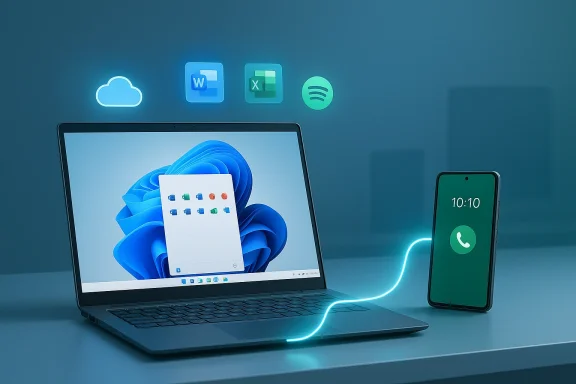
Cloud sync lets you pick up where you left off on any device.Background / Overview​

Apple introduced Handoff as part of its Continuity suite in 2014, and over the past decade the company has iteratively expanded Handoff’s app support, reliability, and cross-device parity between iPhone, iPad, and Mac. Handoff’s strengths are simple: tight OS-level integration, local discovery between devices, and a consistent developer model that Apple controls end-to-end. Those three attributes reduce friction for users and make the feature feel invisible when it works.
Microsoft’s Resume (also described in the platform as Cross‑Device Resume or part of the Phone Link continuity efforts) arrives much later and faces a fundamentally harder engineering problem: it must span a diverse set of Android hardware and manufacturer-modified software stacks while still integrating smoothly into Windows 11. The initial rollout of Resume is modest in scope. It’s available only on Windows 11, requires an Android 10+ phone from particular OEMs (Honor, OPPO, Samsung, vivo, Xiaomi), and depends on a paired Link to Windows / Phone Link connection. In practice, that means Resume can enable a handful of scenarios today—mainly cloud-backed Microsoft 365 documents stored in OneDrive, some OEM browser sessions, and a budding set of third-party integrations such as Spotify in limited circumstances.
This article walks through how Resume works today, where it falls short compared with Apple Handoff, the technical trade-offs Microsoft chose, the practical setup and reliability challenges, and concrete recommendations Microsoft should adopt if Resume is to become more than a promising novelty.

How Resume works (today)​

The user flow​

Resume’s visible experience is intentionally small and Windows‑native: when you start a supported activity on a compatible Android phone—editing a OneDrive-backed document, playing music in certain apps, or browsing in an OEM-enabled browser—then lock your phone (or step away), unlock your Windows 11 PC and a small taskbar notification can appear inviting you to “pick up where you left off.” Clicking that notification opens the closest available desktop handler: a native desktop app when installed, or a web fallback if not.
Key UX traits:
  • A taskbar notification with a phone badge is the single interaction point.
  • Microsoft resolves the phone activity to a desktop handler rather than streaming or mirroring the phone UI.
  • Resume can be toggled globally under Settings → Apps → Resume and can be enabled/disabled for supported apps.

System requirements and supported devices​

At present, the basic requirements are:
  • A PC running Windows 11.
  • An Android phone running Android 10 or later with Link to Windows (preinstalled or installed).
  • A Microsoft account on the PC and Phone Link pairing between phone and PC.
  • Internet connectivity and, often, cloud-backed state (OneDrive or similar).
Supported OEMs in the early rollout include HONOR, OPPO, Samsung, vivo, and Xiaomi—devices where OEM cooperation and Link-to-Windows integration are available. This OEM dependency is significant: only select phones will provide the tight integration Microsoft needs to reliably surface Resume notifications.

What Resume currently supports​

The feature set is intentionally conservative:
  • OneDrive-backed Microsoft 365 documents (Word, Excel, PowerPoint, OneNote): Resume will detect the cloud-backed state and open the document in the desktop app.
  • Some OEM browser sessions: certain OEM browsers (for example, Vivo browser on supported phones) can hand off browsing sessions.
  • Selected third-party scenarios: limited Spotify handoff surfaced in preview builds; other third-party app integrations are in development or experimental.
Notably missing at launch:
  • Full support for browser-based session handoff in major cross-platform browsers like Edge (Edge does not currently act as a Resume handler).
  • Two-way handoff (desktop → phone), which Apple Handoff provides.
  • Broad, consistent support across the huge Android ecosystem.

Setting up Resume: easy to enable, difficult to guarantee​

Enabling Resume is straightforward in Windows 11—open Settings, go to Apps → Resume, toggle the feature on, and choose which apps can surface Resume prompts. On the phone side, linking via Phone Link (Link to Windows) is the typical prerequisite.
However, “easy” hides many caveats:
  • Phone Link must be working end-to-end; if pairing is spotty, Resume won’t appear.
  • Notifications and system settings on the PC must permit the taskbar notification; if you have notifications disabled or have aggressive Focus Assist rules, Resume prompts can be suppressed.
  • Resume depends heavily on cloud-backed state. Files stored only locally on the phone without OneDrive synchronization will generally not be resumable.
  • OEM and region variability matters. Even among the supported OEMs, not every model or firmware version will surface Resume reliably.
Practical result: setup is simple—activation is trivial—but getting Resume to show reliably requires precise alignment of device model, OS build, app state, and notification settings.

Handoff vs. Resume: the app gap and two-way parity​

Apple Handoff has three practical advantages Microsoft must overcome:
  • Broad, symmetrical app support.
  • Handoff works not only with Apple’s first-party apps (Mail, Safari, FaceTime, Pages/Numbers/Keynote, Notes, etc.) but also with many third-party apps, including Chrome, Firefox, Microsoft 365 editors, and more where developers choose to integrate. Handoff supports both directions: you can easily move from Mac to iPhone or iPhone to Mac.
  • Resume today is one-directional in most scenarios (phone → PC) and limited to a curated, small set of apps—primarily OneDrive-backed Microsoft 365 documents and a smattering of OEM/partner apps.
  • Device and account tightness.
  • Apple controls the hardware and OS across phones, tablets, and laptops. That vertical control enables local discovery, consistent background behavior, and account parity via iCloud. For Microsoft, Android OEM diversity and differing privacy/foreground restrictions complicate a consistent model.
  • Low mutual friction.
  • Handoff often requires no visible setup beyond signing into the same Apple ID. Resume requires linking, correct notification settings, OEM cooperation, and often cloud-backed document state—introducing multiple points of failure.
The consequence: for everyday users who value immediate, friction-free continuity, Handoff often “just works.” Resume is promising, but for many workflows it currently requires trial, troubleshooting, and sometimes explicit switching to a cloud-backed workflow.

The trial-and-error reality of Resume​

Real-world testing reveals the fragile chains that can break the Resume experience.
  • Scenario: editing a Word document on a Samsung Galaxy phone and expecting the desktop Word app to open that same document after unlocking the PC.
  • Good case: when the document is stored and synced to OneDrive, and notifications are enabled on the PC, Resume will surface a taskbar notification that opens the document in desktop Word.
  • Bad case: if system notifications are turned off, the Resume notification never appears—even though the cloud state is perfect. That yields confusing behavior where the feature seems broken but is actually suppressed by notification settings.
  • Edge case: logging out of the Windows account or using Focus Assist modes may suppress Resume prompts; locking vs. logging out matters because Resume is designed to show on unlock.
These nuances produce a trial-and-error testing cycle for users: toggle settings, try lock/unlock flows, verify cloud sync, and confirm OEM support. That friction reduces the perceived reliability of Resume and undermines the “it just works” promise users expect from a handoff-like feature.

Microsoft’s design choices: security, fidelity, and trade-offs​

Microsoft made deliberate architectural choices that shape Resume’s current behaviors:
  • Resolution to native desktop handlers (not UI streaming).
  • Instead of streaming the phone’s UI to the PC (a heavy, fragile approach), Resume sends a compact metadata payload (an app context) that maps the phone activity to the best desktop handler available. That approach preserves native Windows performance and security models and avoids engineering the complexity of remote UI mirroring.
  • Trade-off: fidelity can suffer. Not every mobile activity maps cleanly to a desktop handler, and some state details are necessarily lost in translation.
  • Cloud-first dependency.
  • Resume works best when app state is already synchronized to a cloud service such as OneDrive. That ensures state isn’t tied to a specific phone storage location.
  • Trade-off: purely local content on a phone (offline-only files, ephemeral states) will not be resumable. That places the burden on users or app developers to adopt cloud sync.
  • OEM and server-assisted integrations.
  • Microsoft leverages OEM partnerships and server-side notification paths to expand Resume’s reach to specific manufacturers and apps. This permits tighter experiences on some phones while allowing a wider server-driven model for others.
  • Trade-off: rollout becomes fragmented. Users will see different behavior depending on OEM support, regional releases, and service gating.
These design choices are defensible from a security and performance standpoint—native desktop handling is lower risk and faster than streaming. But the trade-offs are a narrower initial feature set and increased complexity for developers and OEMs.

Microsoft’s confusing feature overlap: Resume vs. Task Continuity​

Windows 11 also retains another continuity mechanism—Phone Link Task Continuity—which predates Resume and surfaces different notifications (often on the right side of the taskbar area). Task Continuity historically supported a broader set of content types—document links, music tracks, URLs—and was better at handling a wider range of apps.
Microsoft is now pushing developers toward the newer Resume model that integrates with the center taskbar area and aims for a more unified experience. The transition raises two risks:
  • Fragmentation risk: if Microsoft retires Task Continuity too slowly, end users and developers must support both models; if it retires it too quickly, integrations that rely on the older path could break.
  • Developer confusion: two similarly named features with different behaviors complicate adoption and communication.
For users and IT admins, the practical result is more complexity: different notifications may appear in different spots on the taskbar, and the conditions for each to surface differ.

Strengths and notable advantages​

Resume is not without positives. Microsoft’s approach has several real strengths:
  • Performance and security. Resolving to native desktop handlers avoids costly UI streaming and respects Windows security and enterprise controls.
  • Enterprise-friendly architecture. Desktop resolution fits better with corporate app deployment, Intune/MDM policies, and data governance than a mirrored phone UI would.
  • Developer flexibility. Microsoft offers dual integration paths—an SDK-style contract for richer integrations and a server-driven notification model for quicker adoption. That helps developers prioritize fidelity vs. speed.
  • OEM cooperation can raise baseline reliability. When Microsoft works with OEMs to pre-install Link to Windows and coordinate on behavior, the experience can reach parity with Handoff on those devices.

Real risks and user-impacting issues​

Resume faces important hurdles that could limit long-term adoption if unaddressed:
  • Fragmented availability. Server gating, OEM variability, and device/region rollouts create an inconsistent user experience where the feature works magically for some and not at all for others.
  • Privacy and metadata leakage. Resume’s notification snippets and taskbar previews could expose sensitive document titles, music tracks, or chat snippets. Enterprises and privacy-conscious users will demand per-app, per-account controls and sanitization options.
  • False marketing expectations. Calling the feature a “handoff” invites direct comparisons to Apple’s well-matured offering. If Resume’s behavior remains narrower and less reliable, it risks being dismissed as a gimmick.
  • Two-way parity deficit. Lacking desktop-to-phone handoff undermines workflows where users want to move tasks to their phone seamlessly—something Apple users already expect.

Recommendations: how Microsoft can make Resume actually useful​

If Microsoft wants Resume to become an everyday essential rather than a “nice when it works” novelty, the company should pursue a focused roadmap across product, developer, OEM, and enterprise surfaces.
  • Publish a clear, public roadmap.
  • Provide precise timelines, a continuously updated device/app support list, and explicit rollout windows so users and IT pros know when to expect support.
  • Expand first-party app coverage immediately.
  • Make all Microsoft 365 clients (including Edge) first-class Resume handlers. Desktop → phone parity should be prioritized for core productivity flows.
  • Offer developer tooling and reference implementations.
  • Ship a one-click simulator, a test harness for app context metadata, and reference implementations to cut integration friction for third parties.
  • Strengthen privacy and enterprise controls.
  • Add per-app Resume permissions in Windows Settings and Intune/Microsoft Endpoint Manager policies that allow admins to restrict Resume by app, account, or data classification. Provide options to sanitize notification snippets and redact sensitive metadata.
  • Simplify user troubleshooting.
  • Provide clear UI guidance if Resume notifications aren’t appearing (e.g., a diagnostic panel that checks Phone Link pairing, notification settings, OneDrive sync state, and OEM eligibility).
  • Aim for two-way handoff.
  • Invest in desktop → phone Resume flows where feasible, beginning with Microsoft apps that can already persist cloud state and extending to key third-party partners.
  • Coordinate with OEMs but decouple when possible.
  • Continue OEM partnerships but provide robust fallback flows that still offer useful behavior on unsupported devices to avoid deep fragmentation.

Practical advice for users today​

If you want to try Resume and maximize your odds of success:
  • Use a Windows 11 PC and a supported Android phone from one of the partnered OEMs.
  • Ensure the phone is running Android 10+ with Link to Windows enabled and paired to the PC.
  • Keep the document or activity in cloud storage (OneDrive) where possible.
  • Verify Windows notifications and Focus Assist are set to allow Resume notifications (Settings → System → Notifications).
  • If Resume doesn’t appear, check Link to Windows connectivity, OneDrive sync status, and whether an OEM integration is required for that app.
These steps reduce the most common fail points—notification suppression, lack of cloud sync, and broken pairing—so you can judge the feature’s real potential instead of being stuck troubleshooting.

The bottom line: Resume needs work, but the architecture has promise​

Resume is not a failure. The architectural decision to map phone state to native desktop handlers is pragmatic: it preserves Windows performance and respects enterprise and security constraints. That approach gives Microsoft a defensible path to wide enterprise adoption that streaming or screen-mirroring would not.
But the current implementation is narrow and fragile compared to Apple’s Handoff. Microsoft is asking users and developers to accept a long list of preconditions—specific OEMs and models, cloud-backed files, notification settings, and paired Link to Windows connectivity. Until those preconditions are relaxed or made invisible, Resume will stay in the “useful for some” bucket rather than “essential for everyone.”
If Microsoft accelerates developer adoption, broadens first-party app support, publishes transparent device and app roadmaps, and strengthens privacy/enterprise controls, Resume can become a valuable pillar of Windows’ cross-device strategy. Until then, Apple’s Continuity and Handoff will remain the easy, consistent standard for seamless phone↔desktop workflows.

Final verdict and what to watch next​

  • Short-term verdict: Resume is promising but limited—useful for cloud-backed Microsoft 365 workflows on supported phones, but inconsistent for broader, everyday continuity.
  • Mid-term potential: High—if Microsoft can deliver broader app support, predictable OEM rollouts, two-way flows, and enterprise privacy controls.
  • What to watch in upcoming builds:
  • Expanded first-party support (Edge, Office desktop parity).
  • Wider third-party integrations (Spotify, WhatsApp, Chrome/Firefox).
  • Improvements to desktop → phone handoff parity.
  • Administrative controls in Intune/Endpoint Manager for Resume.
  • A public, maintained device/app compatibility list and roadmap.
Resume can be an important step toward a unified cross-device Windows experience. But to win mainstream hearts and minds it must move past preview quirks and deliver the low-friction, trustworthy continuity that users have come to expect from mature platforms. Until Microsoft narrows the app gap, simplifies the setup, and guarantees a consistent privacy posture, Apple’s Handoff will continue to set the bar for what phone-to-PC continuity should feel like.

Source: PCMag Australia Microsoft's Phone to PC 'Resume' Feature in Windows Can't Touch Apple's Handoff
 

Windows 11’s new Resume capability marks a clear attempt to offer Apple‑style continuity between phones and PCs, but in its current form it is a constrained, developer‑and‑OEM‑dependent experience that still trails the polish, breadth, and two‑way fluidity of Apple’s Handoff. om]

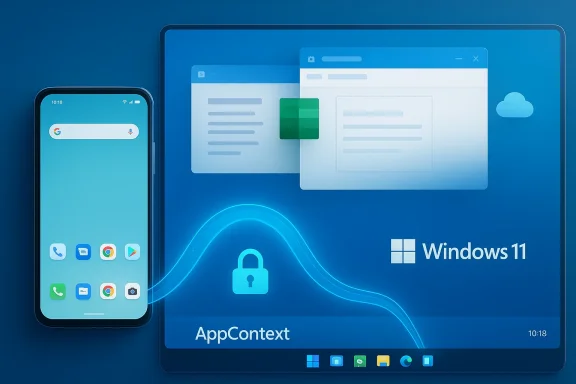
Android phone and Windows 11 device connected by AppContext cloud sync.Background​

Apple introduced Handoff as part of its Continuity suite in 2014; the feature has since become a bedrock expectation for users who move work between iPhone, iPad, and Mac with almost no friction. Handoff relies on local discovery (Bluetooth/Wi‑Fi), tight OS‑level integration, and consistent use of iCloud and system APIs that Apple controls end‑to‑end. That vertical integration gives Apple the advantage of predictability and wide first‑party support.
Microsoft’s response has evolved through several initiatives — Project Rome, Phone Link (Link to Windows), and now Cross‑Device Resume (often just “Resume”). Rather than mirroring the phone’s UI on the desktop, Microsoft maps a compact metadata payload from the phone (an AppContext) to a desktop handler: a native app if present or a web fallback if not. That approach favors performance and security on Windows, but it also narrows the fidelity of what can be handed off.

What Resume is and what it requires​

Resume is designed to surface a small taskbar prompt on your Windows 11 PC when you leave an activity on a supported Android phone, so you can “pick up where you left off” with a single click. The visible UX is intentionally minimal: a phone‑badged app icon appears on the taskbar and a click opens the best available desktop handler.
System and device prerequisites (as stated by Microsoft and observed in early tests) are explicit and restrictive:
  • A PC running Windows 11.
  • An Android phone running Android 10 or later.
  • A paired Link to Windows / Phone Link connection between phone and PC.
  • Internet connectivity for many scenarios (Resume often relies on cloud state rather than local, offline files).
  • OEM cooperation — early compatibility is listed for phones from HONOR, OPPO, Samsung, vivo, and Xiaomi (devices where Link to Windows is preinstalled or tightly integrated).
Microsoft exposes Resume toggles under Settings → Apps → Resume, and users can enable/disable Resume per supported app. That control is helpful but also highlights the feature’s limited initial scope and the need for user configuration to make it work reliably. (support.microsoft.com)

What Resume supports today — and what it doesn’t​

At the time of reporting, Microsoft’s own documentation and early hands‑on reviews show Resume supporting cenarios:
  • OneDrive‑backed Microsoft 365 files opened in the Microsoft 365 Copilot mobile app (Word, Excel, PowerPoint, OneNote) — these will open in desktop apps when available.
  • Spotify playback continuation in specific preview rollouts.
  • OEM browser sessions in certain OEM browsers (example: vivo Browser handing off to the PC).
Notable absences and limitations:
  • Edge, Google Chrome, and many major third‑party cross‑platform apps do not uniformly act as Resume handlers yet, so browsing and web session fidelity is patchy. PCMag’s testing found Edge to be absent from the feature’s handlers despite cross‑device history features being available when signed into the same Microsoft account.
  • Two‑way handoff (desktop → phone) — the symmetric flow Apple offers — is effectively missing at launch. Resume is primarily focused on moving activity from phone to PC.
  • Offline, local‑only files on the phone are excluded from Resume; the system expects cloud‑backed state (e.g., OneDrive).
These constraints make Resume useful in specific workflows (OneDrive‑centric Office work, some music and OEM browser sessions) but not yet a general substitute for Handoff’s broad app coverage and bidirectional flow.

Technical architecture and developer paths​

Microsoft’s engineering choices reveal the tradeoffs that shape Resume’s behavior:
  • Resume prefers a metadata‑mapping model over UI streaming. The phone sends an AppContext (compact metadata) that maps to a desktop handler, avoiding heavy UI streaming and preserving Windows’ native performance and security model. This is a pragmatic design for a platform that must support many PC form factors and enterprise constraints.
  • There are two integration paths for developers:
  • The Continuity SDK: a deeper, native route that surfaces Resume icons directly in the Windows taskbar and enables richer integrations.
  • A WNS/AppContext server‑driven route that lowers the integration barrier by letting cloud‑first apps provide resume metaws Notification Service. This path speeds adoption for apps that are already cloud‑centric.
  • Phone Link Task Continuity remains available as an older mechanism (surface in Phone Link > Apps > Recently used). Microsoft is encouraging new integrations to use the Continuity SDK (Cross Device Resume / XDR) for taskbar integration. The coexistence of two continuities (Phone Link Task Continuity and Resume/XDR) creates transitional complexity for developers and OEMs.
  • Many integrations require Limited Access Feature (LAF) approval from Microsoft, which is an explicit gate developers must clear to interoperate with preinstalled Link to Windows packages on partner devices. That approval model is sensible for platform safety and OEM coordination, but it slows broad, immediate adoption.

Real‑world reliability: what testers (and PCMag) experienced​

Early testers reported multiple small but meaningful reliability hurdles: notifications not appearing because system notifications were disabled, Phone Link permissions not configured correctly, and the need to lock/unlock or restart flows to trigger the Resume prompt. Real‑world use therefore often required trial and error to get the expected notification; the feature’s sensitivity to system settings reduces its first‑use discoverability.
When Resume did work, the result was often compelling: a phone‑badged taskbar icon that opened the native desktop app and restored context (for cloud‑backed Office documents, for example). That demonstrates the feature’s promise — but the inconsistent discovery and limited set of apps reduce the everyday value for most users today.

How Resume differs technically from Apple Handoff​

Comparisons often break down into three core differences:
  • Ecosystem control vs. heterogeneity
    Apple controls the entire device stack (hardware, OS, cloud), so Handoff can remain local, fast, and consistent. Microsoft must coordinate across many Android OEMs and their heavily skinned Android forks, which increases engineering surface area and variability. Expect OEM partnerships to remain a gating factor for the near term.
  • Local discovery vs. cloud/notification centric
    Handoff uses local discovery (Bluetooth/Wi‑Fi) for device proximity and low latency; Resume frequently uses Link to Windows pairings and Windows Notification Services (WNS) for server‑driven metadata syncing. That makes Resume more network‑tolerant in some cases, but also introduces more moving parts, potential latency, and points of failure.
  • Fidelity and directionality
    Handoff often preserves richer state because apps adopt system APIs and iCloud storage. Resume resolves phone context to desktop handlers (native app or web fallback), which is efficient but constrains fidelity. Importantly, Handoff has long supported symmetric flows; Resume is today asymmetric and phone→PC focused.

Security, privacy, and enterprise considerations​

Cross‑device continuity increases the surface area for accidental disclosure and enterprise soft’s Phone Link and Phone Link Task Continuity documentation explicitly calls out data handling rules, WNS processing, and the requirement that data used for continuity be handled under Microsoft’s privacy boundaries and customer control. Enterprises will rightly expect:
  • Granular controls to disable Resume per app or per user, integrated with MDM/Intune.
  • Sanitization and redaction options for notification snippets and taskbar previews to avoid leaking confidential document titles or music tracks in shared environments.
  • Clear telemetry and logging so admins can trace where cross‑device state originates and how it is transferred. This is a common ask from enterprise security teams and one Microsoft should prioritize. (Analyst recommendation based on documented data handling models.)
Microsoft’s choice to resolve to native desktop handlers reduces the need for raw screen or UI streaming — a security advantage — but metadata payloads (titles, snippet text, track names) still require careful privacy defaults.

Strengths and strategic logic behind Resume​

Resume is not a poor idea; it is a defensible engineering approach with several clear strengths:
  • Performance and UX consistency on Windows: mapping to native handlers (desktop apps) keeps interactions responsive and avoids CPU/GPU costs of streaming phone UI. This aligns with enterprise needs for predictable app behavior.
  • Dual developer path: the Continuity SDK provides fidelity, while the WNS/AppContext route lowers the integration barrier for cloud apps. This two‑pronged approach balances depth and breadth.
  • OEM partnerships increase reliability on selected device families, allowing Microsoft to ship a higher baseline experience where Link to Windows is preinstalled. That targeted reliability is useful as a staging strategy.
Taken together, these choices createsume experience — but only if Microsoft can scale developer adoption and OEM cooperation faster than user expectations harden around Apple’s offering.

Major risks and business challenges​

Resume faces real and structural hurdles:
  • Fragmented availability. The reliance on specific OEM integrations (Link to Windows preinstallation and LAF approvals) means many Android users — and all iPhone users — won’t benefit initially. That fragmentation risks creating a perception that Resume is niche.
  • Developer inertia. Convincing major cross‑platform vendors (Google, Adobe, Spotify at scale, streaming services, and browser vendors) to integrate is nontrivial, especially given the LAF gating and varied developer effort required for Continuity SDK adoption. Microsoft will need compelling incentives and developer tooling. ([learn.microsoft.com] Marketing a “handoff” experience invites direct comparison to Apple. If Resume remains spotty in real use, customers will judge on the comparison rather than on the feature’s engineering merits. Early press and hands‑on reporting already frames Resume as promising but incomplete.
  • Privacy and enterprise controls. Without strong MDM/Intune controls and privacy defaults, Resume could introduce compliance headaches in corporate deployments. Microsoft’s documentation acknowledges data handling concerns, but enterprise provisioning must be robust and transparent.

ations for Microsoft (prioritized)
  • Publish a clear, public roadmap with device and app milestones. Narrow gating and opaque rollout timelines create user confusion. A public list of supported OEM models and apps (and dates) would lower friction for early adopters. (Strategic recommendation grounded in adoption dynamics.)
  • Expand developer tooling: provide a one‑click simulator, reference implementations, and sample AppContext payloads for major scenarios (documents, browser tabs, media playback). Reduce LAF friction by clarifying approval timelines and offering a staged onboarding program for major partners.
  • Accelerate two‑way continuity pilots: start with limited partners (a few OEM browsers, Microsoft apps, and a streaming service) to prove symmetric flows desktop→phone and phone→desktop. Symmetry is a major UX differentiator versus Handoff.
  • Strengthen enterprise controls: add per‑app MDM policies, default redaction of notification snippets in managed profiles, and telemetry hooks for admin oversight. These are adoption enablers for corporate customers.
  • Improve discoverability and robustness: add guided setup, automatic checks for notification/permission states required for Resume, and clearer failure messages when a resume can’t be completed. The current trial‑and‑error first use damages perception.

What to watch ninstallation of Link to Windows across mainstream Android lines (Samsung expansion is especially important for many Western markets). Microsoft’s supported device lists are a leading indicator.​

  • Major third‑party integrations from Adobe, Google (Chrome/Workspace), and streaming platforms beyond the initial Spotify preview. These partnerships determine whether Resume becomes broadly useful.
  • True two‑way experiments that enable desktop→mobile Resume in pilots. Symmetric handoffs are what make Handoff feel magical to users; achieving that parity would be a material milestone.
  • Enterprise controls added to Intune/MDM for Resume and clearer privacy defaults around snippet redaction. This matters for business adoption.

The bottom line​

Microsoft’s Resume is a pragmatic, technically defensible step toward cross‑device continuity on Windows 11. The engineering choice to map AppContext metadata to native desktop handlers preserves performance and security and gives Microsoft a practical path forward across a fragmented Android ecosystem. But pragmatic engineering is only one ingredient — breadth of app support, OEM preinstallation, polished two‑way flows, and enterprise controls are equally essential.
At the moment, Resume is promising but unfinished: it works well for a narrow slice of users (OneDrive/Microsoft 365 workflows on OEM‑supported phones, and some preview Spotify/browser cases), yet it lacks the breadth, consistency, and symmetric behavior that have made Apple Handoff a daily productivity tool for many users. Microsoft can close that gap, but it must move faster on developer outreach, OEM partnerships, and the small UX fixes that convert an occasional delight into a ubiquitous expectation.
If you rely heavily on OneDrive and Microsoft 365 and already use a Link to Windows‑enabled phone, Resume will reduce friction in a few important scenarios today. For everyone else, it’s worth watching closely — and hoping that Microsoft turns this promising architecture into a seamless, widely supported experience rather than a useful but niche convenience.

Source: PCMag UK Microsoft's Phone to PC 'Resume' Feature in Windows Can't Touch Apple's Handoff
 

Back
Top