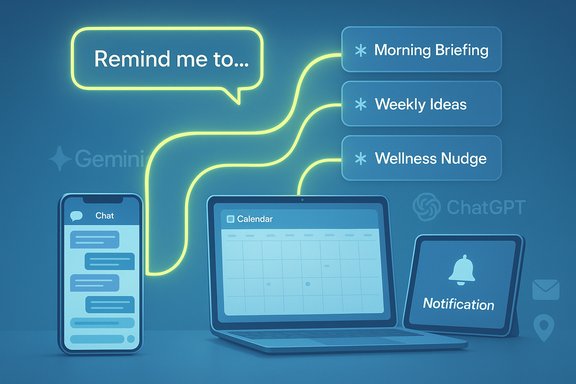
Google’s Gemini and OpenAI’s ChatGPT have both moved beyond one-off chat responses and into the realm of scheduled, proactive assistance, letting paid subscribers automate recurring tasks without keeping an app open — a shift that makes these AI systems act more like continuous digital assistants than occasional chat tools. The key takeaway: Gemini’s new Scheduled Actions feature now mirrors ChatGPT’s Tasks, with both vendors offering roughly the same subscription gate (around $20/month) and similar operational limits (an active cap of 10 scheduled items). The result is an acceleration of the AI assistant arms race from novelty features toward everyday automation: morning briefings, weekly content prompts, health nudges, and more — all triggered on a schedule and delivered as notifications to your device or inbox.
Google announced Scheduled Actions for the Gemini app as part of its ongoing push to fuse generative AI into everyday workflows. The feature arrived as an extension of the broader plan to make Gemini more agent-like, building on earlier I/O previews that outlined “Agent Mode” and Project Mariner experiments. At roughly the same time, OpenAI has been iterating its own scheduling capability — branded as Tasks in ChatGPT — which shifted from early previews to broadly available features for paying subscribers. These moves signal a maturation of the market: companies are optimizing for retention by enabling continuous value, not just sporadic interactions.
Both Google and OpenAI now treat scheduling as a core assistant capability. That means scheduling is no longer the territory of calendar apps and to-do lists alone; it’s a first-class AI feature that blends content generation, contextual data (calendar, email, location), and recurring execution logic.
ChatGPT, by contrast, focuses on model flexibility and custom endpoints, and it exposes Tasks along with its own custom-GPT and plugin architecture. For organizations already standardizing on Microsoft, Google, or OpenAI stacks, scheduled actions will be evaluated on integration completeness, admin controls, and enterprise compliance.
Key ecosystem considerations:
The upside is clear: lower friction for daily routines, richer contextual outputs, and tighter integrations with existing productivity tools. The downside is equally tangible: privacy exposure, governance challenges, and the need for vigilance about automation drift and reliability. For end users and IT teams alike, the path forward is pragmatic: experiment with small, high-value automations; govern them with clear policies; and treat AI-generated outputs as helpful drafts rather than unquestionable actions until the models and controls mature further.
These scheduled features make AI a member of the rhythm of daily life rather than a once-in-a-while curiosity. That shift will shape product competition, user habits, and organizational controls for the years ahead.
Source: The Tech Buzz https://www.techbuzz.ai/articles/google-gemini-catches-up-to-chatgpt-with-scheduled-actions/
 Background
Google announced Scheduled Actions for the Gemini app as part of its ongoing push to fuse generative AI into everyday workflows. The feature arrived as an extension of the broader plan to make Gemini more agent-like, building on earlier I/O previews that outlined “Agent Mode” and Project Mariner experiments. At roughly the same time, OpenAI has been iterating its own scheduling capability — branded as Tasks in ChatGPT — which shifted from early previews to broadly available features for paying subscribers. These moves signal a maturation of the market: companies are optimizing for retention by enabling continuous value, not just sporadic interactions.Both Google and OpenAI now treat scheduling as a core assistant capability. That means scheduling is no longer the territory of calendar apps and to-do lists alone; it’s a first-class AI feature that blends content generation, contextual data (calendar, email, location), and recurring execution logic.
How Scheduled Automations Work
Natural-language setup
Both Gemini and ChatGPT let users create scheduled automations using plain language inside the chat interface. Typical flows look like this:- You type a request such as “Send me a morning briefing of my calendar and unread emails every weekday at 7:00 AM.”
- The assistant recognizes scheduling intent, clarifies ambiguous parts, and confirms the final schedule and prompt.
- The platform turns that prompt into a scheduled job that runs on the vendor’s servers at the appointed times.
Execution and delivery
Scheduled jobs run on the provider side and deliver outputs through familiar channels:- On mobile, users receive push notifications linking back to a chat thread or a result card.
- On web, updates usually appear in the app interface next to the chat thread associated with the scheduled action.
- Email notifications are optionally available for users who prefer inbox delivery or want a persistent archive of outputs.
Feature-by-Feature: Gemini vs ChatGPT
Shared capabilities (what both do well)
- Natural-language scheduling: Create or convert an existing prompt into a recurring task with conversational clarity.
- Recurring patterns: Support for daily, weekly, and monthly recurrences.
- One-off and recurring jobs: Set single-run or repeating actions.
- Notifications: Push and email notifications deliver results; web interfaces show the output in chat threads.
- Subscription-gated: Access is limited to paid tiers: Google AI Pro (about $19.99/month) and ChatGPT Plus ($20/month).
- Active task caps: Both platforms restrict users to 10 active scheduled actions at a time.
- In-app management: A dedicated management area for viewing, pausing, editing, or deleting scheduled actions.
Notable differences
- Pricing and bundles: Google’s AI Pro is listed at $19.99/month and bundles Gemini access with other Google AI tools and storage; ChatGPT Plus is $20/month and provides broader access to OpenAI models and early features. The price point parity makes cost a neutral tie-breaker for many users.
- Editing UX: Gemini emphasizes editing directly within the web interface and within the scheduled-action chat; ChatGPT routes users to a Tasks or Notifications management panel (Settings → Notifications → Manage tasks) on the web, with the Tasks page the primary place to edit schedules.
- Model and execution backend: ChatGPT Tasks are explicitly powered by OpenAI’s newer reasoning models (branded in its docs), while Gemini’s feature integrates with the Gemini app and Google account ecosystem, including optional access to Gmail, Calendar, and location context for richer outputs.
- Platform rollout and platform-specific differences: Historically, Gemini features have shown platform disparities (Android often sees earlier rollouts than iOS or web); ChatGPT lists web, iOS, Android, and macOS support, with Windows apps on the roadmap. Availability and behavior can therefore vary slightly by platform at launch.
Pricing, Limits, and Practical Trade-offs
Pricing parity and gating
Both vendors positioned scheduling behind their paid tiers. Google’s AI Pro costs $19.99 per month and includes Scheduled Actions among other perks. OpenAI’s ChatGPT Plus is $20 per month and offers Tasks alongside additional model access. That near-equal price point reduces cost as the decisive factor for users; instead, ecosystem fit and integrations will influence choices.The 10-action ceiling
A hard limit of 10 active scheduled actions on both platforms is a deliberate constraint that shapes real-world use:- It encourages prioritization: users will reserve these slots for high-value automations rather than trivial reminders.
- It reduces abuse and runaway automation that could strain provider resources.
- It may frustrate power users or teams that want mass scheduling (but teams often have higher-capacity enterprise plans or other automation tooling).
Scheduling complexity: simple vs. advanced recurrence
Both services readily handle standard recurrence patterns — daily, weekly, monthly. For more complex rules (for example, every second Tuesday, alternating weekly schedules, or conditional triggers tied to external events), the practical support varies:- ChatGPT exposes a Custom Schedule flow that routes you back to the originating conversation for granular scheduling instructions; users can often approximate complex recurrence with follow-ups and manual edit commands.
- Gemini supports editing and specifying locations and parameters within the scheduled action chat, but its UI focuses on straightforward recurrences and may not support every calendar-rule edge case natively.
Practical Use Cases and Examples
Scheduled AI tasks quickly become useful in three broad areas:- Productivity
- Daily morning briefings (calendar + unread emails + top tasks).
- End-of-day summaries showing completed items and carryover tasks.
- Weekly project status drafts, automatically pulled from notes and calendar entries.
- Personal wellbeing and routines
- Morning workout prompts with varied routines each day.
- Daily meal suggestions with integrated shopping lists.
- Sleep hygiene reminders and short evening wind-down routines.
- Entertainment and learning
- Daily trivia or writing prompts to sustain creative practice.
- Weekly news digests tailored to niche interests.
- Periodic language practice sessions.
Integration and Ecosystem Effects
A decisive advantage for Gemini is deep access to the Google ecosystem. When a scheduled action needs calendar entries or unread emails, Gemini can tap into Gmail and Google Calendar (with user permission) and deliver tightly contextual outputs that feel native to a Google-centric workflow.ChatGPT, by contrast, focuses on model flexibility and custom endpoints, and it exposes Tasks along with its own custom-GPT and plugin architecture. For organizations already standardizing on Microsoft, Google, or OpenAI stacks, scheduled actions will be evaluated on integration completeness, admin controls, and enterprise compliance.
Key ecosystem considerations:
- Native data pulls (calendar, email) deliver context-rich results but raise privacy and enterprise compliance questions.
- Plugin or app integrations extend functionality (for example, generating content and auto-publishing), but they add complexity around credentials and access controls.
- Enterprise plans and compliance APIs (or similar corporate controls) help businesses adopt scheduled actions safely.
Security, Privacy, and Compliance: Risk Appetite Matters
Scheduled automations are powerful precisely because they access and act on private data. With that power comes several important risks and trade-offs users must evaluate.Data access and scope
- These automations may require access to Gmail, Calendar, or device location to produce meaningful outputs. That access is often scoped to the scheduled action, but users must explicitly enable app permissions.
- Responses and tasks are stored inside the chat history or task logs, which could be archived or subject to vendor retention policies.
Human review and use for product improvement
- Providers often note that conversational content can be used to improve services, and enterprise customers may have additional options to exclude data from training. Reviews or human-in-the-loop processes may be part of model improvement pipelines, depending on account settings and product tier.
Notification surface and social engineering risk
- Scheduled outputs appear as push notifications or emails. Spoofed notifications or poorly secured inboxes could expand attack surfaces. Users should avoid exposing sensitive details inside push summaries (use "summary mode" instead of full transcript if privacy is a concern).
Compliance and enterprise constraints
- For regulated industries, the key questions are data residency, retention policies, and auditability. Both vendors offer enterprise compliance capabilities and APIs, but careful configuration and legal review are necessary before deploying scheduled automations that consume regulated data.
Practical mitigation steps
- Limit scheduled actions to the minimum necessary scope. Don’t schedule full inbox dumps; prefer filtered summaries.
- Review which apps the assistant can access and revoke unnecessary permissions promptly.
- Use paid or enterprise settings that provide compliance controls if handling regulated data.
- Audit scheduled actions regularly and use pause/delete features when the automation is no longer needed.
Reliability, Governance, and the Human-in-the-Loop
Automating outputs with generative models raises a governance problem: how to ensure scheduled jobs produce trustworthy, actionable, and safe results.- Accuracy drift: Models may occasionally hallucinate, misinterpret calendar entries, or misclassify emails. For high-stakes tasks, scheduled outputs should be treated as assistive drafts, not authoritative actions.
- Monitoring and logging: Both platforms give you the ability to view past scheduled outputs in chat threads or task logs. Regular review helps catch errors early.
- Fallback behavior: Providers may automatically pause or cancel scheduled actions after prolonged inactivity or subscription changes. That reduces silent failure but requires monitoring.
- Human approval for actions: Avoid automations that perform irreversible actions (like sending emails or filing documents) without an explicit human confirmation step.
- Define which kinds of scheduled outputs are allowed.
- Require human review for any automation that takes external action.
- Maintain an audit trail of who created and approved each scheduled action.
- Limit the creators of scheduled actions to specific roles or admins in a corporate context.
Strategic Implications: Why Scheduling Matters
These scheduling features transform AI from a reactive tool — answering questions on demand — into a persistent assistant that can reshape daily habits and workflows. The strategic implications are sizable:- Daily engagement: Scheduled automations increase the chances a user interacts with a given platform every day, boosting retention metrics.
- Ecosystem entrenchment: Native integrations (Gmail, Calendar for Google; plugins and custom GPTs for OpenAI) make each platform stickier for users.
- Monetization vector: A subscription fee ($19.99–$20/month) attached to scheduling nudges users toward paid tiers even for light but routine tasks.
- Competitive convergence: The feature parity suggests a standardization of expected assistant behaviors: if one major vendor offers scheduled automation, others must follow to remain competitive.
UX and Developer Observations
- Ease-of-creation is the killer feature. Natural-language setup lowers the activation energy compared with building automations in Zapier or IFTTT.
- Management interfaces matter. As scheduled jobs accumulate, good dashboards for pausing and editing become essential. Gemini’s in-chat editing and a central Scheduled Actions settings page are useful; ChatGPT’s Tasks page centralizes control, but platform parity (Windows client support, for example) may vary.
- API and extensibility. ChatGPT’s tasks support API triggers and are integrated into developer toolkits, enabling more advanced workflows. Google’s Project Mariner and Agent Mode signal future directions for more autonomous, multi-step agents that can manage complex tasks across apps.
- Observability and debugging. When scheduling becomes part of critical workflows, tools for log export, failure reporting, and retry policies are crucial; currently, both platforms provide basic navigation and pause/resume capabilities, but enterprise-grade observability is still maturing.
What This Means for Power Users, Teams, and Everyday People
- Power users should treat the 10-task cap as a budgeting problem: reserve slots for the highest-impact automations (daily briefings, monitoring prompts).
- Teams must evaluate compliance and auditability before adopting scheduled automations for internal workflows. Enterprise plans and admin controls can mitigate some legal and privacy concerns.
- Everyday people can use scheduled actions to offload repetitive mental tasks — morning news, meal ideas, mental fitness prompts — but should guard personal data in summaries.
- Individuals: Start with two to three automations (morning briefing, weekly creative prompt, one wellness nudge) and tune frequency.
- Freelancers/solopreneurs: Use scheduled summaries to triage client email and weekly planning workflows.
- Teams/enterprises: Pilot scheduled summaries in a closed group, implement data handling rules, and use enterprise controls before scaling.
Caveats and Unverifiable or Evolving Areas
- Platform rollouts and feature parity can change rapidly: which platforms get new options first (Android, iOS, web) depends on vendor rollout strategy.
- Complex recurrence handling (for example, edge-case calendar rules) may require manual workarounds or API-level scheduling; neither vendor guarantees exhaustive support out of the box.
- Behavior under long-term inactivity, subscription downgrades, or account recovery scenarios can vary; scheduled actions may be paused or deleted automatically under certain conditions.
- The exact model used to power scheduled jobs (and the implications for data retention and training) depends on account settings and enterprise EULAs. Users should consult product docs for the most current policy options.
Practical Setup Checklist — Get Useful Automations Without Regret
- Identify core needs: Choose 3–5 recurring items you want automated (e.g., morning summary, weekly content ideas, daily workout prompt).
- Prioritize privacy: Avoid sending full email bodies in notifications; ask for summaries or top-line items only.
- Limit permissions: Only grant Gmail/Calendar access when required and periodically review permissions.
- Name and document actions: Use clear, descriptive names for scheduled items so your dashboard stays manageable.
- Audit frequently: Check outputs weekly for the first month, then monthly thereafter.
- Use pause/resume: If an automation becomes noisy, pause it rather than deleting and recreate later if needed.
- Keep human control: Don’t automate irreversible actions (like sending emails to clients) without a confirmation step.
Conclusion
Scheduled Actions in Google Gemini and Tasks in ChatGPT mark a critical step in the evolution of consumer and enterprise AI: moving from intermittent, on-demand response to continuous, scheduled assistance. Both platforms now enable natural-language automation behind a modest subscription paywall, subject to a practical cap of 10 active jobs. That cap, combined with permissioned data access and platform-specific UX, shapes how real users will deploy these features.The upside is clear: lower friction for daily routines, richer contextual outputs, and tighter integrations with existing productivity tools. The downside is equally tangible: privacy exposure, governance challenges, and the need for vigilance about automation drift and reliability. For end users and IT teams alike, the path forward is pragmatic: experiment with small, high-value automations; govern them with clear policies; and treat AI-generated outputs as helpful drafts rather than unquestionable actions until the models and controls mature further.
These scheduled features make AI a member of the rhythm of daily life rather than a once-in-a-while curiosity. That shift will shape product competition, user habits, and organizational controls for the years ahead.
Source: The Tech Buzz https://www.techbuzz.ai/articles/google-gemini-catches-up-to-chatgpt-with-scheduled-actions/