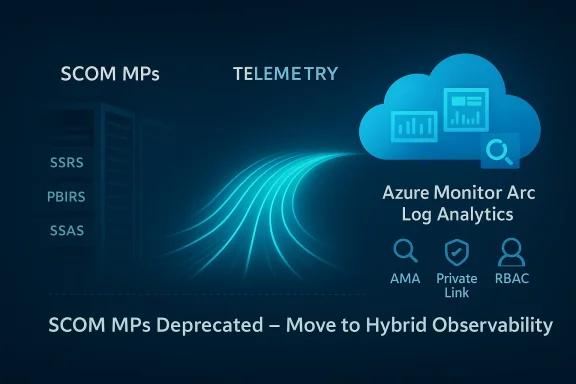
Microsoft’s announcement that the System Center Operations Manager (SCOM) Management Packs for SQL Server Reporting Services (SSRS), Power BI Report Server (PBIRS) and SQL Server Analysis Services (SSAS) are deprecanted — with support ending in January 2027 — is a tectonic shift for enterprises that still rely on on‑premises, SCOM‑centric telemetry. This move pushes Microsoft’s recommended monitoring path toward Azure Monitor + Azure Arc + Log Analytics, replaces a long‑standing vendor‑maintained SCOM monitoring surface, and creates immediate technical, financial, and security choices for operations, compliance, and database teams.
SCOM management packs for SSRS, PBIRS and SSAS have been a core part of many organizations’ monitoring stacks for years. They provide built‑in discovery, health models, alerting rules, remediation workflows, and a consolidated SCOM dashboard for SQL reporting and analysis workloads. Support for those management packs is being publicly deprecated as of January 2026, with a formal End of Support date of January 2027; Microsoft will not provide new updates, compatibility guarantees for SQL Server 2025 or SCOM 2025, nor security fixes for the deprecated MPs after the EoS date. The announcement explicitly recommends planning a migration to Azure‑based telemetry for hybrid and on‑premises servers. Why this matters: many enterprises treat SCOM monitoring logic as part of their operational fabric — the rulesets, automatic remediation workflows, and unified views are operational assets. Losing vendor‑maintained MPs means teams must either: maintain aging MPs without vendor fixes, re‑implement monitoring logic in another toolchain, or migrate to Azure's observability stack and rebuild detection and alerting in that ecosystem. Coverage of this change has already appeared across industry outlets and community threads, reflecting broad concern among DBAs and infrastructure owners.
Microsoft’s community guidance and Azure documentation provide the procedural steps and technical tooling to migrate; the remaining questions are organizational: who will pay for telemetry, how much telemetry is essential, and how will compliance be assured. The answer will decide whether this shift becomes a modernization success or a recurring line item shock in next year’s IT budget.
Source: UC Today Microsoft’s Azure Shift Could Raise Costs and Security Challenges for Database Monitoring
 Background
SCOM management packs for SSRS, PBIRS and SSAS have been a core part of many organizations’ monitoring stacks for years. They provide built‑in discovery, health models, alerting rules, remediation workflows, and a consolidated SCOM dashboard for SQL reporting and analysis workloads. Support for those management packs is being publicly deprecated as of January 2026, with a formal End of Support date of January 2027; Microsoft will not provide new updates, compatibility guarantees for SQL Server 2025 or SCOM 2025, nor security fixes for the deprecated MPs after the EoS date. The announcement explicitly recommends planning a migration to Azure‑based telemetry for hybrid and on‑premises servers. Why this matters: many enterprises treat SCOM monitoring logic as part of their operational fabric — the rulesets, automatic remediation workflows, and unified views are operational assets. Losing vendor‑maintained MPs means teams must either: maintain aging MPs without vendor fixes, re‑implement monitoring logic in another toolchain, or migrate to Azure's observability stack and rebuild detection and alerting in that ecosystem. Coverage of this change has already appeared across industry outlets and community threads, reflecting broad concern among DBAs and infrastructure owners. What Microsoft is recommending (the technical migration path)
Microsoft’s stated replacement pattern is a hybrid Azure approach:- Azure Arc‑enable the servers that host SSRS, PBIRS and SSAS so they appear in Azure as managed resources.
- Install the Azure Monitor Agent (AMA) on Arc‑enabled machines to collect counters, events and logs.
- Send telemetry to a Log Analytics Workspace and manage retention, queries and alerts there.
- Define Data Collection Rules (DCRs) to select which performance counters, event channels and custom logs to gather.
- Recreate alerting and dashboarding using Azure Monitor alerts and Azure Monitor Workbooks.
What the cloud path delivers (Microsoft’s pitch)
- Centralized telemetry across hybrid and cloud resources.
- Modern dashboards and analytics with Kusto Query Language (KQL).
- Integration with Microsoft Sentinel, Defender for Cloud and other Azure security services.
- A path to leverage newer Azure investments (AI‑assisted insights, large‑scale retention and search).
The financial model shift: predictable license vs consumption billing
Historically, SCOM and System Center were acquired under a server‑management license model (Server Management Licenses, often per‑core) — a model that, while not trivial, provides a relatively predictable CapEx and renewal model for enterprises. System Center licensing is structured around Server Management Licenses with defined minimums and packaging that organizations can budget for in multi‑year agreements. That model contrasts sharply with Azure Monitor’s predominant pricing approach: ingestion‑based billing for Log Analytics, query/retention costs, and optional commitment tiers that reduce per‑GB cost only if you commit to a fixed daily ingestion volume. Key cost realities to model now:- Azure Monitor bills for data ingested into Log Analytics (measured per‑GB) and charges for retention beyond included free windows; query costs and advanced store features can also add charges.
- Commitment tiers exist (reserve a fixed daily ingestion) and can reduce per‑GB pricing, but they require sustained, predictable ingestion volumes and a 31‑day minimum commitment.
- For large, chatty estates — especially those that currently forward every performance counter, trace and verbose event — the monthly bill can exceed the prior fixed licensing spend significantly unless telemetry is reduced, filtered, or moved to cheaper retention tiers.
Operational impact and migration complexity
- Scope and scale: Large organizations may have thousands of SSRS/PBIRS/SSAS instances, many of them global, behind firewalls, or subject to sovereign data rules. Onboarding each host to Azure Arc and installing agents at scale takes planning: networking, proxies, private endpoint configuration, firewall whitelisting, and privileged onboarding scripts are all required. Microsoft provides scripted onboarding and policy‑based deployment, but operational constraints remain — and they can be complex in air‑gapped or heavily segmented networks.
- Rebuilding detection logic: SCOM MPs embody years of invested logic — specific monitors, thresholds, compounded health models and remediation tasks. Translating that into Azure Monitor requires:
- mapping SCOM rules to Data Collection Rules,
- re-implementing alerting (metric alerts, log alerts, multi-resource alerts), and
- building workbooks to replicate dashboards and composite views.
This is a non‑trivial effort — many SCOM rules relied on deep product knowledge embedded in the MPs and were ‘drop‑in’ for operations. Recreating the same fidelity in Azure Monitor will require time, testing and change control. - People and process: DBAs, SCOM administrators and NOC teams must learn KQL, Log Analytics patterns, DCRs and Azure Monitor playbooks. Training and runbook rewrites are required. The migration is as much an organizational change as a technical project.
- Time pressure: Microsoft announced deprecation in January 2026 with End of Support in January 2027 — effectively giving organizations a two‑year window. For multi‑national enterprises with complex compliance processes, a two‑year runway may be tight, particularly if parallel projects (OS upgrades, SQL Server 2025 upgrades, or cloud migrations) are underway.
Security, compliance and data residency considerations
- Data residency: Azure Monitor aggregates telemetry to Azure. For regulated workloads that must keep telemetry wholly on‑premises or within a specific jurisdiction, moving logs to Log Analytics can trigger compliance reviews. Azure offers private connectivity options (private endpoints, private link scopes) and Azure Arc has private connectivity options, but those add configuration and cost. Azure documentation includes private connectivity patterns and gateway options for restricted networks.
- Attack surface and attack vectors: Forwarding telemetry increases the footprint of sensitive metadata leaving the corporate perimeter. While telemetry itself is generally less sensitive than production data, it can contain IP addresses, hostnames, and identifiers that attackers can use for reconnaissance. Integration with Defender for Cloud and Sentinel can improve detection, but it also centralizes telemetry that must be protected with strong identity controls, RBAC, encryption and logging. Microsoft’s security tools help, but responsibility is shared: identity, access, and network design fall to the enterprise.
- Air‑gapped and offline systems: Some organizations operate in environments with no internet egress or with extremely limited connectivity (industrial OT, certain government or defense installations). Azure Arc and AMA rely on connectivity; while Azure Arc Gateway and log forwarding options exist, offline or strictly air‑gapped environments may need third‑party solutions or local telemetry retention/processing alternatives. Microsoft docs and community threads discuss gateway and proxy patterns, but these approaches add complexity and often require bespoke engineering.
Alternatives and mitigation strategies
Not all organizations must immediately move telemetry to Azure Monitor. There are several realistic options:- Maintain current SCOM MPs in place (unsupported after Jan 2027): operate them as is but accept increasing risk — no security updates, no compatibility guarantees with newer SQL or Windows releases. This may be viable for short term but is technically debt.
- Adopt a third‑party monitoring platform: Tools like Datadog, Dynatrace, New Relic, or Splunk can monitor SSRS/SSAS/PBIRS via agents, collectors or API integrations. These vendors offer consumption models and enterprise support; in some cases, they provide on‑prem collectors that keep telemetry in customer‑controlled enclaves. Evaluate costs and integration effort carefully.
- Build a bridging layer: Use SCOM for immediate detection while implementing a parallel Azure Monitor proof‑of‑concept for selected critical servers. This reduces risk of immediate outage or regression and staggers the migration.
- Hybrid telemetry architecture with commitment tiers: Use Azure Monitor but optimize ingestion:
- filter and reduce verbose counters,
- use sampling where possible,
- aggregate counters and send summaries,
- employ commitment tiers or pre‑purchase ingestion capacity to cap costs.
Microsoft’s Log Analytics commitment tiers can provide predictable pricing in exchange for a fixed daily ingestion commitment, but they require accurate forecasting. - Negotiate vendor assistance: Managed Service Providers and Microsoft partners may offer fixed‑price migration or managed ingestion plans that smooth cost spikes and provide implementation expertise. Early procurement conversations are prudent.
Practical migration checklist (recommended sequence)
- Inventory: catalog every SSRS/PBIRS/SSAS instance by location, OS, SQL version, network zone, and compliance requirements.
- Risk classification: classify instances as migration‑eligible (cloud‑allowed), constrained (hybrid only), or blocked (air‑gapped / no egress).
- Pilot: choose a representative subset (few servers in different zones) and Arc‑enable them; install AMA and build the initial DCR set.
- Cost modeling: run the pilot under real load for 30–90 days, capture daily ingestion volumes, and model pay‑as‑you‑go vs commitment tier costs.
- Recreate critical monitors: identify top 20 SCOM MPs/rules your operations uses and reimplement them in Azure Monitor alerts/log alerts or use Sentinel analytics where appropriate.
- Dashboard parity: replicate SCOM dashboards in Azure Monitor Workbooks and validate with NOC/DBA teams.
- Runbooks & automation: convert automatic remediation tasks (scripts, autoremediation) into Azure Automation runbooks or Azure Functions triggered by alerts.
- Scale: use Azure Policy, managed scripts, or deployment tooling to roll out AMA and DCRs at scale.
- Governance & security: implement RBAC, private endpoints, network rules, and key rotation policies for workspace keys and identities.
- Decommission plan: when satisfied, decommission SCOM rules gradually; retain fallbacks for critical services for a defined period.
Risks and unanswered / unverifiable elements
- Long‑term cost trajectory: exact monthly cost for a given estate depends heavily on how telemetry is filtered, the retention chosen, and query patterns. Public pricing pages and commitment tier documentation explain mechanics, but only your telemetry profile will reveal the final bill. Model carefully; treat any broad claim of “it will cost X” with skepticism until you run real ingestion tests.
- Compatibility guarantees: Microsoft has explicitly warned that SCOM MPs will not be updated for SQL Server 2025 compatibility. If your path includes SQL Server 2025, you should plan for Azure‑native monitoring or alternative third‑party monitoring; entitlements to MS‑provided MPs for newer SQL versions will not be forthcoming. This is a vendor statement, and the practical impact depends on your upgrade plans.
- Vendor intent vs customer choices: claims that Microsoft is “forcing” customers into Azure are rhetorical and over‑simplify the situation. Microsoft is deprecating vendor‑maintained SCOM MPs and recommending Azure integration; technically, customers can continue to run SCOM or choose other vendors — but the practical tradeoff is that staying fully on‑premises means taking on more maintenance, security risk and potentially unsupported scenarios. Interpret “force” as removal of vendor‑maintained on‑prem alternatives rather than a literal technical blockade. Community threads and trade articles reflect both frustration and pragmatic acceptance of the change.
What IT leaders should do in the next 90 days
- Convene a cross‑functional migration council (DBA, security, architecture, procurement) and set explicit gates: upgrade to SQL Server 2025 only after target monitoring path is validated.
- Launch an immediate pilot: pick a small, representative set of servers and implement Azure Arc + AMA + Log Analytics to gather real ingestion numbers.
- Force a telemetry audit: identify which counters and events are truly required for SLO/SLAs and NOC processes; reduce noise aggressively.
- Model financial scenarios: create at least three scenarios (conservative, expected, high‑volume) for Azure Monitor costs and compare to the present System Center licensing and support model.
- Engage procurement: early dialogue with Microsoft account teams, CSP partners and MSPs can surface migration discounts, transition assistance, or managed ingestion options.
- Prepare governance controls: network firewall rules, private endpoints, workspace naming, retention policies, and RBAC. These are non‑negotiable to keep telemetry controlled and compliant.
Final assessment: modernization opportunity — with qualifiers
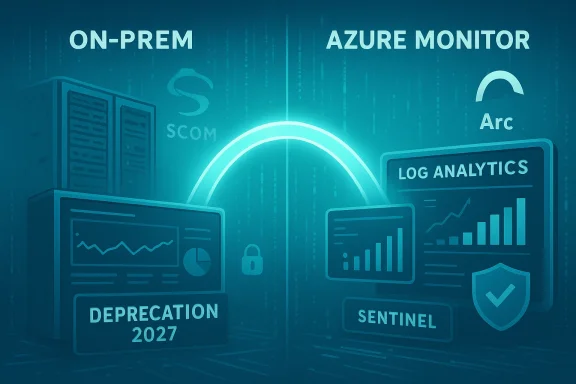
Microsoft’s deprecation of SCOM management packs for SSRS, PBIRS and SSAS is a clear nudge toward Azure’s hybrid observability model. For many organizations the move will unlock modern analytics, centralized security workflows, and tighter integration with cloud services. However, the transition is not cost‑neutral and will require disciplined telemetry design, investment in skills and changes to operating procedures.- Strengths: centralized telemetry, modern query and analytics, integration with Sentinel/Defender, and a unified hybrid control plane via Azure Arc.
- Risks: consumption‑based cost surprises, compliance and data‑residency friction, and the operational cost of re‑implementing mature SCOM rule sets. Model the numbers, pilot early, and treat this as a program — not a routine upgrade.
Microsoft’s community guidance and Azure documentation provide the procedural steps and technical tooling to migrate; the remaining questions are organizational: who will pay for telemetry, how much telemetry is essential, and how will compliance be assured. The answer will decide whether this shift becomes a modernization success or a recurring line item shock in next year’s IT budget.
Source: UC Today Microsoft’s Azure Shift Could Raise Costs and Security Challenges for Database Monitoring