SCOM MPs Deprecated for SSRS PBIRS SSAS: Shift to Azure Monitor Arc

  • Thread Author
Microsoft’s announcement that the System Center Operations Manager (SCOM) Management Packs for SQL Server Reporting Services (SSRS), Power BI Report Server (PBIRS) and SQL Server Analysis Services (SSAS) are deprecanted — with support ending in January 2027 — is a tectonic shift for enterprises that still rely on on‑premises, SCOM‑centric telemetry. This move pushes Microsoft’s recommended monitoring path toward Azure Monitor + Azure Arc + Log Analytics, replaces a long‑standing vendor‑maintained SCOM monitoring surface, and creates immediate technical, financial, and security choices for operations, compliance, and database teams.

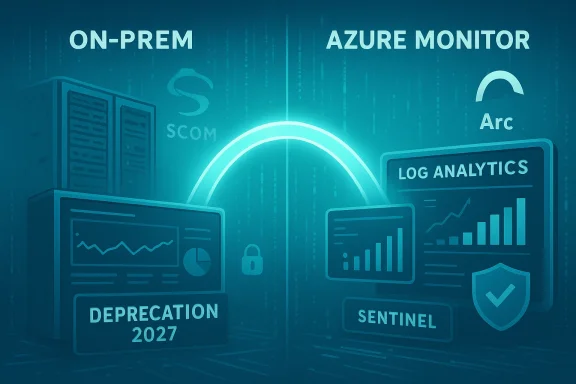
Neon illustration of a bridge from on-prem to Azure Monitor for log analytics and Sentinel.Background​

SCOM management packs for SSRS, PBIRS and SSAS have been a core part of many organizations’ monitoring stacks for years. They provide built‑in discovery, health models, alerting rules, remediation workflows, and a consolidated SCOM dashboard for SQL reporting and analysis workloads. Support for those management packs is being publicly deprecated as of January 2026, with a formal End of Support date of January 2027; Microsoft will not provide new updates, compatibility guarantees for SQL Server 2025 or SCOM 2025, nor security fixes for the deprecated MPs after the EoS date. The announcement explicitly recommends planning a migration to Azure‑based telemetry for hybrid and on‑premises servers. Why this matters: many enterprises treat SCOM monitoring logic as part of their operational fabric — the rulesets, automatic remediation workflows, and unified views are operational assets. Losing vendor‑maintained MPs means teams must either: maintain aging MPs without vendor fixes, re‑implement monitoring logic in another toolchain, or migrate to Azure's observability stack and rebuild detection and alerting in that ecosystem. Coverage of this change has already appeared across industry outlets and community threads, reflecting broad concern among DBAs and infrastructure owners.

What Microsoft is recommending (the technical migration path)​

Microsoft’s stated replacement pattern is a hybrid Azure approach:
  • Azure Arc‑enable the servers that host SSRS, PBIRS and SSAS so they appear in Azure as managed resources.
  • Install the Azure Monitor Agent (AMA) on Arc‑enabled machines to collect counters, events and logs.
  • Send telemetry to a Log Analytics Workspace and manage retention, queries and alerts there.
  • Define Data Collection Rules (DCRs) to select which performance counters, event channels and custom logs to gather.
  • Recreate alerting and dashboarding using Azure Monitor alerts and Azure Monitor Workbooks.
These are the high‑level steps Microsoft lists in their deprecation guidance and in Azure Arc/Monitor onboarding documentation. The documentation also details automated onboarding scripts, policy‑based deployment, and scale strategies for installing agents and DCRs at enterprise scale.

What the cloud path delivers (Microsoft’s pitch)​

  • Centralized telemetry across hybrid and cloud resources.
  • Modern dashboards and analytics with Kusto Query Language (KQL).
  • Integration with Microsoft Sentinel, Defender for Cloud and other Azure security services.
  • A path to leverage newer Azure investments (AI‑assisted insights, large‑scale retention and search).
These are legitimate improvements, but they come with tradeoffs — most notably a consumption‑based cost model and an operational model that assumes tight Azure integration.

The financial model shift: predictable license vs consumption billing​

Historically, SCOM and System Center were acquired under a server‑management license model (Server Management Licenses, often per‑core) — a model that, while not trivial, provides a relatively predictable CapEx and renewal model for enterprises. System Center licensing is structured around Server Management Licenses with defined minimums and packaging that organizations can budget for in multi‑year agreements. That model contrasts sharply with Azure Monitor’s predominant pricing approach: ingestion‑based billing for Log Analytics, query/retention costs, and optional commitment tiers that reduce per‑GB cost only if you commit to a fixed daily ingestion volume. Key cost realities to model now:
  • Azure Monitor bills for data ingested into Log Analytics (measured per‑GB) and charges for retention beyond included free windows; query costs and advanced store features can also add charges.
  • Commitment tiers exist (reserve a fixed daily ingestion) and can reduce per‑GB pricing, but they require sustained, predictable ingestion volumes and a 31‑day minimum commitment.
  • For large, chatty estates — especially those that currently forward every performance counter, trace and verbose event — the monthly bill can exceed the prior fixed licensing spend significantly unless telemetry is reduced, filtered, or moved to cheaper retention tiers.
This is the crux of the UC Today analysis: the migration is not only a technical lift but a re‑engineering of telemetry economics. Enterprises used to a known system cost now must model variable monthly consumption, which has direct implications for budgeting, procurement, and chargeback.

Operational impact and migration complexity​

  • Scope and scale: Large organizations may have thousands of SSRS/PBIRS/SSAS instances, many of them global, behind firewalls, or subject to sovereign data rules. Onboarding each host to Azure Arc and installing agents at scale takes planning: networking, proxies, private endpoint configuration, firewall whitelisting, and privileged onboarding scripts are all required. Microsoft provides scripted onboarding and policy‑based deployment, but operational constraints remain — and they can be complex in air‑gapped or heavily segmented networks.
  • Rebuilding detection logic: SCOM MPs embody years of invested logic — specific monitors, thresholds, compounded health models and remediation tasks. Translating that into Azure Monitor requires:
  • mapping SCOM rules to Data Collection Rules,
  • re-implementing alerting (metric alerts, log alerts, multi-resource alerts), and
  • building workbooks to replicate dashboards and composite views.
    This is a non‑trivial effort — many SCOM rules relied on deep product knowledge embedded in the MPs and were ‘drop‑in’ for operations. Recreating the same fidelity in Azure Monitor will require time, testing and change control.
  • People and process: DBAs, SCOM administrators and NOC teams must learn KQL, Log Analytics patterns, DCRs and Azure Monitor playbooks. Training and runbook rewrites are required. The migration is as much an organizational change as a technical project.
  • Time pressure: Microsoft announced deprecation in January 2026 with End of Support in January 2027 — effectively giving organizations a two‑year window. For multi‑national enterprises with complex compliance processes, a two‑year runway may be tight, particularly if parallel projects (OS upgrades, SQL Server 2025 upgrades, or cloud migrations) are underway.

Security, compliance and data residency considerations​

  • Data residency: Azure Monitor aggregates telemetry to Azure. For regulated workloads that must keep telemetry wholly on‑premises or within a specific jurisdiction, moving logs to Log Analytics can trigger compliance reviews. Azure offers private connectivity options (private endpoints, private link scopes) and Azure Arc has private connectivity options, but those add configuration and cost. Azure documentation includes private connectivity patterns and gateway options for restricted networks.
  • Attack surface and attack vectors: Forwarding telemetry increases the footprint of sensitive metadata leaving the corporate perimeter. While telemetry itself is generally less sensitive than production data, it can contain IP addresses, hostnames, and identifiers that attackers can use for reconnaissance. Integration with Defender for Cloud and Sentinel can improve detection, but it also centralizes telemetry that must be protected with strong identity controls, RBAC, encryption and logging. Microsoft’s security tools help, but responsibility is shared: identity, access, and network design fall to the enterprise.
  • Air‑gapped and offline systems: Some organizations operate in environments with no internet egress or with extremely limited connectivity (industrial OT, certain government or defense installations). Azure Arc and AMA rely on connectivity; while Azure Arc Gateway and log forwarding options exist, offline or strictly air‑gapped environments may need third‑party solutions or local telemetry retention/processing alternatives. Microsoft docs and community threads discuss gateway and proxy patterns, but these approaches add complexity and often require bespoke engineering.

Alternatives and mitigation strategies​

Not all organizations must immediately move telemetry to Azure Monitor. There are several realistic options:
  • Maintain current SCOM MPs in place (unsupported after Jan 2027): operate them as is but accept increasing risk — no security updates, no compatibility guarantees with newer SQL or Windows releases. This may be viable for short term but is technically debt.
  • Adopt a third‑party monitoring platform: Tools like Datadog, Dynatrace, New Relic, or Splunk can monitor SSRS/SSAS/PBIRS via agents, collectors or API integrations. These vendors offer consumption models and enterprise support; in some cases, they provide on‑prem collectors that keep telemetry in customer‑controlled enclaves. Evaluate costs and integration effort carefully.
  • Build a bridging layer: Use SCOM for immediate detection while implementing a parallel Azure Monitor proof‑of‑concept for selected critical servers. This reduces risk of immediate outage or regression and staggers the migration.
  • Hybrid telemetry architecture with commitment tiers: Use Azure Monitor but optimize ingestion:
  • filter and reduce verbose counters,
  • use sampling where possible,
  • aggregate counters and send summaries,
  • employ commitment tiers or pre‑purchase ingestion capacity to cap costs.
    Microsoft’s Log Analytics commitment tiers can provide predictable pricing in exchange for a fixed daily ingestion commitment, but they require accurate forecasting.
  • Negotiate vendor assistance: Managed Service Providers and Microsoft partners may offer fixed‑price migration or managed ingestion plans that smooth cost spikes and provide implementation expertise. Early procurement conversations are prudent.

Practical migration checklist (recommended sequence)​

  • Inventory: catalog every SSRS/PBIRS/SSAS instance by location, OS, SQL version, network zone, and compliance requirements.
  • Risk classification: classify instances as migration‑eligible (cloud‑allowed), constrained (hybrid only), or blocked (air‑gapped / no egress).
  • Pilot: choose a representative subset (few servers in different zones) and Arc‑enable them; install AMA and build the initial DCR set.
  • Cost modeling: run the pilot under real load for 30–90 days, capture daily ingestion volumes, and model pay‑as‑you‑go vs commitment tier costs.
  • Recreate critical monitors: identify top 20 SCOM MPs/rules your operations uses and reimplement them in Azure Monitor alerts/log alerts or use Sentinel analytics where appropriate.
  • Dashboard parity: replicate SCOM dashboards in Azure Monitor Workbooks and validate with NOC/DBA teams.
  • Runbooks & automation: convert automatic remediation tasks (scripts, autoremediation) into Azure Automation runbooks or Azure Functions triggered by alerts.
  • Scale: use Azure Policy, managed scripts, or deployment tooling to roll out AMA and DCRs at scale.
  • Governance & security: implement RBAC, private endpoints, network rules, and key rotation policies for workspace keys and identities.
  • Decommission plan: when satisfied, decommission SCOM rules gradually; retain fallbacks for critical services for a defined period.

Risks and unanswered / unverifiable elements​

  • Long‑term cost trajectory: exact monthly cost for a given estate depends heavily on how telemetry is filtered, the retention chosen, and query patterns. Public pricing pages and commitment tier documentation explain mechanics, but only your telemetry profile will reveal the final bill. Model carefully; treat any broad claim of “it will cost X” with skepticism until you run real ingestion tests.
  • Compatibility guarantees: Microsoft has explicitly warned that SCOM MPs will not be updated for SQL Server 2025 compatibility. If your path includes SQL Server 2025, you should plan for Azure‑native monitoring or alternative third‑party monitoring; entitlements to MS‑provided MPs for newer SQL versions will not be forthcoming. This is a vendor statement, and the practical impact depends on your upgrade plans.
  • Vendor intent vs customer choices: claims that Microsoft is “forcing” customers into Azure are rhetorical and over‑simplify the situation. Microsoft is deprecating vendor‑maintained SCOM MPs and recommending Azure integration; technically, customers can continue to run SCOM or choose other vendors — but the practical tradeoff is that staying fully on‑premises means taking on more maintenance, security risk and potentially unsupported scenarios. Interpret “force” as removal of vendor‑maintained on‑prem alternatives rather than a literal technical blockade. Community threads and trade articles reflect both frustration and pragmatic acceptance of the change.

What IT leaders should do in the next 90 days​

  • Convene a cross‑functional migration council (DBA, security, architecture, procurement) and set explicit gates: upgrade to SQL Server 2025 only after target monitoring path is validated.
  • Launch an immediate pilot: pick a small, representative set of servers and implement Azure Arc + AMA + Log Analytics to gather real ingestion numbers.
  • Force a telemetry audit: identify which counters and events are truly required for SLO/SLAs and NOC processes; reduce noise aggressively.
  • Model financial scenarios: create at least three scenarios (conservative, expected, high‑volume) for Azure Monitor costs and compare to the present System Center licensing and support model.
  • Engage procurement: early dialogue with Microsoft account teams, CSP partners and MSPs can surface migration discounts, transition assistance, or managed ingestion options.
  • Prepare governance controls: network firewall rules, private endpoints, workspace naming, retention policies, and RBAC. These are non‑negotiable to keep telemetry controlled and compliant.

Final assessment: modernization opportunity — with qualifiers​

Microsoft’s deprecation of SCOM management packs for SSRS, PBIRS and SSAS is a clear nudge toward Azure’s hybrid observability model. For many organizations the move will unlock modern analytics, centralized security workflows, and tighter integration with cloud services. However, the transition is not cost‑neutral and will require disciplined telemetry design, investment in skills and changes to operating procedures.
  • Strengths: centralized telemetry, modern query and analytics, integration with Sentinel/Defender, and a unified hybrid control plane via Azure Arc.
  • Risks: consumption‑based cost surprises, compliance and data‑residency friction, and the operational cost of re‑implementing mature SCOM rule sets. Model the numbers, pilot early, and treat this as a program — not a routine upgrade.
Enterprises that prepare early — by inventorying telemetry, piloting Azure Monitor with cost controls, and exploring third‑party or hybrid options where Azure is not acceptable — will have options. Those that wait risk a scramble as the January 2027 EoS date approaches. The technical takeaway is simple: the era of vendor‑maintained SCOM MPs for these SQL workloads is ending; the business takeaway is harder — monitoring is now a cross‑domain procurement, engineering, and security decision that must be budgeted and executed with care.
Microsoft’s community guidance and Azure documentation provide the procedural steps and technical tooling to migrate; the remaining questions are organizational: who will pay for telemetry, how much telemetry is essential, and how will compliance be assured. The answer will decide whether this shift becomes a modernization success or a recurring line item shock in next year’s IT budget.
Source: UC Today Microsoft’s Azure Shift Could Raise Costs and Security Challenges for Database Monitoring
 

Microsoft’s announcement that the System Center Operations Manager (SCOM) management packs for SQL Server Reporting Services (SSRS), Power BI Report Server (PBIRS) and SQL Server Analysis Services (SSAS) are formally deprecated in January 2026 with an End of Support date of January 2027 is a clear inflection point for enterprise monitoring strategy — one that compels organizations to pick a path now or accept unsupported on‑premises monitoring after the deadline.

Blue-tinted data center with glowing Azure Monitor and Log Analytics cloud icons.Background​

For decades, SCOM management packs have been the vendor-supported, product-aware way to monitor Microsoft database and reporting services on‑premises. They provide discovery, health models, pre‑built rules and remediation runbooks that operations teams rely on for predictable alerting and automated responses. The deprecation announcement means Microsoft will stop producing updates, bug fixes and security patches for the SSRS/PBIRS and SSAS management packs after January 2027. Existing packs will continue to run in SCOM 2019 and SCOM 2022 for now, but there will be no compatibility guarantees with SQL Server 2025, SCOM 2025, or future Windows releases. Microsoft’s public guidance explicitly recommends a migration to an Azure‑centric monitoring architecture built on Azure Arc + Azure Monitor + Log Analytics as the supported path forward. That guidance lays out a high‑level migration pattern: Arc‑enable on‑prem servers, install the Azure Monitor Agent (AMA), send telemetry to a Log Analytics workspace, and reimplement SCOM logic as Data Collection Rules (DCRs), log alerts and Workbooks. This is the vendor’s modernization path — and it is accompanied by a fundamental shift from fixed license costs to consumption billing. Community reaction has been immediate and pointed. Independent practitioners and coverage from industry outlets underscore two central concerns: a) the short runway for large estates and regulated environments; and b) the operational and financial friction of swapping a product‑aware, rules‑based monitoring surface for a cloud ingestion and query model. The WinBuzzer write‑up that followed Microsoft’s post summed up the business and technical risks while quoting practitioners who say Azure Monitor lacks an equivalent to SCOM’s management pack model.

What Microsoft announced — the essentials​

  • Deprecation announced: January 2026.
  • End of Support: January 2027.
  • Affected artifacts: SCOM Management Packs for SSRS, Power BI Report Server (PBIRS), and SSAS.
  • Vendor guidance: Migrate monitoring to Azure Monitor using Azure Arc and Log Analytics; rebuild detection and dashboards there.
These are not tentative statements: Microsoft’s SQL Server blog entry is explicit that no new updates — including security updates or compatibility fixes for SQL Server 2025 — will be provided after the deprecation. That makes the calendar firm from the vendor’s perspective. It does not, however, prevent customers from continuing to run the older management packs at their own risk. Still, the practical support story is changing: vendor maintenance and compatibility guarantees evaporate on the stated timeline.

Who’s affected — scale and profiles​

This change is material for several enterprise classes:
  • Large enterprises with global SCOM footprints. Organizations that rely on SCOM for unified enterprise monitoring and have thousands of monitored SQL instances face a complex, multi‑phase migration that can take years. The two‑year window may be tight for these environments.
  • Regulated and security‑sensitive industries. Financial services, healthcare and government customers with tight controls over where telemetry can be stored must evaluate data residency and cross‑border telemetry flows carefully before adopting Azure Monitor. Azure offers private connectivity patterns, but they add operational and cost complexity.
  • Organizations with air‑gapped or heavily segmented networks. Azure Arc and Azure Monitor assume connectivity; strictly offline environments will have to either accept unsupported SCOM packs, use third‑party on‑prem monitoring, or build bespoke forwarding gateways.
  • SMBs and mid‑market companies. For smaller teams, the operational cost of reimplementing SCOM logic and learning Kusto Query Language (KQL) may be heavy — and consumption billing may be more expensive than the fixed‑cost SCOM license model they currently use.

Technical migration path Microsoft recommends​

Microsoft’s recommended steps are straightforward at a high level — but non‑trivial in execution:
  • Enable Azure Arc on servers that host SSRS, PBIRS and SSAS so they become Azure‑managed resources.
  • Install the Azure Monitor Agent (AMA) on Arc‑enabled machines to gather metrics, events and logs.
  • Create a Log Analytics Workspace to centralize telemetry ingestion.
  • Define Data Collection Rules (DCRs) to select performance counters, event channels and custom logs.
  • Recreate alerting logic as Azure Monitor metric alerts, log alerts, or Sentinel analytics rules.
  • Build dashboards and operational views using Azure Monitor Workbooks and Playbooks.
These steps are technically viable and supported by Microsoft documentation and tooling, but they require non‑trivial operational work: mapping SCOM health models to KQL‑driven rules, reconstructing multi‑resource alerts and service‑level views, and converting automatic remediation scripts to runbooks or Functions. The migration is as much people/process change as it is technology replacement.

Cost and licensing implications — fixed vs consumption​

One of the loudest concerns is financial. SCOM historically sits behind a relatively predictable server management licensing model (fixed renewals, per‑core or per‑server constructs), whereas Azure Monitor’s pricing is primarily ingestion‑driven — you pay per GB of data sent to Log Analytics, with additional charges for retention, advanced query features and some processing. Azure also offers commitment tiers that can reduce per‑GB cost in exchange for a reserved daily ingestion commitment. Practical cost impacts:
  • High‑volume monitoring estates that forward large numbers of raw performance counters and verbose event streams will see bills grow quickly unless they aggressively filter telemetry.
  • Commitment tiers can provide predictability but require accurate forecasting and a 31‑day minimum commitment window.
  • Smaller organizations that previously benefited from a simple, predictable SCOM license may find Azure Monitor costlier unless they carefully redesign telemetry collection.
  • Procurement and chargeback models must change: CapEx license renewals may be replaced by monthly variable OpEx billing — a meaningful shift for finance teams used to predictable renewals.
Because the final monthly cost depends heavily on an organization’s real telemetry profile, the only reliable pricing exercise is a measurement pilot under production load. Microsoft’s own pricing pages and commitment tier details exist, but they are inputs to a model that enterprises must populate with real ingestion numbers before deciding.

Feature gaps and operational tradeoffs​

Azure Monitor is a modern, flexible telemetry platform — but it is not a drop‑in functional replacement for SCOM’s management pack model. Key differences and gaps that matter in practice:
  • No management‑pack semantics. SCOM management packs encapsulate product knowledge, discovery rules and health models in an installable package. Azure Monitor uses agents, DCRs and queries; there is no packaged, product‑aware “management pack” construct with the same drop‑in behavior. This is a structural difference, and it forces teams to reimplement logic. Practitioners have pointed out this gap in public fora and community threads.
  • Alerting and ticketing affordances. SCOM provides built‑in service monitoring, alert suppression, health stateand tighter service model integration. Azure Monitor integrates with modern alerting and ITSM capabilities but requires separate configuration and often additional services (Logic Apps, Functions, or third‑party integrations) to replicate existing automated remediation patterns.
  • Dashboards and composite views. SCOM’s consolidated views for service awareness are baked into the console. Azure requires building comparable views with Workbooks and cross‑resource queries; the flexibility is greater but requires design work.
  • Operational model differences. SCOM administrators are used to rules, monitor types and management pack lifecycle. Azure requires skills in KQL, DCR management, workspace governance and cost control — an operationally different discipline.
These gaps do not mean Azure Monitor is inferior — in many scenarios it is more scalable, integrates better with modern cloud security tooling like Defender for Cloud and Sentinel, and offers advanced analytics — but the migration cost is real and must be accounted for.

Alternatives and mitigation strategies​

A forced binary of “move to Azure or suffer” is an oversimplification. Real‑world choices include:
  • Continue running SCOM MPs (unsupported after Jan 2027). This buys time but creates a growing compliance and security risk posture. It is a form of technical debt.
  • Adopt third‑party monitoring tools. Companies can migrate to vendors such as Datadog, Dynatrace, Splunk or others that offer hybrid/on‑prem collectors and enterprise support. These platforms have their own pricing models and tradeoffs, and some provide richer on‑prem functionality than Azure Monitor for certain use cases.
  • Hybrid approaches. Keep SCOM for core on‑prem monitoring while piloting Azure Monitor for a subset of hosts — then phase workloads as governance and cost models stabilize. This staged approach lowers immediate risk.
  • Telemetry optimization. Reduce ingestion volume through selective counters, aggregation, sampling, and pre‑processing to lower Azure Monitor costs and approximate SCOM’s targeted approach. Use commitment tiers for predictability once volumes stabilize.
  • Managed service or partner assistance. Engage MSPs or CSP partners that can provide migration playbooks, fixed‑price ingestion or managed observability to smooth cost and operational transitions. Early procurement conversations can reveal migration credits or assistance.
Each alternative has a cost/benefit profile. The single most actionable step is a short, realistic pilot to measure ingestion and to reimplement the handful of highest‑value SCOM rules in Azure Monitor to test parity and cost.

Practical migration playbook — a pragmatic sequence​

The following sequence compresses best practices into an executable plan:
  • Governance & kickoff (weeks 0–2)
  • Appoint a cross‑functional migration owner (infrastructure, DBAs, security, procurement).
  • Create a retirement calendar with hard gates tied to Jan 2027.
  • Inventory & triage (weeks 0–6)
  • Catalog every SSRS/PBIRS/SSAS instance: OS, SQL version, network zone, and compliance constraints.
  • Rank instances by business impact and data residency constraints.
  • Pilot & cost measurement (90 days)
  • Arc‑enable a representative set of servers and install AMA.
  • Send telemetry to Log Analytics and measure real ingestion per day.
  • Recreate top 10–20 SCOM rules as Azure Monitor alerts and validate behavior with NOC/DBA teams.
  • Rebuilding & optimization (3–9 months)
  • Convert critical runbooks to Azure Automation or Azure Functions.
  • Implement DCRs that send only required counters and event types.
  • Tune retention and use commitment tiers for predictable costs where possible.
  • Rollout & decommission (6–18 months)
  • Gradually onboard production servers, maintain SCOM fallbacks for critical systems during the transition.
  • Decommission SCOM MPs once parity and governance are validated.
  • Long‑term governance (ongoing)
  • Implement telemetry tagging, RBAC, private endpoints, and a telemetry cost governance policy.
  • Reassess periodically; maintain an escape hatch for systems that must remain on‑premises.

Recommendations for CIOs, platform owners, and DBAs​

  • Treat the timeline as mandatory for planning: Jan 2027 is the vendor EoS date; use it as a project gate. Build contingency budgets for ESU-like solutions, third‑party support, or managed migration if schedules slip.
  • Run a realistic pilot under production load: Measure ingestion, model costs across pay‑as‑you‑go and commitment tiers, and test parity for your mission‑critical monitors. Don’t rely on theoretical numbers.
  • Prioritize telemetry hygiene: Identify which counters and logs are truly required for SLOs and SLAs; reduce noisy telemetry aggressively before migrating. This step alone can materially reduce Azure Monitor costs.
  • Invest in skills early: Train SCOM administrators in Azure Monitor, KQL and Arc concepts. Plan runbook conversions and operational playbooks now.
  • Negotiate procurement options: Talk to Microsoft account teams, CSP partners and MSPs early. Commitment tiers, migration credits or managed ingestion options can change cost calculus.
  • Preserve compliance documentation: For regulated workloads, document telemetry flows, private endpoint configurations and data residency mitigations as part of any Azure adoption plan.

Risks, unknowns, and cautionary notes​

  • Microsoft’s public statement is clear about no further updates for the specified MPs; however, the practical behavior of existing management packs is not forcibly turned off by the vendor. Customers can run them, but they do so without vendor fixes or compatibility guarantees — a growing liability over time. Flagging this distinction is important in compliance conversations.
  • Exact future cost projections are inherently uncertain. Pricing mechanics are available publicly, but only a pilot can produce trustworthy monthly spend estimates for a given estate. Any headline prediction of “it will cost X” should be treated as provisional until validated by real ingestion data.
  • Feature parity claims are subjective. Some teams will find Azure Monitor superior for analytics and integration, others will find SCOM’s product‑aware model irreplaceable for certain on‑prem workflows. Measure against concrete operational scenarios rather than anecdotes.

Conclusion​

Microsoft’s decision to deprecate SCOM management packs for SSRS, PBIRS and SSAS and to recommend Azure Monitor + Azure Arc as the supported replacement is a strategic nudge that converts a lifecycle decision into an operational imperative. The vendor’s timeline is explicit: deprecation announced January 2026, End of Support January 2027. Enterprises must treat that calendar as a planning constraint and act now.
The migration both modernizes telemetry — offering richer analytics, centralization and cloud integration — and reconfigures cost and operational models from predictable licensing to consumption billing. There is no universal “right” answer: organizations with strict on‑premises or compliance constraints must weigh continued unsupported operation, third‑party on‑prem monitoring, or carefully engineered hybrid patterns. For the majority, the recommended path is to pilot, measure and execute migration workstreams that prioritize telemetry hygiene, cost governance and skills readiness.
Start with inventory and a production pilot that measures ingestion and reimplements the most critical SCOM logic in Azure Monitor. Use that pilot to decide whether a complete move to Azure, a hybrid posture, or a third‑party solution best aligns with organizational risk tolerance, compliance needs and budget reality. The calendar is firm; the technical choice is yours — but the time to act is now.
Source: WinBuzzer Microsoft Sets 2027 Deadline for SCOM Management Pack Support, Forcing Enterprise Azure Migration - WinBuzzer
 

Microsofto’s Jan. 19, 2026 announcement that it will deprecate the System Center Operations Manager (SCOM) Management Packs for SQL Server Reporting Services (SSRS), Power BI Report Server (PBIRS) and SQL Server Analysis Services (SSAS) marks another clear pivot from on‑premises, product‑specific management tooling toward cloud‑native observability via Azure Monitor, Azure Arc and Log Analytics — and it raises material operational, security and licensing questions for organizations that still rely on SCOM for SQL Server telemetry.

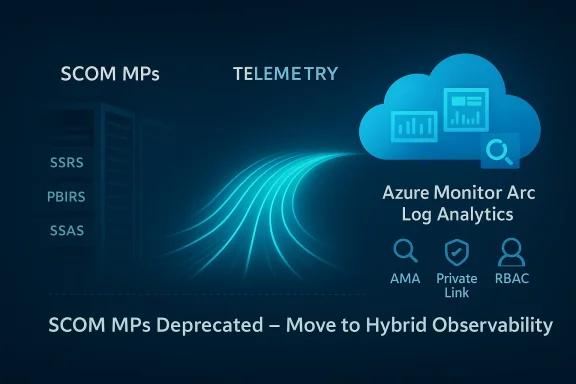
SCOM MPs deprecated; move to Hybrid Observability with Azure Monitor Arc Log Analytics.Background​

Microsoft has confirmed that the SCOM management packs (MPs) for SSRS, PBIRS and SSAS will be declared deprecated effective January 2026 and will remain available but unsupported until January 2027. After that end‑of‑support date, Microsoft will not ship updates, fixes, security patches or new features for those MPs, and compatibility with future server and SCOM releases (including SQL Server 2025 and SCOM 2025) is not guaranteed.
SCOM has been a cornerstone of Microsoft‑centric on‑premises operations for more than a decade, using Management Packs to codify monitoring rules, health models, performance counters and alerting for server stacks such as SQL Server, Exchange, SharePoint and Windows Server. The MPs being deprecated target a narrower, but important, slice of the SQL Server ecosystem — the reporting and analytics components (SSRS, PBIRS and SSAS) — that many enterprises still rely on for internal reporting, BI and OLAP workloads.
Microsoft’s public guidance points customers toward an integrated, Azure‑centric replacement: register machines with Azure Arc, install the Azure Monitor Agent (AMA), forward telemetry into Log Analytics workspaces, and build alerting and visualizations using Azure Monitor workbooks and companion tooling. The vendor frames this as a unified telemetry ingestion and alerting platform for hybrid and multi‑cloud environments.

What changed and why it matters​

The technical change in plain terms​

  • The SCOM Management Packs for SSRS, Power BI Report Server and SSAS are deprecated as of January 2026.
  • The MPs will remain downloadable and function in supported SCOM versions (notably SCOM 2019 and SCOM 2022) until January 2027, but will receive no fixes or security updates.
  • Microsoft will not produce official SCOM MPs for SQL Server 2025 workloads nor for SCOM 2025.
  • Microsoft recommends migration to Azure Monitor + Azure Arc + Log Analytics for monitoring these server roles.

Why Microsoft is moving this way​

The deprecation is consistent with a multi‑year strategy to consolidate agents and telemetry pipelines, retire older agents (such as the legacy Log Analytics agent), and focus on cloud‑native observability that can cover on‑prem, Azure and other clouds from a single control plane. The new model uses the Azure Monitor Agent (AMA) and Data Collection Rules (DCRs) to flexibly define what to collect and where to send it — a capability that simplifies large, heterogeneous estates but increases Azure dependency.
This change also aligns with other recent product shifts in the SQL stack — for example, reporting is being steered toward Power BI Report Server as the recommended on‑prem reporting solution going forward — further pushing a modernization and cloud‑centric narrative.

Practical impact on IT operations​

Immediate operational consequences​

  • Organizations that currently depend on SCOM MPs for SSRS/PBIRS/SSAS will face a support cliff for those specific MPs after January 2027.
  • Existing MPs will continue to work in supported SCOM versions for the near term, but running unsupported monitoring components creates a rising security and compatibility risk.
  • Customers planning upgrades to SQL Server 2025 or SCOM 2025 cannot expect Microsoft‑provided SCOM MPs for these workloads.
  • The recommended path — Azure Monitor + Azure Arc — requires installing agents and registering machines with Azure, a change in both tooling and operational posture.

Security and compliance implications​

  • Unsupported MPs mean no security-related fixes for monitoring logic that may contain parsing code, inventory routines or other logic that interacts with system telemetry.
  • Moving telemetry to Azure raises data flow considerations: logs and metrics leave the local environment and are stored in Azure Log Analytics workspaces unless architected otherwise.
  • Azure provides controls such as Private Link / Private Link Scopes, workspace lockdowns, and role‑based access control (RBAC) to limit exposure and keep traffic on the Azure backbone, but these must be planned and configured.

Licensing and audit exposure — the sticky bit​

A major point of debate among practitioners is the licensing and audit exposure that can arise when you register on‑prem servers in Azure via Azure Arc. Registering servers transforms them into Azure resources visible in a tenant inventory, and Azure telemetry pipelines create clear evidence that specific instances exist and are being monitored.
That visibility is operationally useful but may create an audit vector: if Microsoft’s licensing auditors — in a routine or triggered audit — map monitored, registered SQL Server instances against purchased licenses, customers could find themselves having to explain or reconcile gaps in license counts. Microsoft has not stated an intention to use monitoring telemetry as a licensing enforcement mechanism; however, the existence of a comprehensive inventory in Azure makes it easier for a third‑party or internal compliance team to identify potential misalignment.
This is not to suggest malicious intent, but it is a real operational risk that must be managed when you cross an on‑premises boundary and make previously opaque assets visible to a vendor‑controlled cloud platform.

Migration and mitigation: a practical playbook​

For organizations that must maintain operational monitoring after the deprecation, there are three high‑level choices:
  • Remain on SCOM and accept support risk through January 2027, then switch to an alternative on‑premises solution.
  • Migrate to Microsoft’s recommended cloud‑centric stack (Azure Monitor + Azure Arc + Log Analytics).
  • Adopt a third‑party on‑premises monitoring product that keeps telemetry inside customer infrastructure.
Below is a practical, step‑by‑step playbook to manage the transition with minimal operational and compliance fallout.
  • Inventory and classification
  • Build an authoritative list of every SQL Server instance, SSRS/PBIRS and SSAS deployment.
  • Classify instances as production, pre‑production, development or test; tag accordingly.
  • Record licensing entitlements for each environment (per‑core counts, CALs, Visual Studio entitlements used for development, etc..
  • Risk assessment
  • Quantify the operational risk of running unsupported management packs after Jan. 2027.
  • Model the security risk (patching, parsing code in MPs, attack surface).
  • Calculate potential Azure ingestion and retention costs for telemetry if you migrate to Azure Monitor.
  • Pilot Azure Monitor in a controlled environment
  • Choose a small set of non‑production servers as a pilot.
  • Register those machines with Azure Arc and install the Azure Monitor Agent (AMA).
  • Create dedicated Log Analytics workspace(s) for pilot telemetry and set conservative retention policies.
  • Design telemetry boundaries and privacy controls
  • Use Data Collection Rules (DCRs) to limit what is collected and where it is sent, avoiding unnecessary collection that bloats ingestion costs or creates audit evidence that’s not needed.
  • Implement Azure Monitor Private Link or Private Link Scopes to keep ingestion over the Azure backbone and restrict public endpoints.
  • Create separate workspaces or subscriptions for production and non‑production telemetry; enforce workspace access via RBAC.
  • Tagging and traceability
  • Apply a consistent tagging scheme to all Arc‑registered machines that includes environment (prod/dev), owner, and business unit.
  • Use tags and Azure policies to prevent accidental registration of dev/test machines into production workspaces.
  • Licensing reconciliation before broad roll‑out
  • Use your inventory plus tags to reconcile license entitlements with deployed instances.
  • If necessary, reserve a small window with Microsoft licensing or your reseller to present evidence (Visual Studio entitlements, lab usage policies) for non‑production machines that show as deployed.
  • Decide on long‑term tooling
  • If you must remain fully on‑prem without Azure registration (air‑gapped, sovereign data), evaluate third‑party monitoring tools that offer full on‑prem functionality.
  • If you accept Azure, align telemetry, alerting and runbooks to Azure Monitor and plan for cost controls.
  • Formalize governance and audit posture
  • Document the monitoring architecture and data flow and circulate to security, compliance and procurement teams.
  • Set retention, access, and incident response rules for telemetry data stored in Azure.
  • Execute migration and decommission old MPs
  • Migrate monitoring rules methodically: recreate critical SCOM MP logic as DCRs, alerts and queries in Azure Monitor.
  • Keep a minimal SCOM footprint if you have residual workloads that are practical to maintain until January 2027, but avoid new dependencies.
  • Continuous review
  • Reassess every 90 days for ingestion costs, evidence surface, and licensing posture.

Third‑party on‑premises alternatives​

For organizations that cannot, will not, or prefer not to register servers in Azure, mature third‑party tools exist that provide deep SQL Server monitoring without forcing the telemetry into Microsoft’s cloud. These can be used as long‑term replacements or interim bridges:
  • Redgate SQL Monitor — tailored to SQL Server performance and availability monitoring.
  • Idera SQL Diagnostic Manager — enterprise‑grade SQL Server observability and alerting.
  • SolarWinds Database Performance Analyzer and SQL Sentry — comprehensive database performance monitoring with cross‑platform support.
  • Quest Foglight and other legacy enterprise observability suites.
  • SentryOne (and similar products focused on SQL performance).
These solutions vary in feature set, licensing model and cross‑product coverage (some also monitor Windows Server, Exchange, etc., so procurement should evaluate integration, scale, data retention and support SLAs. Keep in mind that moving to a third‑party will require development of dashboards and alerting logic previously provided by Microsoft MPs.

Cost and governance considerations for Azure migration​

Moving telemetry into Azure is not a free operation. Key cost drivers include:
  • Volume of ingestion (GB/day) into Log Analytics.
  • Data retention duration (longer retention = higher storage cost).
  • Number of workspaces and cross‑workspace queries.
  • Use of premium features (e.g., additional analytics or longer preservation).
Governance levers to control cost and exposure:
  • Use DCRs to filter and limit collection to only required events and counters.
  • Create separate workspaces for dev/test with lower retention or sampling.
  • Apply Private Link Scopes to secure and restrict what can send telemetry.
  • Apply RBAC and conditional access to limit who can query or export workspaces.
It’s important to estimate ingestion and retention costs during pilot phases and to build budget guardrails into Azure subscriptions and billing alerts.

Security hardening when you use Azure Monitor and Arc​

  • Use Private Link / AMPLS to route ingestion over private networks and prevent public ingestion endpoints.
  • Use managed identities and Azure AD authentication for agents to avoid stored credentials.
  • Apply workspace access restrictions and audit logging to detect unusual query/export activity.
  • Limit telemetry to necessary items; avoid sending full SQL query text or PII in logs unless strictly required and approved.
  • Encrypt workspace outputs and set retention rules consistent with regulatory requirements.
These controls reduce both data exposure and the size of the evidence surface that an external audit might discover.

The licensing audit question — how real is the risk?​

The notion that registering machines in Azure could feed licensing audits is plausible but not guaranteed. Microsoft has not stated it will use telemetry or Arc registration lists for license enforcement; however, the presence of a centrally visible, vendor‑controlled inventory undeniably makes reconciliation exercises easier for any party with access.
Key mitigations:
  • Maintain a defensible inventory that documents which machines are used for production vs. development.
  • Tag and separate non‑production instances into distinct workspaces or subscriptions.
  • Preserve purchase records, Visual Studio entitlements, MSDN/VSTS licensing and any internal policies that justify test/dev usage.
  • Negotiate license audits and clarify the treatment of monitored but non‑production assets with your Microsoft account team or licensing reseller before large‑scale Arc rollouts.
If you’re uncertain about entitlements, perform the inventory and present counts to Microsoft before registering every instance into Azure.

Strategic analysis — strengths and risks of Microsoft’s direction​

Strengths​

  • Unified hybrid observability: Azure Monitor + Arc provides a single pane of glass across on‑prem, Azure and multi‑cloud environments.
  • Modern agent model: AMA with DCRs offers fine‑grained, centralized control of telemetry and more secure authentication mechanisms.
  • Feature innovation cadence: Azure’s cloud services evolve rapidly and hedge organizations into a platform with continuous improvements in analytics, AI‑powered insights and integrated runbooks.
  • Operational consolidation: Fewer legacy agents and MPs reduces management overhead and fragmentation.

Risks and trade‑offs​

  • Vendor dependency and lock‑in: Deep integration with Azure increases strategic dependence on Microsoft and may limit movement to other clouds or pure on‑prem architectures.
  • Licensing and audit surface: Making assets visible to a vendor’s cloud can expose organizations to new audit vectors if licensing is not managed proactively.
  • Regulatory and data residency concerns: Some regulated or sovereign environments cannot send telemetry to public cloud without complex contractual safeguards or may require air‑gapped solutions.
  • Cost unpredictability: Telemetry ingestion can scale quickly and create ongoing recurring costs that require careful governance and budgeting.
  • Operational change: Teams must adapt to new tools, agents and workflows; this requires training, process updates and changes to runbooks.

Practical checklist for November–January migration window​

  • Complete a definitive SQL Server/SSRS/SSAS inventory by environment and license category.
  • Tag assets and create a dev/prod separation plan for telemetry.
  • Run a small pilot to validate DCRs, AMA, Arc registration and Private Link in a non‑prod tenant.
  • Engage licensing and procurement with reconciled counts and entitlements.
  • Evaluate third‑party on‑prem tools for constrained environments or as a fallback.
  • Draft an incident and rollback plan for any monitoring service disruptions.
  • Implement cost alerts and retention policies in Log Analytics.

Conclusion​

Microsoft’s deprecation of SCOM Management Packs for SSRS, Power BI Report Server and SSAS is part of a wider, deliberate shift towards cloud‑centric observability. The move accelerates benefits — unified telemetry, modern agents and centralized analytics — but also brings genuine operational, financial and compliance trade‑offs for organizations that must decide where to run monitoring intelligence and how visible they want deployed assets to be.
For many enterprises the best path will be hybrid: pilot and adopt Azure Monitor where it delivers clear operational value, while using strict tagging, workspace boundaries and Private Link to control exposure and cost. For regulated, sovereign or air‑gapped environments, vetted third‑party on‑premises tools remain a viable and often necessary alternative.
Crucially, the deprecation gives organizations time to plan: the MPs will still run through January 2027. That window should be used strategically — inventory thoroughly, reconcile licensing, pilot Azure Monitor with explicit governance, and only then execute a measured migration or select a suitable on‑prem replacement. Being proactive will convert a potential compliance headache into a manageable modernization program.

Source: theregister.com Microsoft's shift to cloud management sw brings concerns
 

Back
Top