

Microsoft’s published GPO approach for rolling out Secure Boot certificate updates gives domain administrators a single, auditable toggle to opt fleets into the OS‑driven Secure Boot key rollout — but it also bundles irreversible firmware changes, telemetry trade‑offs, and a strong dependency on OEM firmware readiness that must be planned, tested, and coordinated before mass deployment.
Microsoft is replacing the aging Secure Boot certificate chain that has protected the Windows pre‑OS boot sequence for more than a decade. The legacy 2011 signing certificates used in KEK/DB/DBX are being superseded by a 2023 family of certificates (for example, Windows UEFI CA 2023, Microsoft UEFI CA 2023, Microsoft Option ROM UEFI CA 2023, and Microsoft Corporation KEK 2K CA 2023) to ensure continued signing and security for the Windows boot manager and other pre‑OS components. Microsoft’s published guidance and servicing updates expose an OS‑side path to write these new CA entries into firmware variables, plus status and control registry keys for enterprises that manage their own updates. The certificate rotation is time‑sensitive: the older 2011 certificates begin expiring in June 2026 (with one important Windows boot‑loader CA expiring in October 2026). If devices are not updated to trust the new 2023 certificates before those dates, affected platforms risk losing the ability to receive Secure Boot and boot‑manager security updates. This is the root cause driving the Microsoft program and the new administrative controls.
Source: Microsoft Support Group Policy Objects (GPO) method of Secure Boot for Windows devices with IT-managed updates - Microsoft Support
 Background
Microsoft is replacing the aging Secure Boot certificate chain that has protected the Windows pre‑OS boot sequence for more than a decade. The legacy 2011 signing certificates used in KEK/DB/DBX are being superseded by a 2023 family of certificates (for example, Windows UEFI CA 2023, Microsoft UEFI CA 2023, Microsoft Option ROM UEFI CA 2023, and Microsoft Corporation KEK 2K CA 2023) to ensure continued signing and security for the Windows boot manager and other pre‑OS components. Microsoft’s published guidance and servicing updates expose an OS‑side path to write these new CA entries into firmware variables, plus status and control registry keys for enterprises that manage their own updates. The certificate rotation is time‑sensitive: the older 2011 certificates begin expiring in June 2026 (with one important Windows boot‑loader CA expiring in October 2026). If devices are not updated to trust the new 2023 certificates before those dates, affected platforms risk losing the ability to receive Secure Boot and boot‑manager security updates. This is the root cause driving the Microsoft program and the new administrative controls. Overview of the GPO method and how it fits in your Secure Boot program
What the GPO does (high‑level)
Microsoft documented an enterprise GPO method — a machine / Computer Configuration policy that writes an HKLM registry value which flags a device to apply the Secure Boot certificate updates as part of the existing servicing flow. The intent is to let domain admins deploy the update eligibility marker across domain‑joined clients and servers using familiar Group Policy tools and ADMX templates, leaving the scheduled Secure Boot servicing task on each machine (the TPMTasks/ Secure‑Boot‑Update scheduled job) to do the actual work. Key characteristics:- Scope: Machine / Computer Configuration (applies to HKEY_LOCAL_MACHINE hive).
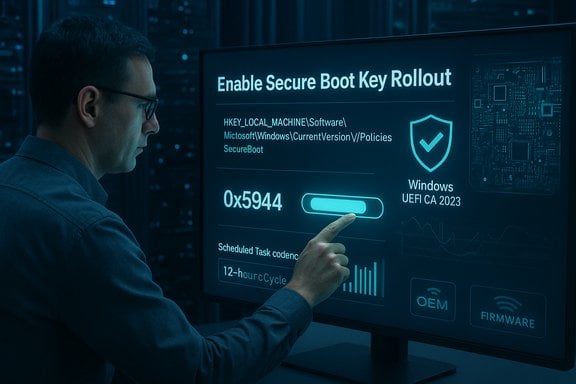
- Action: When enabled, the GPO writes a DWORD value (for enterprise use the recommended value is 0x5944) to a registry location under the Secure Boot servicing area. That registry flag signals Windows’ scheduled task to perform the multi‑step certificate and boot manager updates.
- ADMX and GPO UI: Microsoft recommends an ADMX template (Administrative Templates) under Computer Configuration > Administrative Templates > Windows Components > Secure Boot (a suggested subnode “Secure Boot Updates”). The sample policy name shown in guidance is tentatively “Enable Secure Boot Key Rollout.” Treat the name as implementation detail — Microsoft’s ADMX wording or policy ID may be adjusted in published Administrative Template files.
Why Microsoft added a GPO path
Enterprises often restrict telemetry, manage updates through WSUS/ConfigMgr/Intune, or run air‑gapped environments. The GPO gives IT teams a central, policy‑managed lever for opting devices into the OS‑side rollout while keeping the change under organizational change control. It complements the other supported delivery channels:- Microsoft‑managed Controlled Feature Rollout (requires devices to send required diagnostic telemetry).
- Registry / scheduling triggers and offline MSU/DISM methods for air‑gapped or restricted networks.
- WinCS (Windows Configuration System) CLI for scripted, per‑machine application of the same configuration.
Technical details — registry keys, values, and scheduled processing
Registry keys and values you need to know
Microsoft has published a small set of registry keys under the Secure Boot servicing area to control and report progress on the certificate rollout. The important keys are:- HKEY_LOCAL_MACHINE\System\CurrentControlSet\Control\SecureBoot\Servicing\AvailableUpdates (REG_DWORD): a bitmask that the scheduled task inspects and processes in order. The enterprise guidance uses 0x5944 as the bitfield that requests the full set of steps. As each bit is processed successfully, the task clears that bit.
- HKEY_LOCAL_MACHINE\System\CurrentControlSet\Control\SecureBoot\Servicing\AvailableUpdatesPolicy (REG_DWORD): used when GPO is the delivery mechanism to record the admin’s preference (the GPO writes this value so the servicing task can transfer it to AvailableUpdates once). The tentative GPO will set this to 0x5944 when enabled.
- UEFICA2023Status (REG_SZ) and UEFICA2023Error (REG_DWORD): per‑device status and last‑error code for the CA/boot manager update processing. Poll these keys to track progress and to automate triage if devices are failing.
- MicrosoftUpdateManagedOptIn and HighConfidenceOptOut (REG_DWORD): supplementary opt‑in/opt‑out controls used by Microsoft’s controlled rollout logic and “high confidence” targeting buckets. These affect whether Microsoft’s own managed rollout can apply updates to a device (they are separate from the GPO’s AvailableUpdatesPolicy flag).
The scheduled task and cadence
The OS runs a scheduled job (documented by Microsoft) — often referenced as the Secure‑Boot‑Update task or the TPMTasks handler — that wakes every 12 hours and looks for bits in AvailableUpdates to process. When a requested step requires a restart (for example, to replace the boot manager), Windows schedules that action and waits for a restart window rather than forcing an immediate reboot. For lab testing or fast‑track troubleshooting, administrators can trigger the scheduled job manually.High‑level update order (why sequence matters)
Microsoft sequences the changes to avoid breaking updateability:- Add the Windows UEFI CA 2023 entry to DB.
- If device firmware contains Microsoft UEFI CA 2011, add Microsoft Option ROM UEFI CA 2023 and Microsoft UEFI CA 2023.
- Add Microsoft Corporation KEK 2K CA 2023 to KEK.
- Replace the Windows boot manager with a copy signed by Windows UEFI CA 2023 (requires restart to complete).
The GPO specifics you’ll deploy (how the policy behaves)
Proposed policy (illustrative ADMX behavior)
- Policy name (tentative): Enable Secure Boot Key Rollout (under Computer Configuration).
- Policy path: Computer Configuration > Administrative Templates > Windows Components > Secure Boot > Secure Boot Updates.
- Policy type: Machine (applies to HKEY_LOCAL_MACHINE; Group Policy client runs as Local System so the machine policy has rights to write to SYSTEM hive).
- When Enabled: write AvailableUpdatesPolicy = 0x5944 under HKEY_LOCAL_MACHINE\SYSTEM\CurrentControlSet\Control\SecureBoot\Servicing. The servicing task picks that up and sets AvailableUpdates accordingly, then begins processing.
- When Disabled: the policy should set AvailableUpdates to 0 (explicitly stop or prevent attempts).
- Not configured: policy leaves the system unchanged (Secure Boot updates remain opt‑in via other methods).
Verification, monitoring and common troubleshooting signals
How to verify progress on a machine
Use these checks (run with administrative privileges):- PowerShell: Confirm the device’s Secure Boot state:
- Confirm‑SecureBootUEFI — returns True/False to confirm Secure Boot is enabled.
- Get‑SecureBootUEFI db — inspect the bytes and search for strings like 'Windows UEFI CA 2023'. Example quick test:
ASCII.GetString((Get‑SecureBootUEFI db).bytes) -match 'Windows UEFI CA 2023' - Registry: Poll UEFICA2023Status and UEFICA2023Error under the SecureBoot servicing registry path to track state and first error.
- Event logs: Look for TPM‑WMI event IDs (common ones cited in Microsoft guidance include 1795, 1796 and other Secure Boot DB/DBX update‑related events) for firmware variable write errors or success confirmations. Event ID 1795 is commonly used to indicate firmware rejection of a variable write.
Most common failure modes and what they mean
- Firmware rejects variable writes (Event ID 1795): Firmware either refuses OS‑initiated writes for KEK/DB/DBX or requires an OEM firmware update to permit the change. Remediation usually requires OEM firmware that embeds the 2023 certs into defaults or that allows OS writes.
- BitLocker recovery prompts after the boot manager swap: If BitLocker protectors aren’t suspended, changes to boot components or Secure Boot variables often trigger recovery. Guarantee BitLocker recovery keys are escrowed (AD/Azure AD/vault) and suspend BitLocker on pilot devices when testing.
- Partial progress (AvailableUpdates bits cleared except boot manager): The boot manager replacement is deferred until the system restarts; many administrators will stage this change to align with monthly reboots or maintenance windows.
Practical rollout playbook for IT teams (recommended sequence)
- Inventory and classification (weeks 0–2)
- Export OEM, model, firmware version, Secure Boot state, TPM status, partition style, BitLocker status using existing CMDB / Intune / ConfigMgr scripts.
- Create representative device groups by OEM and firmware family.
- Identify devices that require firmware updates
- Contact OEMs or check vendor advisories for firmware that embeds the 2023 CAs into firmware defaults or fixes variable write bugs. Track models with known firmware issues.
- Prepare recovery posture
- Ensure all BitLocker recovery keys are backed up, refresh recovery ISOs/USBs with updated boot manager chains for test devices, and test restores on pilot hardware.
- Lab validation (2–6 weeks)
- Apply the servicing updates (SSU + LCU that contain the Secure Boot payload), then test:
- Registry trigger (AvailableUpdates = 0x5944) or WinCS apply (WinCsFlags.exe /apply -key F33E0C8E002).
- Confirm Secure Boot DB contains 2023 CA and watch for UEFICA2023Status transitions.
- Validate BitLocker behavior, recovery flow, WinRE and imaging interactions.
- Pilot (4–12 weeks)
- Deploy to a small representative ring, monitor event logs and UEFICA2023Error. Escalate firmware failures to OEMs and pause rollout for any problematic model.
- Phased production rollout (6–20 weeks)
- Use the GPO, WinCS, Intune or WSUS/SCCM rings for controlled expansion. Keep the ability to pause per hardware family.
- Post‑deployment: consider DBX/SVN actions only after OEM confirmation
- Adding revocations to DBX or raising Secure Version Numbers (SVN) can be functionally irreversible on many devices. Only consider these steps after broad testing and OEM confirmations; rebuild all installer and recovery media first.
WinCS and scripted alternatives — how GPO compares
Microsoft also published a Windows Configuration System (WinCS) CLI for administrators who want per‑machine scripted control (WinCsFlags.exe). WinCS exposes a named configuration key — Feature_AllKeysAndBootMgrByWinCS with key value F33E0C8E002 — that admins can query and apply; applying it instructs the scheduled task to run the same OS‑side update flow. WinCS is useful for scripted, auditable per‑machine changes, while the GPO method is suited to domain‑wide policy enforcement. Use either in combination with WSUS/SCCM or with Intune for scale.Strengths of the Microsoft GPO method
- Centralized policy control: The GPO fits naturally into Group Policy workflows, letting admins declare which machines should attempt the rollout without running one‑off scripts.
- Auditable and deterministic: The registry flags, UEFICA2023Status/UEFICA2023Error keys, and the WinCS state model give machine‑level telemetry that can be integrated into management consoles and alerts.
- Safety by default: Microsoft sequences changes and delays the boot manager swap until a restart; the scheduled-task cadence and per‑step clearing of bits reduce race conditions.
- Multiple delivery paths: GPO is one of several supported paths (Microsoft‑managed, WinCS, registry triggers, offline packages), enabling hybrid strategies for different classes of devices.
Risks, limitations, and unavoidable trade‑offs
- OEM firmware is the gating factor — The single largest operational risk is firmware variability. Some firmware rejects OS‑initiated variable writes or will not persist active updates after a firmware reset unless OEMs also write the 2023 certs into defaults. These device families require vendor coordination or replacement.
- Telemetry and privacy trade‑offs — Microsoft’s managed rollout path requires devices to send required diagnostic data. Organizations that forbid diagnostic telemetry may need to use the self‑service approaches, increasing complexity and manual overhead. The GPO option avoids changing telemetry posture but still triggers OS‑side firmware changes with potentially irreversible impact.
- Irreversible changes (DBX and SVN) — Adding revocations to DBX or increasing firmware SVN can be effectively permanent on many consumer and enterprise firmwares. Test thoroughly and only take these steps after vendor confirmation and media rebuilds.
- BitLocker and recovery impact — Many administrators will face BitLocker recovery prompts if recovery keys aren’t properly escrowed or BitLocker isn’t suspended during certain steps. This is operationally painful at scale unless recovery planning is complete.
- Edge cases — Linux and dual‑boot scenarios — Non‑Windows OS images that rely on shims signed under the old CA will need to coordinate re‑signing or firmware updates; dual‑boot and custom bootloader environments require special handling.
Concrete, copy‑and‑pasteible admin checks and commands
- Query WinCS configuration:
- WinCsFlags.exe /query -key F33E0C8E002.
- Apply WinCS configuration (lab/test only, run elevated):
- WinCsFlags.exe /apply -key F33E0C8E002.
- Set registry trigger for full enterprise flow (lab/test only, run elevated):
- reg add "HKLM\SYSTEM\CurrentControlSet\Control\SecureBoot" /v AvailableUpdates /t REG_DWORD /d 0x5944 /f
- Start-ScheduledTask -TaskName "\Microsoft\Windows\PI\Secure-Boot-Update" (to expedite processing).
- PowerShell verification (elevated):
- Confirm‑SecureBootUEFI
- ::ASCII.GetString((Get‑SecureBootUEFI db).bytes) -match 'Windows UEFI CA 2023'
- Read UEFICA2023Status and UEFICA2023Error from registry.
Final assessment — when and how to use the GPO
The GPO method is a practical, low‑friction mechanism for domain‑joined fleets that prefer a policy‑based opt‑in and don’t want to modify telemetry posture. It’s especially useful for organizations that:- Need a single declarative lever to target machines by AD OU,
- Want to avoid per‑machine scripting and prefer native Group Policy reporting,
- Are managing large fleets with established change management and maintenance windows.
- Run a thorough hardware/firmware inventory and pilot by OEM/family,
- Back up and test BitLocker recovery flows,
- Coordinate firmware updates with OEMs, and
- Maintain a mitigation plan (isolate or replace devices that cannot be updated).
Closing recommendation (operational checklist)
- Inventory first — don’t flip the toggle globally without representative pilots.
- Escrow BitLocker keys and refresh recovery media before any firmware‑affecting step.
- Use the GPO (ADMX) to set AvailableUpdatesPolicy = 0x5944 for ringed deployment only after passing pilots.
- Monitor UEFICA2023Status, UEFICA2023Error and TPM/TPM‑WMI event logs; automate alerts for Event ID 1795 and UEFICA2023Error ≠ 0.
- Coordinate OEM firmware updates for models that refuse OS variable writes or don’t persist active updates into defaults.
- Treat DBX revocation and SVN enforcement as post‑validation steps only.
Source: Microsoft Support Group Policy Objects (GPO) method of Secure Boot for Windows devices with IT-managed updates - Microsoft Support
